Deploy Software via Group Policy (GPO)
Introduction
Deploy Software via Group Policy (GPO) is a method used in Windows Active Directory (AD) environments to automatically install, update, or remove software on computers or for users centrally and silently, without manual installation on each machine. It’s mainly handled by Group Policy Objects (GPOs) through Microsoft Installer (MSI) packages.
Open the Windows Server Device:
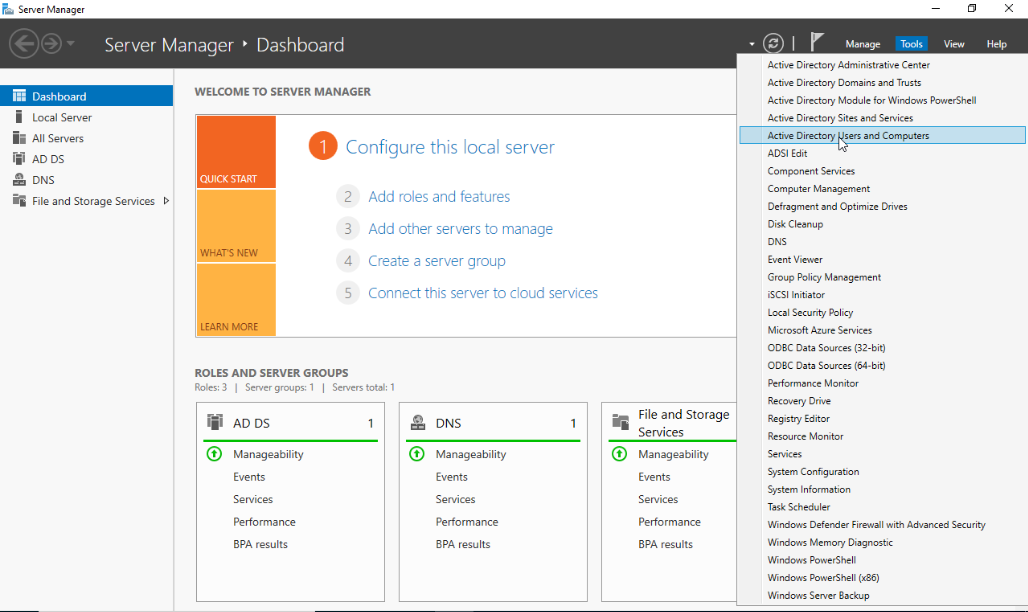
- Open Server Manager click Tools on the upper right side and choose the Active Directory Users and Computers.
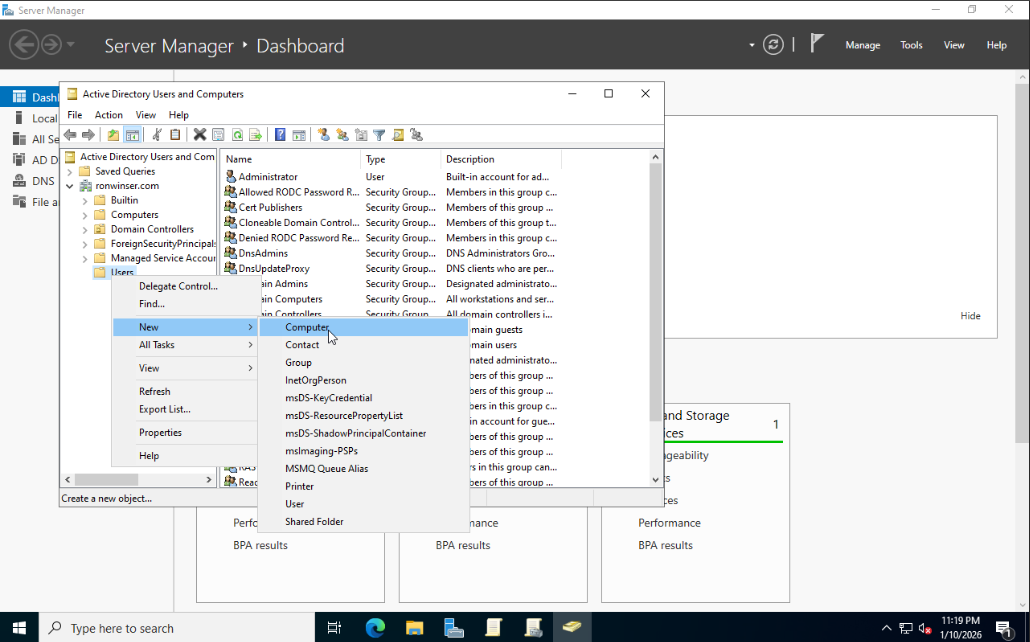
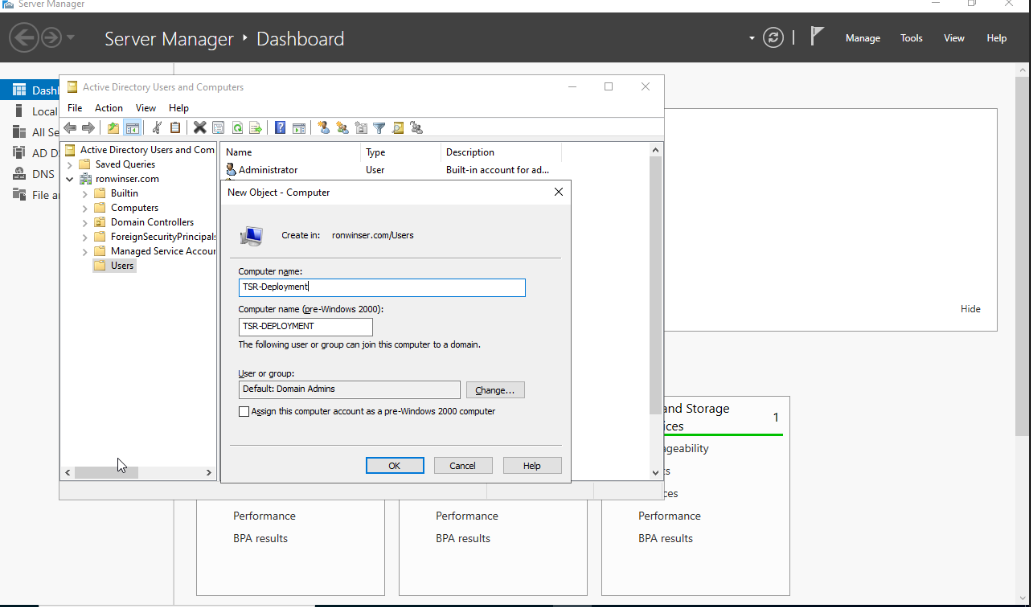
- On the Active Directory Users and Computers right click the Users folder select New and Computer.
After you clicked the Computer, New Object - Computer window displayed.
- Input your desired Computer Name: TSR-Deployment
Click "OK" once done and you will see the TSR-Deployment added on the Active Directory Users and Computers.
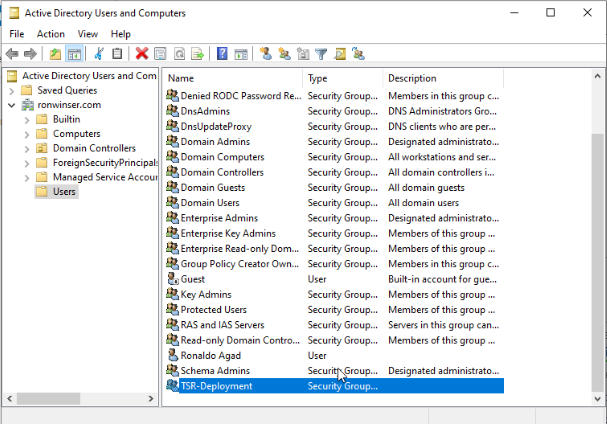
- Next Process double click the TSR-Deployment on the Active Directory Uses and Computers, TSR-Deployment Properties will appear and click the Members tab.
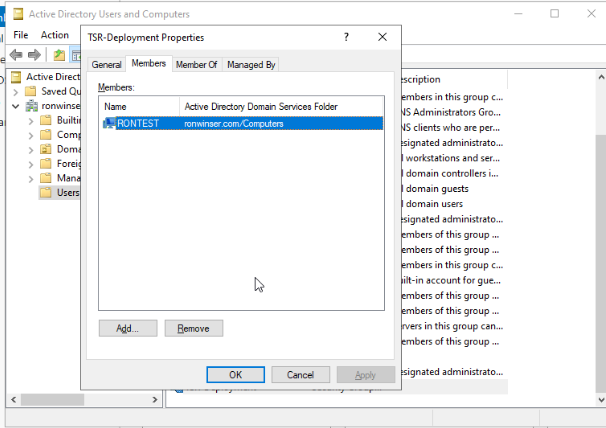
- Click the "Add" button, select the "Object Types" once it opens check the Computer.
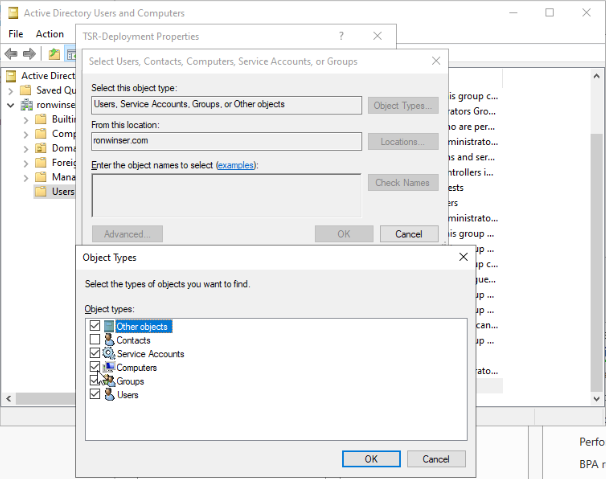
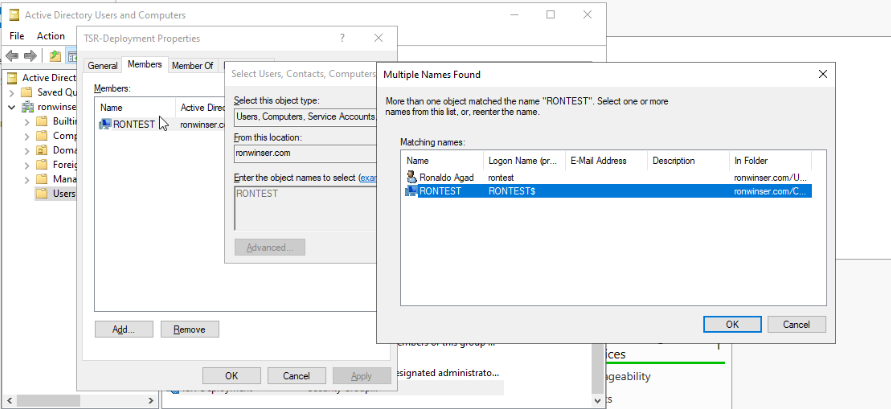
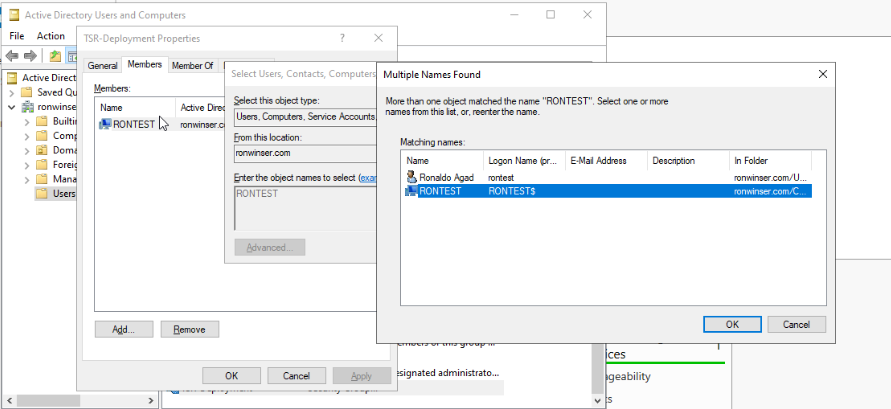
- Type your computer name that is connected to the domain, after that click the Check Names and choose only the "Computer" icon which is your computer device.