
Vulnerability Assessment and Management (VAM)
Overview:
In AQUILA, the Vulnerability Assessment and Management (VAM) module is designed to help organizations identify, analyze, prioritize, and remediate security weaknesses across their IT infrastructure.
Key Features:
- Dashboard - Provides an overview of the organization’s risk posture, showing vulnerability scores, scan status, severity levels, affected asset types, top CVEs, and most vulnerable assets.
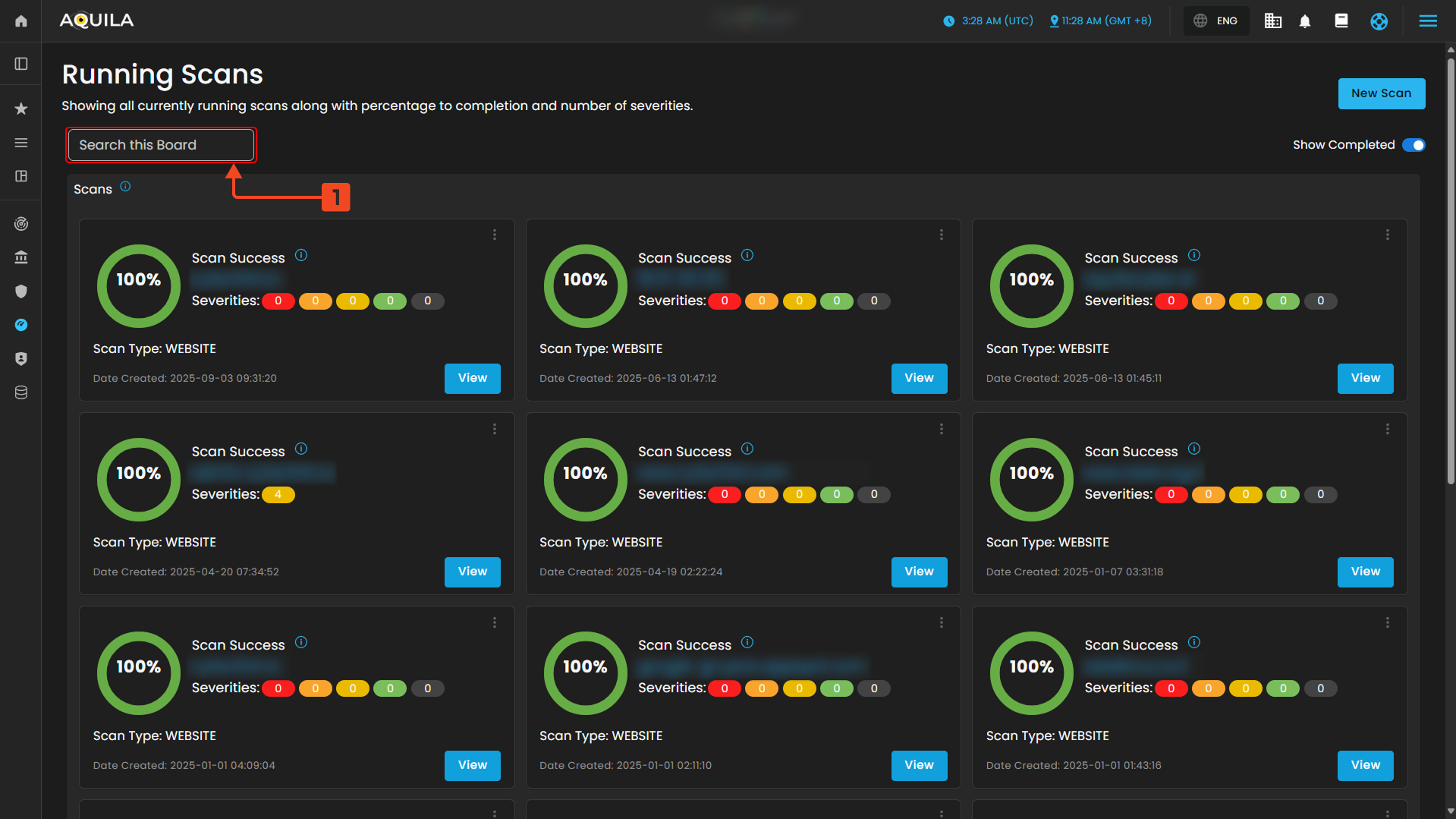
- Scan - It shows you all currently running scans with percentage to completion and number of severities.
Step 1: Log in to CyTech – AQUILA. https://usdc.cytechint.io/
Step 2: In the left side panel, you can see the list of six (6) domains, kindly choose and click the Risk Management (Domain) -> Vulnerability Assessment and Management (Module) -> Detection (Sub Module)
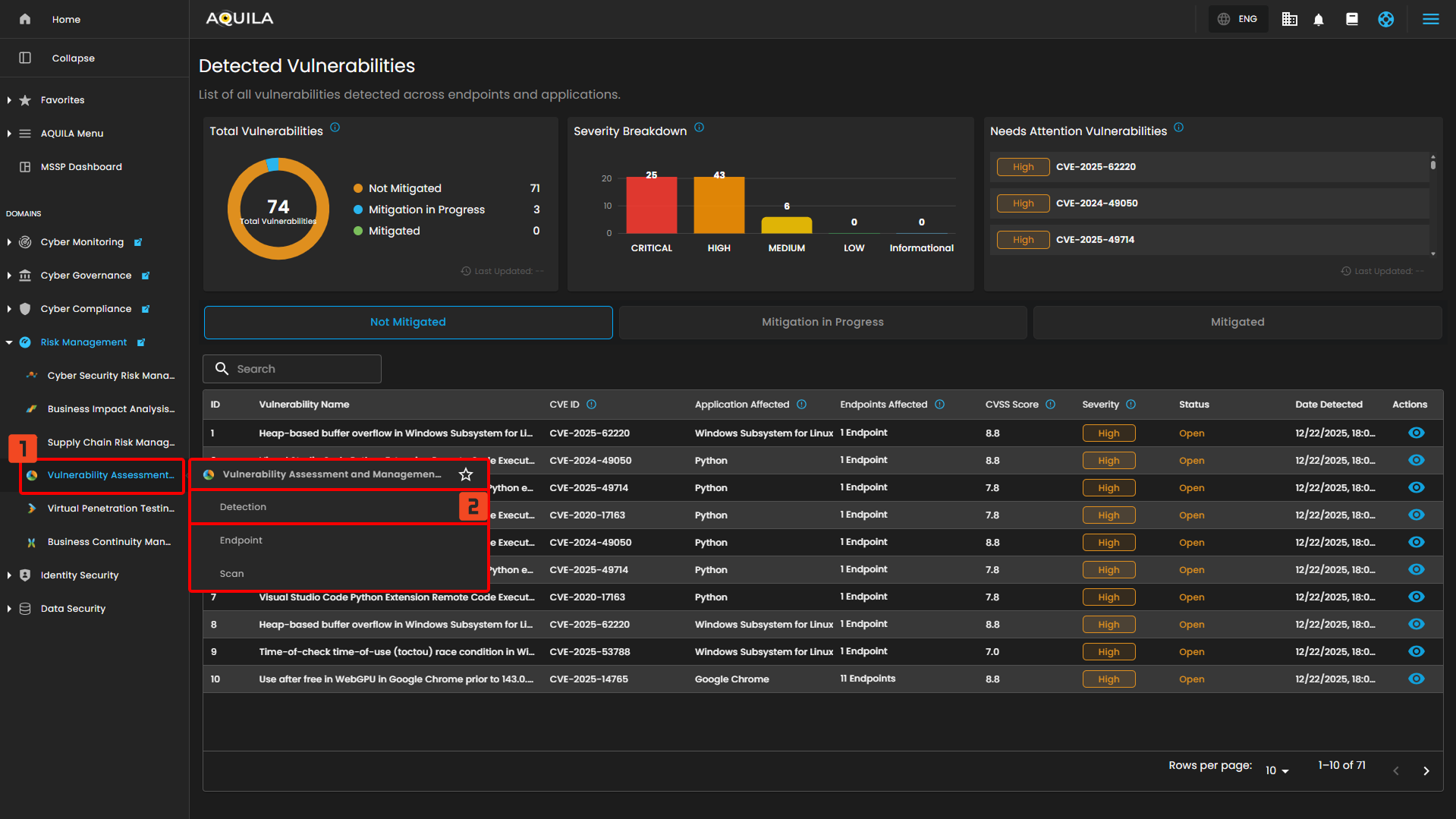
"Dashboard (Sub-module)" - Vulnerability Assessment and Management (Module)
The Vulnerability Assessment & Management Dashboard in AQUILA provides a centralized view of all detected vulnerabilities. It shows the overall risk score, trends, severity distribution, and affected assets. Users can monitor scans, identify top vulnerabilities (CVEs), and track the most at-risk assets, enabling quicker prioritization and remediation.
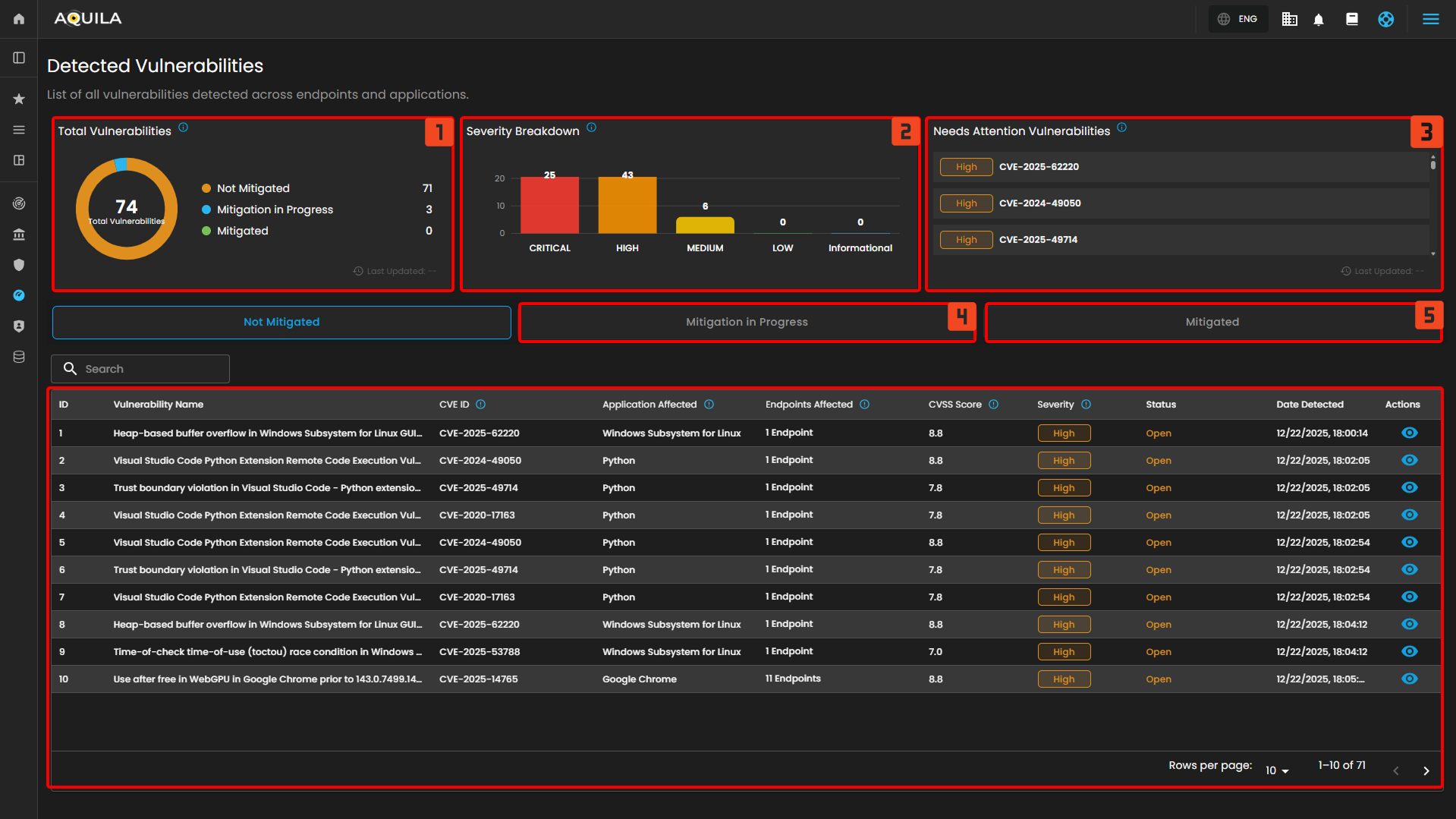
Uses of Dashboard Sections
- Total Vulnerabilities - Displays the total number of detected vulnerabilities across all endpoints and their current mitigation status.
- Severity Breakdown - Shows the distribution of vulnerabilities based on their severity levels, helping prioritize remediation efforts.
- Needs Attention Vulnerabilities - Lists critical or high-severity vulnerabilities that require immediate review or action.
- Mitigated in Progress - List of the Vulnerabilities and Endpoints that are currently on process of mitigation.
- Mitigated - List of the Vulnerabilities that are mitigated
Endpoints
The client can also access the list of their endpoints and how many vulnerabilities are affected; this section can be found below the Detection.
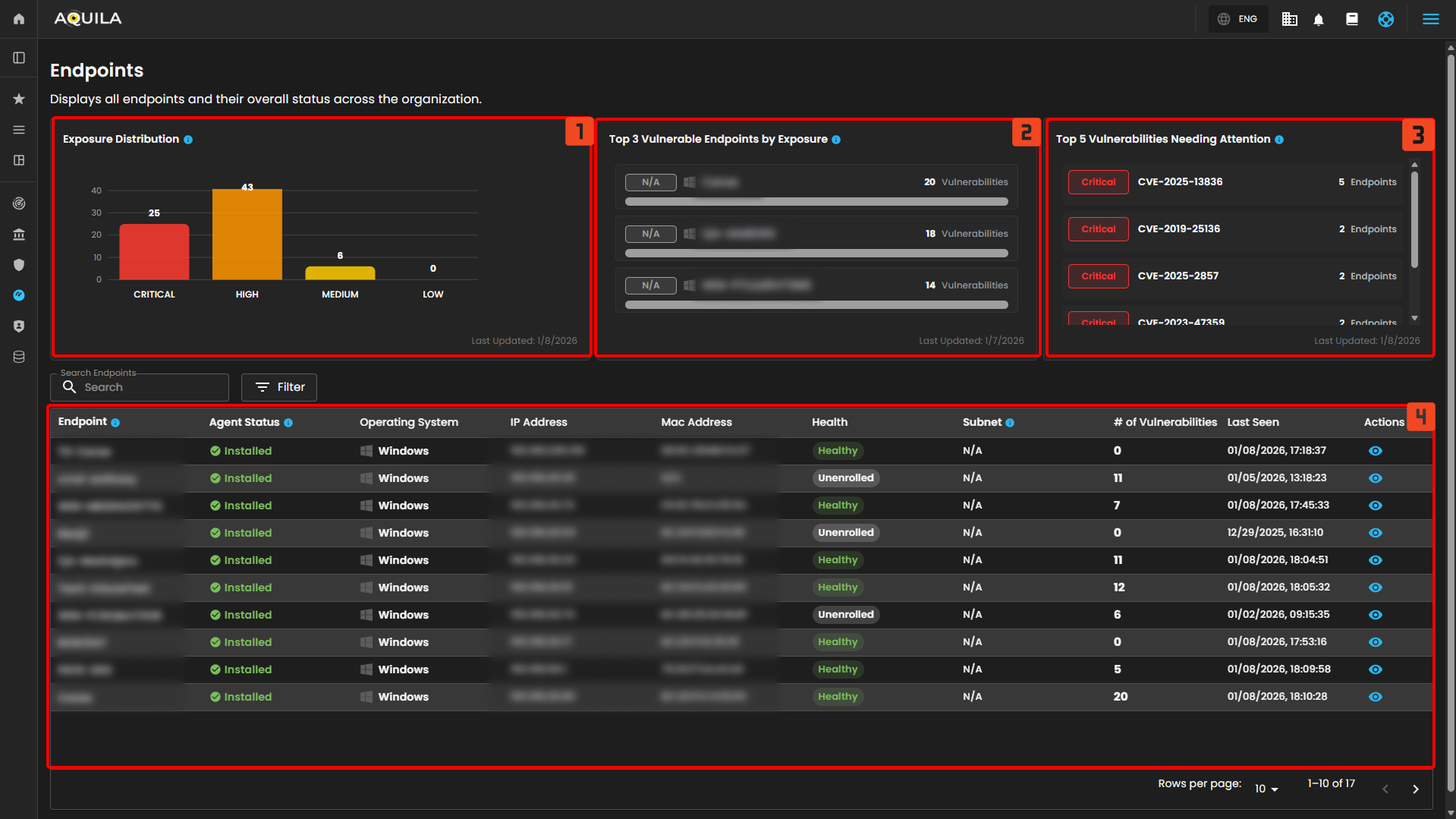
- Exposure Distribution -Shows the number of endpoints based on their current exposure level (Critical, High, Medium, Low).
- Top 3 Vulnerable Endpoints by Exposure - Displays the three endpoints with the highest number of detected critical and high vulnerabilities, broken down by severity level.
- Top 5 Vulnerabilities Needing Attention - Lists the vulnerabilities that impact the most endpoints and require immediate action. Prioritizes Critical and High severity.
- Endpoint list - List of the Endpoints and # of vulnerabilities.
"Scan (Sub-module)" - Vulnerability Assessment and Management (Module)
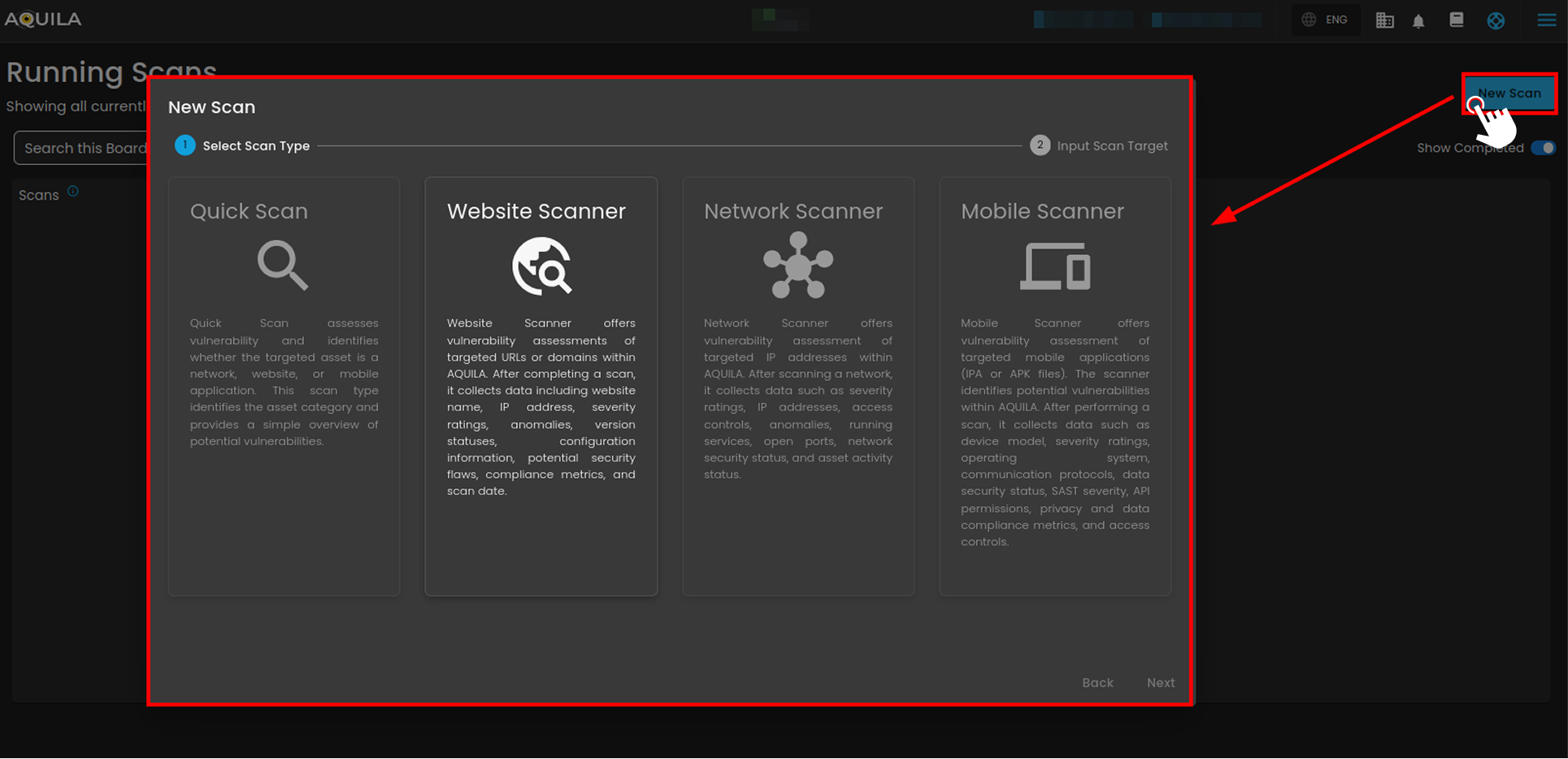
The Running Scans page in AQUILA shows all ongoing vulnerability scans with progress and severity details. From here, users can search scans, launch new ones, and toggle to view completed scans. The client can also view their scan result by pressing the view button.
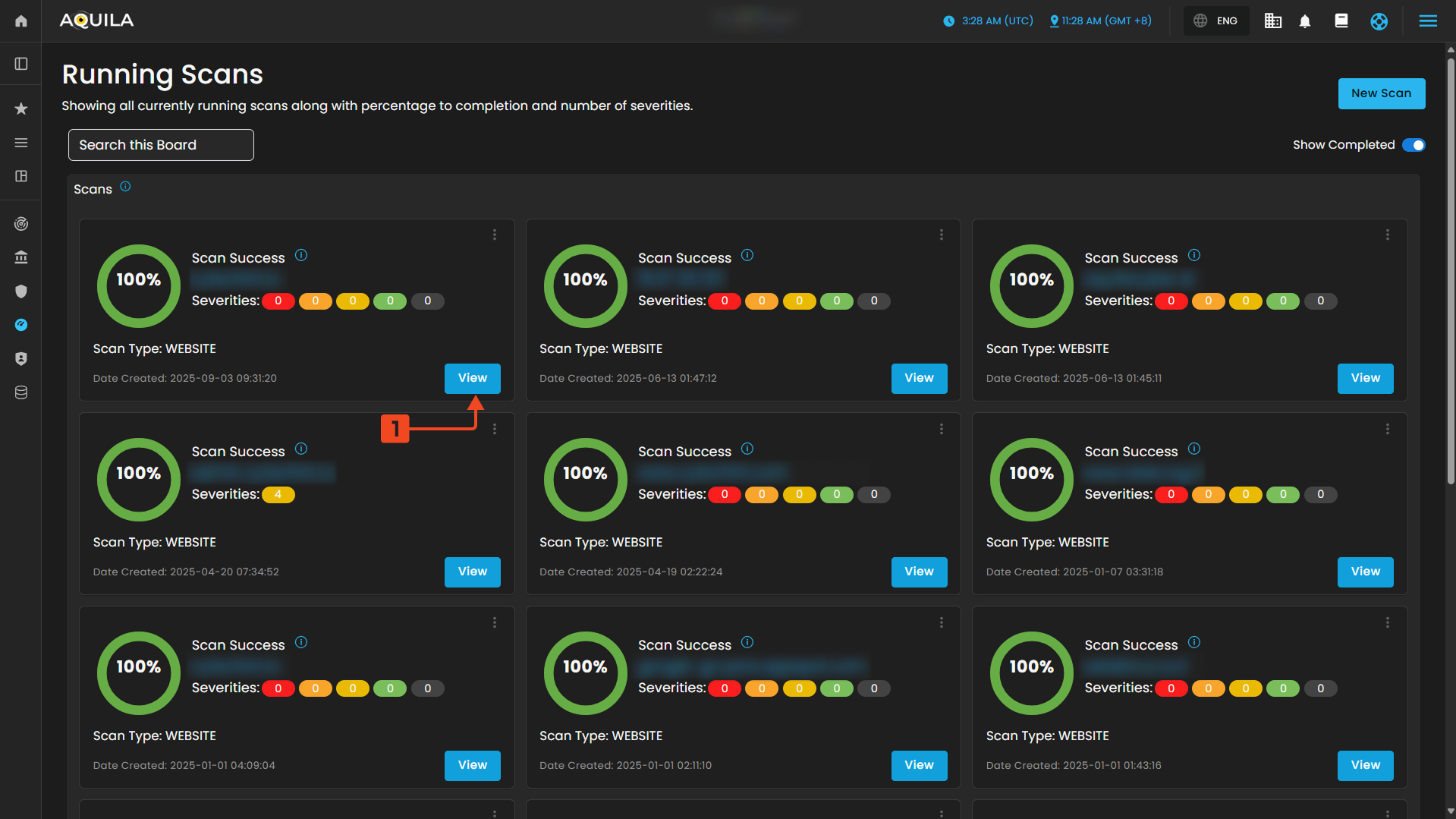
Search Bar or Search this Board " - is simply a filter/search tool for the scan list displayed in the main panel.
" New Scan " - The New Scan lets users choose the type of scan (Quick, Website, Network, or Mobile) depending on the asset being tested, each tailored to identify vulnerabilities and provide security insights.
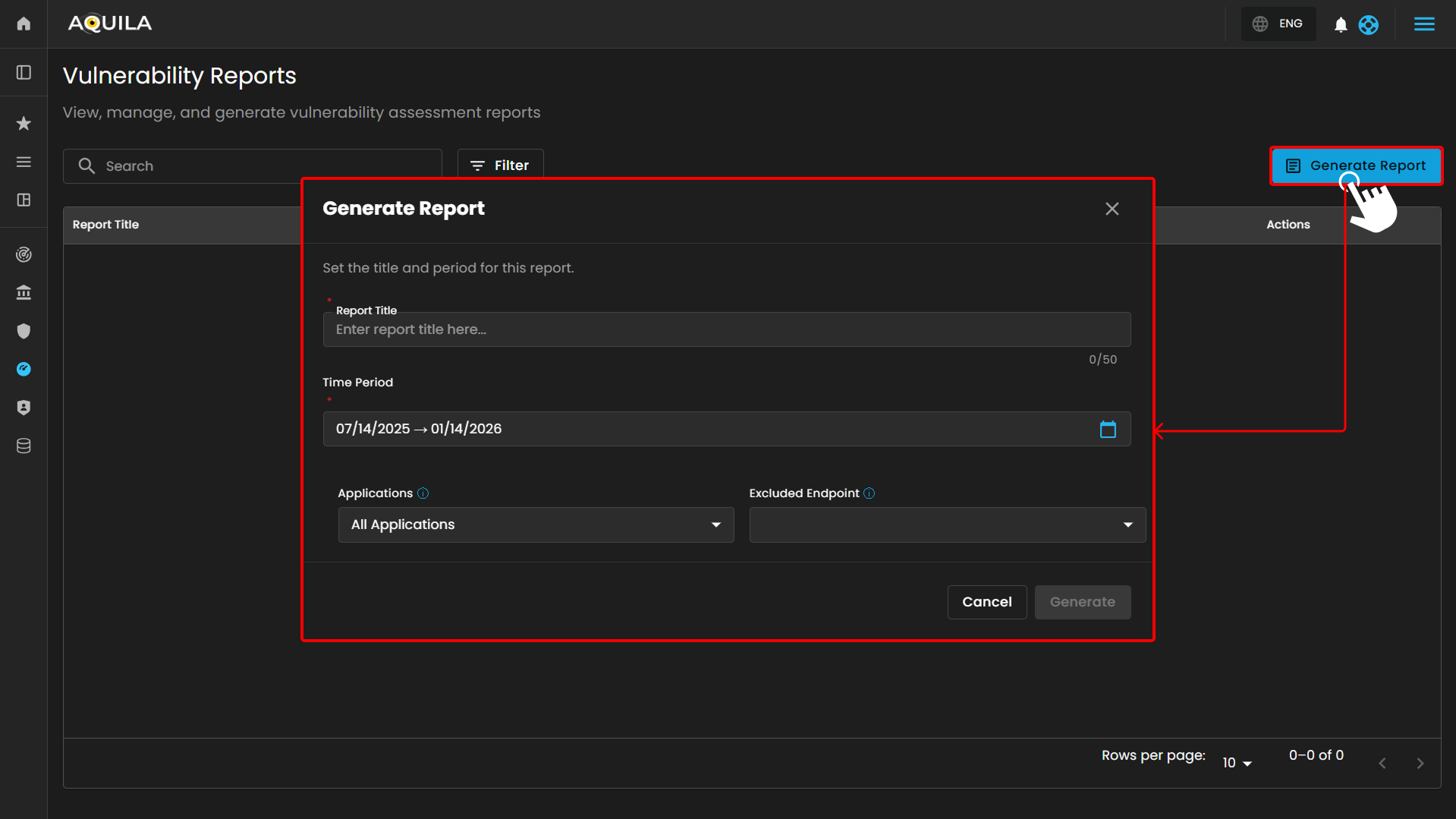
Vulnerability Reports - Vulnerability Assessment and Management (Module)
In this section, the client can view, manage and generate report by pressing "Generate Report" button
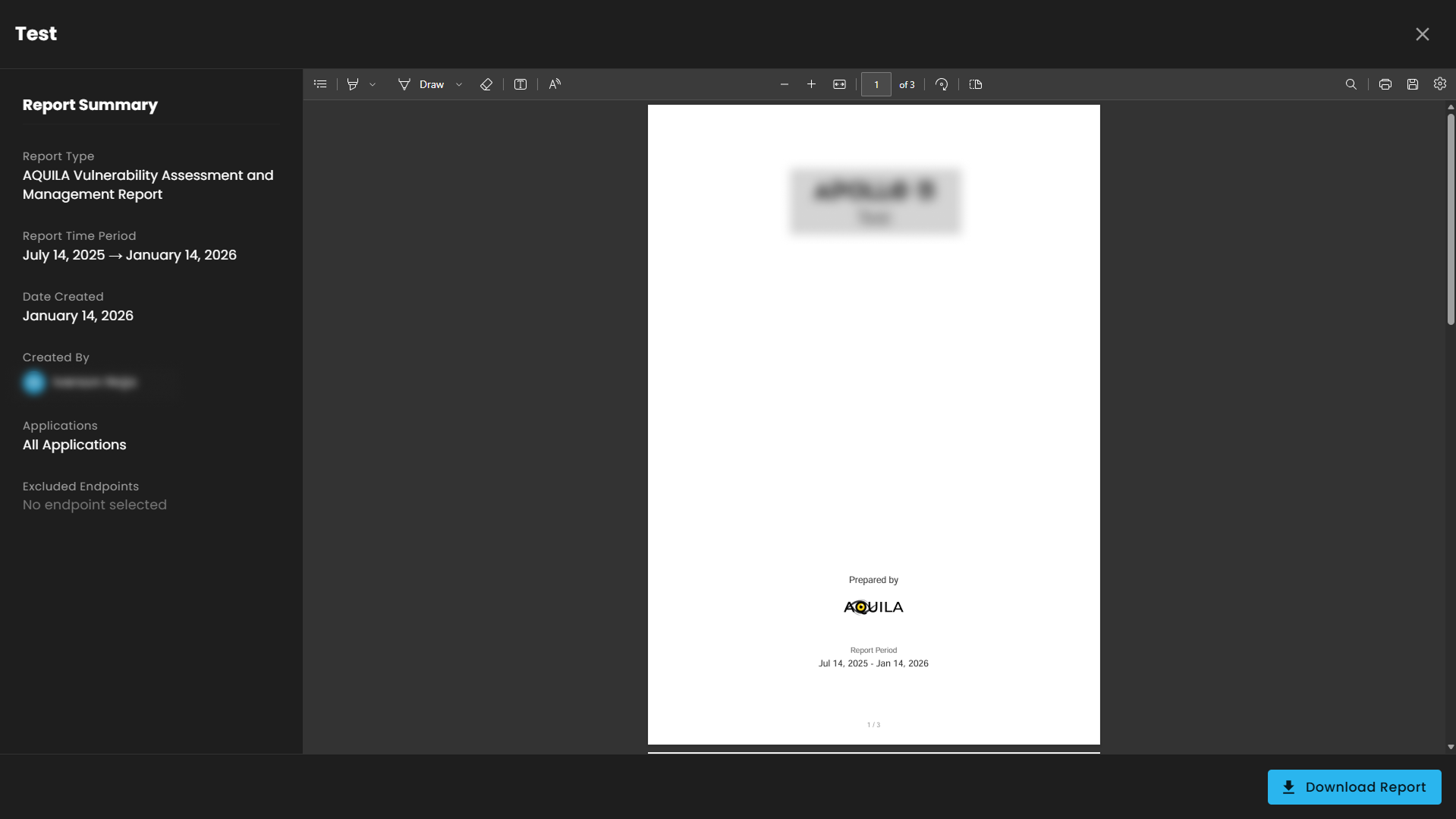
After pressing "Generate Report" and filling up the required information it will generate a report summary on the endpoints that are affected by the vulnerability and their CVE's that are related to the vulnerabilities. The client can also press "Download Report" to generate a pdf form of the report.
If you need further assistance, kindly contact support@cytechint.com for prompt assistance and guidance.
No comments to display
No comments to display