
Supply Chain Risk Management (SCRM)
Overview:
This module offers a comprehensive, data-driven solution for managing the organization's Supply Chain Risk and Vendor Lifecycle. It provides security, procurement, and risk teams with a unified platform to onboard, assess, monitor, and mitigate risks associated with all third-party partners. The system is designed to enforce a standardized due diligence process, from initial risk classification to continuous monitoring of financial exposure and technical security controls, ensuring operational resilience across the entire vendor ecosystem.
Key Features:
-
Overall Supply Chain Risk Score: Displays a real-time, aggregate risk score for the entire vendor portfolio to track the overall risk posture.
-
Risk by Each Vendor: Visualizes and ranks the risk scores of top vendors, enabling swift identification and prioritization of the highest exposures.
-
Overall Vendors Classification Quad: Strategically plots vendors based on risk level and criticality (e.g., Strategic vs. Commodity) to guide management strategy.
-
Critical Vendors & Most Spent Vendors: Identifies high-risk partners and correlates risk with annual spending to assess potential financial impact.
-
Vendor Onboarding Pipeline: Provides a structured, three-stage workflow (To Be Classified, To Be Assessed, For Approval) to enforce consistent due diligence.
-
Classification Matrix: Automatically assigns a risk classification to vendors based on defined criteria (e.g., spend, criticality) before initiating security assessments.
-
7 Pillars of Assessment: Tracks and scores a vendor's technical compliance and controls across key security domains to identify specific vulnerabilities.
-
Questionnaire Management: Centralizes the process for sending, tracking, and reviewing standardized security questionnaires to gather necessary compliance evidence.
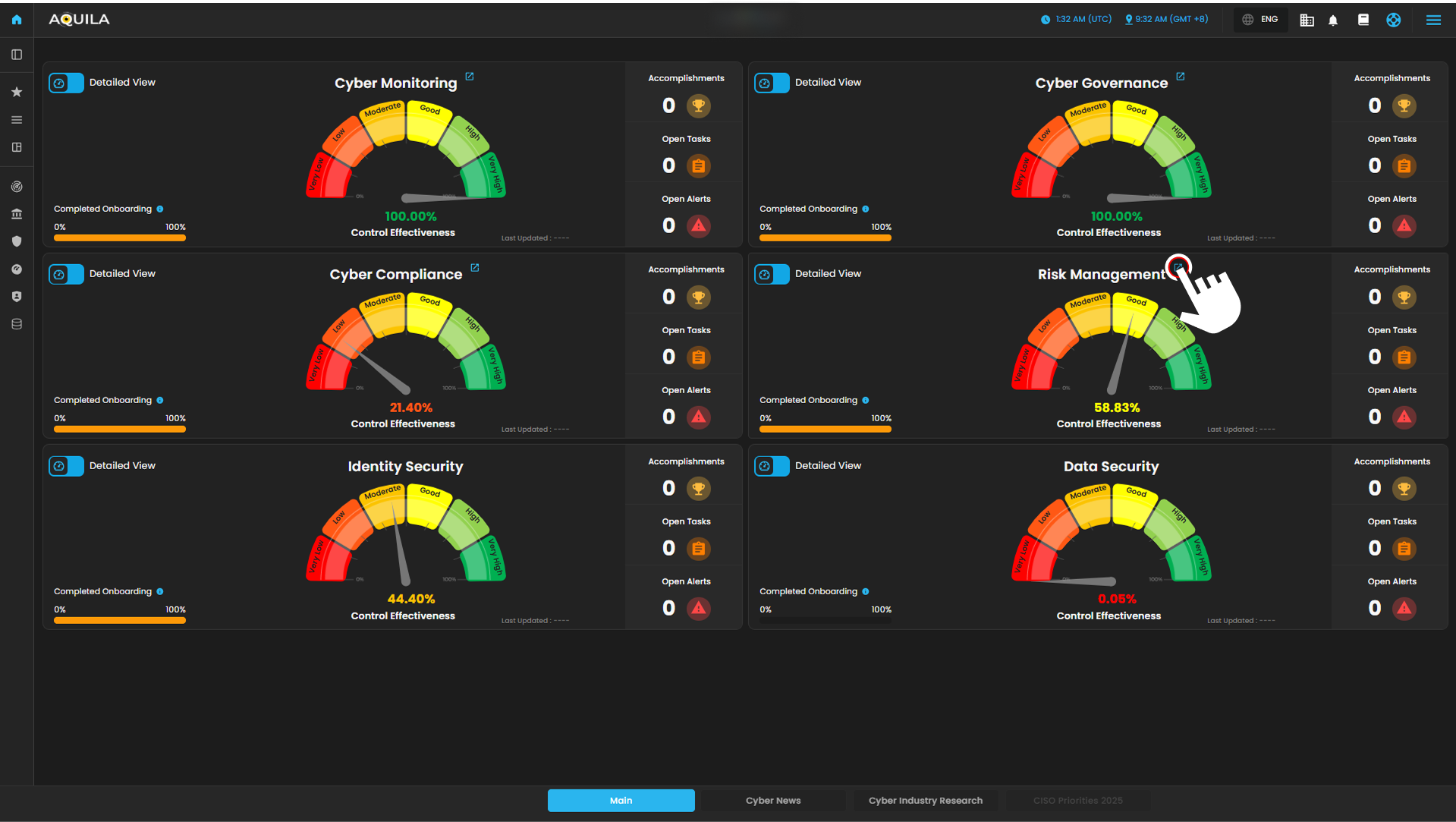
Figure 1. Overview
Step 3: Choose Supply Chain Risk Management.
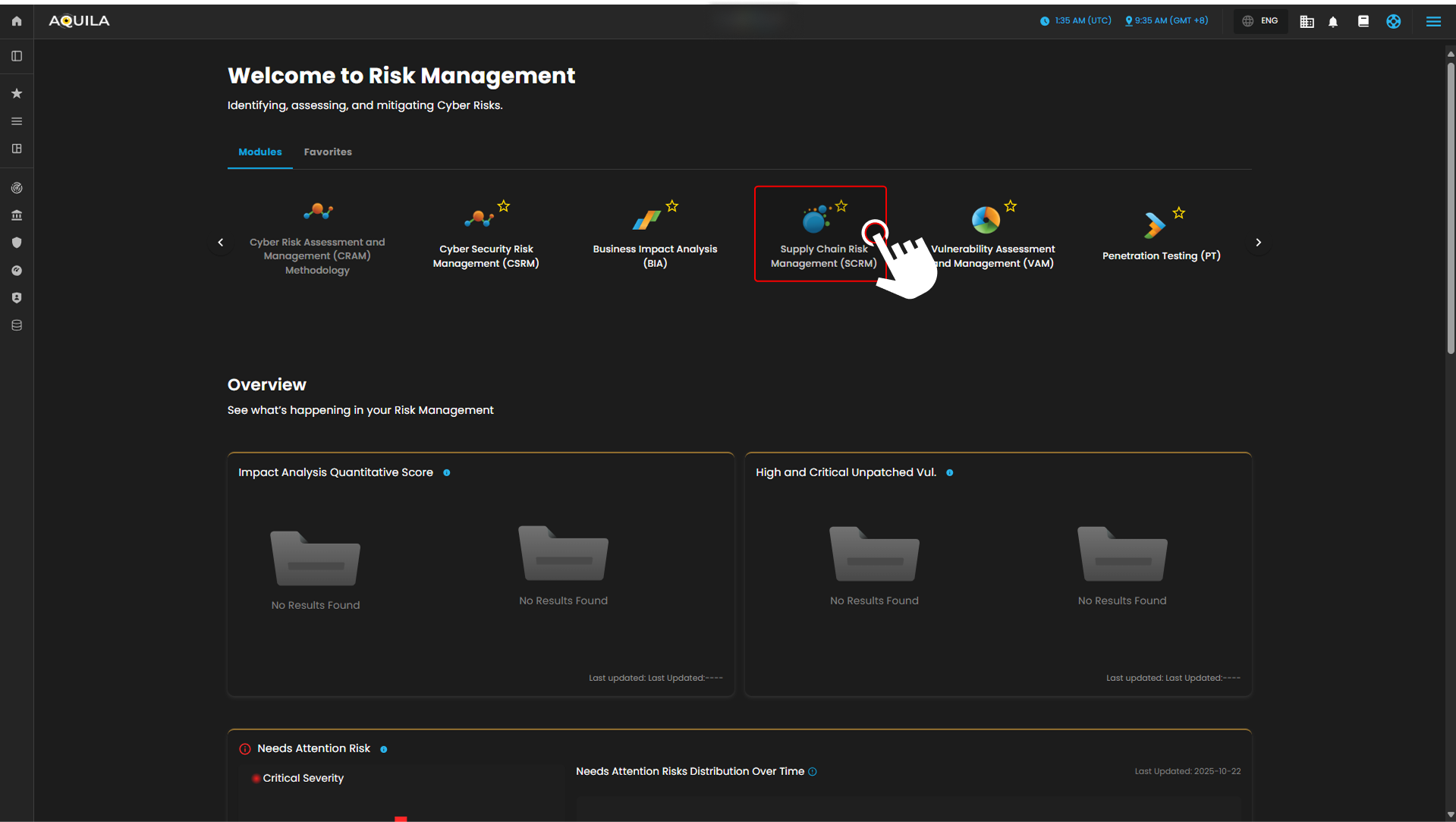
Figure 1.1 Risk Management Dashboard
Step 4: Hover into leftmost panel to view all the Cyber Governance sections. This Process is applicable in all navigating into a Module.
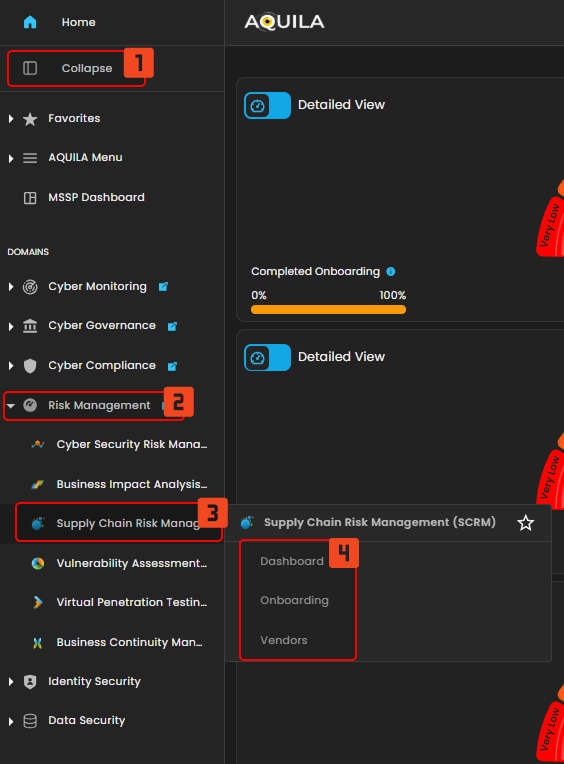
Figure 1.2 Risk Management Navigation
Supply Chain Risk Management Dashboard
This module provides a comprehensive, data-driven view of the organization’s Supply Chain Risk exposure. It is structured around key metrics that track vendor risk scores, financial spending, and performance classification. The dashboard is a critical tool for identifying, assessing, and mitigating risks associated with third-party partners, ensuring operational resilience and guiding strategic vendor management decisions.
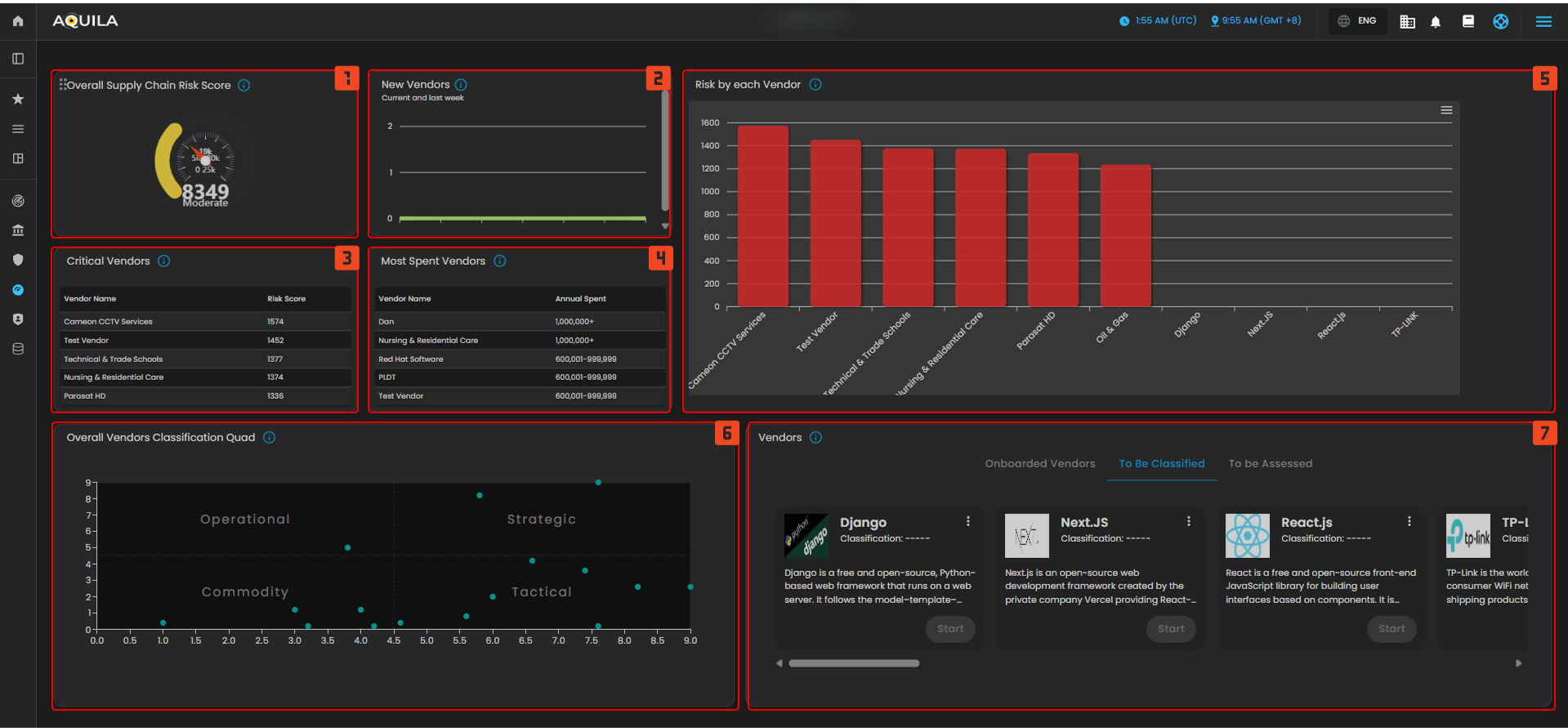
Figure 2 Supply Chain Risk Management Dashboard
1. This gauge displays the organization's aggregate risk score for its entire supply chain, providing a single, current metric to monitor the overall risk posture of all vendors. This score is typically a weighted average of individual vendor risks, allowing stakeholders to quickly assess if the overall exposure is within acceptable limits.
2. This bar chart tracks the count of new vendors added to the supply chain within recent periods, helping monitor growth rate and associated initial risk exposure. A sudden spike in new vendors might indicate a need for increased diligence in the assessment pipeline.
3. This table lists the vendors with the highest calculated risk scores, identifying which partners pose the greatest immediate threat and require priority review and mitigation efforts. This focus ensures resources are directed toward managing the most significant vulnerabilities in the network.
4. This table lists vendors categorized by the annual amount of spending, helping to correlate financial reliance with risk scores for a comprehensive business impact assessment. The data helps identify high-spend, high-risk relationships that could lead to significant operational or financial disruption if compromised.
5. This large bar chart compares the risk scores of the top vendors, providing a clear visual ranking of risk exposure across the main third-party partners. It offers a side-by-side comparison that is essential for benchmarking risk and communicating exposure to leadership.
6. This scatter plot visualizes all vendors based on two critical dimensions (e.g., strategic importance vs. risk level), placing them into quadrants like Operational, Commodity, Tactical, and Strategic for management insight. This mapping is vital for determining the appropriate level of security oversight and contractual rigor for each partnership.
7. This area displays cards for specific vendors, showing key details, current classification and the progress of their assessment, distinguishing between Onboarded and To Be Assessed. This section serves as a workflow tool to track the status of due diligence and ongoing monitoring activities for individual partners.
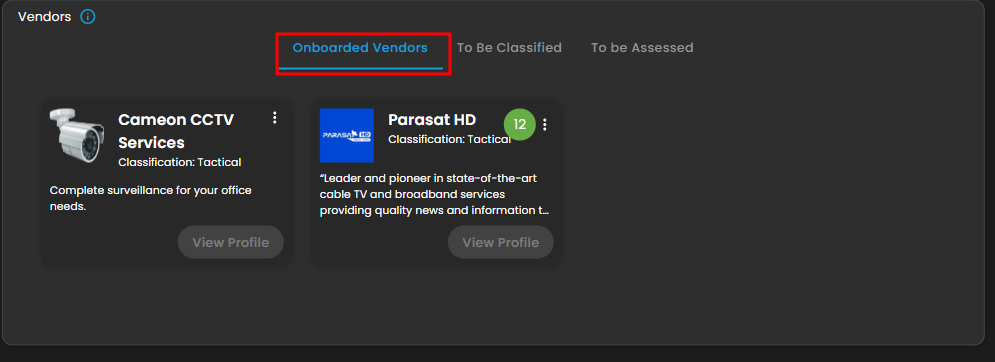
Figure 2.1 Onboarded Vendors
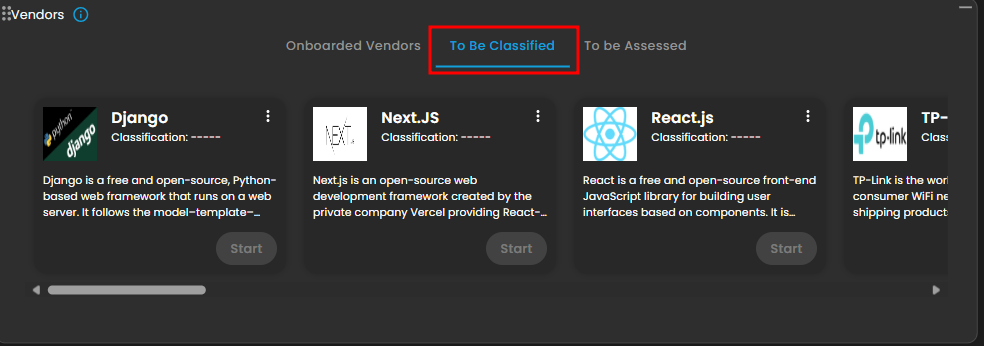
Figure 2.2 To be Classified Vendors
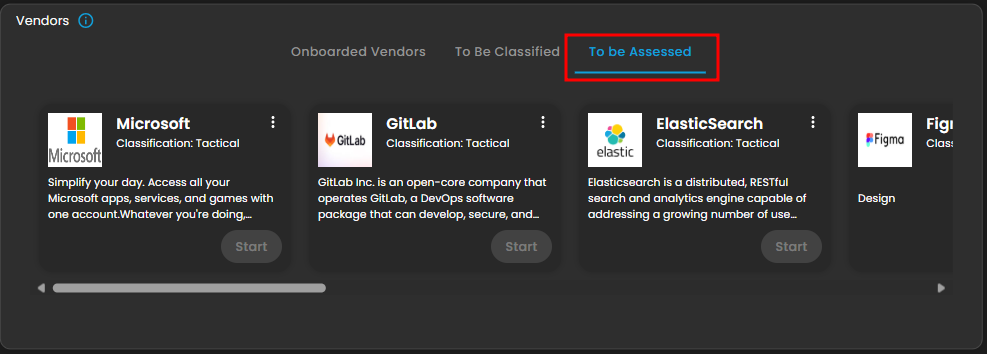
Figure 2.3 To be Assessed Vendors
Onboarding
This module provides a comprehensive, workflow-based view of the Onboarding Pipeline. It manages end-to-end due diligence through three phases—Classification, Assessment, and Approval—to ensure a standardized, risk-aware approach. The dashboard serves as a single source of truth for tracking and prioritizing new vendors, accelerating the internal review process, and supporting collaboration among procurement, legal, and security teams.
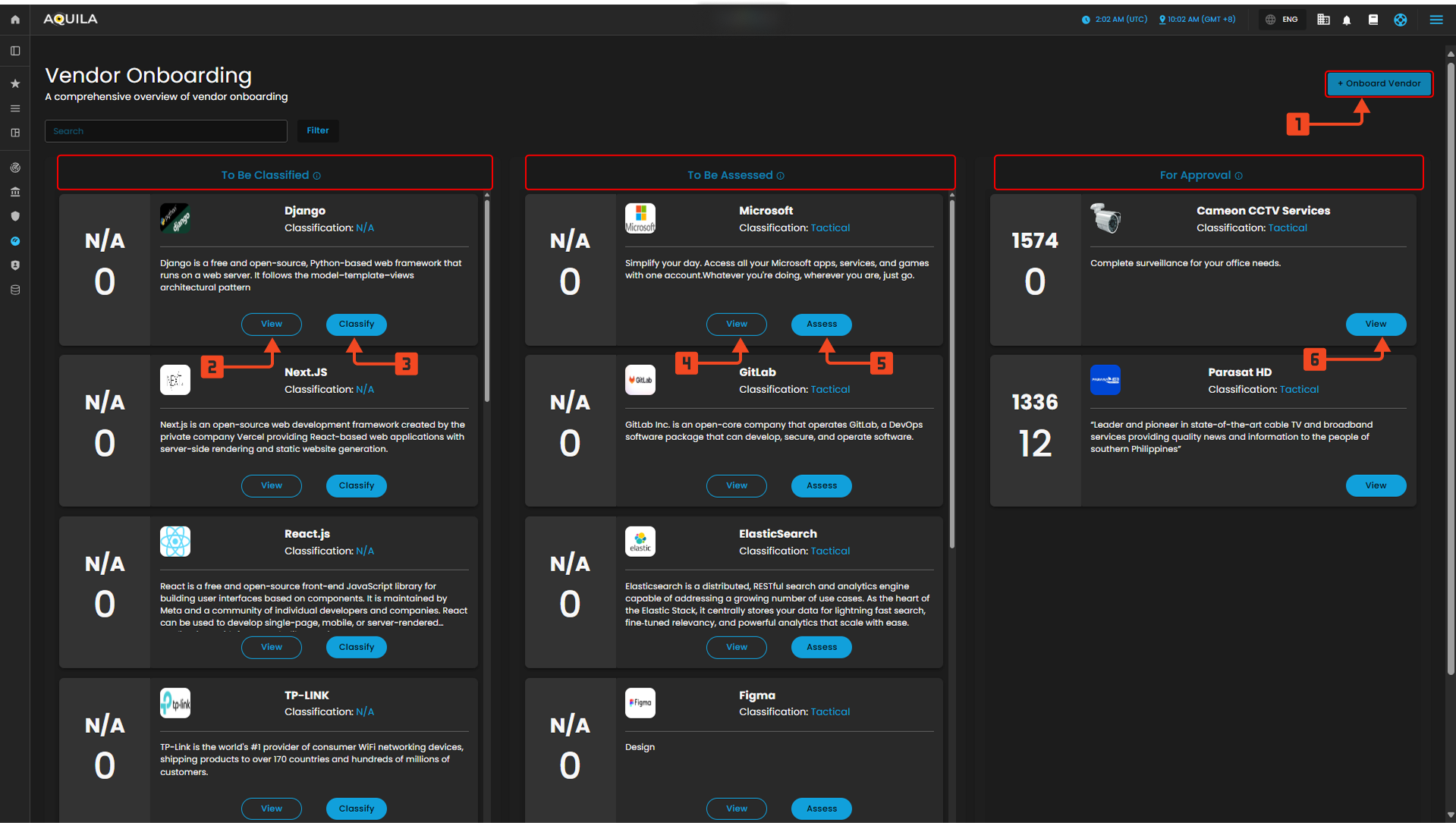
Figure 3 Onboarding
Onboard Vendor
1. This is the primary call-to-action that initiates the entire workflow, allowing users to start the onboarding process for a new third-party partner. Clicking this button typically opens a detailed intake form, gathering essential information like the vendor's legal name, services offered, and initial contact details needed to begin the due diligence process.
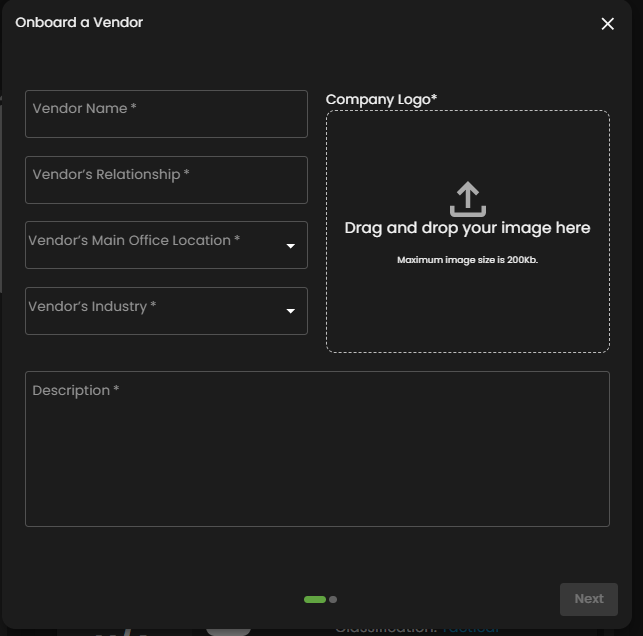
Figure 3.1 Onboard Vendor
To be Classified - View
2. This action button allows the user to view the full profile and documentation submitted by the new vendor. It provides access to all uploaded contracts, compliance documents, and service descriptions before determining the appropriate risk or classification category.
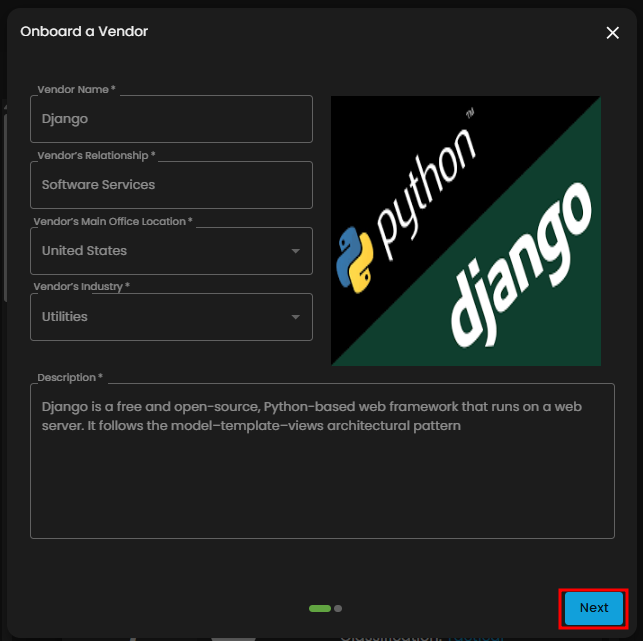
Figure 3.2 To be Classified - View - First Page
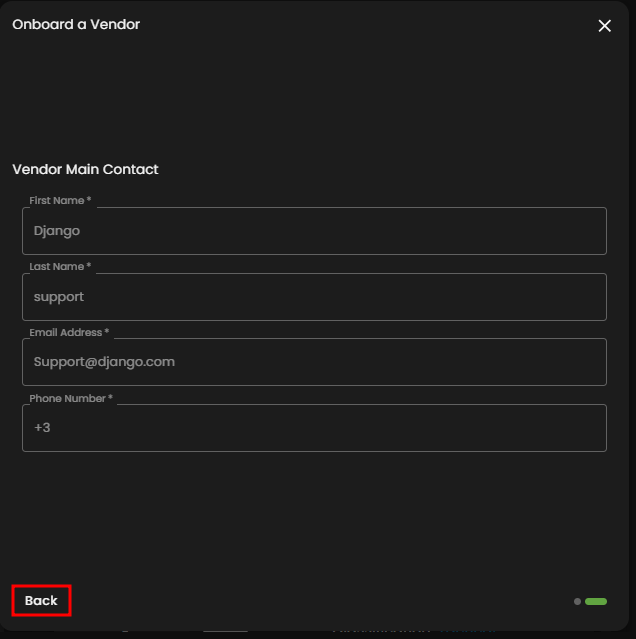
Figure 3.3 To be Classified - View - Second Page
To be Classified - Classify
3. This critical button advances the vendor to the next stage by allowing the user to assign a preliminary risk or strategic classification. This step is crucial as the assigned classification dictates the rigor and scope of the subsequent security assessment.
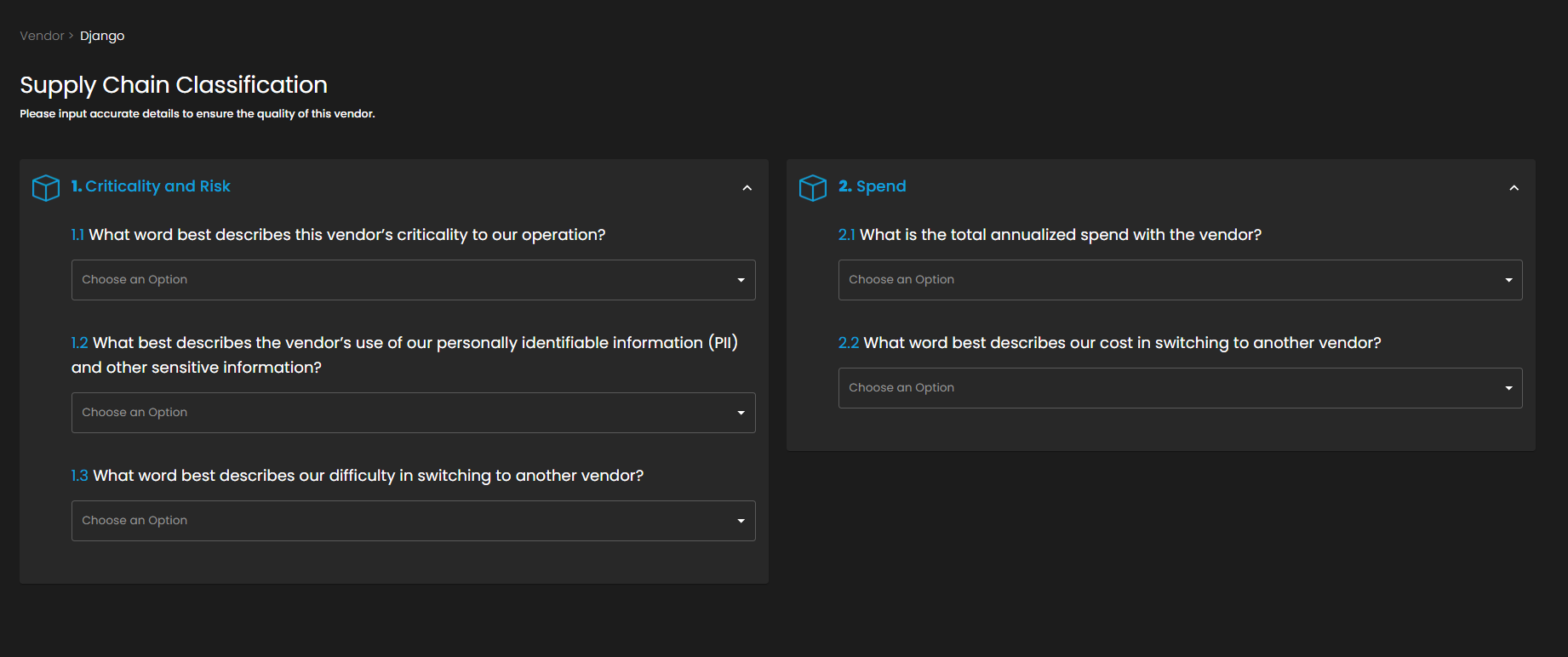
Figure 3.4 To be Classified - Classify
To be Assessed - View
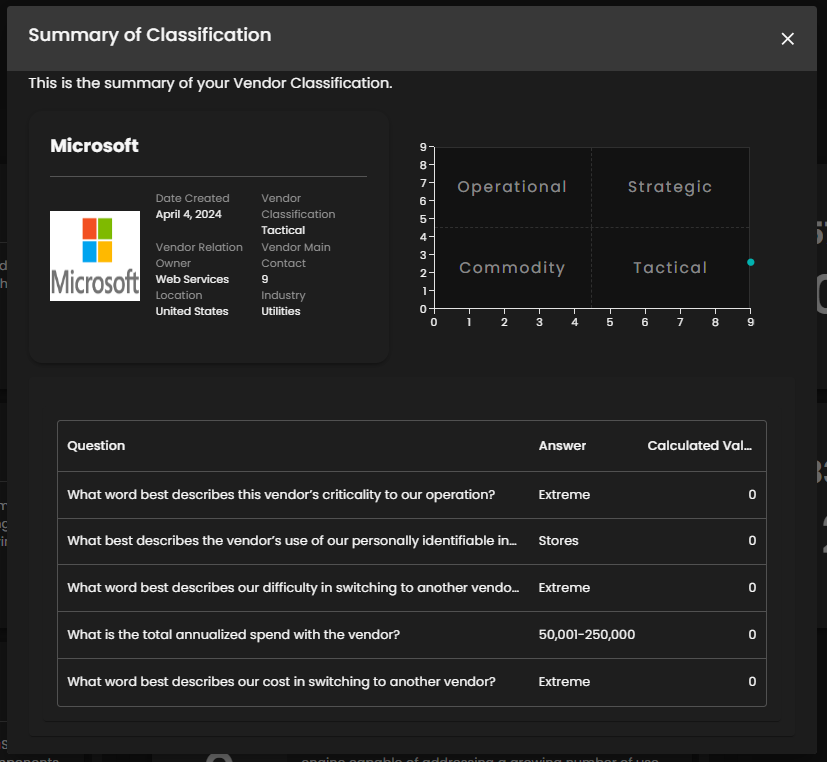
Figure 3.5 To be Assessed - View
To be Assessed - Assess - 7 Pillar Assessment
5. This action initiates the formal risk assessment process, which may involve sending questionnaires, reviewing security certifications, or scheduling audits. Completing the assessment moves the vendor to the "For Approval" column, signaling that all necessary security due diligence has been performed.
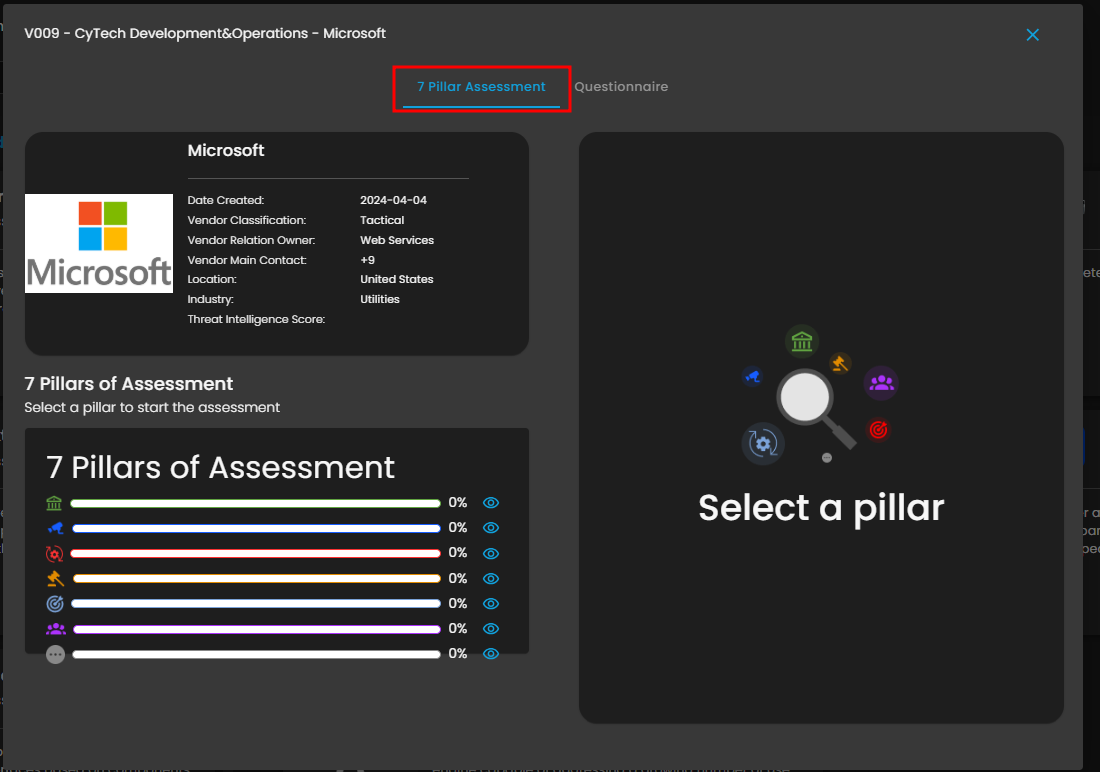
Figure 3.5 To be Assessed - Assess - 7 Pillar Assessment
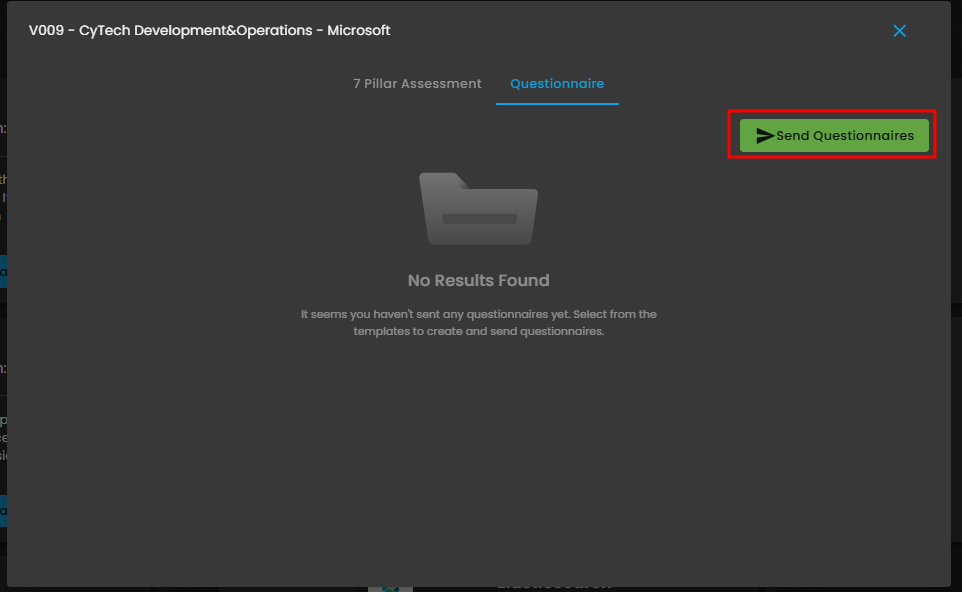
Figure 3.6 To be Assessed Assess - Questionnaire
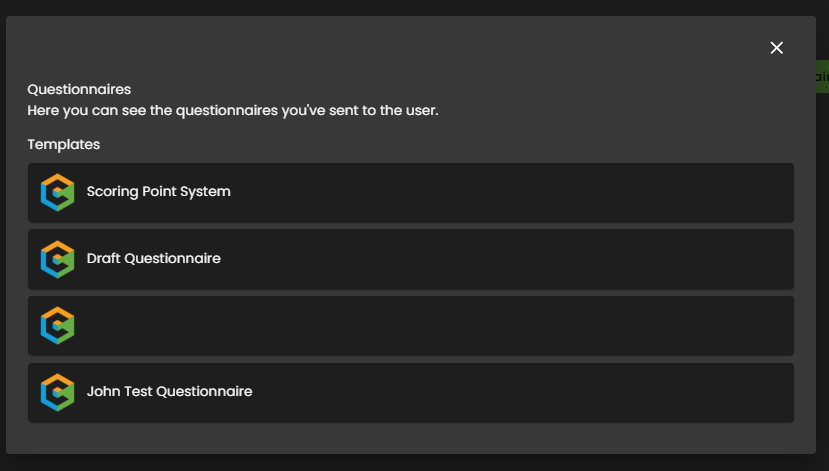
Figure 3.6.1 To be Assessed Assess - Send Questionnaire
For Approval - View
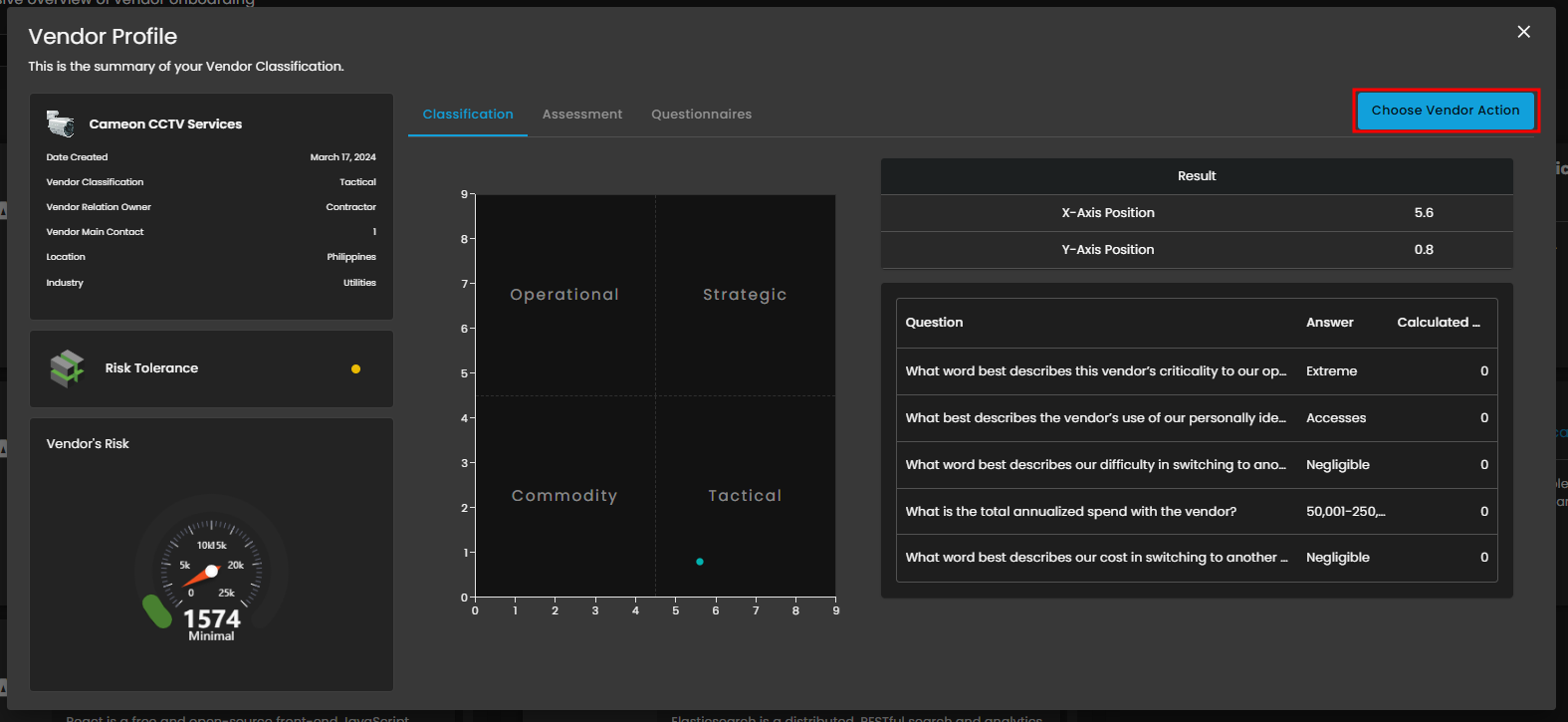
Figure 3.7 For Approval - View
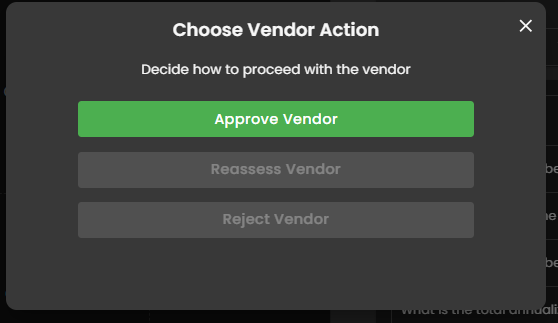
Figure 3.7.1 Choose Vendor Action
Vendors
This module provides a unified solution for Supply Chain Risk Management, integrating both a high-level Risk Dashboard and a structured Vendor Onboarding Pipeline. The Dashboard tracks aggregate risk scores, vendor classification quadrants, and financial spend to offer continuous monitoring and strategic insight. Simultaneously, the Onboarding Pipeline enforces a standardized due diligence process, guiding new partners through three critical phases—Classification, Assessment, and Approval—to ensure risk is identified, assessed, and mitigated before a vendor is fully adopted.
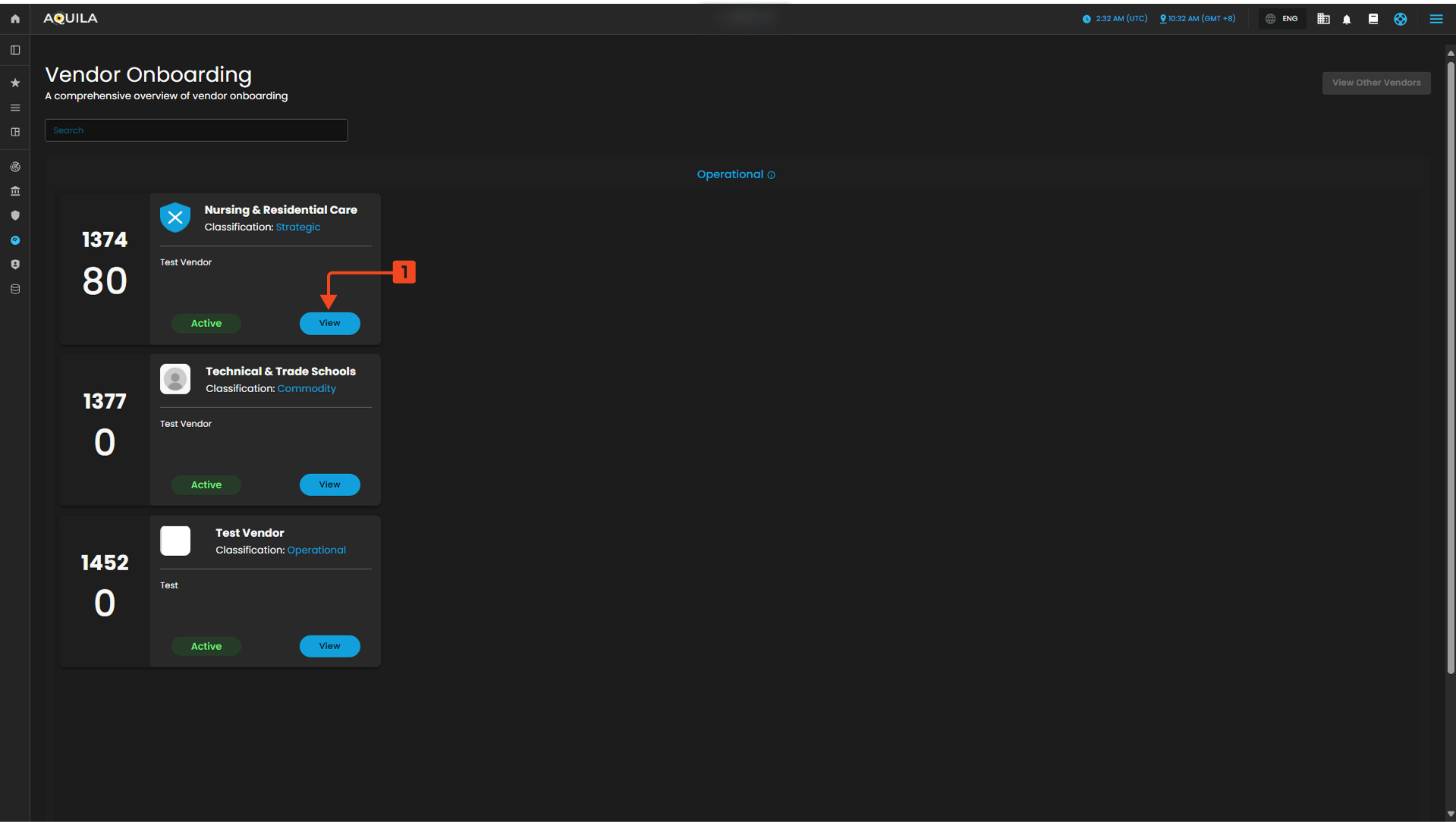
Figure 4 Vendors
View - Classification
This tab is the first step in detailed vendor analysis, immediately displaying the calculated Vendor's Risk Score. It uses a matrix to plot the vendor into a strategic quadrant (Operational, Strategic, Commodity, or Tactical) based on factors like criticality and spend. The Classification Questions table shows the key business inputs that drive this positioning and define the required level of due diligence.
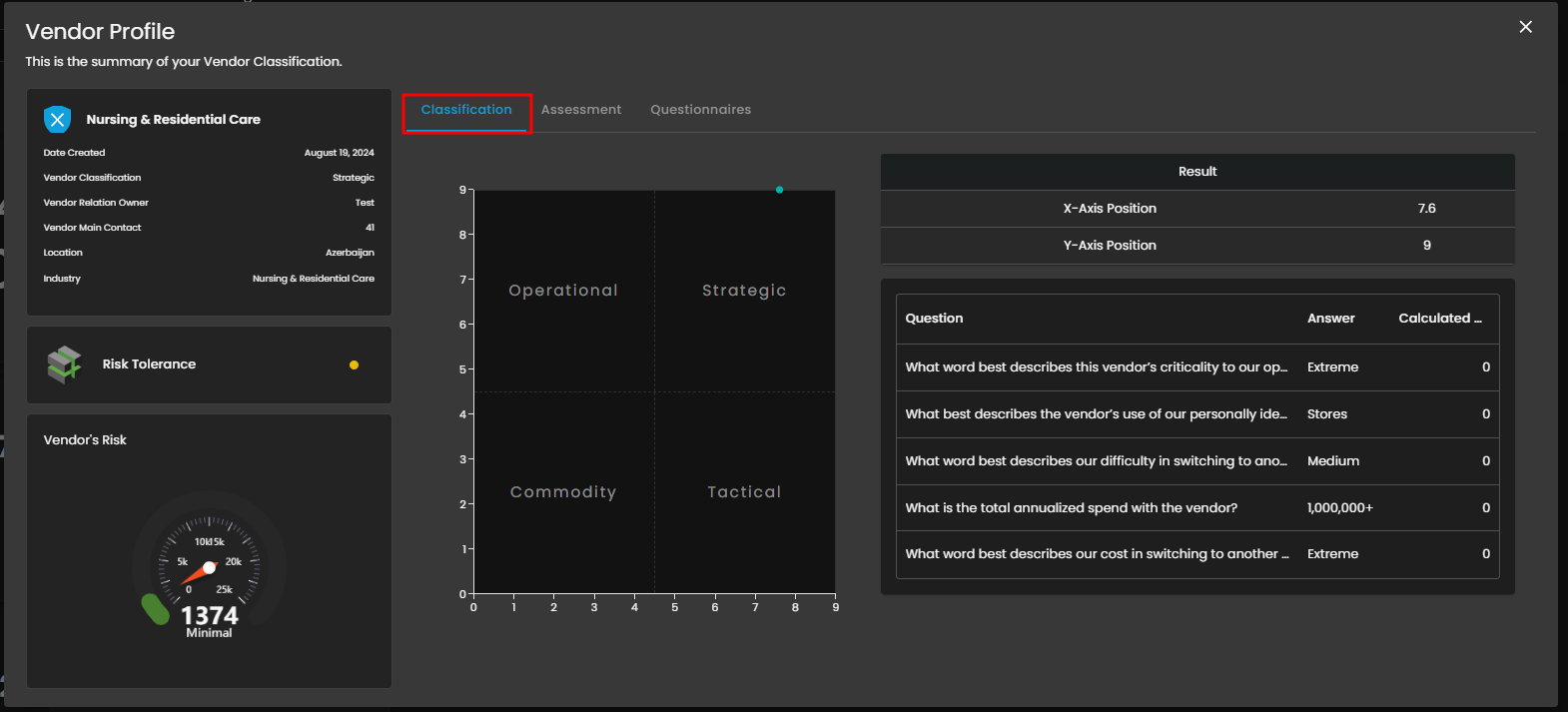
Figure 4.1 View - Classification
View - Assessment
The Assessment Tab manages the technical security deep-dive and formal verification of the vendor's security controls. The 7 Pillars of Assessment bar chart visualizes the completion and scoring status across key security domains. This detailed review ensures the vendor's controls meet organizational standards before approval.
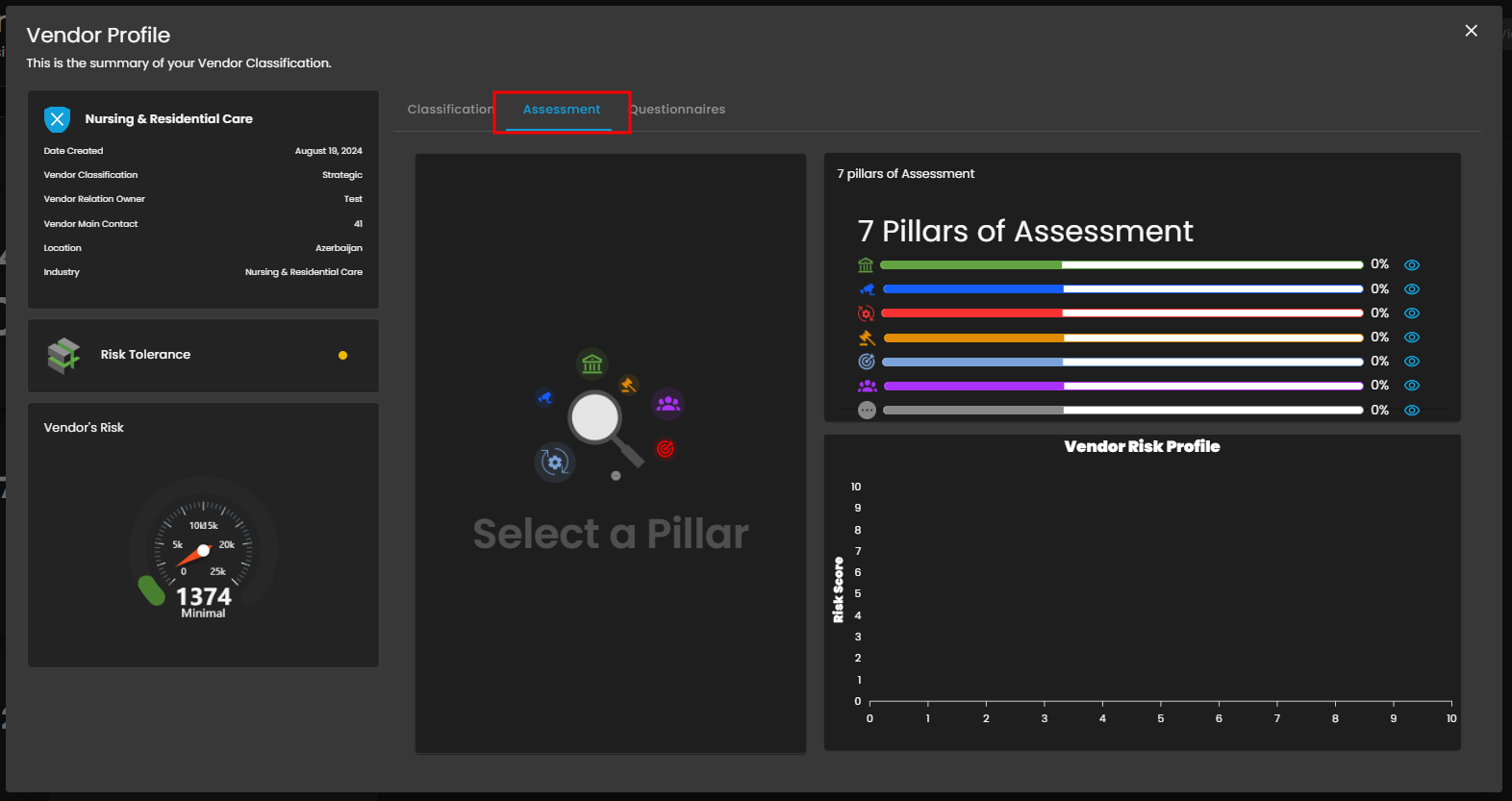
Figure 4.2 View - Assessment
View - Questionnaires
This tab serves as the central hub for managing all vendor-facing questionnaires and assessment documentation. The Send Questionnaires button allows users to initiate the process by selecting a pre-configured Questionnaire Template. This tool ensures an auditable and consistent method for collecting security evidence and tracking completion status.
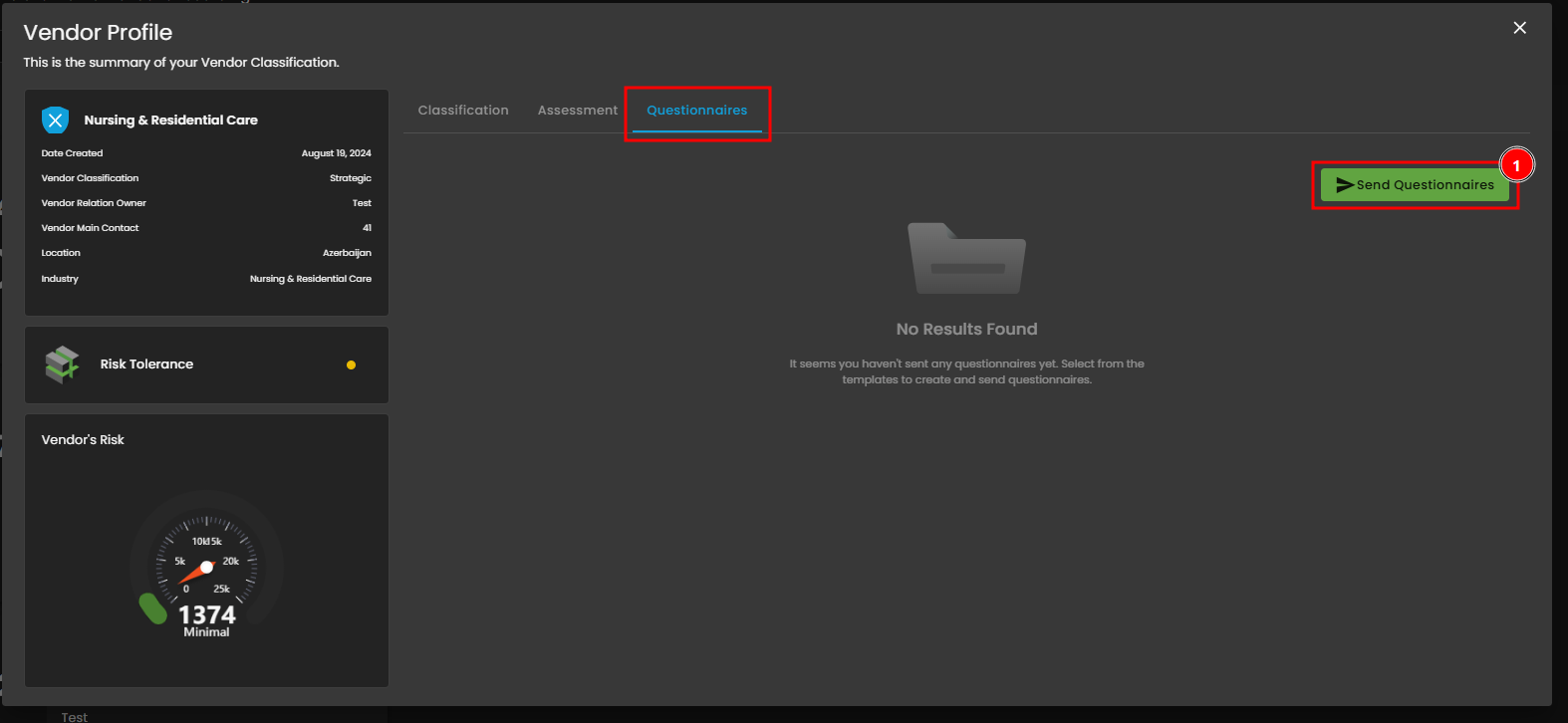
Figure 4.3 View - Questionnaires
View - Questionnaires - Send Questionnaires
This view displays vendors who have completed the pipeline and are now Active and managed by the organization. Users can use filters to segment vendors by classification (e.g., Operational). Each Active Vendor Card provides an immediate summary of their risk score and classification; the View Button navigates directly to the full Vendor Profile for detailed review.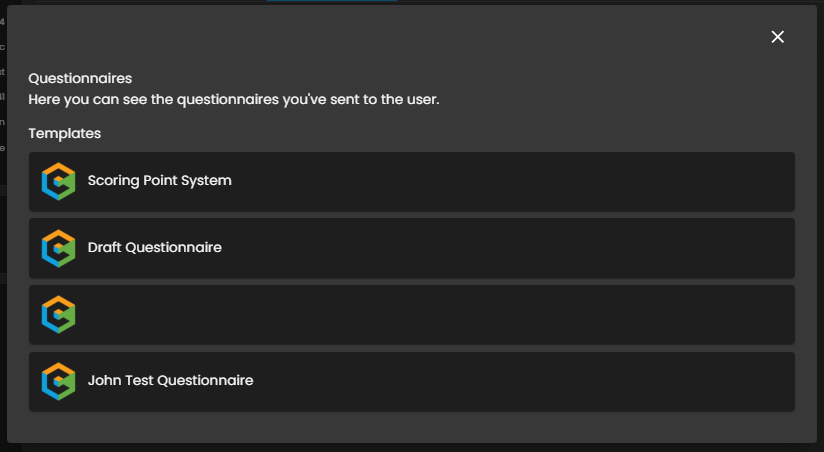
Figure 4.3.1 View - Questionnaires - Send Questionnaires
If you need further assistance, kindly contact support@cytechint.com for prompt assistance and guidance.
No comments to display
No comments to display