CyTech AQUILA - Virtual Penetration Testing (Module)
Overview:
Virtual penetration testing is a controlled, authorized simulated attack on an organization’s systems that’s performed remotely (often against virtualized, cloud, or networked environments) to discover security weaknesses before malicious actors do.
Key Features:
- Dashboard - shows overall asset status, recurring vulnerabilities, trends, and recent scan results.
- Scan - lets users run different penetration tests, set scope, schedule, and monitor progress.
- Reports - provide summarized findings with severity, remediation guidance, compliance mapping, and export options.
Step 1: Log in to CyTech – AQUILA. https://usdc.cytechint.io/
Step 2: In the left side panel, you can see the list of six (6) domains, kindly choose and click the Risk Management (Domain) -> Virtual Penetration Testing (Module) -> Dashboard (Sub Module)
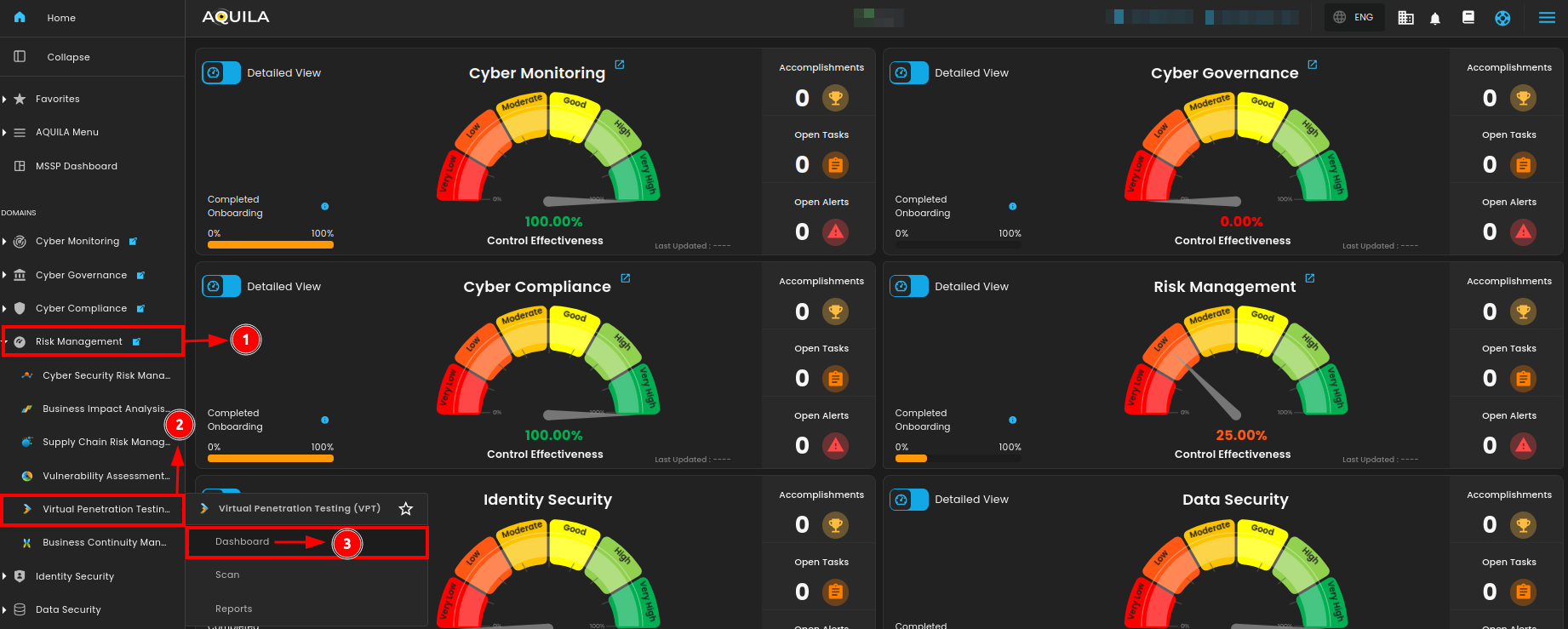
"Dashboard (Sub-module)" - Virtual Penetration Testing (Module)
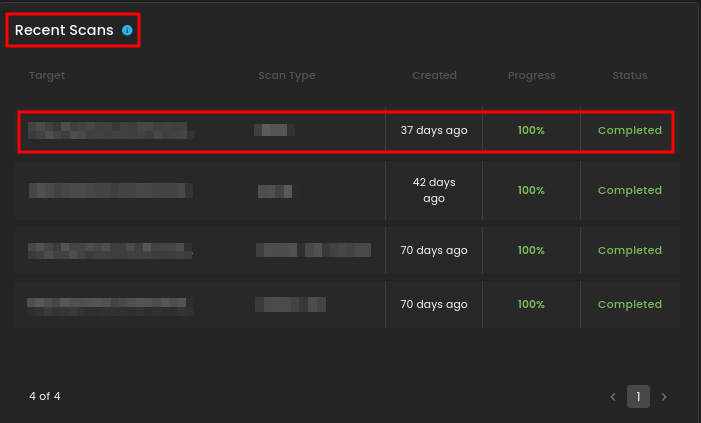
The Virtual Penetration Testing Dashboard provides an overview of asset status, highlights top recurring vulnerabilities, shows trends of detected and open vulnerabilities over time, and lists recent scans with their progress and completion status.
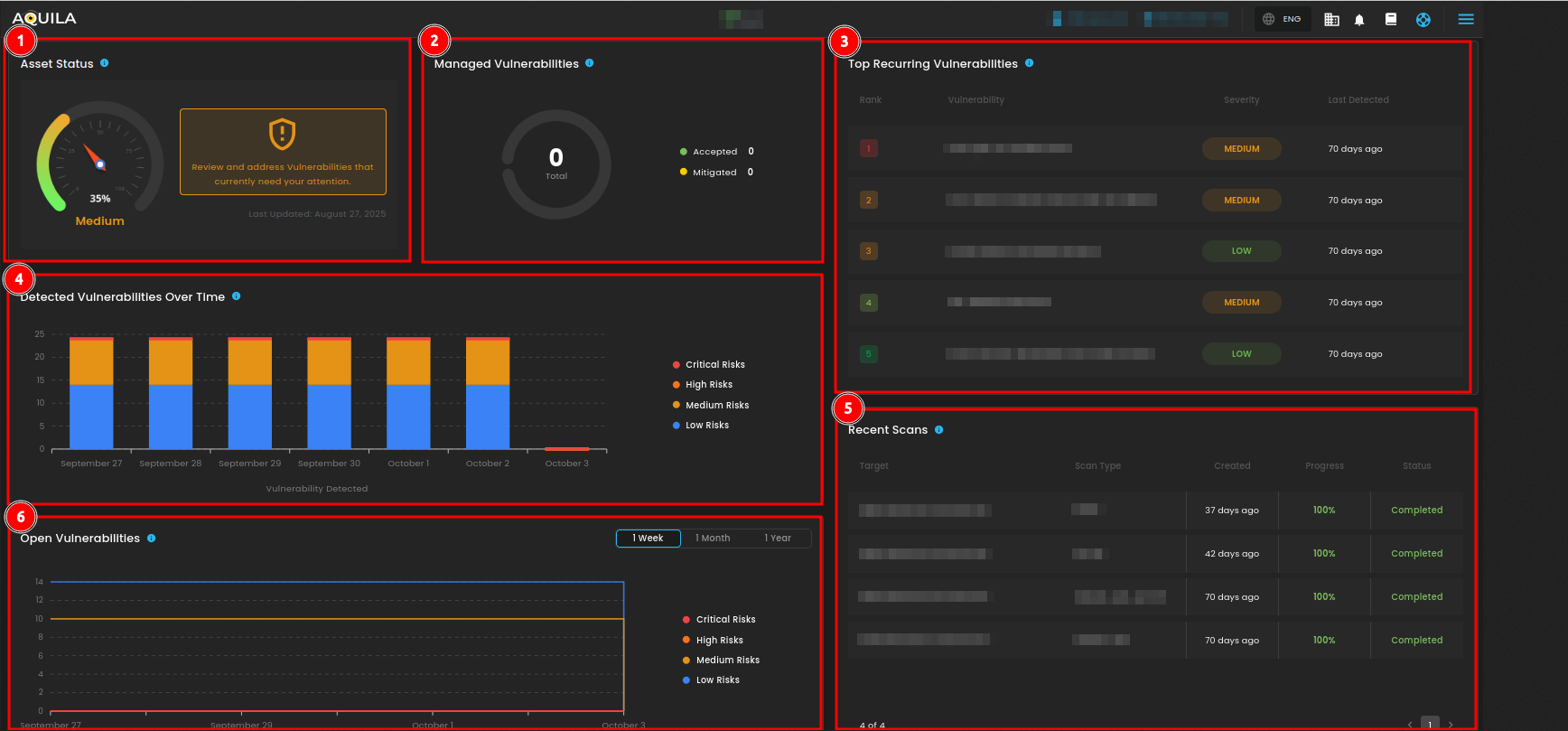
Uses of Dashboard Sections (1–6)
- Asset Status -
showshows the overall security healthat 35% Medium,with a reminder to review and address vulnerabilities. - Managed Vulnerabilities -
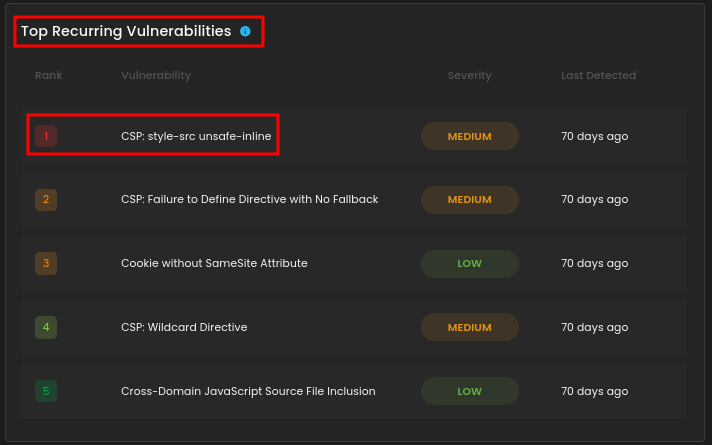
currentlydisplaysshowsthe0total accepted or mitigatedissues,issuesmeaningtono vulnerabilities have been marked astrack resolvedyet.findings. - Top Recurring Vulnerabilities - lists repeated issues such as CSP misconfigurations and missing cookie attributes, categorized by
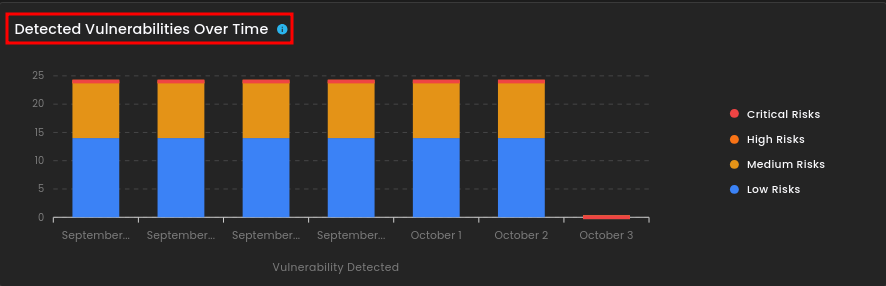
severity (Medium/Low) and last detected 70 days ago.severity. - Detected Vulnerabilities Over Time - graph tracks vulnerabilities across recent days, broken down by severity
levels (Critical, High, Medium, Low).levels. - Recent Scans - table shows the last tests
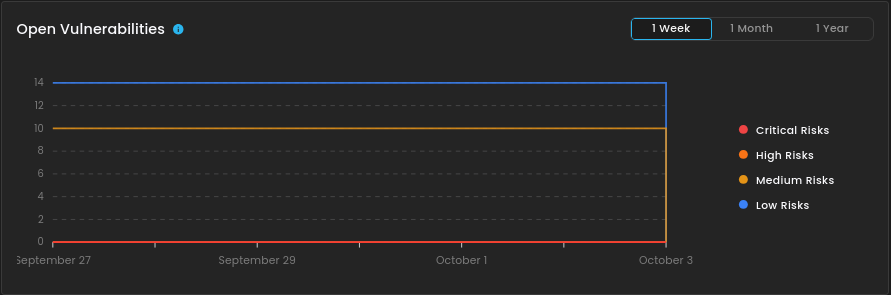
performedperformed,(e.g., NMAP, SSLyze, OWASP ZAP), along withincluding their targets,progressscan(100%),types, progress, andstatus (Completed).status. - Open Vulnerabilities - chart provides a line trend of unresolved risks over a selected
timeframetime(1 week, 1 month, 1 year).frame.
1. Asset Status
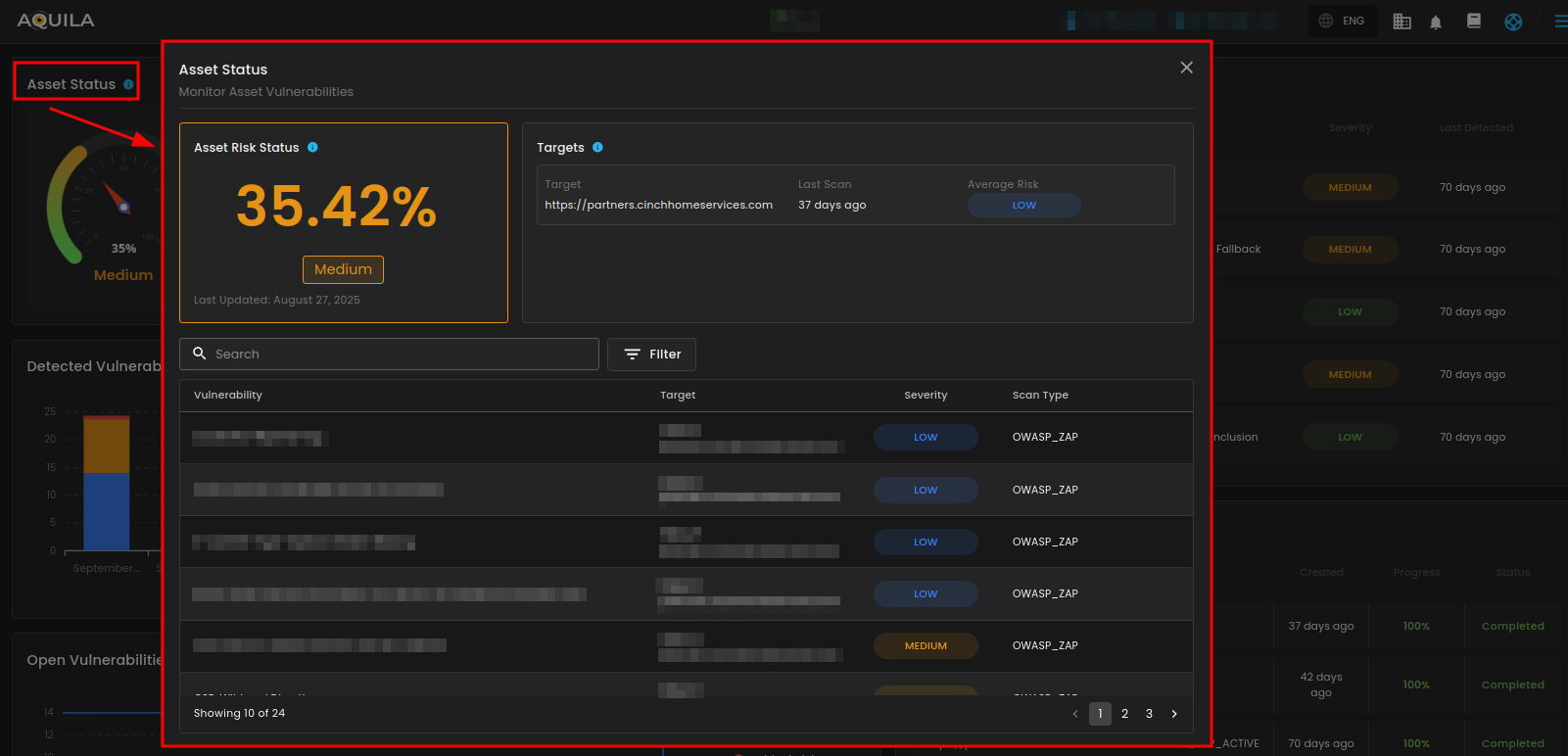
This section is the Asset Status view for monitoring asset vulnerabilities. It shows the overall asset risk level, the specific target being assessed, and its average risk rating based on scans. A detailed list of detected vulnerabilities is displayed, including the issue name, affected target, severity level, and the scan tool used. It also includes options to search, filter, and navigate through multiple pages of vulnerabilities, giving both a high-level risk score and a detailed breakdown of findings for remediation.
2. Managed Vulnerabilities
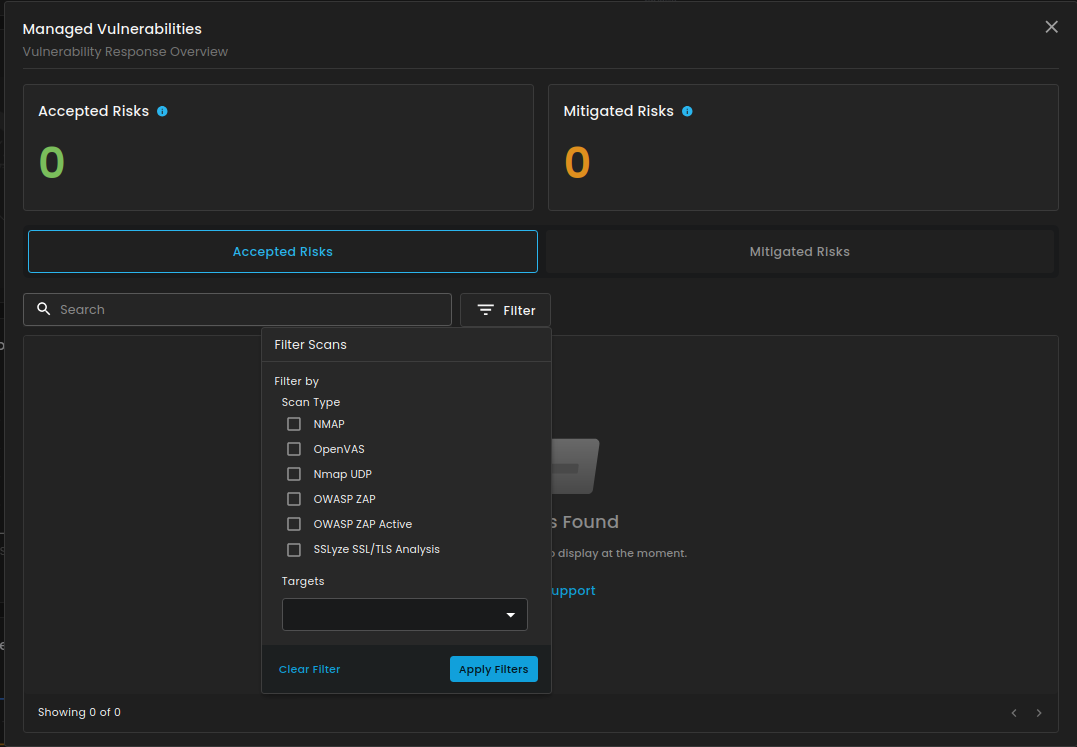
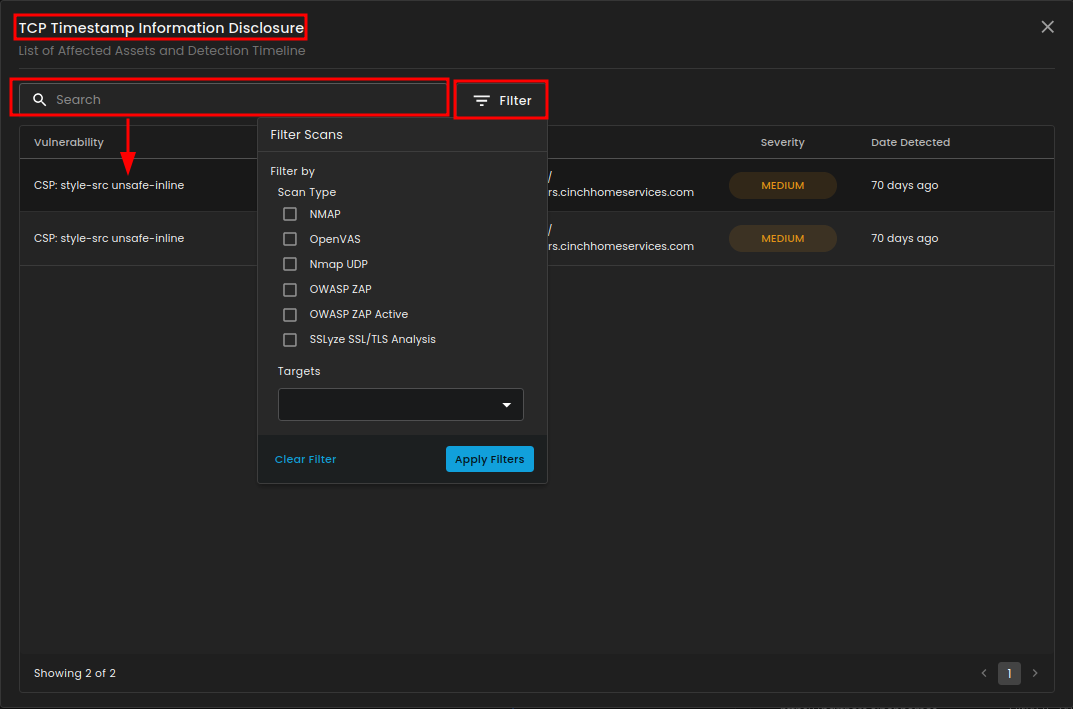
This section will show you the risk that were reviewed and accepted based on organization risk appetite and mitigated risk, risks that have been addressed through remediation task. The search box in this section is designed to help users quickly locate specific vulnerabilities or scan results. It is paired with a filter option that allows narrowing results based on scan type (such as NMAP, OpenVAS, OWASP ZAP, or SSLyze) and selected targets. This makes it easier to focus on particular findings, streamline analysis, and avoid manually going through long vulnerability lists.
3. Top Recurring Vulnerabilities
4. Detected Vulnerabilities Over Time
5. Recent Scans
6. Open Vulnerabilities