
AQUILA - SNIFF & Detect
Outlook Add-in for Microsoft 365
Overview
1.AQUILA Download– SNIFF & Detect is a custom integration app within the AQUILA platform that enables Microsoft 365 environments to deploy advanced malicious email detection capabilities.SniffThe app is packaged as a manifest.xml file and Detect from AQUILA Store. The downloaded file shouldcan be “manifest.xml”added
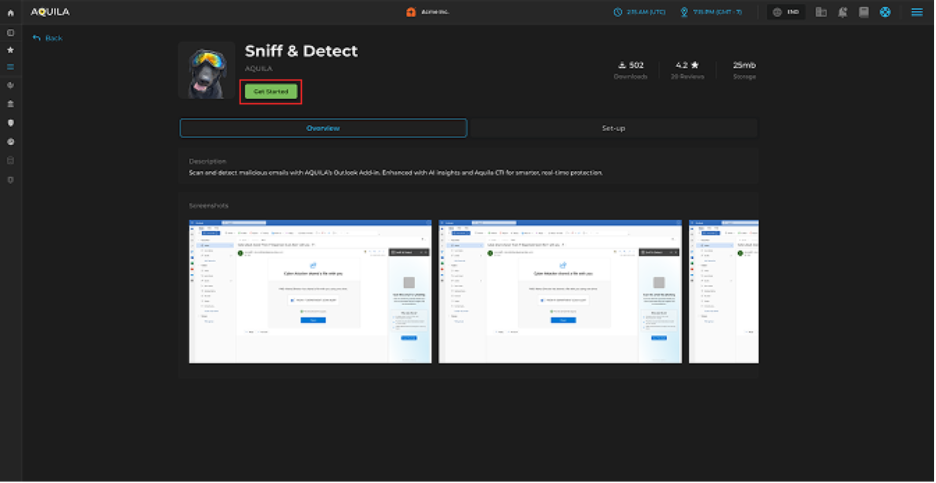
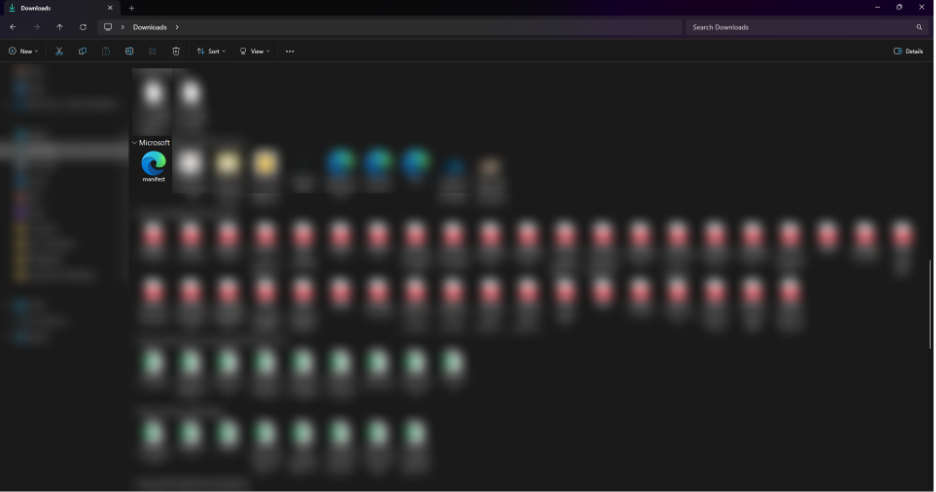
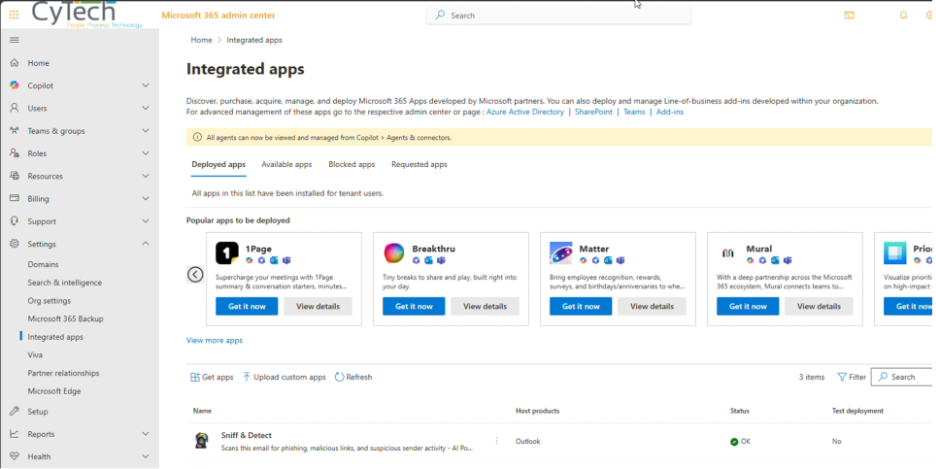
2.tenant Logvia intothe Integration Apps section in the Microsoft 365 Admin Center.
Key Capabilities & Value
-
Seamless Integration – Install in Microsoft 365 with just a few clicks, no complex infrastructure required.
-
Permission-Driven Security – Requires admin approval to grant permissions, ensuring a secure deployment process.
-
Centralized Control – Managed via AQUILA and distributed through the AQUILA Store for consistent updates.
-
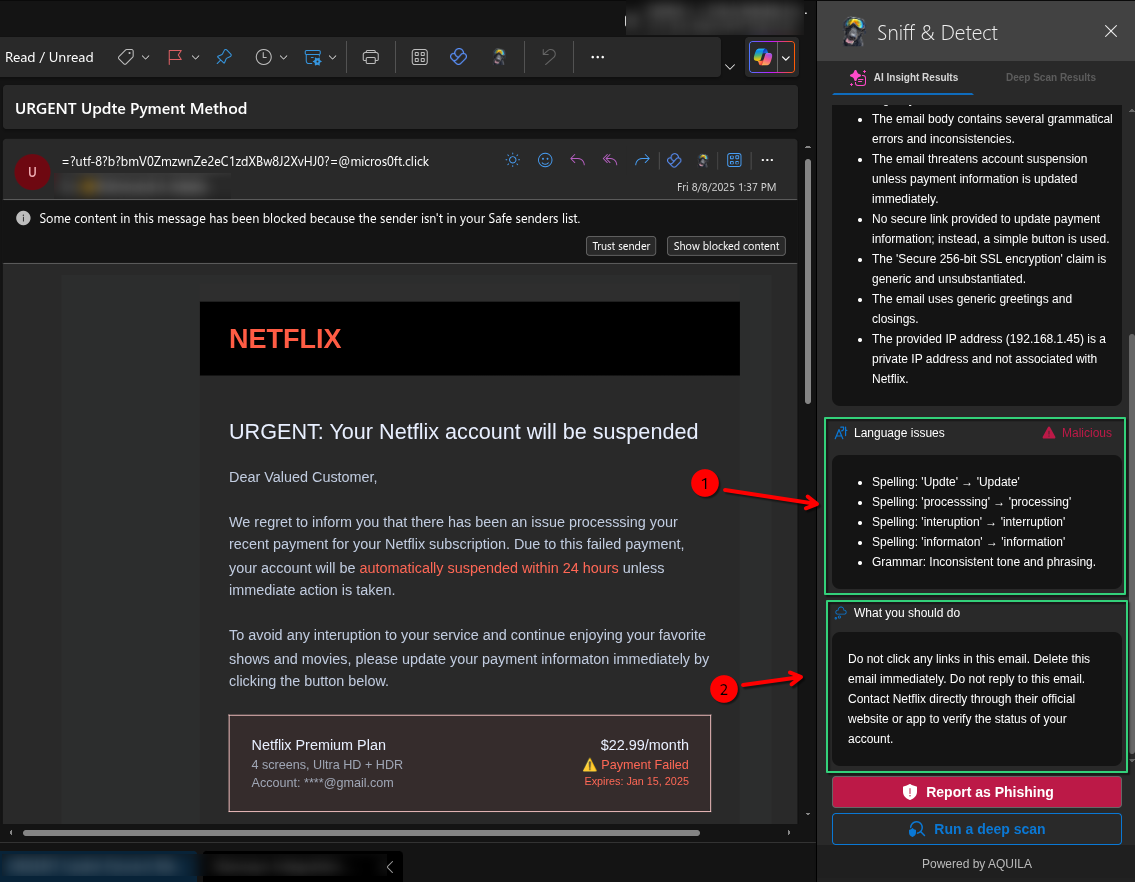
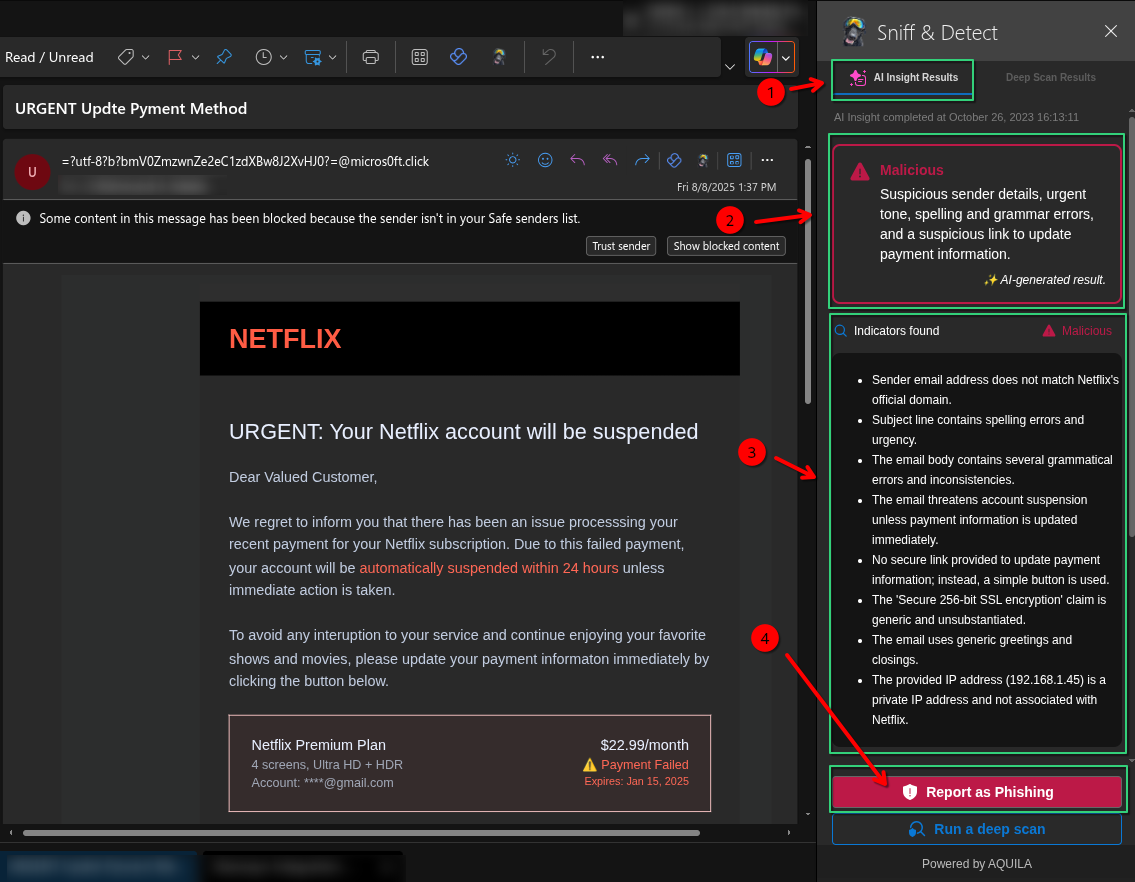
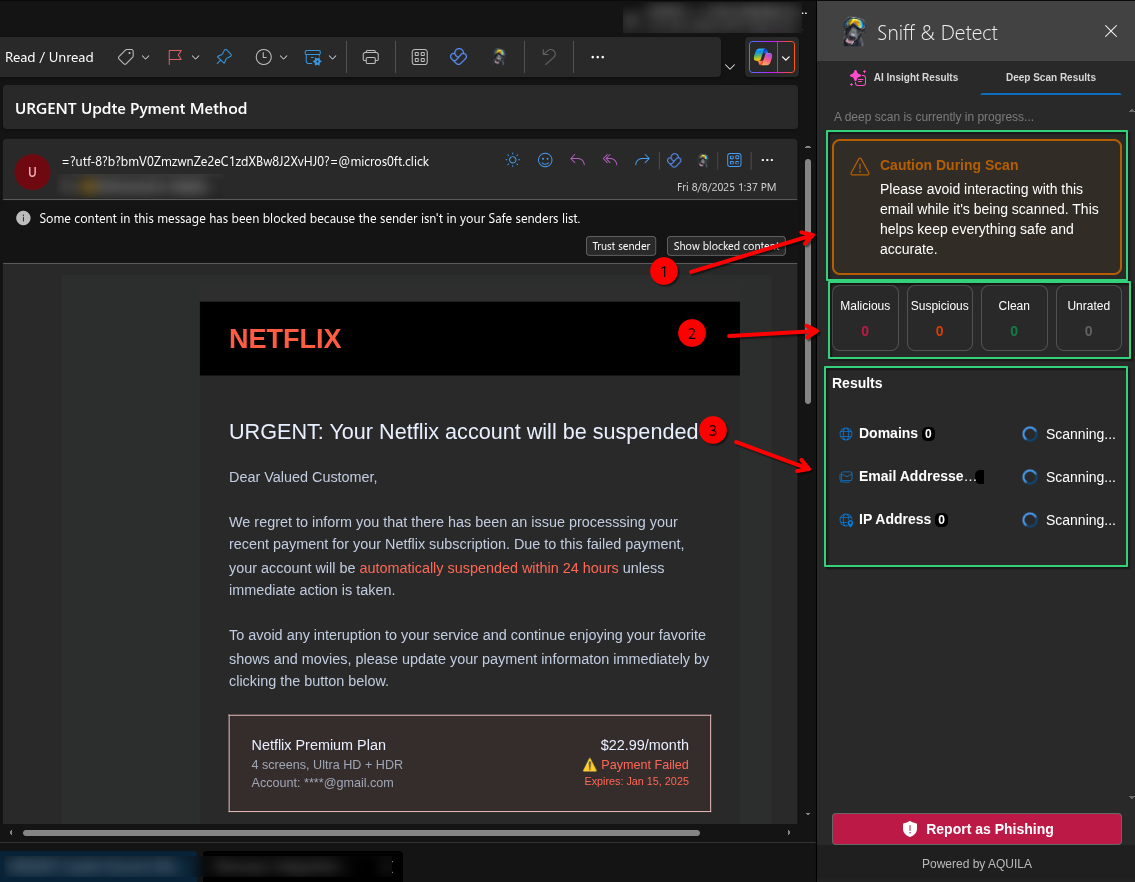
AI-Enhanced Detection – Uses AQUILA’s AI and Cyber Threat Intelligence to scan and detect malicious emails in real time.
-
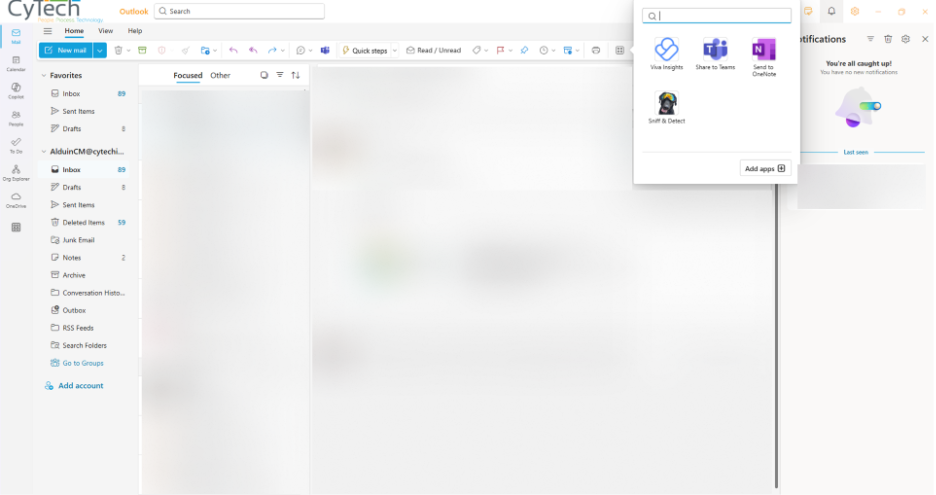
User-Friendly Accessibility – Appears in the “More apps” section for assigned users, making it easy to launch.
-
Minimal Footprint – Only ~6 KiB in size, ensuring fast installation without performance impact.
Installation & Deployment Manual – Simple Step-by-Step
-
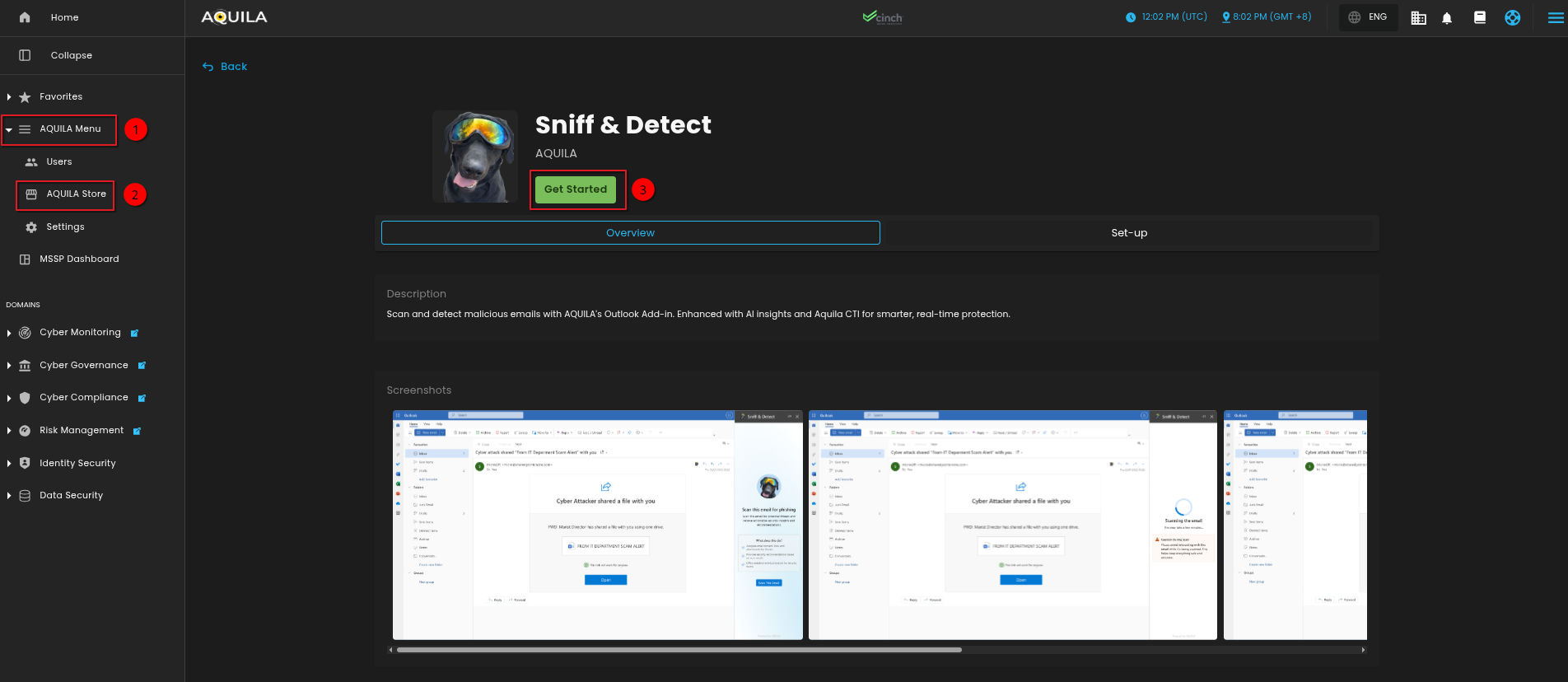
Download the Integration Package
-
Visit the AQUILA Store and download the Sniff & Detect integration (manifest.xml).
-
-
Access Microsoft 365 Admin Center - https://admin.microsoft.com
-
Log in as a Global Admin or Exchange Admin.
-
-
Upload the Integration
-
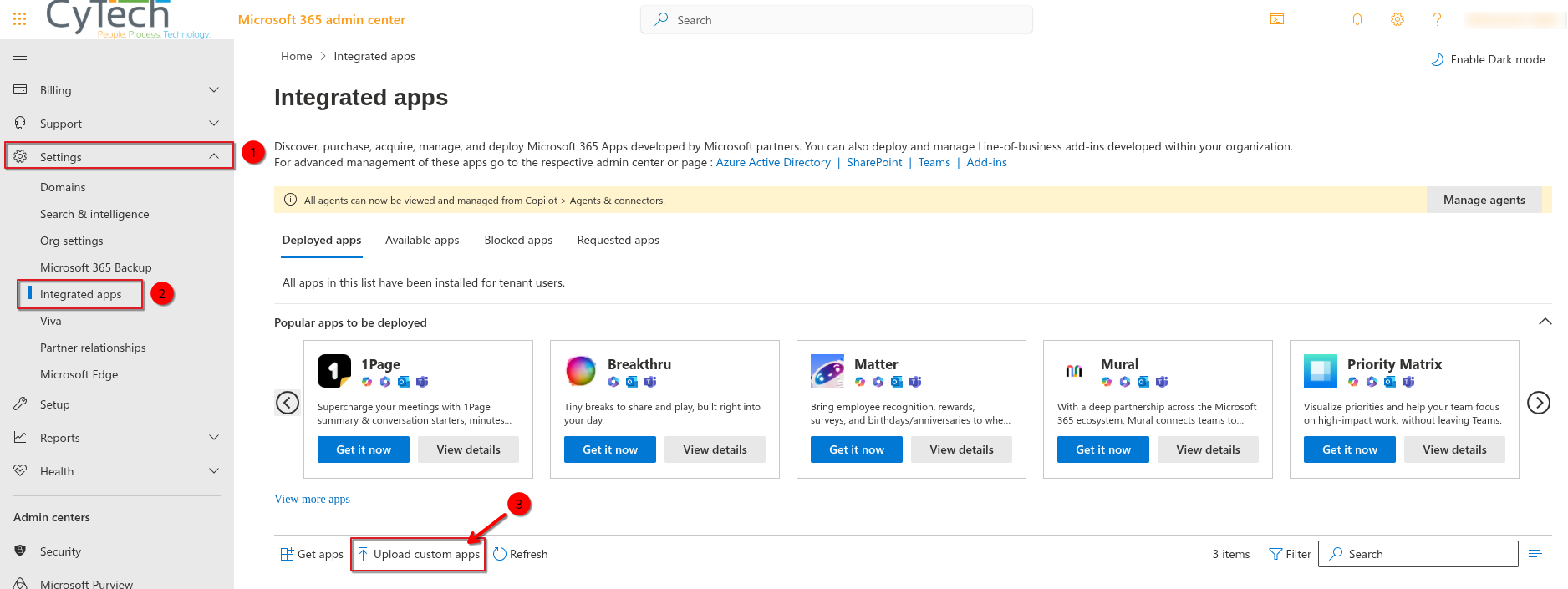
Go to Settings → Integration
→Apps.Apps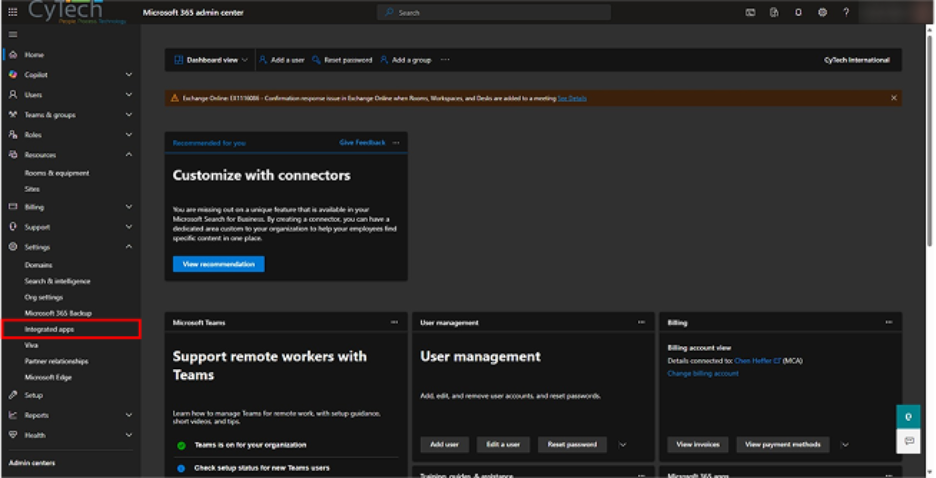
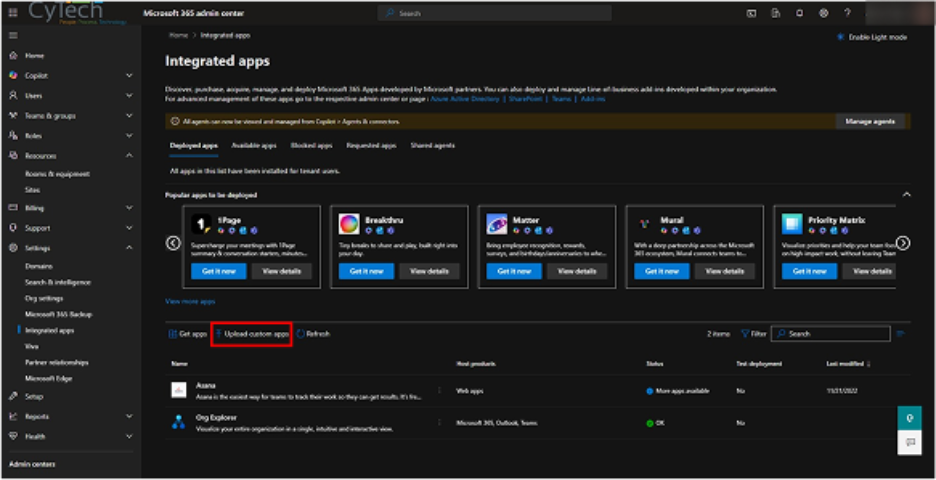
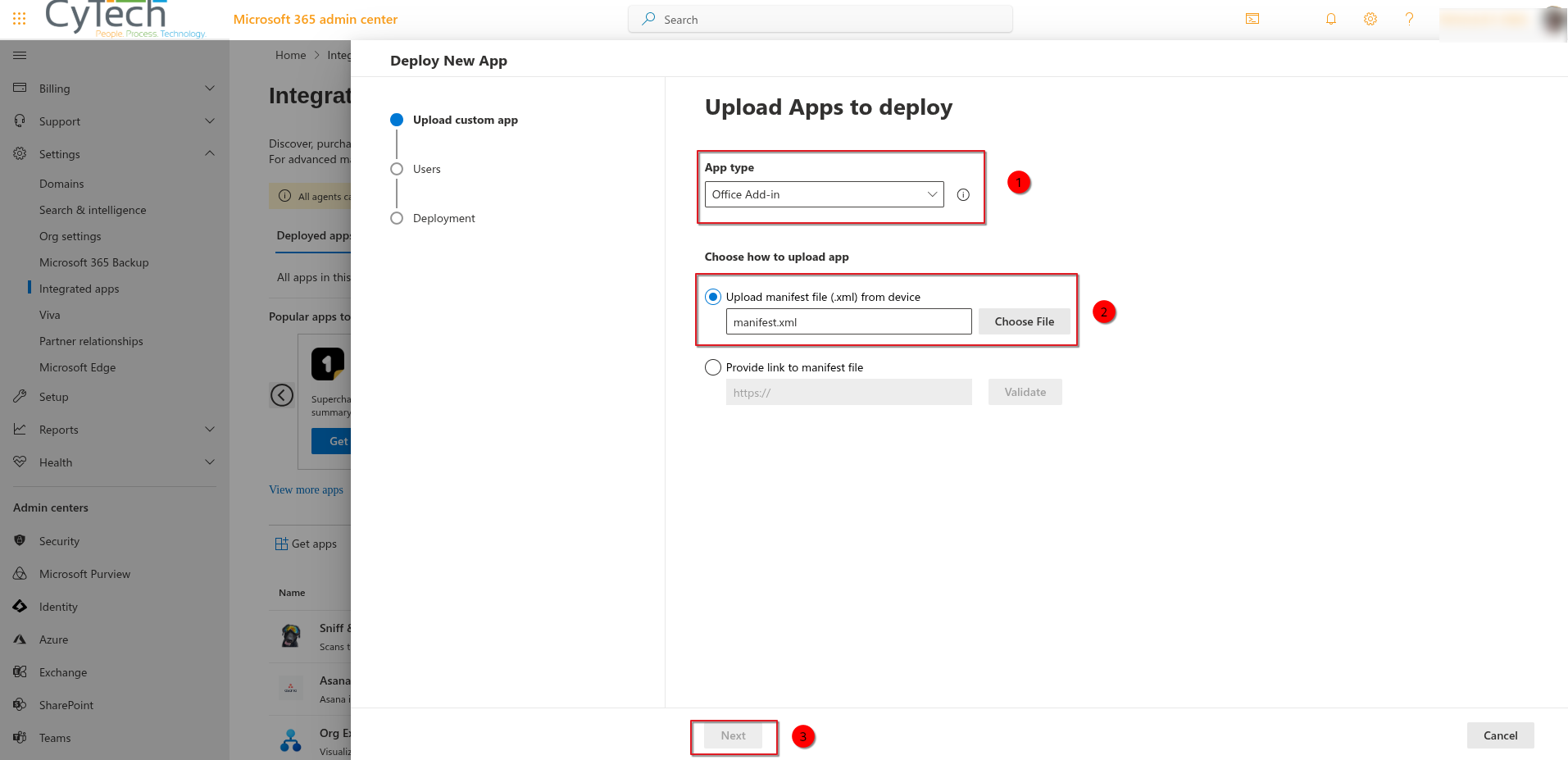
3. Upload the “manifest.xml” viaUpload CustomApps.Apps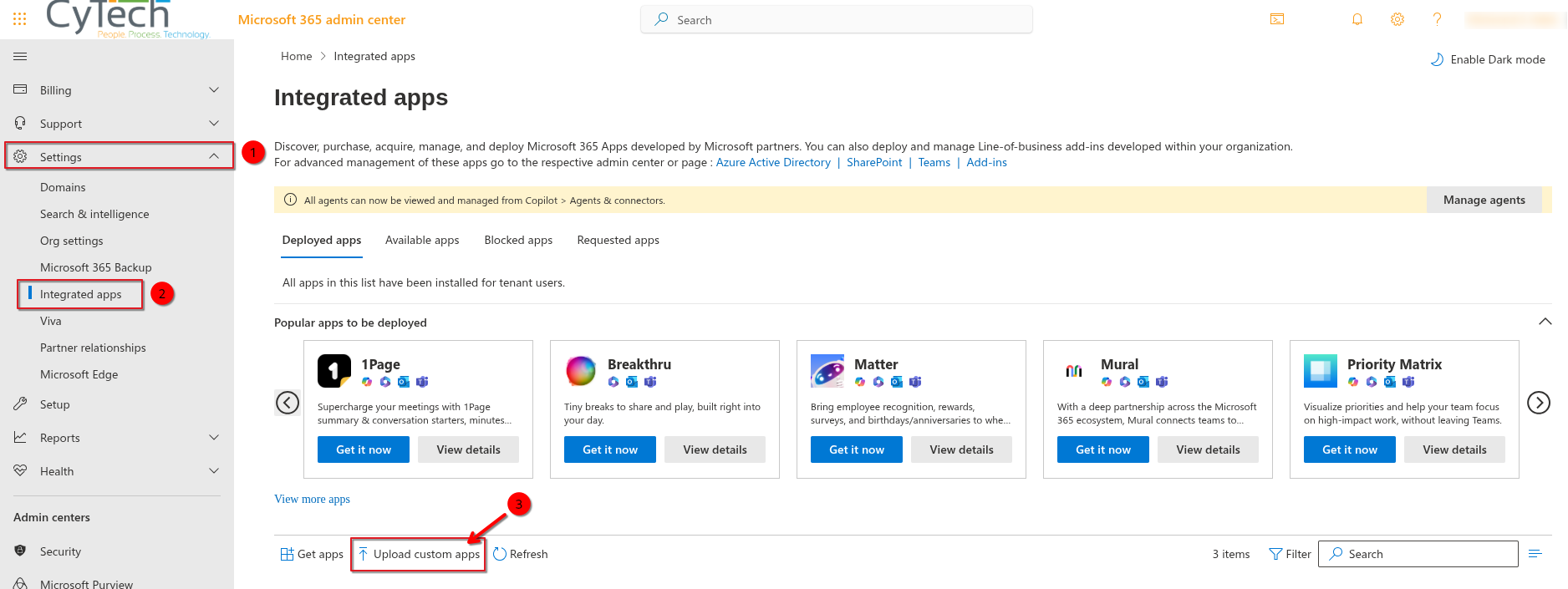
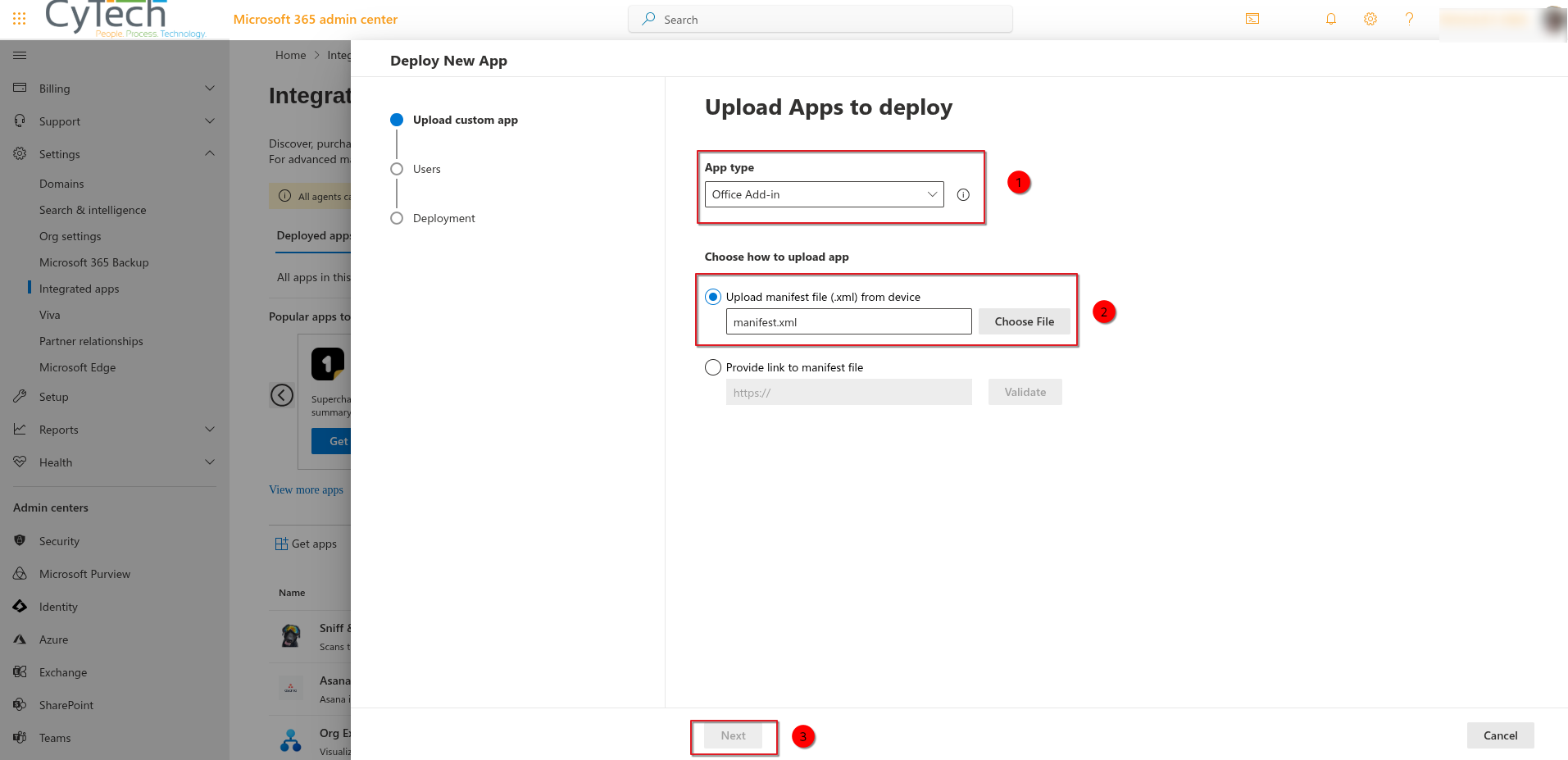
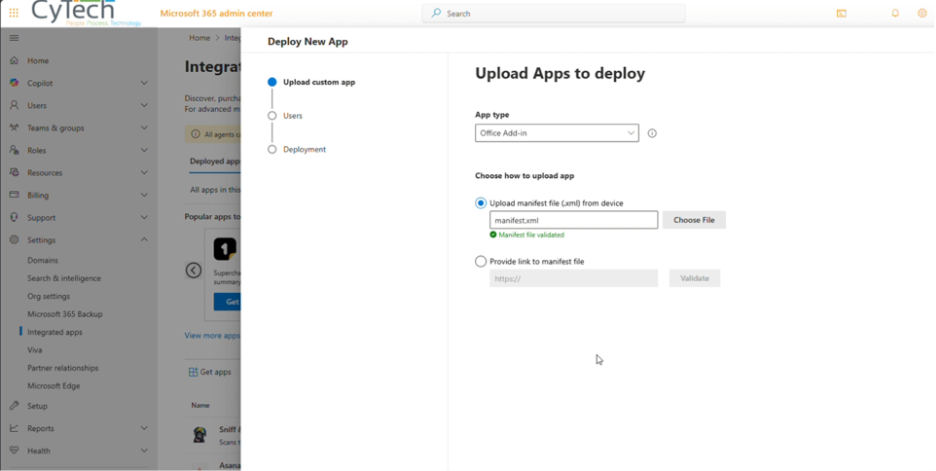
4.Follow the steps to Deploy the Sniff and Detect App .- App Type → Office Add-in
-
Choose how to upload app → Upload Manifest file (.xml) from device→ Choose the manifest.xml file.
-
-
Deploy and Assign Users
-
5.AssignAddtheUsers who will have accessapp to the relevant users or groups.Sniff and Detect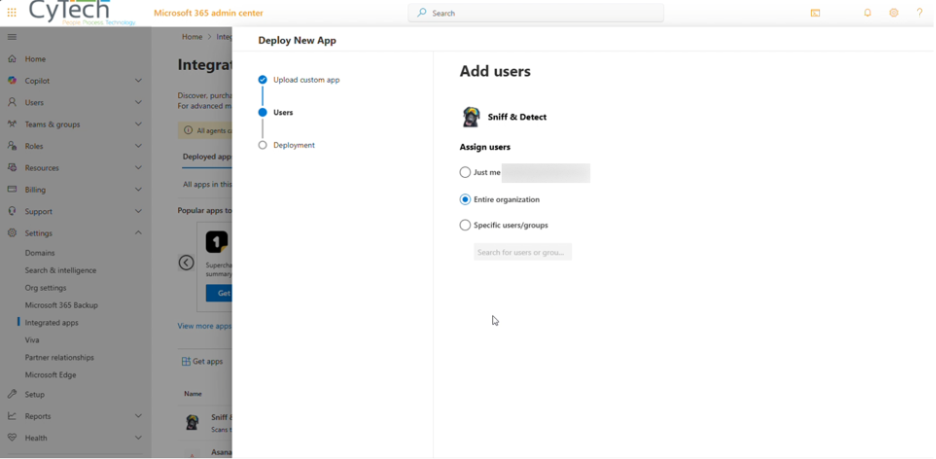
App -
Grant Permissions
-
Accept all required permissions:
-
ReadWriteItem
-
SendReceiveData
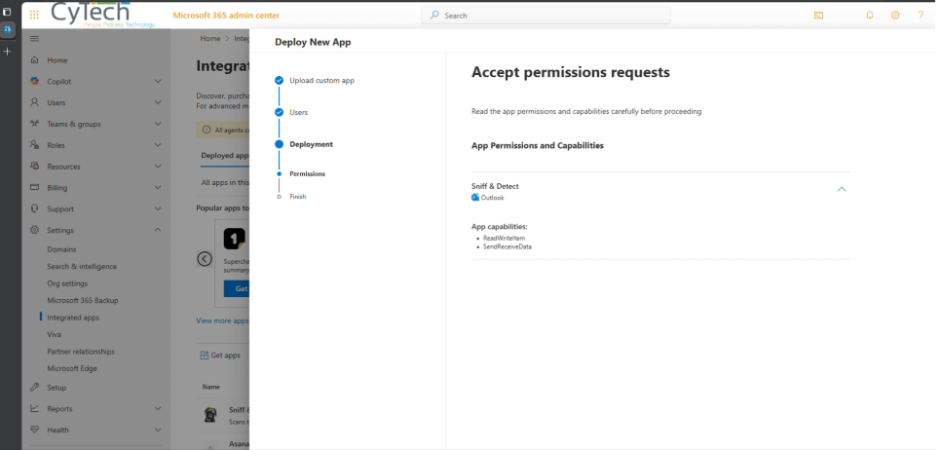
-
-
-
Allow Propagation Time
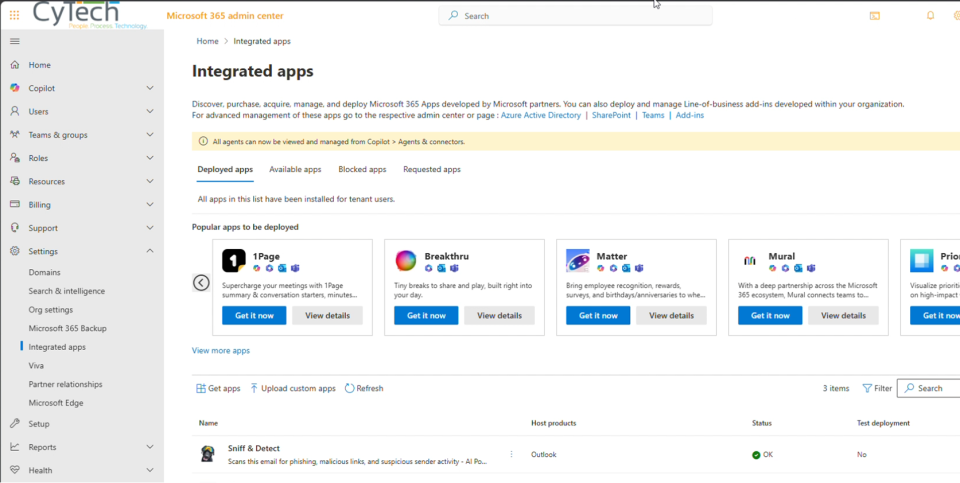
6. AcceptIn thepermissionsIntegratedrequiredAppsforpage of the Admin Center, confirm the add-in appears with status 'OK'.Sniff-
7.Sniff and Detectshould display in your list. It can takeWait up to 72 hoursbeforefor the appwillto becompletelyavailabledisseminatedacross all assigned accounts.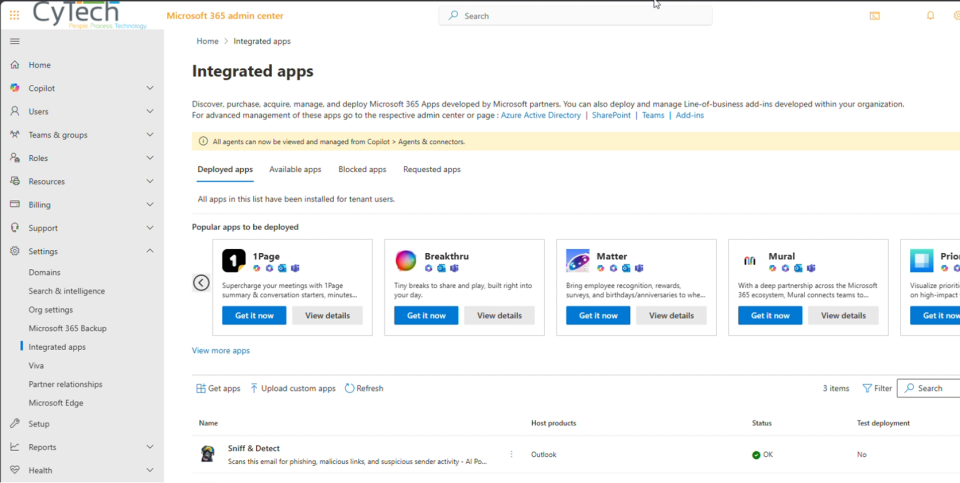
and Detectto successfully run -
Access the App
- Open Outlook and check the apps panel to
allensureusersSniff & Detect is listed and accessible. -
Users can launch it from More apps in
theMicrosoftorganization.365.
- Open Outlook and check the apps panel to
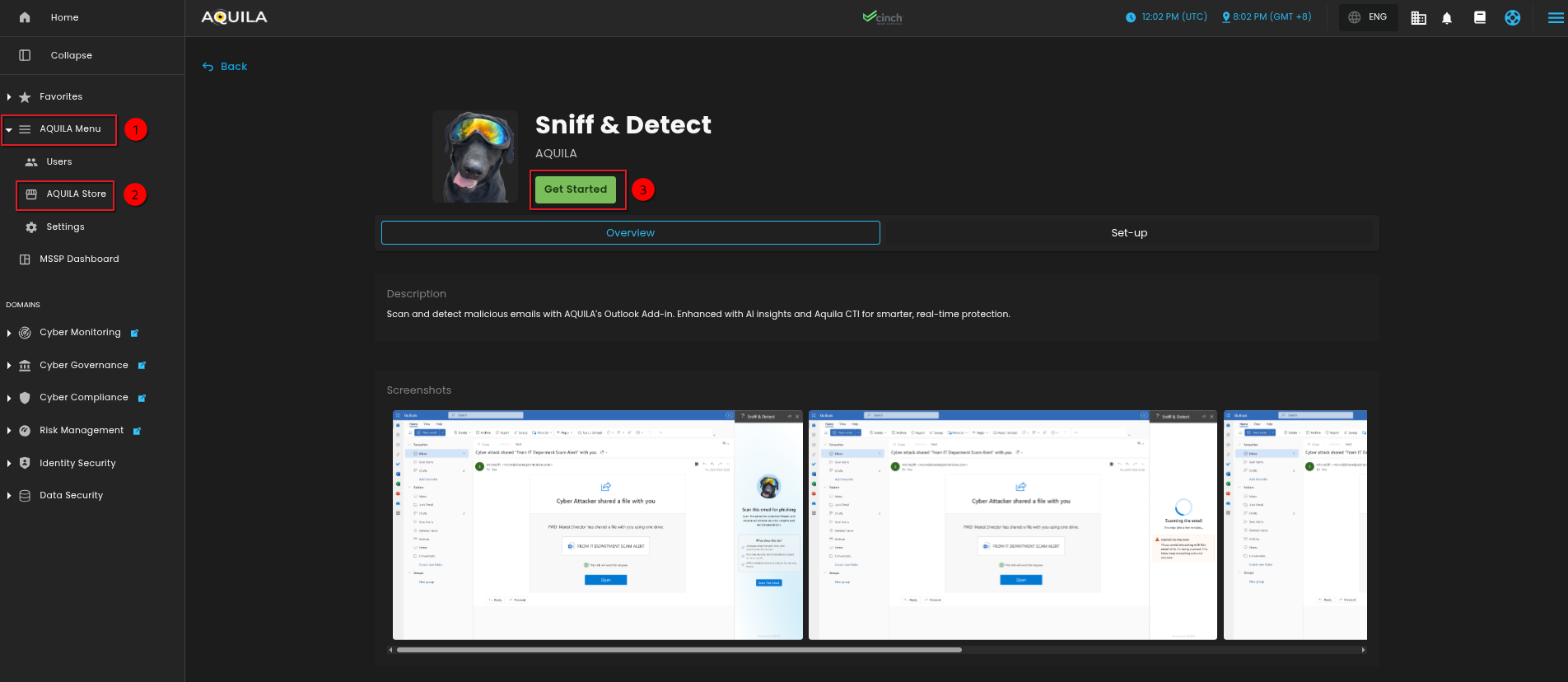
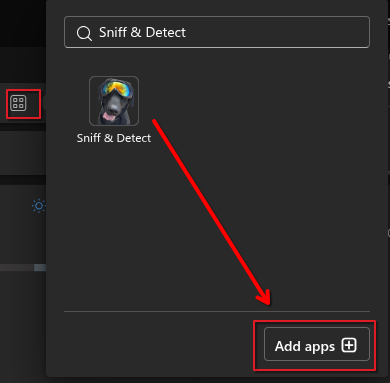
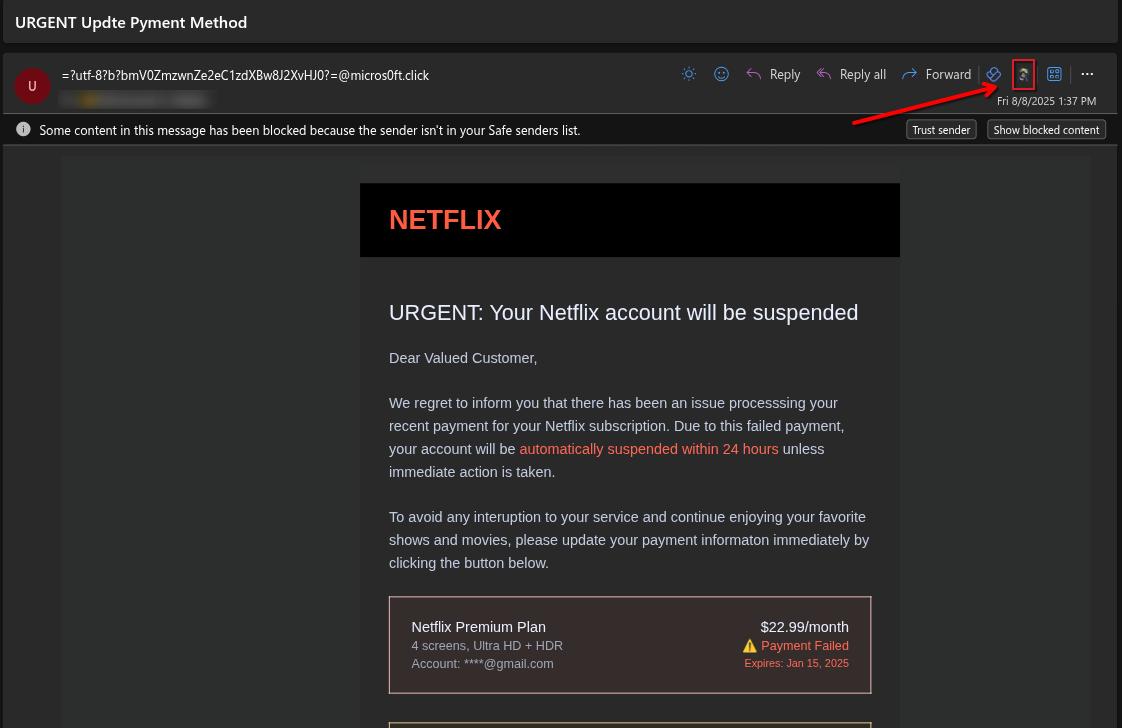
8. Users should be able to see the Sniff and Detect app by clicking on the “More apps” menu 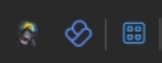
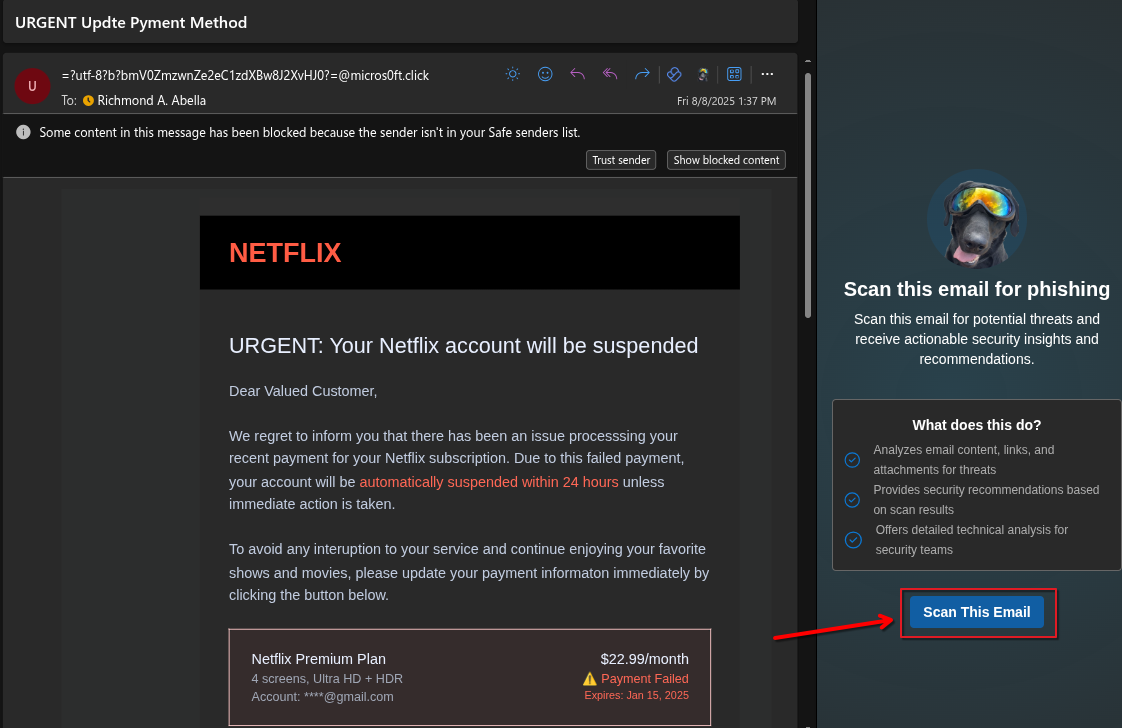
If you need further assistance, kindly contact our support at support@cytechint.com for prompt assistance and guidance.