
AQUILA - Host Isolation Exception
Overview
Host isolation exceptions (also called endpoint isolation exclusions) are configurable rules in Endpoint Detection and Response (EDR) systems—such as Elastic Security, Microsoft Defender for Endpoint, or Cortex XDR—that allow specific IP addresses, processes, services, or endpoints to bypass network isolation restrictions. While full isolation blocks nearly all inbound and outbound traffic to quarantine a potentially compromised host, exceptions carve out secure "whitelists" for essential communications. This ensures critical functions like remote remediation, security telemetry, or business tools (e.g., Microsoft Teams or Outlook) remain operational without fully severing the device from the network. Exceptions must be defined cautiously, as they create controlled openings in an otherwise locked-down state.
These features are implemented via policy-based rules in EDR consoles, often supporting wildcards for flexibility (e.g., allowing all processes to reach a specific management IP). They complement host isolation by balancing security with usability, particularly in regulated environments like PCI DSS where partial connectivity is needed for compliance or operations.
Prerequisites
- Administrator permissions
Step By Step Guide
1. Navigate to Endpoint Management
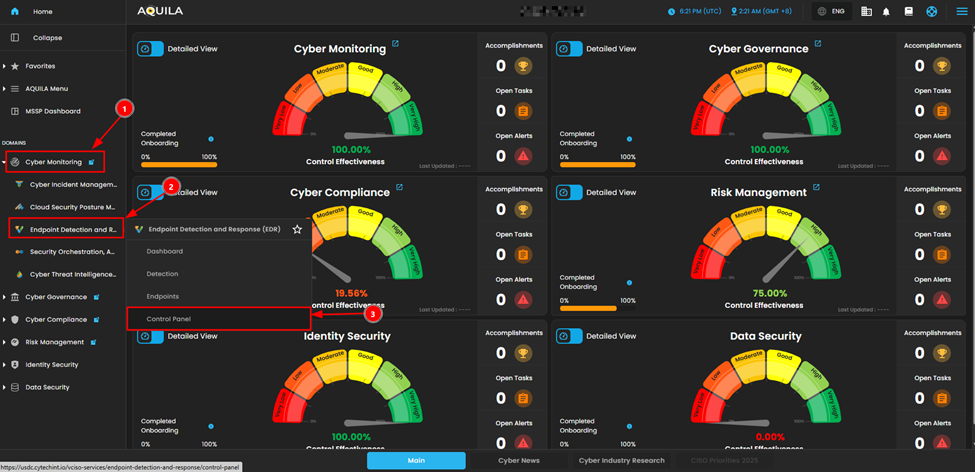
2. Configure Host Isolation Exception
To allow isolated endpoints to connect to specific IP addresses:
In the Control Panel left sidebar, under Event Filters, click on Host Isolation Exception
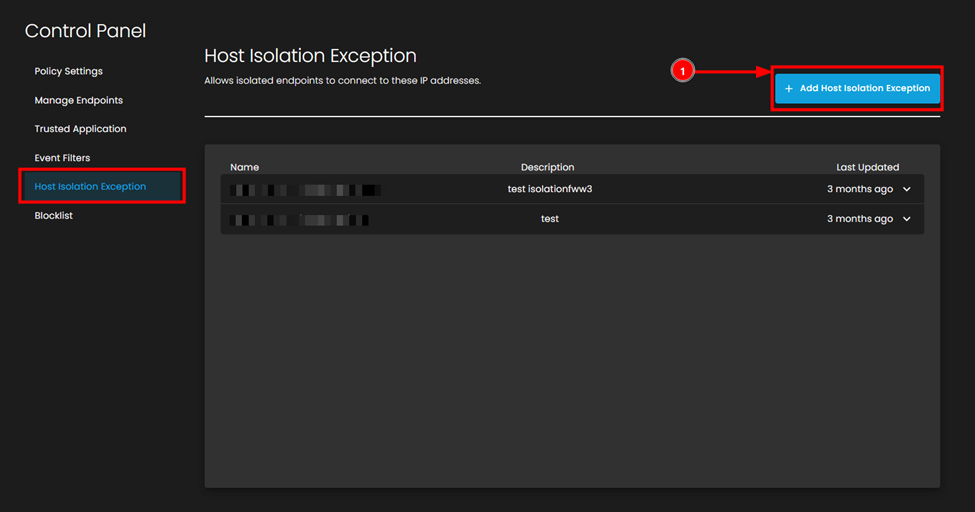
- Click the + Add Host Isolation Exception button (top right, blue button)
- In the "Add Host Isolation Exception" dialog box, fill in the following fields:
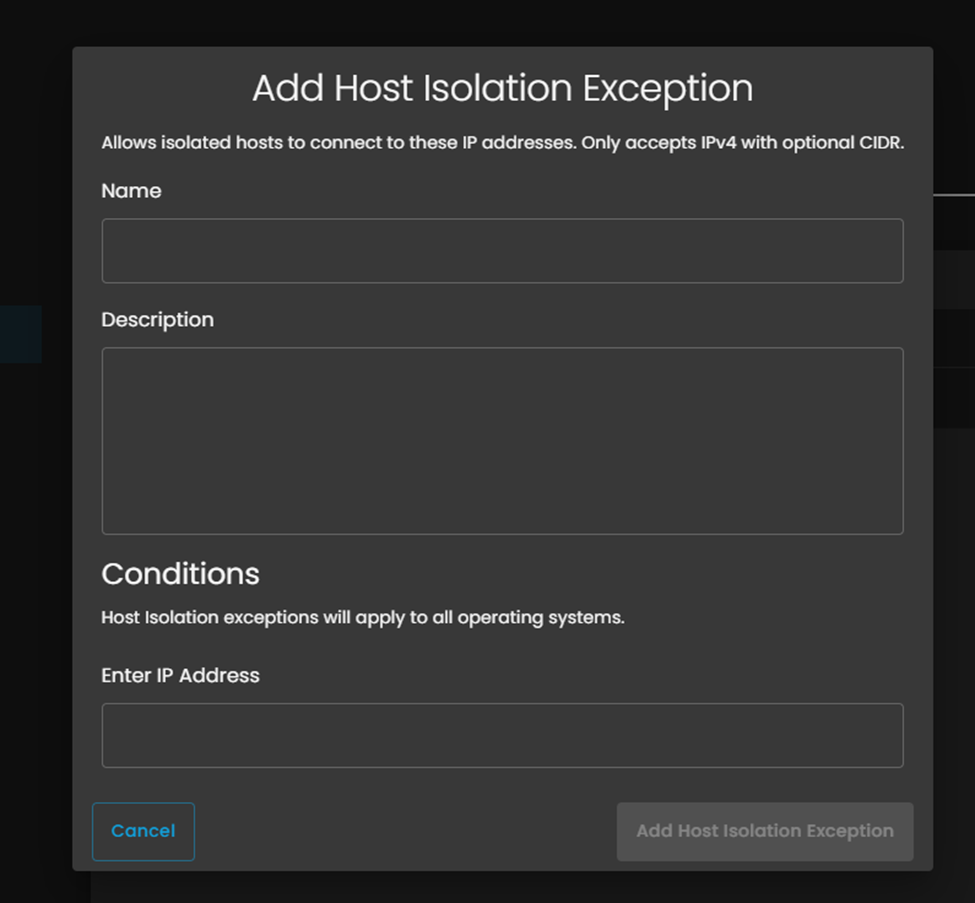
- Enter IP Address:
- Enter the IPv4 address you want to whitelist
- You can only enter one IP address per exception
- Enter the IPv4 address you want to whitelist
- Click the Add Host Isolation Exception button to save
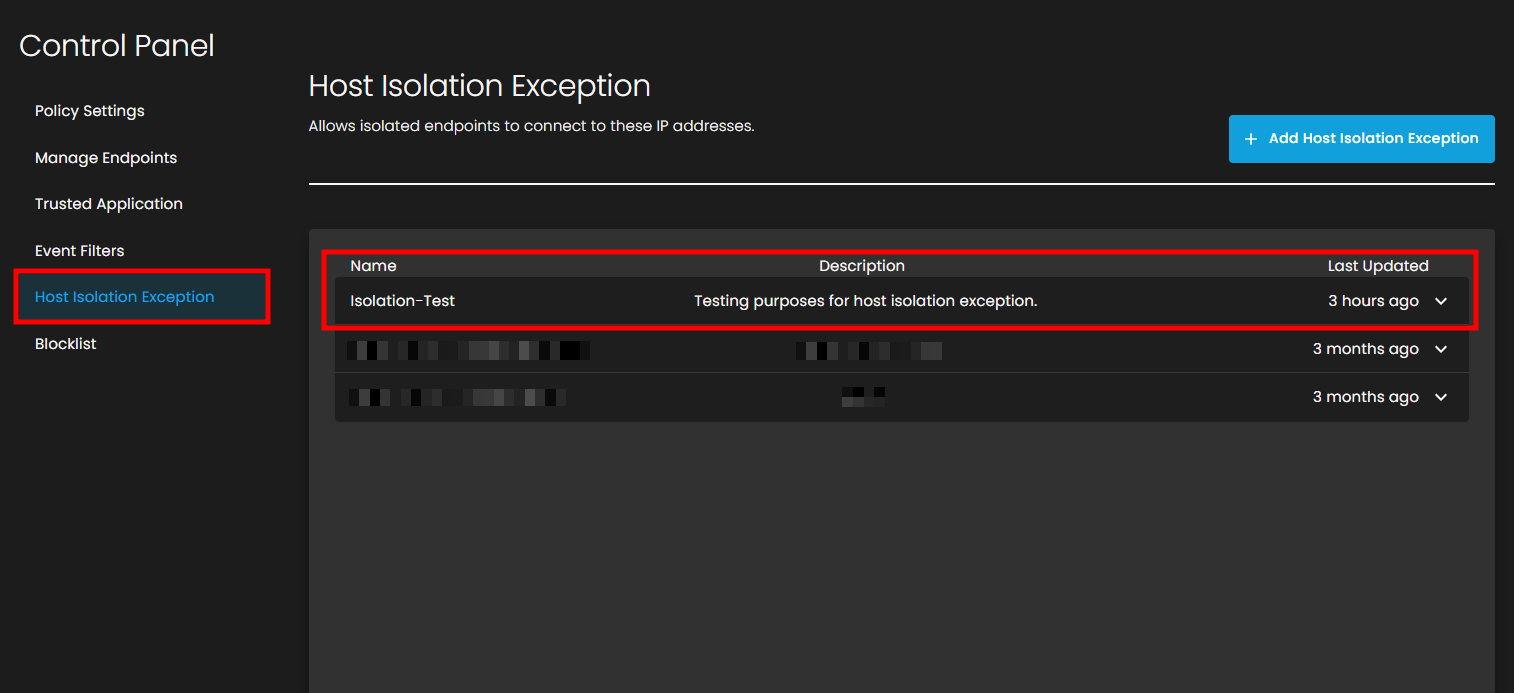
6.3. Verify the Exception is Active
- Return to the Host Isolation Exception page
- Verify your newly created exception appears in the list
7.4. Test the Exception
To confirm the exception is working:
- Return to the isolated endpoint
- Open Command Prompt
- Test connectivity to the whitelisted IP address:
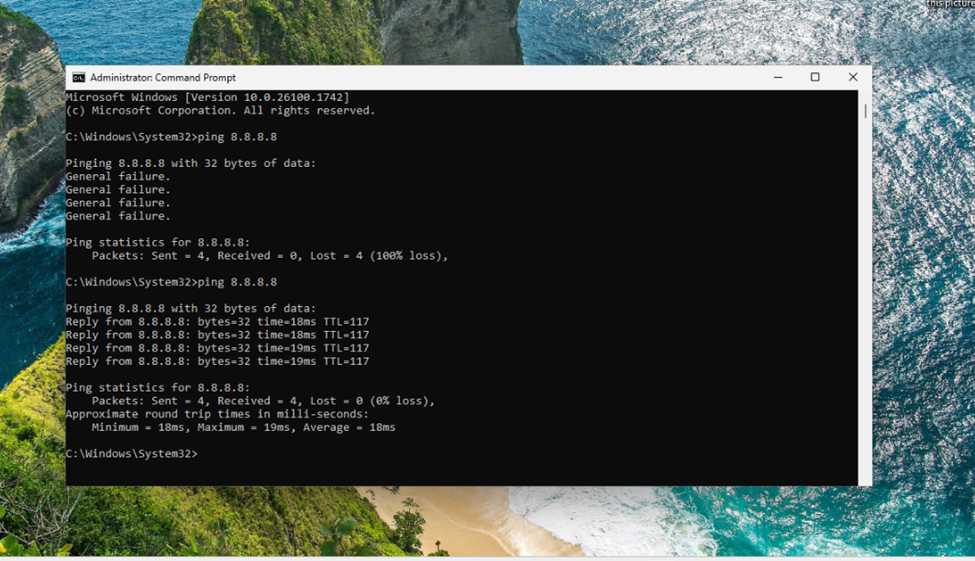
- You should now see successful replies:
- Reply from 8.8.8.8: bytes=32 time=18ms TTL=117
- Ping statistics should show 0% loss with round trip times
This confirms that the isolated endpoint can now communicate with the specified IP address.
8.5. Unisolate an Endpoint.
- When you need to restore full network connectivity:
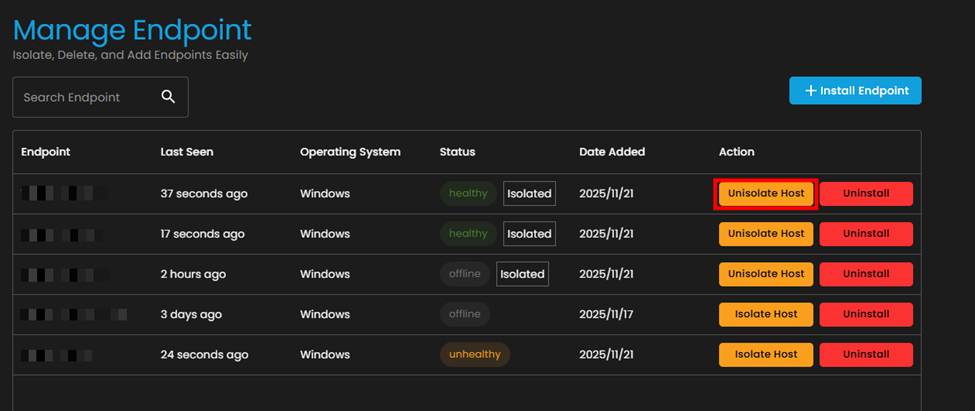
- 8. Click the Unisolate Host button
- 9. In the "Unisolate Endpoint" dialog box:
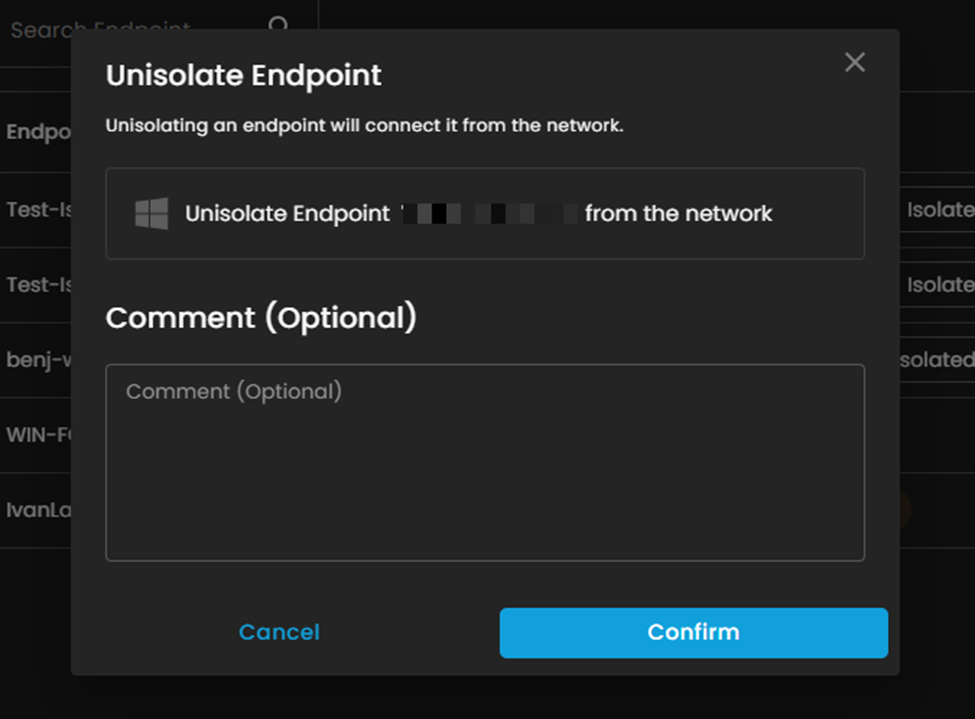
- Click confirm.
- After that it will load while releasing

After refreshing, the endpoint action will go back to Isolate Host after releasing, meaning, the Unisolate is done.
| Aspect | Pros | Cons |
|---|---|---|
| Operational Continuity | Enables essential tools (e.g., email, collaboration apps like Teams) to function during isolation, minimizing downtime and user disruption. Supports remote management without physical access. | Overly broad exceptions can inadvertently allow threat persistence or lateral movement, undermining isolation's core purpose. |
| Security Effectiveness | Maintains secure channels for EDR telemetry and remediation (e.g., to Cortex XDR or Defender agents), ensuring ongoing monitoring and response without full blackout. | Increases vulnerability if exceptions target untrusted IPs or processes; attackers could exploit misconfigurations to bypass controls. |
| Flexibility & Scalability | Customizable rules (e.g., by IP, process path, or service) adapt to diverse environments, with wildcards for efficient management across large fleets. Reduces false positives in automated isolation. | Prone to human error in rule creation—e.g., typos in paths or IPs—leading to ineffective exclusions or security gaps; requires rigorous auditing. |
| Compliance & Response Efficiency | Facilitates adherence to standards like PCI DSS by allowing controlled access (e.g., to secure VLANs), while speeding up incident resolution through partial connectivity. | Adds complexity to incident response workflows; poor management can create a false sense of security or alert fatigue from repeated testing. |
| Resource Impact | Low overhead when narrowly defined; preserves productivity for non-critical functions without needing full network recovery. | Potential performance hit from constant rule evaluation; in high-volume environments, unoptimized exceptions can strain endpoint resources. |
Conclusion
In essence, host isolation exceptions are a vital refinement for real-world deployment, promoting a "secure by design" approach that avoids the pitfalls of rigid isolation. However, their success hinges on least-privilege principles: limit to verified, high-trust endpoints and integrate with automated validation tools. For implementation guidance in tools like Microsoft Defender, best practices emphasize starting with defaults (e.g., excluding only EDR agents) and layering in business needs via testing.