
Business Impact Analysis (BIA)
Overview
Key Features
Step 1: Log in to CyTech - AQUILA
Step 2: Click on Cyber Compliance
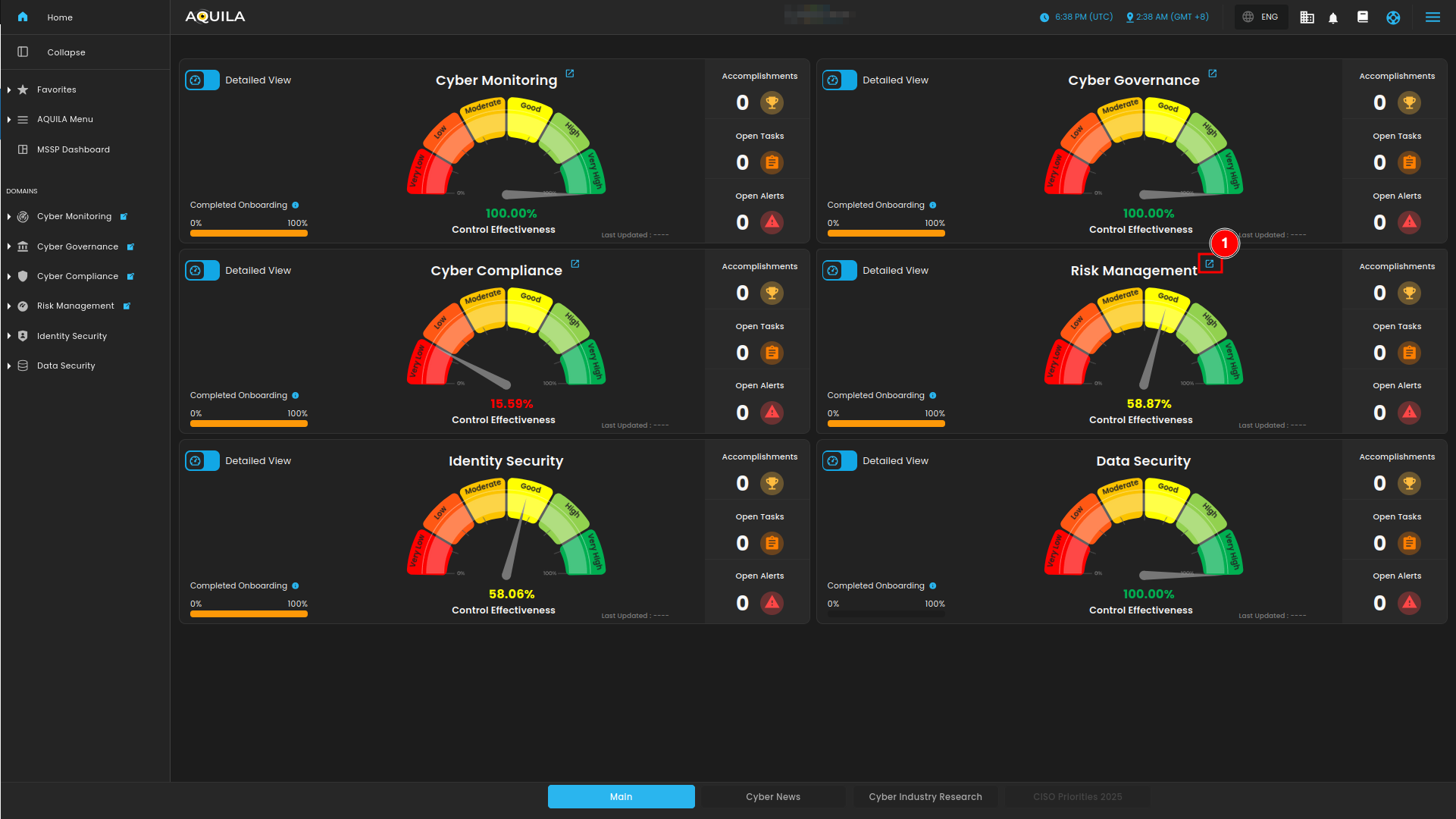
Figure 1. Overview
Step 3: Choose Business Impact Analysis (BIA)
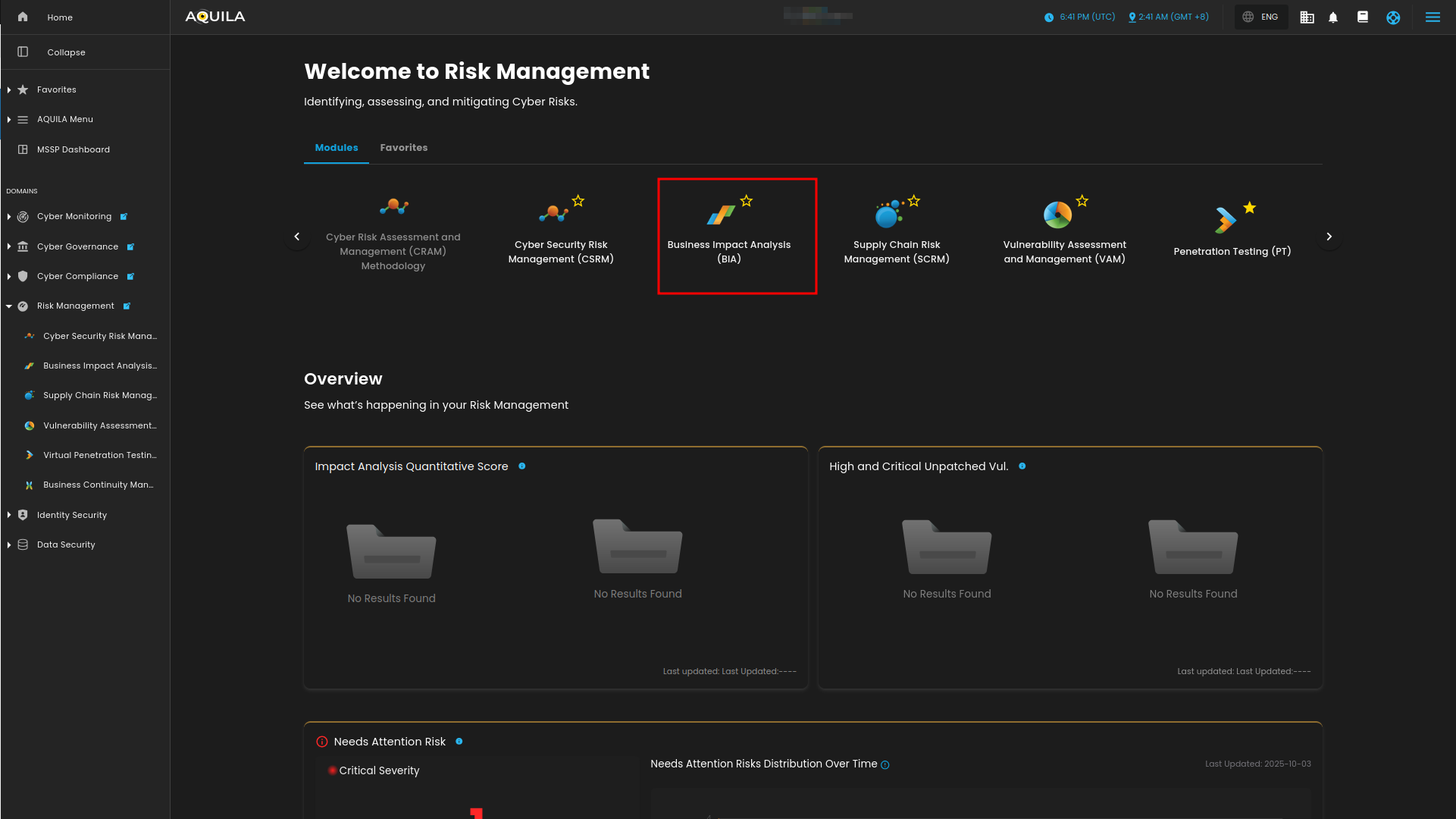
Figure 1.1 Risk Management
Step 4: Hover into leftmost panel to view all the Risk Management sections. This Process is applicable in all navigating into a Module.
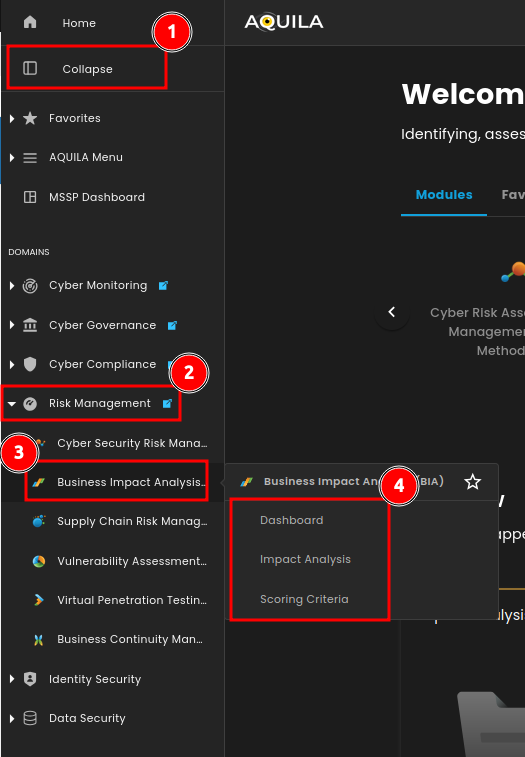
Figure 1.2 Risk Management Navigation
Dashboard
This dashboard provides a snapshot of a Business Impact Analysis (BIA), highlighting the status of risk assessments for key assets. It tracks the downtime costs of these assets, the impact on goodwill, compliance, and safety, and breaks down the financial effects like revenue loss and productivity declines. It also assesses the impact on customers, staff, and partners, offering a clear view of business vulnerabilities and aiding in effective risk management.
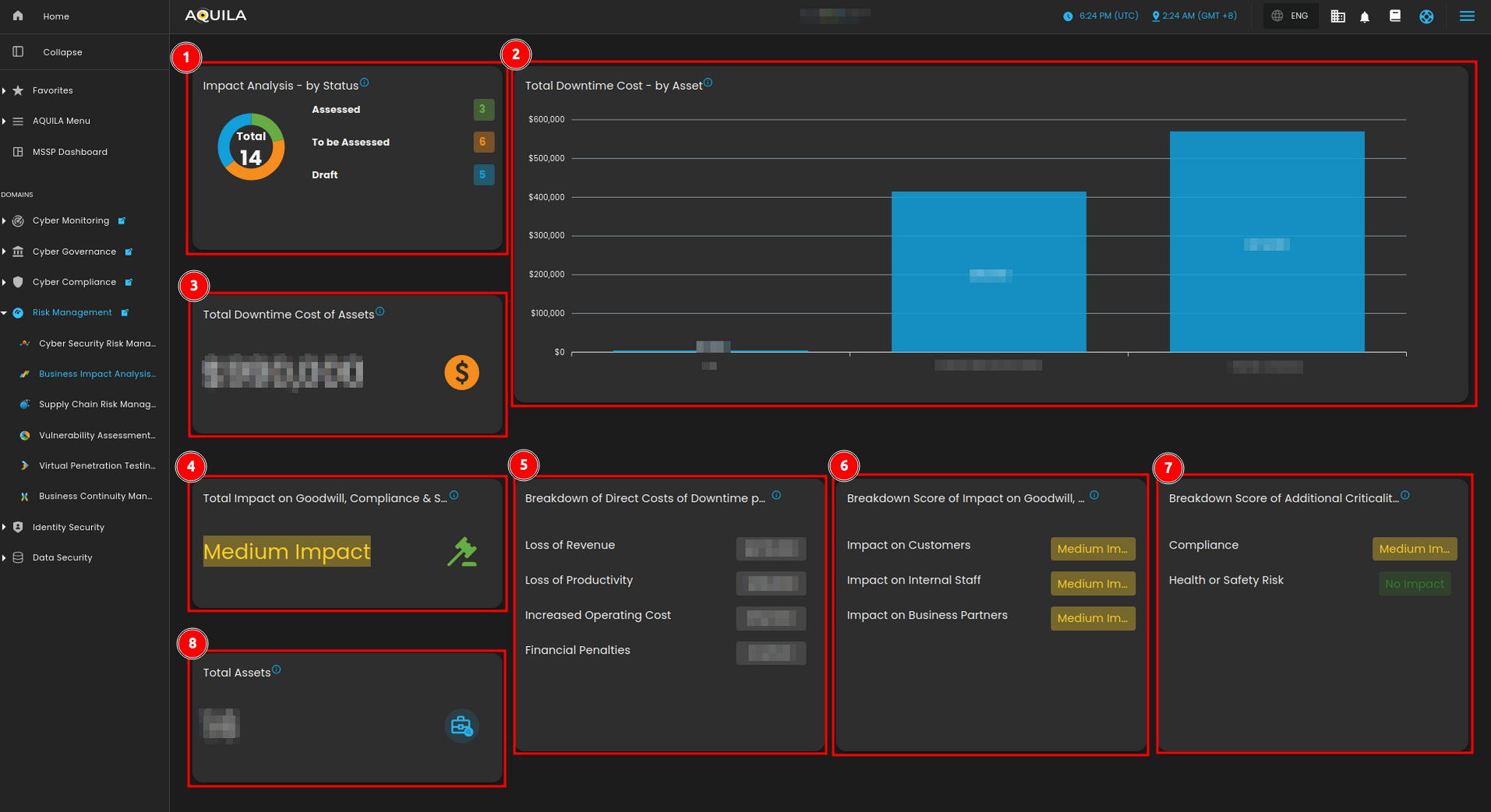
Figure 2. Business Impact Analysis (BIA) Dashboard
1. Impact Analysis
TheThisImpactsectionAnalysisgivesisacategorizedsummary of the total assessments made, divided into threestatus:categories:Assessed,Assessed, ToBebeAssessed,Assessed, andDraft.Draft. The numbers reflect how many assets or processes have gone through different stages of impact analysis.
2. Total Downtime Cost - by Asset
TheseAaregraphical representation shows thetotalestimated downtime costsperof24varioushoursassets.forThiseachvisualassethighlightsyouwhichassessed.assets are more costly when disrupted, emphasizing the financial risks associated with certain business functions.
3. Total Downtime Cost of Assets
- This
ismetric focuses on the total financial cost caused by downtime across all assets, showing the overall impactincurredonwhenthea system, service, or process experiences unplanned downtime.organization.
4. Total Impact on Goodwill, Compliance & Safety
- This
issection measures thecombinedbroadereffecteffects ofvariousdowntimefactorsor disruptions, specifically the impact onantheorganization’company’sgoodwill,reputationregulatory(goodwill),compliance,compliance with regulations, and safetypractices.standards.
5. Breakdown of Direct Costs of Downtime per 24 hours
ThisTheisbreakdownaincludesdetailedspecificanalysisareas affected by downtime, such as loss oftherevenue,specificloss of productivity, and increased operating costs.incurredTheseduringfactorsunplannedgivedowntime.insight into where financial losses are most likely to occur.
6. Breakdown Score of Impact on Goodwill, Compliance & Safety
- This
issection provides more detailed insights into how disruptions affect various business areas like customers, internal staff, and business partners, providing adetailedmedium-levelanalysisimpactofscoretheforspecificmosteffects on an organization’s goodwill, regulatory compliance, and safety practices.areas.
7. Breakdown of Additional Criticality Factors
- This
ispartanevaluatesadditionalhowcriticalitydisruptionsfactorsaffectonotherorganization’scritical aspects like compliance and health or safetyriskrisks, with some areas marked as having medium impact, while others like health and safety show no impact.
8. Total Assets
These are theThe total assetsthatbeingyouassessedhaveforaddedriskinareyourlistedBusinesshere,ImpactprovidingAnalysisanregardlessoverview oftheirallstatus.the business functions under analysis.
Impact Analysis
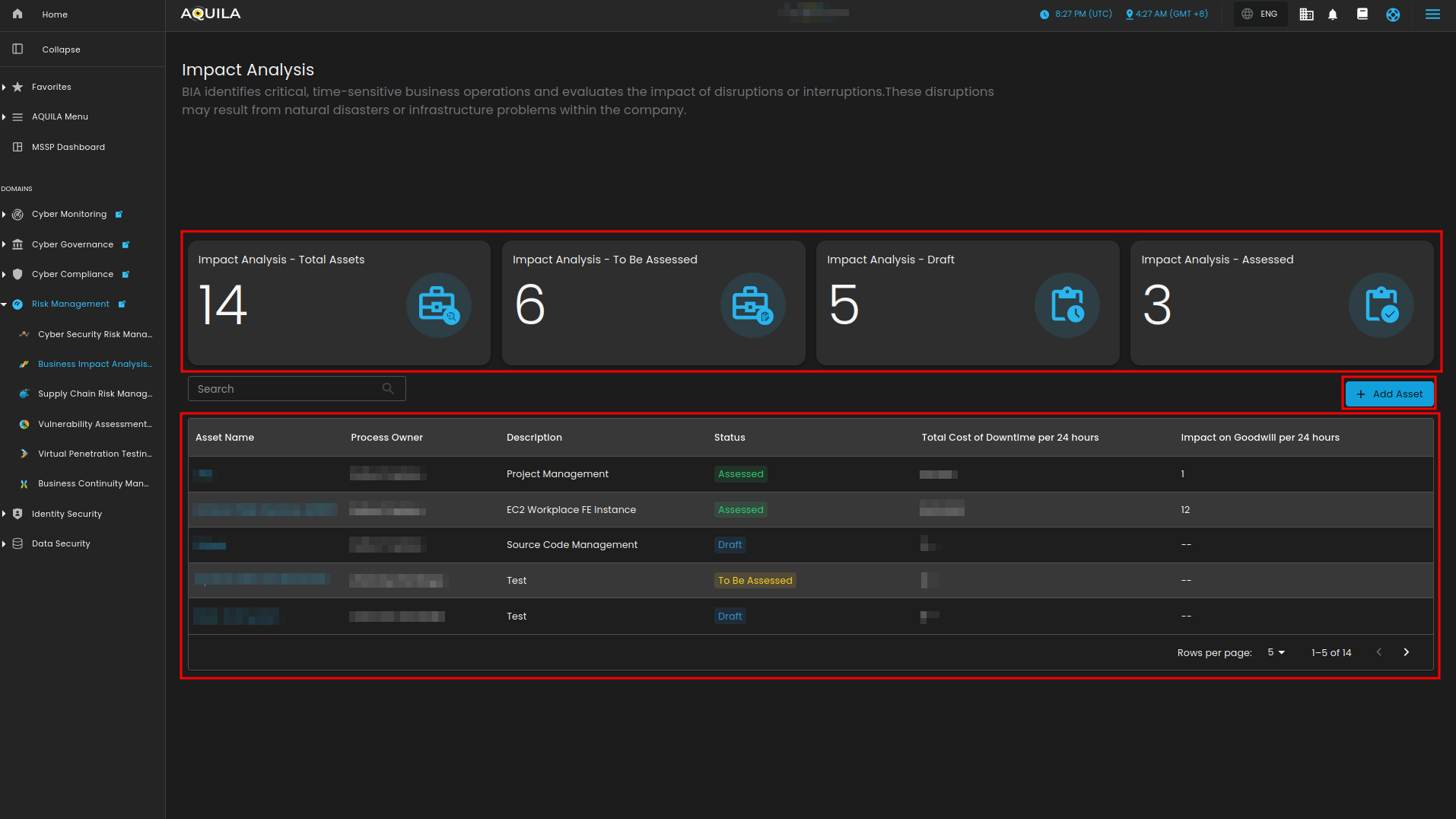
Figure 3. Impact Analysis
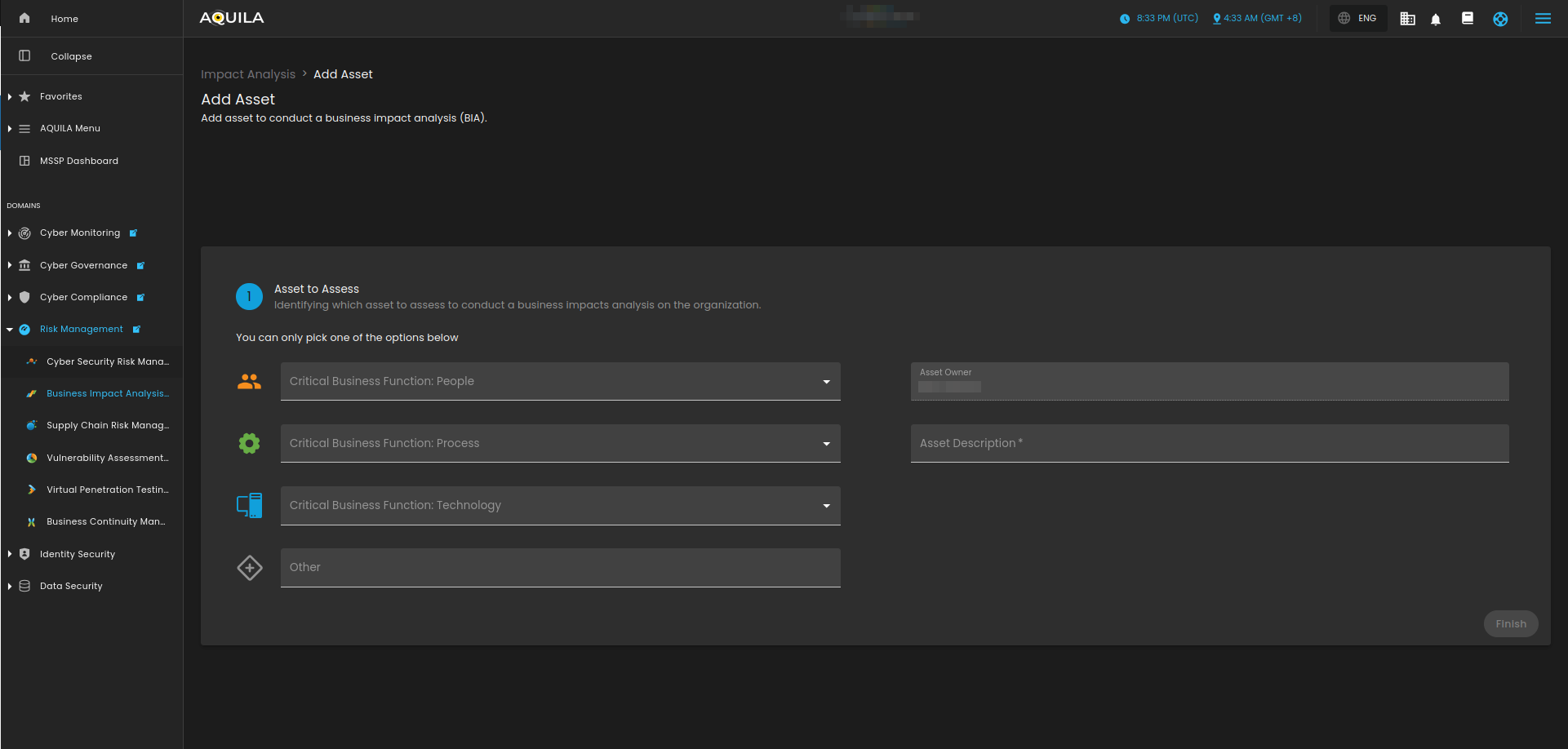
Figure 3.1 Impact Analysis - Add Asset
Scoring Criteria
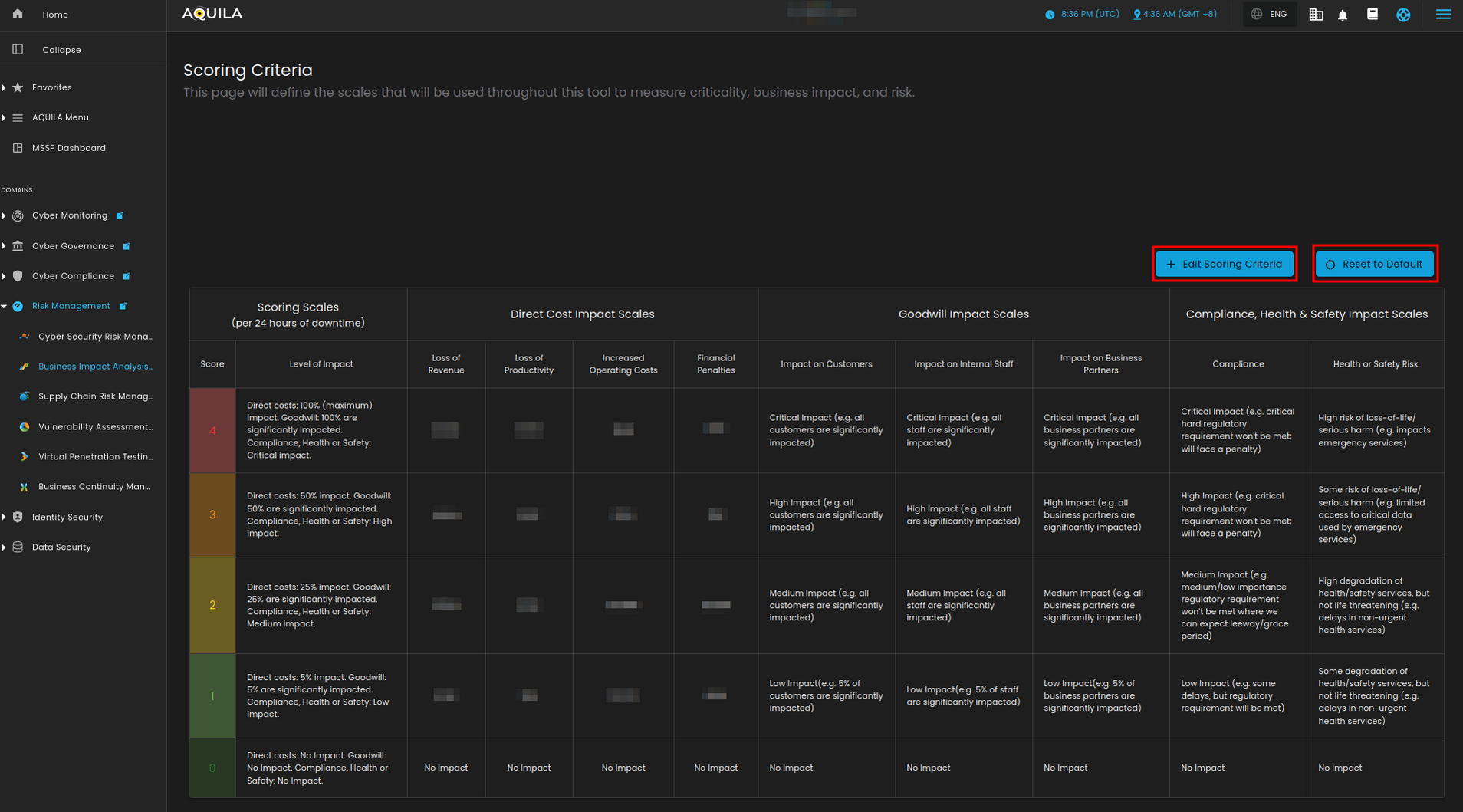
Figure 4. Scoring Criteria