Business Impact Analysis (BIA)
Overview
Key Features
Step 1: Log in to CyTech - AQUILA
Step 2: Click on Cyber Compliance
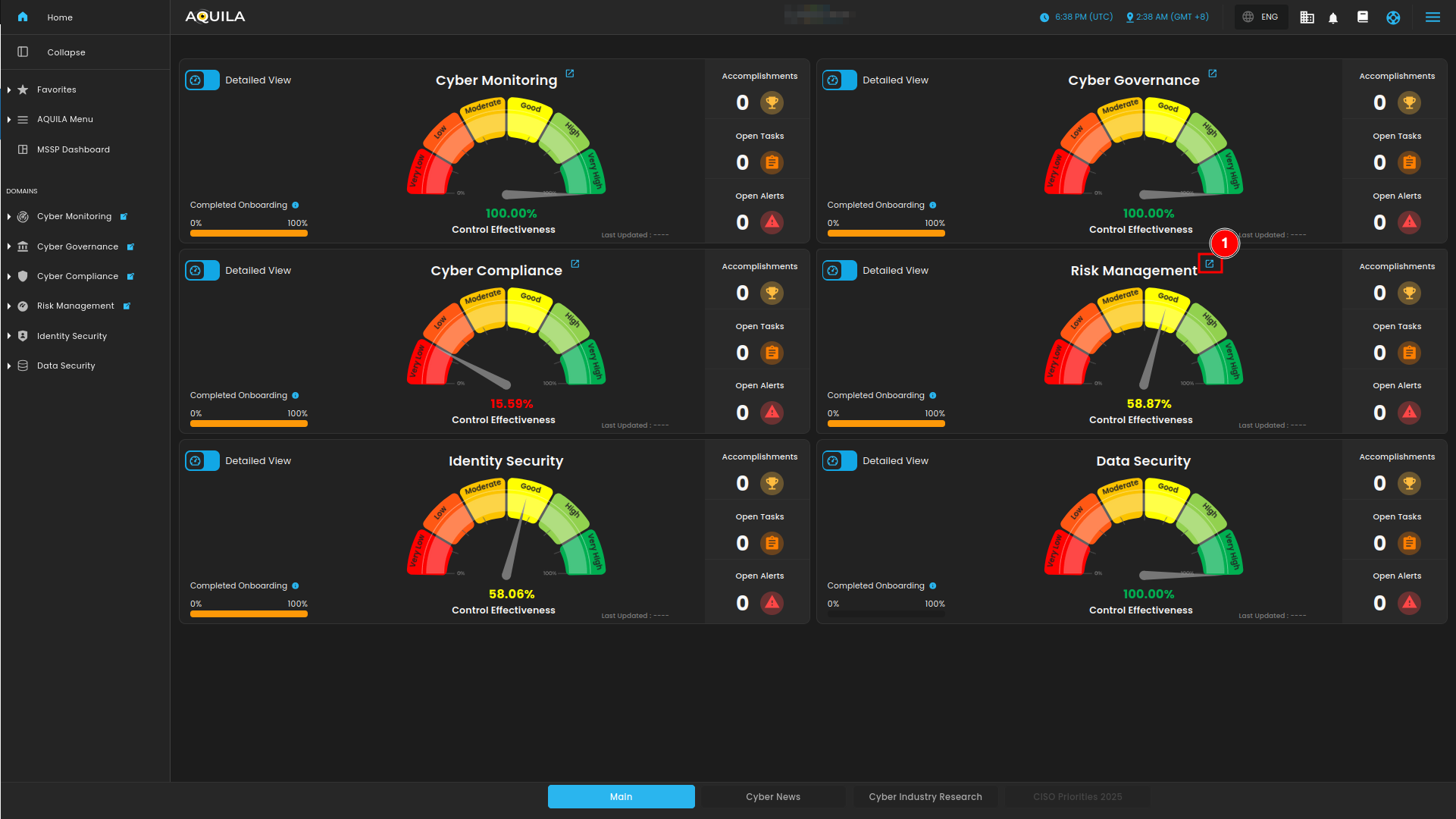
Figure 1. Overview
Step 3: Choose Business Impact Analysis (BIA)
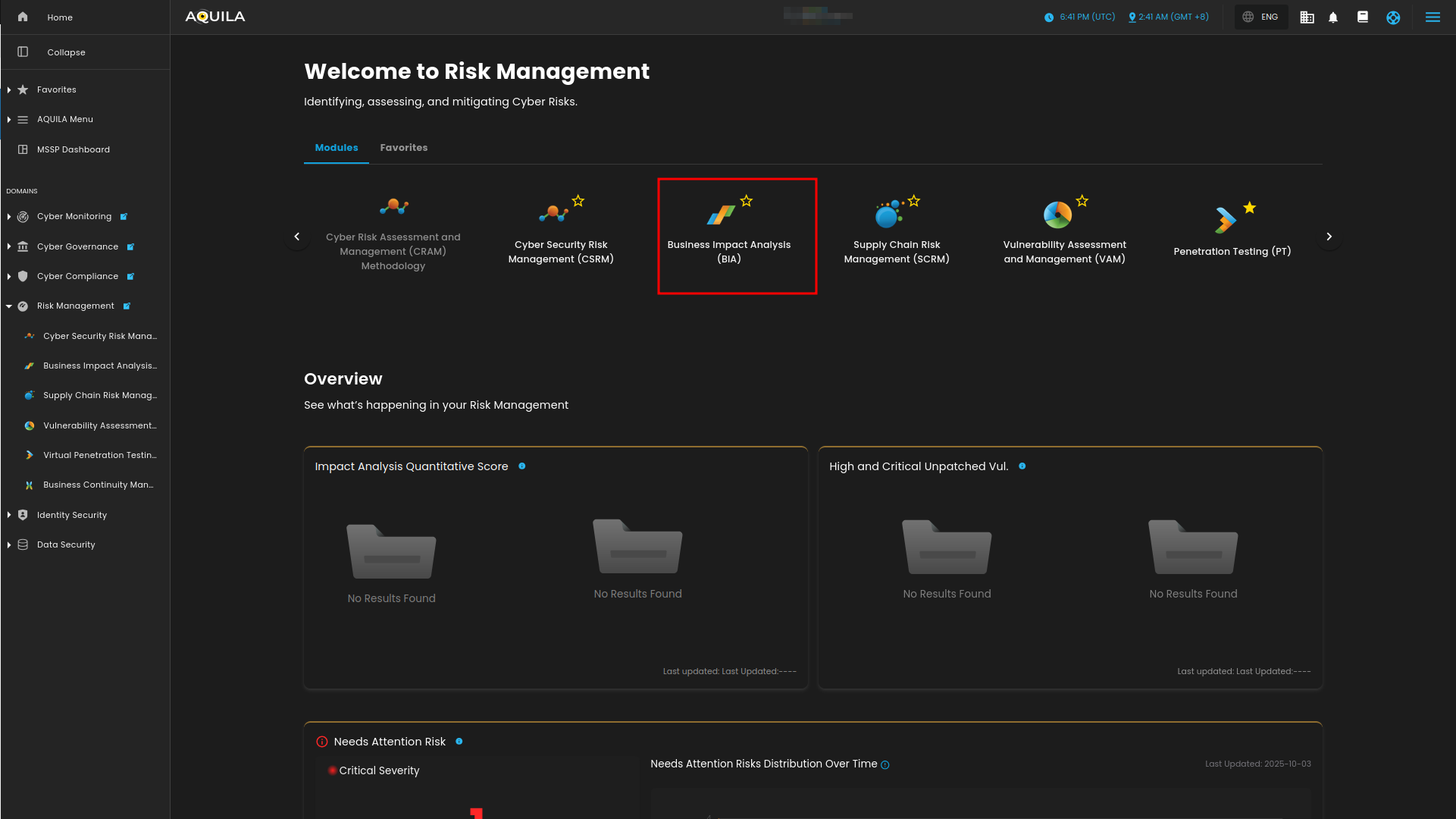
Figure 1.1 Risk Management
Step 4: Hover into leftmost panel to view all the Risk Management sections. This Process is applicable in all navigating into a Module.
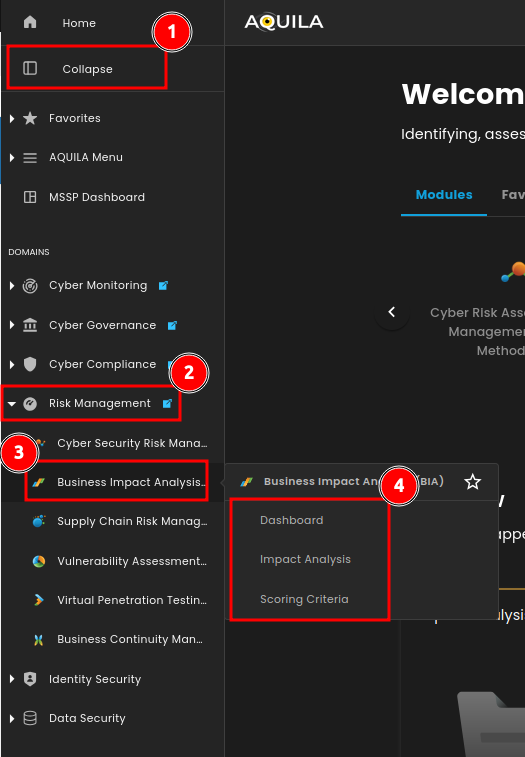
Figure 1.2 Risk Management Navigation
Dashboard
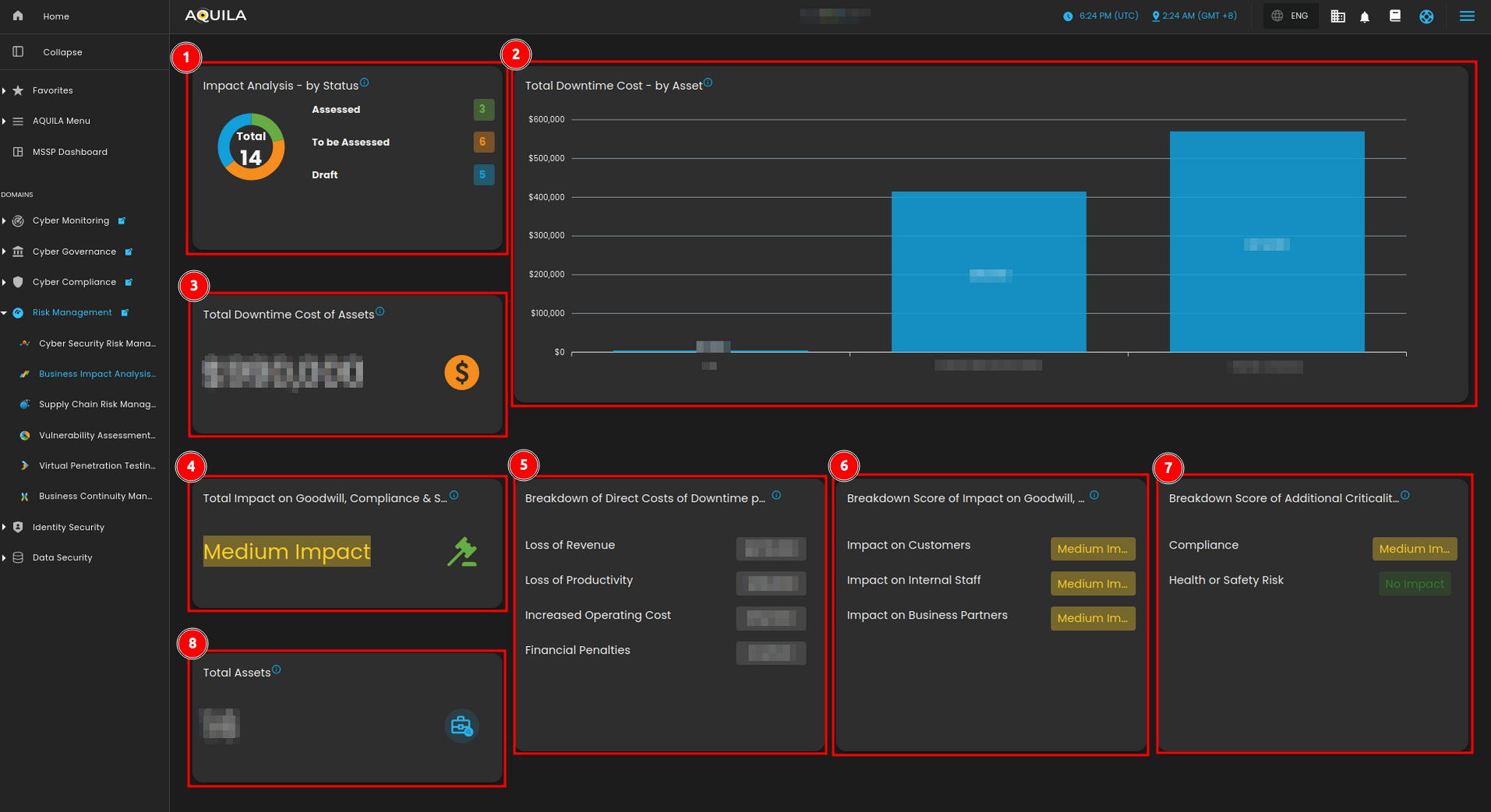
Figure 2. Business Impact Analysis (BIA) Dashboard
1.
Impact Analysis
Total
- The
CostImpactofAnalysisAssetsis categorized into three status: Assessed, To Be Assessed, and Draft.
2. Total Downtime Cost - by Asset
- These are the total downtime costs per 24 hours for each asset you assessed.
3. Total Downtime Cost of Assets
- This is the financial impact incurred when a system, service, or process experiences unplanned downtime.
4. Total Impact on Goodwill, Compliance & Safety
- This is the combined effect of various factors on an organization’s goodwill, regulatory compliance, and safety practices.
5. Breakdown of Direct Costs of Downtime per 24 hours
- This is a detailed analysis of the specific costs incurred during unplanned downtime.
6. Breakdown Score of Impact on Goodwill, Compliance & Safety
- This is a detailed analysis of the specific effects on an organization’s goodwill, regulatory compliance, and safety practices.
7. Breakdown of Additional Criticality Factors
- This is an additional criticality factors on organization’s compliance and health or safety risk
8. Total Assets
- These are the total assets that you have added in your Business Impact Analysis regardless of their status.
Impact Analysis
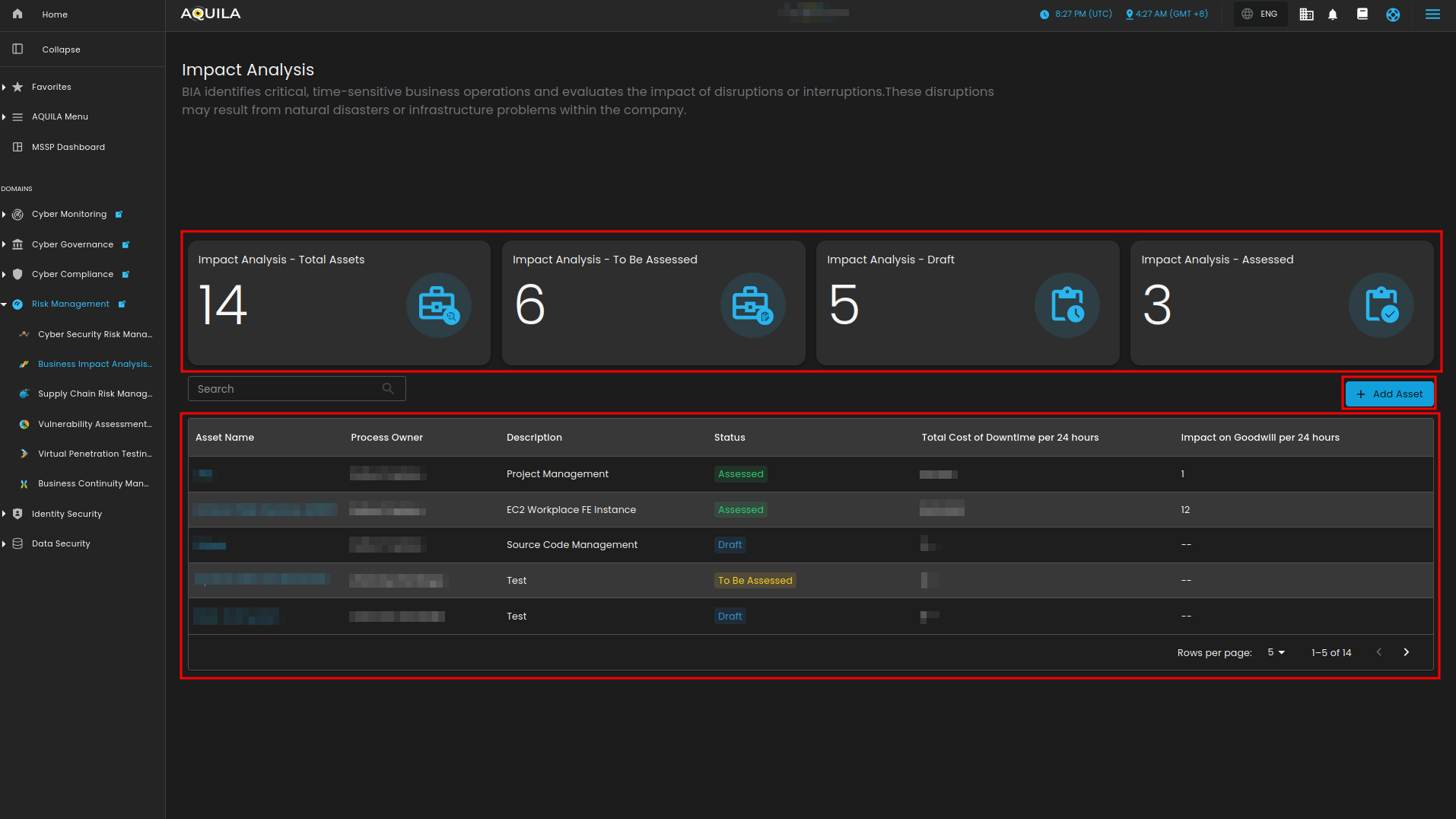
TotalFigure Assets3. Impact Analysis
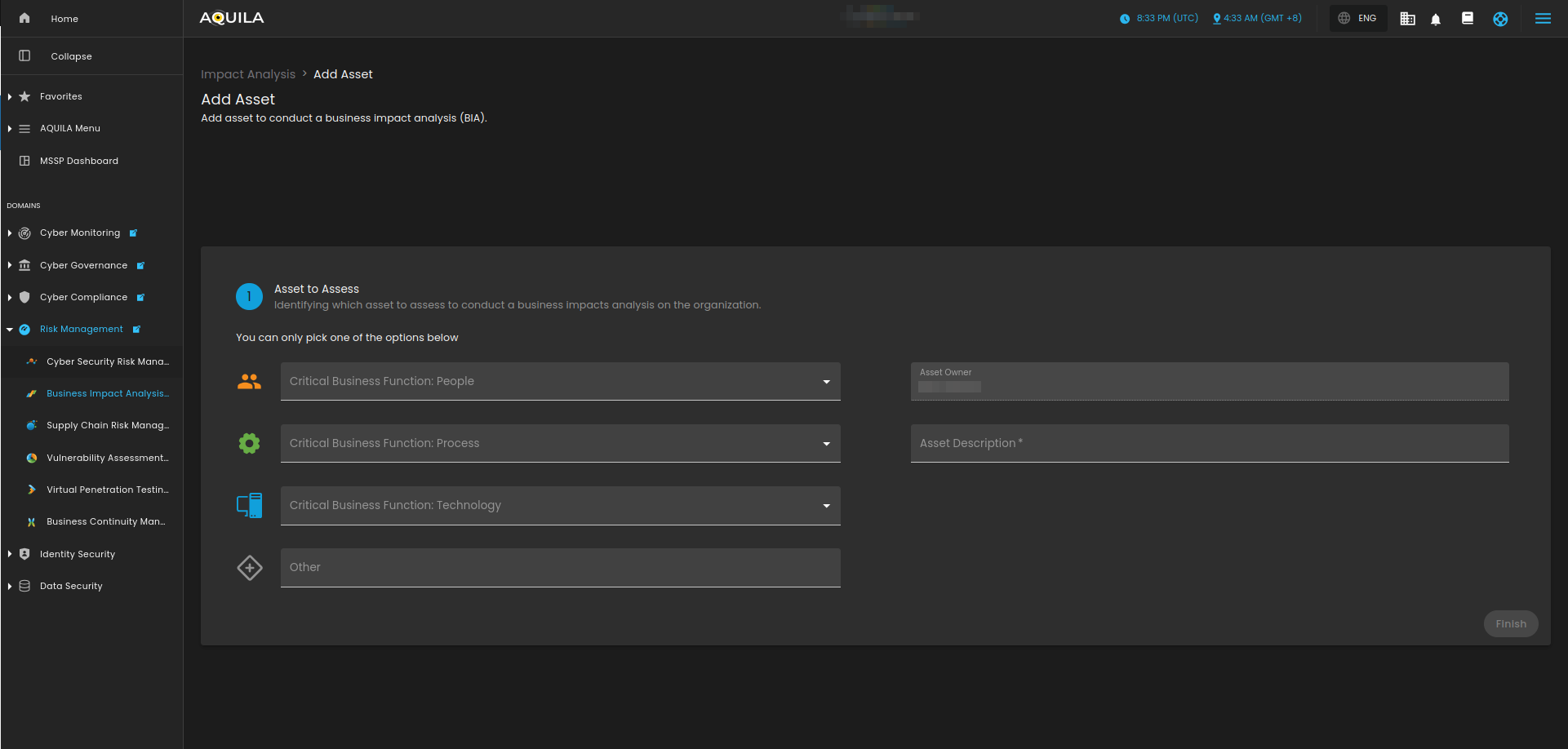
Figure 3.1 Impact Analysis - Add Asset
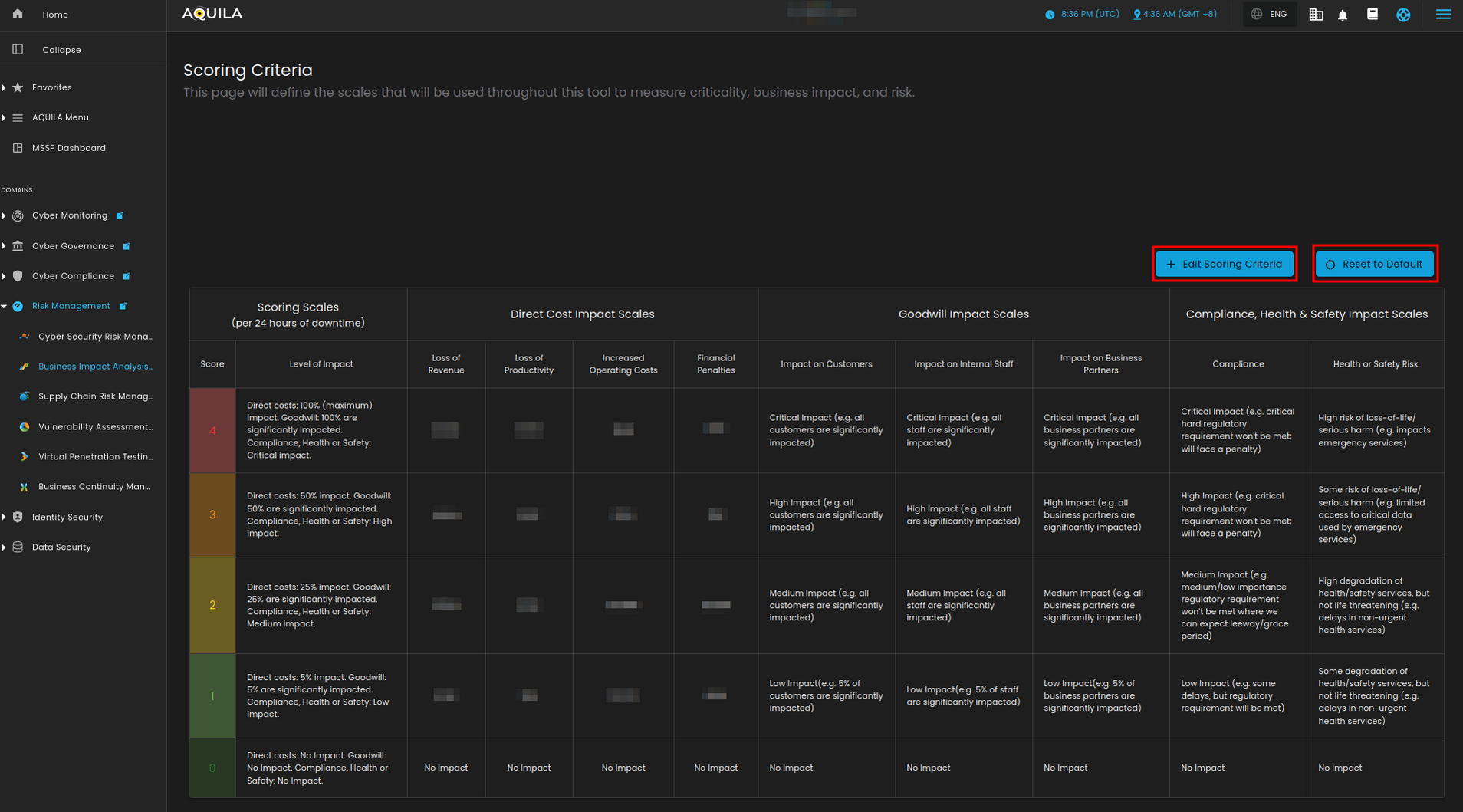
Scoring Criteria