
AQUILA v4. Dashboard
Overview
This is the new and improved dashboard of the AQUILA, where it might seem confusing than the old dashboard. It contains a lot of information with each module, metrics, and its domains. Basically, an overview of monitoring on what are the things that need help and the things that are required to do for the daily operations.
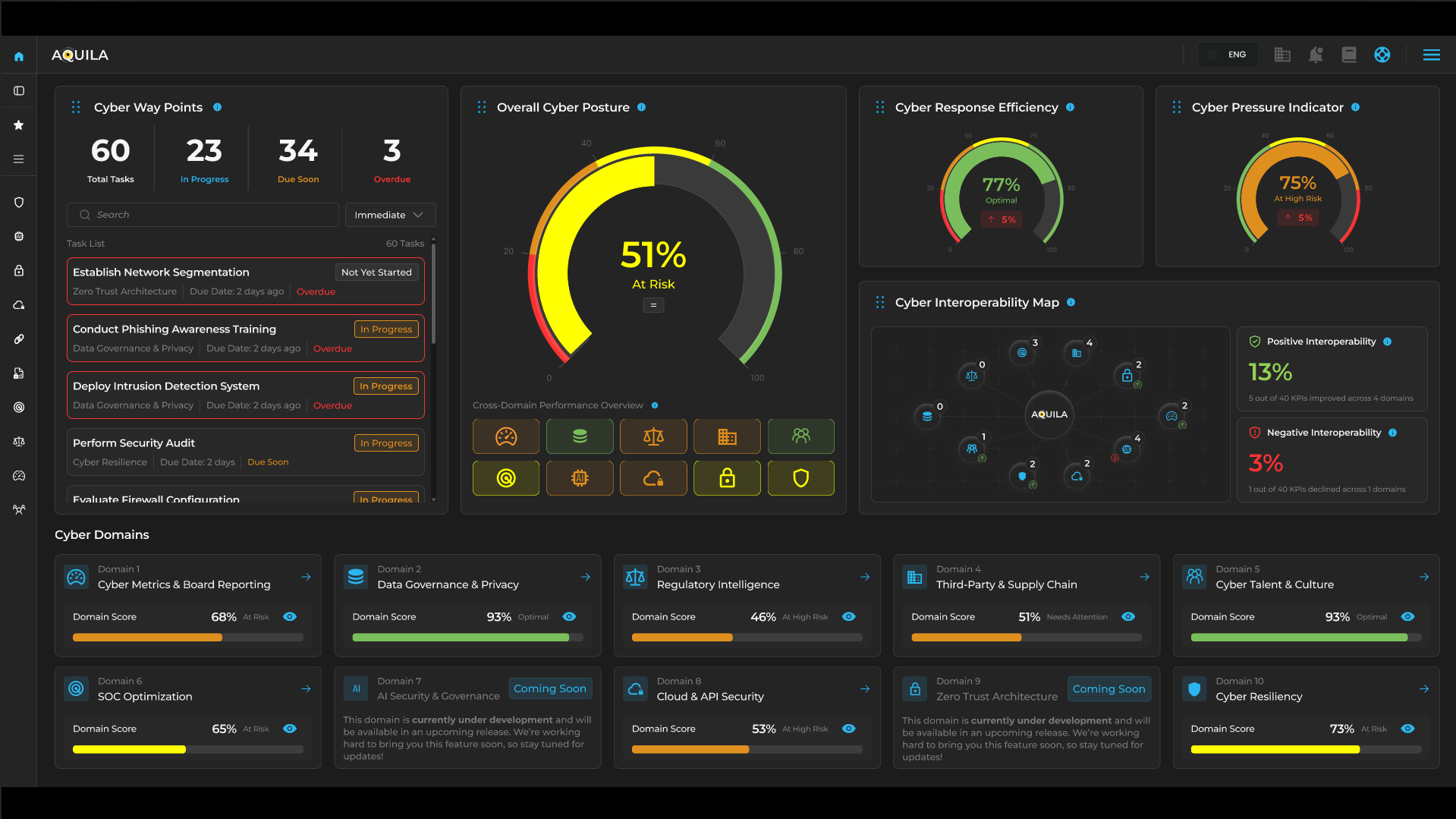
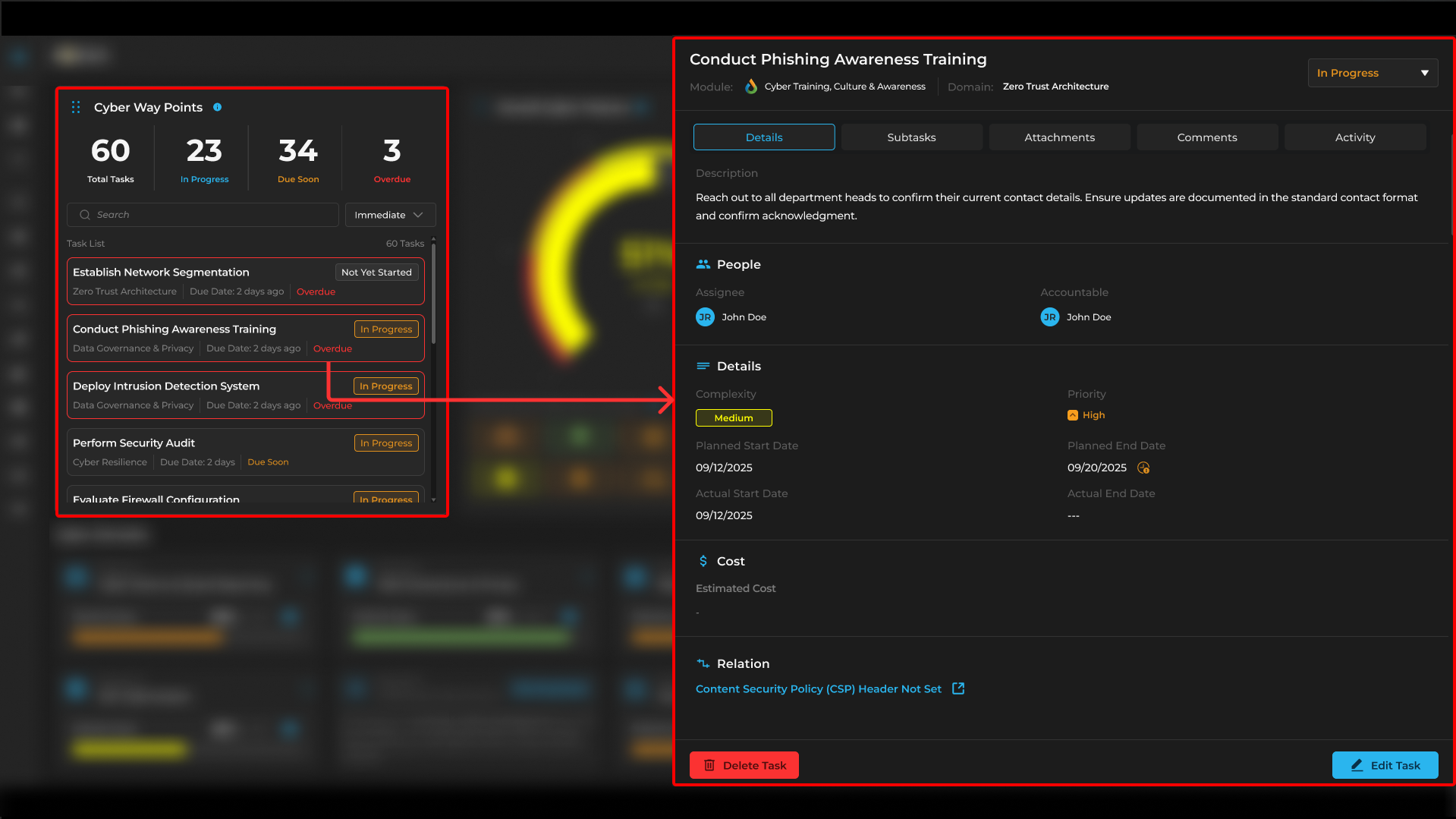
Cyber Way Points
Let's start with this section, Cyber Way Points section is where the different task list is located for each module, such as Cyber Training, Culture & Awareness and other modules with assigned task and its details.
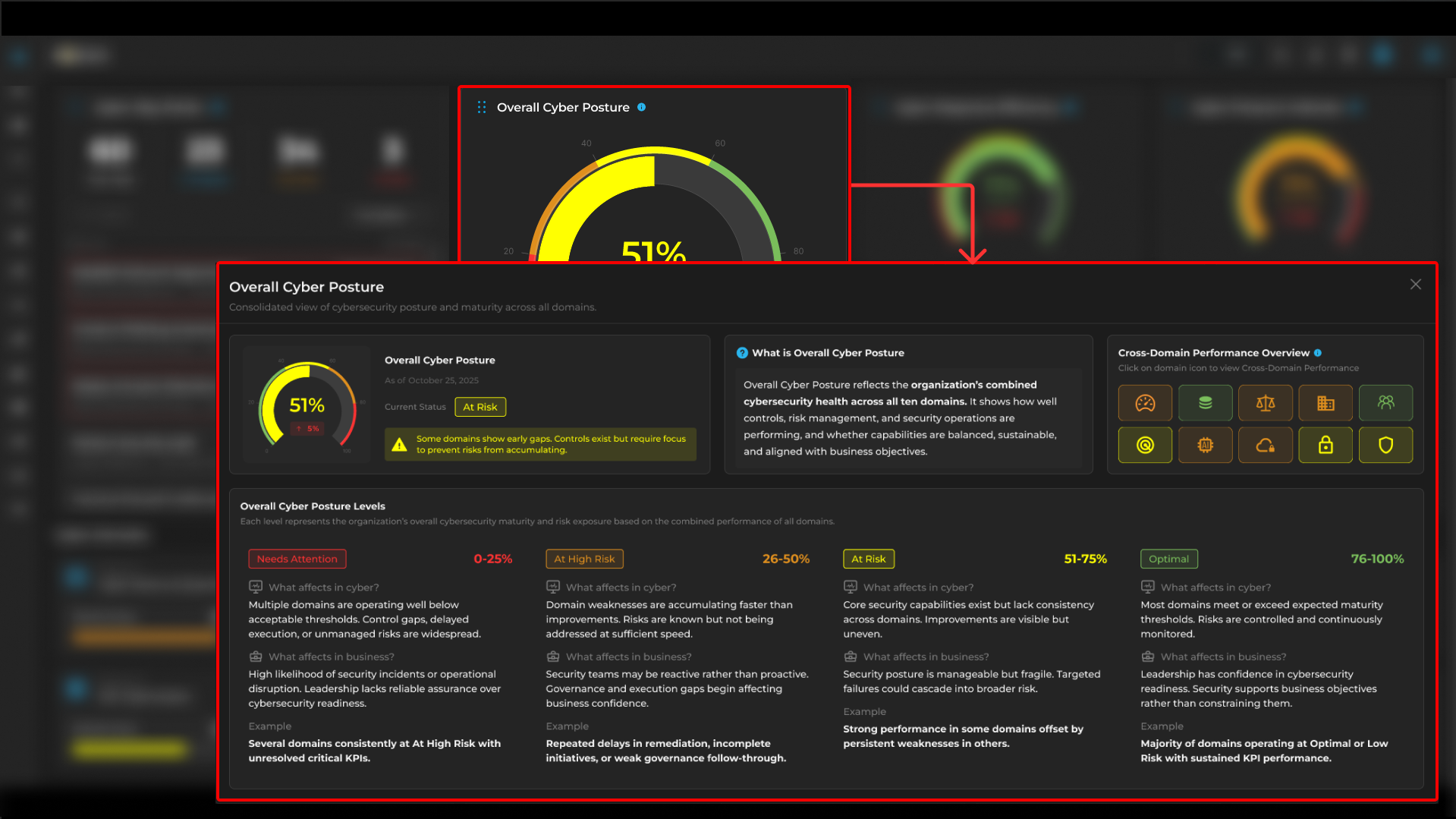
Overall Cyber Posture
Cyber Posture reflects all combined cybersecurity health across each domain and its management for security operations.
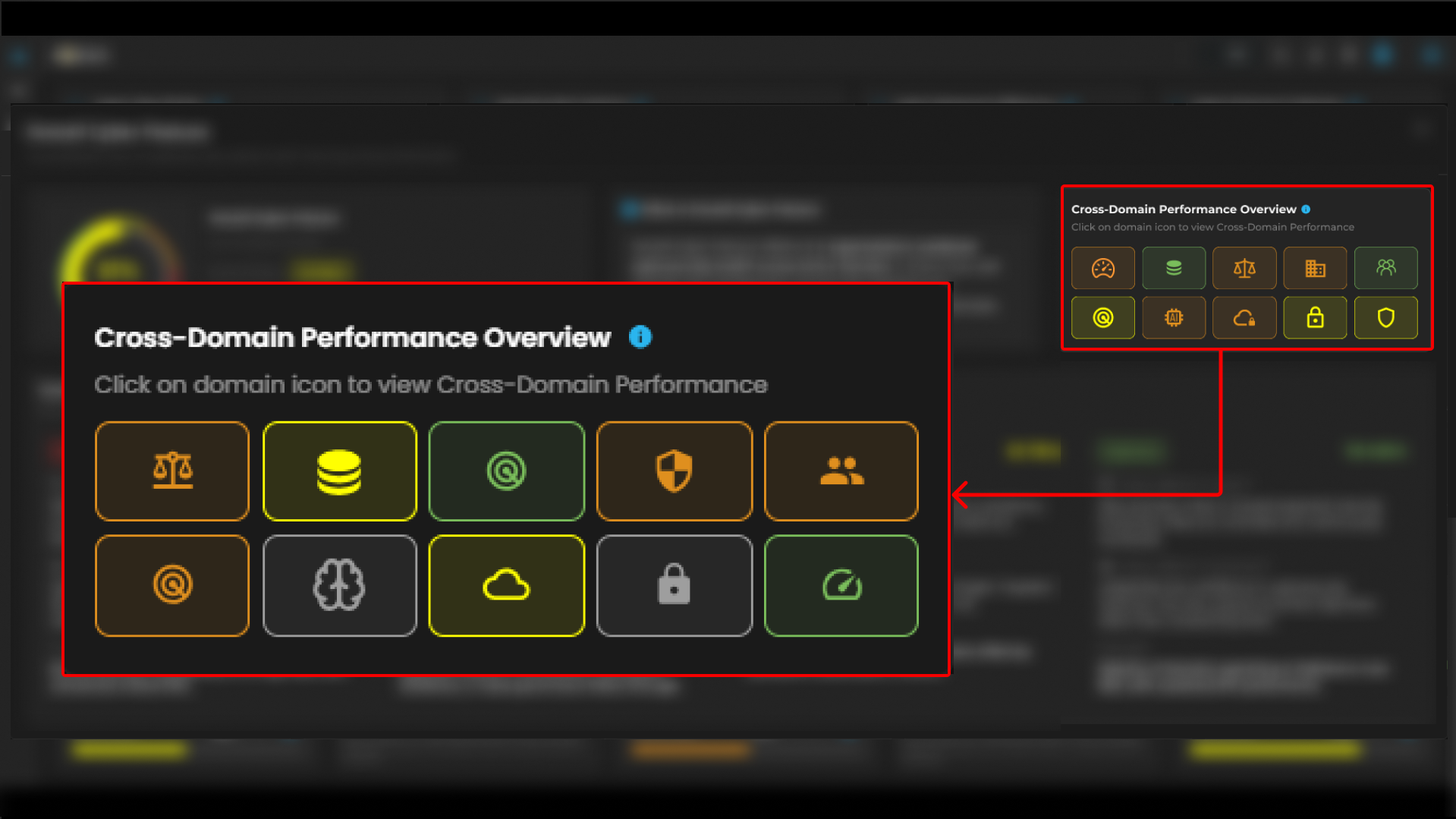
Clients can also access "Cross-Domain Performance Overview" to navigate different modules that are assigned for each button.
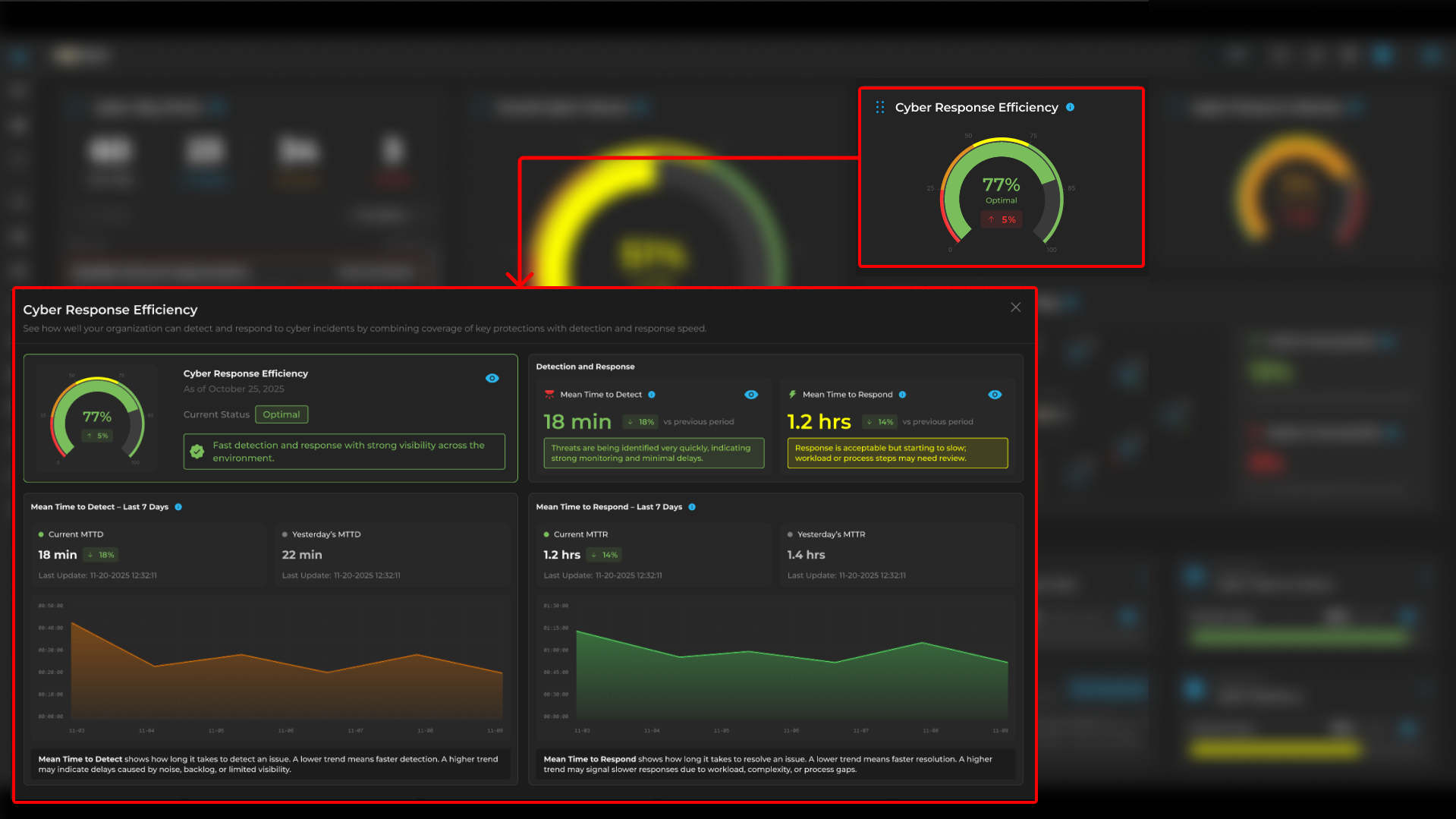
Cyber Response Efficiency
This section shows Mean Time to Detect (MTTD), Mean Time to Respond (MTTR) and Metrics for response efficiency on cyber incident on how well your organization takes incident.
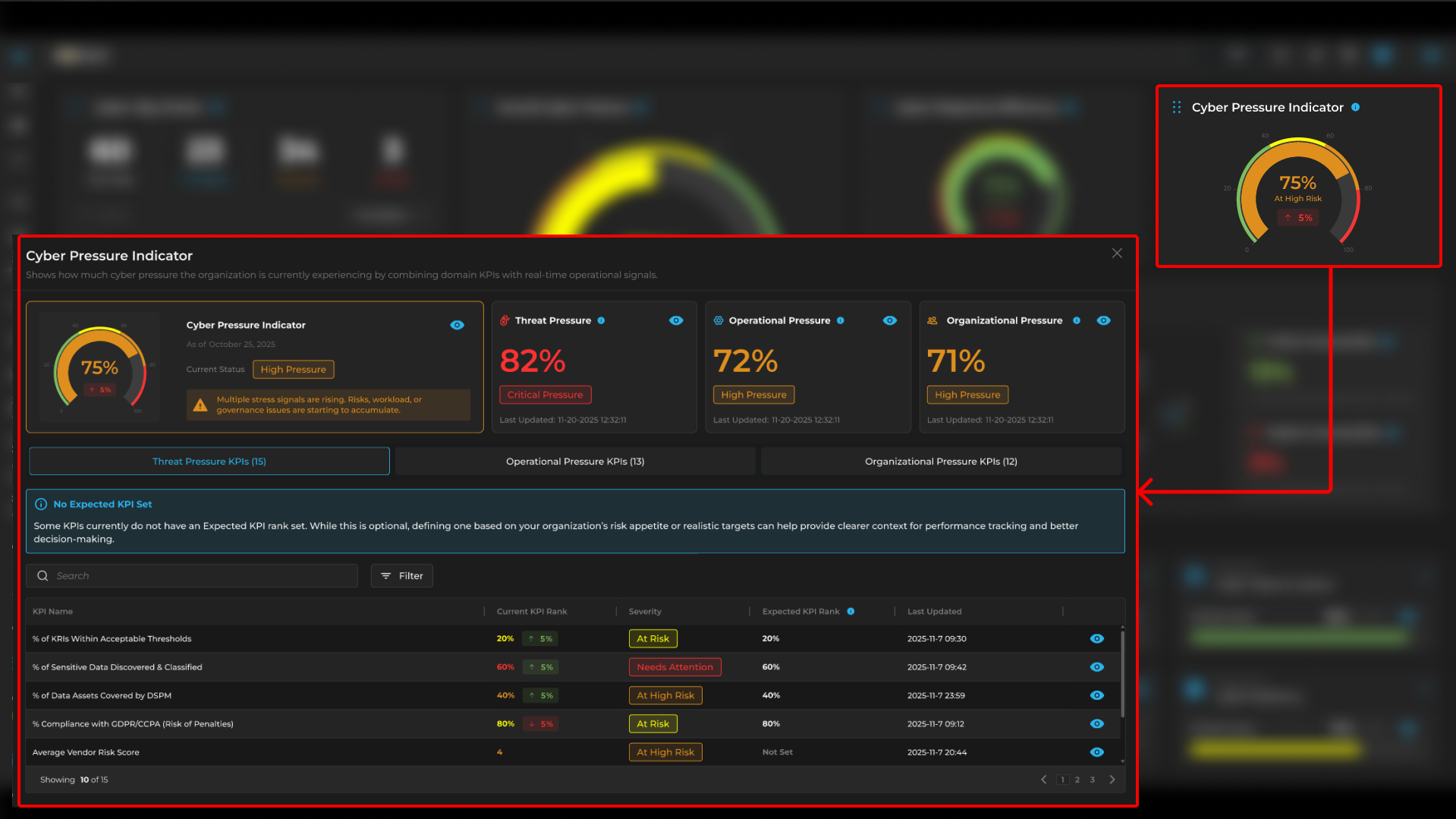
Cyber Pressure Indicator
This section shows combined KPI with real-time operational signals. It also shows list of KPI with their "Severity" and "Expected KPI Rank"
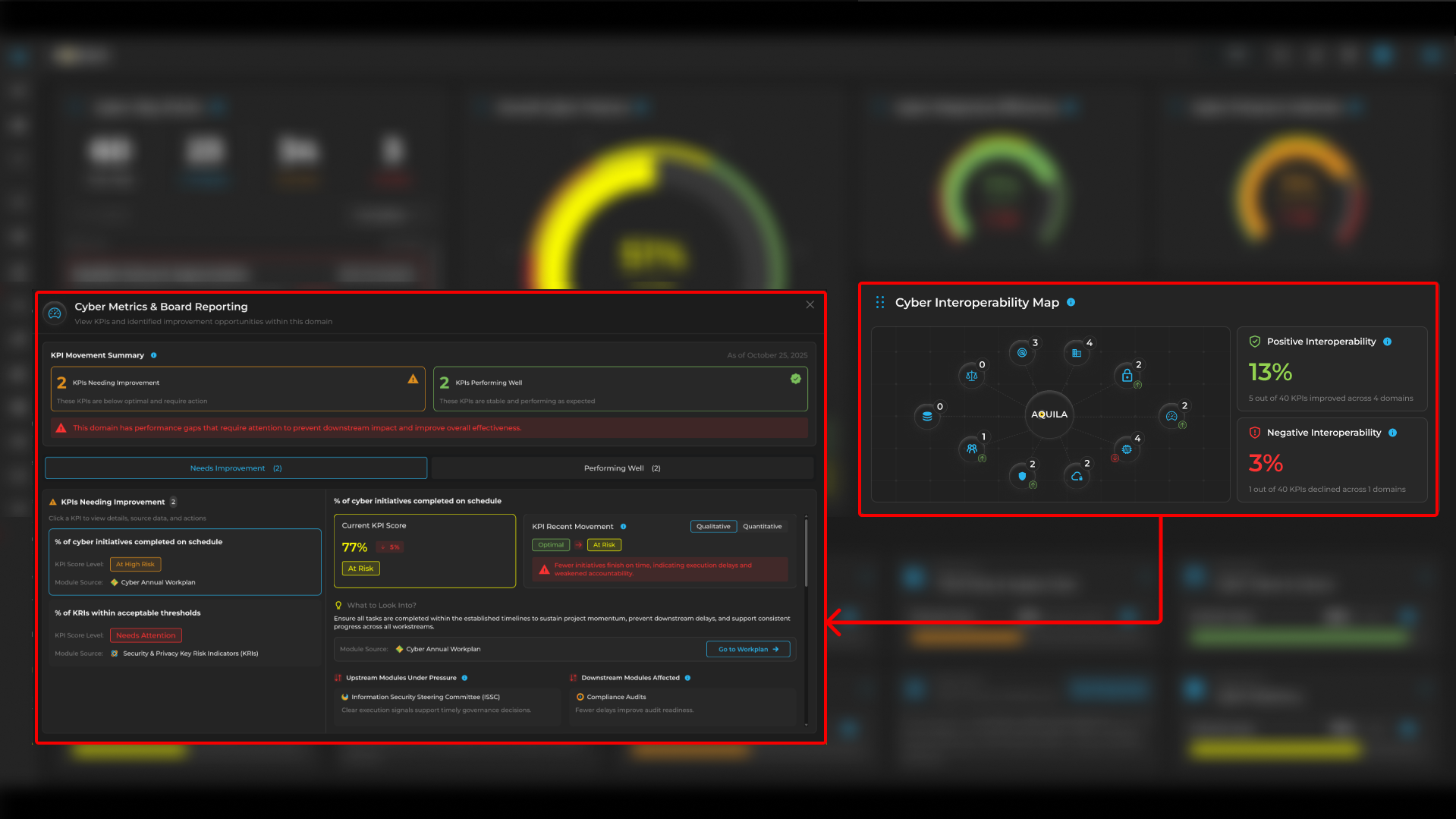
Cyber Interoperability Map
Cyber Interoperability Map is a section were, clients can see their performance of the KPI, and % of Cyber initiatives on schedule with their scoring.
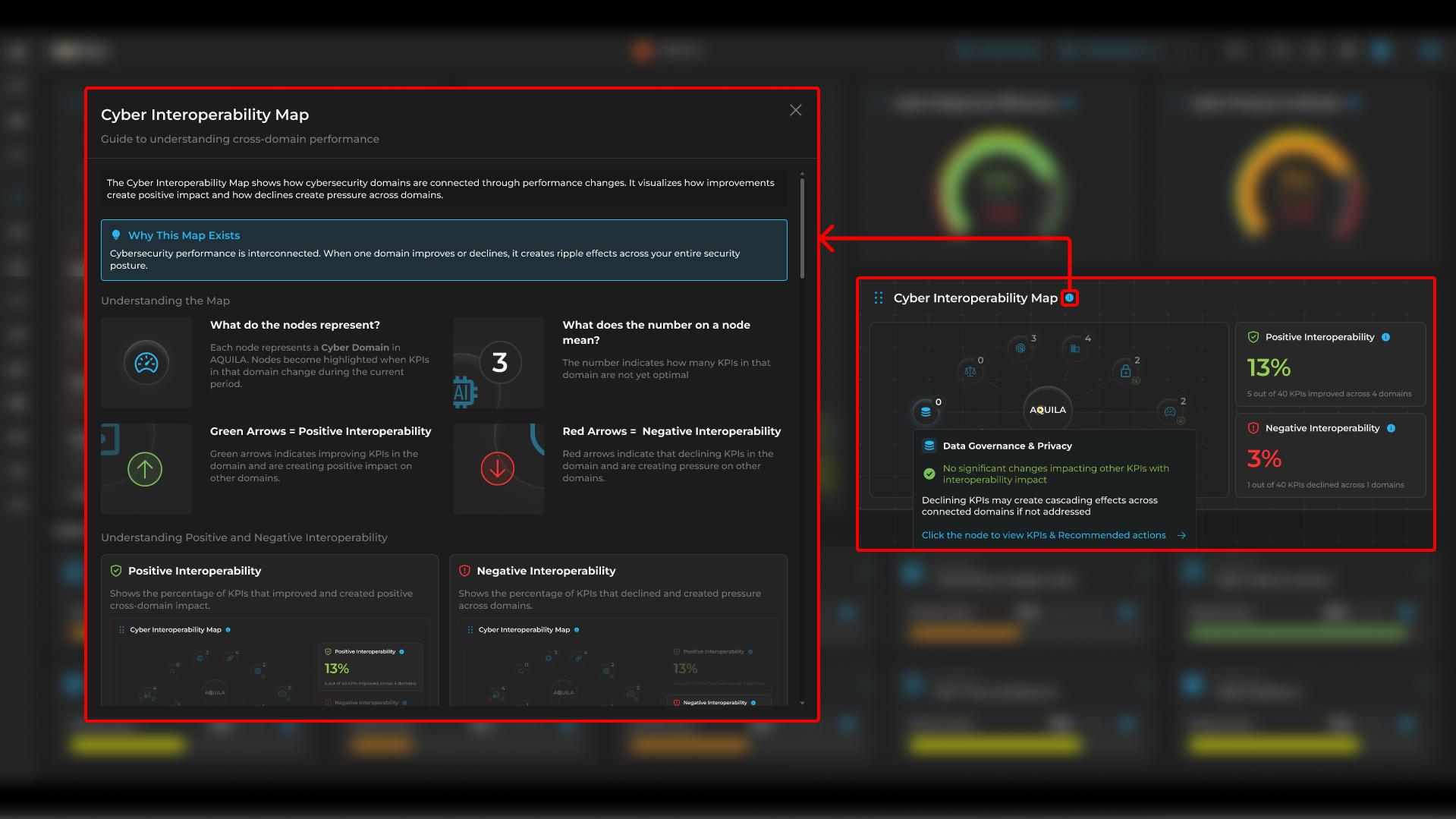
Users can also click the "!" icon to learn more about Cyber Interoperability Map and its usage.
Cyber Domains
This section provides Domain metrics and Domain scoring, each of Domains contains modules that can be used as a navigation.
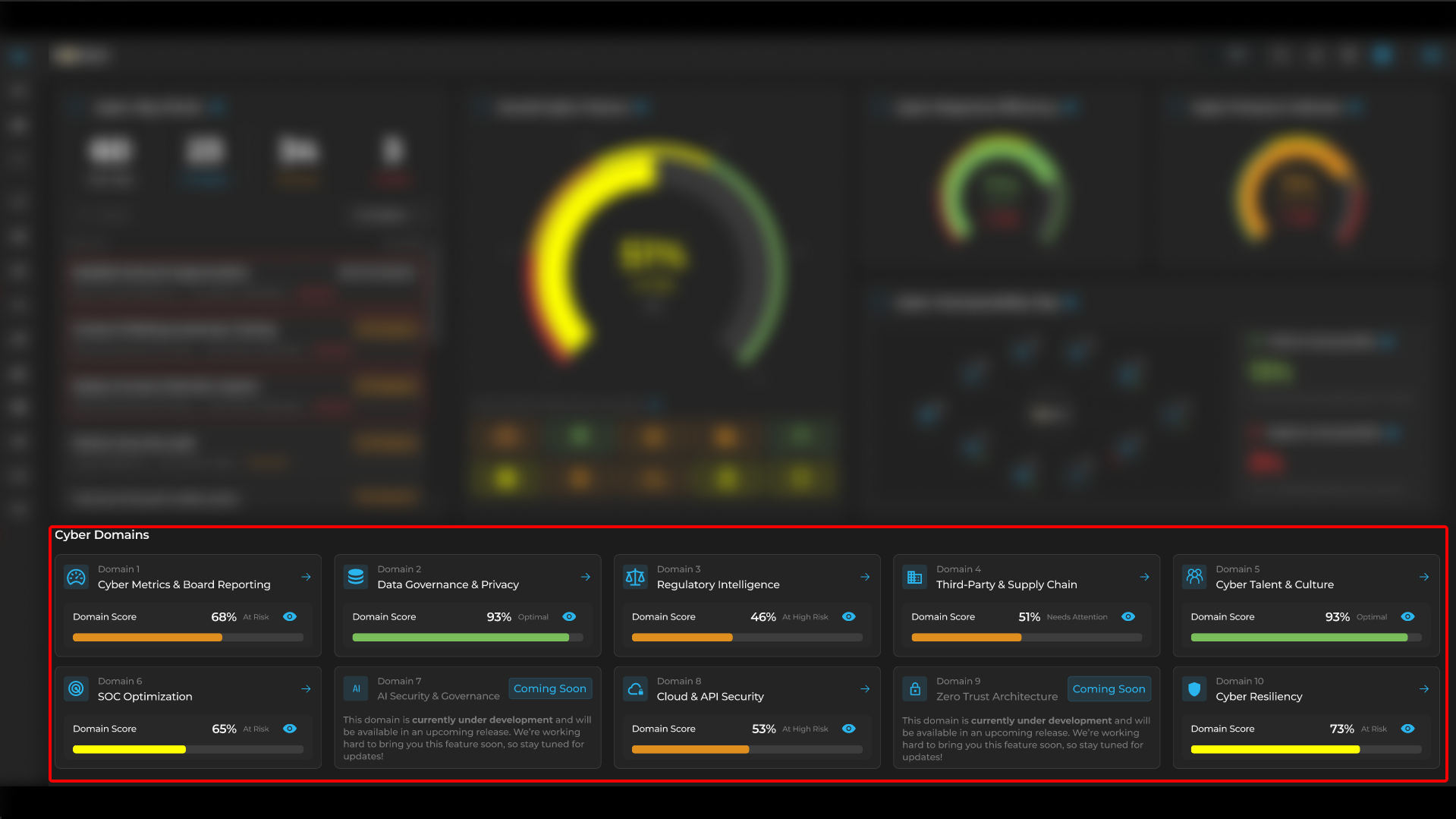
By pressing the  on one of the Cyber Domains, it will open a window where it shows a detail of the Domain Score.
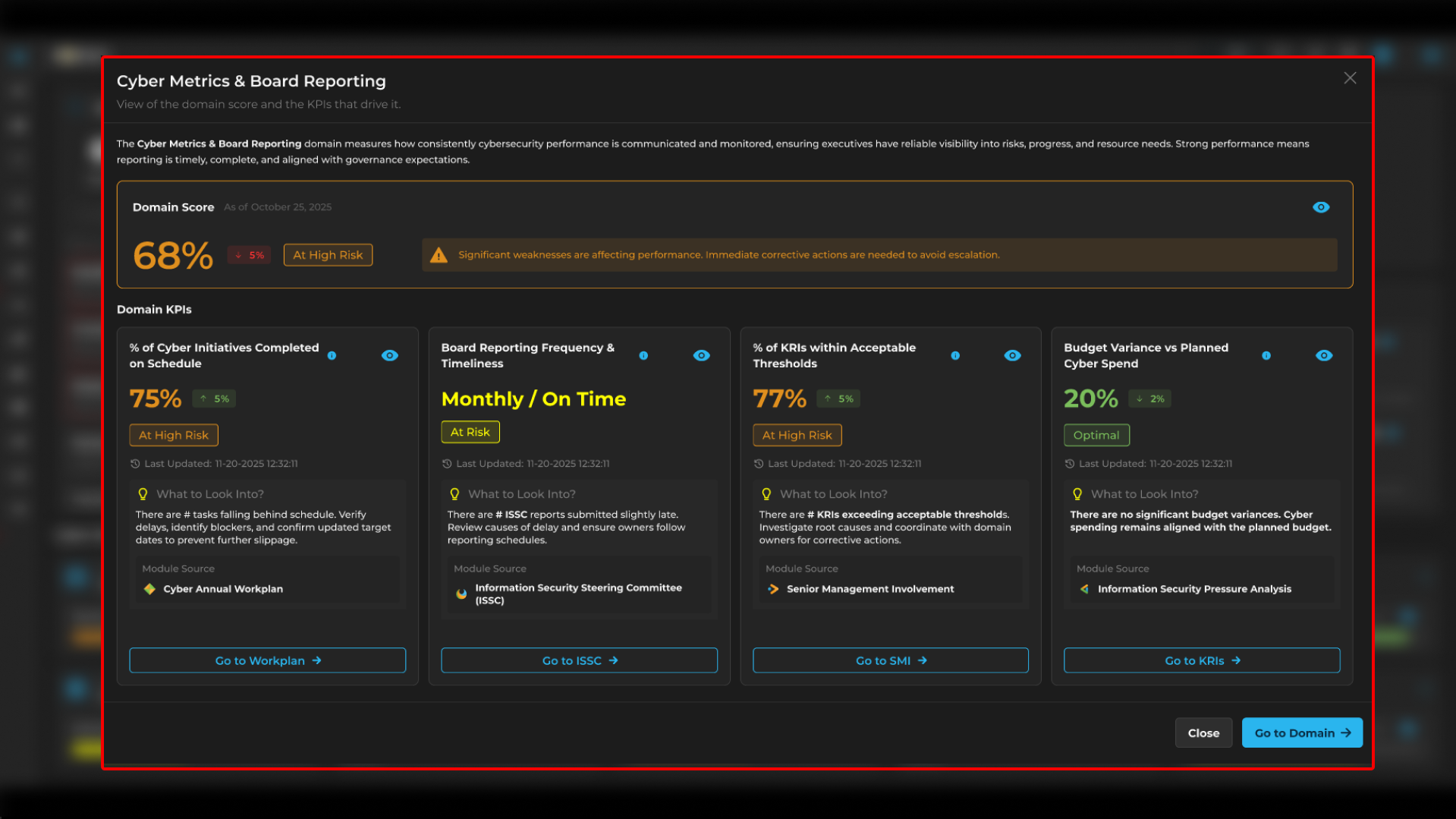
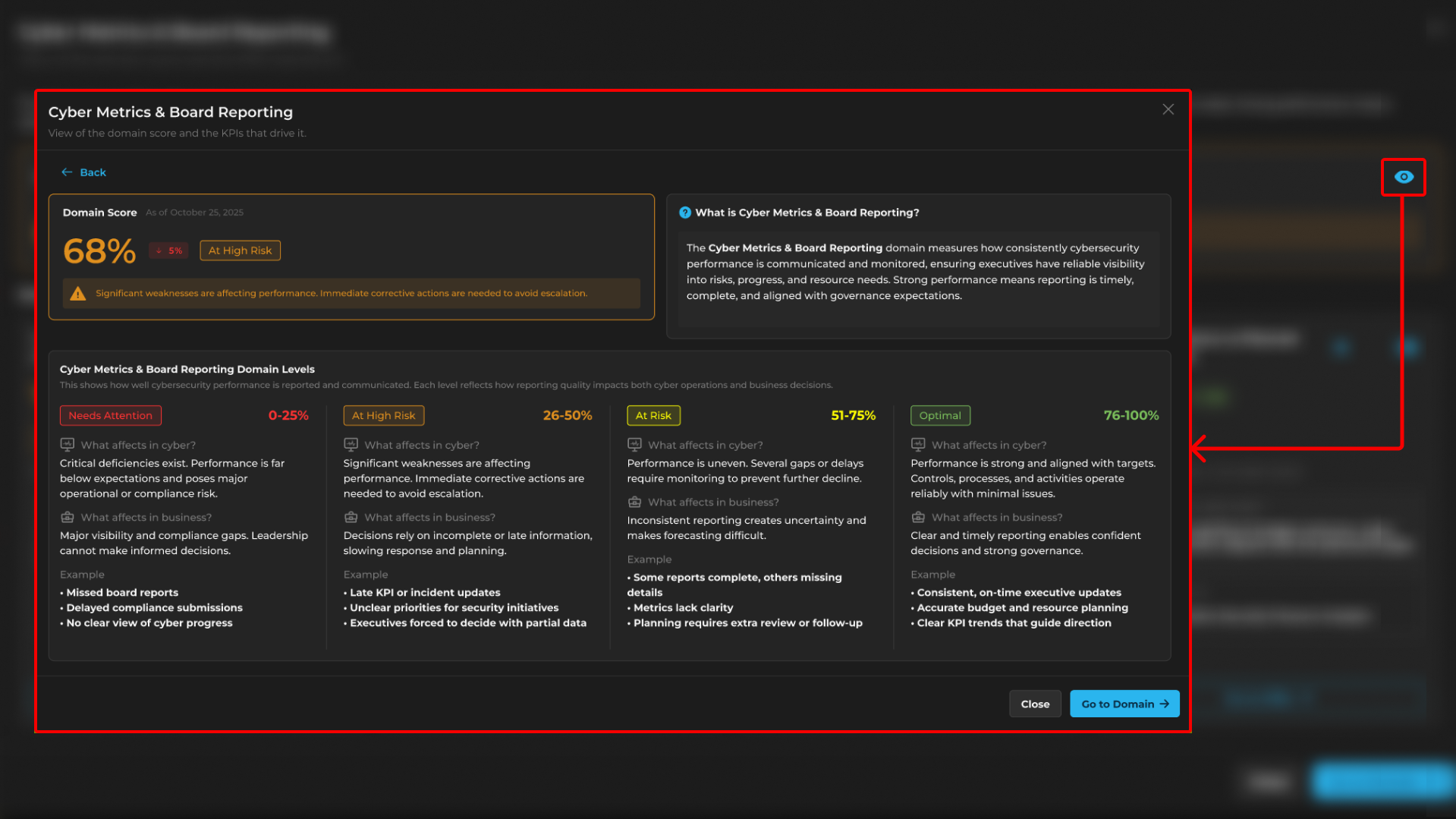
The client can also click the  icon again to navigate another window which is Cyber Metrics & Board Reporting. This section shows measurements of how consistent the Cybersecurity performance is communicated and monitored.
Clients can also use the side bar to navigate each module by pressing this icon  .
.
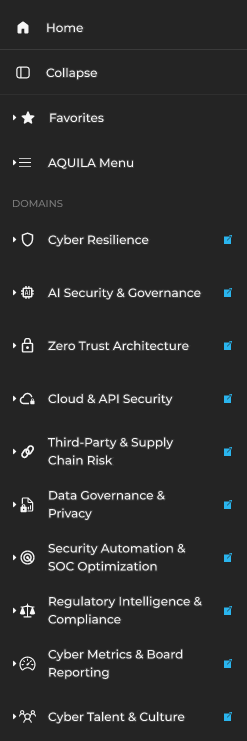
Each module in the system contains several submodules that function as helpful and specialized tools for Cyber Security Operations. These submodules are designed to support different aspects of cybersecurity processes, enabling organizations to manage threats, respond to incidents, and maintain operational security more effectively. For example, the Cyber Resilience module includes the Cyber Incident Management subdomain, which plays a critical role in supporting cyber investigations and case management. This subdomain provides structured processes and tools that allow security teams to document, analyze, and manage each investigation in an organized manner. Through these capabilities, cybersecurity professionals can track incidents, coordinate responses, maintain investigation records, and ensure that each case is handled systematically and efficiently.
The newly improved AQUILA v4 Dashboard serves as an essential tool for Cyber Security Operations by providing a comprehensive overview of the platform’s modules and their current security status. Through its centralized interface, security teams can easily monitor and assess the overall condition of the system, including identified vulnerabilities and potential security risks. The dashboard highlights vulnerabilities that require remediation, allowing cybersecurity professionals to prioritize and address critical issues more efficiently. By presenting this information in a clear and organized manner, the AQUILA v4 Dashboard enables faster detection of threats, improved response times, and better decision-making for security operations. Ultimately, this enhanced visibility helps organizations strengthen their cybersecurity posture and maintain a proactive approach to threat management and incident response.
If you need further assistance, kindly contact our support at support@cytechint.com for prompt assistance and guidance.
No comments to display
No comments to display