
CyTech AQUILA - Cyber Incident Management (CIM): Data Explorer
The Data Explorer feature provides a unified view of log ingestion and event details. It combines visual analytics and tabular data to help clients track log volumes, search for specific events, and analyze data patterns over time.
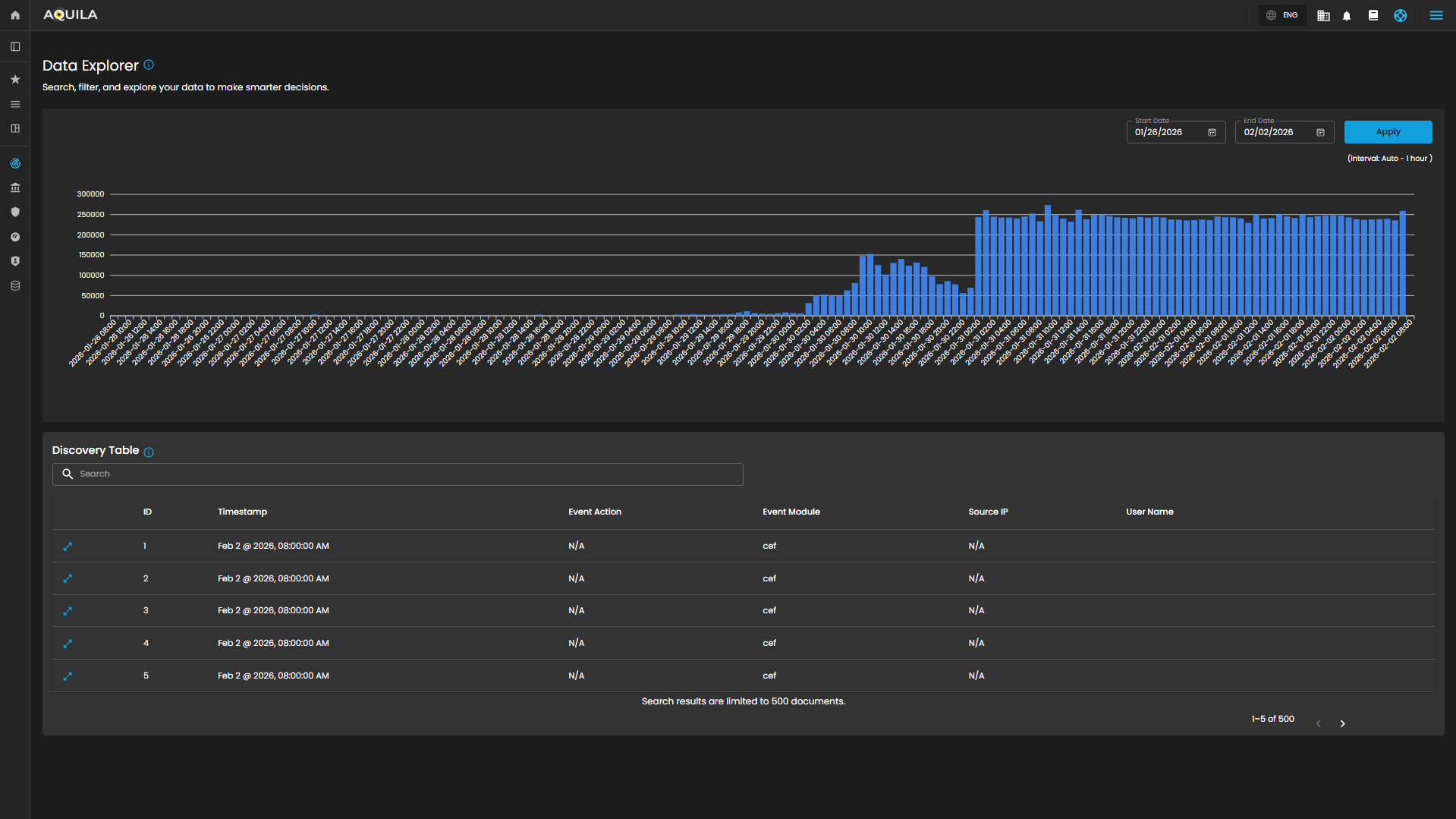
Log Consumption Chart
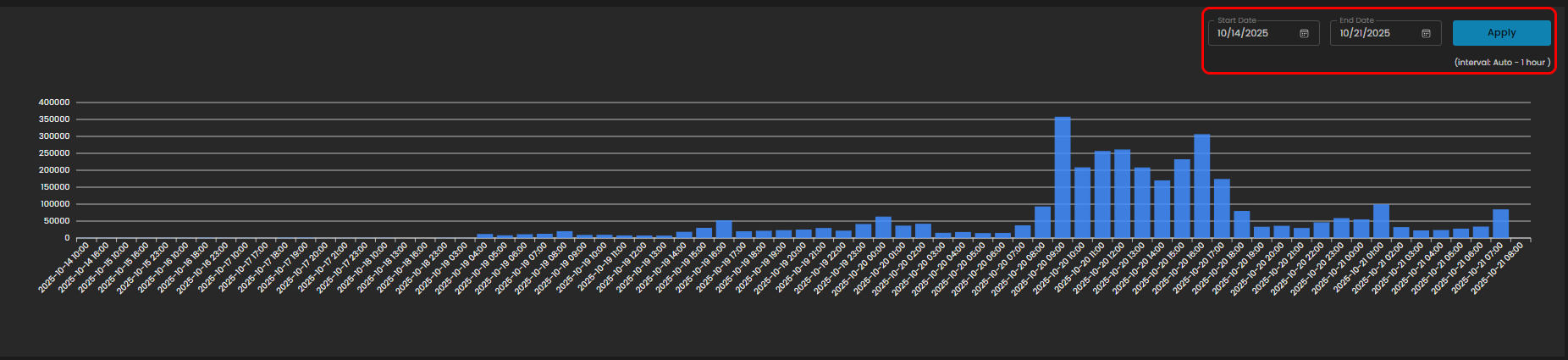
Displays the volume of logs ingested per hour within a selected timeframe, enabling quick identification of activity spikes, anomalies, and ingestion trends.
Components
- Date Range Selector
- Start Date
- End Date
- Apply Button: Refreshes the chart according to the selected timeframe.
- Interval Note: (interval: Auto – 1 hour) – data points are grouped per one-hour intervals.
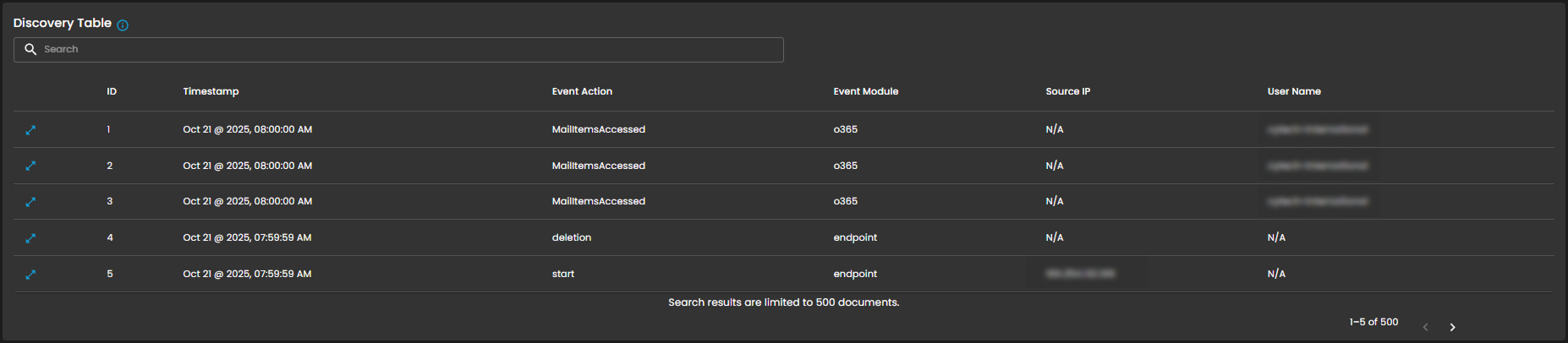
Discovery Table
Provides detailed, event-level visibility into ingested logs for analysts. Displays logs that contain comprehensive records of activities and events, enabling analysts to search, filter, and review specific entries for investigation, correlation, and reporting.
Components
- Search Bar: Allows keyword-based filtering across event records.
- Tabular Columns:
-
ID – Unique identifier for each record.
-
Timestamp – Exact date and time the event occurred (e.g., Sep 25, 2025, 07:59:59 AM).
-
Event Action – Action performed within the event (e.g., ListObjects, fork).
-
Event Module – Source module of the event (e.g., aws, endpoint).
-
Source IP – Origin IP of the event.
-
User Name – User associated with the event.
-
Functional Insights
Correlation Between Chart and Table
- The chart provides an aggregated, volume-based overview of logs.
- The discovery table provides granular event details, allowing analysts to trace which specific actions contributed to spikes in log activity.
Analyst Use Case
- Analysts can monitor ingestion volumes, then drill down into specific events for deeper investigation.
- Example: A spike in logs on 09/24/2025 11:00 may be investigated by reviewing the detailed event records in the table.
Overall, the Data Explorer sub-domain plays a critical role in strengthening cybersecurity operations through comprehensive log monitoring and analysis.
Please refer to the document from the previous sub-module: CyTech AQUILA - Cyber Incident Management (CIM): Cases
Please refer to the document for the next sub-module: CyTech AQUILA - Cyber Incident Management (CIM): Reports
If you need further assistance, kindly contact our support at support@cytechint.com for prompt assistance and guidance.