
Information Security Steering Committee (ISSC)
Disclaimer: This page is currently being handled and updated Thank you.
Overview
Key Features
Step 1: Login to CyTech - AQUILA
Step 2: Click on Cyber Governance
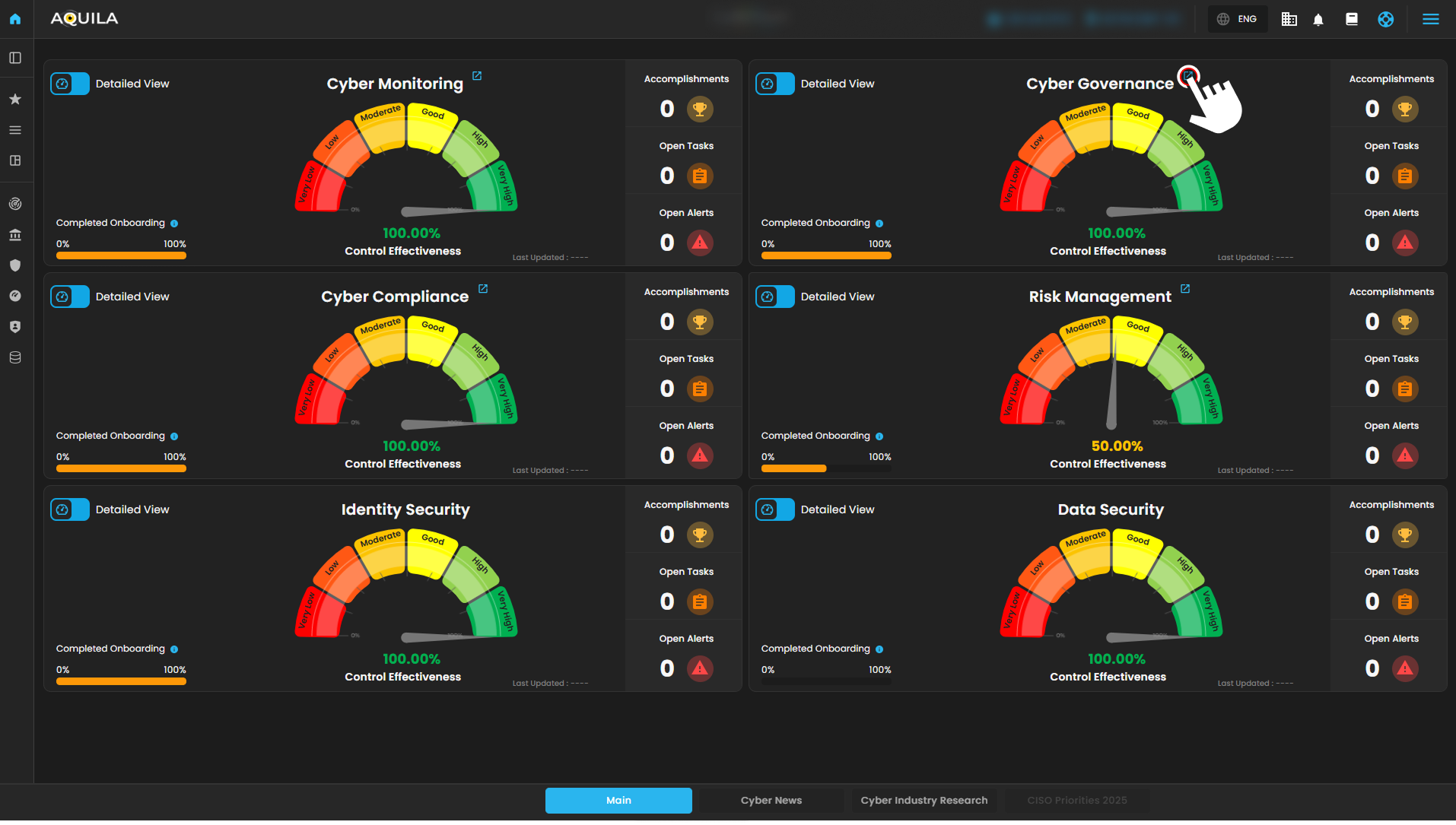
Figure 1 Overview
Step 3: Information Security Steering Committee (ISSC)
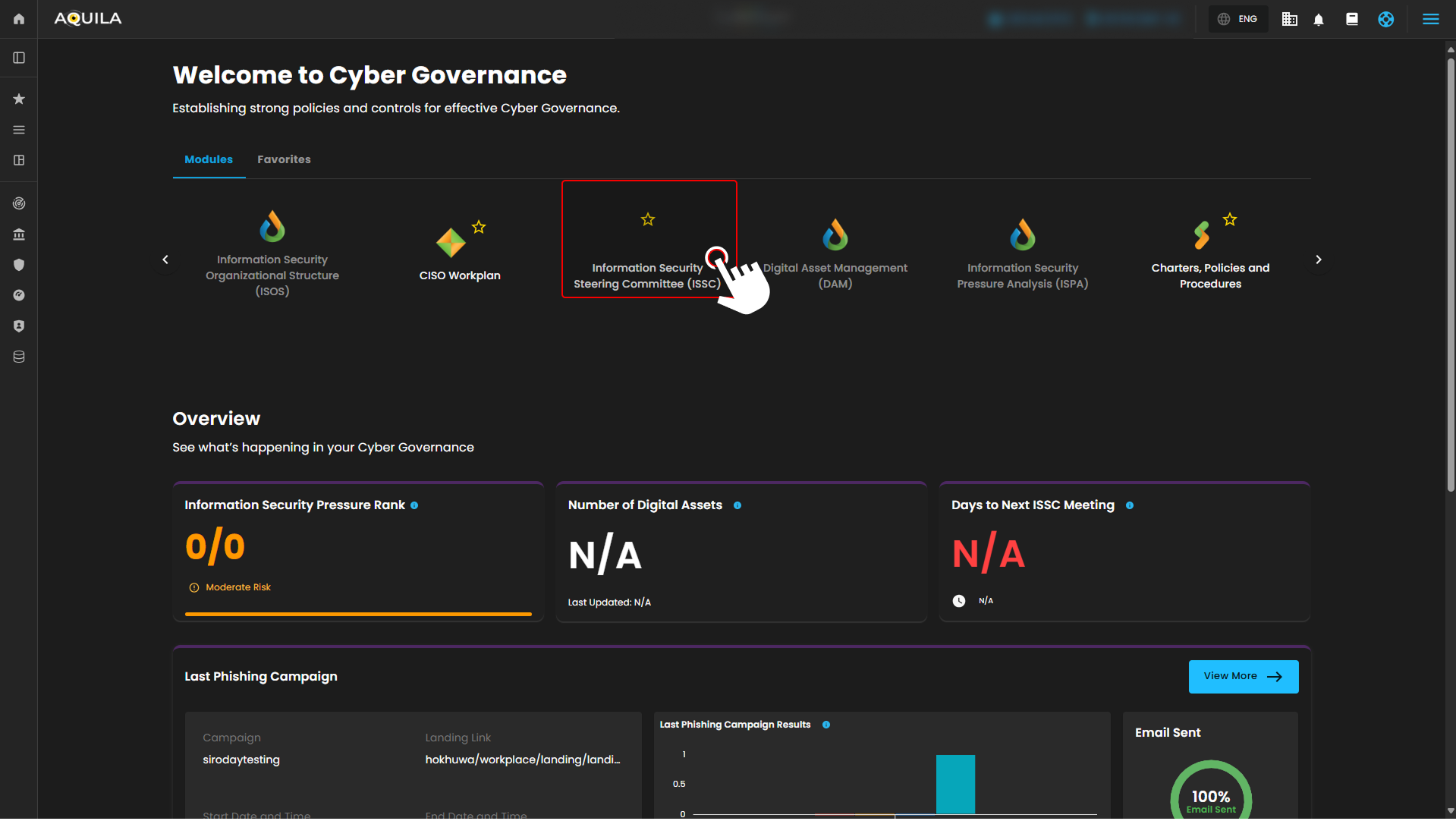
Figure 1.2 Cyber Governance
Step 4:
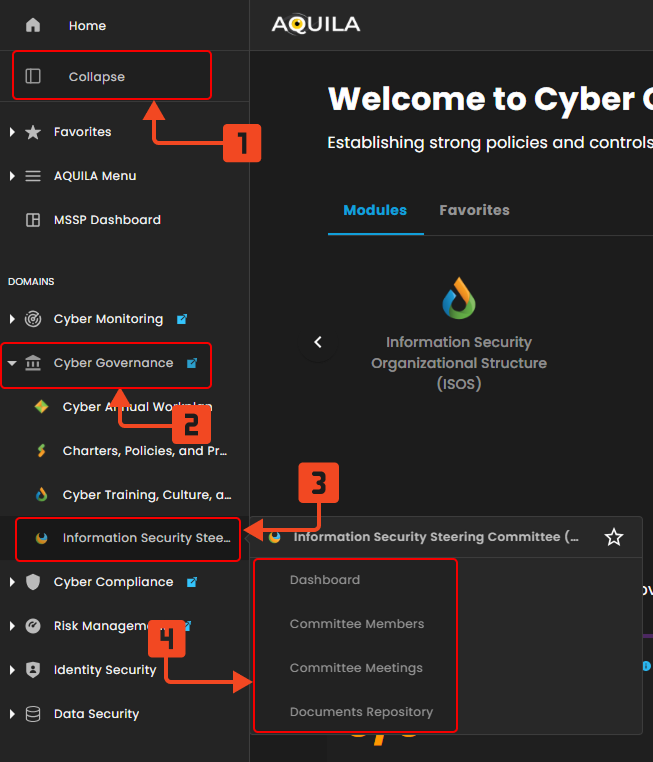
Figure 1.3 Cyber Governance Navigation
Dashboard
ISSC Dashboard -
- Next ISSC Meeting - Displays key details of the upcoming ISSC meeting, including the topic, date, time, and a live countdown. A quick access “Join” button becomes available as the meeting approaches
- Action Item Overview - A summary of all ISSC-related action items, showing personal assignments, overall open items, and completed tasks to help track progress and accountability.
- Quick Actions - A shortcut panel for common ISSC operation
- Upcoming Meetings - Lists scheduled ISSC and governance meetings with date, time, recurrence (e.g. monthly, annually), and meeting mode (online, in-person, hybrid). Includes a “Join now” button for immediate access once the meeting starts.
- Action Items Status Distribution - Visualizes the total number of action items created or updated in the past 15 days, segmented by status (To-do, In Progress, Completed).
- Top 5 Committee with Most Task - Identifies the five committee members assigned the most action items. Each bar is segmented by task status, allowing you to see not just volume, but also progress. Useful for spotting workload concentration or top contributors.
- Activity Feed - A chronological feed of all recent committee-related actions. Includes file uploads, action item creation/updates, and meeting changes. Each entry displays the related meeting, responsible user, timestamp, and an arrow to view full context. Helps maintain transparency and traceability across the ISSC.
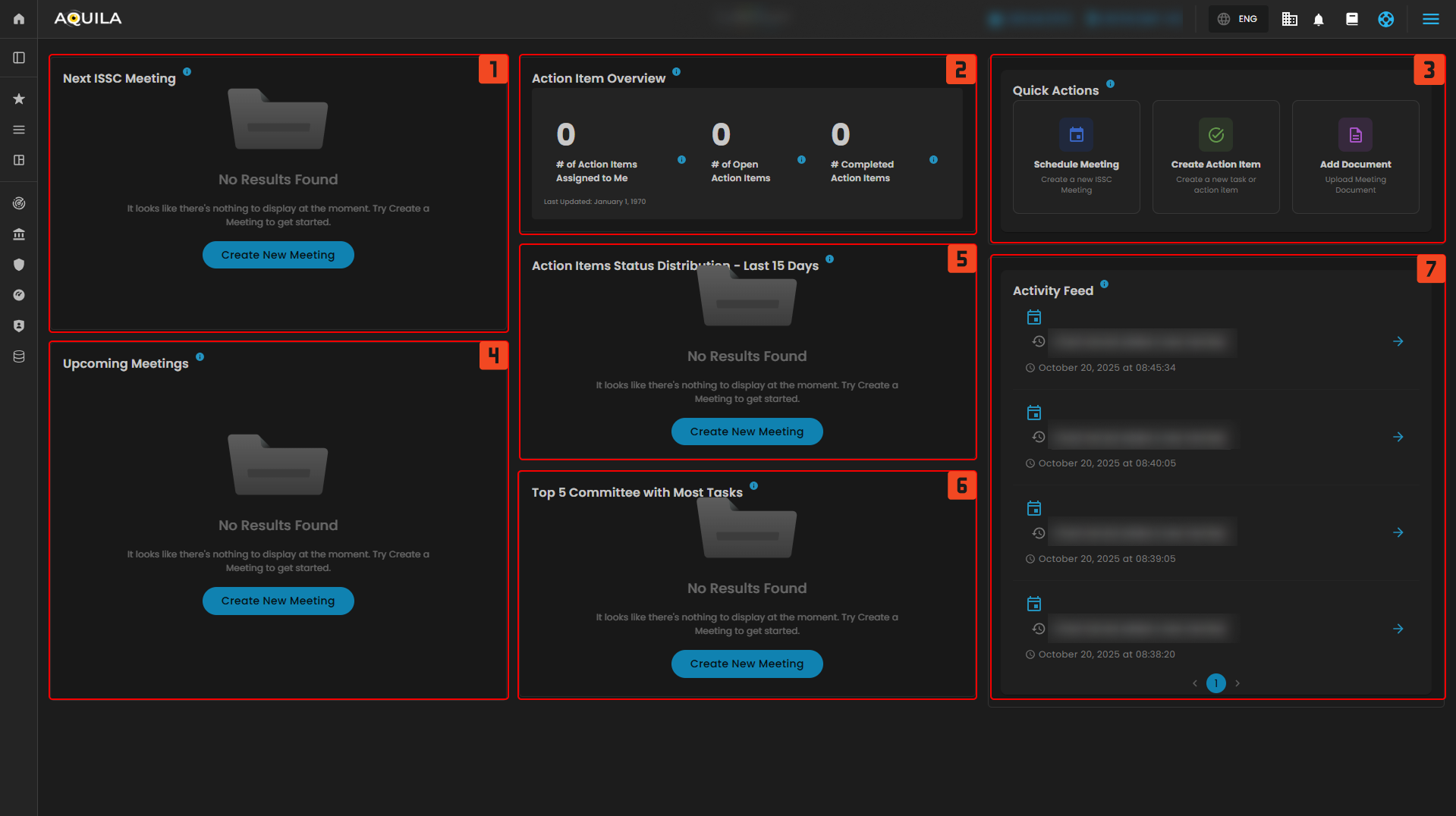
Figure 2 Cyber Governance Dashboard
Committee Members
Members

Figure 3 Cyber Governance - Committee Meetings
1. Add Committee Member - Existing User

Figure 3 Cyber Governance - Committee Meetings / Add Member / Existing User
2. Add Committee Member - Manual Entry
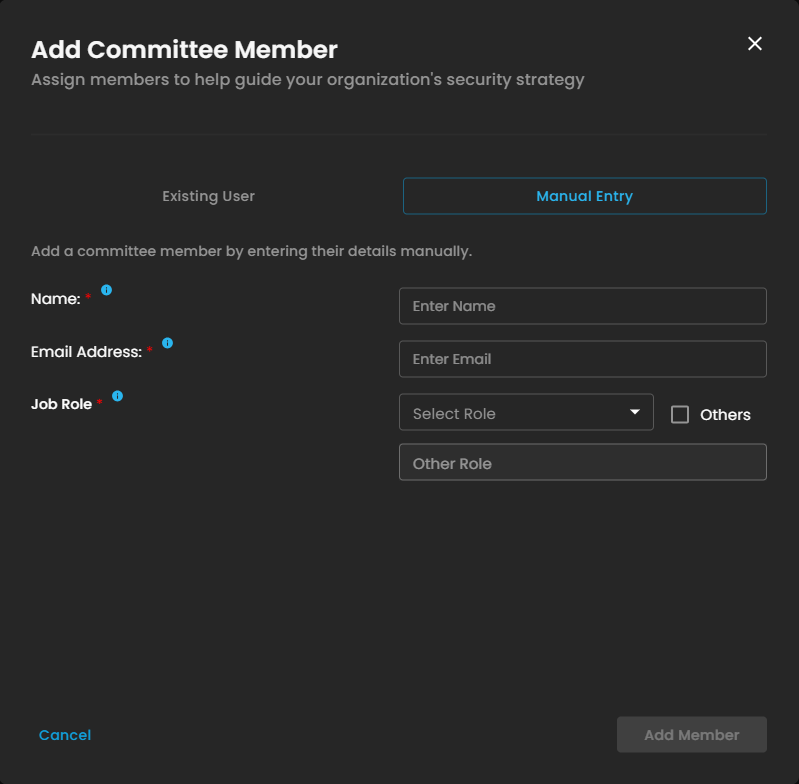
Figure 3 Cyber Governance - Committee Meetings / Add Member / Manual Entry
Committee Meetings
Lorem Ipsum dolor
- Meeting List
- Meeting Details
- New Meeting
- Manage List
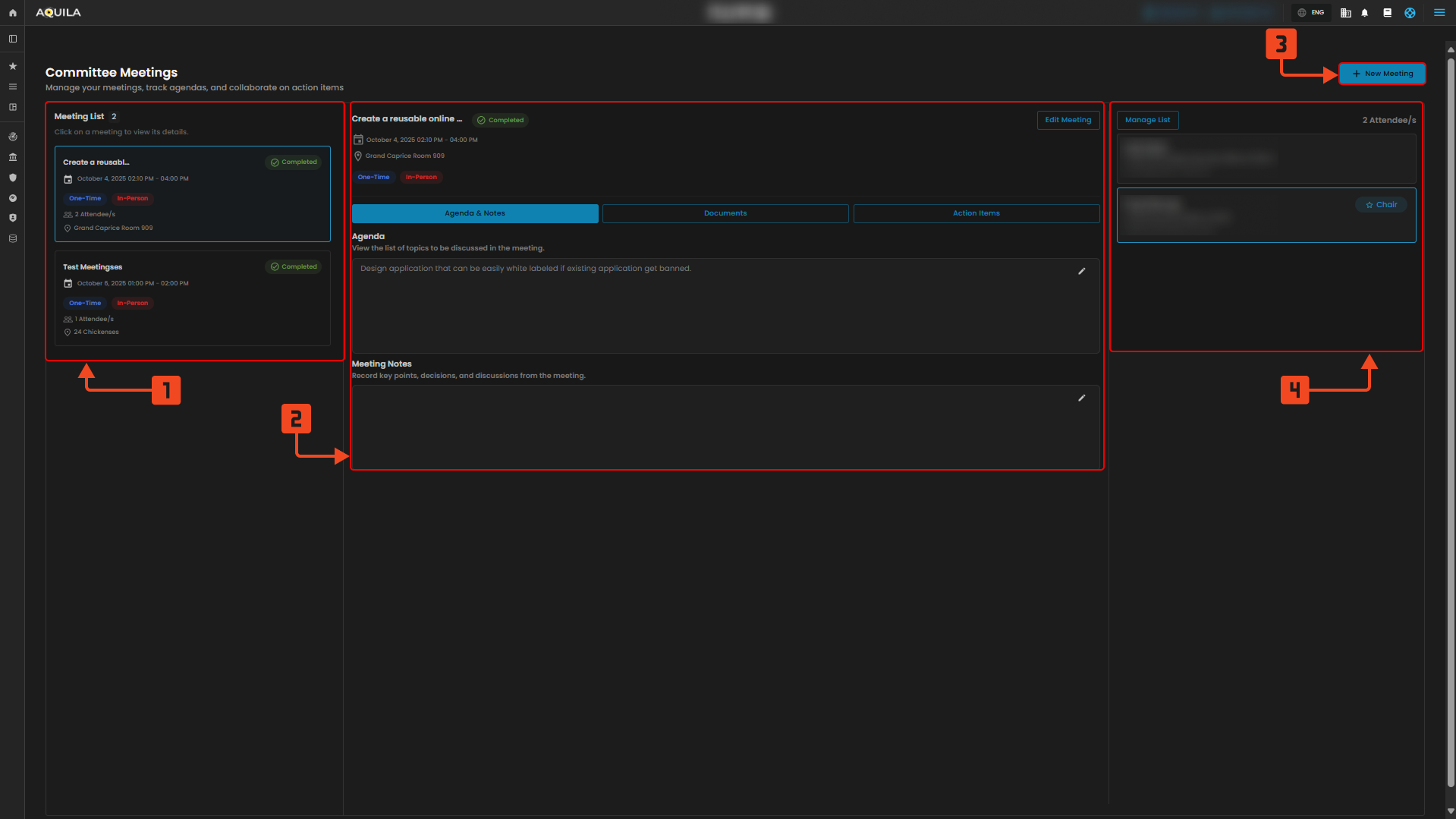
Figure 3 Cyber Governance - Committee Meetings
Schedule New Meeting -
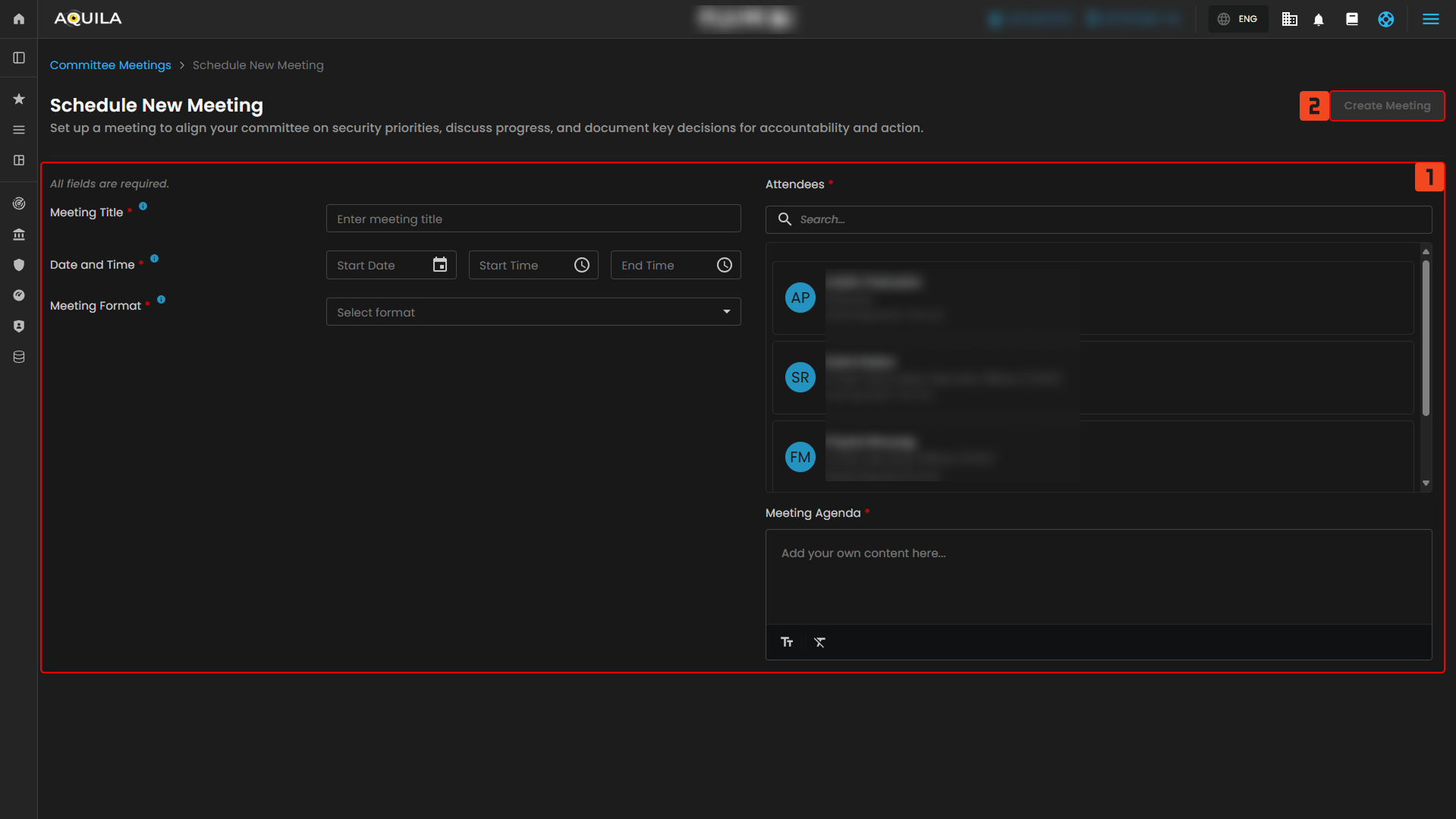
Figure 3.1 Cyber Governance - Committee Meetings / Schedule New Meeting
Documents Repository
Lorem ipsum dolor
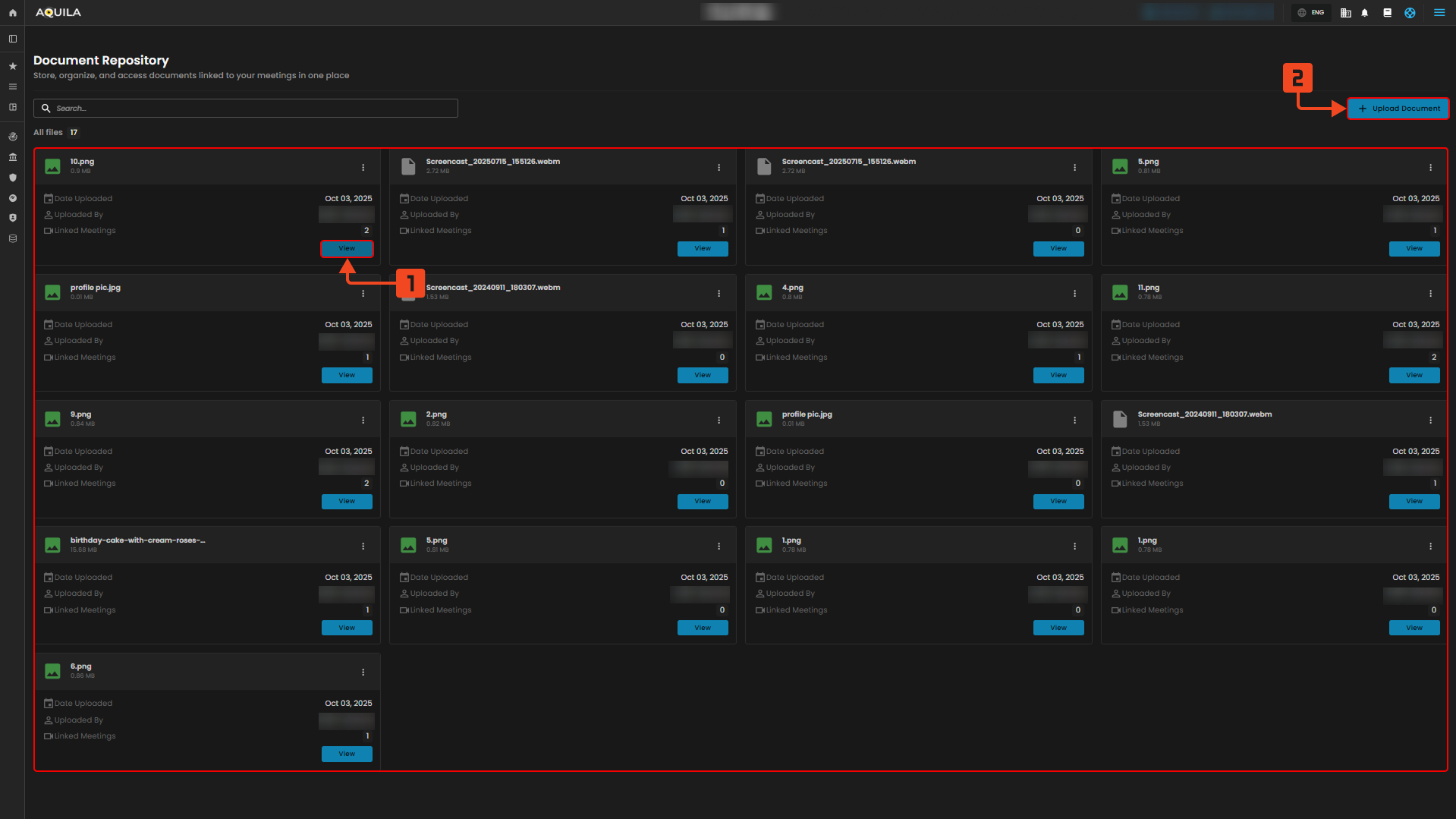
Figure 4 Cyber Governance - Documents Repository
1. Document Repository - View
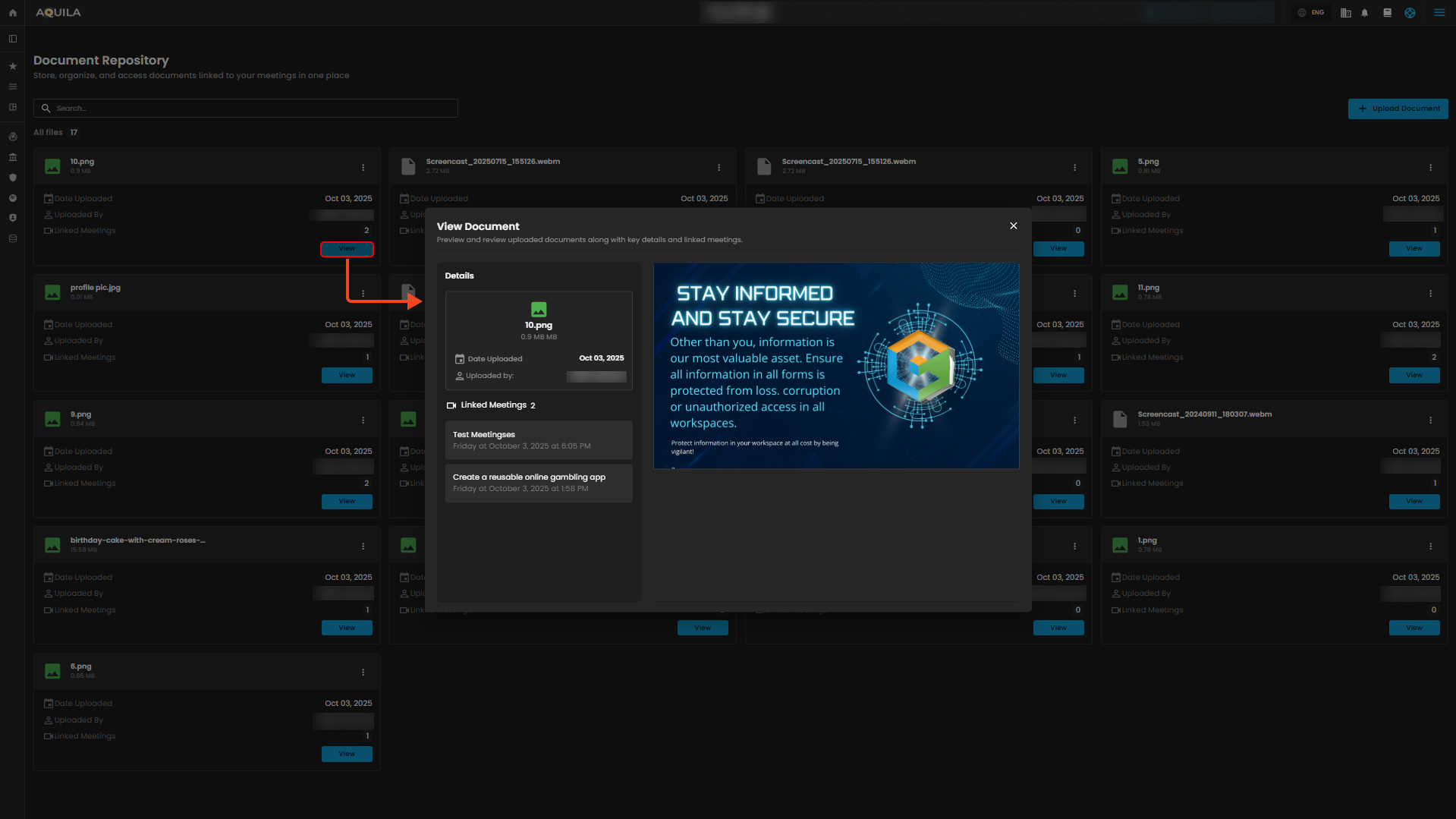
Figure 4.1 Cyber Governance - Documents Repository / View Document
2. Document Repository - Upload Documents
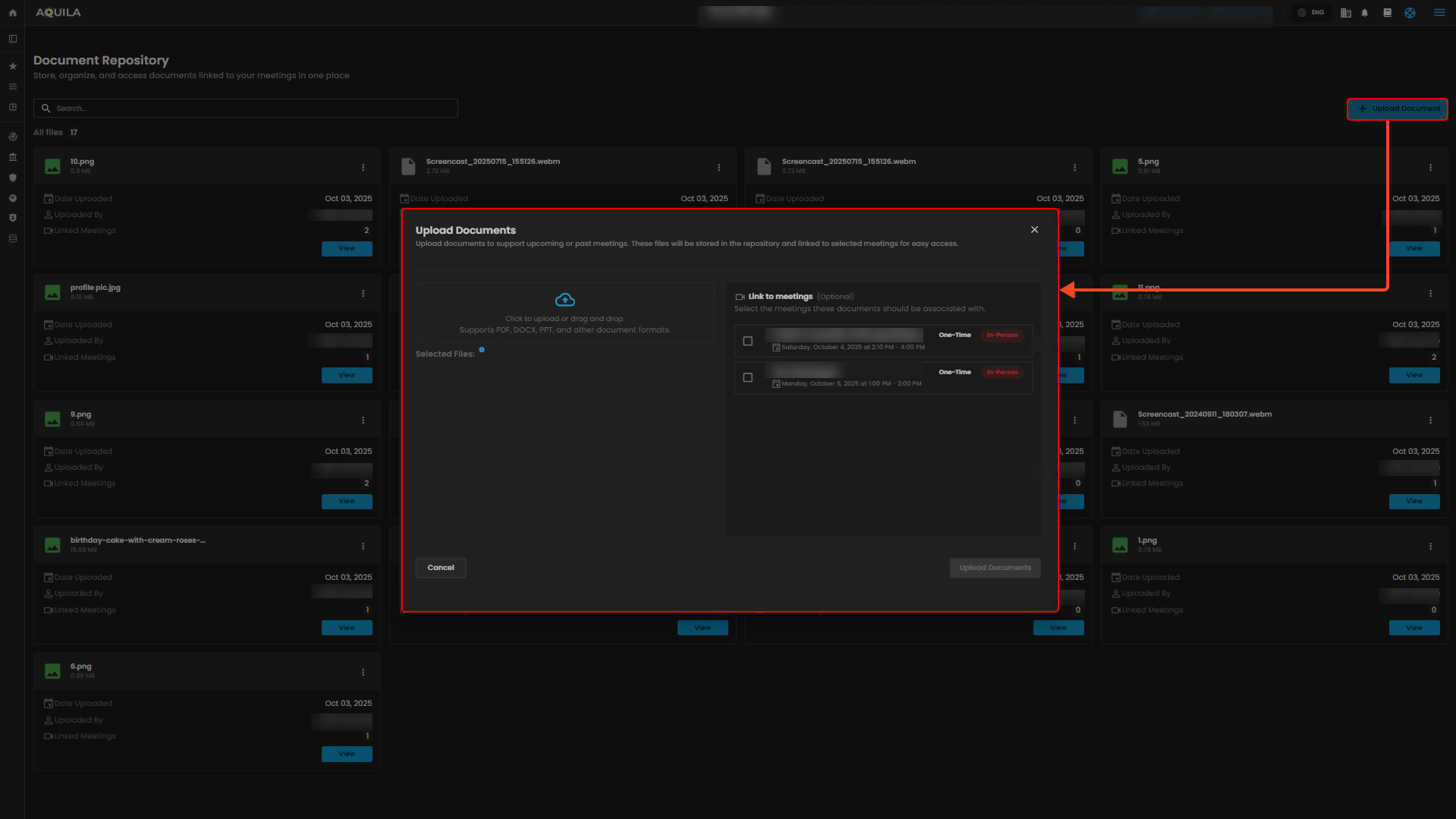
Figure 4.2 Cyber Governance - Documents Repository / Upload Documents