
Cyber Risk Assessment Management (CRAM) - Asset Identification Guide
Overview
The Cyber Risk Assessment Management (CRAM) framework is designed to provide a comprehensive and structured approach for organizations to evaluate, manage, and mitigate cyber risks. It is composed of multiple interconnected building blocks, each capturing critical aspects of the organization’s operations, dependencies, and resilience capabilities.
At its core, CRAM begins with the Main Business Statement, establishing the organization’s purpose, objectives, and core activities. From there, it examines Business Fundamentals, Critical Clientele & Markets, and Sub-Business Activities to understand operational priorities, key customers, and essential vendors. The framework also considers the Business Industry to provide context for benchmarking and industry-specific risk analysis.
The next layers focus on Critical Business Processes (CBPs), Critical Business Functions (CBFs), and Business Vectors, mapping how people, processes, and technologies work together to drive business success. Risk Tolerance, Risk Appetite, and Cyber Insurance help define the organization’s capacity to absorb risks and its preparedness for cyber incidents.
CRAM further assesses Cyber Privacy Obligations, Threats, Threat Vectors, Threat Actors, and Vulnerabilities to identify potential risks and exposures. Cyber Budget, Past Cyber Incidents, and Controls provide insight into financial preparedness, historical risk patterns, and existing mitigation measures.
Purpose of CRAM:
The CRAM framework aims to give organizations a holistic view of their cyber risk posture, enabling them to:
-
Identify and evaluate threats, vulnerabilities, and critical dependencies.
-
Align risk management strategies with business objectives and operational priorities.
-
Strengthen resilience, continuity, and preparedness against cyber incidents.
-
Make informed, data-driven decisions to protect and sustain key business functions.
Overall, CRAM serves as a structured roadmap for organizations to understand, measure, and manage cyber risks effectively, ensuring that critical processes and functions are secure, resilient, and aligned with organizational goals.
Navigation

Cyber Risk Assessment Management
To initiate the Cyber Risk Assessment Management (CRAM) onboarding process, the client should click the “Get Started” button.
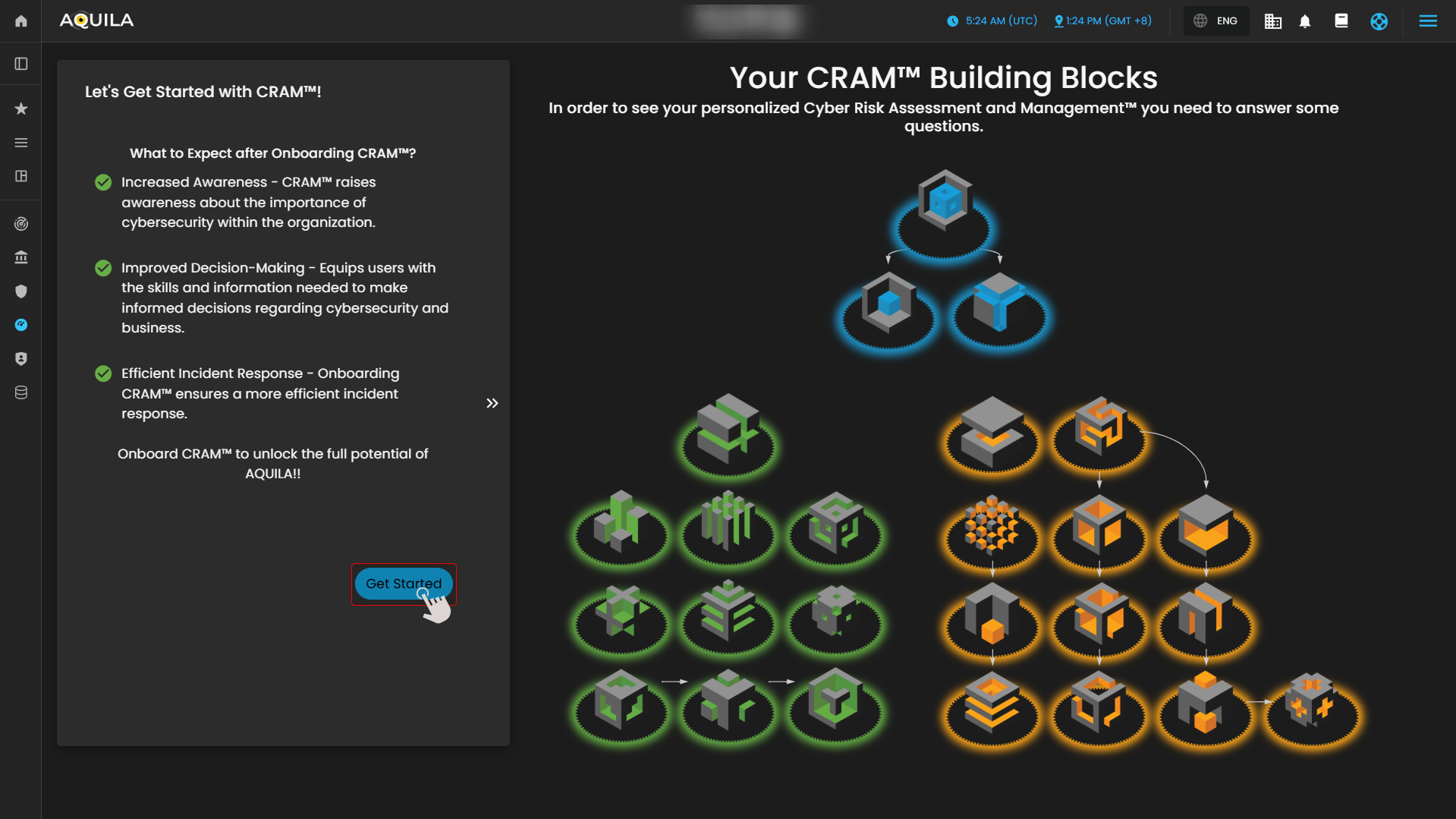
Figure 2. Cyber Security Risk Management - Asset Identification
After clicking the “Get Started” button, you will be directed to the next section of the onboarding process. This section requires the client to provide information pertaining to their Main Business Statement.
Disclaimer: This is a simulated company created solely for client guidance and demonstration purposes. The information provided is intended to assist clients in understanding the required inputs and does not represent a real organization.
Main Business Statement
The Main Business Statement defines the organization’s core purpose, primary activities, and overall mission. It captures what the organization does, the products or services it offers, and its strategic focus within the market.
The Main Business Statement serves as the foundational reference for the organization’s operations and decision-making. It ensures that all subsequent risk assessments, critical business processes, and functions within the Cyber Risk Assessment Management (CRAM) framework are aligned with the organization’s mission and objectives, providing context for evaluating vulnerabilities, dependencies, and cyber risk impacts.
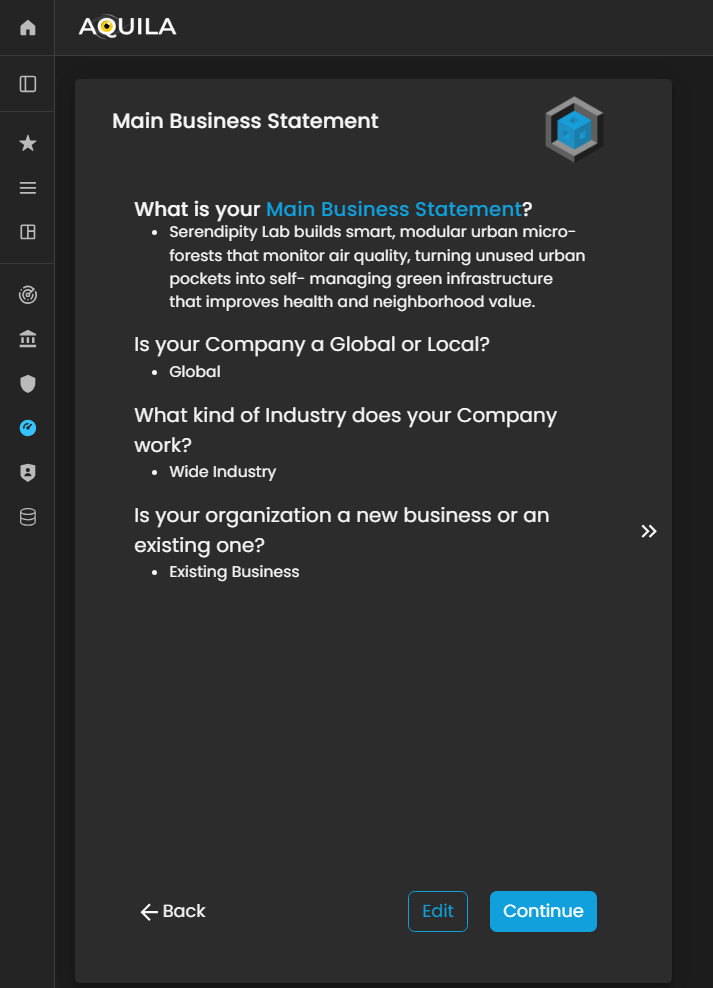
Figure 3. Cyber Security Risk Management - Main Business Statement
The client can edit their Main Business Statement through the Edit section. The Edit button is located below, next to the Continue button, allowing the client to update or refine their organization’s core purpose, activities, and strategic focus as needed.
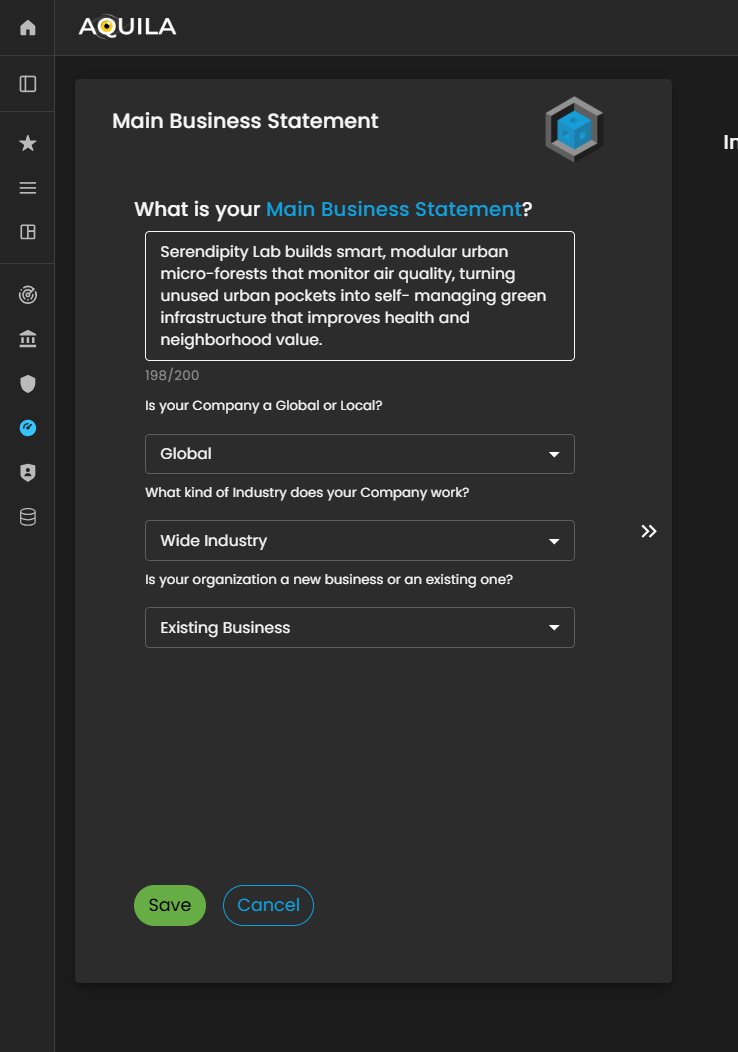
Figure 3.1 Cyber Security Risk Management - Main Business Statement / Edit Section
Business Objectives
After entering the required information and clicking “Save,” you will be redirected to this page. The client can modify the provided details by selecting the “Edit” option to update or add their Business Objectives.
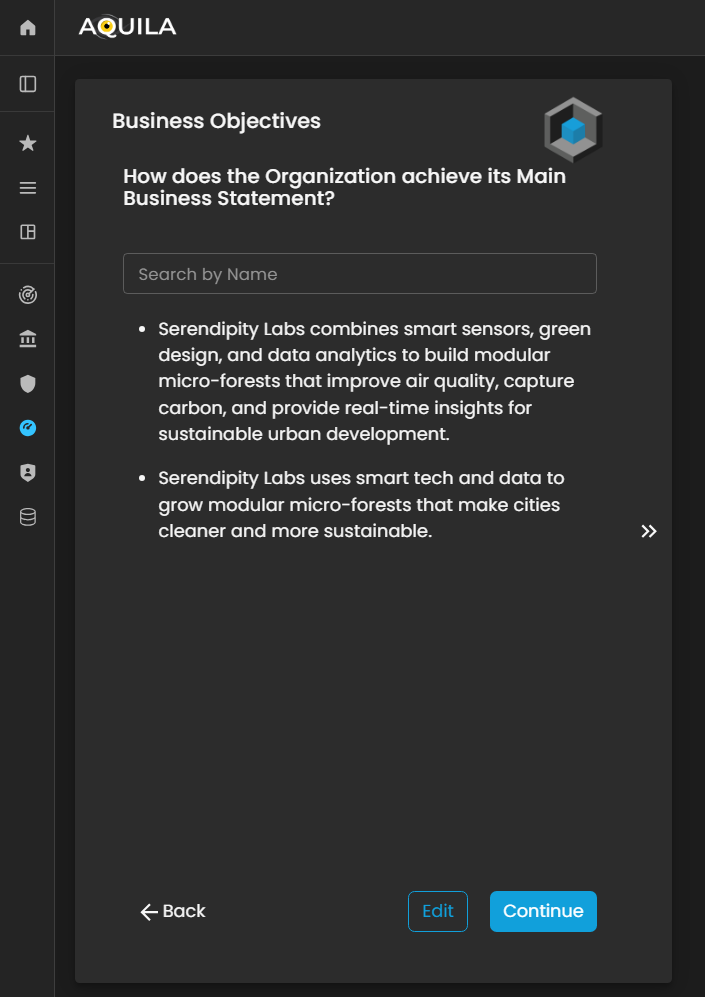
Figure 4. Cyber Security Risk Management - Business Objectives
This is the Edit Business Objectives section, where the client can input, modify, or update their Business Objectives as required.
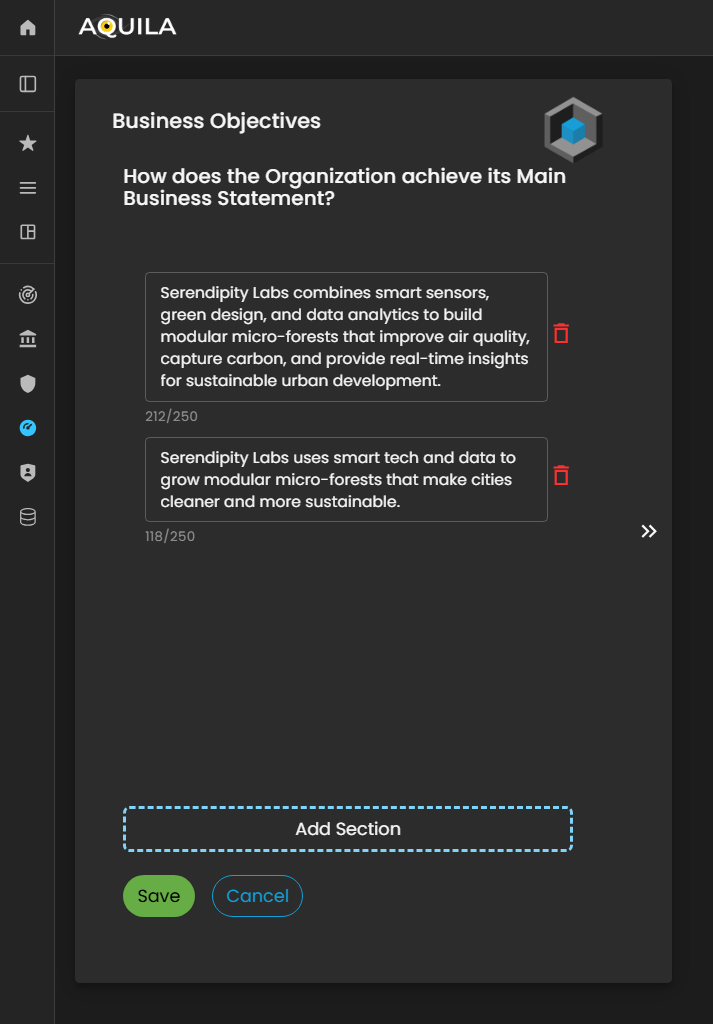
Figure 4.1 Cyber Security Risk Management - Business Objective / Edit Section
Business Fundamentals
After clicking the “Save” button, you will be redirected to the Business Fundamentals page. On this page, the client can review and edit their Business Fundamentals, adding or modifying entries to ensure alignment with their organization’s core principles.
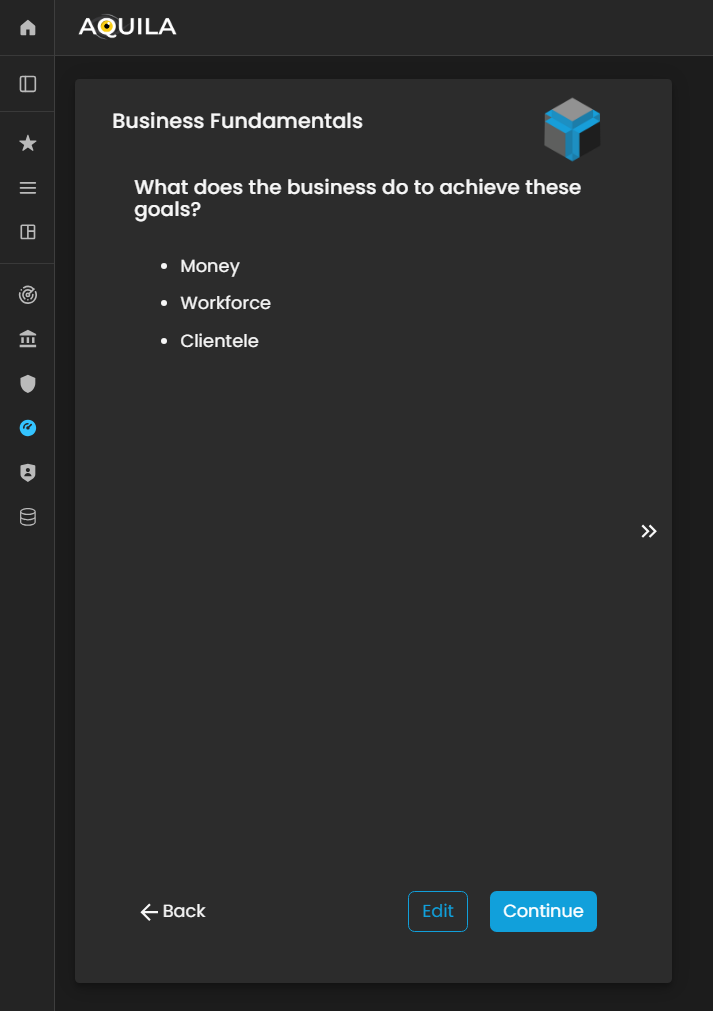
Figure 5. Cyber Security Risk Management - Business Fundamentals
This is the Edit Business Fundamentals section, where the client can configure and refine the foundational elements of their organization’s operational and strategic framework. Within this interface, users can update, modify, or expand their Business Fundamentals to ensure alignment with corporate governance standards, risk management protocols, and organizational objectives.
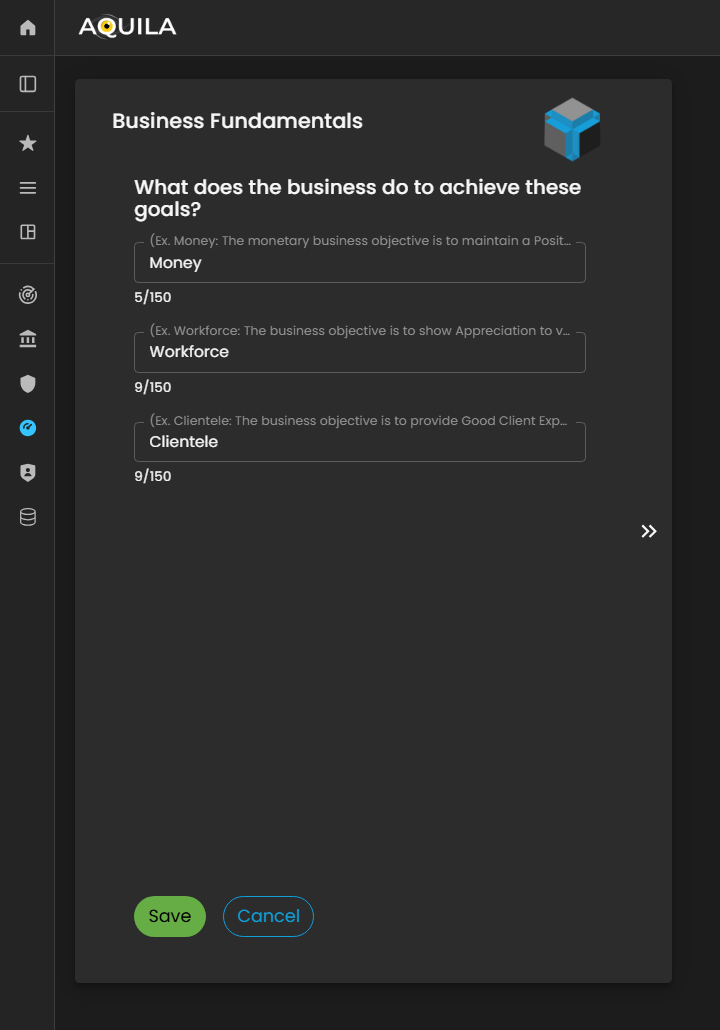
Figure 5.1 Cyber Security Risk Management - Business Fundamentals / Edit Section
Critical Clientele & Markets
After entering the required details and clicking the “Save” button, you will be redirected to the Critical Clientele & Markets section. In this module, the client is required to identify and document key customer segments, target markets, and critical business relationships that significantly influence the organization’s operational continuity and strategic objectives.
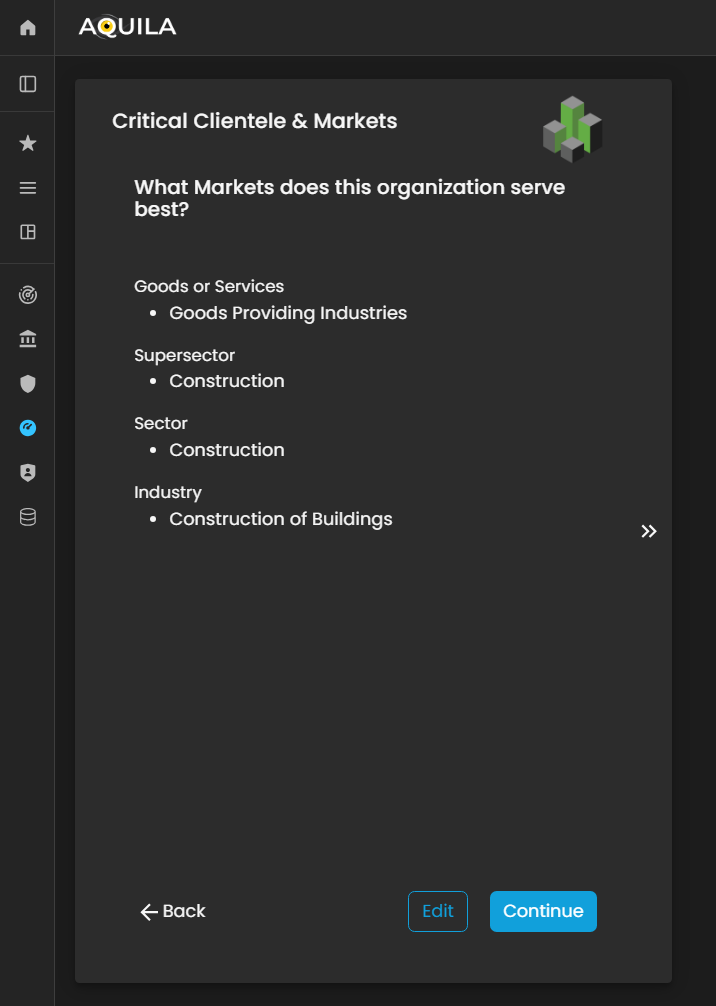
Figure 6. Cyber Security Risk Management - Critical Clientele & Markets
This is the Edit Critical Clientele & Markets section, where the client can update or modify essential information related to their goods or services, supersector, sector, and industry classifications.
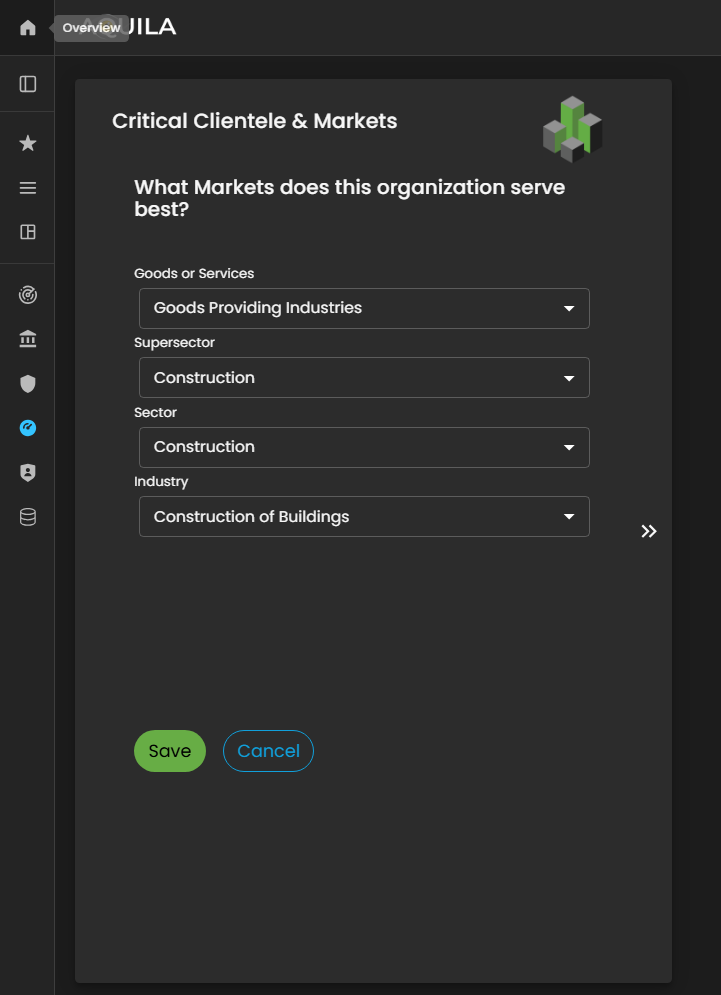
Figure 6.1 Cyber Security Risk Management - Critical Clientele & Markets / Edit Section
Sub-Business Activities
In this section, the client is prompted to identify the vendors and third-party service providers that contribute most significantly to the organization’s growth and operational efficiency.
By specifying key vendors, the client helps establish a clear understanding of external dependencies and supply chain relationships that are critical to business performance.
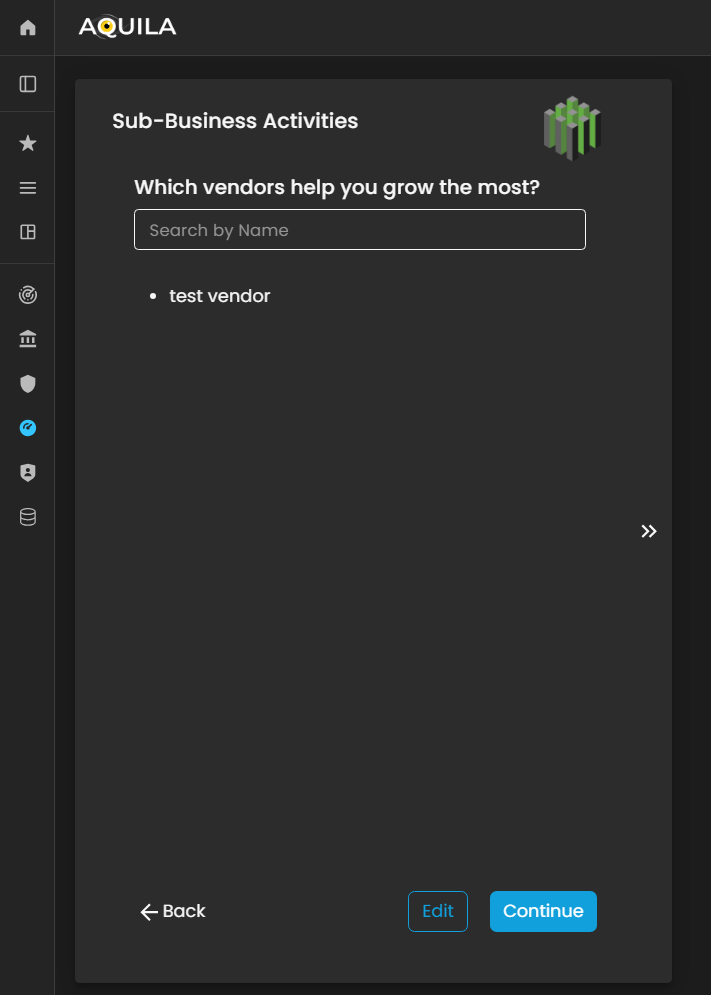
Figure 7. Cyber Security Risk Management - Sub-Business Activities
This is the Edit Sub-Business Activities section, where the client can add, modify, or remove vendors and third-party partners that play a significant role in the organization’s growth and operational success.
Within this interface, users can input detailed information about each vendor, including their business function, service category, and strategic contribution to the client’s operations. Maintaining accurate and comprehensive vendor data in this section is essential, as it allows the Cyber Risk Assessment Management (CRAM) platform to evaluate third-party dependencies, identify potential supply chain vulnerabilities, and incorporate vendor-related risks into the organization’s overall cyber risk profile.
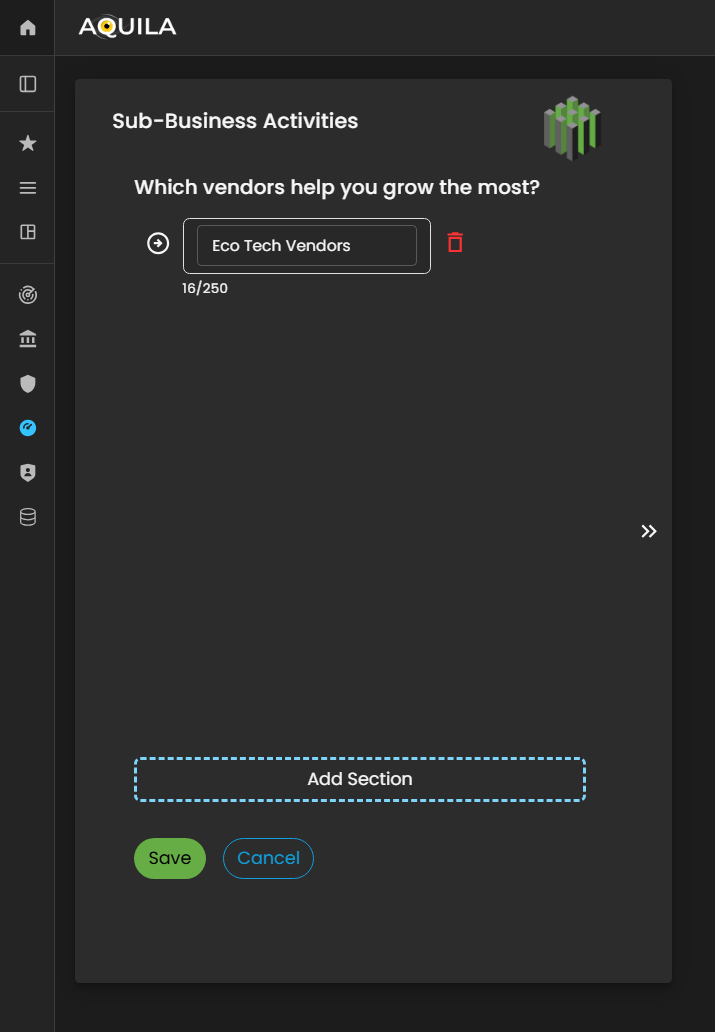
Figure 7.1 Cyber Security Risk Management - Sub-Business Activities / Edit Section
After saving the edits, the client will be redirected back to the Sub-Business Activities page, where all newly added vendors and associated details will be displayed. This allows the client to review and verify the entered vendor information for accuracy and completeness.
Once the review is complete, the client can click the “Continue” button to proceed with the next stage of the Business Onboarding process within the Cyber Risk Assessment Management (CRAM) platform. This ensures that all vendor-related data is properly integrated into the organization’s profile, supporting a more comprehensive assessment of operational dependencies and cyber risk exposure.
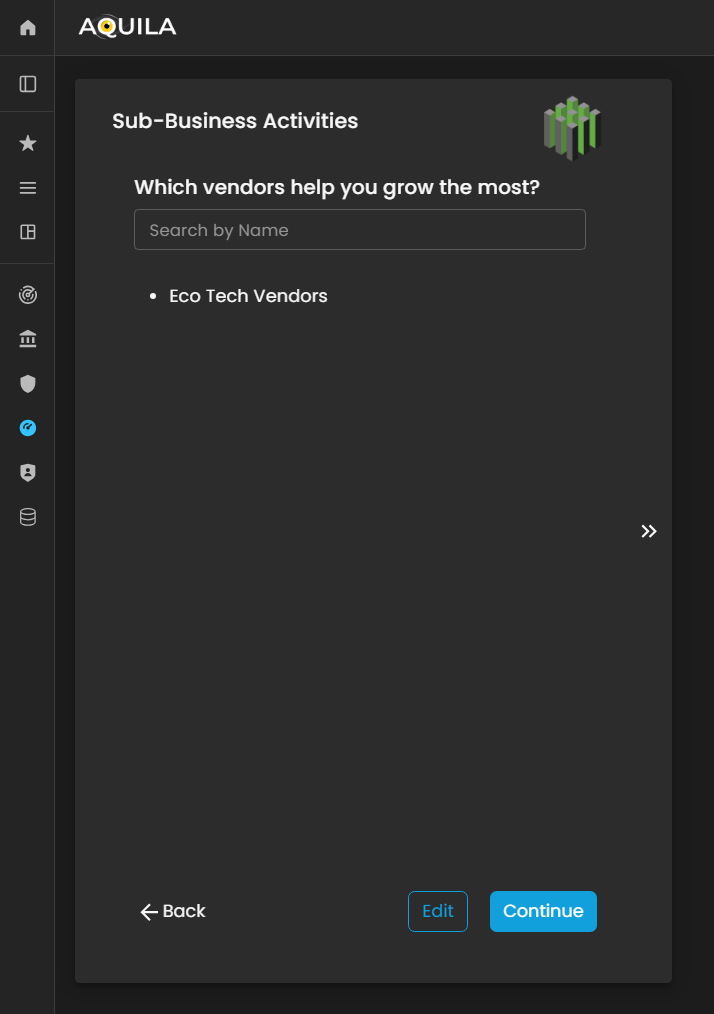
Figure 7.2 Cyber Security Risk Management - Sub-Business Activities
Business Industry
In this section, the client is required to specify the industry classification that best represents the organization’s core operations and market positioning. This information helps align the organization within the appropriate industry, supersector, and sector categories, ensuring accurate benchmarking and risk profiling.
The client can also use the Edit function to update or add any relevant details pertaining to their Business Industry, such as industry-specific activities, regulatory environments, or emerging market segments. Maintaining precise and current industry data enables the Cyber Risk Assessment Management (CRAM) platform to generate more accurate risk analyses, identify industry-specific threat patterns, and tailor recommendations based on the organization’s operational landscape.

Figure 8. Cyber Security Risk Management - Business Industry
This is the Edit Business Industry section, where the client can modify or update key information related to their organization’s industry classification and operational scope.
Within this interface, the client can adjust details such as industry type, market segment, and business category to ensure alignment with the organization’s current structure and strategic direction. Accurate and up-to-date information in this section is essential, as it directly influences how the Cyber Risk Assessment Management (CRAM) platform contextualizes the organization within its industry landscape.
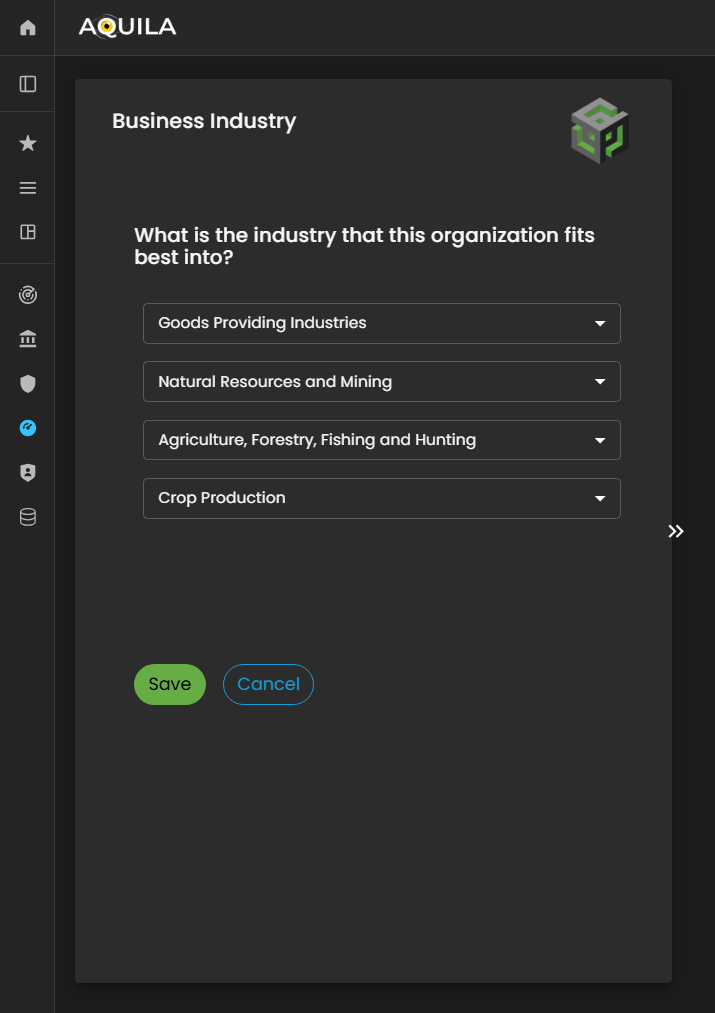
Figure 9.1 Cyber Security Risk Management - Business Industry / Edit Section
Critical Vendors / Business Vendors
After saving the information under Business Industry, the client will be redirected to the Critical Vendors section. In this stage, the client is prompted to identify and document the key vendors and third-party entities that play a vital role in supporting the organization’s operations, service delivery, and business continuity.
An Edit function is also available, allowing the client to add, update, or refine any necessary information related to their critical vendors. This includes details such as vendor name, service category, criticality level, and dependency type.
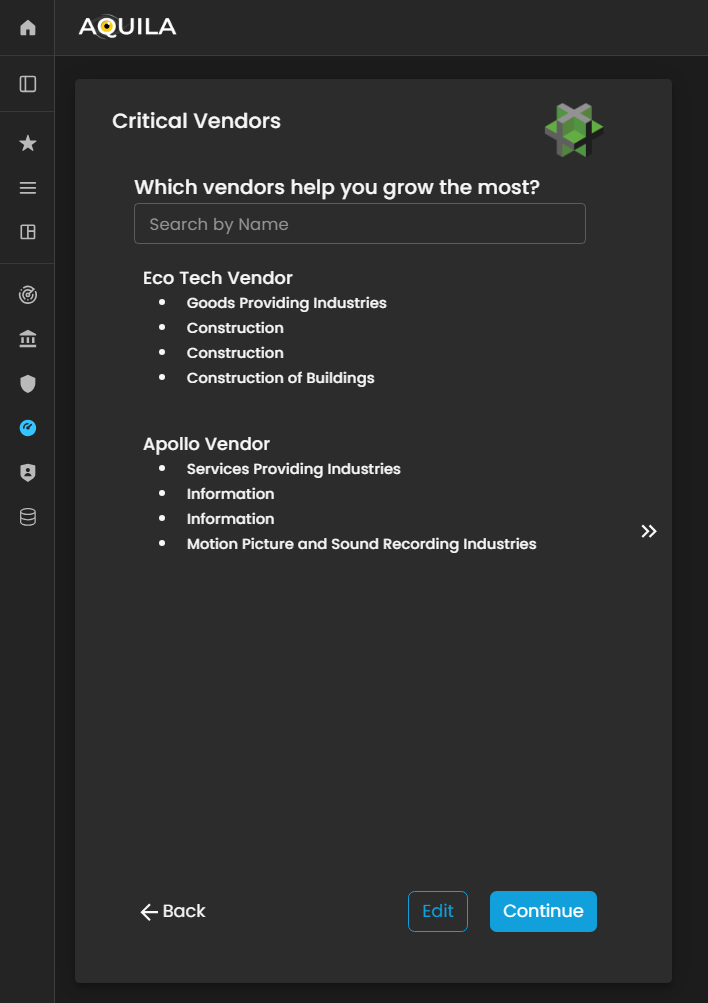
Figure 10. Cyber Security Risk Management - Critical Vendors
Critical Business Partners
After completing the Critical Vendors section, the client will be redirected to the Critical Business Partners module. This section focuses on identifying and documenting strategic business partners—organizations or entities that share mutual values, goals, and investments with the client’s business.
These partnerships often play a key role in driving growth, innovation, and long-term sustainability. Through the Edit function, the client can add or update information about their critical business partners, including partner names, collaboration scope, strategic alignment, and shared initiatives.
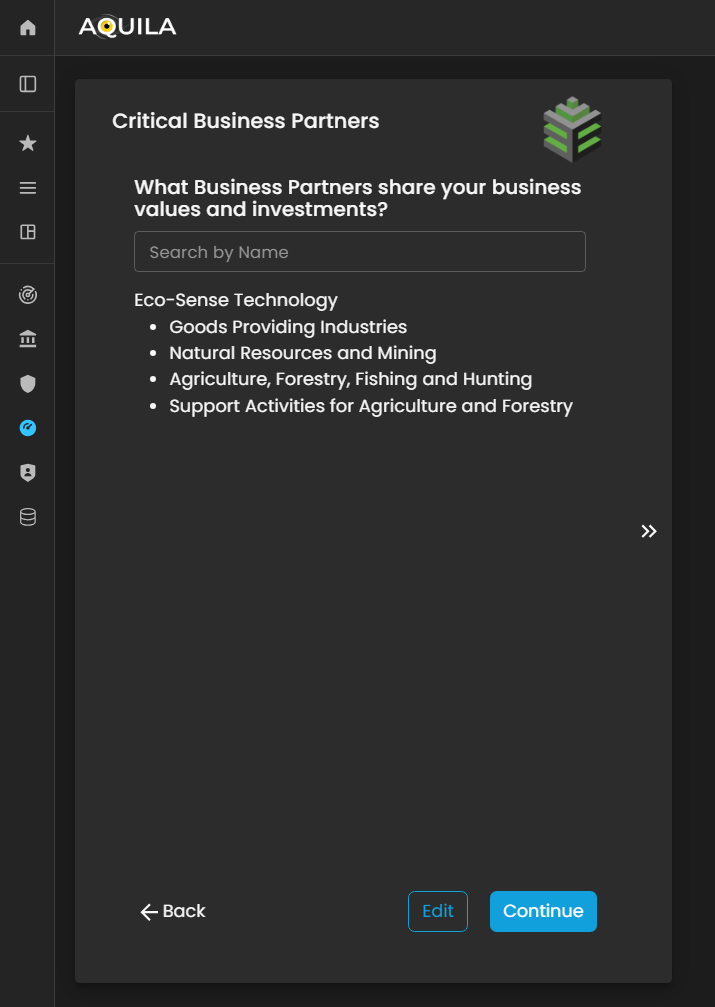
Figure 11. Cyber Security Risk Management - Critical Business Partners
The client can edit their Critical Business Partners through the Edit section by clicking the Edit button located beside the Continue button.
This allows the client to update, add, or modify information about strategic partners who share the organization’s values, goals, or investments, ensuring that the Cyber Risk Assessment Management (CRAM) platform has accurate data for evaluating inter-organizational dependencies and risk exposure.
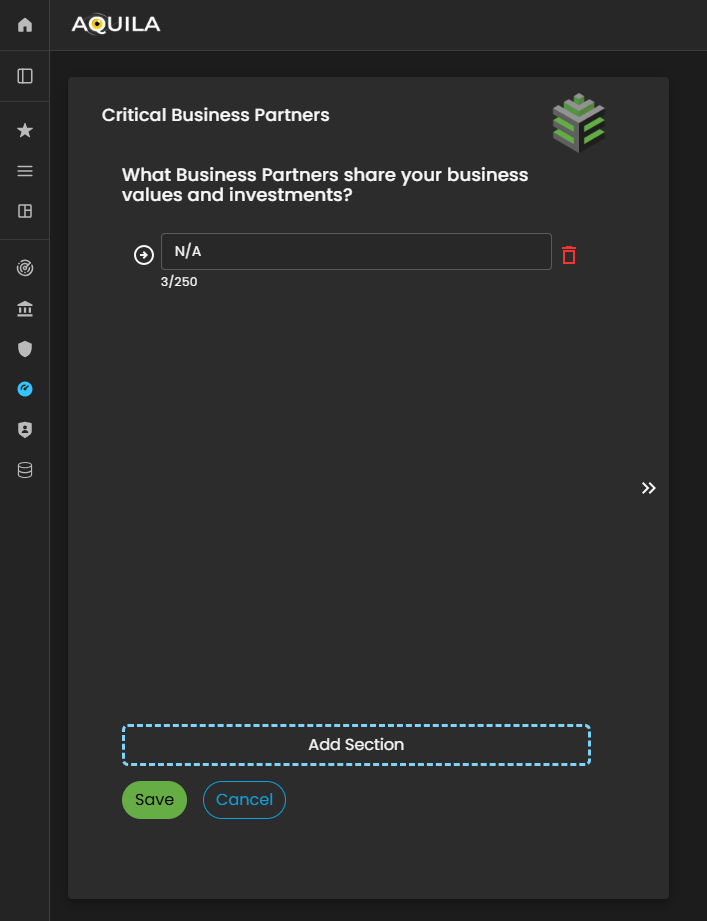
Figure 11.1 Cyber Security Risk Management - Critical Business Partners / Edit Section
Geographic Locations / GeoLocations
After adding and saving the details of your Critical Business Partners, the system will automatically redirect you to the Geographic Locations section. This section is designed to capture and document the physical locations where the client’s organization operates, including headquarters, regional offices, branch sites, and other operational facilities.
By providing accurate geographic information, the client enables the Cyber Risk Assessment Management (CRAM) platform to assess location-based risks, such as regional threat exposure, regulatory variations, and environmental or geopolitical factors that may influence the organization’s cyber risk posture.
The client can also use the Edit function within this section to add, update, or remove office locations as necessary, ensuring that all operational sites are accurately represented for a comprehensive risk assessment and business continuity evaluation.
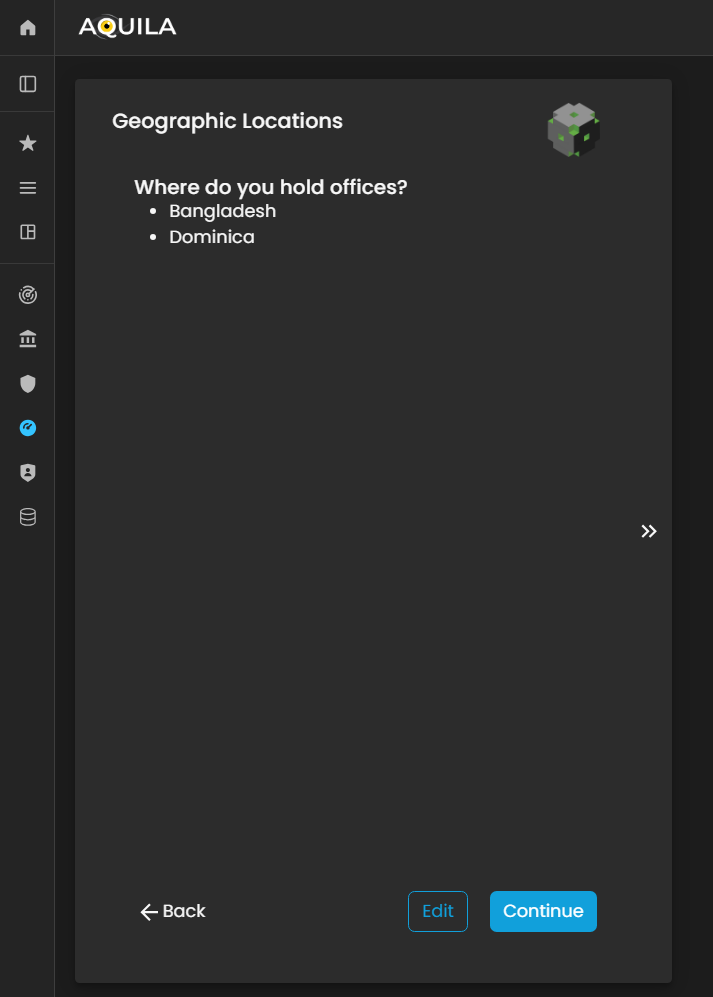
Figure 12. Cyber Security Risk Management - Geographic Location
In the Edit Geographic Locations section, the client can add or update their organization’s operational sites by clicking the arrow icon to expand the input fields. This interface enables the client to specify the countries where their organization is located or conducts business operations.
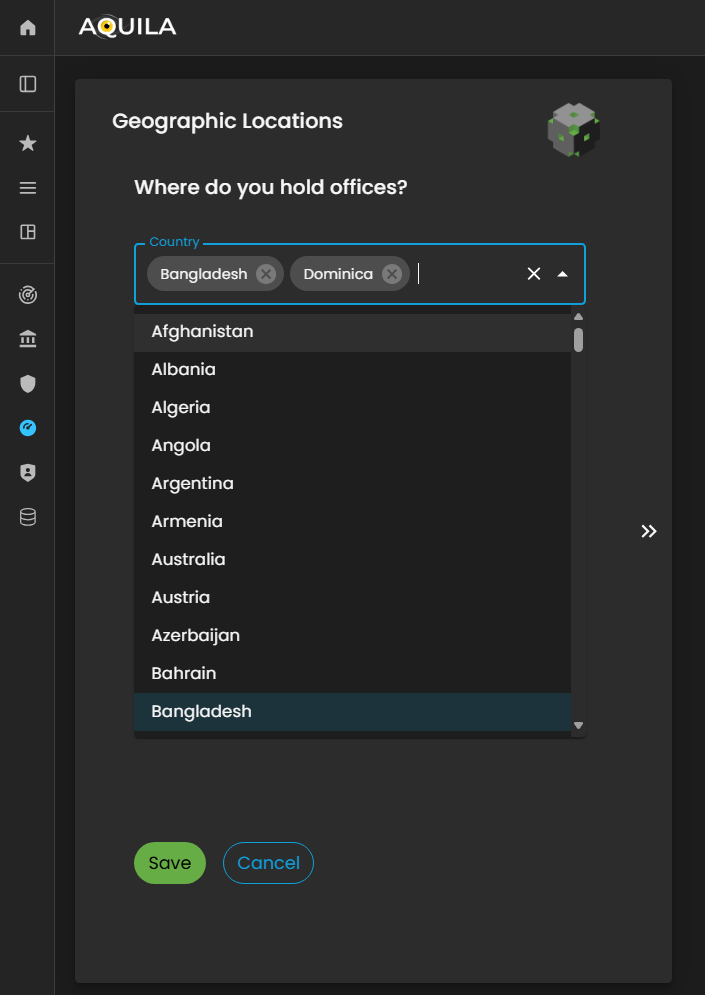
Figure 12.1 Cyber Security Risk Management - Geographic Location / Edit Section
Critical Business Processes (CBP's)
After saving the Geographic Location details and clicking “Continue,” the client will be redirected to the Critical Business Processes (CBPs) section. This section focuses on identifying and documenting the organization’s core revenue-generating activities—the essential processes that directly contribute to business profitability and operational sustainability.
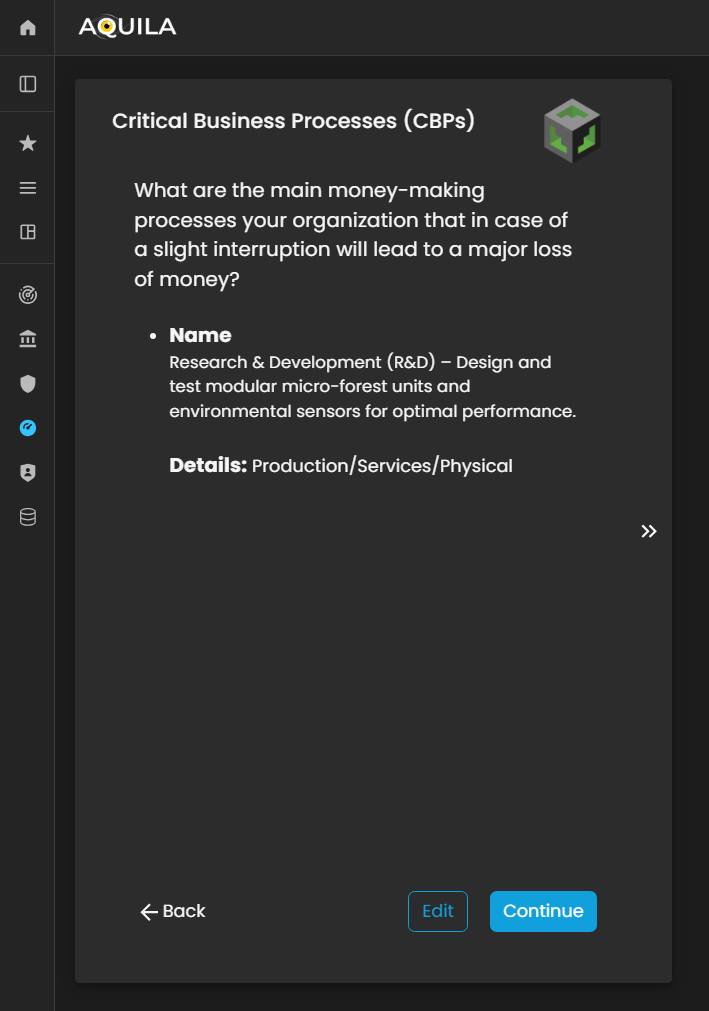
Figure 13. Cyber Security Risk Management - Critical Business Processes (CBP's)
In the Edit Critical Business Processes (CBPs) section, the client can input detailed information about their organization’s revenue-generating processes. This includes specifying what the company does, the products or services it offers, and the type of business activities that contribute directly to its financial performance.
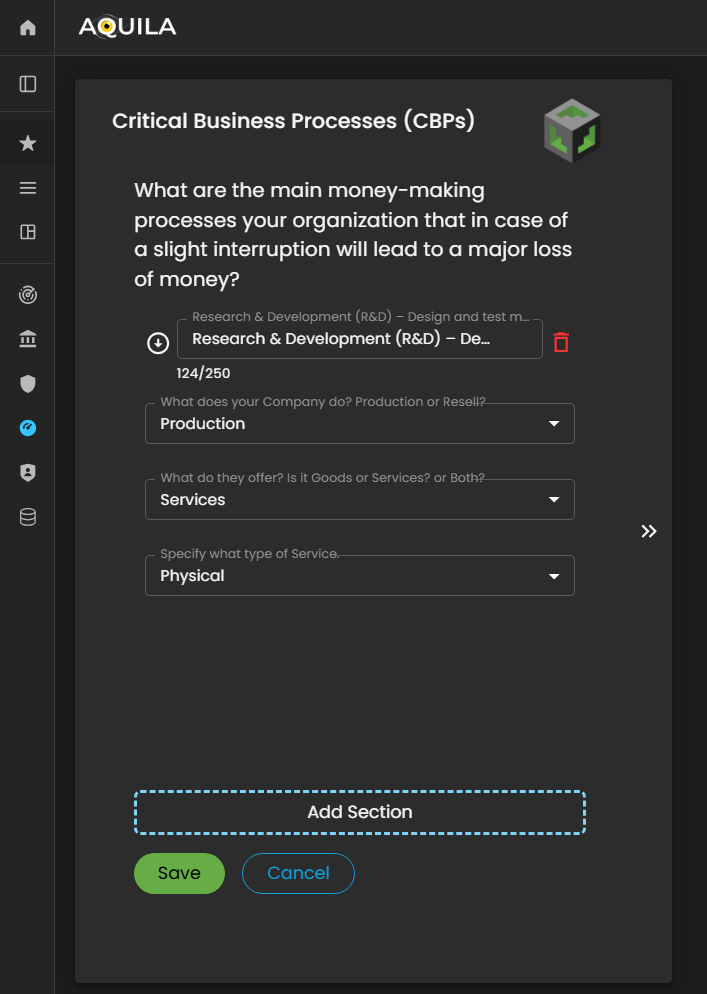
Figure 13.1 Cyber Security Risk Management - Critical Business Processes (CBP's) / Edit Section
Critical Business Functions (CBF's)
After saving and entering the required information for the Critical Business Processes (CBPs), the client will be redirected to the Critical Business Functions (CBFs) section. This section is designed to capture and document the people, processes, and technologies that enable and support the success of the organization’s CBPs.
Within this module, the client can identify the key roles, operational functions, systems, and technological components that are essential for maintaining business continuity and ensuring the effective execution of their core processes.
The client can use the Edit button to add, modify, or update their Critical Business Functions, ensuring that all dependencies and enablers of their business operations are accurately reflected.

Figure 14. Cyber Security Risk Management - Critical Business Functions (CBF's)
This is the Edit Critical Business Functions (CBFs) section, where the client can input detailed information about the people, processes, and technologies that contribute to the continued success and stability of their business operations.
In this interface, the client can specify key personnel roles, essential operational workflows, and supporting technological systems that directly enable their Critical Business Processes (CBPs). Accurately identifying these elements ensures that all business enablers are clearly defined and properly aligned with the organization’s strategic and operational goals.
After entering and saving the required information, the system will automatically redirect the client back to the Critical Business Functions (CBFs) page. Here, the client can review and verify that all inputs have been correctly recorded. Once confirmed, the client can click “Continue” to proceed to the next stage of the Cyber Risk Assessment Management (CRAM) onboarding process.
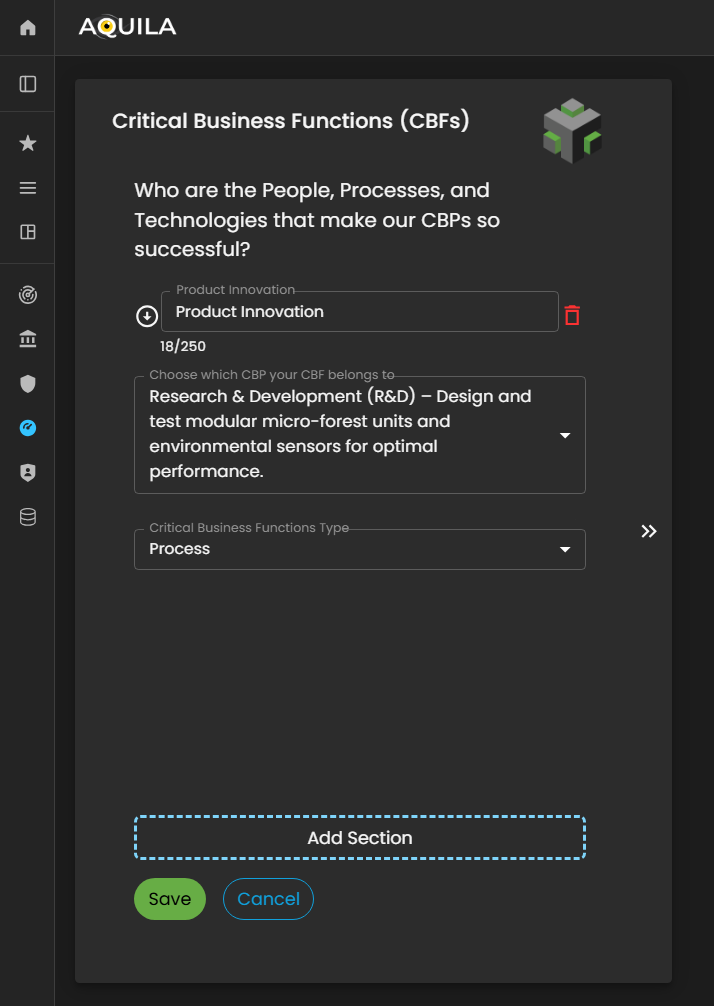
Figure 14.1 Cyber Security Risk Management - Critical Business Function (CBF's) / Edit Section
Business Vector
Business Vector represents how the client’s Critical Business Functions (CBFs) are executed and brought to life within the organization. This section focuses on illustrating the operational dynamics—how people, processes, and technologies interact to deliver business outcomes and sustain critical operations.
Through the Business Vector, the client can define how their organizational capabilities translate into functional performance, including workflows, process integrations, and system interactions that support the execution of Critical Business Processes (CBPs).
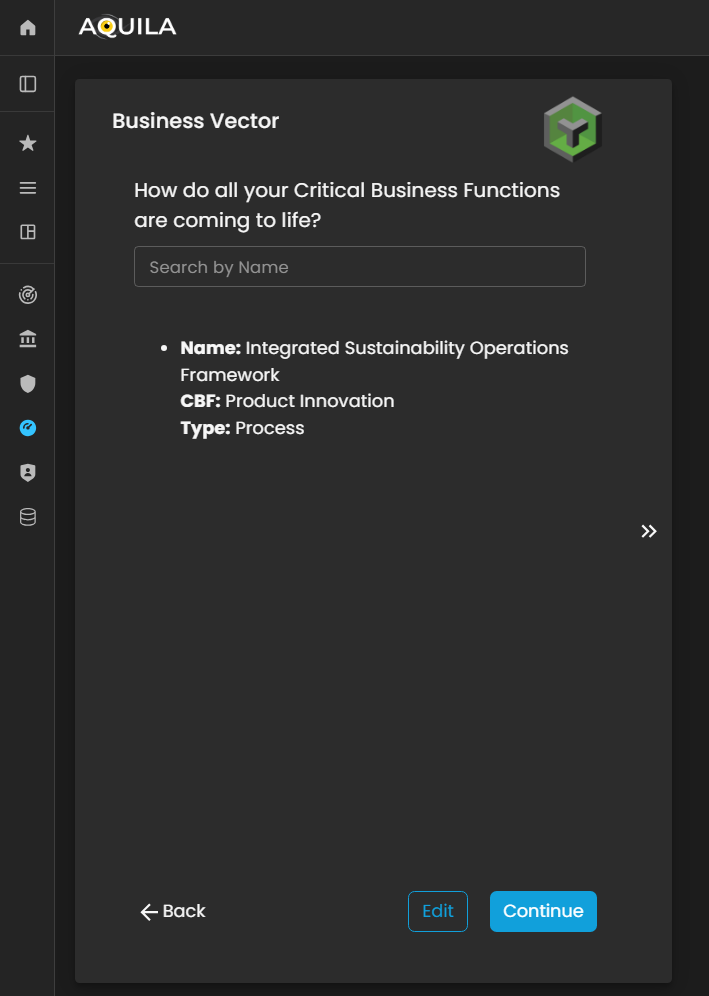
Figure 15. Cyber Security Risk Management - Business Vector
In the Edit Business Vector section, the client can define and manage key details related to their organization’s operational dynamics. This includes specifying the name of the Business Vector and identifying the Critical Business Function (CBF) to which the vector is associated.
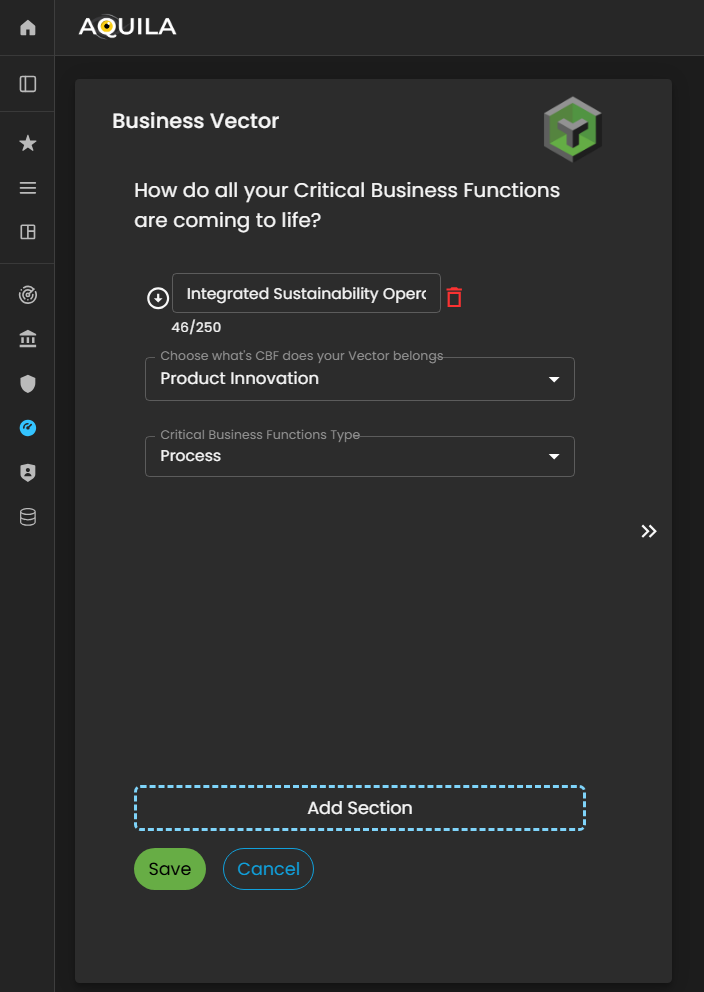
Figure 15.1 Cyber Security Risk Management - Business Vector / Edit Section
Risk Tolerance
In this section, the client can view and rank their Critical Functions based on importance, impact, or priority within the organization. This ranking helps determine which functions are most vital to sustaining business continuity and achieving strategic objectives.
Additionally, the client can toggle between viewing Critical Business Functions (CBFs) and Critical Business Processes (CBPs) to analyze how each contributes to the organization’s overall operational framework.
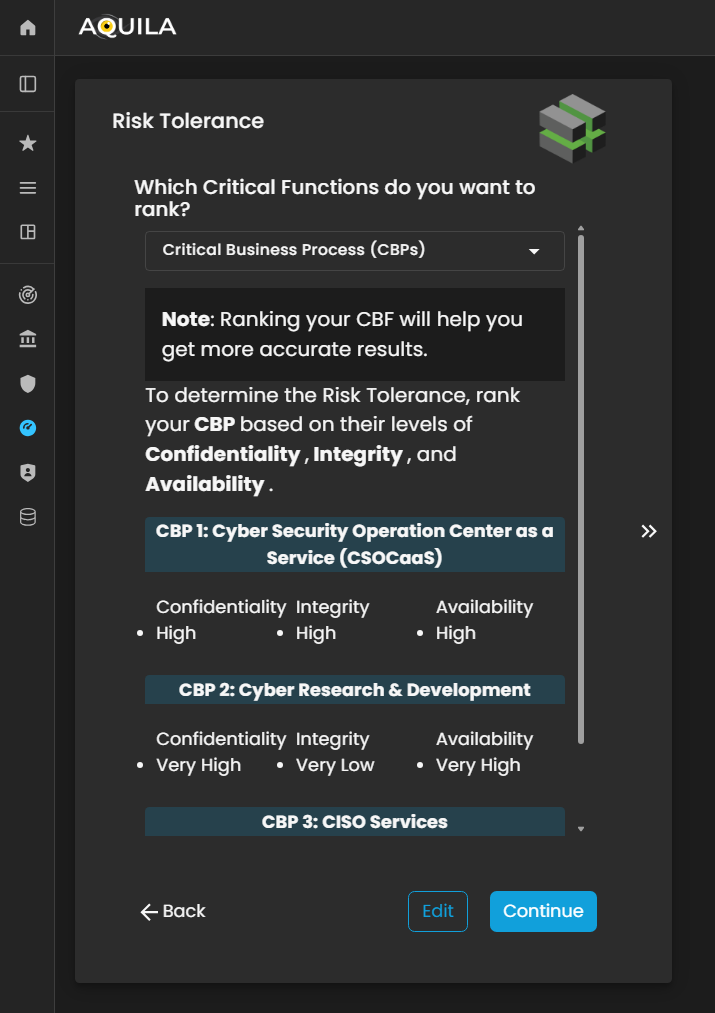
Figure 16. Cyber Security Risk Management - Risk Tolerance
This is the Risk Tolerance edit section, where the client can adjust their organization’s levels of Confidentiality, Integrity, and Availability. Each category can be ranked from Very High to Very Low, reflecting the organization’s tolerance toward potential risks in these areas.
By setting the appropriate levels, the Cyber Risk Assessment Management (CRAM) platform can align its analysis with the client’s defined risk preferences and ensure that subsequent assessments accurately represent the organization’s overall security posture.
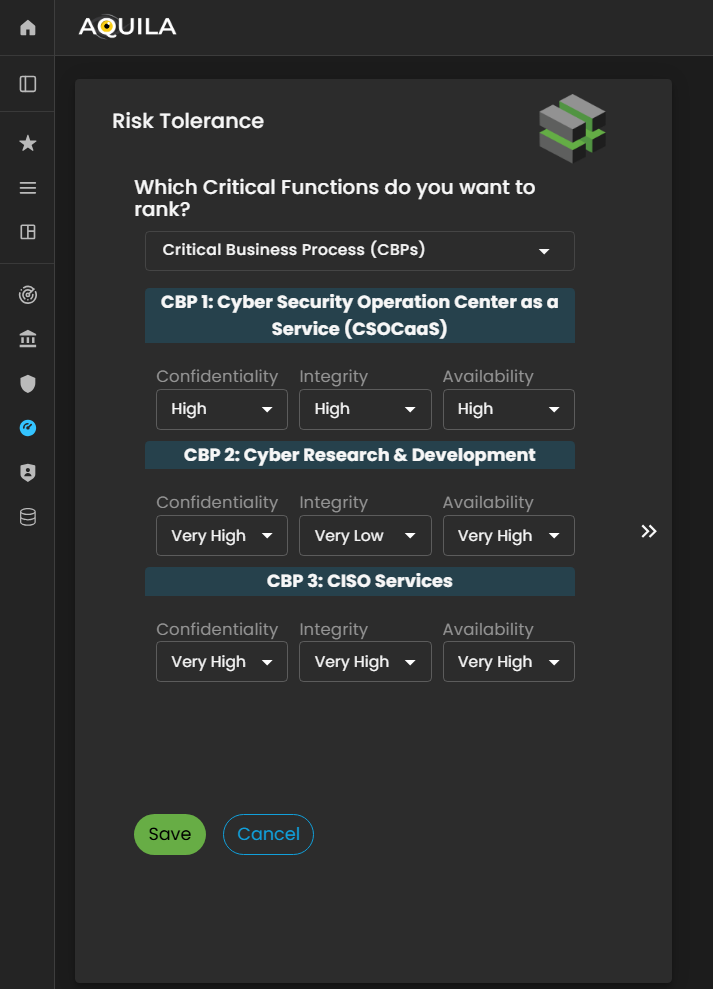
Figure 16.1 Cyber Security Risk Management - Risk Tolerance / Edit Section
Risk Appetite
In this section, after completing the Risk Tolerance stage, the client will proceed to the Risk Appetite section. Risk Appetite represents how well the organization can absorb or withstand a cyberattack without significant impact on its operations, finances, or reputation.
The client can rank their organization’s Risk Appetite on a scale from Very High to Very Low, depending on their capacity and willingness to manage potential cyber risks.
Through the Edit section, the client can update or modify their selected level at any time to reflect changes in the organization’s risk management strategy, operational resilience, or security posture. This helps the Cyber Risk Assessment Management (CRAM) platform provide more accurate insights and align cyber risk assessments with the organization’s current risk-bearing capability.

Figure 17. Cyber Security Risk Management - Risk Tolerance
Cyber Insurance
After completing the Risk Appetite section, the client will be directed to the Cyber Insurance module. This section asks whether the organization currently holds cyber insurance coverage.
Using the Edit button, the client can select either Yes or No to indicate their organization’s status. Providing this information helps the Cyber Risk Assessment Management (CRAM) platform evaluate the organization’s risk transfer mechanisms and incorporate insurance coverage into the overall cyber risk assessment and mitigation strategy.
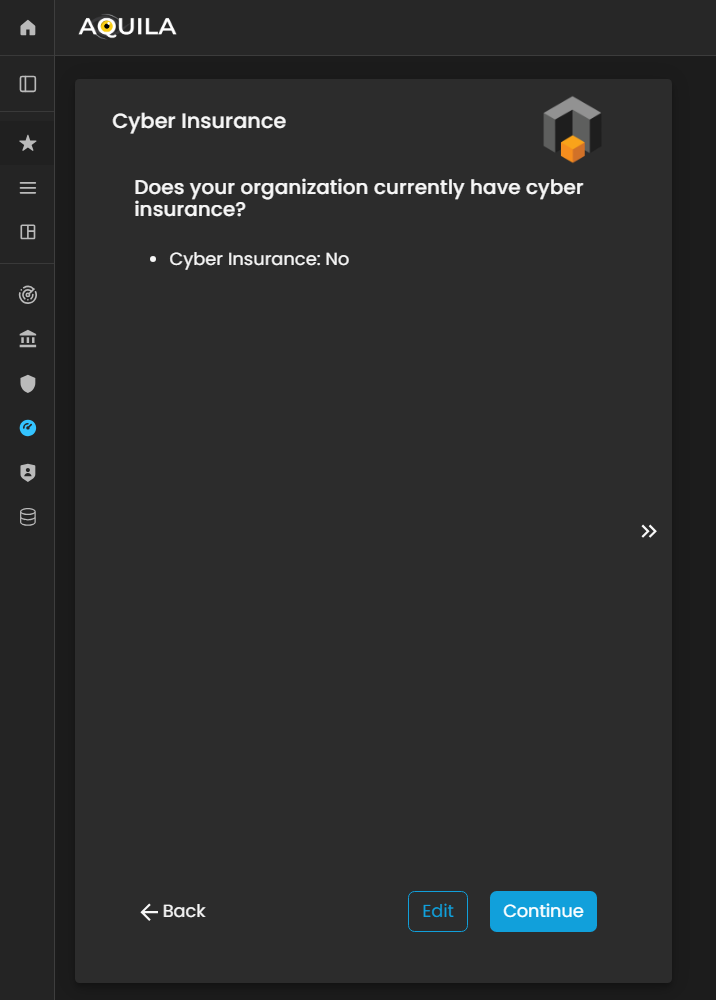
Figure 18 Cyber Security Risk Management - Cyber Insurance
Cyber Privacy Obligation
In this section of the Business Onboarding process, the client will be asked three questions related to their organization’s Cyber Privacy Obligations.
These questions are designed to assess how the organization manages, protects, and complies with data privacy requirements, including regulatory obligations, internal policies, and best practices for handling sensitive or personal information. Accurate responses help the Cyber Risk Assessment Management (CRAM) platform evaluate the organization’s privacy posture and identify potential gaps or areas for improvement in its cyber risk framework.
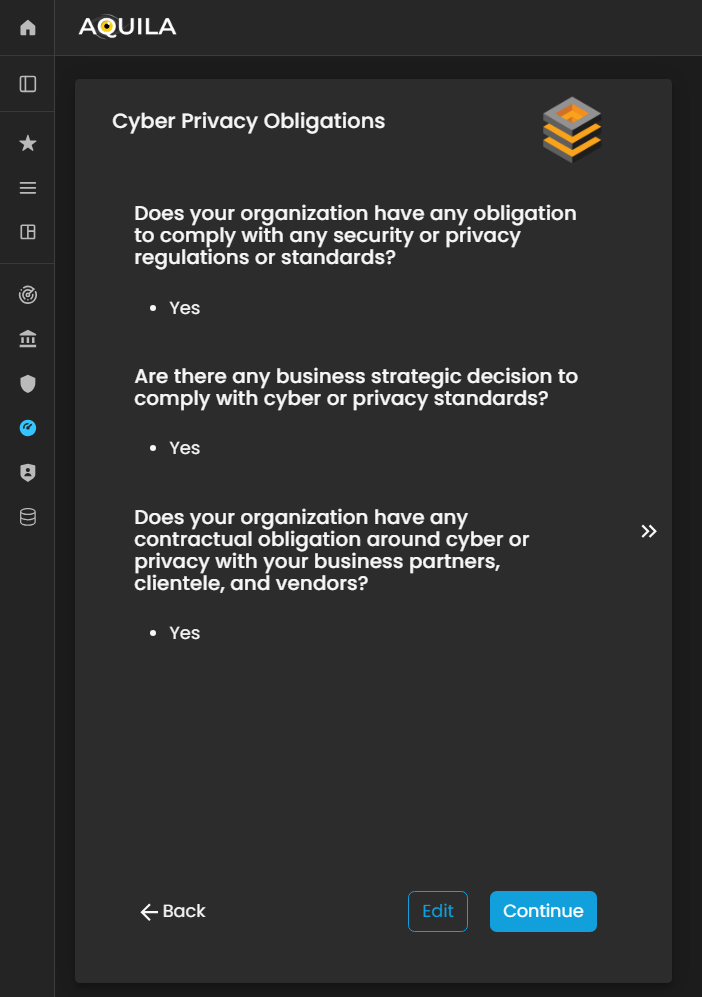
Figure 19. Cyber Security Risk Management - Cyber Privacy Obligations
The client can modify their responses in the Cyber Privacy Obligations section by clicking the Edit button located below the questions.
This allows the client to update, correct, or refine their answers to ensure that the information accurately reflects the organization’s data privacy practices, compliance measures, and regulatory adherence.

Figure 19.1 Cyber Security Risk Management - Cyber Privacy Obligations / Edit Section
Threats
This section maps relevant threats that could potentially impact the organization’s operations, assets, or overall business continuity.
The client can add, modify, or update these threats through the Edit section by clicking the Edit button below. Accurately documenting organizational threats enables the Cyber Risk Assessment Management (CRAM) platform to assess risk exposure, prioritize mitigation strategies, and provide insights tailored to the organization’s specific threat landscape.
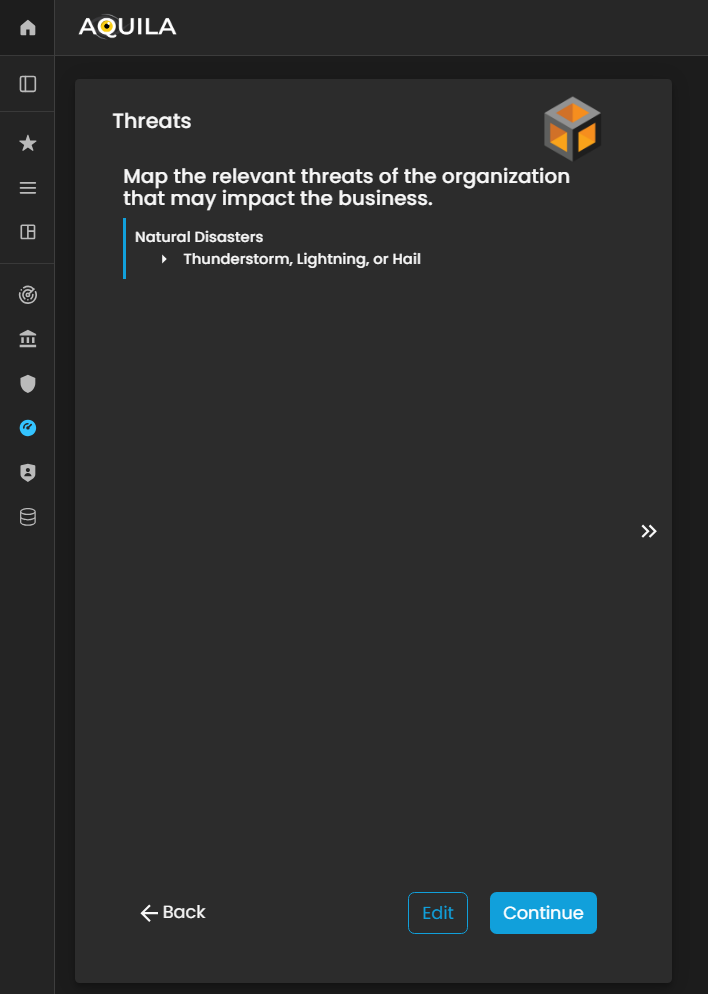
Figure 20 Cyber Security Risk Management - Threats
In this Edit Threats section, the client can input potential risks that may impact their organization. These threats can include natural disasters (such as earthquakes, floods, or storms) as well as man-made threats (such as cyberattacks, operational failures, or security breaches).
By accurately identifying and documenting these threats, the Cyber Risk Assessment Management (CRAM) platform can evaluate the organization’s vulnerability, potential impact, and risk exposure, enabling more effective planning and mitigation strategies.
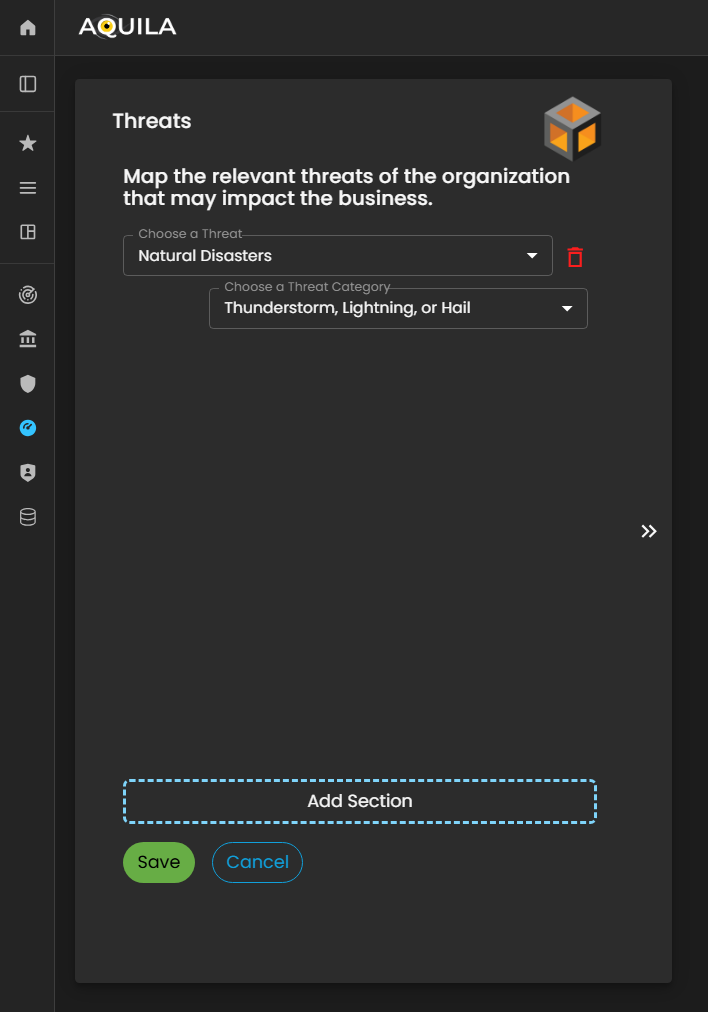
Figure 20.1 Cyber Security Risk Management - Threats / Edit Section
Threat Vectors
After saving the information in the Threats section, the client will proceed to the Threat Vectors module. Threat Vectors describe how an attacker or risk actor could exploit the organization’s vulnerabilities to compromise systems, processes, or data.
This section allows the client to identify potential attack methods, pathways, or techniques that could be used against the organization. By providing accurate information, the Cyber Risk Assessment Management (CRAM) platform can analyze the relationship between threats and vulnerabilities, assess potential impact, and support the development of effective risk mitigation and defense strategies.
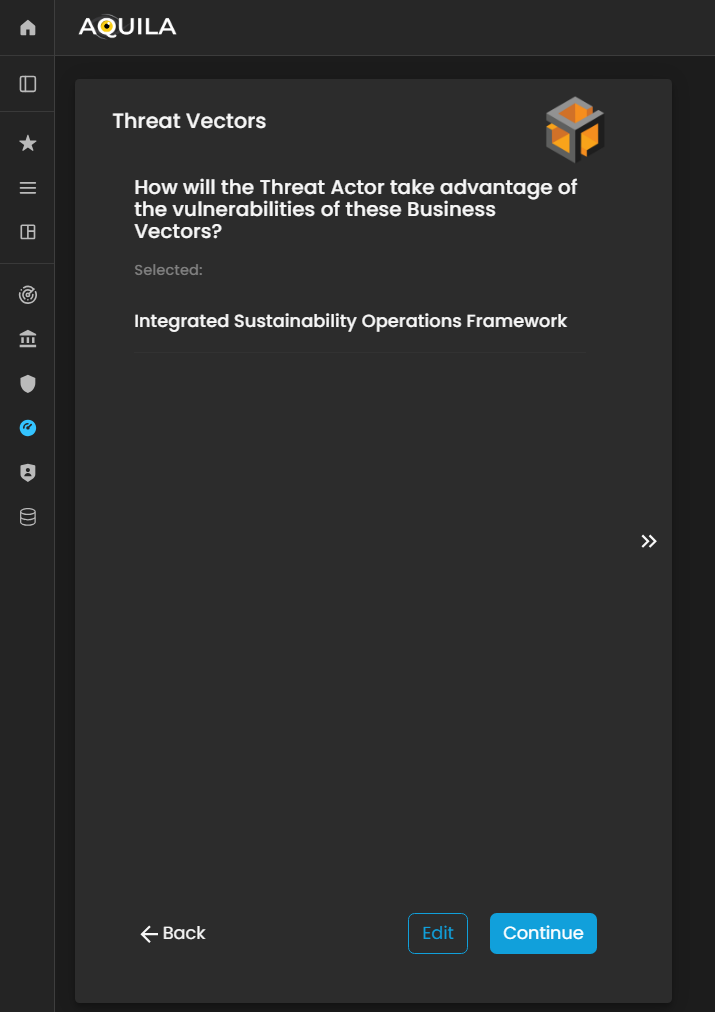
Figure 21 Cyber Security Risk Management - Threat Vectors
The client can specify their Threat Vectors in the Edit section by clicking the Edit button.
This allows the client to identify and document the specific methods or pathways through which vulnerabilities could be exploited, helping the Cyber Risk Assessment Management (CRAM) platform evaluate potential risks and recommend targeted mitigation strategies.

Figure 21.1 Cyber Security Risk Management - Threat Vectors / Edit Section
Threat Actors
In this section, Threat Actors are defined as individuals, groups, or entities that could potentially exploit vulnerabilities within the Business Vectors.
The client can add, modify, or update their identified threat actors through the Edit section by pressing the Edit button below. Accurately documenting threat actors enables the Cyber Risk Assessment Management (CRAM) platform to assess who poses a risk, how they might act, and the potential impact on the organization, supporting more effective risk management and mitigation planning.
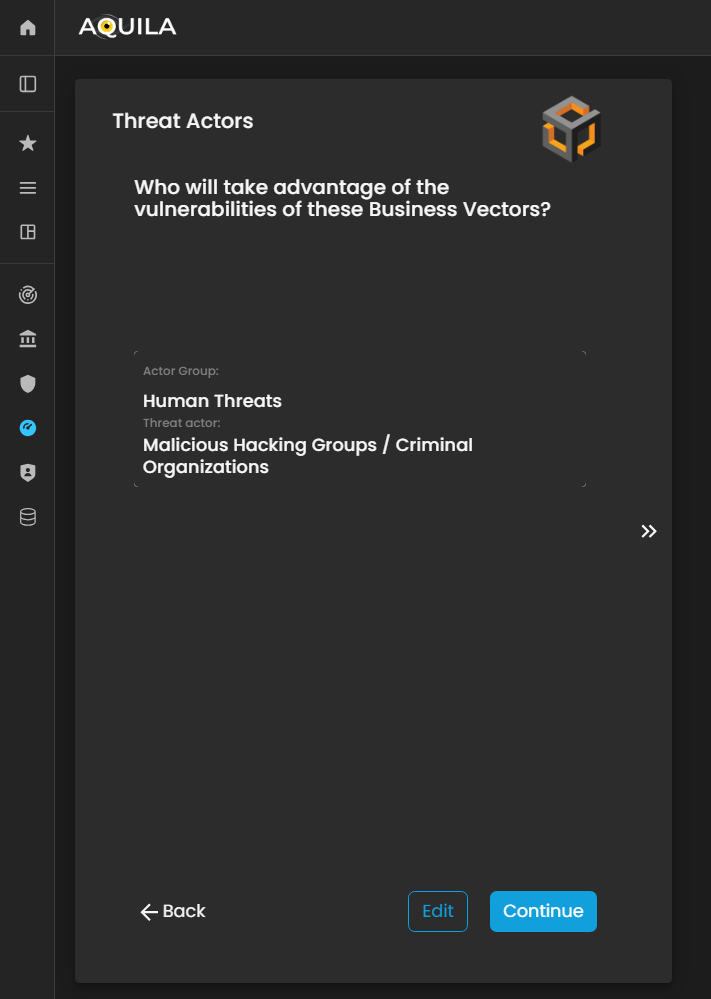
Figure 22. Cyber Security Risk Management - Threat Actors
In this part of the Threat Actors section, the client can add, update, or modify information about potential Threat Actors through the Edit section.
This allows the client to specify individuals, groups, or entities that may target the organization’s Business Vectors or exploit existing vulnerabilities. Accurately documenting threat actors helps the Cyber Risk Assessment Management (CRAM) platform evaluate risk sources, anticipate potential attacks, and support informed mitigation strategies.
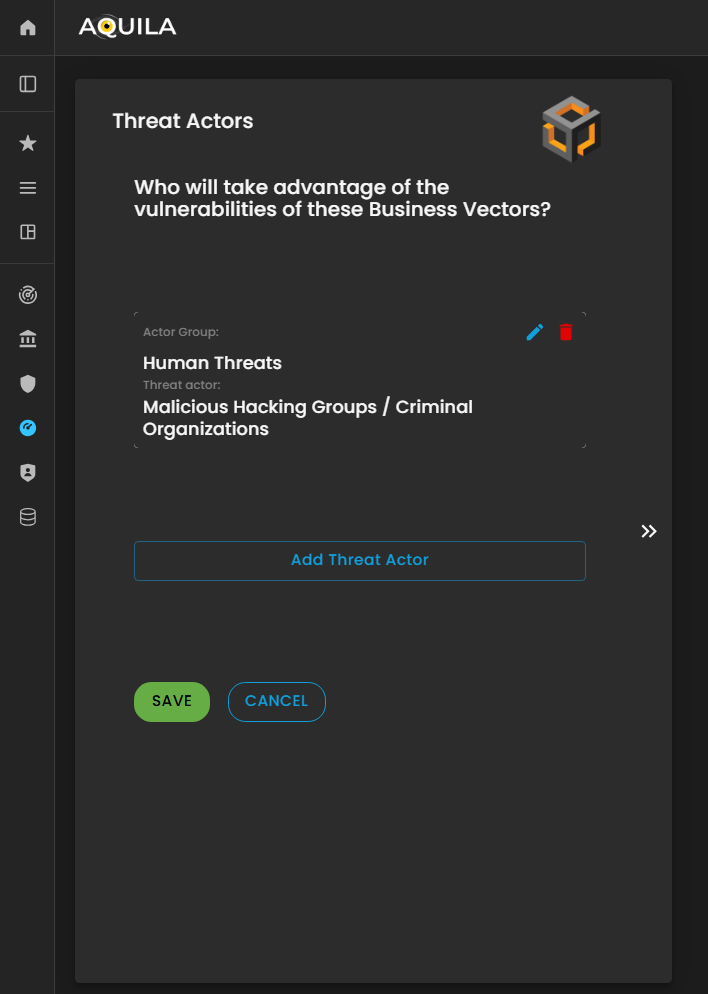
Figure 22.1 Cyber Security Risk Management - Threat Actors / Edit Section
Vulnerabilities
In this section, the client is asked, “In what category does this vulnerability belong?” to classify identified vulnerabilities based on their nature or type.
The client can add, update, or modify vulnerabilities through the Edit section by pressing the Edit button below. Properly categorizing vulnerabilities enables the Cyber Risk Assessment Management (CRAM) platform to assess risk exposure more accurately, prioritize remediation efforts, and develop targeted strategies to mitigate potential threats.
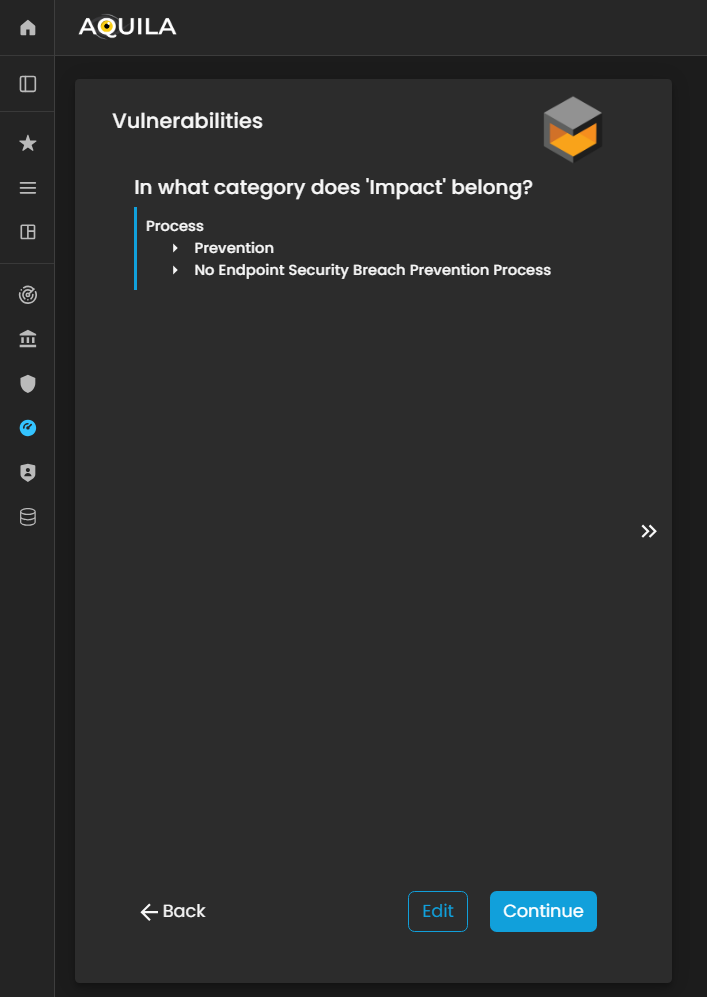
Figure 23. Cyber Security Risk Management - Vulnerabilities
In this section, the client can add their identified vulnerabilities and specify the category to which each vulnerability belongs.
This allows the organization to classify weaknesses—such as technical, operational, or process-related vulnerabilities—so that the Cyber Risk Assessment Management (CRAM) platform can better analyze risk exposure, prioritize mitigation measures, and develop targeted strategies to address potential threats.
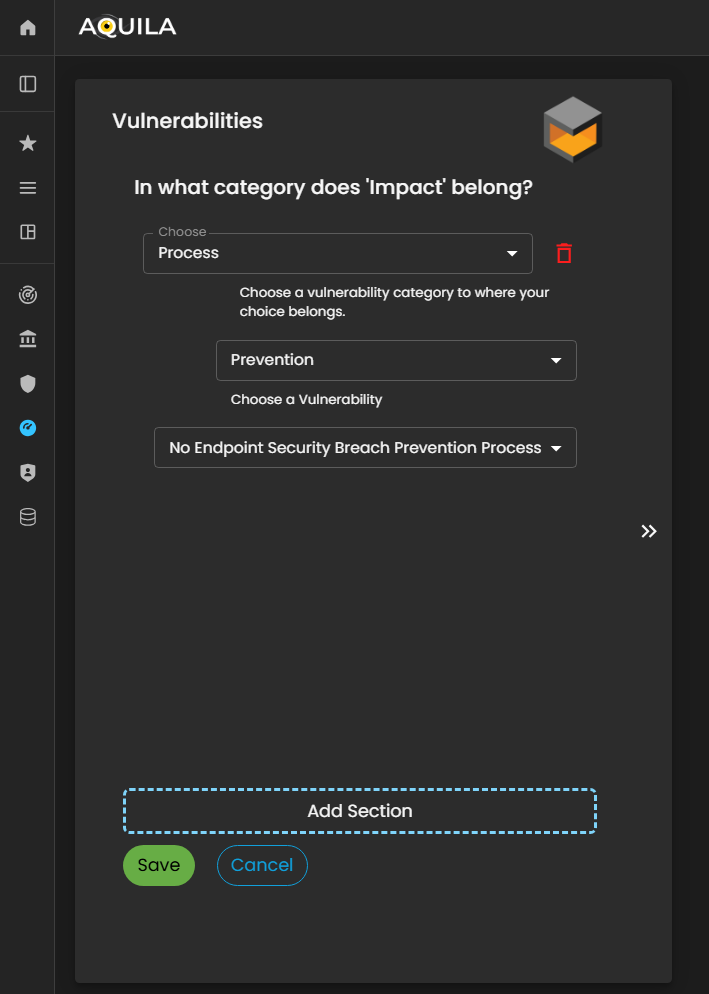
Figure 23.1 Cyber Security Risk Management - Vulnerabilities / Edit Section
Cyber Budget
After completing the Vulnerabilities section, the client will proceed to the Cyber Budget module. This section asks the client to specify the budget allocated for responding to potential cyber incidents and to indicate what percentage of this budget is assigned to key departments such as IT, Legal, Risk Management, and Operations.
The client can add or update their Cyber Budget details through the Edit section by pressing the Edit button below. Accurately documenting budget allocations enables the Cyber Risk Assessment Management (CRAM) platform to evaluate the organization’s financial preparedness, assess resource distribution for cyber risk mitigation, and support strategic planning for incident response and recovery.

Figure 24. Cyber Security Risk Management - Cyber Budget
The client can input or update their Cyber Budget details through the Edit section by clicking the Edit button below.
This allows the client to specify the budget allocated for potential cyber incidents and assign percentages to departments such as IT, Legal, Risk Management, and Operations, ensuring the Cyber Risk Assessment Management (CRAM) platform has accurate financial data for risk analysis and mitigation planning.
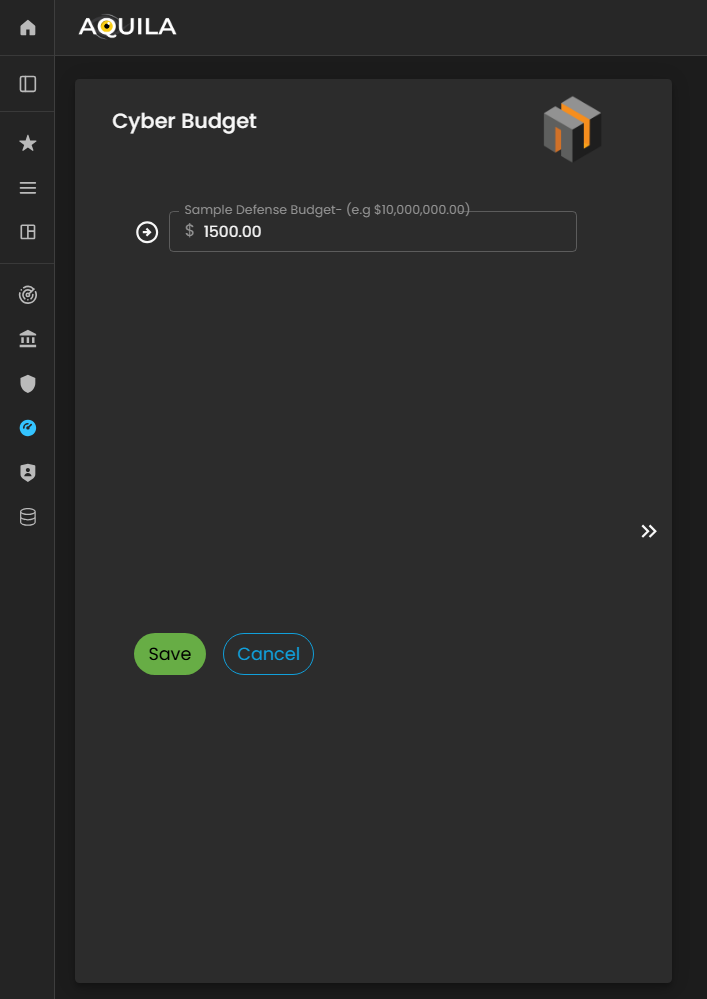
Figure 24.1 Cyber Security Risk Management - Cyber Budget / Edit Section
Past Cyber Incidents
In this section, the client will be asked questions regarding whether their organization has experienced past cyber incidents.
The client can modify or update their responses through the Edit section by pressing the Edit button. Providing accurate historical incident information enables the Cyber Risk Assessment Management (CRAM) platform to assess patterns of vulnerability, understand the organization’s prior risk exposure, and inform more effective cyber risk mitigation strategies.
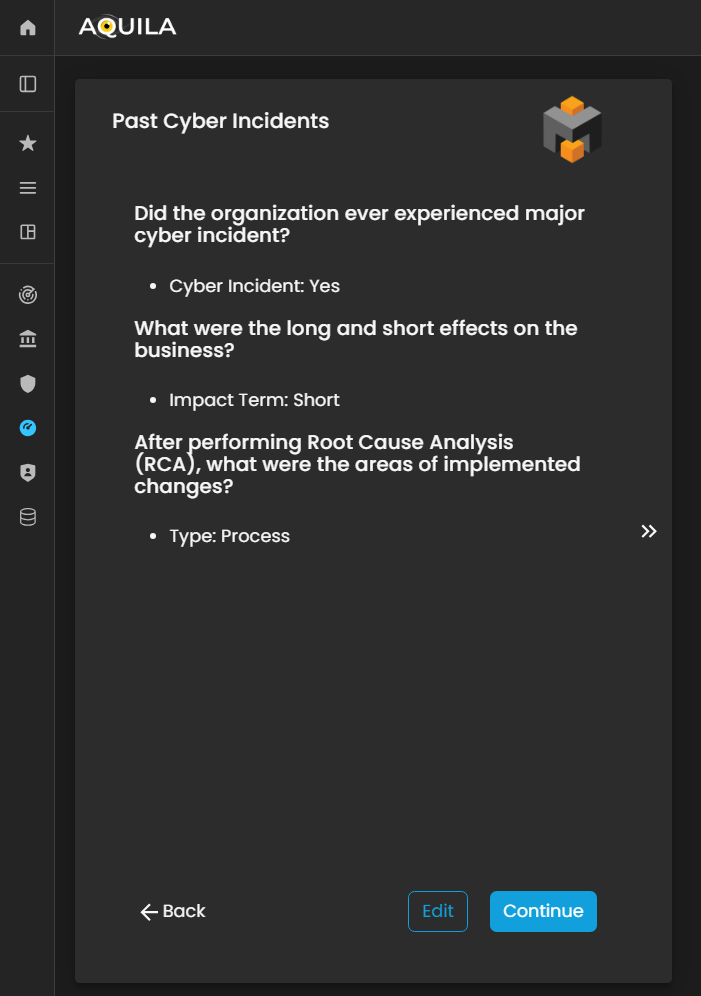
Figure 25. Cyber Security Risk Management - Past Cyber Incident
In this section, the client can add details of Past Cyber Incidents their organization has experienced.
This allows the Cyber Risk Assessment Management (CRAM) platform to analyze historical incidents, identify recurring vulnerabilities or threat patterns, and provide insights for improving the organization’s cybersecurity posture and risk mitigation strategies.

Figure 25.1 Cyber Security Risk Management - Past Cyber Incident / Edit Section
Controls
In this section, the client can add their existing controls and specify their efficiency or effectiveness in mitigating risks.
The client can input new controls or modify existing ones through the Edit section by pressing the Edit button. Accurately documenting controls and their efficiency allows the Cyber Risk Assessment Management (CRAM) platform to evaluate the organization’s current risk management measures, identify gaps, and recommend targeted improvements to strengthen overall cyber resilience.
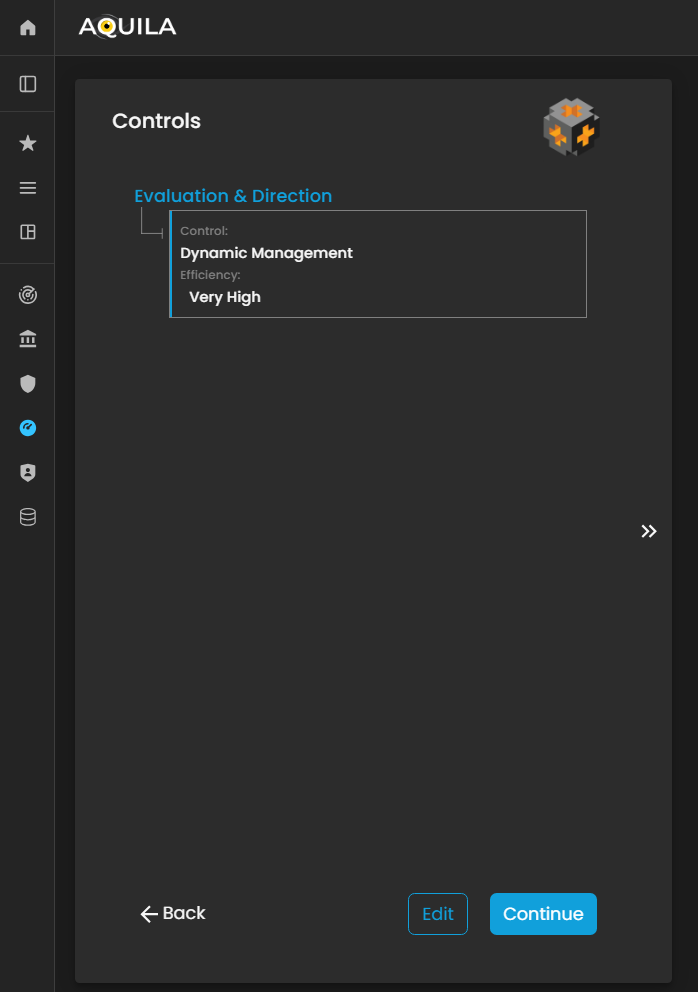
Figure 26. Cyber Security Risk Management - Controls
In the Edit Controls section, the client can add new controls, modify existing ones, or delete outdated or ineffective controls.
This functionality allows the client to maintain an up-to-date and accurate record of their risk mitigation measures, enabling the Cyber Risk Assessment Management (CRAM) platform to assess control effectiveness, identify gaps, and provide recommendations to enhance the organization’s overall cyber resilience.
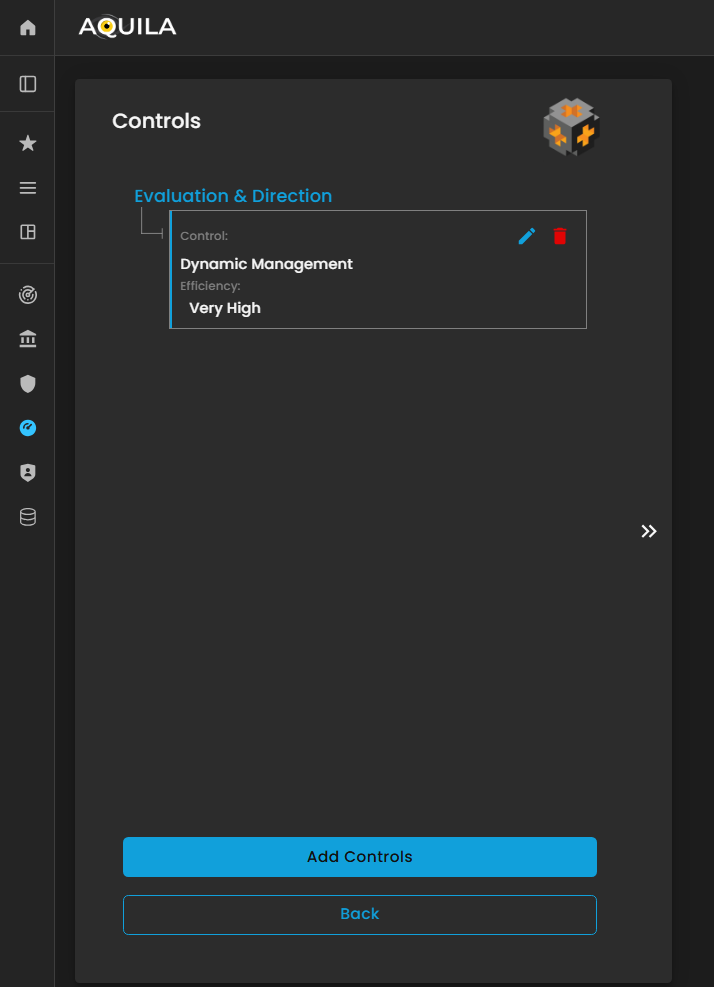
Figure 26.1 Cyber Security Risk Management - Controls / Edit Section
If the client chooses to add a control, a window will appear prompting them to specify:
-
Category – The type or classification of the control (e.g., technical, administrative, or physical).
-
Control – A description of the specific measure or safeguard implemented.
-
Efficiency – An assessment of how effective the control is in mitigating the associated risk.
Providing accurate information in this window allows the Cyber Risk Assessment Management (CRAM) platform to evaluate the effectiveness of existing controls, identify gaps, and recommend improvements to strengthen the organization’s cyber risk posture.
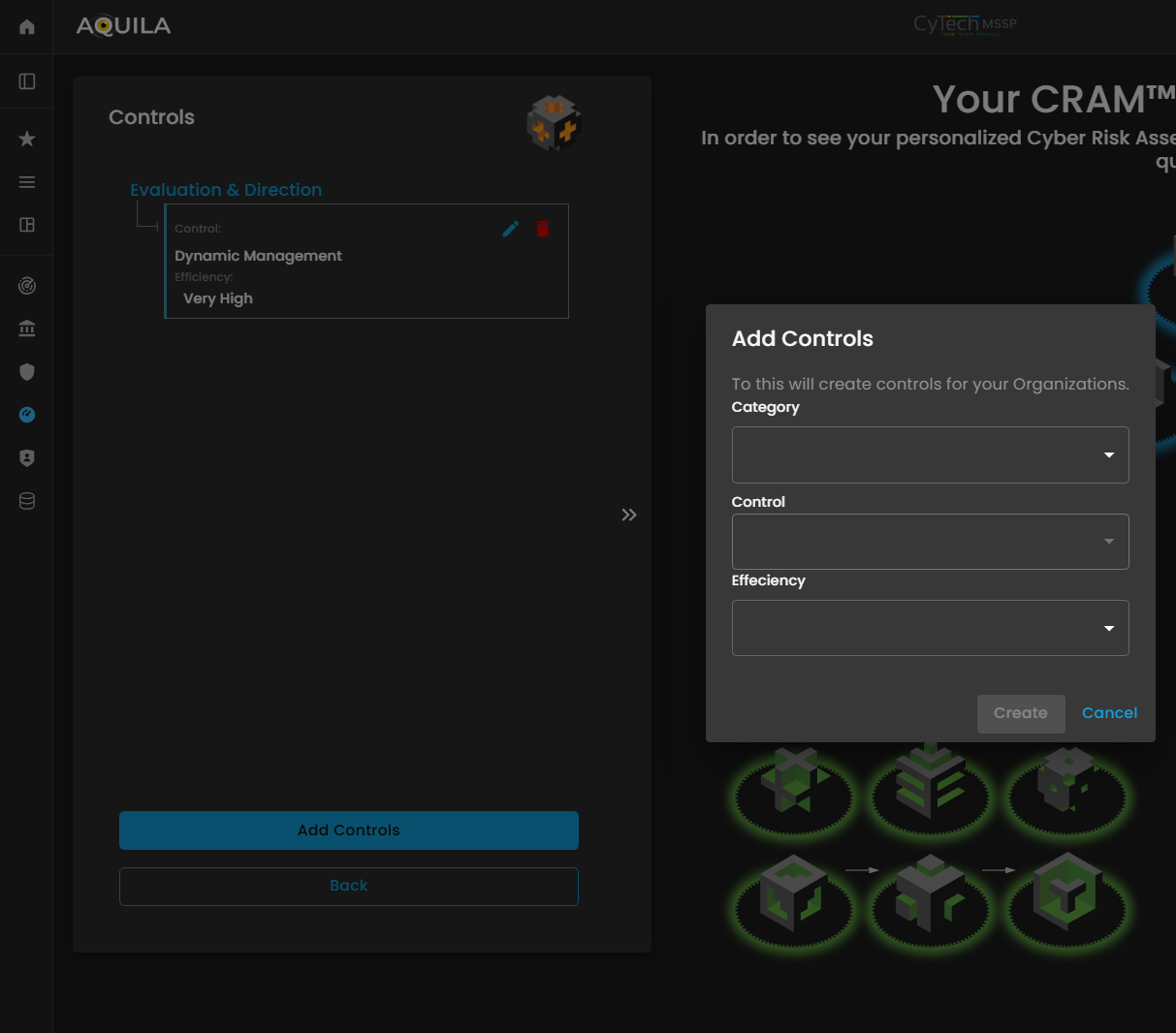
Figure 26.2 Cyber Security Risk Management - Controls / Edit Section / Add Controls Section
Results
After completing the Cyber Risk Assessment Management (CRAM) process, the client will receive a comprehensive assessment report detailing their organization’s cyber risk posture.
The results provide insights into identified threats, vulnerabilities, critical business functions, and the effectiveness of existing controls, as well as an evaluation of the organization’s risk tolerance, risk appetite, and preparedness for potential cyber incidents. This report enables the client to make informed decisions, prioritize risk mitigation efforts, and strengthen overall cyber resilience and business continuity.
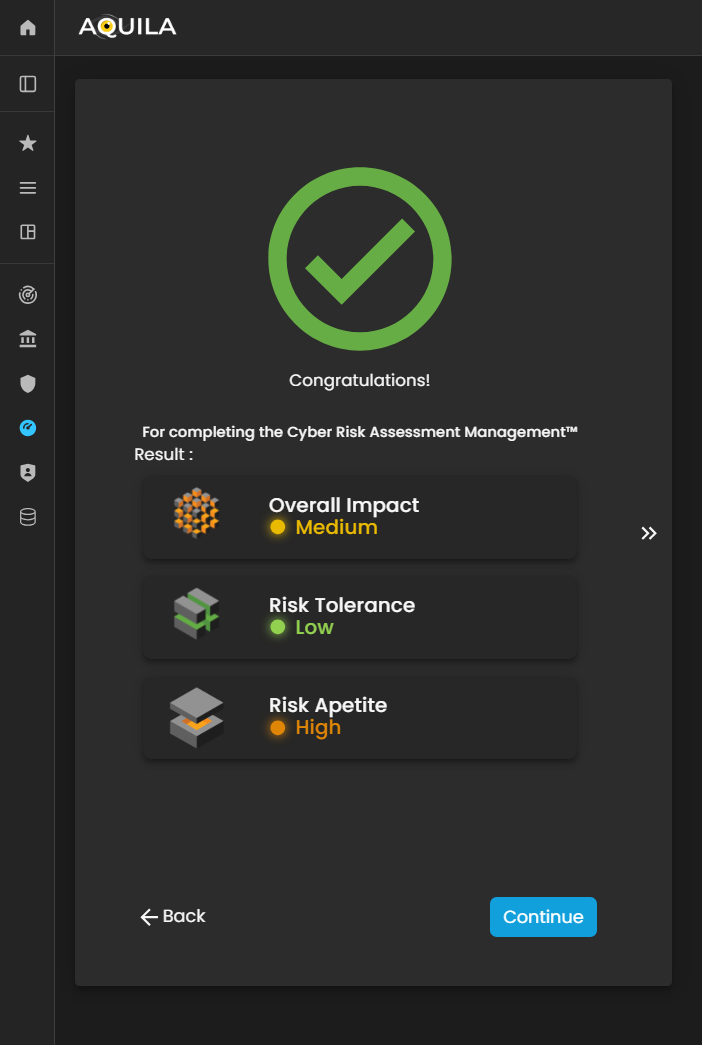
Figure 27. Cyber Security Risk Management - Results

Figure 27.1 Cyber Security Risk Management - Organization Statements Results
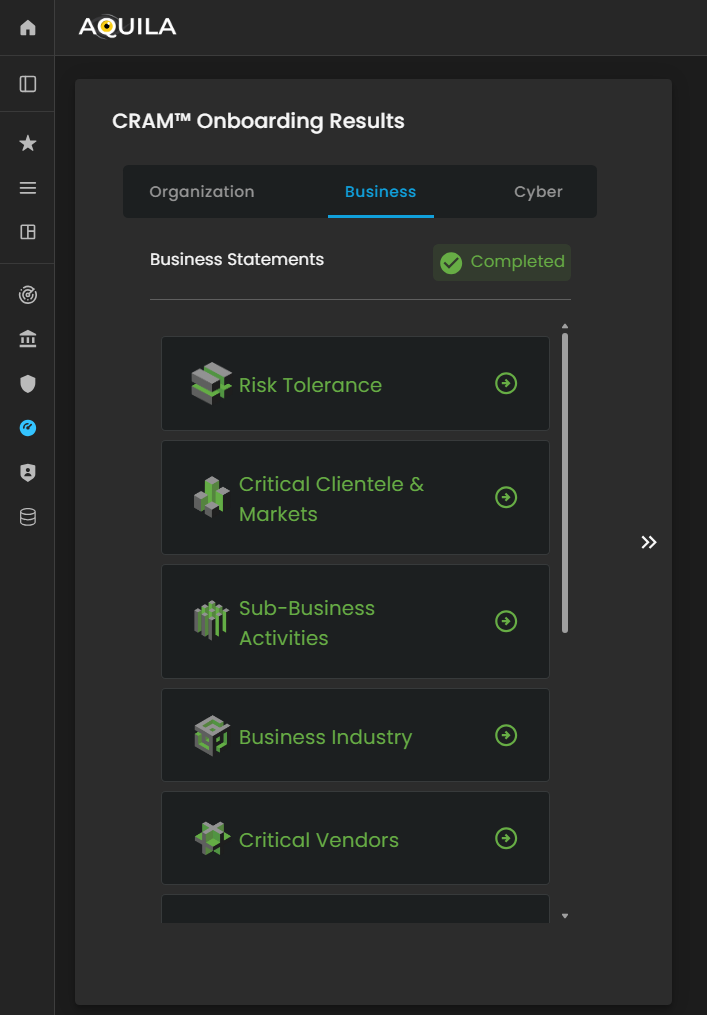
Figure 27.2 Cyber Security Risk Management - Business Statements Results

Figure 27.3 Cyber Security Risk Management - Cyber Statements Results
After completing the entire assessment, the client can access and review their inputs by clicking on the building blocks displayed on the screen. Each building block represents the responses and information provided in the corresponding section of the assessment, allowing the client to quickly navigate, verify, or update their earlier inputs.
This feature ensures that all data is easily accessible, organized, and aligned with the Cyber Risk Assessment Management (CRAM) framework for ongoing risk evaluation and management.
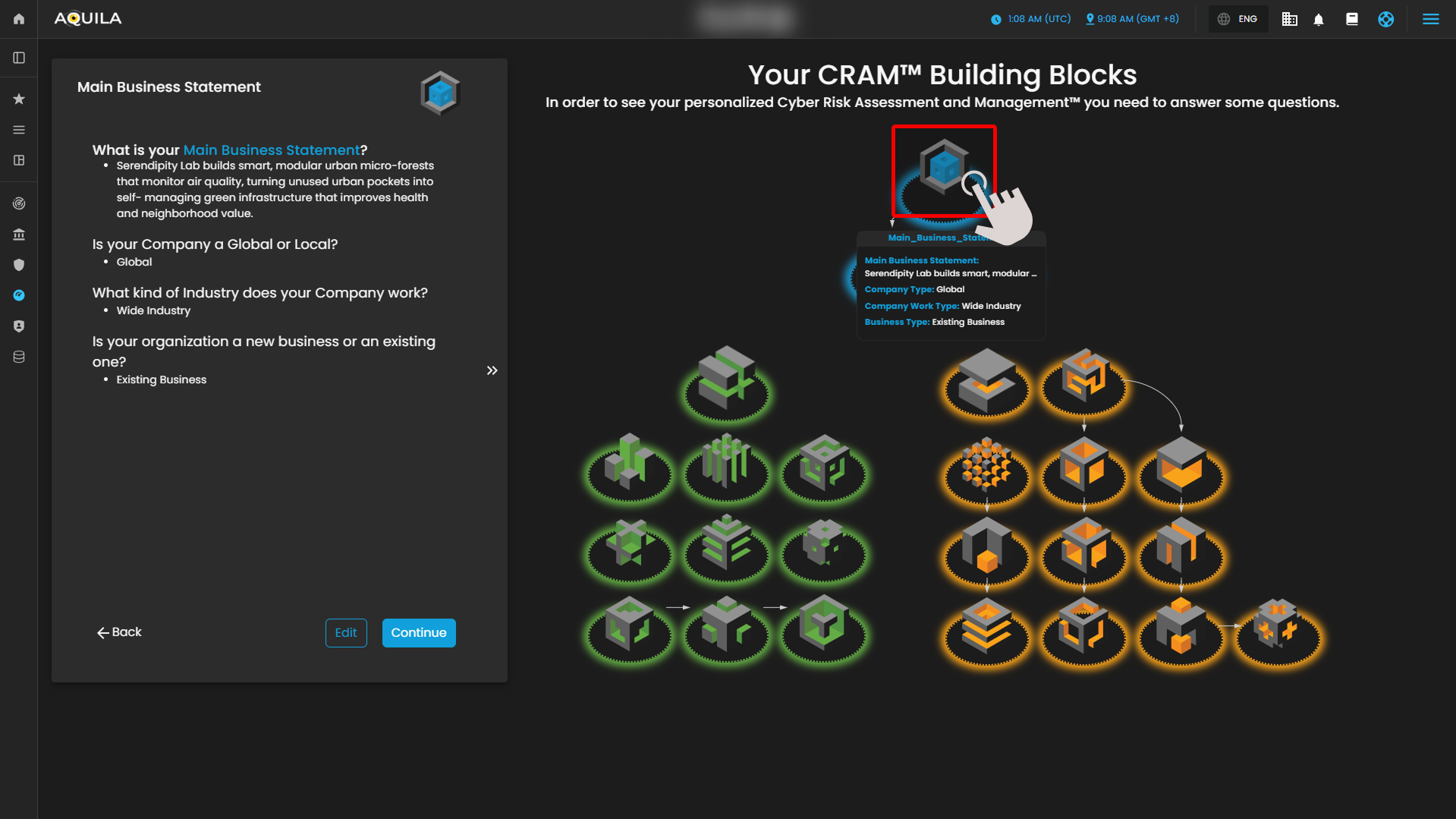
Figure 27.4 Cyber Security Risk Management - Cyber Statements Results
Conclusion
Cyber Risk Assessment Management (CRAM)
The Cyber Risk Assessment Management (CRAM) framework provides a structured, end-to-end approach for organizations to assess, manage, and mitigate cyber risks. By integrating multiple building blocks—ranging from the Main Business Statement and Business Fundamentals to Critical Business Processes, Functions, and Vectors, as well as Threats, Vulnerabilities, and Controls—CRAM captures a holistic view of the organization’s cyber risk posture.
CRAM enables organizations to:
-
Understand their cyber risk exposure across people, processes, technologies, and external dependencies.
-
Align risk management strategies with business objectives, critical operations, and industry context.
-
Identify and prioritize vulnerabilities and threats, including third-party and operational risks.
-
Evaluate existing controls, budgets, and historical incidents to strengthen preparedness and resilience.
-
Make informed, data-driven decisions to protect critical functions and ensure business continuity.
Overall, CRAM serves as a comprehensive roadmap for cyber risk management, empowering organizations to proactively safeguard their operations, enhance resilience, and maintain alignment between cybersecurity efforts and strategic business goals. It not only identifies risks but also provides actionable insights for mitigation, helping organizations sustain secure, efficient, and resilient business operations in the face of evolving cyber threats.
No comments to display
No comments to display