**To navigate to Unified Compliance Blueprint module, please follow the instructions below:**
**Step 1: Log in to CyTech - AQUILA: [usdc.cytechint.io](https://usdc.cytechint.io/)** **Step 2: Click on Regulatory Intelligence** [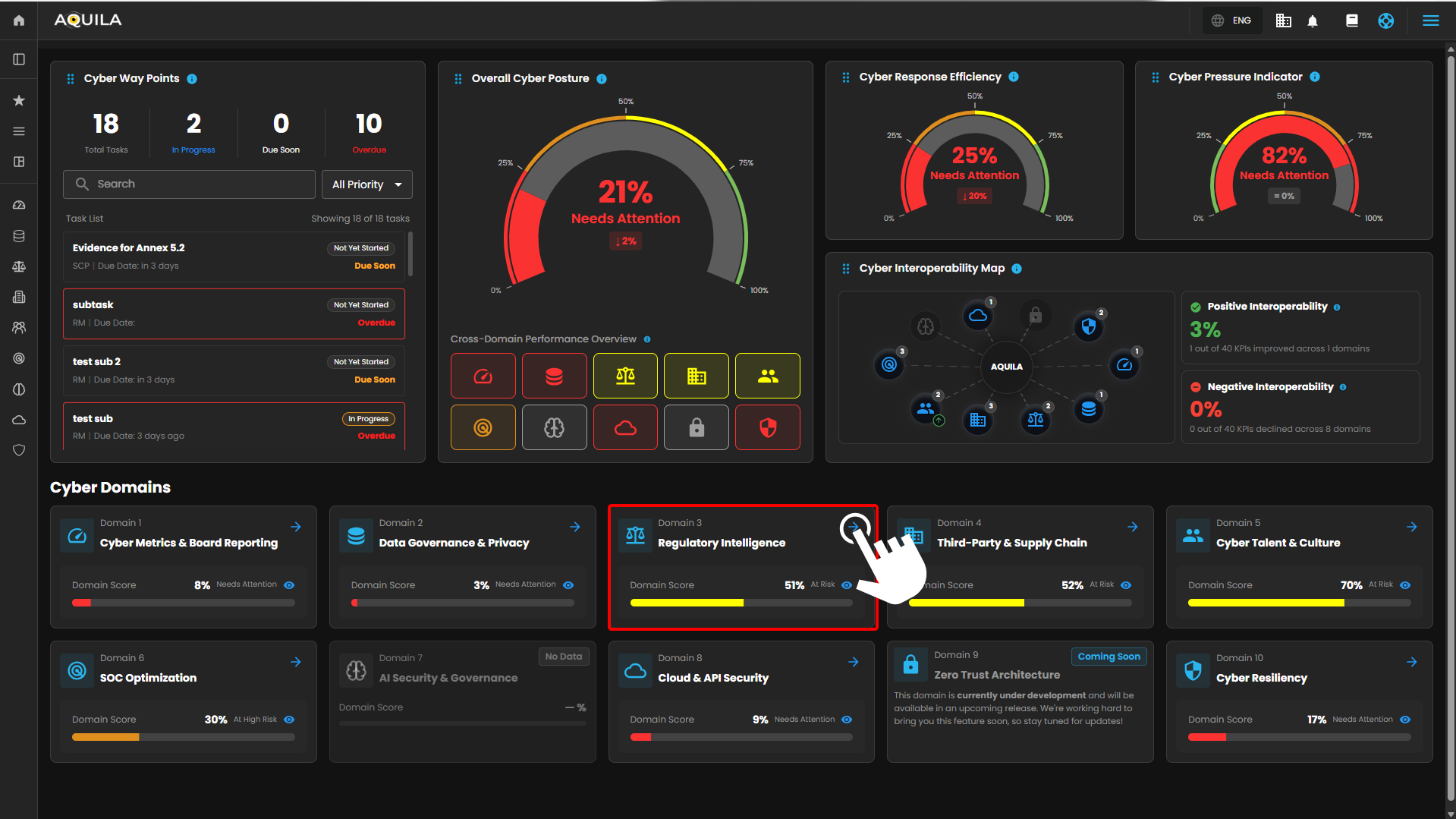](https://cytechint-docs-bookstack.s3.amazonaws.com/uploads/images/gallery/2026-04/8XJl3NlqwG3zHQZh-hehe-2.png) *Figure 1. Overview* **Step 3: Choose Unified Compliance Framework (UCB)** [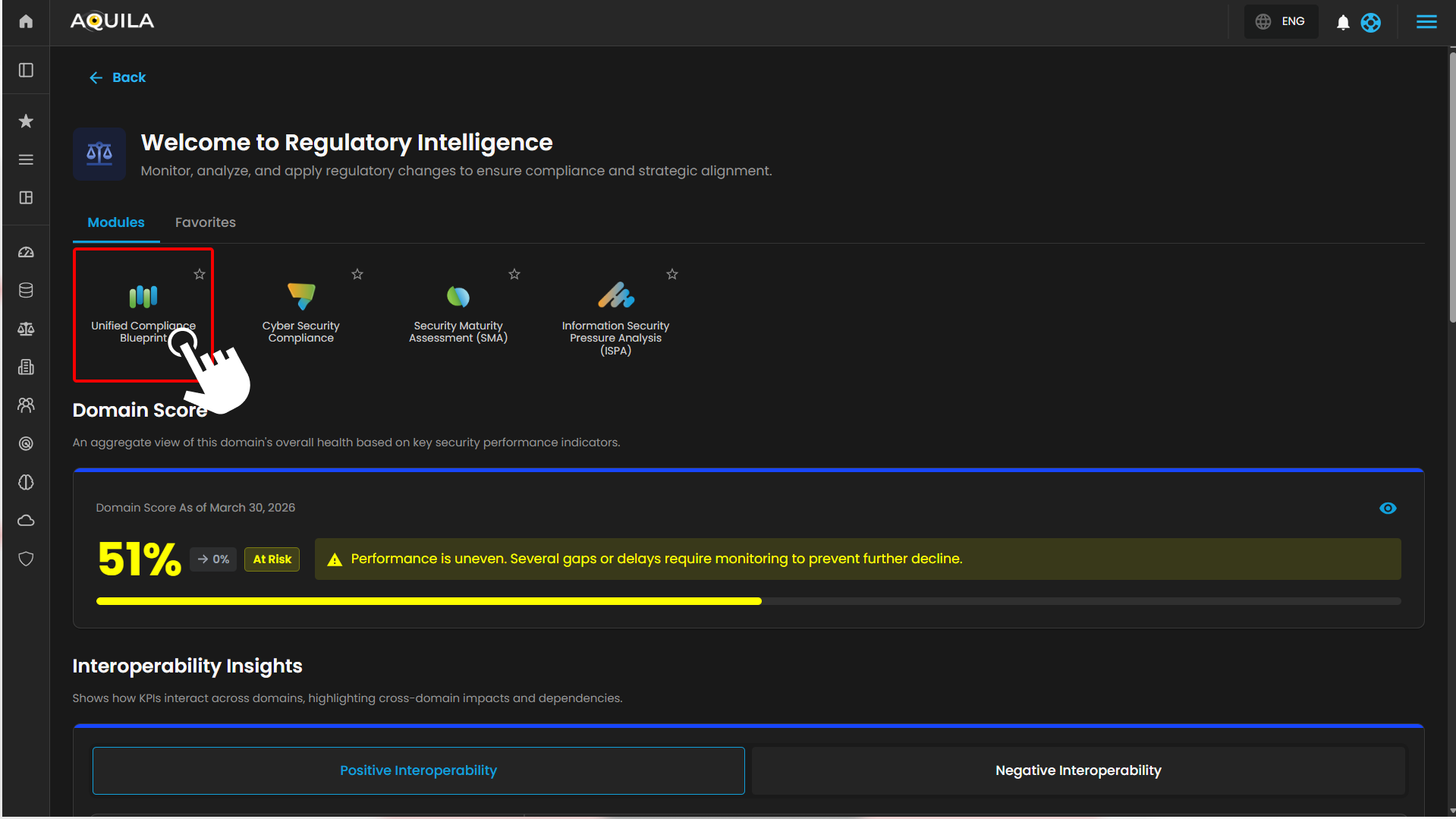](https://cytechint-docs-bookstack.s3.amazonaws.com/uploads/images/gallery/2026-04/DiA74feh4JEYdgvf-hehe-2.png) *Figure 1.1 Cyber Compliance* **Step 4: Hover into leftmost panel to view all the Cyber Compliance sections. This Process is applicable in all navigating into a Module.** [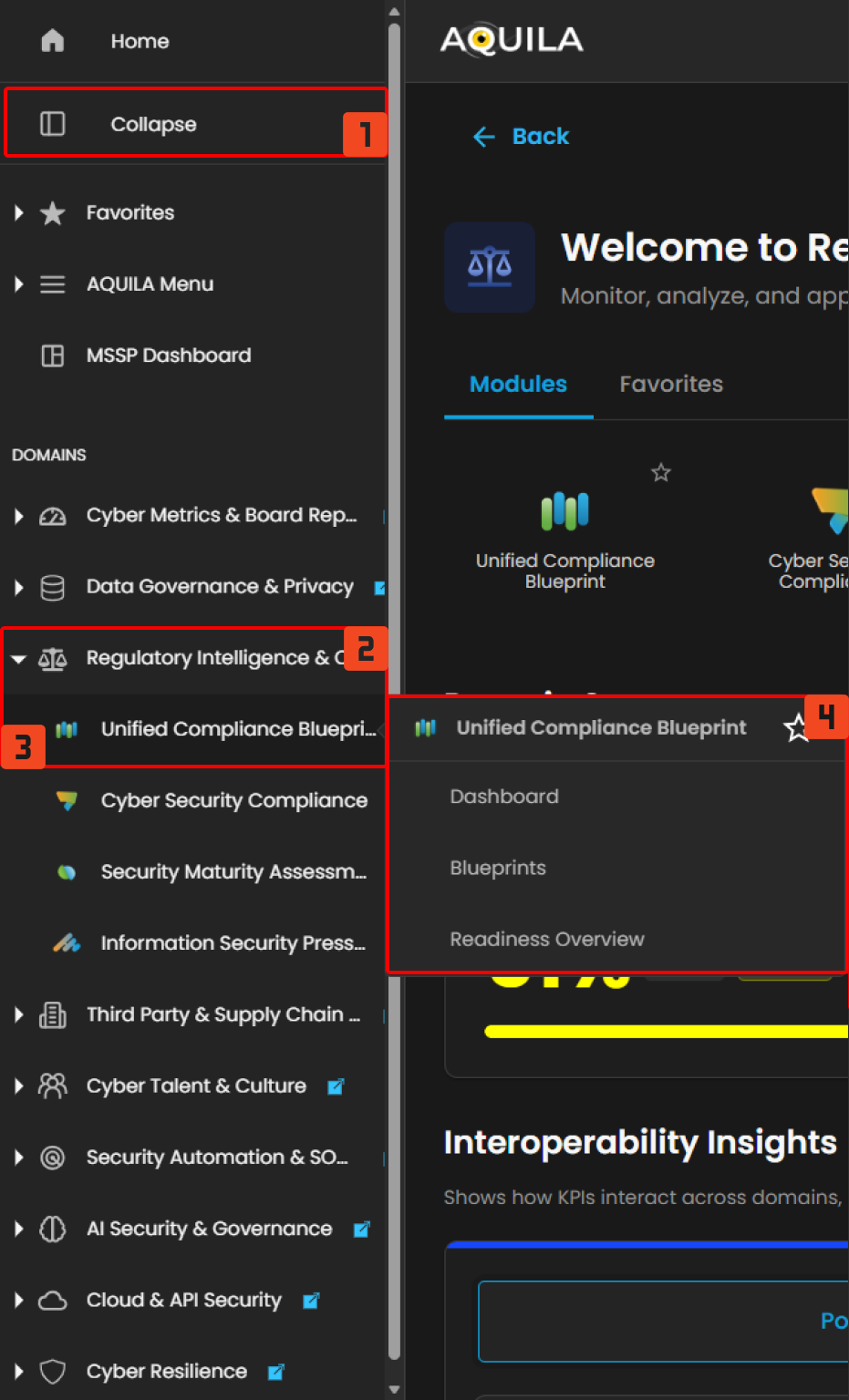](https://cytechint-docs-bookstack.s3.amazonaws.com/uploads/images/gallery/2026-04/xewIq9cXEFW1YljZ-hello.png) *Figure 1.2 Cyber Compliance Navigation* ##### **Dashboard** The **Unified Compliance Blueprint (UCB)** dashboard provides overall view of the blueprints, frameworks and the control overview. [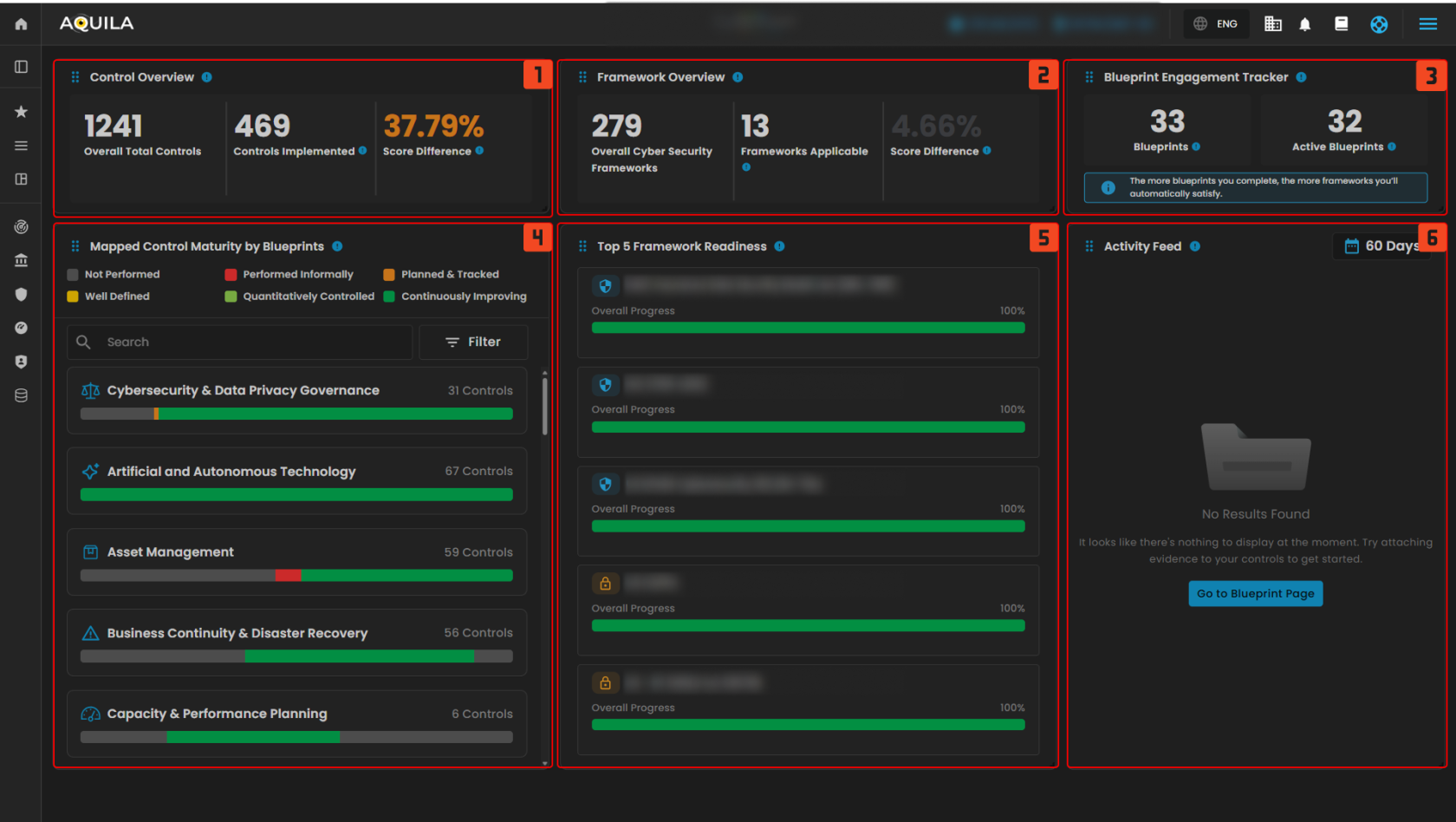](https://cytechint-docs-bookstack.s3.amazonaws.com/uploads/images/gallery/2025-10/wgQza5czhPRs42i8-test-16.png) *Figure 2. Unified Compliance Blueprint Dashboard* **1. Control Overview** The **Control Overview** provides a high-level snapshot of control implementation status. This widget shows the total number of mapped controls, how many have been implemented, and the improvement over time based on score differences. - **Controls Implemented:** The number of controls actively implemented, reflecting actual progress toward meeting compliance requirements. - **Score Difference:** The percentage improvement in overall control maturity or coverage compared to a previous baseline. A higher value indicates better progress. Clicking the **Control Overview** opens a detailed window displaying control progress and performance. The **eye icon** redirects you to the blueprints section related to that control. This window also highlights the score difference and includes widgets showing the number of controls implemented and those yet to be implemented. [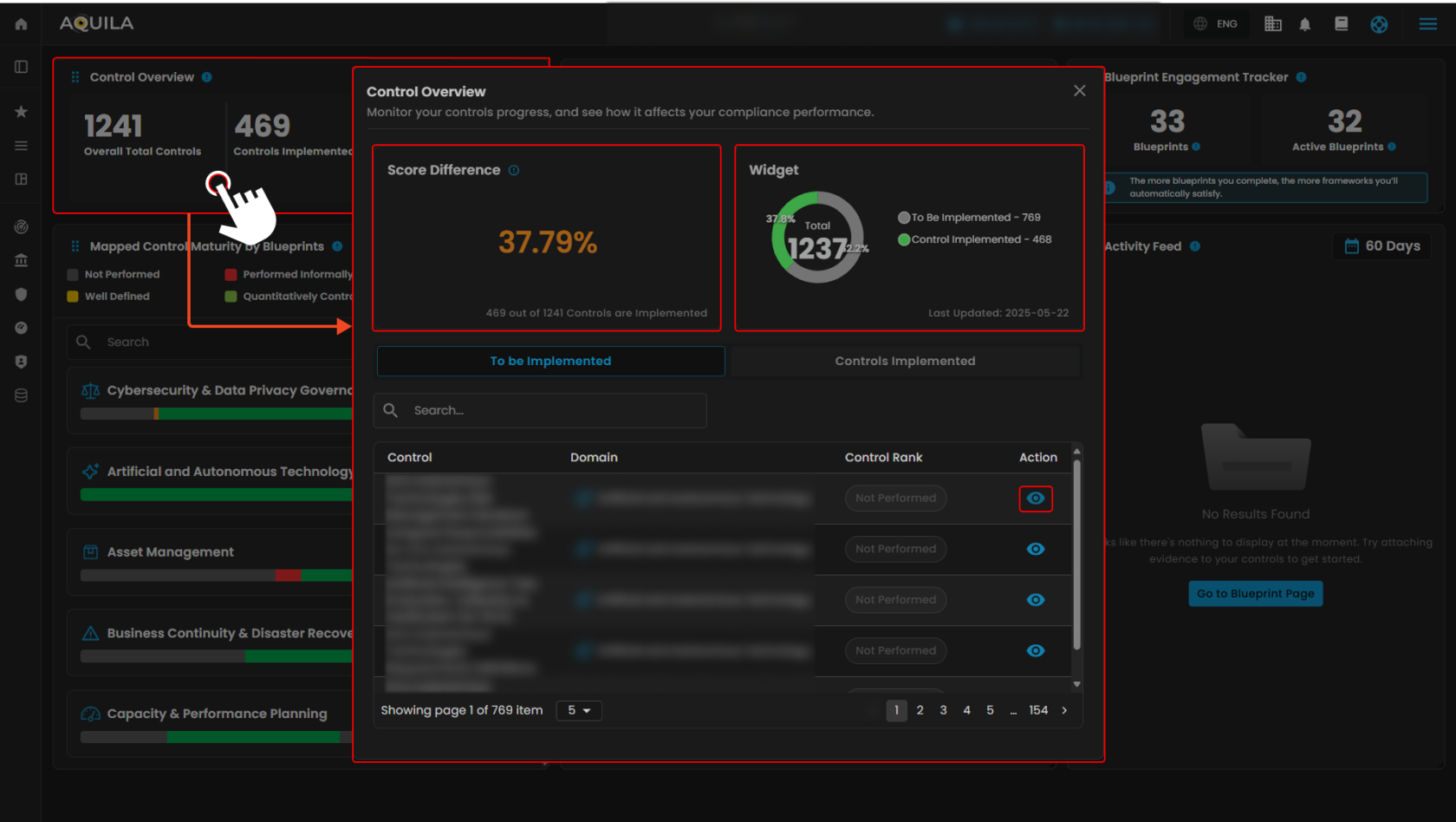](https://cytechint-docs-bookstack.s3.amazonaws.com/uploads/images/gallery/2025-10/aRhdYfMosMZMO2uW-test-17.png) *Figure 2.1 Control Overview***Note: Controls Implemented is the same as "To be Implemented", both shows Control, Domains and Control Rank. Clicking the eye icon redirects to this page.**
[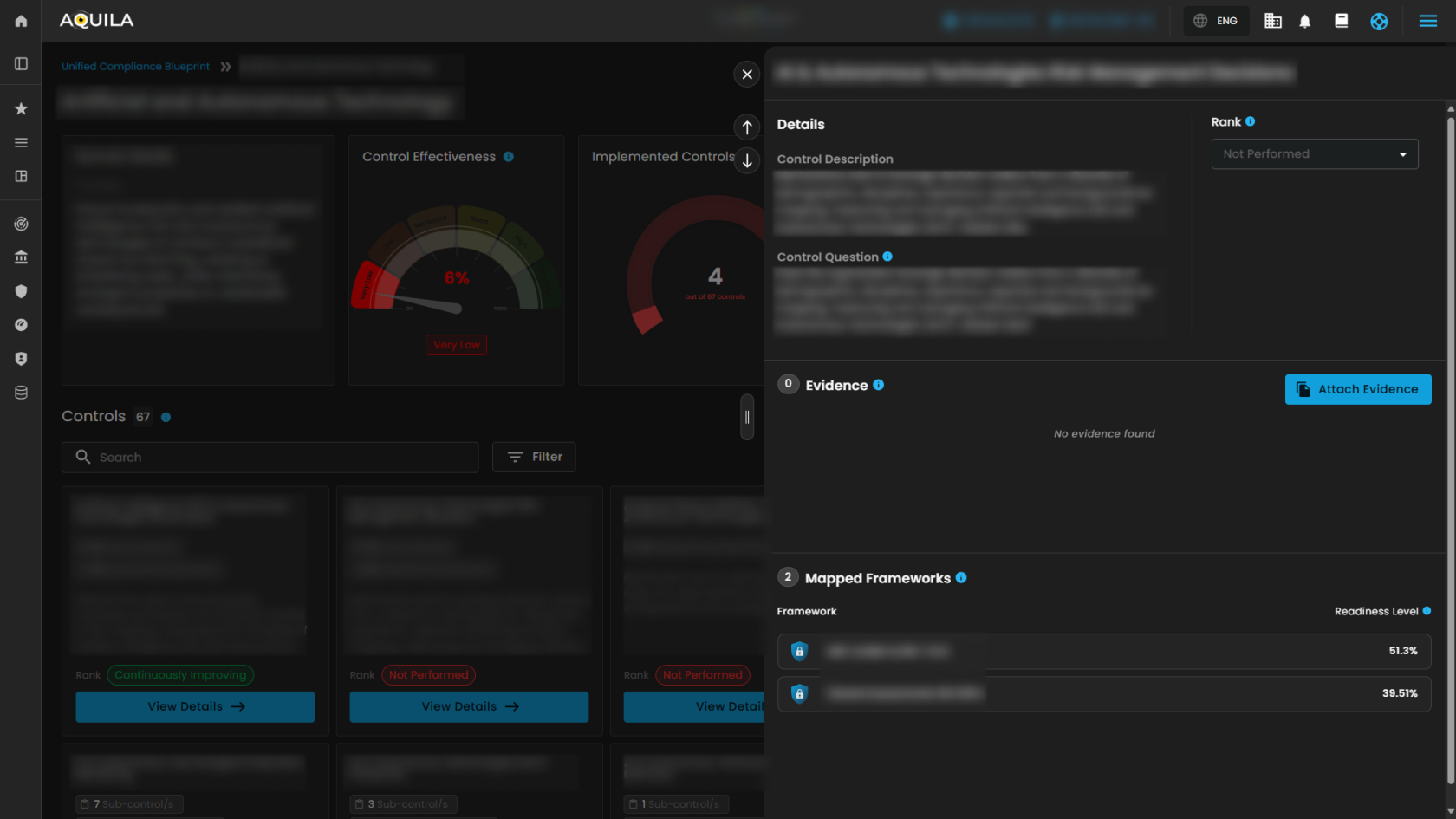](https://cytechint-docs-bookstack.s3.amazonaws.com/uploads/images/gallery/2025-10/Cxn1p0LUB98rQtjR-test-18.png) *Figure 2.1.2 Control Overview - Action* 2\. Framework Overview The **Framework Overview** tracks how blueprint efforts translate into framework alignment. This widget displays the total number of cybersecurity frameworks in the system, the number applicable to current blueprints, and the progress made. - **Frameworks Applicable:** Cybersecurity frameworks where at least one mapped control has been implemented, indicating measurable progress toward framework readiness. - **Score Difference:** The improvement in overall framework alignment based on recent blueprint activities. A higher percentage reflects broader compliance coverage across supported frameworks. Clicking the **Framework Overview** opens a window that tracks implementation progress and measures readiness. This window also displays the score difference and the applicable frameworks progressing toward compliance. Additionally, it shows how many controls have been implemented and those yet to be implemented.****Note:** The Privacy Framework functions similarly to the Security Framework. It displays the framework, controls implemented, and readiness. The eye icon can also be clicked to access additional details.**
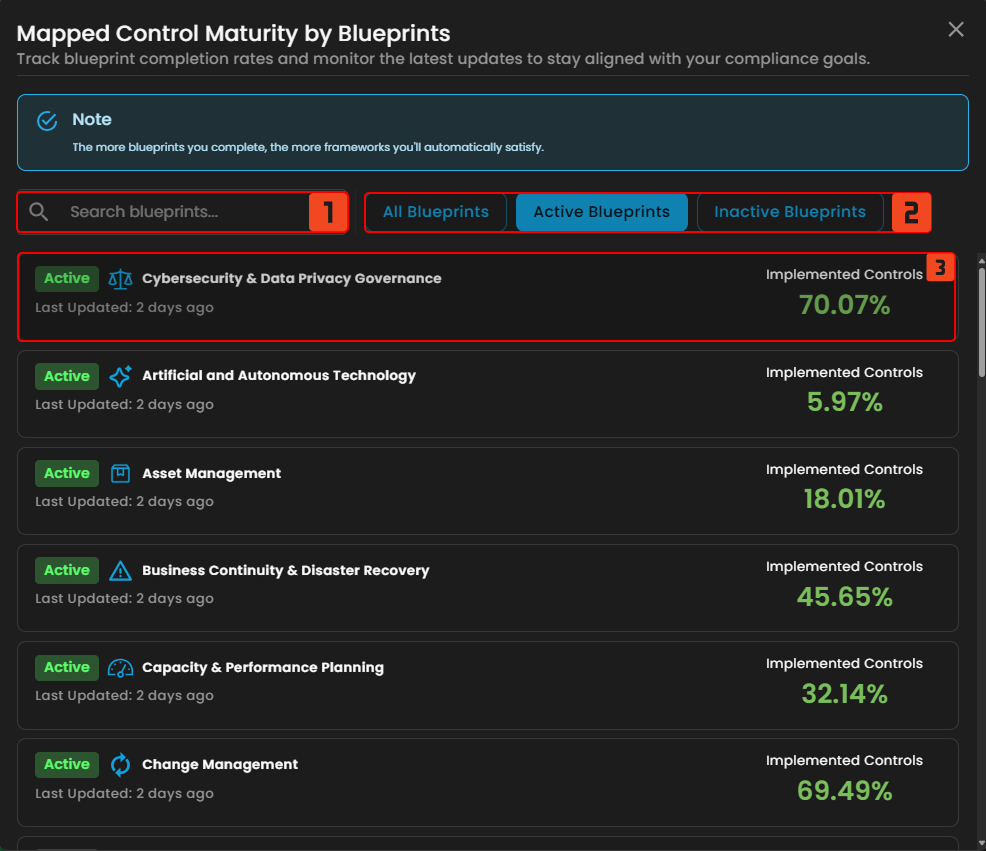
[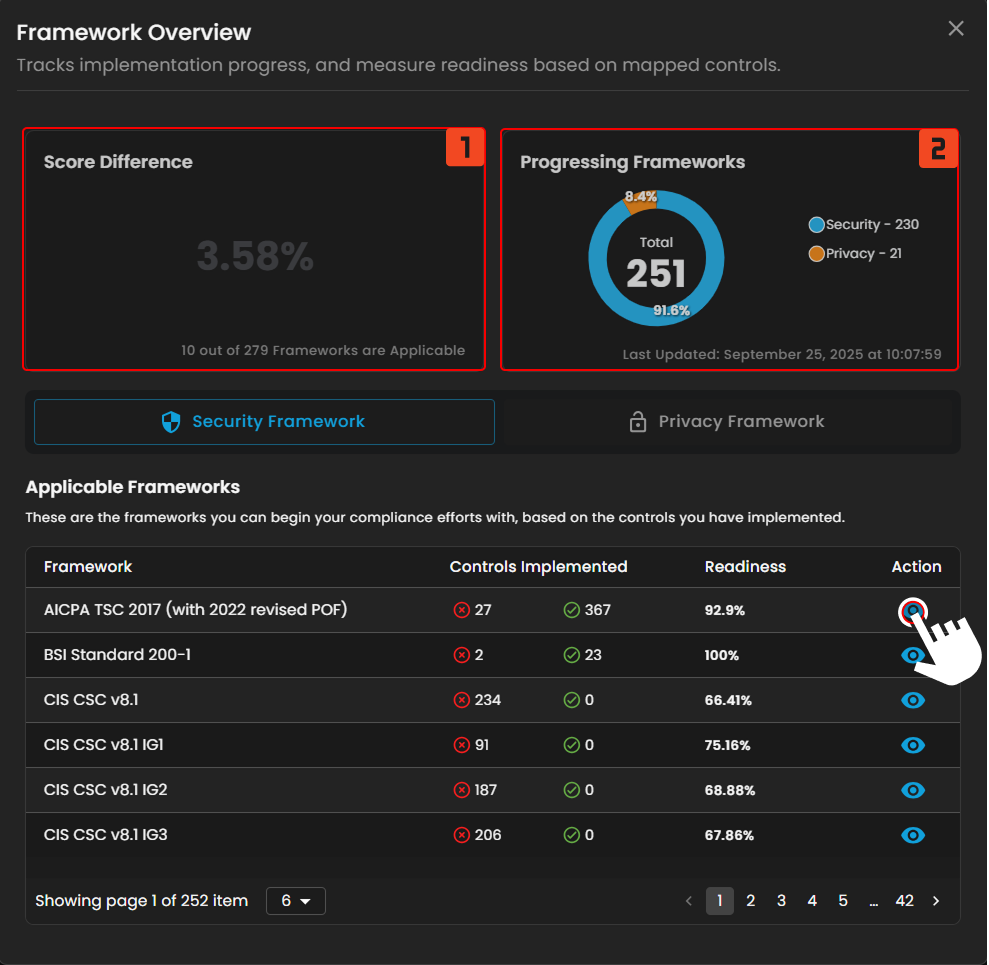](https://cytechint-docs-bookstack.s3.amazonaws.com/uploads/images/gallery/2025-10/tv8hJ6NvmHnAT1fz-test-19.png) *Figure 2.2 Framework Overview* Clicking the **eye icon** next to a framework opens a window showing its Readiness Check and the total number of controls within the framework. Users can expand details for **Progressed Controls** and **Pending Controls** by pressing the "<" button. Additionally, users can edit controls and add standards for the framework from this window. [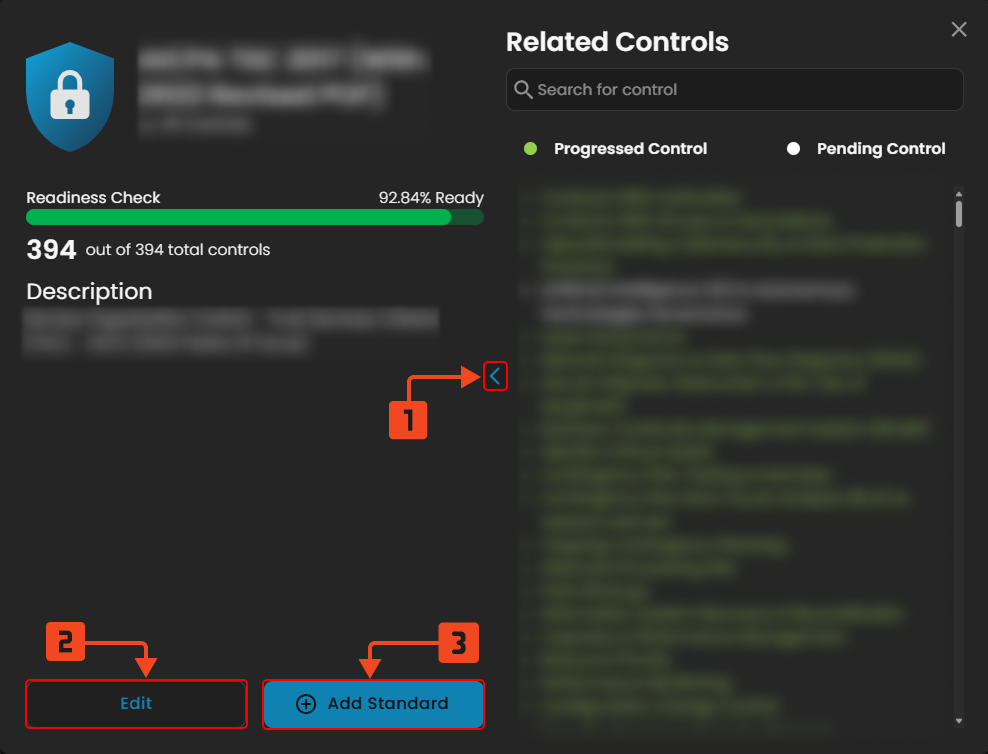](https://cytechint-docs-bookstack.s3.amazonaws.com/uploads/images/gallery/2025-10/zPuSahKySJhe3Jp8-test-22.png) *Figure 2.2.1 Framework Overview - Action* 3\. Blueprint Engagement Tracker Clients can track blueprint efforts and their alignment with frameworks using this widget. It displays the total number of cybersecurity frameworks in the system, how many are applicable to the current blueprints, and the progress made. - **Blueprints:** The total number of compliance blueprints available in the **Unified Compliance Blueprint (UCB)** library. These serve as structured guides aligning controls with various cybersecurity frameworks. - **Active Blueprints:** Blueprints that are currently engaged with, containing controls that have been implemented or mapped to ongoing compliance efforts. Clicking on **Blueprints** opens a window showing **Mapped Control Maturity by Blueprints**, which tracks blueprint completion rates and monitors the latest updates on client compliance goals. Users can search blueprints and apply three available filters. Clicking on **Active Blueprints** redirects the client to the blueprint module section.**Note: Pressing the active blueprints button in the blueprint engagement tracker shows the same window.**
[](https://cytechint-docs-bookstack.s3.amazonaws.com/uploads/images/gallery/2025-10/baqDE7alWYlKMlGK-test-23.png) *Figure 2.3 Blueprint Engagement Tracker* **4. Mapped Control Maturity by Blueprints** Understand the maturity of controls across various blueprint domains. Each bar is color-coded to represent control rankings—from **Not Performed** to **Continuously Improving**—making it easy to identify areas that require attention. - Not Performed - Performed Informally - Planned & Tracked - Well Defined - Quantitatively Controlled - Continuously Improving - **Search 🔍** - The client can search their blueprint - **Filter ᯤ** - Blueprint filter - **Filter Options** - **Filter by** - Non-Compliant - Fully Compliant - Partially Compliant - Mostly Compliant [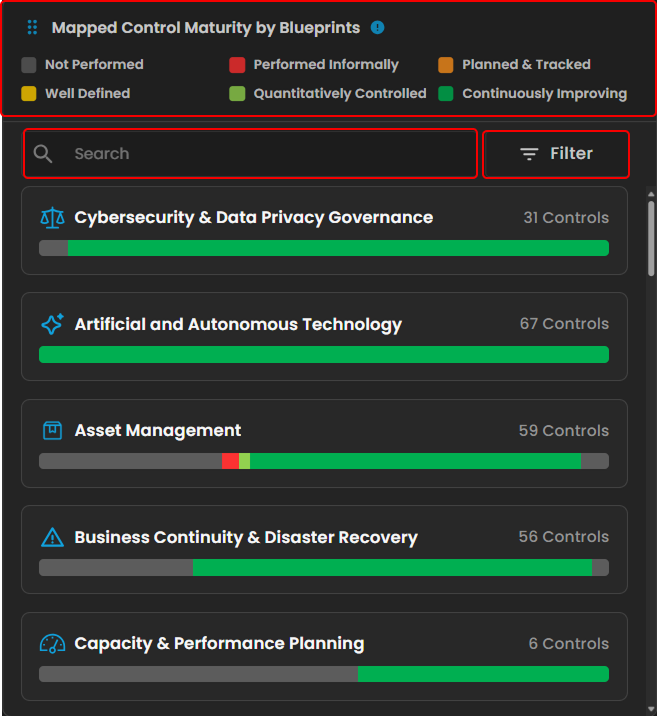](https://cytechint-docs-bookstack.s3.amazonaws.com/uploads/images/gallery/2025-10/ZysbOFi6bPGirINt-test-24.png) *Figure 2.4 Mapped Control Maturity by Blueprints* Clicking a blueprint opens a window displaying the mapped control maturity for that blueprint. This view tracks the progress and maturity of control implementation within the selected blueprint. Clicking **Controls Implemented** shows the list of controls that have been implemented. Clicking the **eye icon** redirects to the blueprint module section. [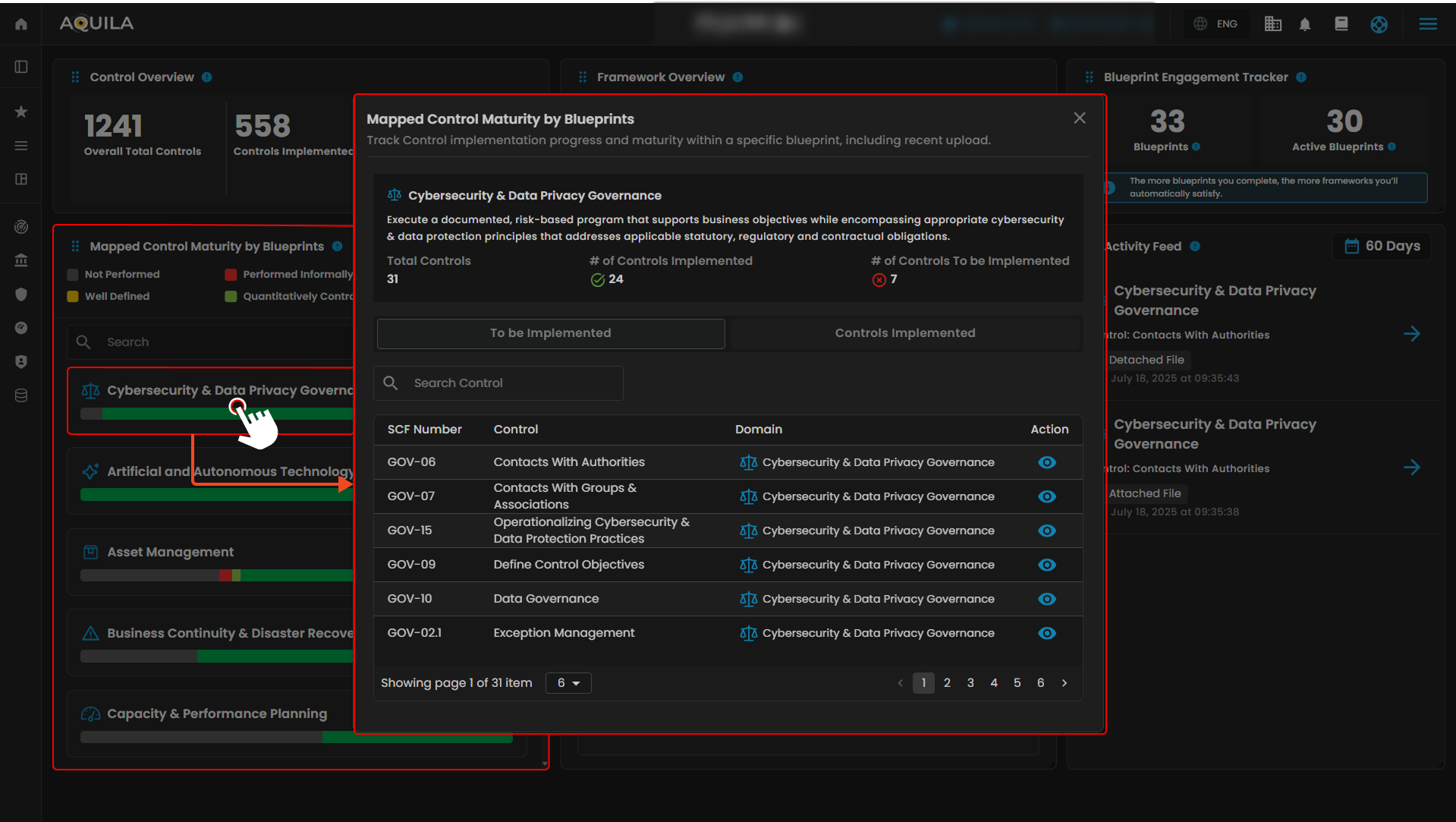](https://cytechint-docs-bookstack.s3.amazonaws.com/uploads/images/gallery/2025-10/7GgLnWJtW8VEUseD-test-25.png) *Figure 2.4.1 Mapped Control Maturity by Blueprints - Action* 5\. Framework Readiness This widget displays the top five frameworks by readiness, offering a quick overview of compliance progress across the most relevant frameworks. It shows each framework’s overall completion percentage and highlights recent improvements. Clicking on a framework opens a window displaying its Readiness Check, Progressed Controls, and Pending Controls—similar to the view shown in Figure 2.3.1 **Framework Overview**. [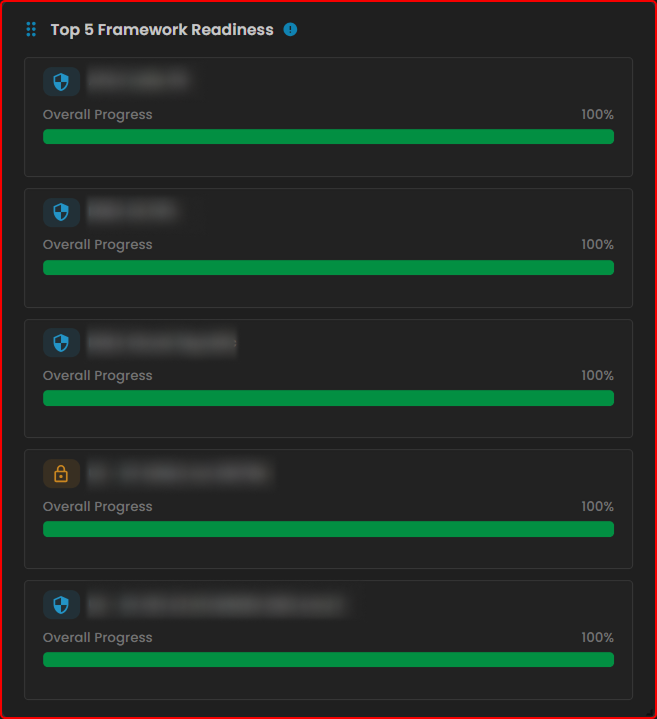](https://cytechint-docs-bookstack.s3.amazonaws.com/uploads/images/gallery/2025-10/eqSN3FwErfV0CF0U-test-26.png) *Figure 2.5 Framework Readiness* 6\. Activity Feed The **Activity Feed** tracks recent actions, including evidence uploads and blueprint activity. It helps monitor contributions, maintain audit trails, and keep users informed about compliance progress. Clicking on the **Blueprint Page** redirects the user to the blueprint sub-module section. [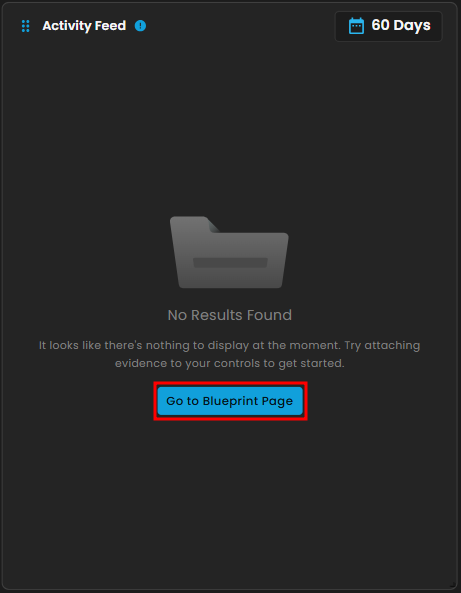](https://cytechint-docs-bookstack.s3.amazonaws.com/uploads/images/gallery/2025-10/pyYw41nUJoHZOmBi-image.png) *Figure 2.6 Activity Feed***To navigate to the Blueprints sub-module, click the left-side panel where Cyber Compliance is located, then hover over Unified Compliance Blueprints. Cyber Compliance (Domain) → Unified Compliance Blueprints (Module) → Blueprints (Sub-module).**
##### **Blueprints** This is where you can monitor your blueprints and ensure compliance with various security standards. The dashboard provides an overview of control effectiveness across different domains, showing the number of implemented controls out of the total available for each domain. You can use the search bar (1) to quickly find specific domains or controls, and the filter drop-down (2) to view blueprints based on their status, such as active or inactive. Each domain card displays a control effectiveness gauge, color-coded to indicate performance levels from “Very Low” to “Good.” By clicking the **View Domain** button (3), you can dive deeper into detailed progress, assess control maturity, and manage compliance efforts more effectively. [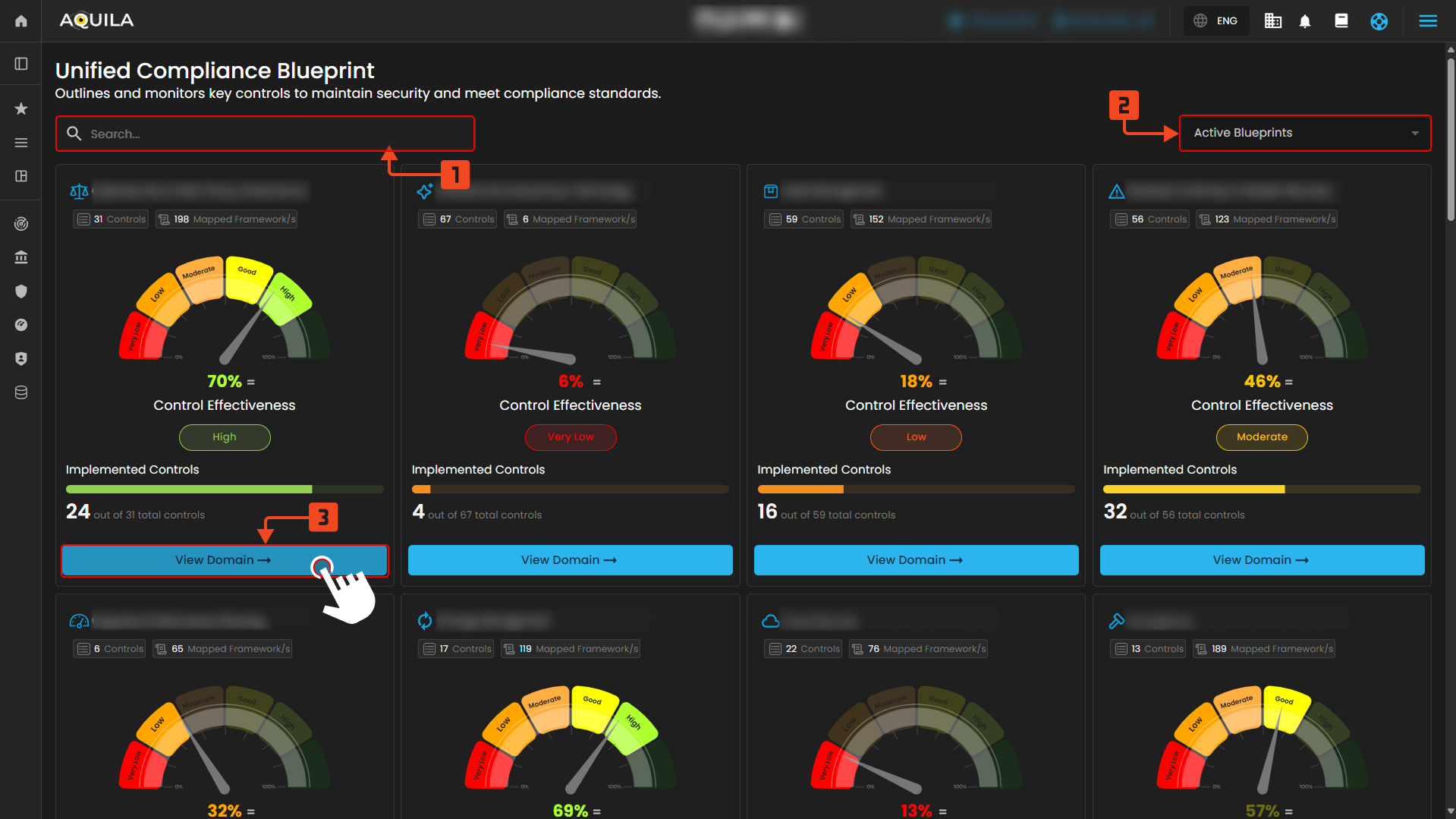](https://cytechint-docs-bookstack.s3.amazonaws.com/uploads/images/gallery/2025-10/y1yr4bm4xoP2cs7i-test-27.png) *Figure 3. Unified Compliance Blueprint* ##### **View Domain** 1\. Domain Details This section provides a comprehensive overview of the selected blueprint domain. It includes a description of the domain’s objectives and the overall effectiveness of controls, represented by a control effectiveness gauge. You can also see the total number of implemented controls out of the total available. Additionally, this section displays the distribution of compliance requirements across all sub-domains within the domain, categorized by their status such as **Continuously Improving**, **Quantitatively Controlled**, **Well Defined**, **Planned & Tracked**, **Performed Informally**, or **Not Performed**. 2\. Controls Each control within the domain is listed below with its description and the number of mapped frameworks it applies to. Controls are individual elements that must be addressed to meet compliance standards. Each control also has a maturity rank, reflecting the level of implementation and effectiveness based on the Mapped Control Maturity model. 3\. View Details By clicking the **View Details** button on any control, users can access more in-depth information, including detailed control descriptions and specific control questions. These questions help determine whether the control is applicable to the organization. Users can also attach evidence to demonstrate compliance. The page shows which frameworks are mapped to this control and how progress on the control contributes to the organization’s readiness score within each framework. This helps track compliance maturity and readiness levels effectively. [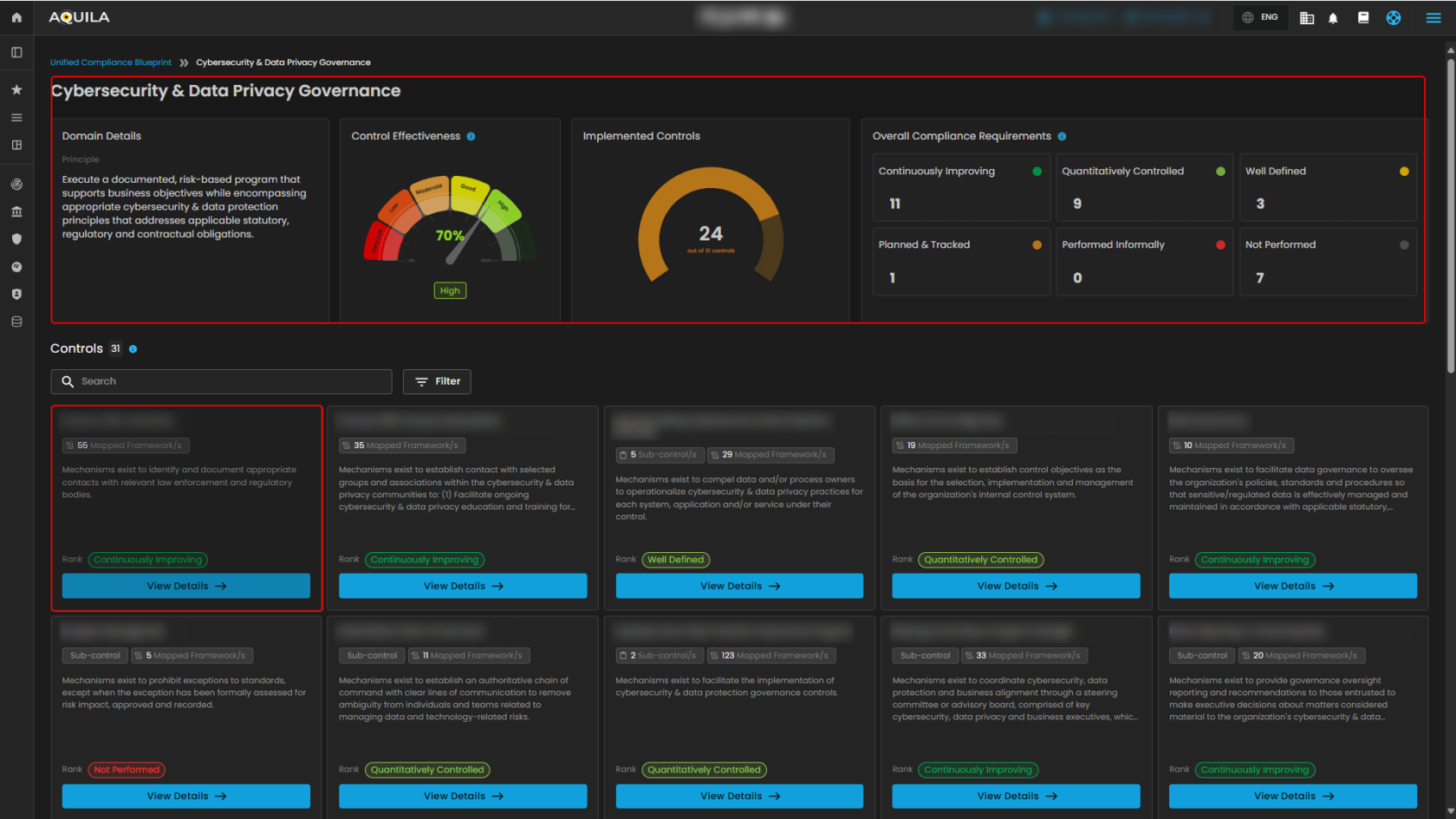](https://cytechint-docs-bookstack.s3.amazonaws.com/uploads/images/gallery/2025-10/Mki8OFdSq58Ebb6G-test-28.png) *Figure 3.1 Unified Compliance Blueprint* [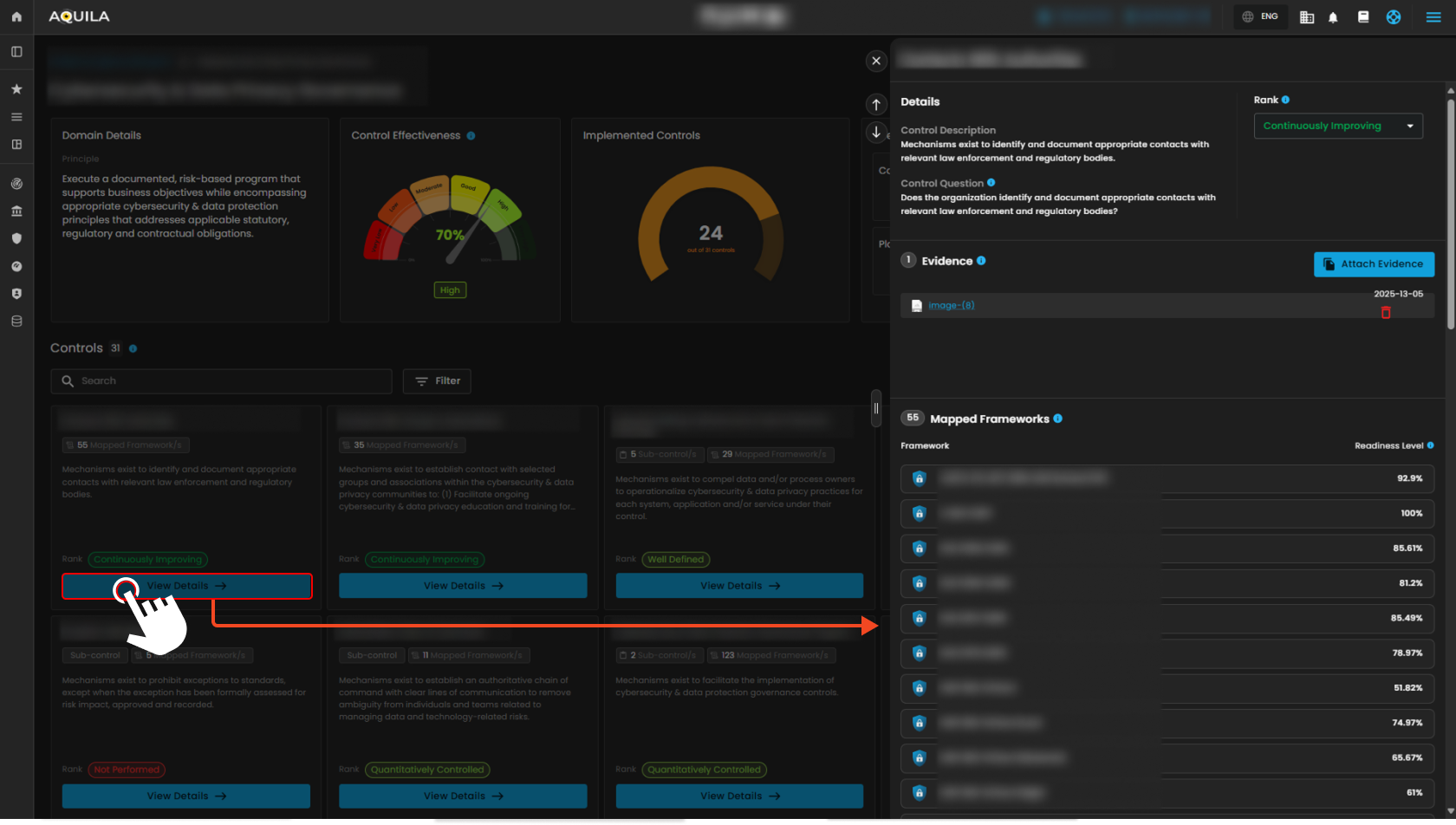](https://cytechint-docs-bookstack.s3.amazonaws.com/uploads/images/gallery/2025-10/U3aE2xnDIsKg5qf2-test-31.png) *Figure 3.2 Unified Compliance Blueprint - Details***To navigate to the Readiness Overview sub-module, click the left-side panel where Cyber Compliance is located, then hover over Unified Compliance Blueprints. Cyber Compliance (Domain) → Unified Compliance Blueprints (Module) → Readiness Overview (Sub-module).**
##### **Readiness Overview** This page shows your progress across selected frameworks and allows you to explore controls. Pressing the **"View Details"** button will redirect you to the detailed view of the control, as shown in **Figure 3.2**.**Note: By pressing Highlight Controls will show the user's 100% readiness in their framework. They work the same as Core Controls that redirect you back to the details of the control. Refer to Figure 3.2.**
[](https://cytechint-docs-bookstack.s3.amazonaws.com/uploads/images/gallery/2025-10/914EcDIeB9FhdhUn-test-30.png) *Figure 3.3 Readiness Overview* ##### **Conclusion** The Unified Compliance Blueprint serves as a central hub for monitoring your blueprints and frameworks. It enables you to track their performance by assessing control maturity and readiness, ensuring effective management and continuous improvement. *If you need further assistance, kindly contact **support@cytechint.com** for prompt assistance and guidance.* # CyTech AQUILA – Cyber Security Compliance (Module) ##### **Overview:** The **purpose of Cyber Security Compliance** is to make sure that an **organization** follows established **laws**, **regulations**, and **industry standards** designed to **protect sensitive data and systems**. ##### **Key Features:** - **Dashboard –** Real-time view of overall compliance rate, upcoming audits, critical remediation task, and active framework. - **Manage Compliance –** Where you can see the display of all ongoing compliance frameworks. - **Compliance Information-** Grid view of multiple compliance and security frameworks. - **Task Management-** Calendar-style view that shows the different steps and stages of compliance projects.**Let’s proceed to navigate the Cyber Security Compliance Module kindly follow the instructions below:**
**Step 1:** Log in to **CyTech** – **AQUILA. [https://usdc.cytechint.io/](https://usdc.cytechint.io/ "AQUILA Website")** **Step 2:** Click on Regulatory Intelligence [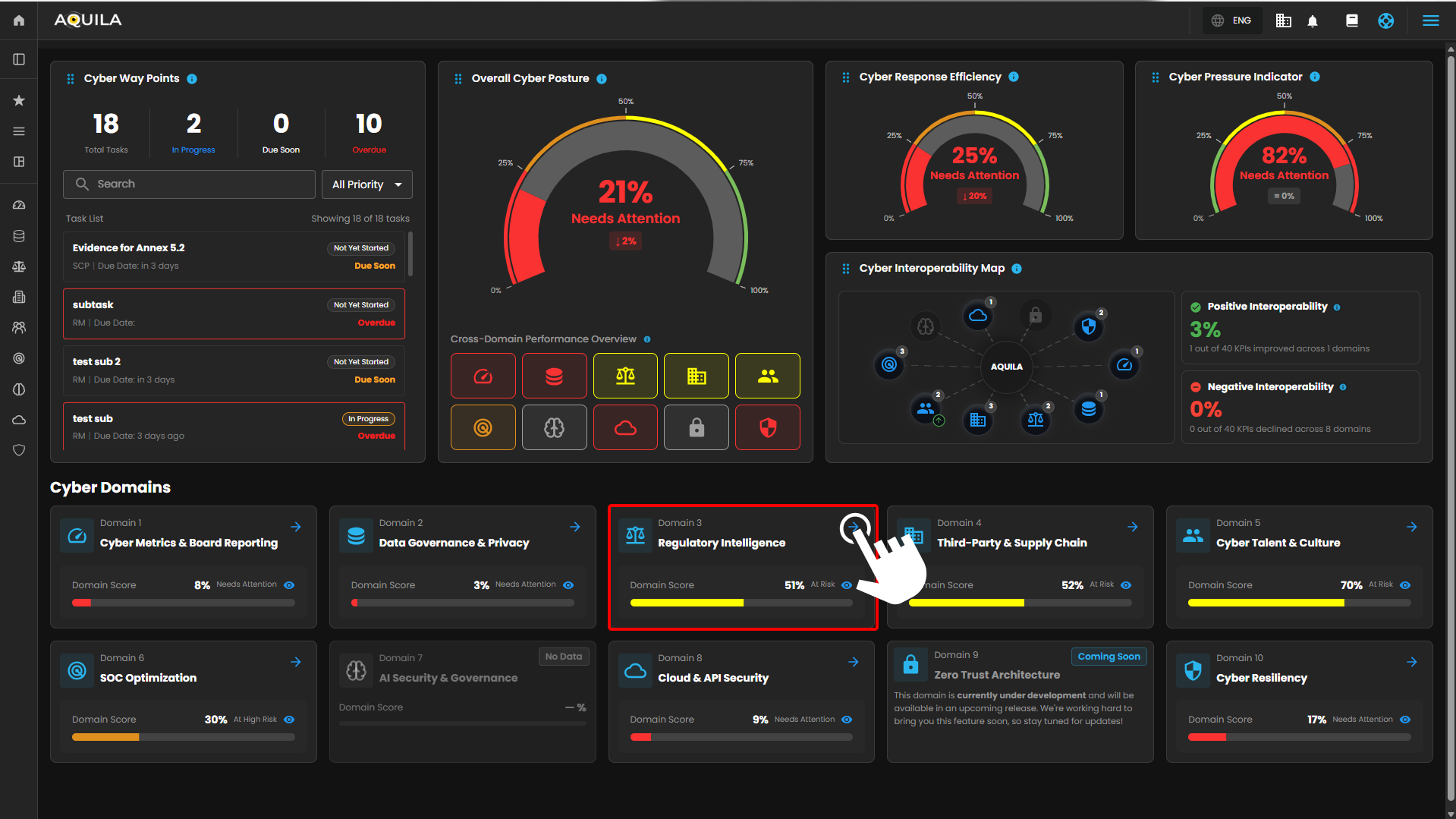](https://cytechint-docs-bookstack.s3.amazonaws.com/uploads/images/gallery/2026-04/3VFqS2i2XwqoSdyX-hehe-2.png) *Figure 1 Overview* **Step 3:** Cyber Security Compliance [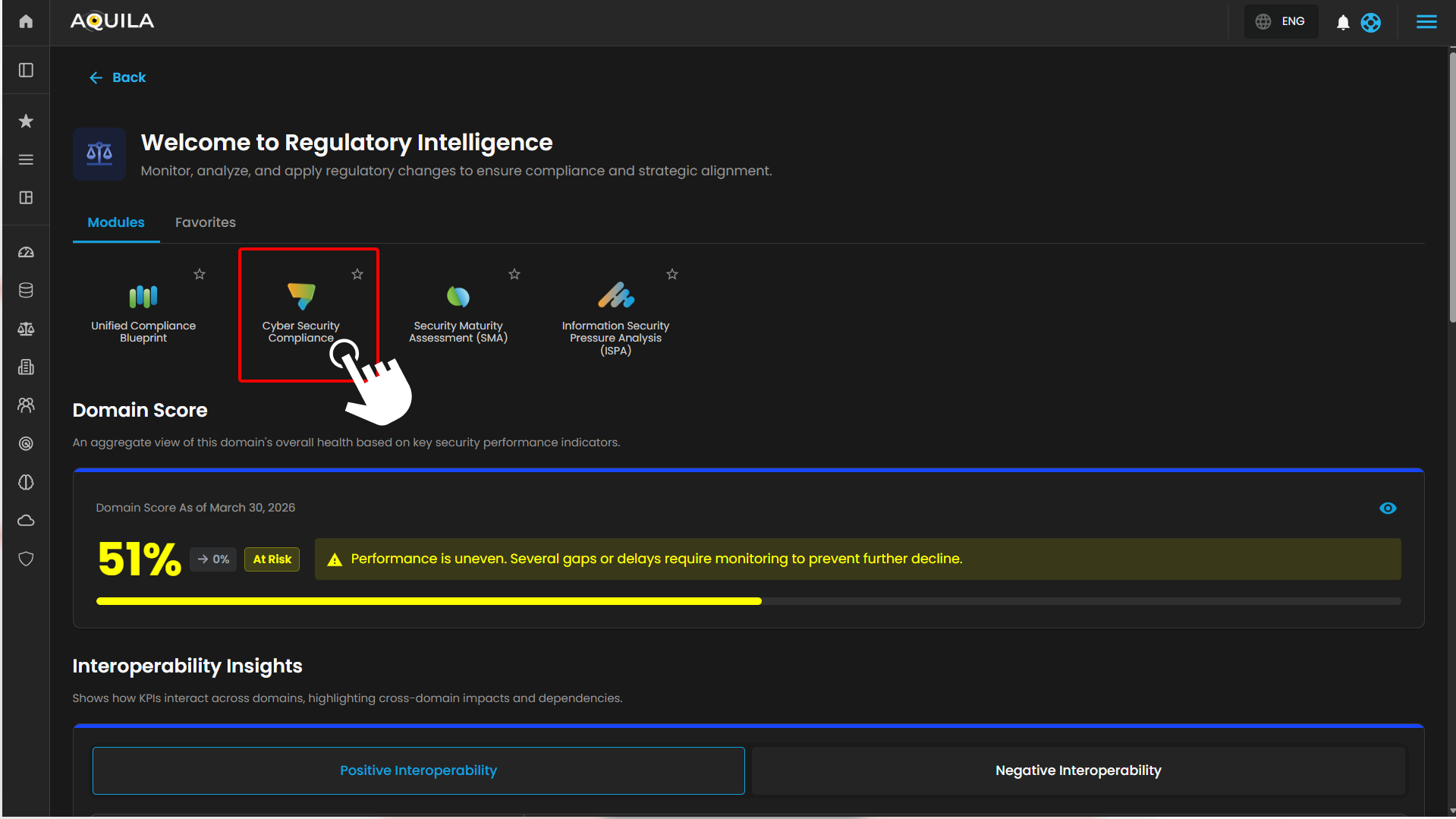](https://cytechint-docs-bookstack.s3.amazonaws.com/uploads/images/gallery/2026-04/0Qk3pBvMavSxeU94-hehe-3.png) *Figure 1.1 Cyber Security Compliance* **Step 4: Hover into leftmost panel to view all the Regulatory Intelligence & Compliance sections. This Process is applicable in all navigating into a Module.** [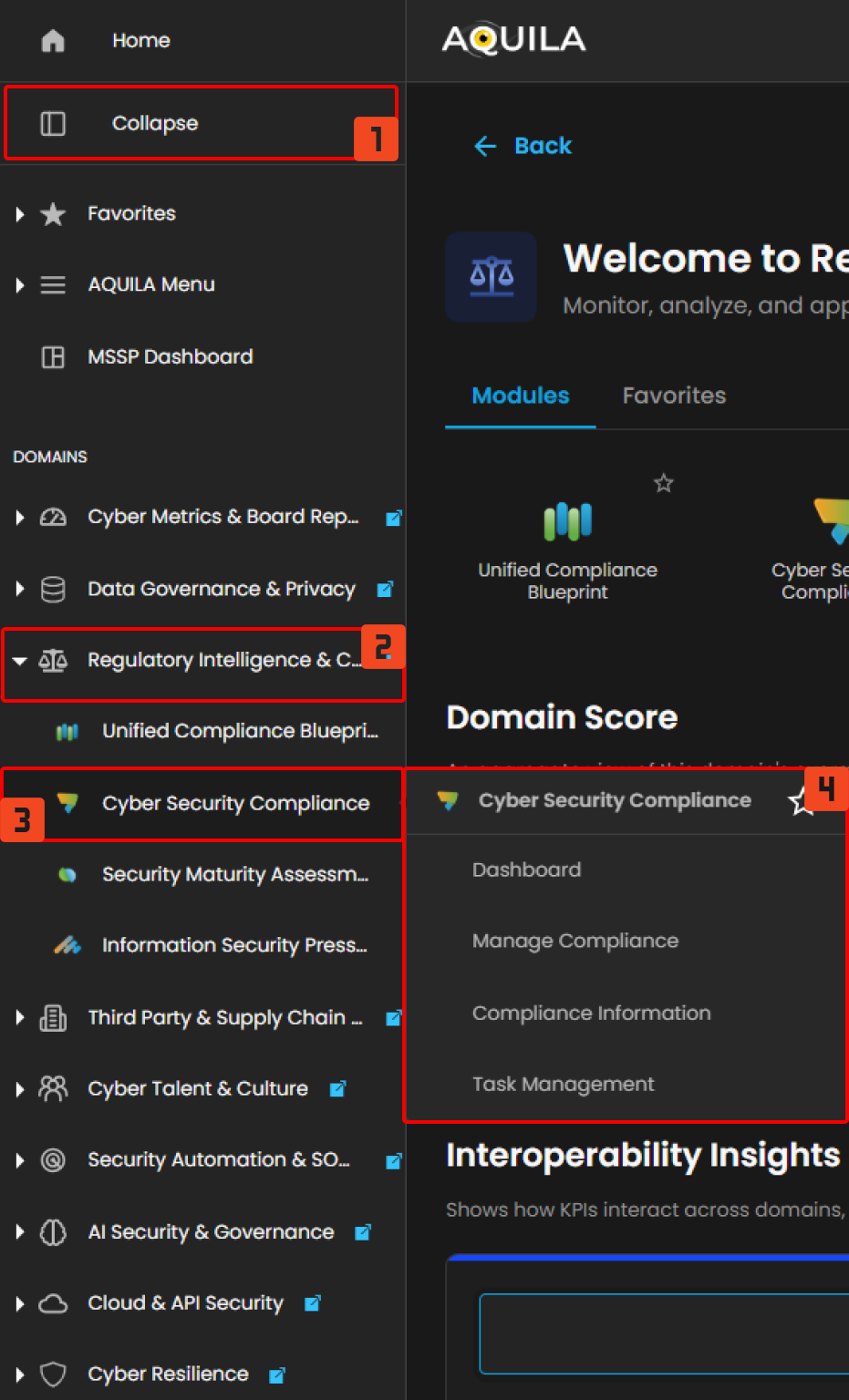](https://cytechint-docs-bookstack.s3.amazonaws.com/uploads/images/gallery/2026-04/OVZu4IBkGzGQdeHT-hello-1.png) *Figure 1.2 Navigation* #### **Dashboard (Sub Module) - Cyber Security Compliance (Module)** This **Cyber Compliance** main dashboard provides a centralized view of compliance health, showing the **overall compliance rate**, **upcoming audits**, **critical remediation tasks**, and an **active framework breakdown**, giving organizations a quick snapshot of compliance status, priorities, and risks. Including the current **audit progress** and **detailed audit** status for each compliance framework in **framework audit status**. [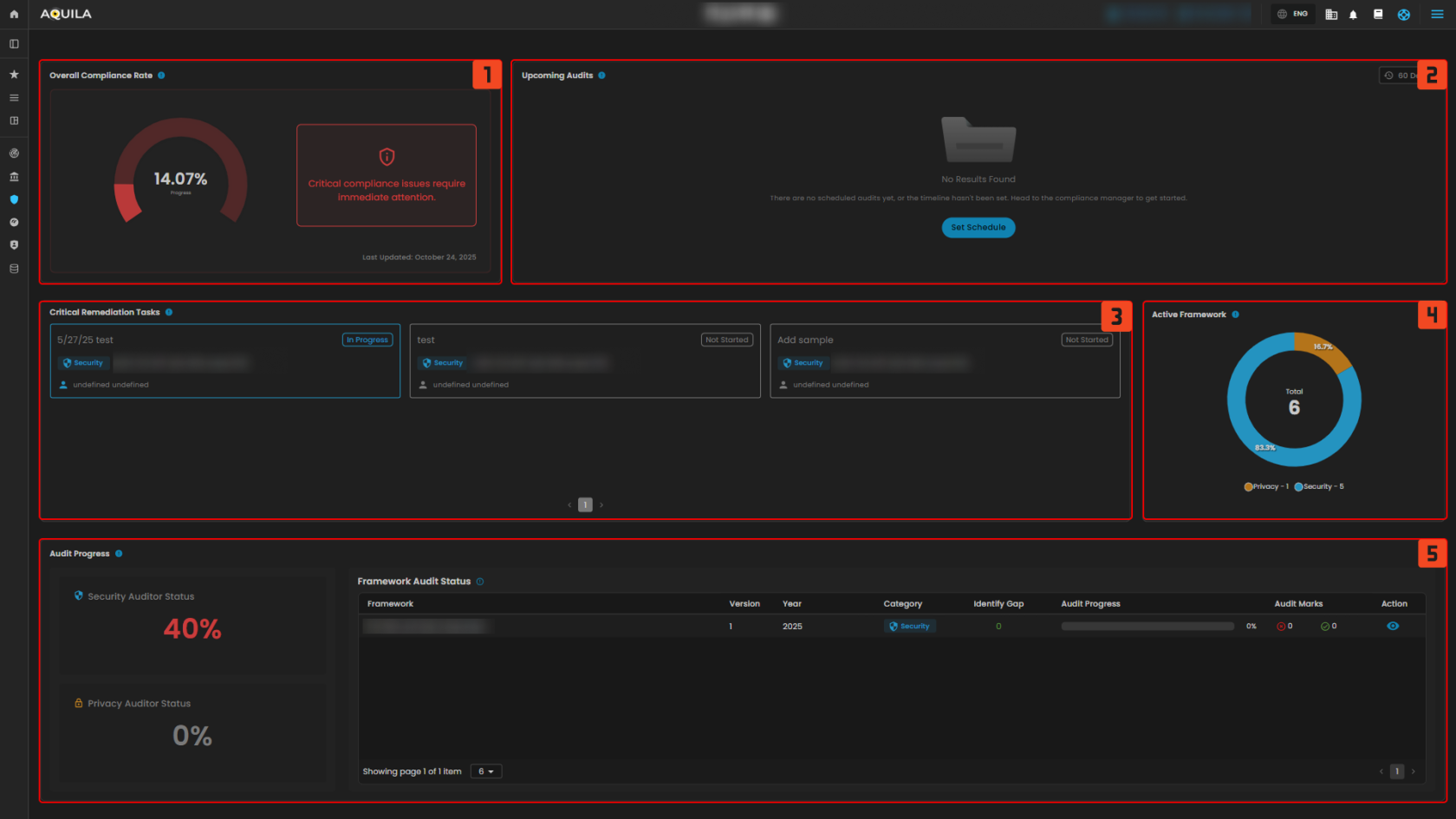](https://cytechint-docs-bookstack.s3.amazonaws.com/uploads/images/gallery/2025-10/ZcrMD5Ey9AdXSu5R-test-30.png) *Figure 2 Cyber Security Compliance - Dashboard* ##### **1. Overall Compliance Rate** The **Overall Compliance Rate** is a measure that shows how much of the organization’s compliance requirements across all frameworks have been met. > Upon clicking the **Overall Compliance Rate**, the dashboard shows a detailed **compliance overview**, highlighting critical issues that require immediate attention, identifying **frameworks** that need action, and providing insights into their progress and timeline status. [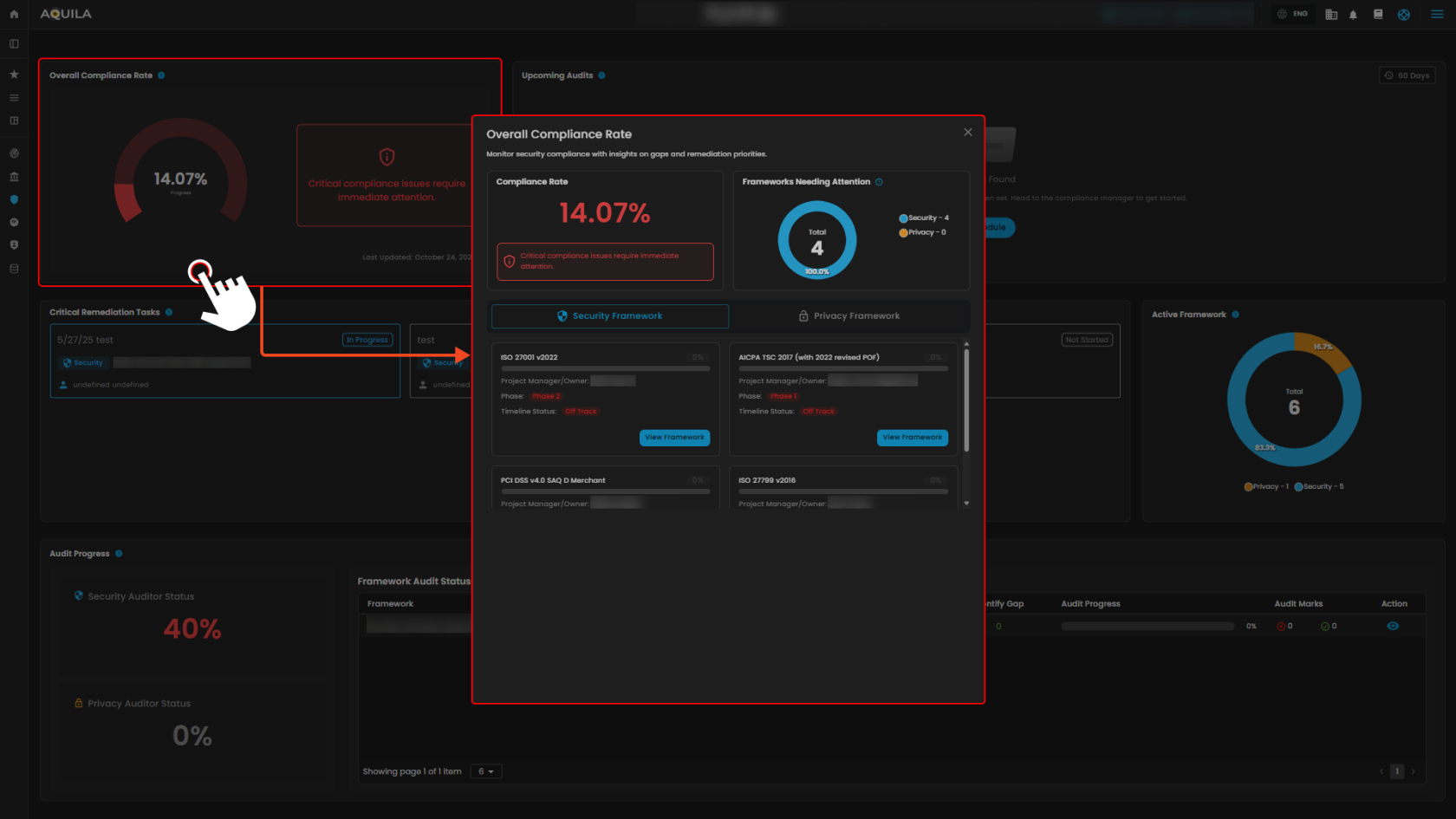](https://cytechint-docs-bookstack.s3.amazonaws.com/uploads/images/gallery/2025-10/odqAN3EXskfJujVX-test-32.png) *Figure 2.1 Cyber Security Compliance - Dashboard / Overall Compliance Rate* > If you click also the “**View Framework**” you’re taken to a **detailed compliance framework dashboard** for the ISOs. This page gives you a breakdown of the framework status, and you can generate **Gap Analysis Report**. [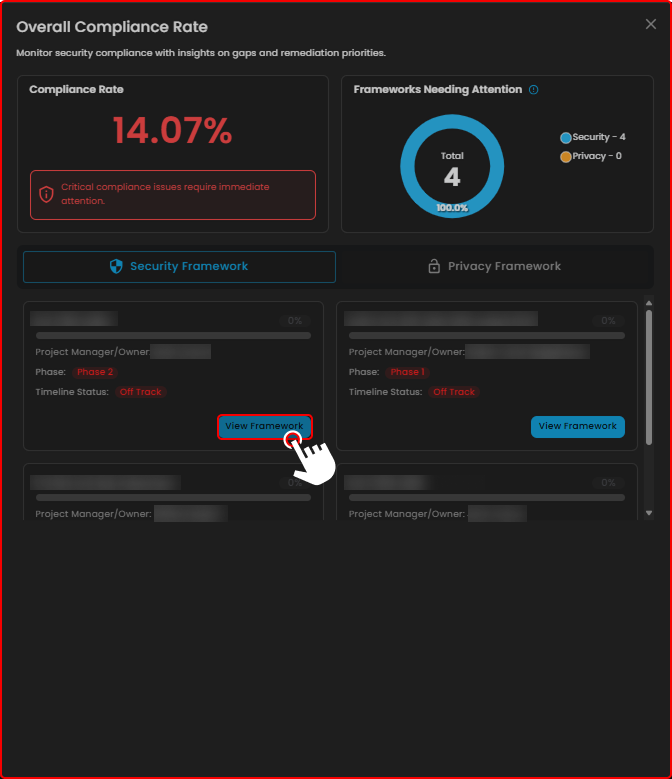](https://cytechint-docs-bookstack.s3.amazonaws.com/uploads/images/gallery/2025-10/WKdBU7vK5N2C40JW-test-33.png) *Figure 2.2 Cyber Security Compliance - Dashboard / Overall Compliance Rate* > The "**View Framework"** ISO Tab. [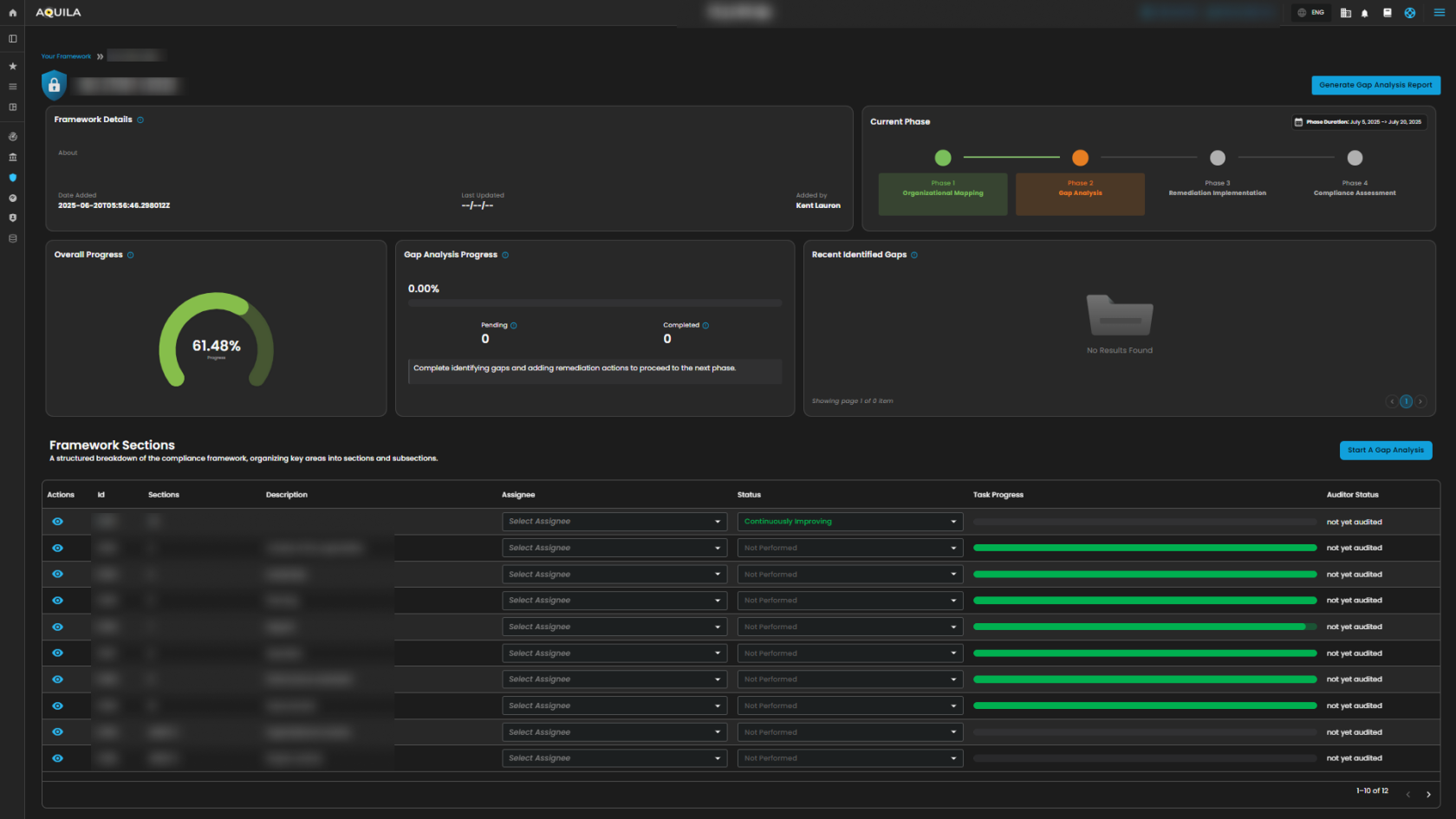](https://cytechint-docs-bookstack.s3.amazonaws.com/uploads/images/gallery/2025-10/D4Ag5hd5J3oyPaqT-test-36.png) *Figure 2.3 Cyber Security Compliance - View Framework ISO Tab* ##### **2. Upcoming Audits** The **Upcoming Audits** section helps track and prepare for compliance audits by showing scheduled audits within a chosen timeframe. [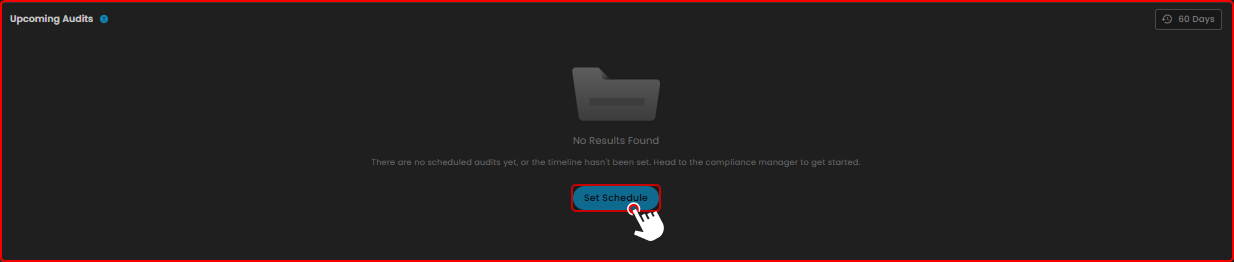](https://cytechint-docs-bookstack.s3.amazonaws.com/uploads/images/gallery/2025-10/KnBXGvLLd5Qm6gv3-test-38.png) ##### **3. Critical Remediation Task** This **Critical Remediation Task** shows you the timeline of framework implementation and audits. [](https://cytechint-docs-bookstack.s3.amazonaws.com/uploads/images/gallery/2025-10/w7CJzRH6CO5BfdKK-test-39.png) ##### **4. Active Framework** This **Active Framework** shows you the current active frameworks. Based on the timeline date. [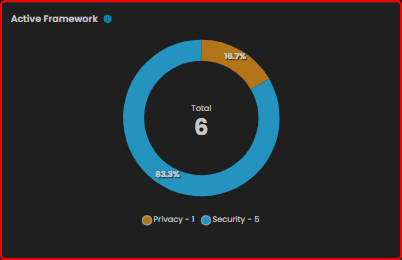](https://cytechint-docs-bookstack.s3.amazonaws.com/uploads/images/gallery/2025-10/Q2AGhRdIUn4ZTQi2-test-40.png) ##### **5. Audit Progress** The **Audit Progress** section displays the current audit progress and status. If you click on the **Security Auditor Status** or **Privacy Auditor Status**, you’ll be directed to the **Overall Auditor’s Status** pop-up window, which provides a summary of the auditor’s evaluation. [](https://cytechint-docs-bookstack.s3.amazonaws.com/uploads/images/gallery/2025-10/mEvzSOnHPvxKpKqR-test-42.png) [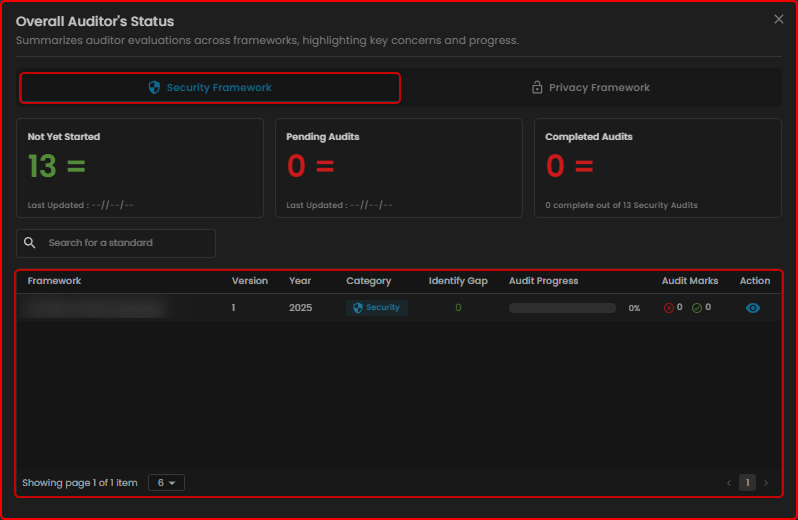](https://cytechint-docs-bookstack.s3.amazonaws.com/uploads/images/gallery/2025-10/ui8VvH5tkOCUFTo6-test-43.png) [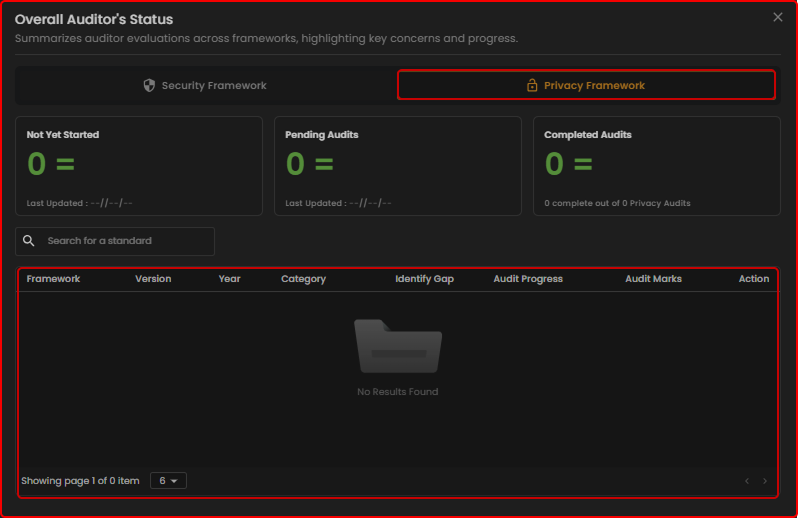](https://cytechint-docs-bookstack.s3.amazonaws.com/uploads/images/gallery/2025-10/2Evm1XlphpoBY2L1-test-44.png) ##### **Framework Audit Status** It shows the detailed **audit status** for each **compliance framework**. [](https://cytechint-docs-bookstack.s3.amazonaws.com/uploads/images/gallery/2025-10/hBPgaF4MTKPMNsRa-test-45.png) --- #### **Manage Compliance (Sub Module) - Cyber Security Compliance (Module)** It displays all available **frameworks**, allowing you to view **timelines**, **manage** them, and **monitor your active frameworks** simultaneously. [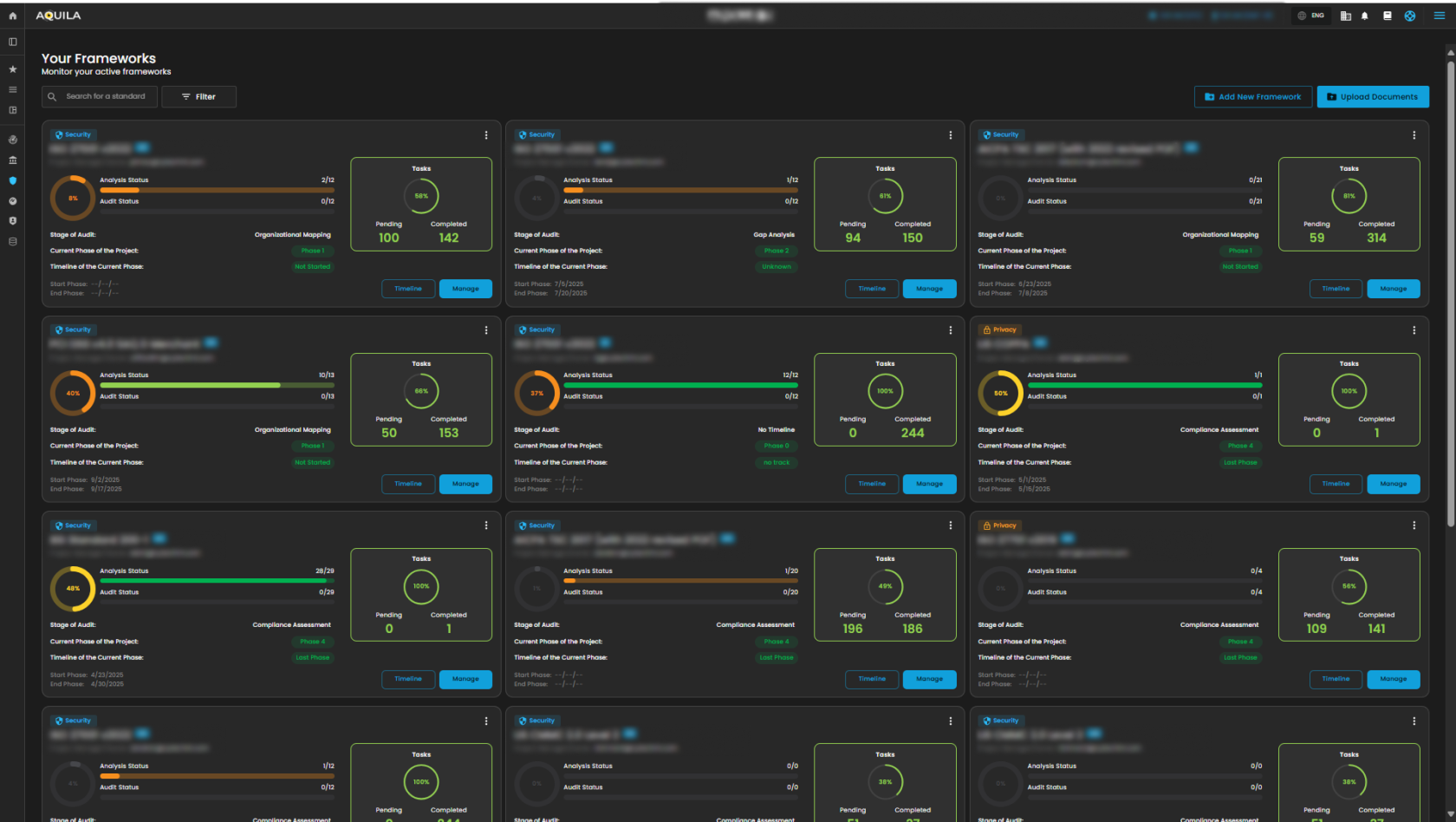](https://cytechint-docs-bookstack.s3.amazonaws.com/uploads/images/gallery/2025-10/xXL3tn6Fc4sKjb2g-test-46.png) ##### **Timeline** in **Frameworks** This Timeline section is for **defining and managing timelines for compliance phases** while mapping them to specific controls and tasks. [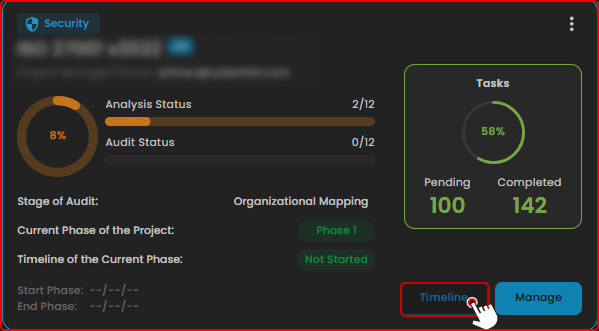](https://cytechint-docs-bookstack.s3.amazonaws.com/uploads/images/gallery/2025-10/V1m6BpjWLuer19UU-test-47.png) [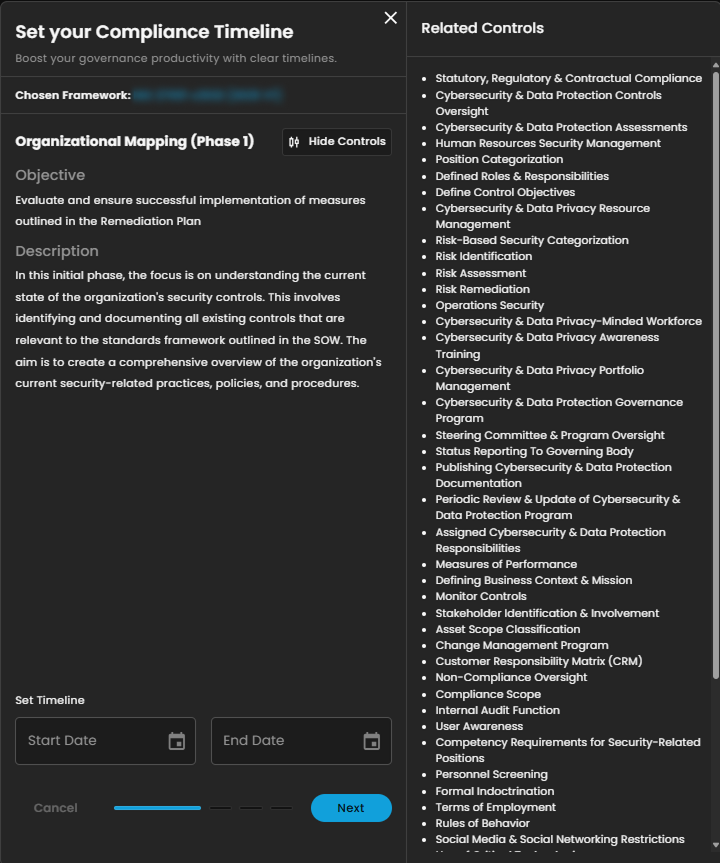](https://cytechint-docs-bookstack.s3.amazonaws.com/uploads/images/gallery/2025-10/aDJRKH35GEOgxIHo-test-48.png) ##### **Manage** in **Frameworks** This **Manage** section displays the **compliance progress overview, current phase in the audit process, and detailed framework sections with task progress and audit status**. [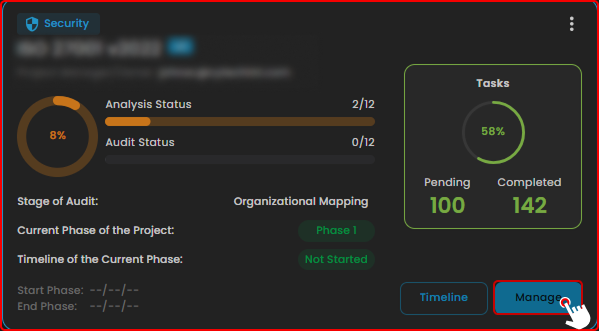](https://cytechint-docs-bookstack.s3.amazonaws.com/uploads/images/gallery/2025-10/9l4Z8yKsXyLq2QPp-test-49.png) [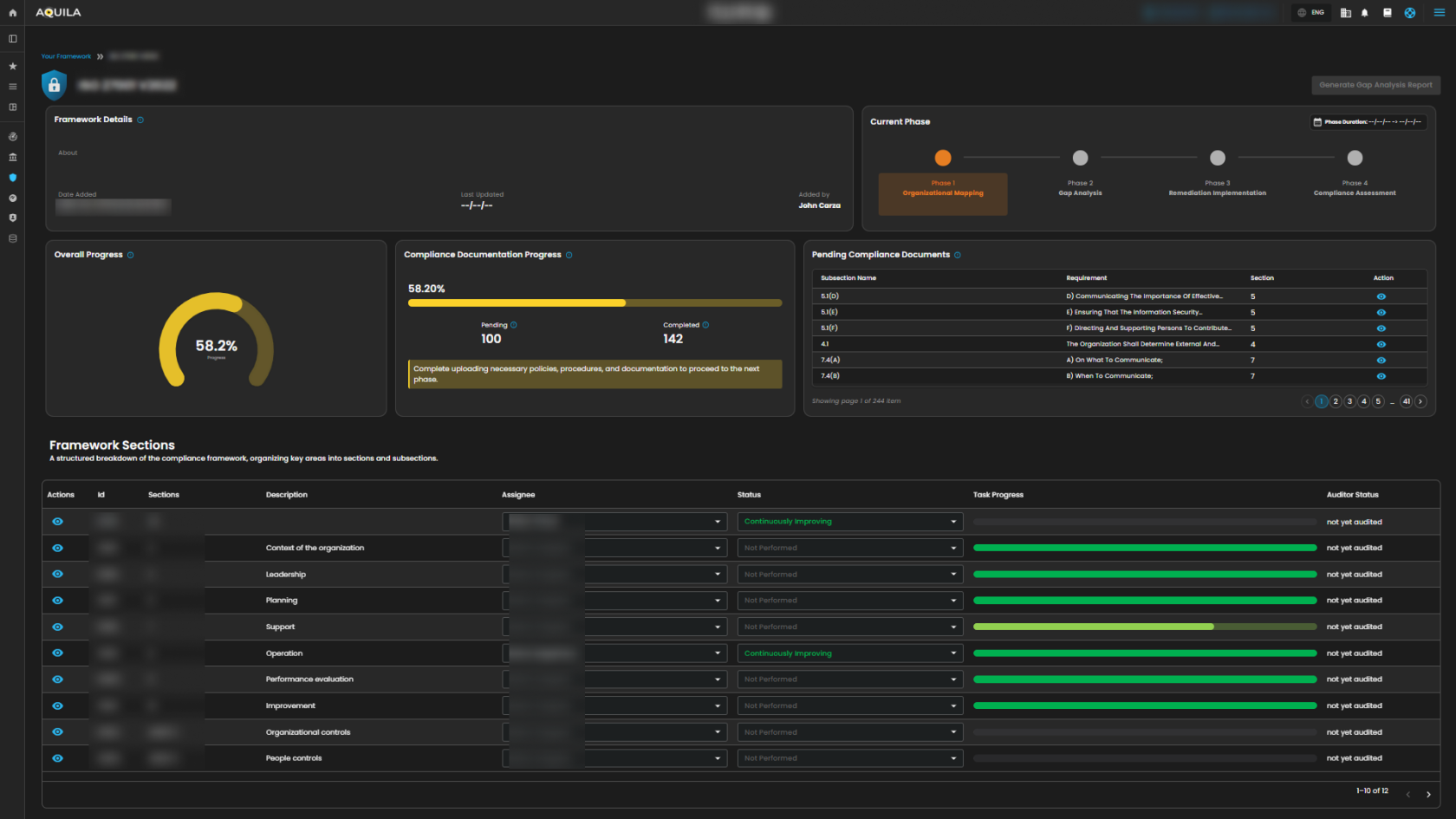](https://cytechint-docs-bookstack.s3.amazonaws.com/uploads/images/gallery/2025-10/hnwt3ORRp6zBclLB-test-50.png) 1\. **Search Bar** - The search bar allows you to look up and filter different compliance standards or frameworks. [](https://cytechint-docs-bookstack.s3.amazonaws.com/uploads/images/gallery/2025-10/h9GUfDxicAaUqYq5-test.png) 2\. **Filter/Clear Filter** **-** This filter features allow you to select a category between Privacy and Security, you can select specific year if you want. To remove all applied filters and return to the full normal list just click the Clear filter method. [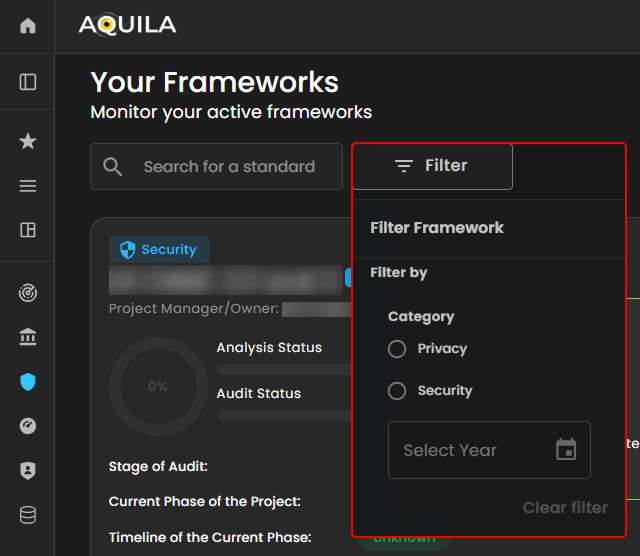](https://cytechint-docs-bookstack.s3.amazonaws.com/uploads/images/gallery/2025-10/Cn2wSL2GG68oLYr5-test-1.png) ##### **Add New Framework** This option **Add New Framework** where you can be able to choose Framework Template, or you will create a new one. [](https://cytechint-docs-bookstack.s3.amazonaws.com/uploads/images/gallery/2025-10/DGditzu7A2FKz0IU-test-2.png) ##### **Upload Documents** This option allows you to upload **Evidence** provided by client, you will also see the uploaded **Evidence List** where you can search the specific file with all types of documents. [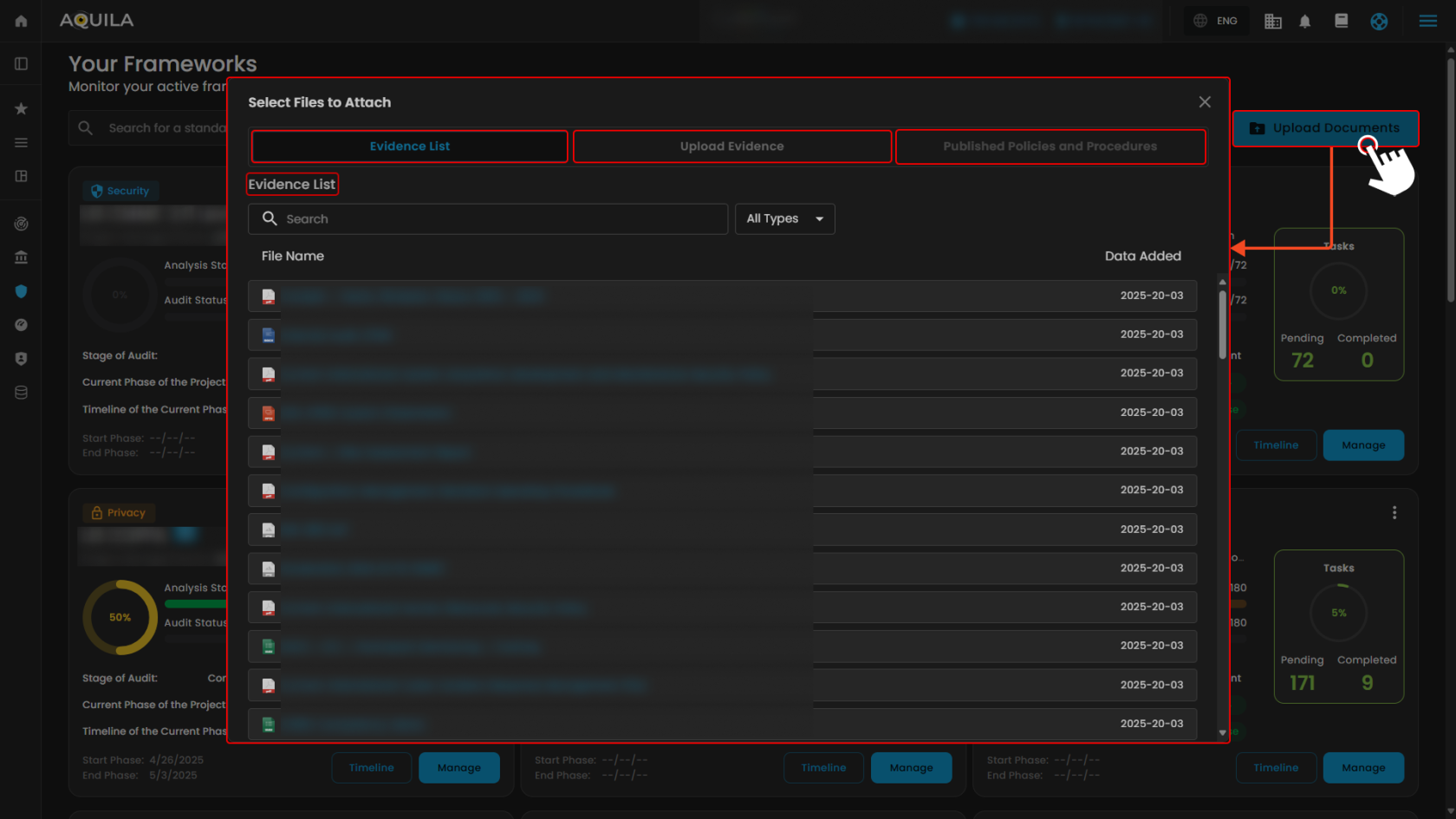](https://cytechint-docs-bookstack.s3.amazonaws.com/uploads/images/gallery/2025-10/cwk2vytO8o3VGjFb-test-3.png) [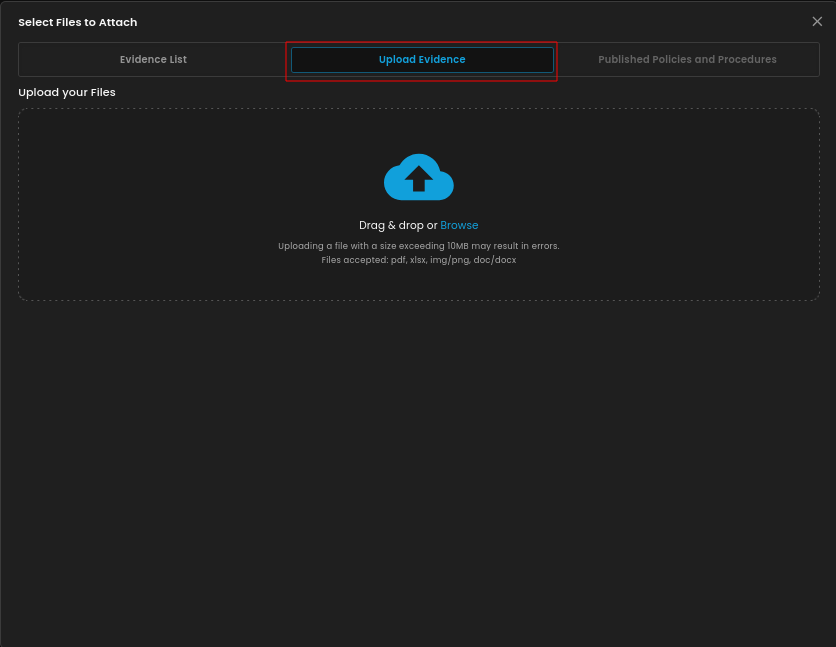](https://cytechint-docs-bookstack.s3.amazonaws.com/uploads/images/gallery/2025-10/ivQmmhGcRZTMebfz-image.png) --- #### **Compliance Information (Sub Module) - Cyber Security Compliance (Module)** This screen shows a **compliance framework** library where users can browse, select, and implement different global standards and regulations depending on their organizational needs. [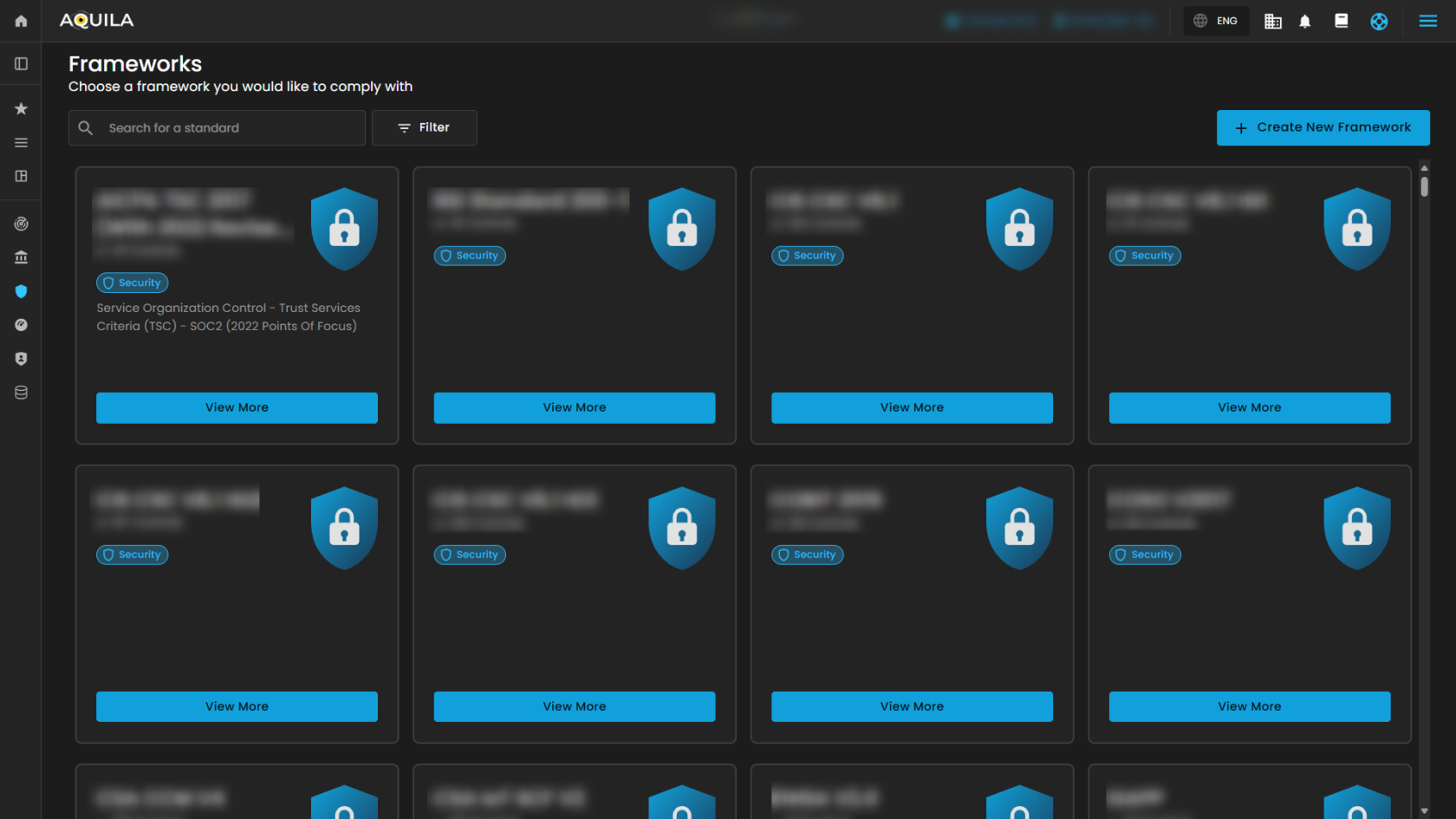](https://cytechint-docs-bookstack.s3.amazonaws.com/uploads/images/gallery/2025-10/lFacskqcAELaNN5A-test-4.png) > Upon clicking the “**View More**” it gives you a **snapshot of the framework’s name, total controls, readiness progress, and description**, along with **options to Edit or Add Standard** for managing compliance. [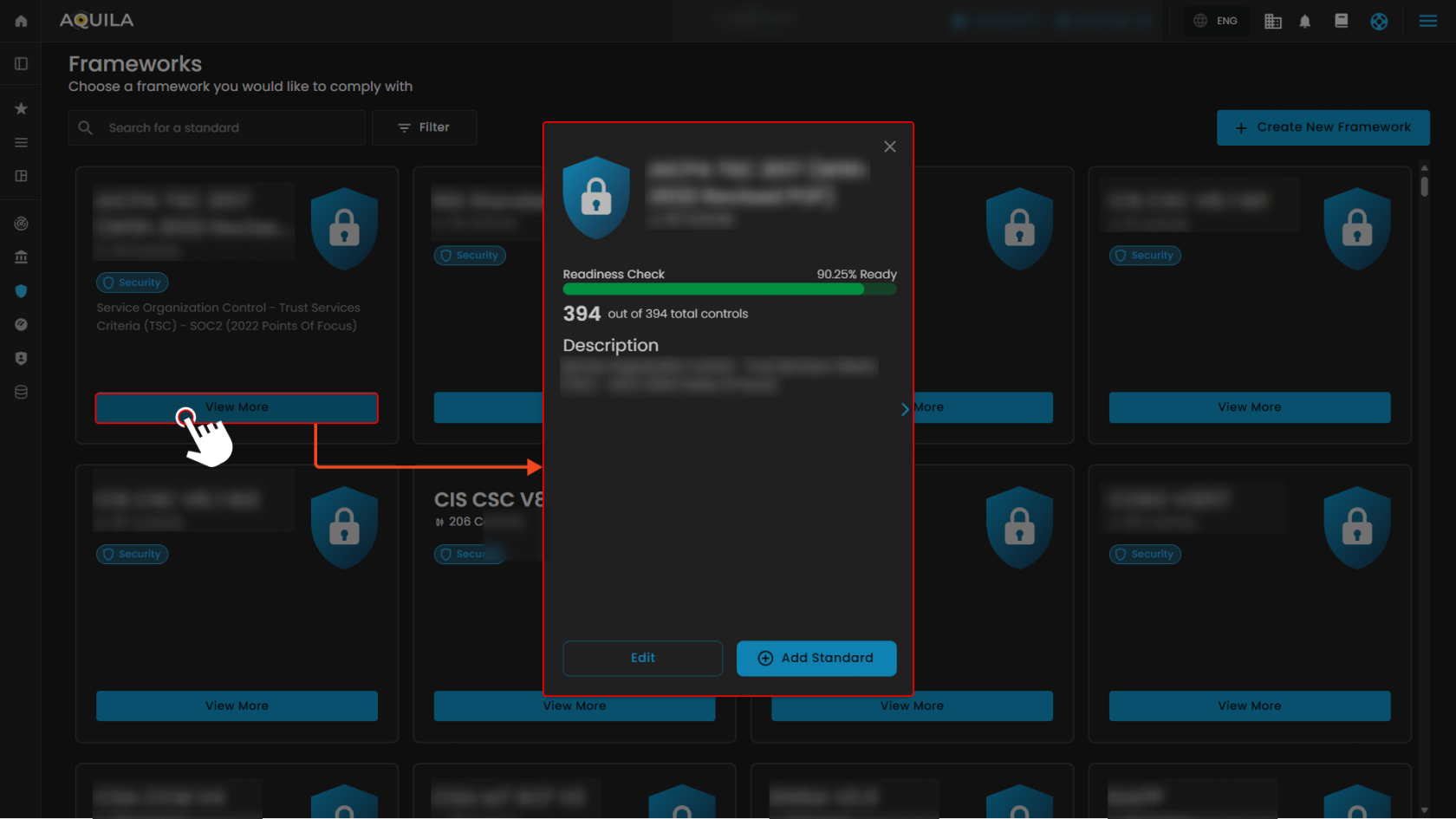](https://cytechint-docs-bookstack.s3.amazonaws.com/uploads/images/gallery/2025-10/7qgsZ9JRRFDL9Lme-test-5.png) 1\. **Search Bar** - The search bar allows you to look up and check the different compliance standards or frameworks. [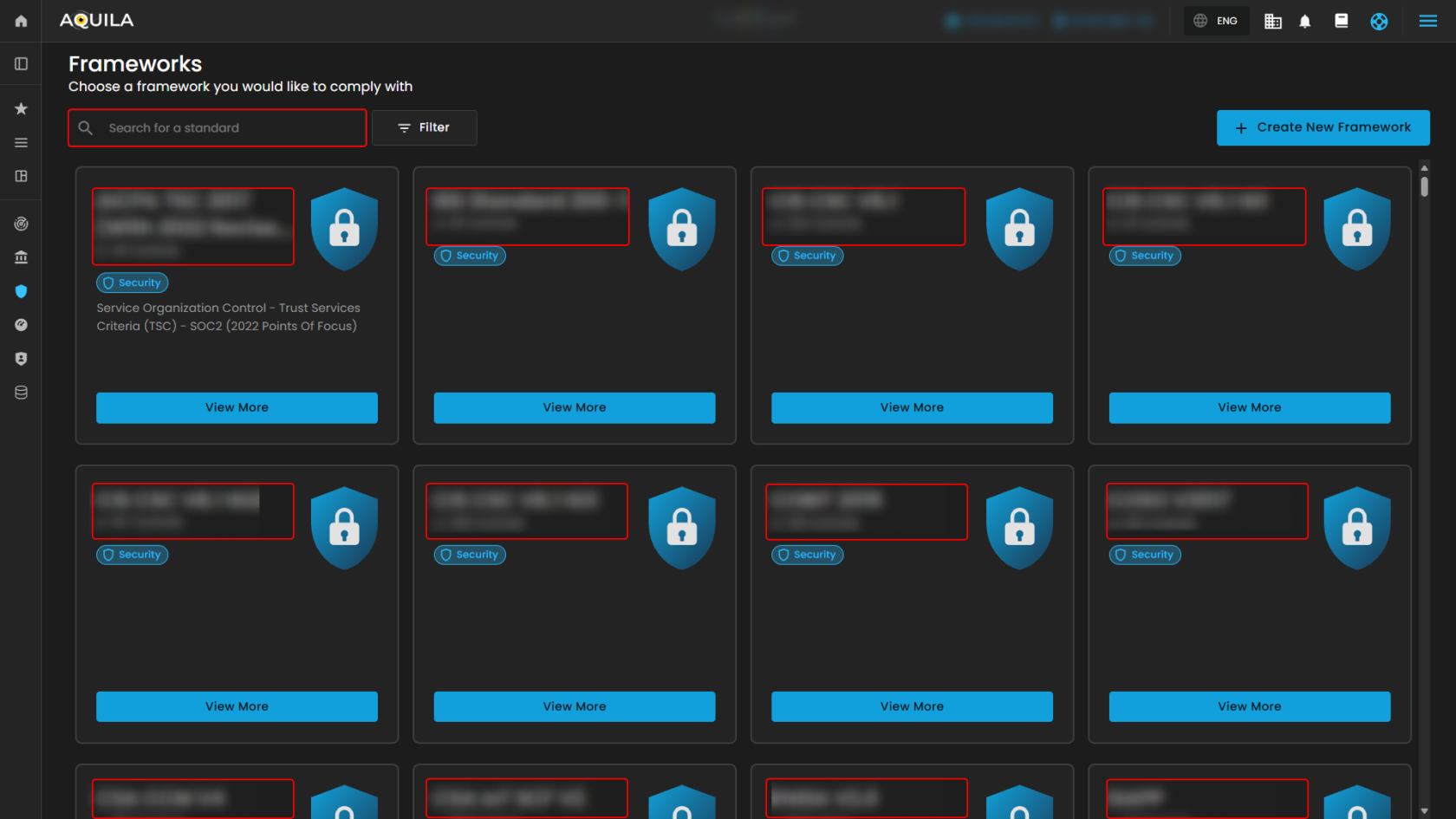](https://cytechint-docs-bookstack.s3.amazonaws.com/uploads/images/gallery/2025-10/UX58IeNoQZdyCnwX-test-6.png) 2\. **Filter/Clear Filter/Apply Filter -** The Filter/Clear Filter/Apply Filter allowing you to filter the **category** and **type** of the framework you want to use. If you want to remove all the filter and starts on the normal list, just click the Clear filter option, **reset selection** is another method if you want to reselect again the specific category and type. **Apply filter** enables you to save those category and type option you select. [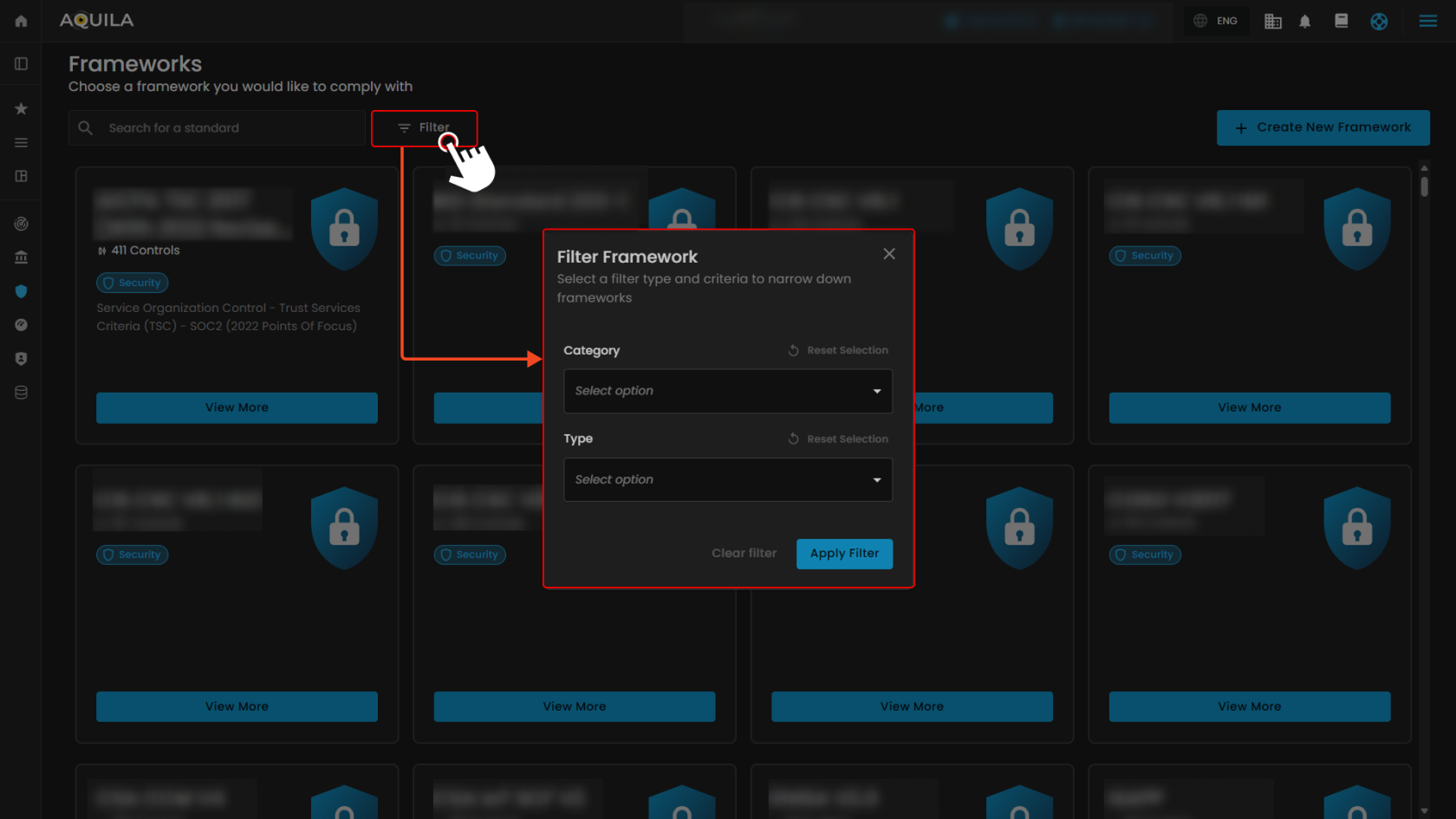](https://cytechint-docs-bookstack.s3.amazonaws.com/uploads/images/gallery/2025-10/YI65quv5Bv4NCe4u-test-7.png) ##### **Create New Framework** This **Create New Framework** section displays a **library of compliance frameworks** that organizations can choose and create from. Each framework shows its name, category, industry, region, description and a button to **create a new framework**. [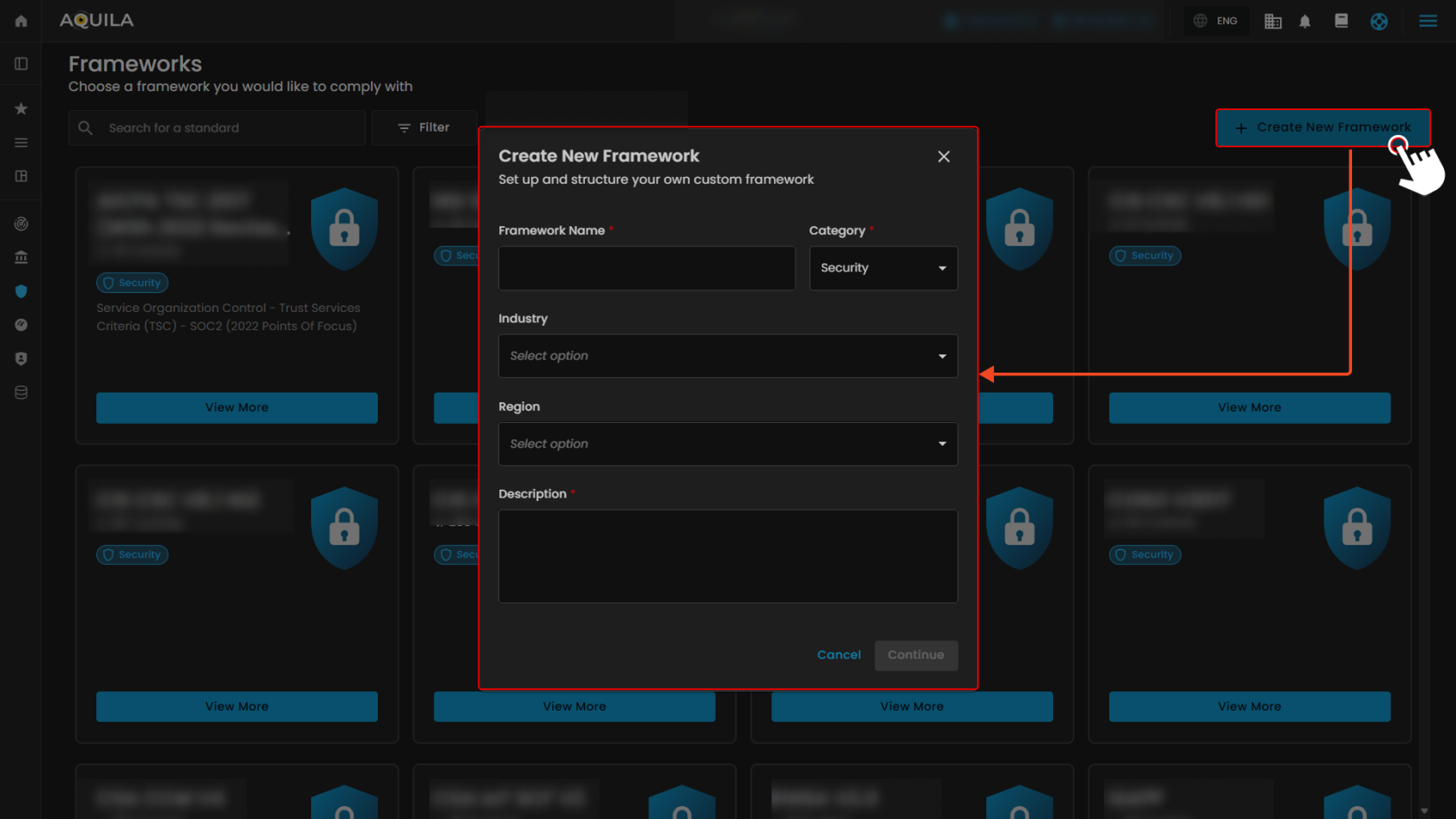](https://cytechint-docs-bookstack.s3.amazonaws.com/uploads/images/gallery/2025-10/zh4XADALQ3y6EQHm-test-8.png) --- #### **"Task Management (Sub Module)" - Cyber Security Compliance (Module)** The **Task Management** module allows users to manage their compliance-related activities, projects, and tasks. It provides both a timeline view and task overview metrics to keep track of progress. [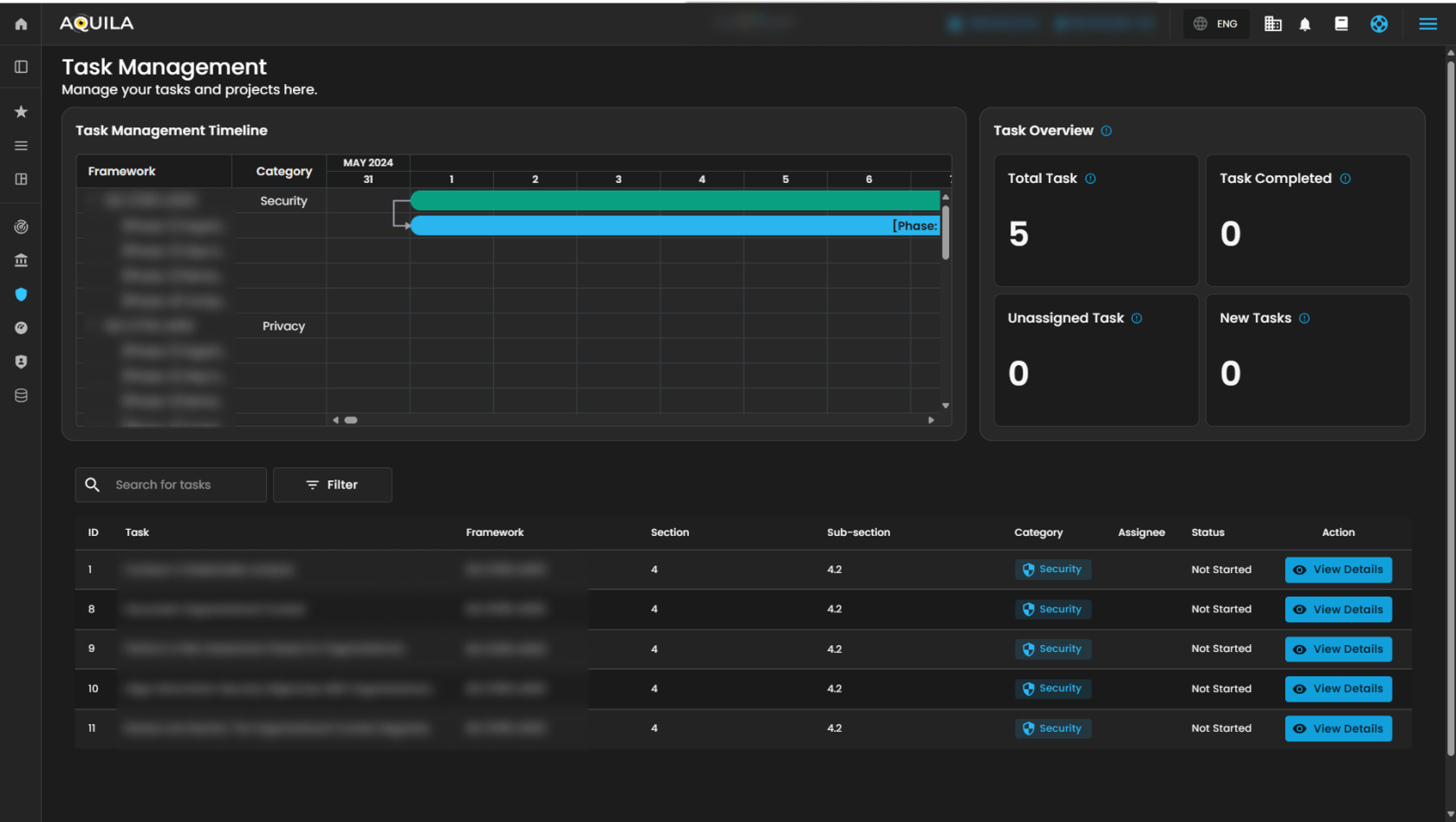](https://cytechint-docs-bookstack.s3.amazonaws.com/uploads/images/gallery/2025-10/LUFGLdfm8t3C7QFK-test-9.png) 1\. **Search Bar** - The search bar allows you to look up and check the different task name. [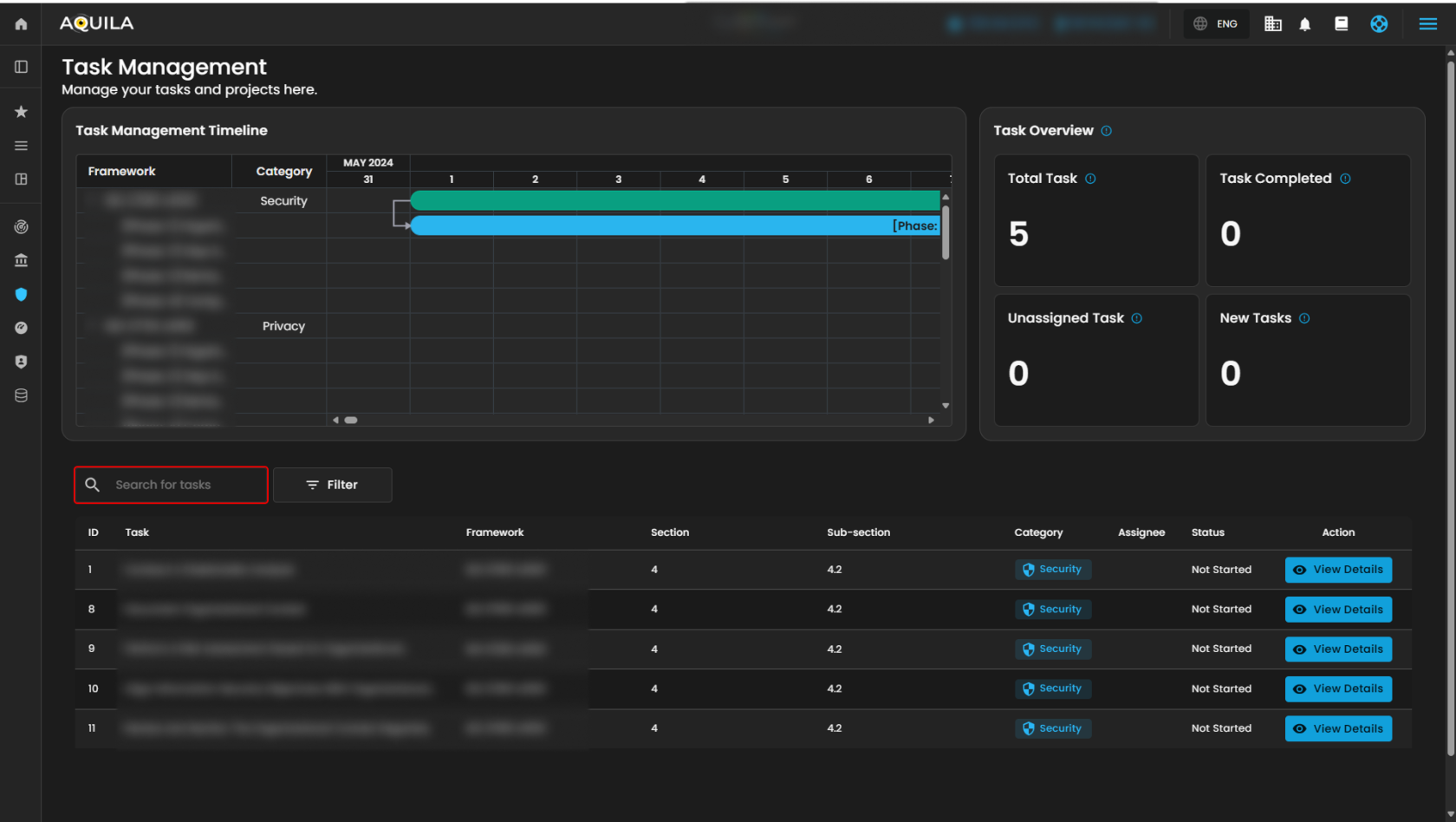](https://cytechint-docs-bookstack.s3.amazonaws.com/uploads/images/gallery/2025-10/JmOr0KYsNyF7XMcY-test-10.png) 2\. **Filter/Clear Filter** **-** This filter features allow you to select a category between Privacy and Security, just select one category you want to appear. To remove all applied filters and return to the full normal list just click the Clear filter method. [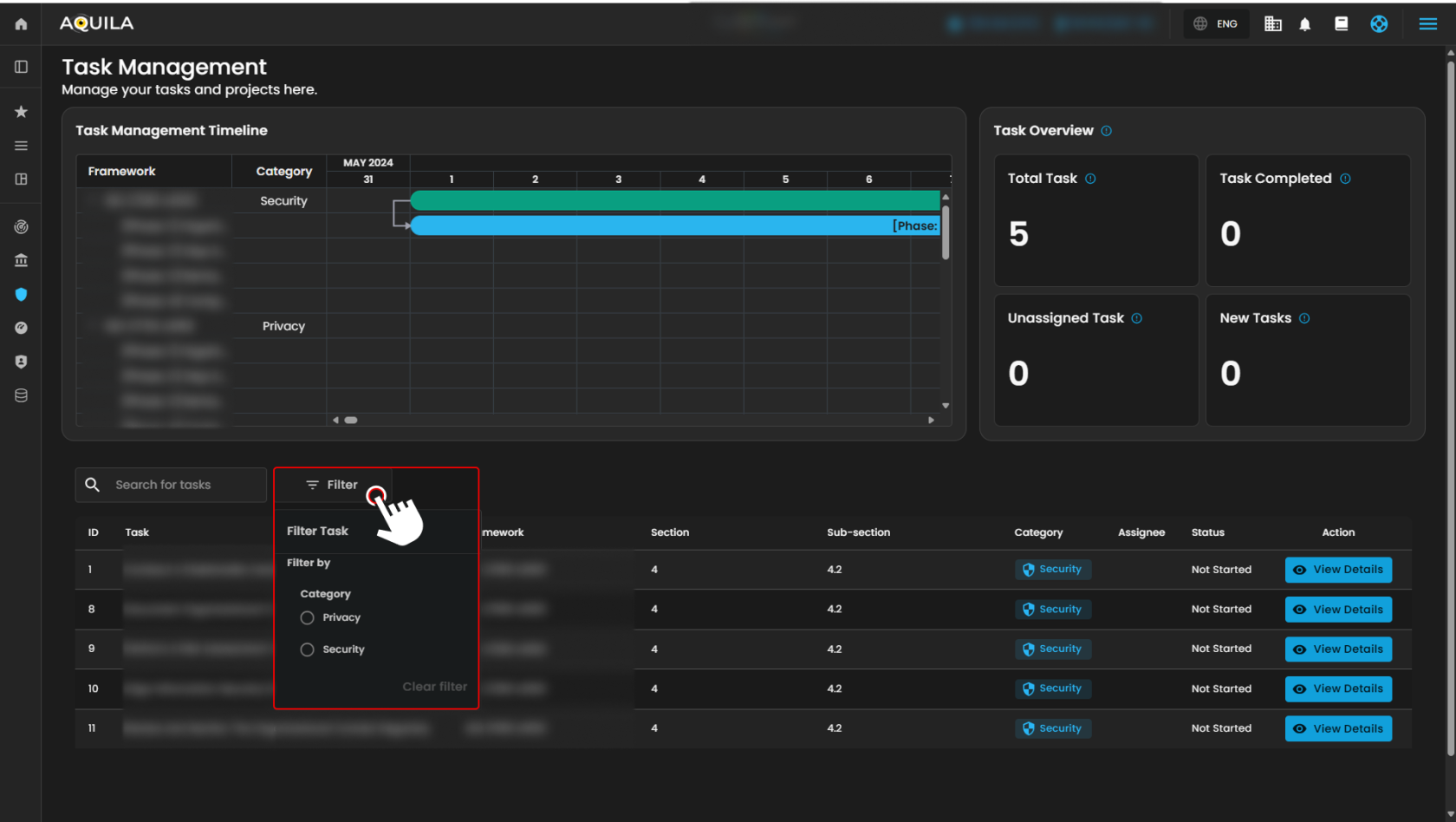](https://cytechint-docs-bookstack.s3.amazonaws.com/uploads/images/gallery/2025-10/FQp4jlbhPJ285G53-test-11.png) > If you click the "**View Details**" button on Action in **Task** column you will be taken to Main details of the Task. The **Main details** section allows users to review and manage specific tasks within the system. [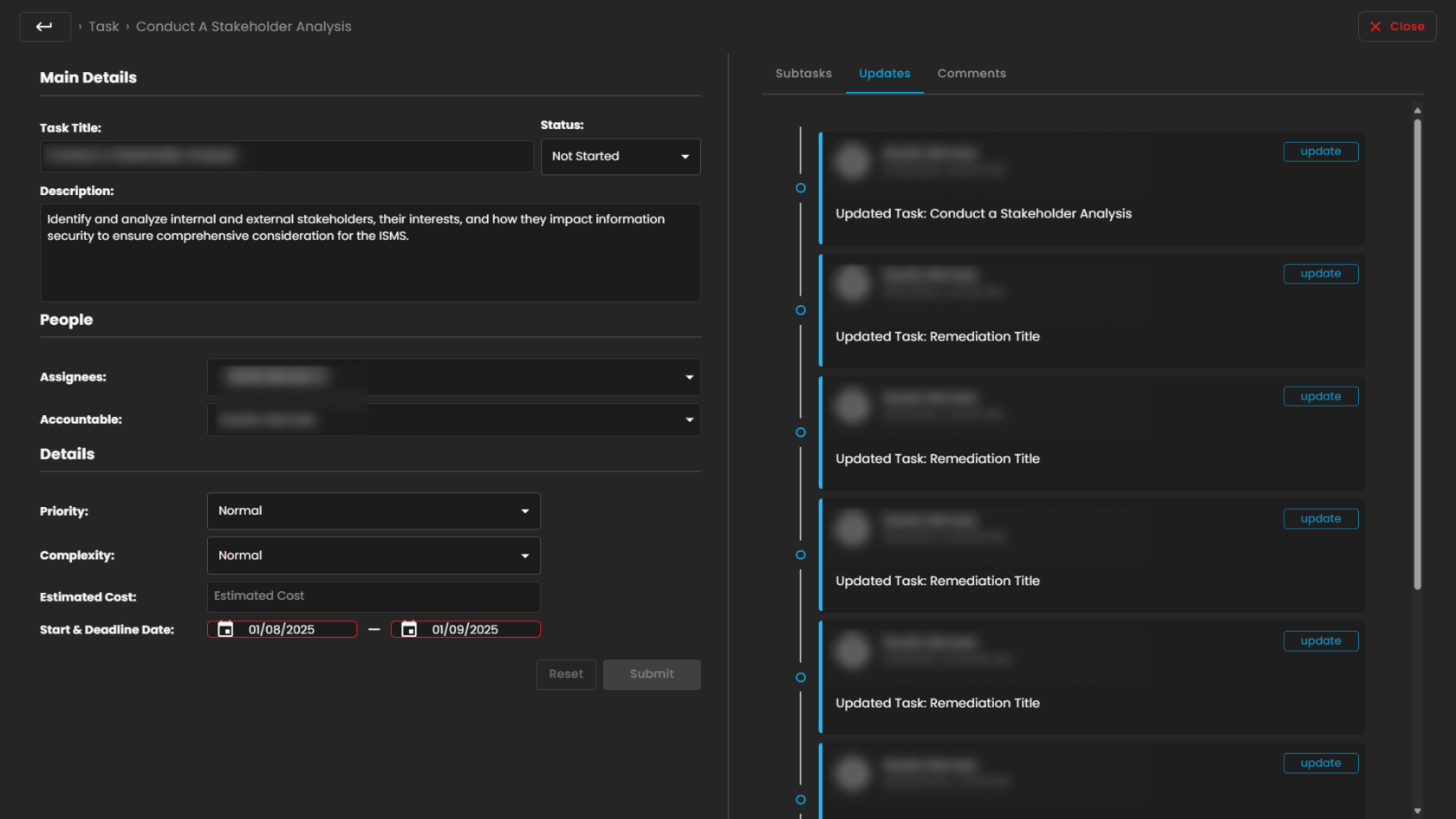](https://cytechint-docs-bookstack.s3.amazonaws.com/uploads/images/gallery/2025-10/VIg7mRn8pqvjkwJT-test-12.png) *If you need further assistance, kindly contact **support@cytechint.com** for prompt assistance and guidance.* # CyTech AQUILA - Security Maturity Assessment (SMA) ##### **Overview:** The **purpose of Security Maturity Assessment (SMA)** is to make sure that an **organization** follows established **laws**, **regulations**, and **industry standards** designed to **protect sensitive data and systems**. ##### **Key Features:** - Cybersecurity maturity assessment framework - Real-time dashboard with visual insights - Peer benchmarking comparison - Domain-level risk and control analysis - Centralized assessment library - Export and audit-ready reporting**Let’s proceed to navigate the Cyber Security Compliance Module kindly follow the instructions below:**
**Step 1:** Log in to **CyTech** – **AQUILA. [https://usdc.cytechint.io/](https://usdc.cytechint.io/ "AQUILA Website")** **Step 2:** Click on Regulatory Intelligence [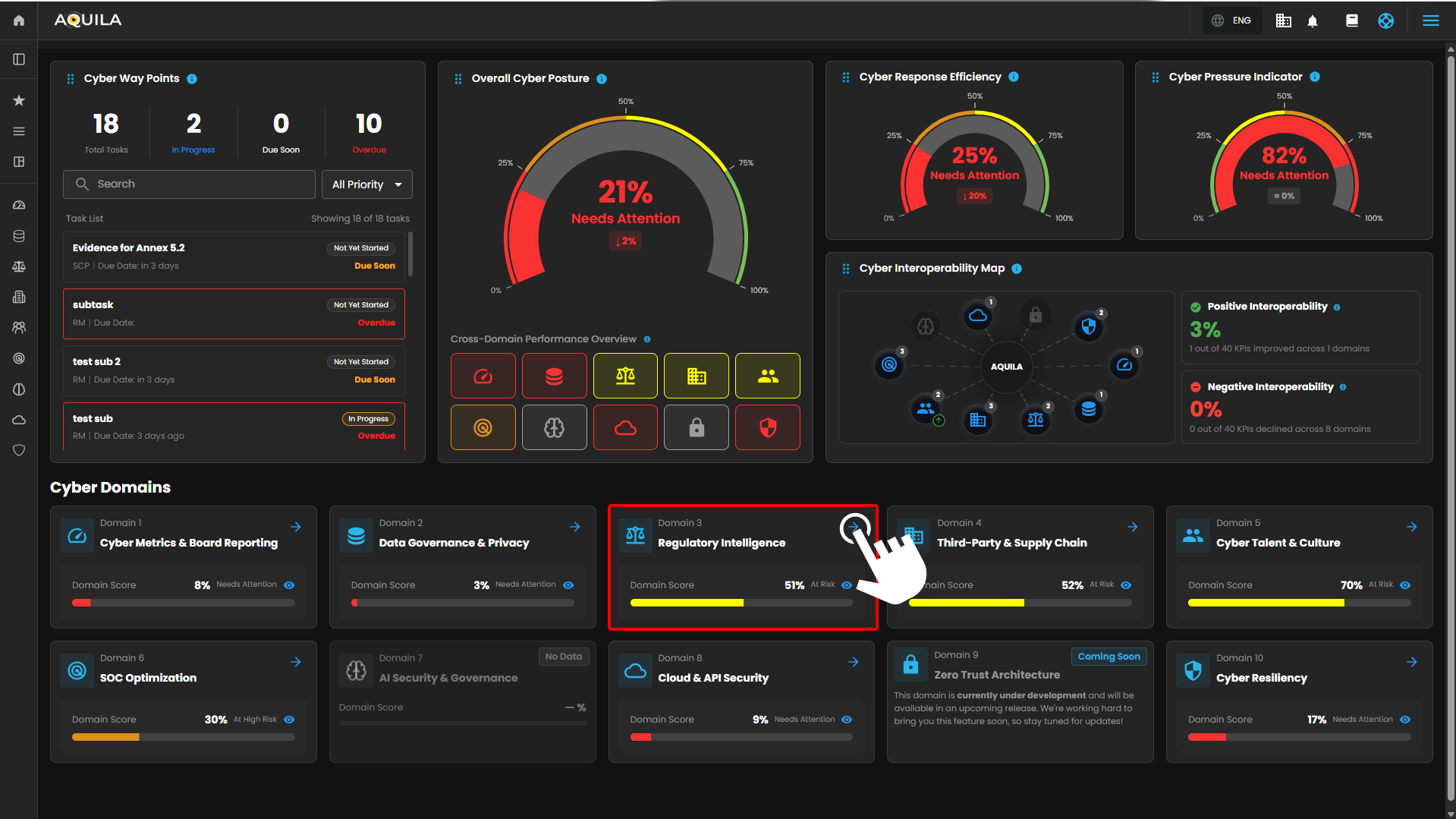](https://cytechint-docs-bookstack.s3.amazonaws.com/uploads/images/gallery/2026-04/nkT4zd9GWsW5ie3J-hehe-2-1.png) **Step 3: Security Maturity Assessment (SMA)** [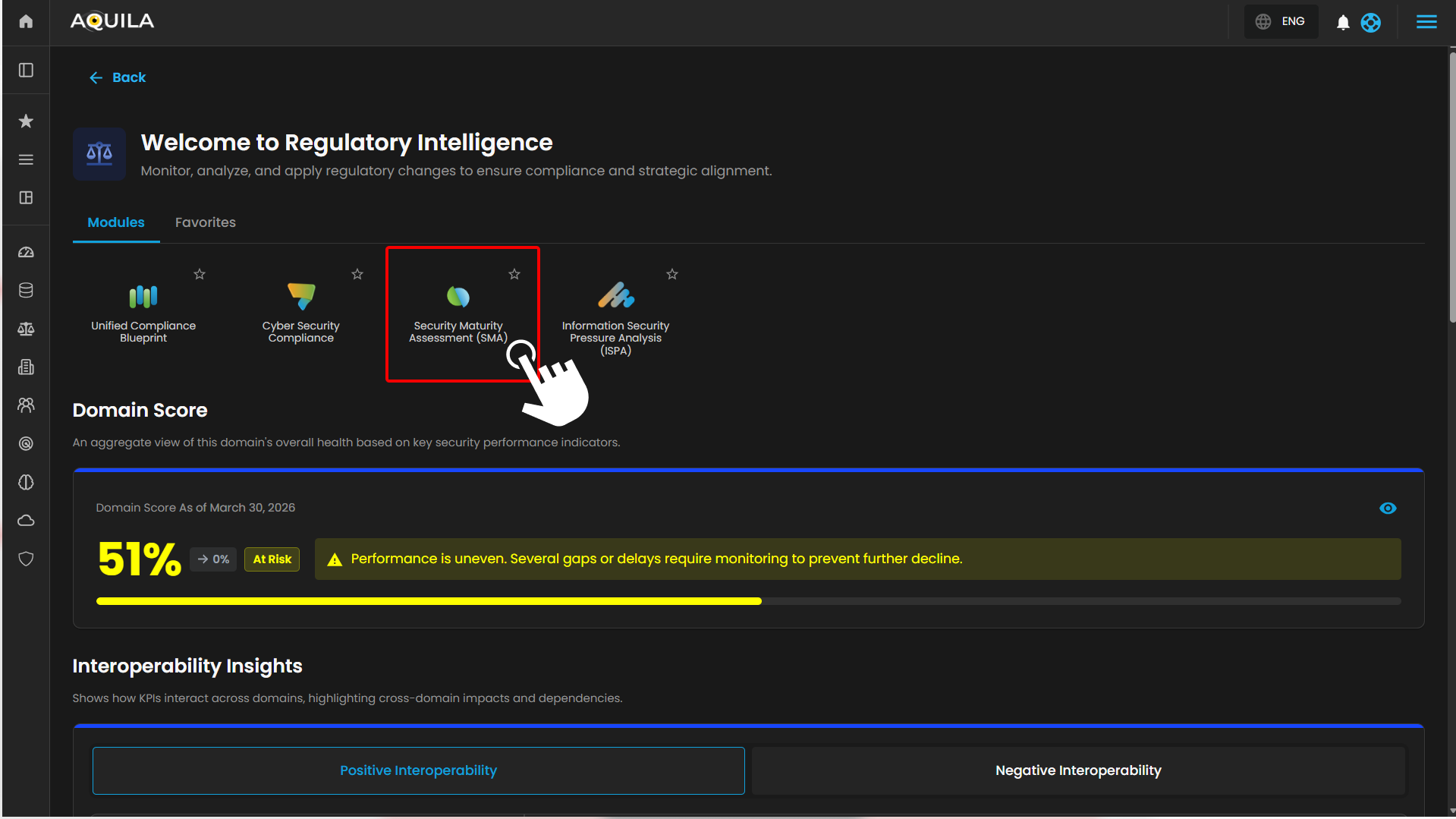](https://cytechint-docs-bookstack.s3.amazonaws.com/uploads/images/gallery/2026-04/OYurPGiZOBYXiajq-hehe-4.png) **Step 4: Client can also access it through the sidebar** [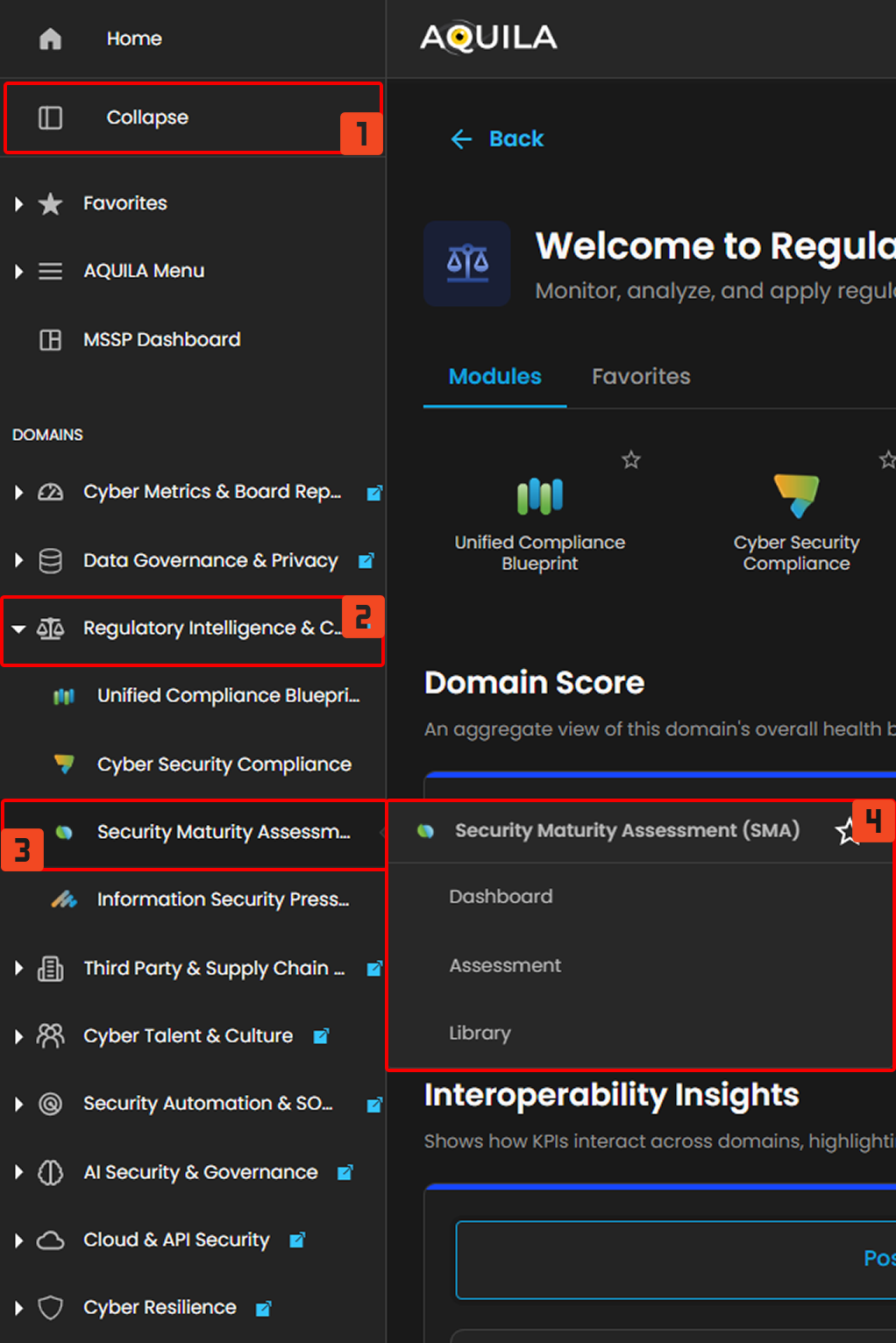](https://cytechint-docs-bookstack.s3.amazonaws.com/uploads/images/gallery/2026-04/shj5cmihyqucrLMs-hello-2.png) ### **Dashboard - Cyber Security Compliance (Module)** The Cybersecurity Maturity Dashboard provides a consolidated view of an organization’s security posture across governance, technical controls, and cultural domains. It enables users to monitor performance, benchmark against peers, and identify areas for improvement. The dashboard is divided into five key sections, each representing a different analytical perspective. **1. Overall Maturity Score** **Purpose** Displays the organization’s **aggregate cybersecurity maturity level**. **Components** - **Maturity Percentage:** Represents the overall score (e.g., 68%) - **Maturity Rating:** Qualitative label (e.g., *Good Maturity*) - **Peer Comparison:** - Peer Score (e.g., 54%) - Score Difference (e.g., +14%) **How to Use** - Quickly assess overall security posture - Compare performance against industry or peer benchmarks - Track improvement over time --- **2. Score by Governance & Management Area** **Purpose** Provides a **domain-level breakdown** of cybersecurity maturity across key governance and management areas. **Domains Included** - Risk Analysis - Compliance Management - Auditing - Vulnerability Management - Event & Incident Management - Policy & Process Governance - Security Culture **How to Use** - Identify strong vs weak domains - Prioritize improvement initiatives - Support audit readiness and compliance tracking --- **3. Policy & Process Scores by Security Area** **Purpose** Displays **detailed maturity scores across technical and operational security domains**. **Security Areas** - Network Security - Applications - Physical Security - Host Security (Servers) - Data Security - End User Devices - Identity & Access Management (IAM) - Security Culture – End Users - Security Culture – IT **How to Use** - Evaluate effectiveness of implemented controls - Identify gaps in technical vs human security layers - Support risk assessments and remediation planning --- **4. Days Left to Next Assessment** **Purpose** Indicates the **remaining time until the next scheduled assessment**. **Components** - Number of days remaining (e.g., 338 Days) - Next assessment date **How to Use** - Plan remediation and improvement activities - Track audit cycles and compliance timelines - Ensure readiness before reassessment --- **5. Comparison: Your Score vs Peer Score** **Purpose** Visual comparison of **organization performance against peer benchmarks** across all domains. **Visualization** - Radar (spider) chart - Two datasets: - Your Score - Peer Score **How to Use** - Identify competitive advantages - Detect underperforming areas relative to peers - Support strategic security planning [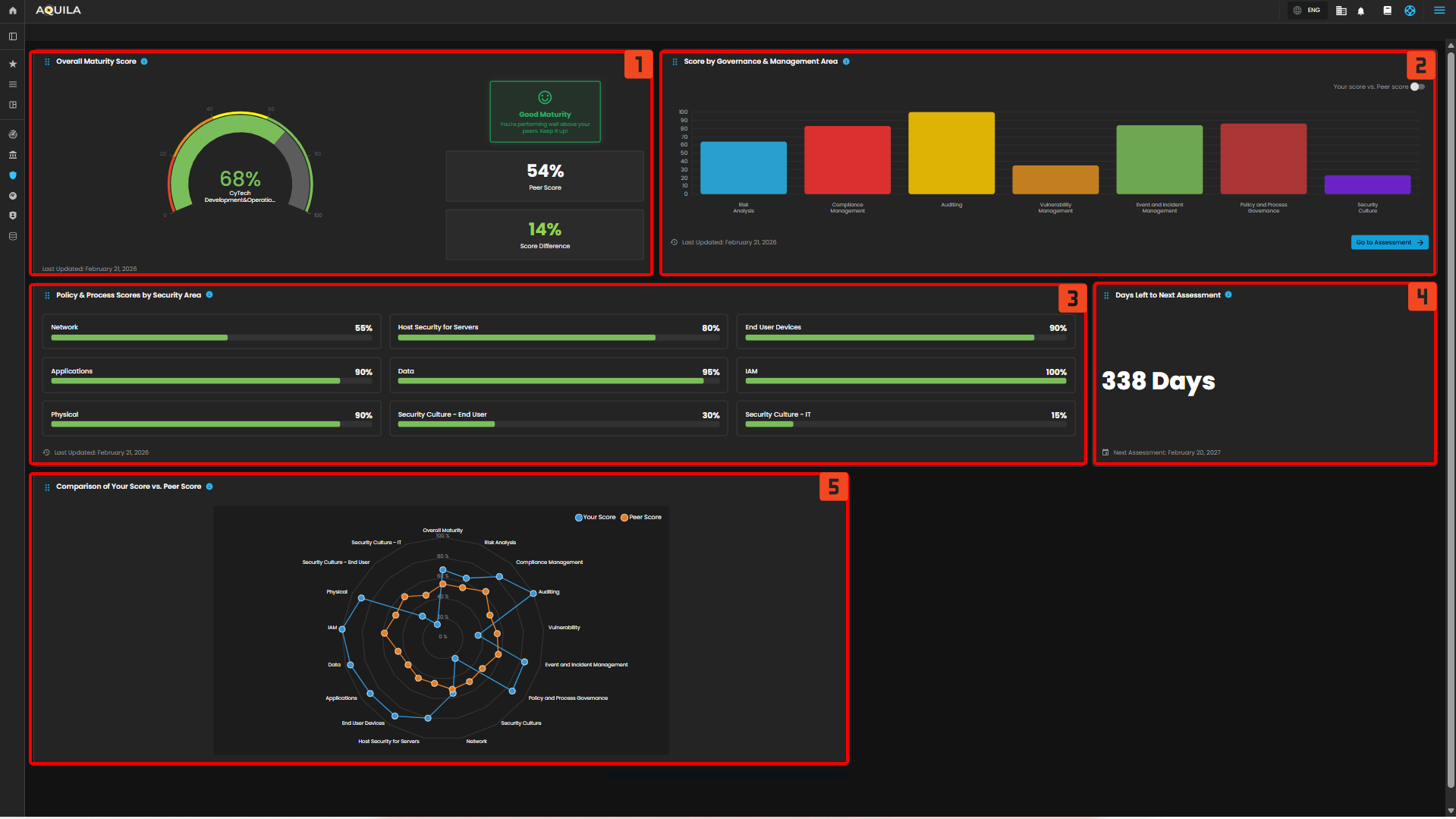](https://cytechint-docs-bookstack.s3.amazonaws.com/uploads/images/gallery/2026-03/j9RtHyDt70uENVQX-hehe-16.png) ### **Assessment - Cyber Security Compliance (Module)** The Assessment Dashboard enables organizations to evaluate their cybersecurity maturity across multiple domains. It provides visibility into assessment progress, performance against peers, and detailed scoring across core security areas. The dashboard is organized into four main sections. **1. Organization Details** **Purpose** Displays key contextual information about the organization being assessed. **Components** - **Organization Name:** (e.g., CyTech Development & Operations) - **Sector & Industry Classification** - **Sub-sector Information** - **Assessment Details:** - Reassessment date - Assessment frequency (e.g., every 12 months) **How to Use** - Validate assessment scope and organizational context - Ensure correct industry benchmarking alignment - Confirm assessment timelines and scheduling --- **2. Assessment Progress** **Purpose** Tracks completion status of the cybersecurity assessment. **Components** - **Progress Indicator:** Percentage completion (e.g., 100%) - **Status Message:** (e.g., *All Done!*) - **Next Reassessment Date** **How to Use** - Monitor completion of assessment questionnaires - Ensure all required inputs have been submitted - Identify readiness for generating results and reports --- **3. Overview Results** **Purpose** Provides a **summary of overall assessment outcomes**. **Components** - **Your Score:** Overall maturity score (e.g., 68%) - **Peer Score:** Industry benchmark (e.g., 54%) - **Score Difference:** Performance gap vs peers (e.g., +14%) - **Maturity Rating:** Qualitative status (e.g., *Good Maturity*) **How to Use** - Quickly evaluate overall cybersecurity posture - Understand relative performance against peers - Communicate high-level results to stakeholders --- **4. Core Areas** **Purpose** Breaks down cybersecurity maturity into **individual assessment domains**, allowing detailed evaluation. **Domains Included** **Risk Analysis** - Evaluates how effectively risks are identified and assessed - Example Score: 64% vs 54% (peer) **Compliance Management** - Measures alignment with regulatory and policy requirements - Example Score: 83% vs 63% **Auditing** - Assesses effectiveness of audit processes and controls validation - Example Score: 100% vs 52% **Vulnerability Management** - Evaluates identification and remediation of vulnerabilities - Example Score: 35% vs 54% **Event & Incident Management** - Measure's ability to detect, respond, and recover from incidents - Example Score: 84% vs 57% **Policy & Process Governance** - Assesses management and enforcement of policies and procedures - Example Score: 86% vs 49% **Security Culture** - Evaluates awareness, training, and security behavior across users - Example Score: 23% vs 50% [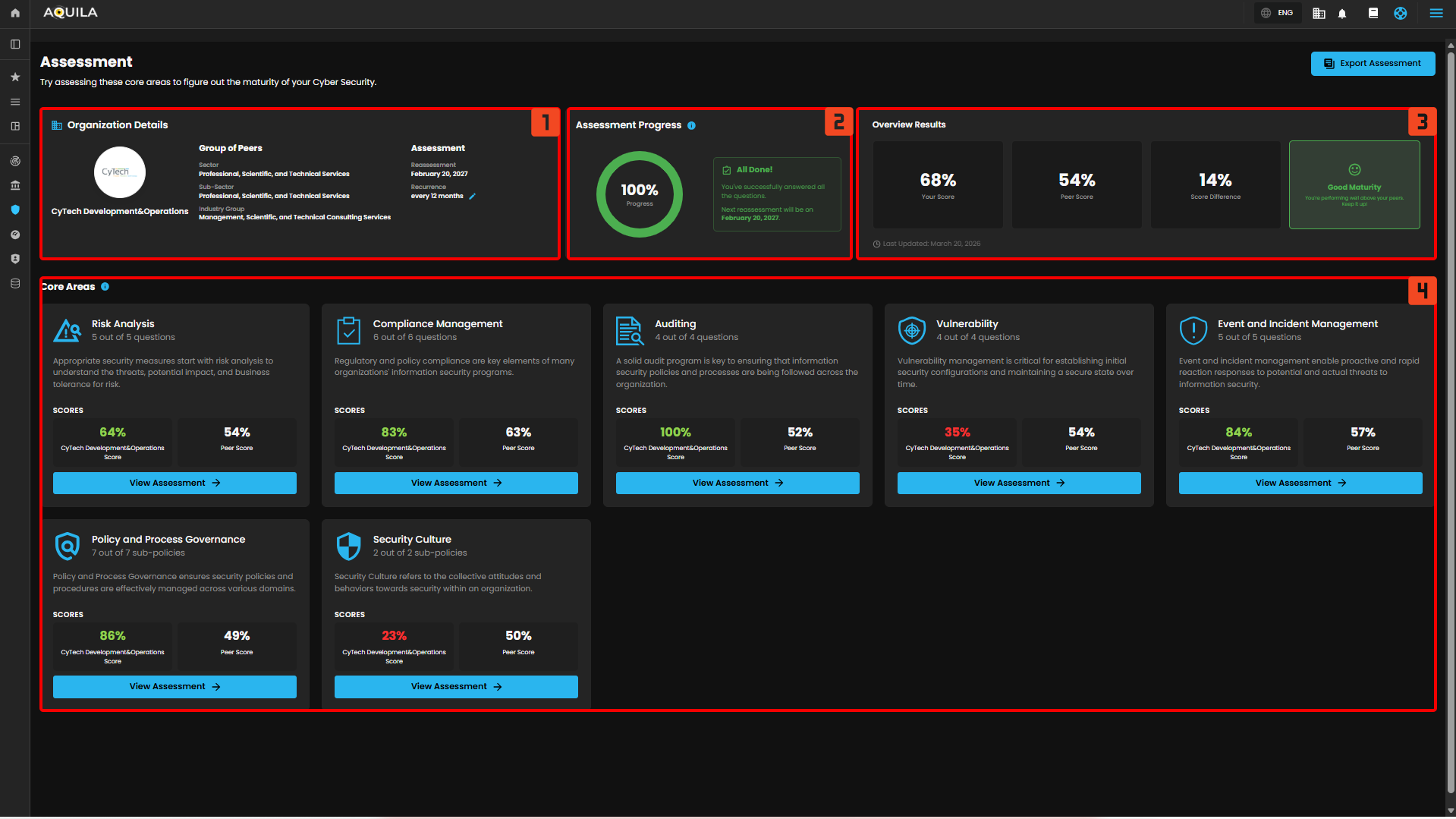](https://cytechint-docs-bookstack.s3.amazonaws.com/uploads/images/gallery/2026-03/1XU58G9IFFYSkkVJ-hehe-17.png) ### **Library - Cyber Security Compliance (Module)** The Assessment Library provides a centralized repository of all previously created cybersecurity assessments. It enables users to search, review, manage, and export assessment records for tracking, reporting, and audit purposes. **1. Library Header & Actions** **Purpose** Provides quick access to key actions and navigation within the Library. **Components** - **Page Title:** *Library* - **Description:** Overview of the section’s purpose - **Export Assessment Button:** Allows users to export selected assessment data **How to Use** - Use this section to understand the purpose of the page - Export assessments for reporting, sharing, or audit documentation --- **2. Search and Filter** **Purpose** Enables users to quickly locate specific assessments. **Components** - **Search Bar:** Search by assessment title or keywords - **Filter Option:** Apply filters to refine results (e.g., status, date, version) **How to Use** - Enter keywords to locate specific assessments - Apply filters to narrow down results for large datasets --- **3. Assessment List Table** **Purpose** Displays all stored assessments in a structured, tabular format. **Columns Explained** - **Assessment Title** Name of the assessment (e.g., *February 2026 – February 2027 Assessment*) - **Assessment Period** Timeframe covered by the assessment - **Version** Version identifier (e.g., v1) - **Request Status** Indicates whether the assessment has been requested or initiated - Example: *Not Requested* - **Assessed At** Date when the assessment was conducted - **Assessed By** User or entity responsible for completing the assessment --- **4. Assessment Actions** **Purpose** Provides quick actions for managing individual assessments. **Available Actions** - **View (👁️)** Opens the detailed assessment dashboard - **Download (⬇️)** Exports the assessment results - **Delete (🗑️)** Removes the assessment from the library **How to Use** - Use **View** to analyze results - Use **Download** for reporting or sharing - Use **Delete** to remove outdated or unnecessary records --- **5. Pagination Controls** **Purpose** Manages how many records are displayed and navigation across pages. **Components** - **Items per Page Selector** (e.g., 10/page) - **Page Navigation Controls** - **Total Items Indicator** (e.g., 1–1 of 1) **How to Use** - Adjust the number of items displayed per page - Navigate between pages when multiple assessments exist [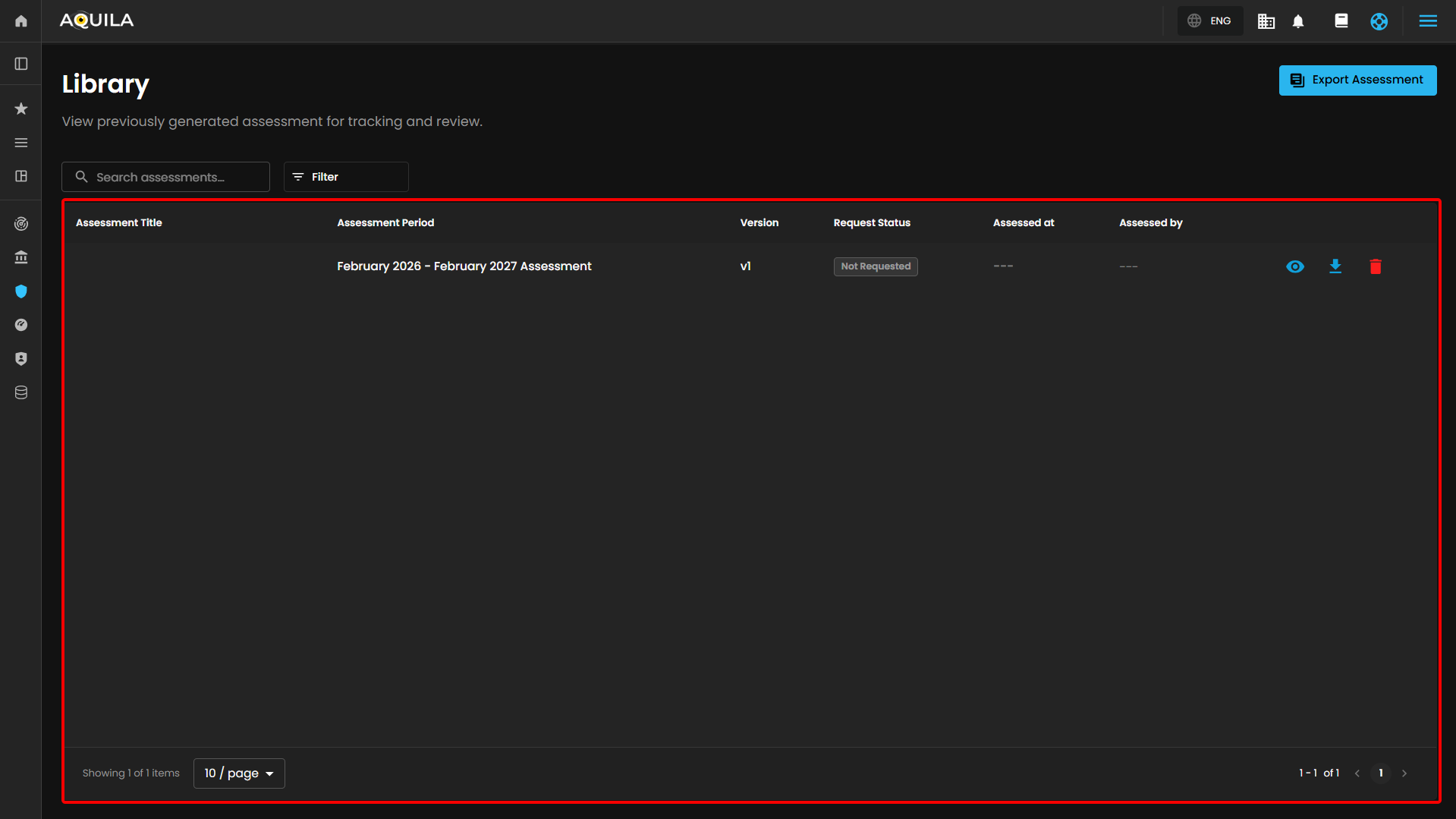](https://cytechint-docs-bookstack.s3.amazonaws.com/uploads/images/gallery/2026-03/WIRfNqOvRU3Nk5oK-hehe-18.png) Client can also export their assessment by clicking the "**Export Assessment**" button [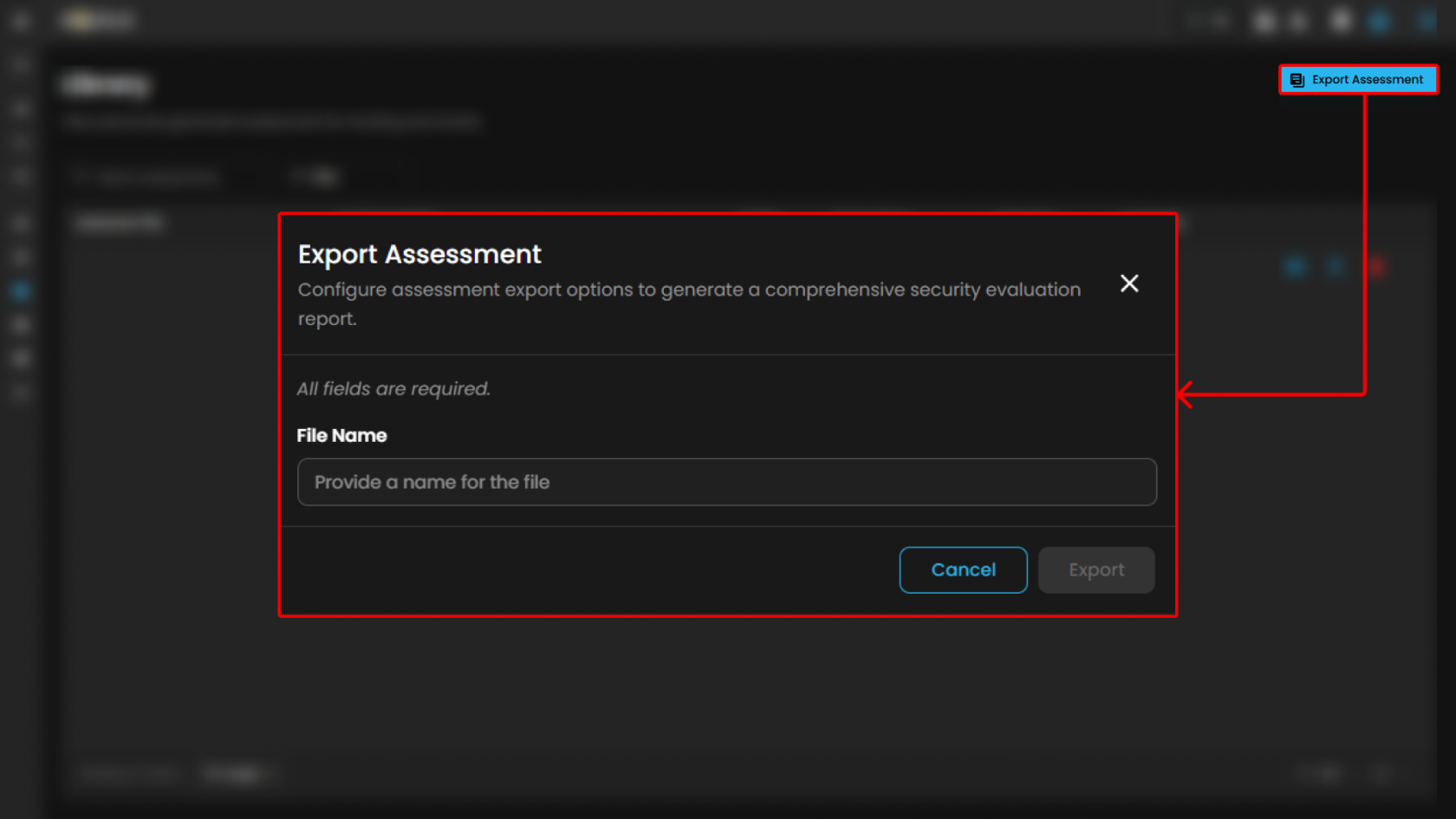](https://cytechint-docs-bookstack.s3.amazonaws.com/uploads/images/gallery/2026-03/pevuDt10c8m9Zhu6-hehe-19.png) **Conclusion** The AQUILA Security Maturity Assessment Platform provides a comprehensive and structured approach to assessing, monitoring, and managing an organization’s security posture. Through its integrated modules—Assessment, Dashboard, and Library—the platform enables continuous visibility, benchmarking, and improvement of cybersecurity capabilities. The **Assessment module** establishes the foundation by guiding users through structured evaluations across key security domains, including risk analysis, compliance, auditing, vulnerability management, incident response, governance, and security culture. It ensures that organizations can systematically measure their maturity using standardized criteria. The **Dashboard module** transforms assessment data into actionable insights. It provides a consolidated view of overall maturity, domain-level performance, and peer benchmarking. Visualizations such as maturity scores, governance breakdowns, and comparative analytics allow stakeholders to quickly identify strengths, weaknesses, and priority areas for remediation. The **Library module** supports long-term governance by maintaining a centralized repository of all assessments. It enables efficient tracking, version control, and retrieval of historical data, which is essential for audit readiness, compliance validation, and continuous improvement initiatives. Overall, the platform demonstrates that the organization has: - A **solid cybersecurity maturity level**, exceeding peer benchmarks - Strong capabilities in **governance, auditing, and identity management** - Identified improvement areas in **vulnerability management and security culture** By leveraging these insights, organizations can prioritize remediation efforts, strengthen operational security, and align more effectively with industry standards such as ISO 27001 and SOC 2. The platform ultimately supports a **continuous improvement lifecycle**, enabling organizations to move from reactive security practices toward a more **proactive, risk-driven, and maturity-based cybersecurity posture**. # CyTech AQUILA - Information Security Pressure Analysis (ISPA) #### **Overview:** **Information Security Pressure Analysis (ISPA)** is a section that shows an overview of the assessments such as **Security Risk Assessment, Security Pressure Analysis,** and **Security Risk Appetite.** That helps the client current risk levels and their overall status of their organization based on the taken assessment. #### **Key Features:** - **Security Maturity Overview** - **Risk Exposure Overview****To navigate to Information Security Pressure Analysis (ISPA), please follow the instructions below:**
**Step 1: Log in to CyTech - AQUILA: [usdc.cytechint.io](https://usdc.cytechint.io/)** **Step 2: Click on Regulatory Intelligence** [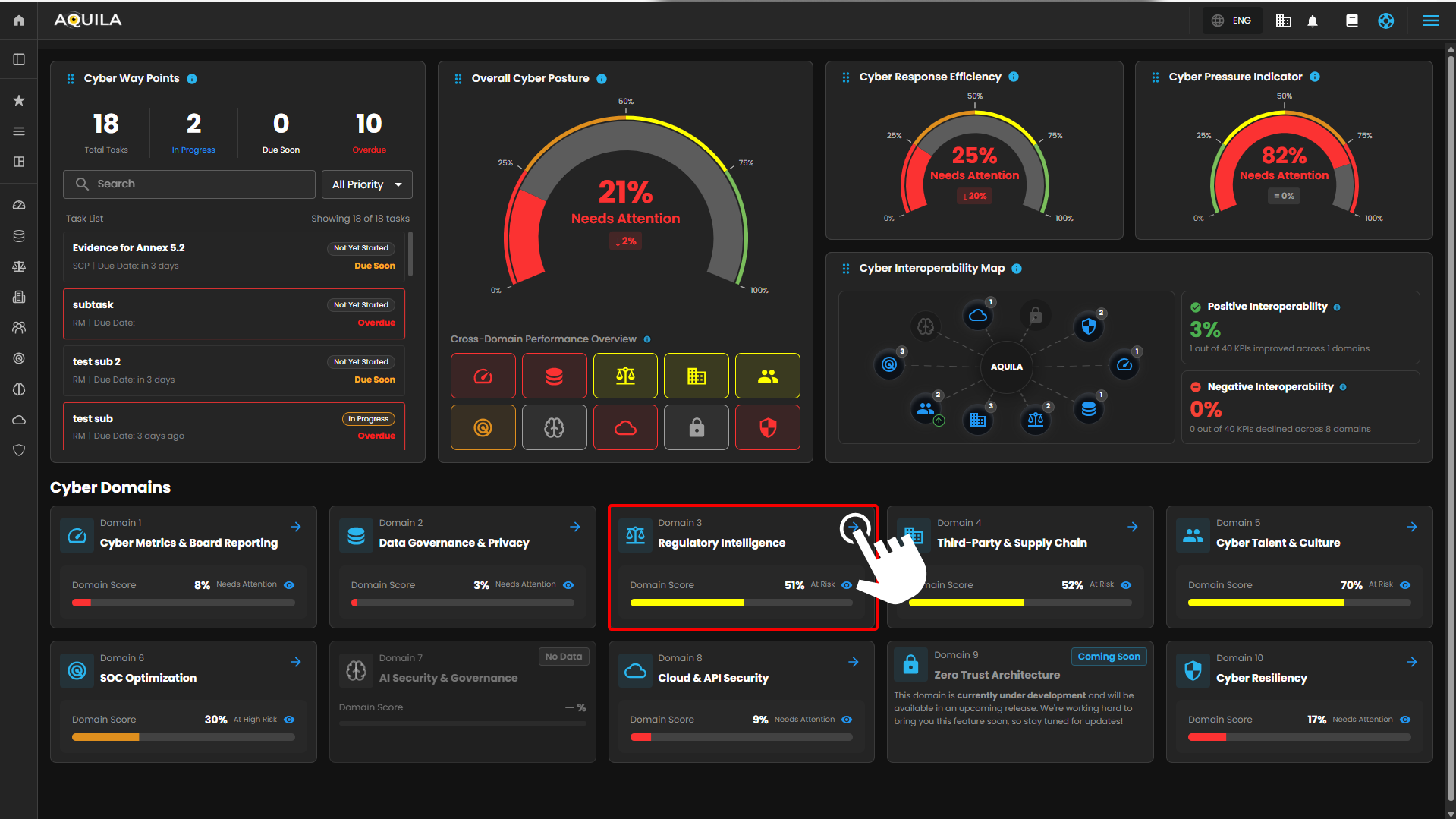](https://cytechint-docs-bookstack.s3.amazonaws.com/uploads/images/gallery/2026-04/FDtJs6TBhoe1mz6c-image.png) **Step 3: Choose Information Security Pressure Analysis (ISPA)** [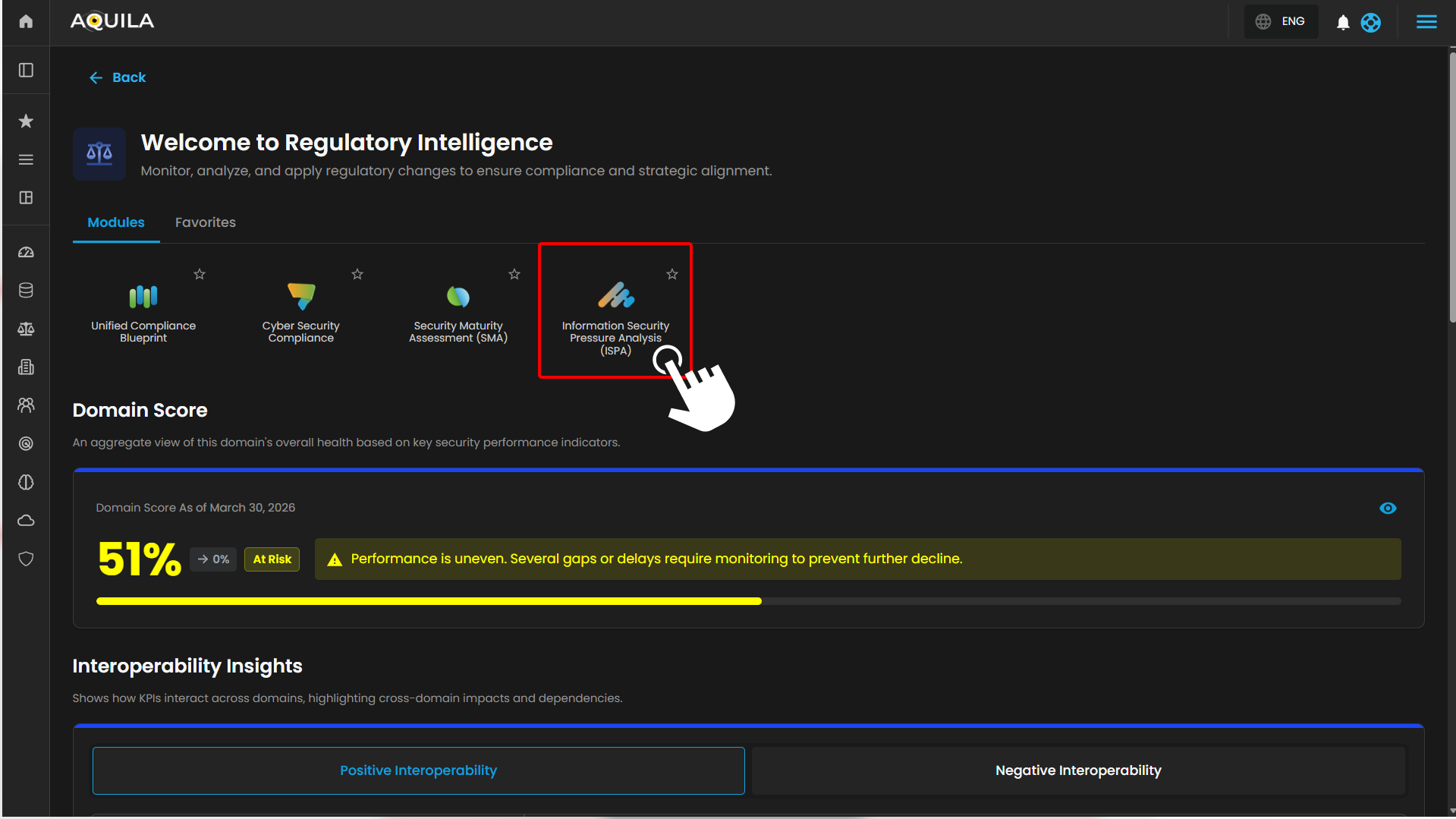](https://cytechint-docs-bookstack.s3.amazonaws.com/uploads/images/gallery/2026-04/pVzcvX21qYjVSBVD-hehe-5.png) **Step 4: Hover into leftmost panel to view all the Regulatory Intelligence & Compliance sections. This Process is applicable in all navigating into a Module.** [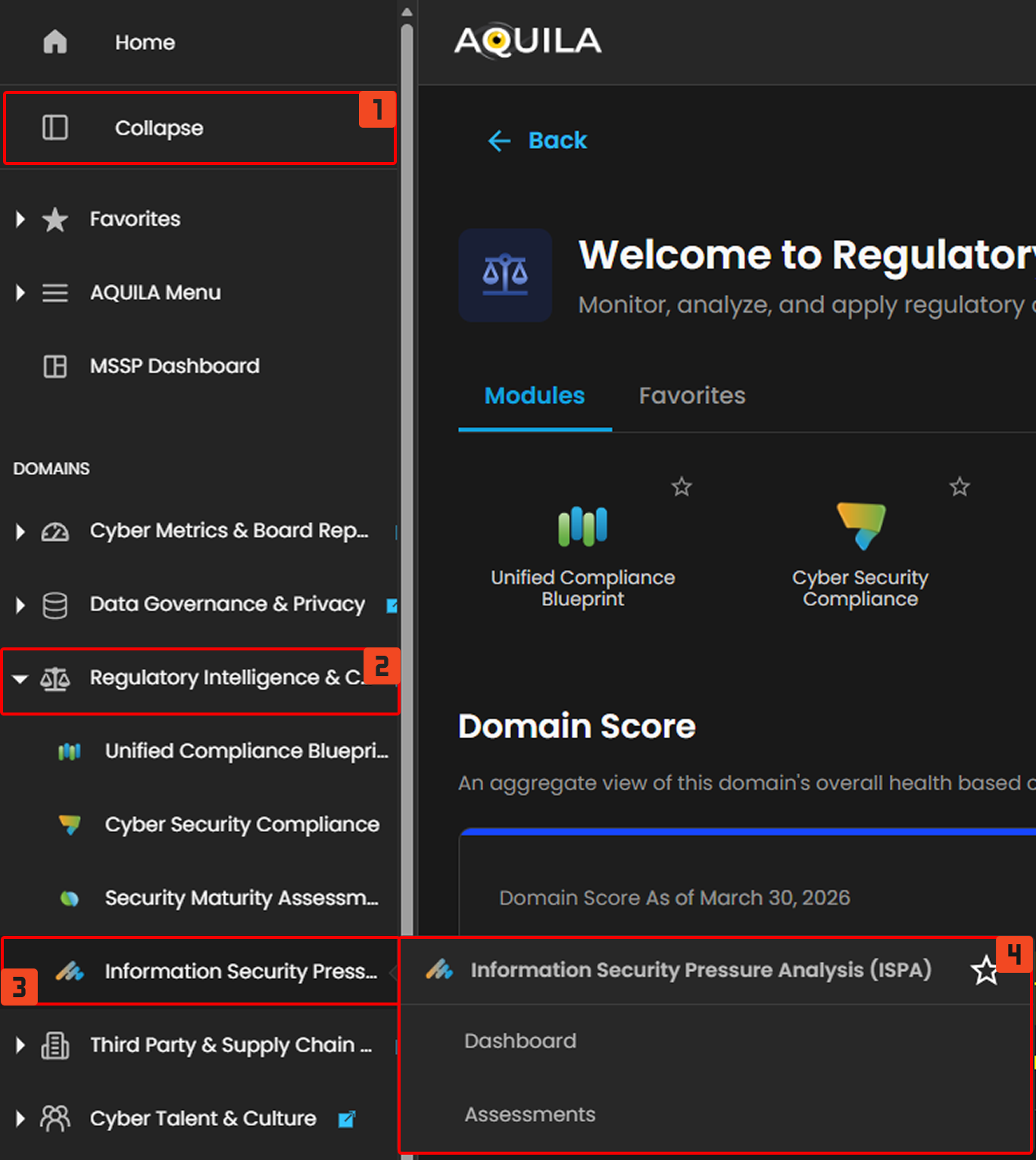](https://cytechint-docs-bookstack.s3.amazonaws.com/uploads/images/gallery/2026-04/cleUy8oysQXAZW4T-hello-3.png) #### **Dashboard** This section shows an overview of the current score and status of the organization, such as their **Security Pressure**, **Risk Exposure**, **Risk Appetite**, **Assessment Coverage**, **Security Target State Trends**, and **Recommended Security Maturity**. [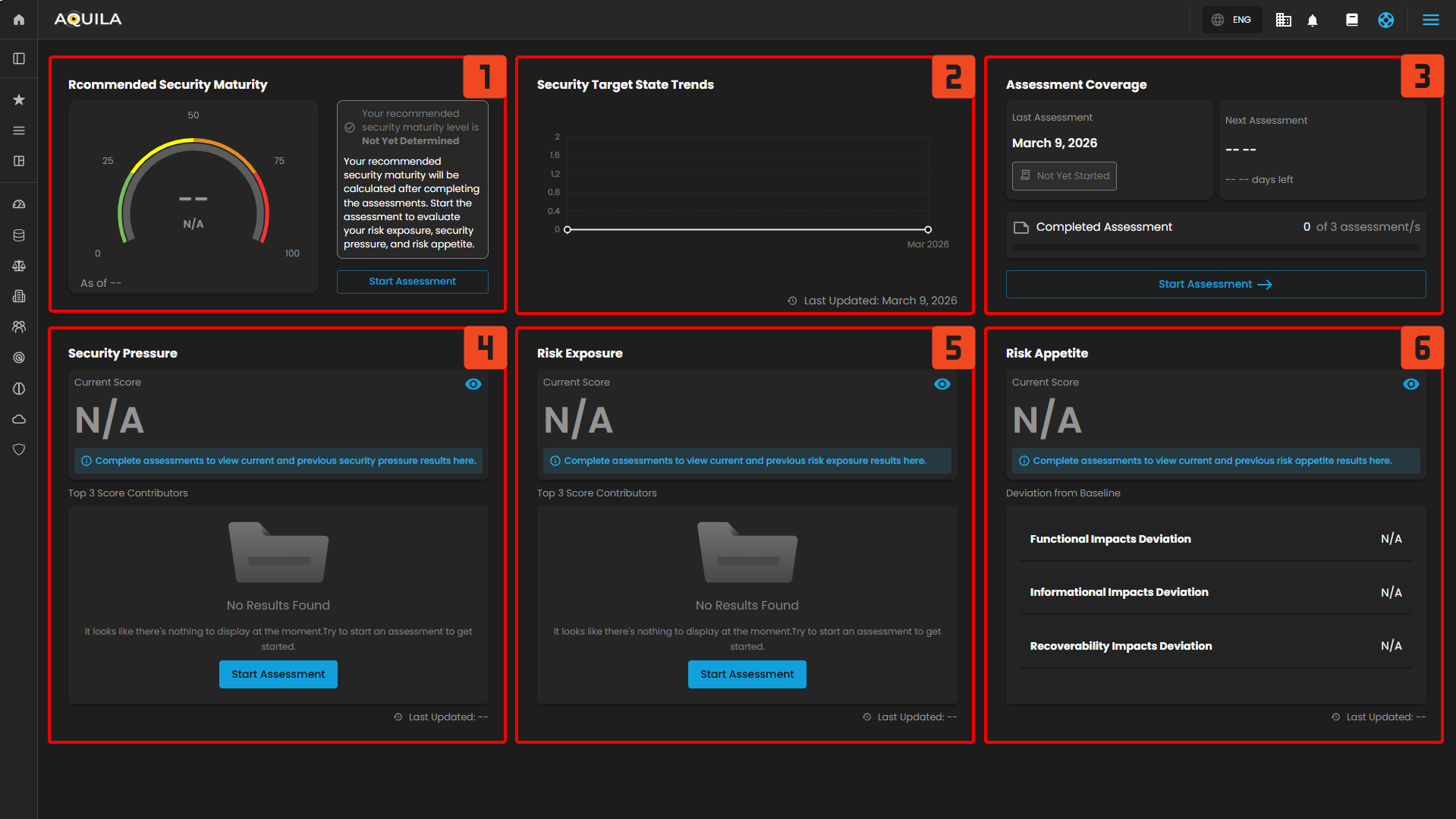](https://cytechint-docs-bookstack.s3.amazonaws.com/uploads/images/gallery/2026-04/OccHpXxpnZrIdfI8-hehe-6.png) 1. **Recommended Security Maturity** - This section shows the security maturity score. This will be available and calculated after completing the assessment. [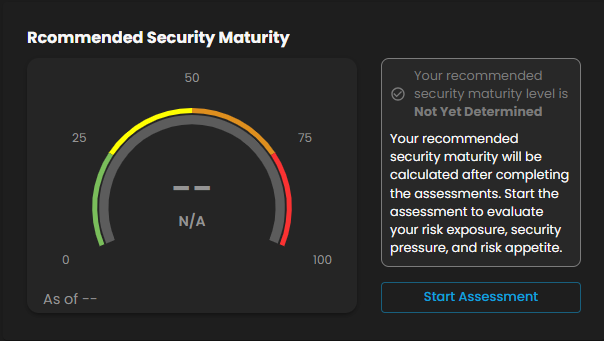](https://cytechint-docs-bookstack.s3.amazonaws.com/uploads/images/gallery/2026-04/UVdan2h01HW53l4S-image.png) 2. **Security Target State Trends** - This view highlights how your Information Security Target State has evolved over time. Rising levels suggest growing governance and oversight requirements, while stable levels indicate consistent risk conditions. [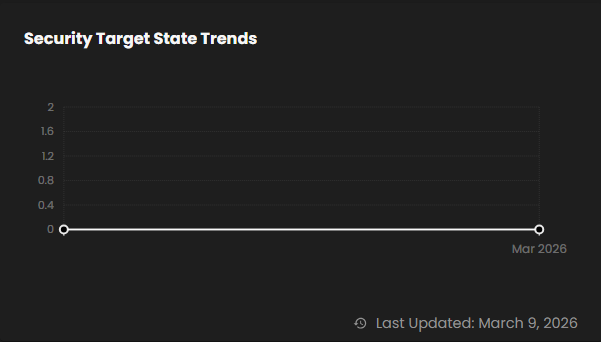](https://cytechint-docs-bookstack.s3.amazonaws.com/uploads/images/gallery/2026-04/r1gfTeB7Rme1KlZ1-image.png) Clients can also click the graph to view the historical progression of your recommended security maturity. Recommended security maturity will be calculated after completing the Information **Security Pressure Analysis**. 3. **Assessment Coverage** - This section shows an overview of assessment such as their last taken assessment, their next assessment and completed assessment of the client. [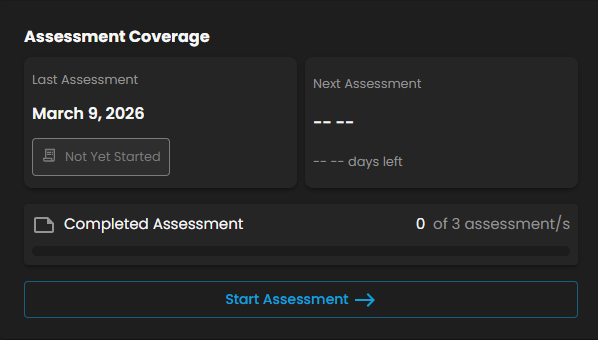](https://cytechint-docs-bookstack.s3.amazonaws.com/uploads/images/gallery/2026-04/1MCDxJXp4f3RkE4i-image.png) To take the assessment clients can press the "**Start Assessment**" button and it will redirect them into a new page named "**Security Risk Assessment"** where it shows and let them provide structured responses to evaluate organization's risk exposure, external pressures, and security risk tolerance. [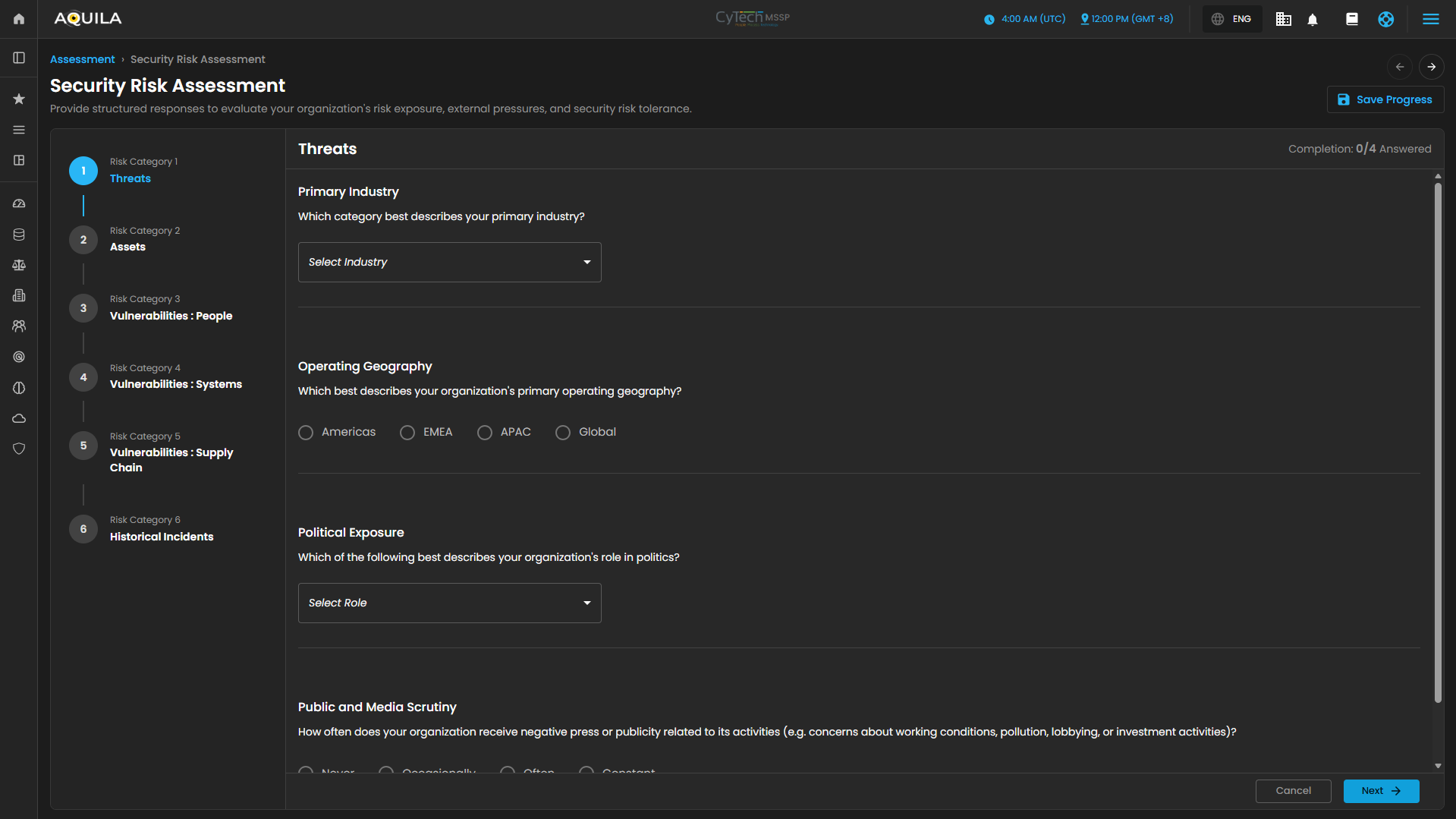](https://cytechint-docs-bookstack.s3.amazonaws.com/uploads/images/gallery/2026-04/aIJe5BW0yT4I7MuH-image.png) 4. **Security Pressure** - This section provides an overview of the "**Security Pressure Score".** The score will be calculated after completing the assessment. [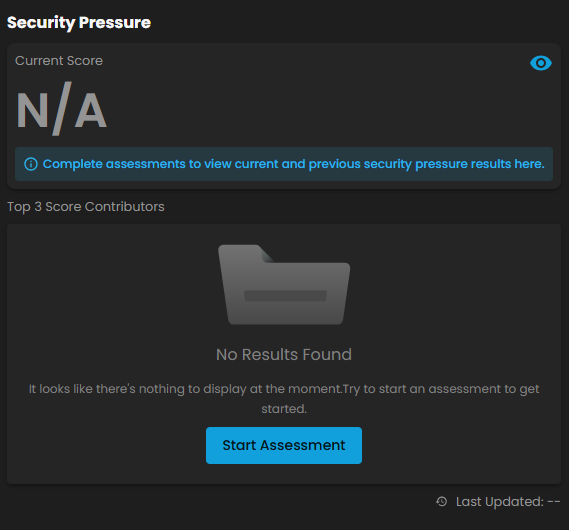](https://cytechint-docs-bookstack.s3.amazonaws.com/uploads/images/gallery/2026-04/bTkJnVE1bTm7eYZh-image.png) Clients can also press the "[](https://cytechint-docs-bookstack.s3.amazonaws.com/uploads/images/gallery/2026-04/zgiL0lUIckgAk4IS-image.png)" to see the full overview of the "**Current Score**". This section also reflects the level of strain on security controls based on current threats and operational factors and is mapped to a status level to indicate overall pressure intensity. [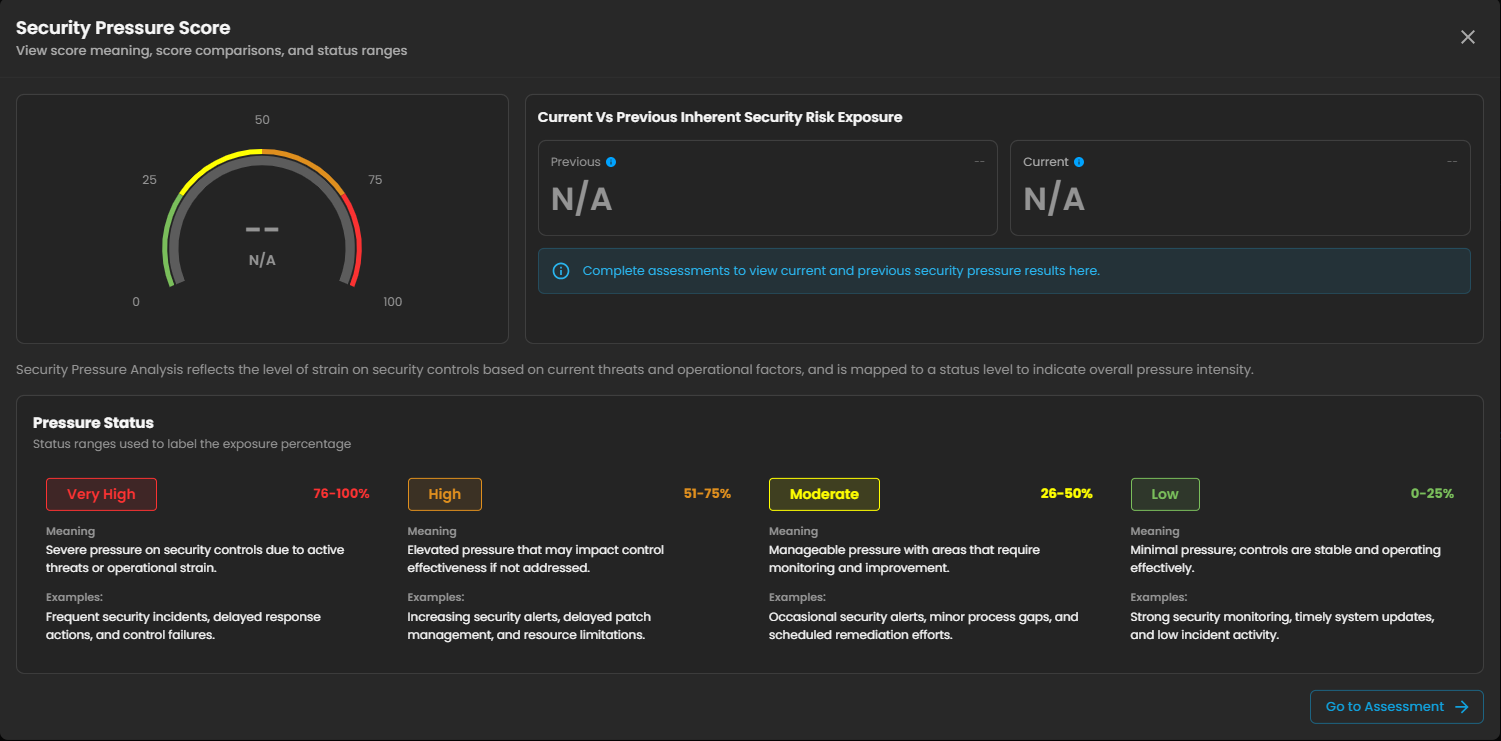](https://cytechint-docs-bookstack.s3.amazonaws.com/uploads/images/gallery/2026-04/UlmCjXZiSKBvPexU-image.png) 5. **Risk Exposure -** Inherent Security Risk Exposure estimates how exposed the organization is to cyber threats before additional mitigation is applied. The percentage is derived from your assessment answers across threats, assets, and incident indicators, then mapped to a status level. [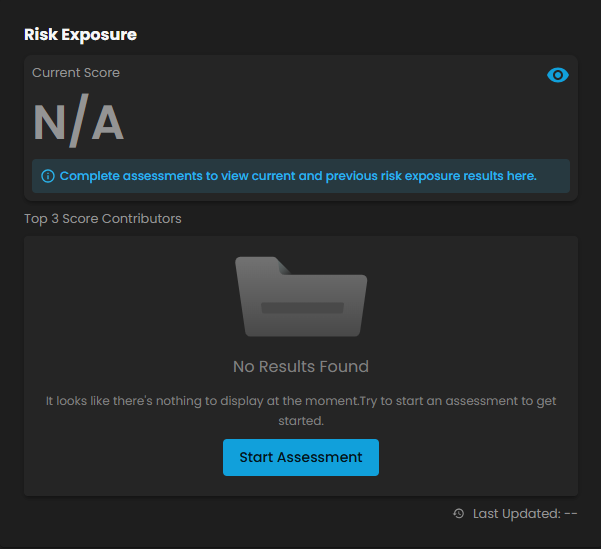](https://cytechint-docs-bookstack.s3.amazonaws.com/uploads/images/gallery/2026-04/32nJMBL9uQ77N3QT-image.png) Clients can also click the [](https://cytechint-docs-bookstack.s3.amazonaws.com/uploads/images/gallery/2026-04/rbRR4PL7hSo23rVr-image.png) icon to see the full overview of the "**Risk Exposure Score"** [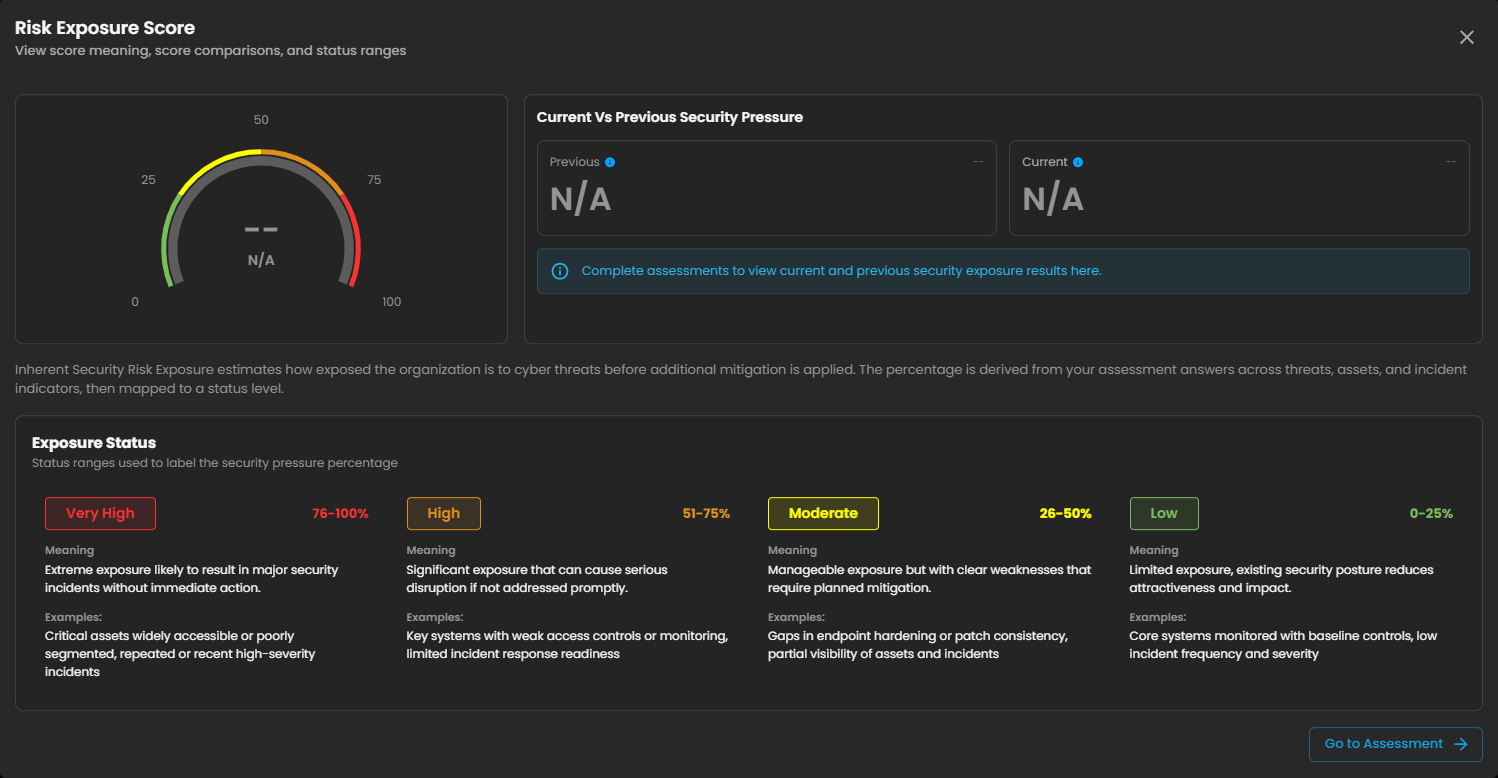](https://cytechint-docs-bookstack.s3.amazonaws.com/uploads/images/gallery/2026-04/ywjlpoO2HxLJfytn-image.png) 6. **Risk Appetite** - Risk Appetite indicates how much risk the organization is willing to accept, mapped to a status level to reflect overall risk tolerance. [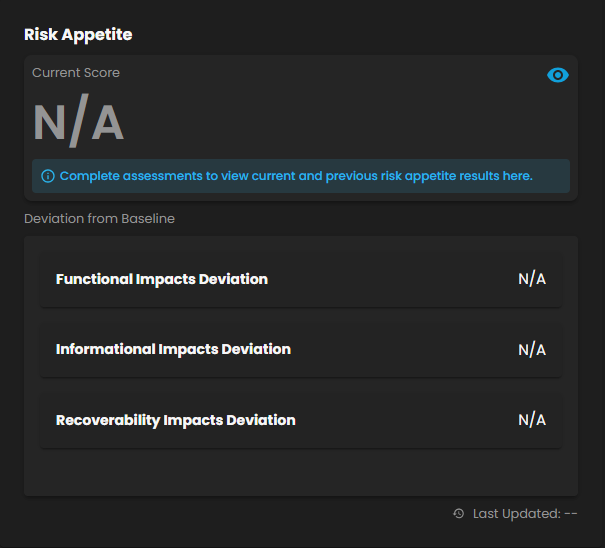](https://cytechint-docs-bookstack.s3.amazonaws.com/uploads/images/gallery/2026-04/PmOOhfiJPrVMhGZF-image.png) Clients can also click the [](https://cytechint-docs-bookstack.s3.amazonaws.com/uploads/images/gallery/2026-04/rbRR4PL7hSo23rVr-image.png) icon to see the full overview of the "**Risk Appetite".** Results will be available once the assessment is taken. #### [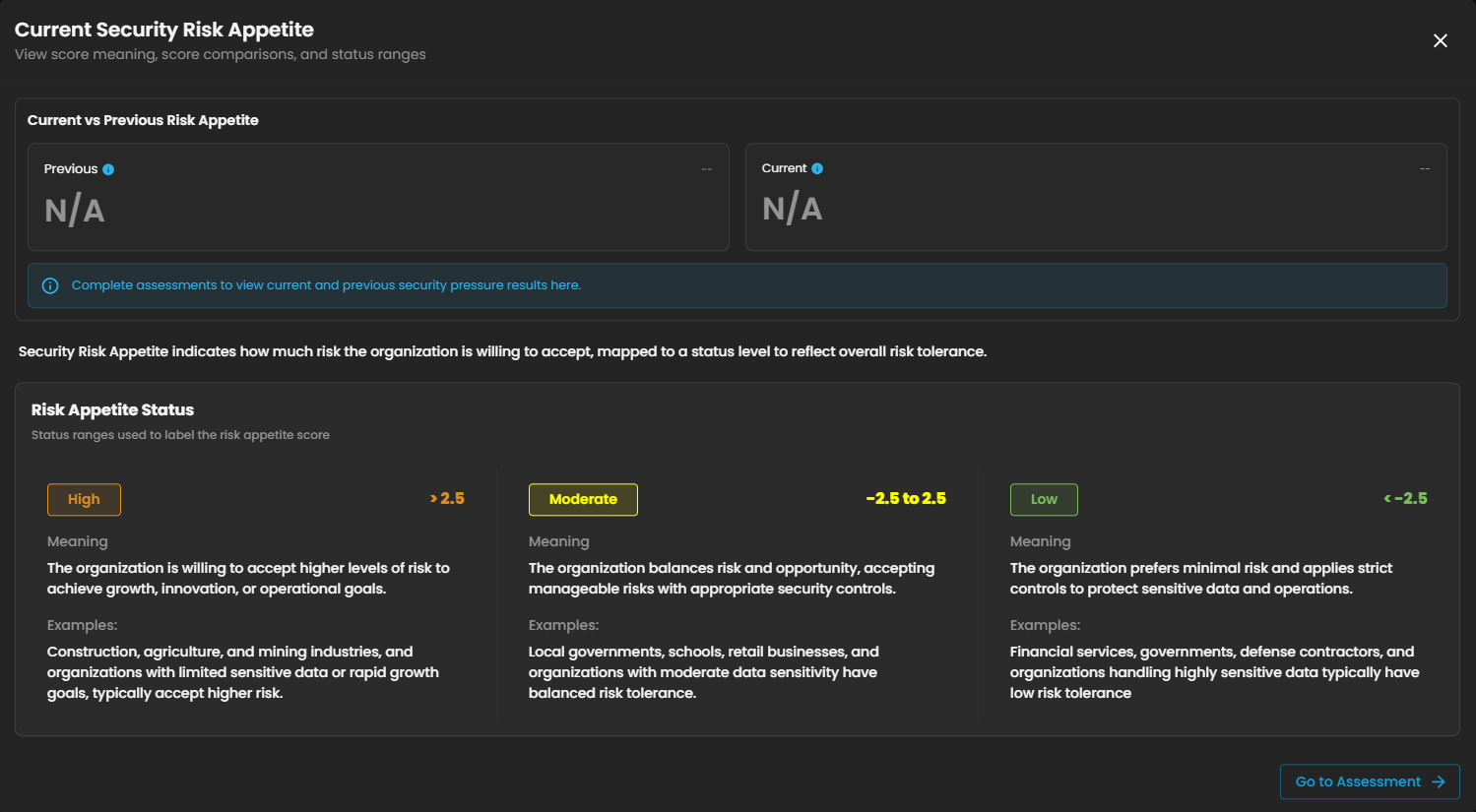](https://cytechint-docs-bookstack.s3.amazonaws.com/uploads/images/gallery/2026-04/zuwuqY2F1tx8PnOr-image.png) #### **Assessments** View organization's current security risk level, outside pressures, and overall risk status based on your assessment. ##### **Security Risk Assessment** Review organization's current risk level and the key factors contributing to it. [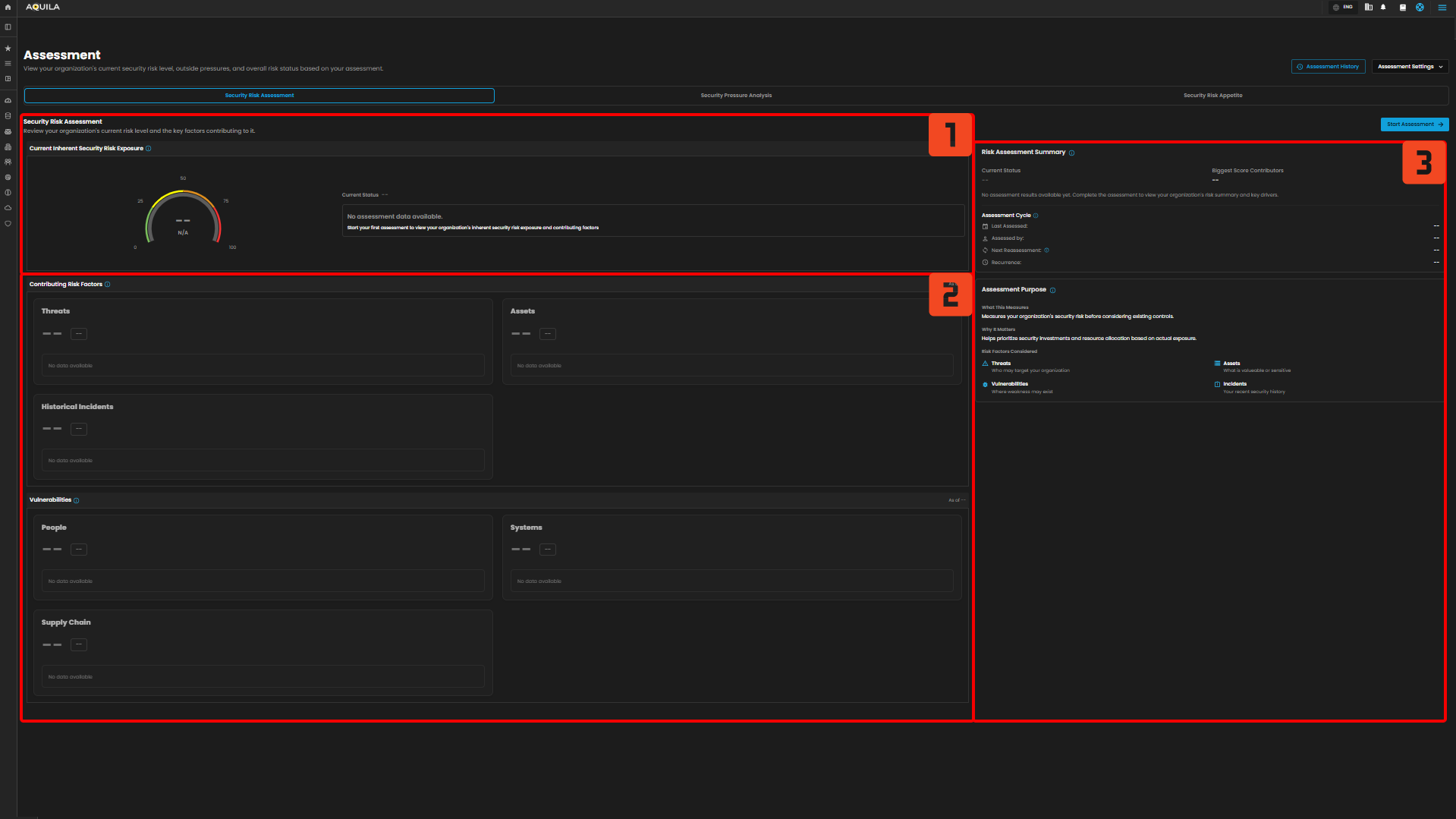](https://cytechint-docs-bookstack.s3.amazonaws.com/uploads/images/gallery/2026-04/wiK05hSb5u08VVon-hehe-7.png) 1. **Current Inherent Security Risk Exposure** - Overall inherent risk exposure based on threats, assets, vulnerabilities, and incident history from your answers. [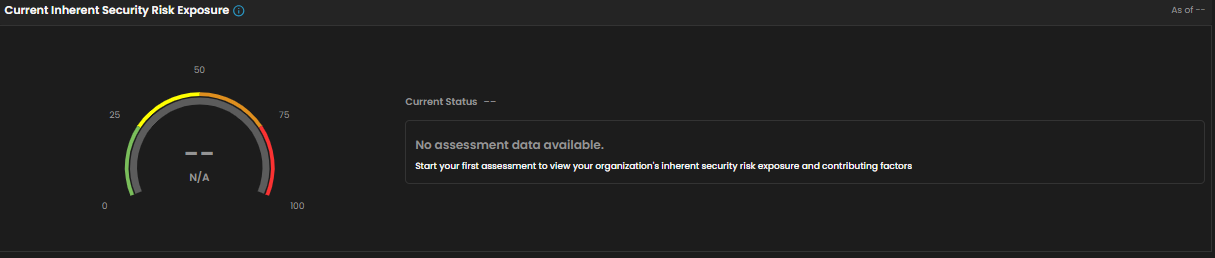](https://cytechint-docs-bookstack.s3.amazonaws.com/uploads/images/gallery/2026-04/c6f6VHS03X2XcCzm-image.png) 2. **Contributing Risk Factors** - Category scores that contribute to the overall risk exposure. Higher categories indicate stronger exposure drivers. Will be available once the assessment was taken. [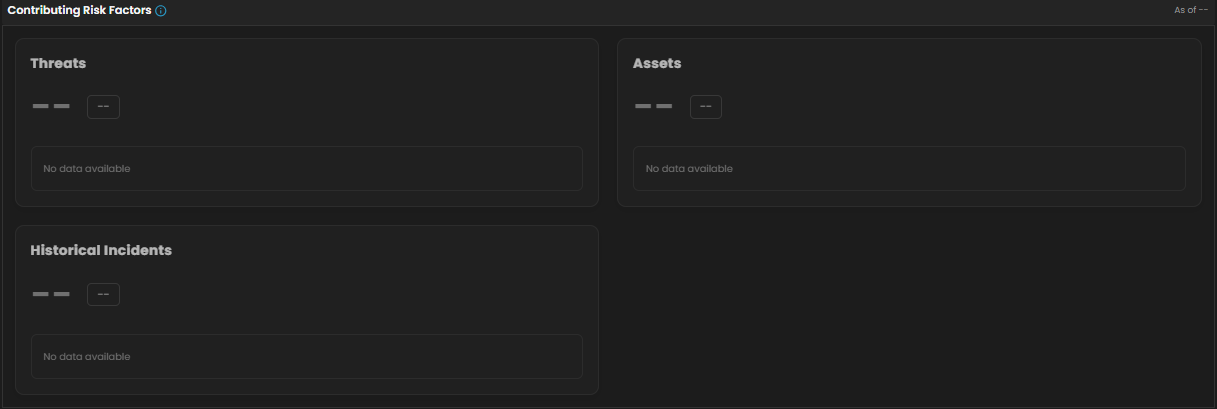](https://cytechint-docs-bookstack.s3.amazonaws.com/uploads/images/gallery/2026-04/Vh6i07iAT6xjIY7Q-image.png) **Vulnerabilities** - Category scores that contribute to the overall risk exposure. Higher categories indicate stronger exposure drivers. [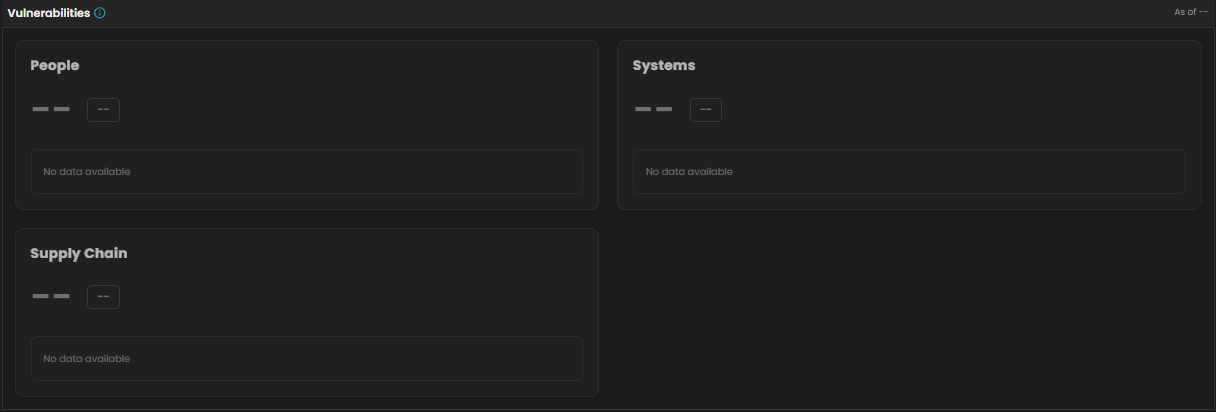](https://cytechint-docs-bookstack.s3.amazonaws.com/uploads/images/gallery/2026-04/plpSqz4mv52h3oWs-image.png) 3. **Risk Assessment Summary** - Summary of your overall exposure and the top drivers based on this assessment. [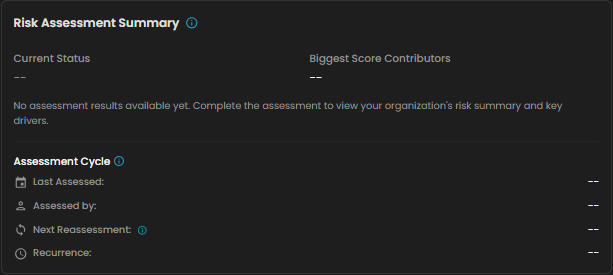](https://cytechint-docs-bookstack.s3.amazonaws.com/uploads/images/gallery/2026-04/hYURjY3AyifhfPSK-image.png) **Assessment Purpose** - Explains what this assessment measures and why it matters to leadership decisions. [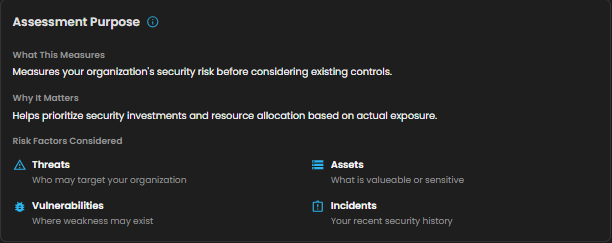](https://cytechint-docs-bookstack.s3.amazonaws.com/uploads/images/gallery/2026-04/9Z9Ov8l1IPZKNu7X-image.png) ##### **Security Pressure Analysis** Review your organization's current security pressure and the key factors contributing to it. [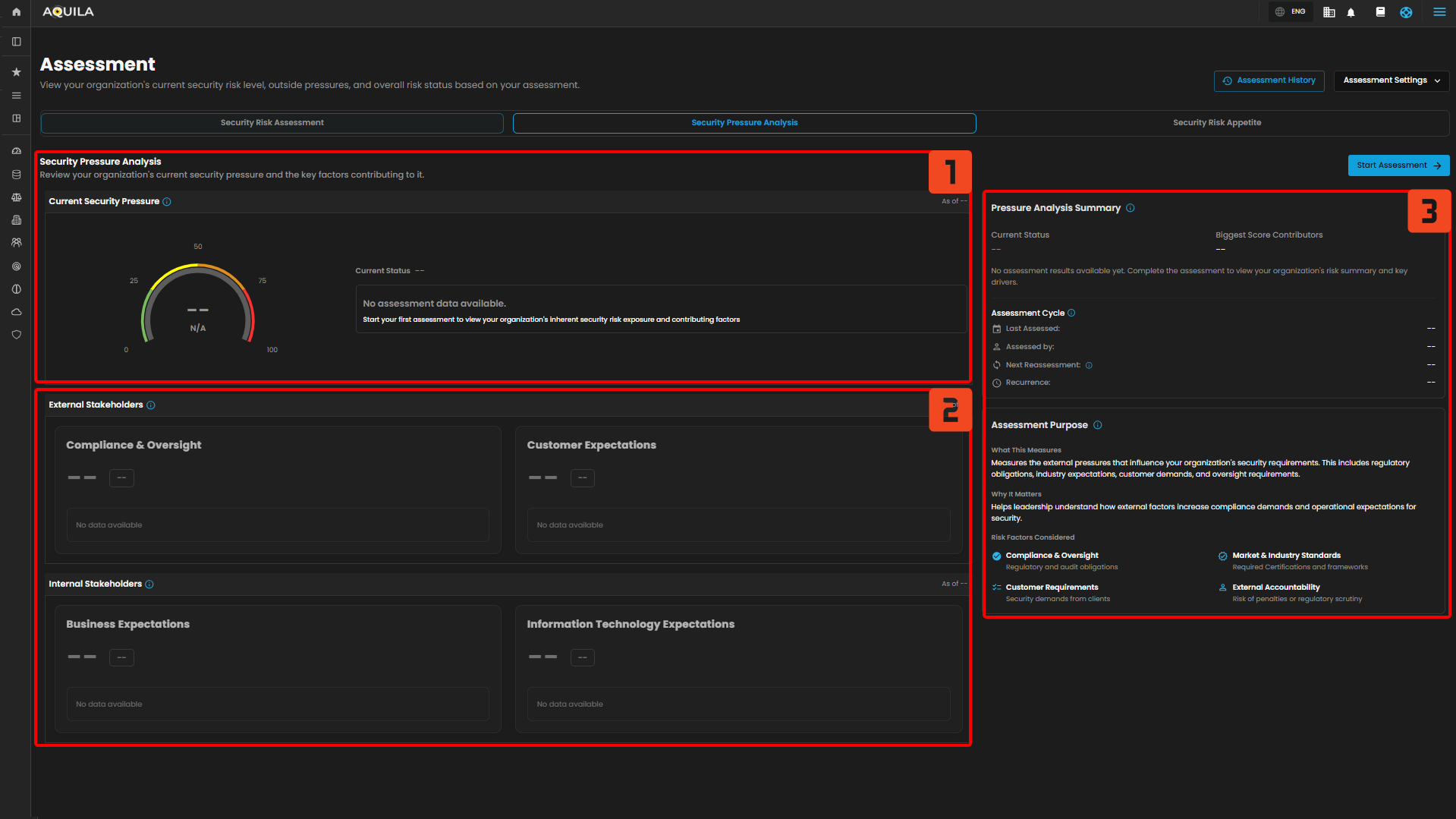](https://cytechint-docs-bookstack.s3.amazonaws.com/uploads/images/gallery/2026-04/NdqYPpfJrXPyrWTl-hehe-8.png) 1. **Current Security Pressure** - Overall pressure on the security program based on stakeholder expectations captured in this assessment. [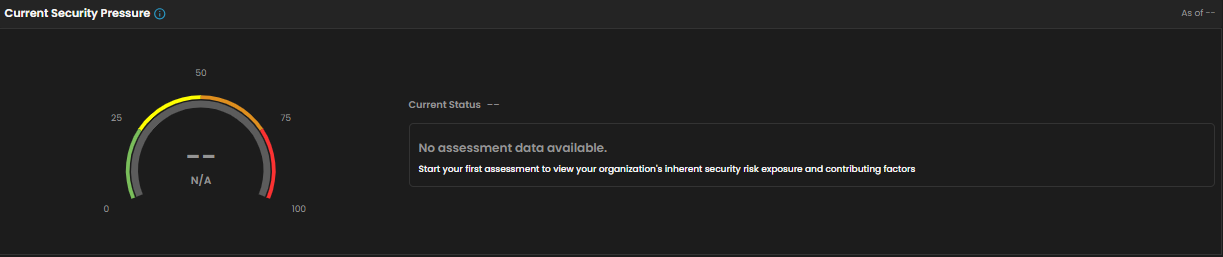](https://cytechint-docs-bookstack.s3.amazonaws.com/uploads/images/gallery/2026-04/WH0vafiEDt24kxKv-image.png) 2. **External Stakeholders** - Pressure driven by external obligations such as regulators, auditors, and customers. [](https://cytechint-docs-bookstack.s3.amazonaws.com/uploads/images/gallery/2026-04/A1uQDHcPldTOHoBP-image.png) **Internal Stakeholders** - Pressure driven by internal delivery, operations, and technology expectations. [](https://cytechint-docs-bookstack.s3.amazonaws.com/uploads/images/gallery/2026-04/4KmMhduSkJARtTsO-image.png) 3. **Pressure Analysis Summary** - Summary of your overall pressure and the strongest drivers based on this assessment. [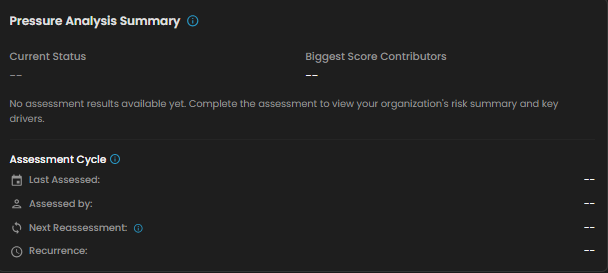](https://cytechint-docs-bookstack.s3.amazonaws.com/uploads/images/gallery/2026-04/4URDG3NDezPI05pu-image.png) **Assessment Purpose** - Explains what this assessment measures and why it matters to leadership decisions [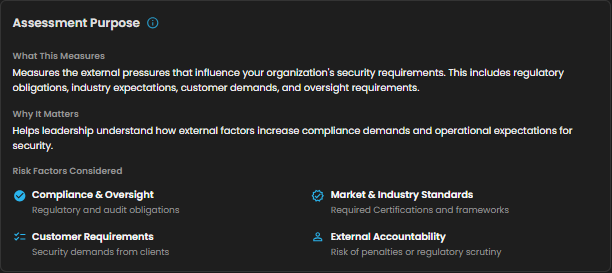](https://cytechint-docs-bookstack.s3.amazonaws.com/uploads/images/gallery/2026-04/u3LhncuFDKMc40ux-image.png) ##### **Security Risk Appetite** Review your organization's current risk appetite and the key factors contributing to it. [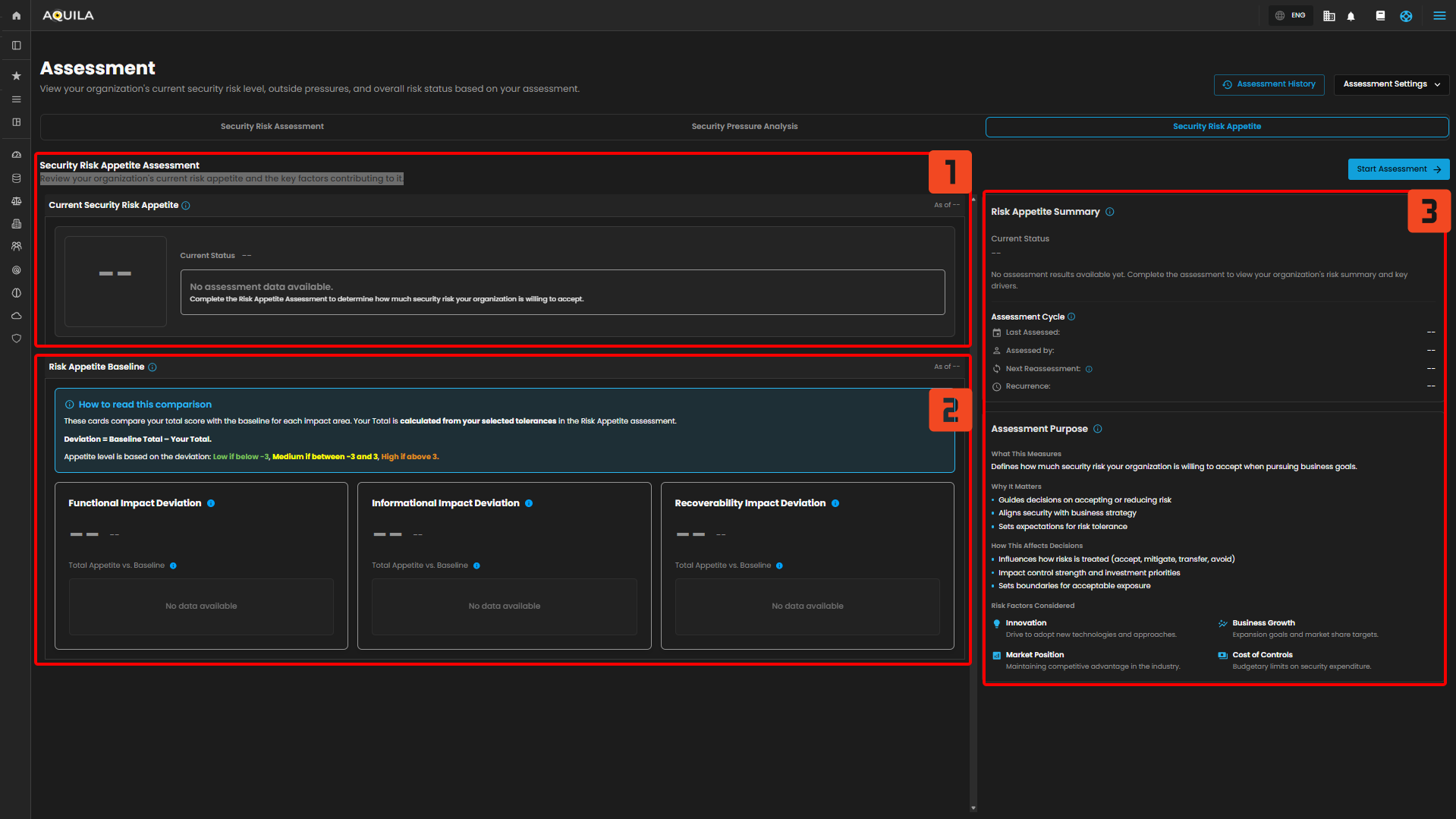](https://cytechint-docs-bookstack.s3.amazonaws.com/uploads/images/gallery/2026-04/h690GxAg9vwp4fEA-hehe-9.png) 1. **Current Security Risk Appetite** - Overall tolerance for risk based on the tolerances you selected across impact areas. [](https://cytechint-docs-bookstack.s3.amazonaws.com/uploads/images/gallery/2026-04/WZYAjRZ64hX9zud3-image.png) 2. **Risk Appetite Baseline** - Compares your selected tolerances against the baseline for each impact area to show how your appetite differs. [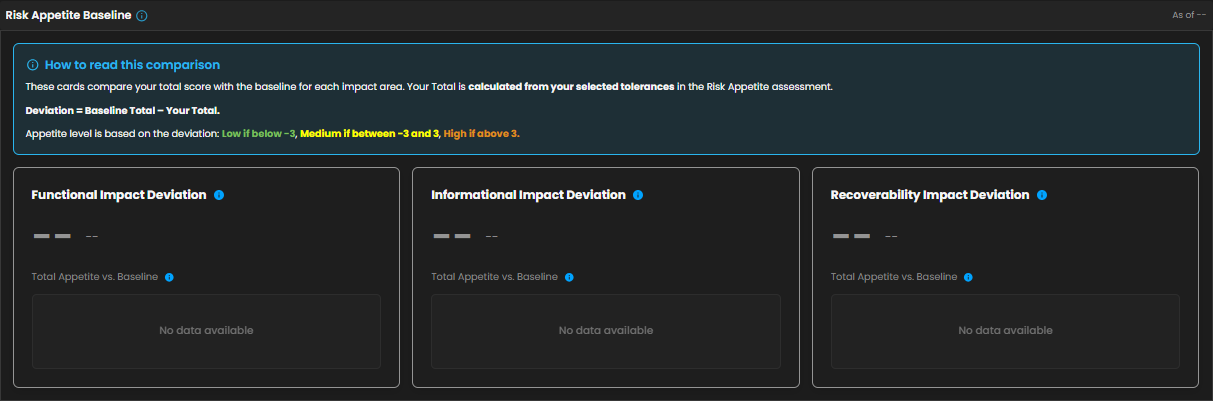](https://cytechint-docs-bookstack.s3.amazonaws.com/uploads/images/gallery/2026-04/f6gvbaRsKDVqZe8l-image.png) 3. **Risk Appetite Summary** - Interprets what your appetite level means for how risk decisions are typically handled. [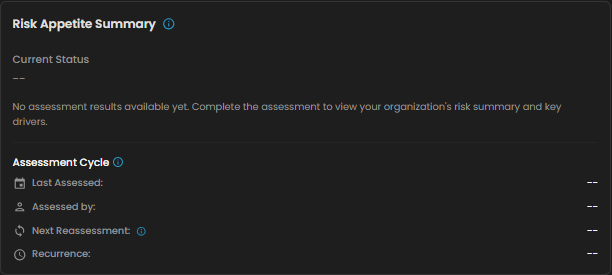](https://cytechint-docs-bookstack.s3.amazonaws.com/uploads/images/gallery/2026-04/TvPgwR2XsjptcD2U-image.png) **Assessment Purpose** - Explains what this assessment measures and why it matters to leadership decisions. [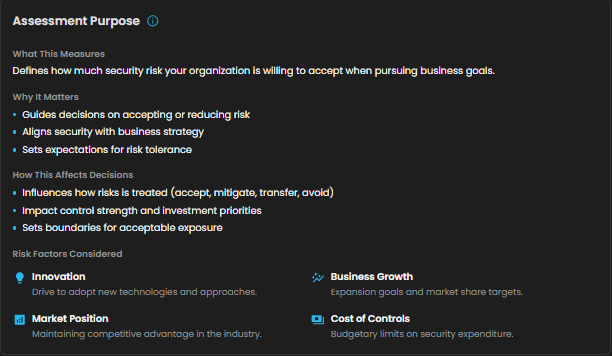](https://cytechint-docs-bookstack.s3.amazonaws.com/uploads/images/gallery/2026-04/EbI99hSP06bm46U8-image.png) **Assessment History** - By pressing this button it will open up a sidebar that shows the histories of assessments. [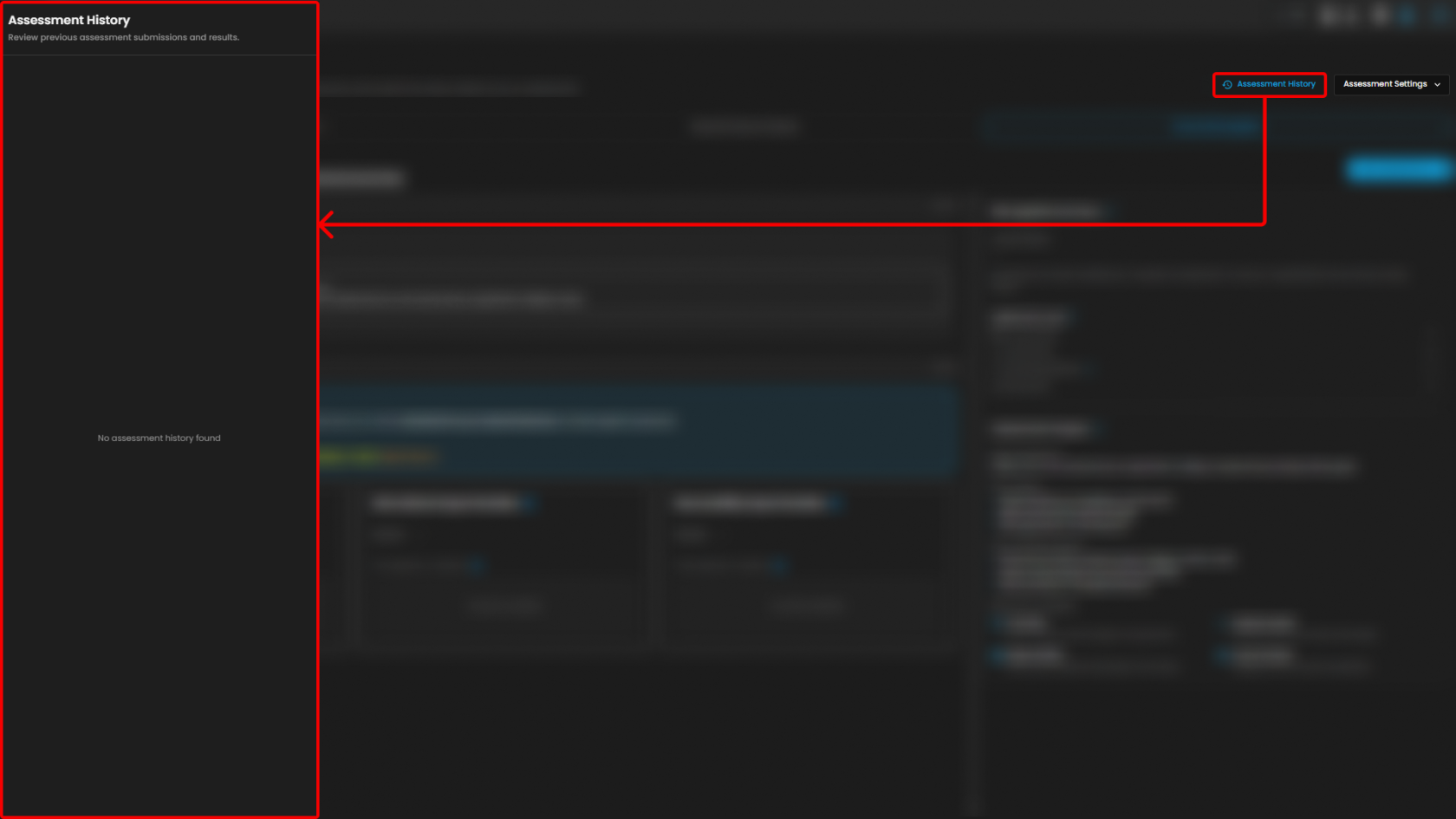](https://cytechint-docs-bookstack.s3.amazonaws.com/uploads/images/gallery/2026-04/RXNGkAzplEi7lNIj-hehe-10.png) Clients can also access the "Assessment Settings" button. By pressing it, shows **Reassessment Cycle** and **Weighting.** - **Reassessment Cycle -** Update how often assessment is reassessed. - **Weighting -** Adjust how much each area contributes to the overall score. Each section must total 100% [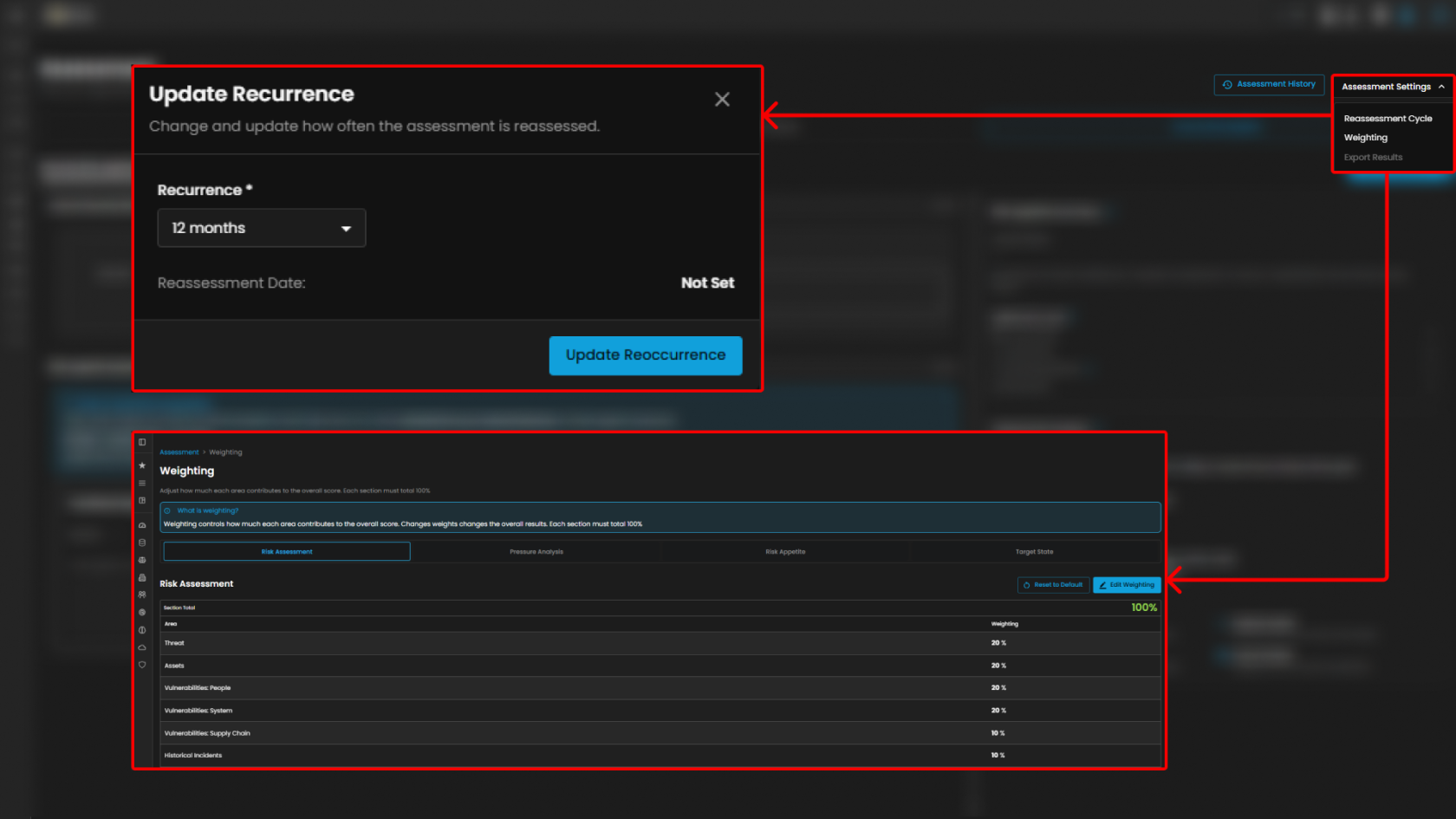](https://cytechint-docs-bookstack.s3.amazonaws.com/uploads/images/gallery/2026-04/xg3CnVKz8k8GecqD-hehe-11.png) #### **Conclusion** **Information Security Pressure Analysis (ISPA)** purpose is to manage and handle multiple results on each assessment that the organization was added, such as **Security Risk Assessment**, **Security Pressure Analysis**, **Security Risk Appetite** managing current risk level and key factors that are contributing to the scoring on each metrics.