CyTech AQUILA - Data Security Posture Management
Overview
The Data Loss Prevention is a critical tool for monitoring and managing security risks related to data loss and exposure. It organizes and categorizes alerts by type and severity, making it easy for users to identify and respond to security issues in a timely manner. The section offers detailed information on each alert, including the affected service and the sensitive data involved, so users can prioritize their response. With filtering and searching capabilities, it allows for efficient handling of alerts, helping maintain data security and compliance.
Key Features
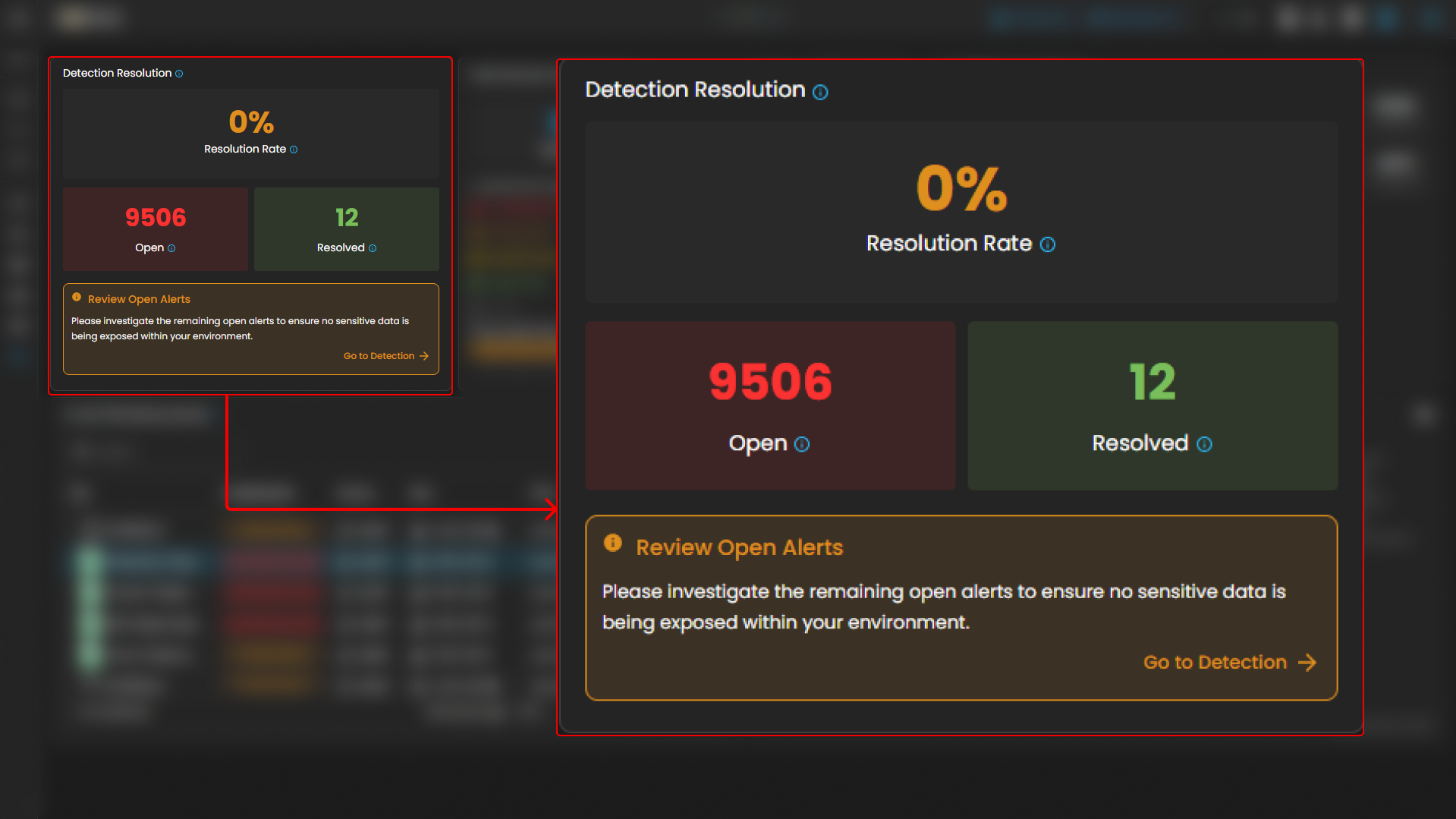
- Detection Resolution Overview: Displays the number of unresolved alerts and the overall resolution rate, providing a quick status of open security issues that need attention.
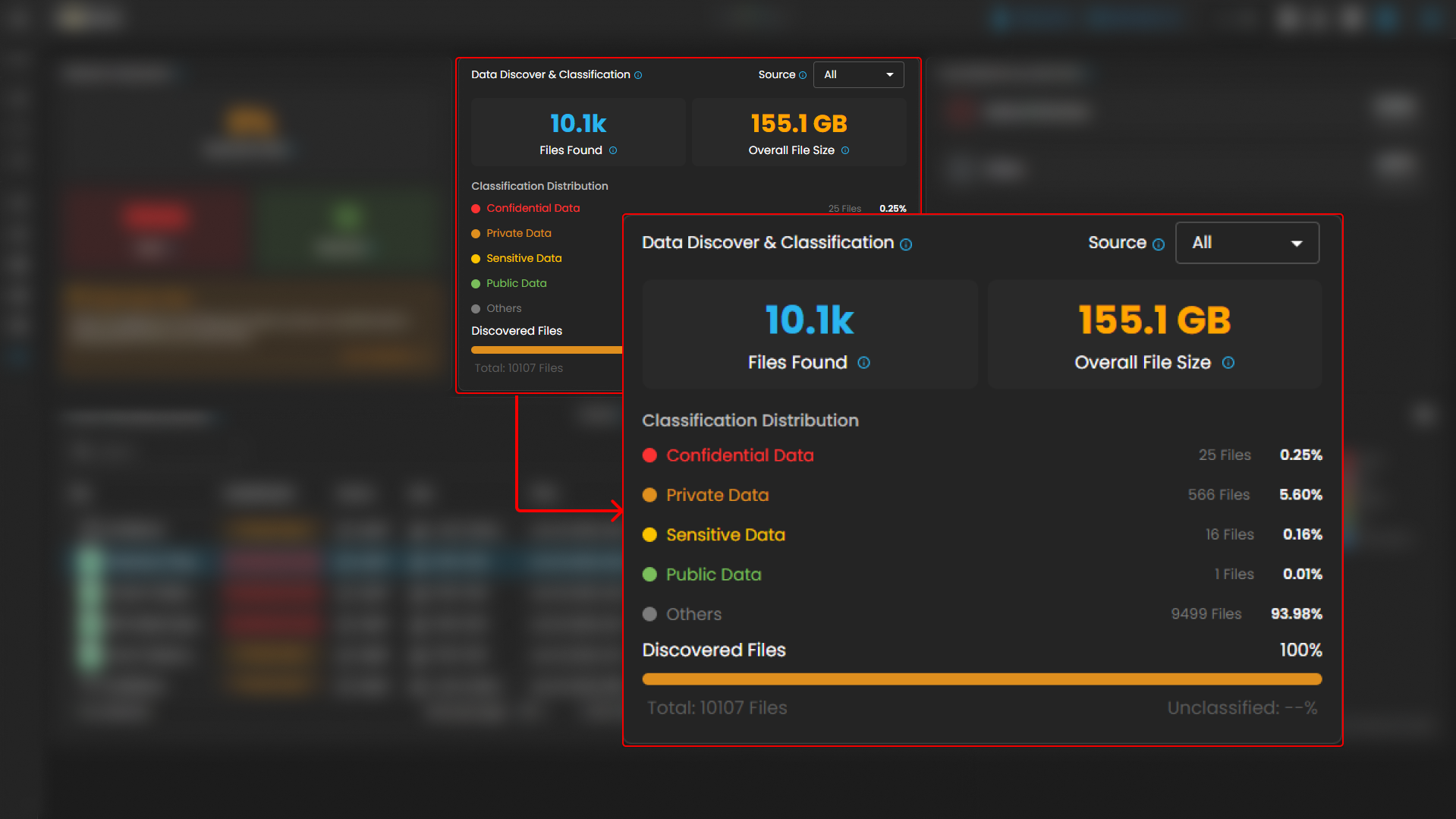
- Data Discovery & Classification: Shows the total number of files found and their classification (e.g., confidential, private, or public), helping users track how sensitive data is being managed and protected.
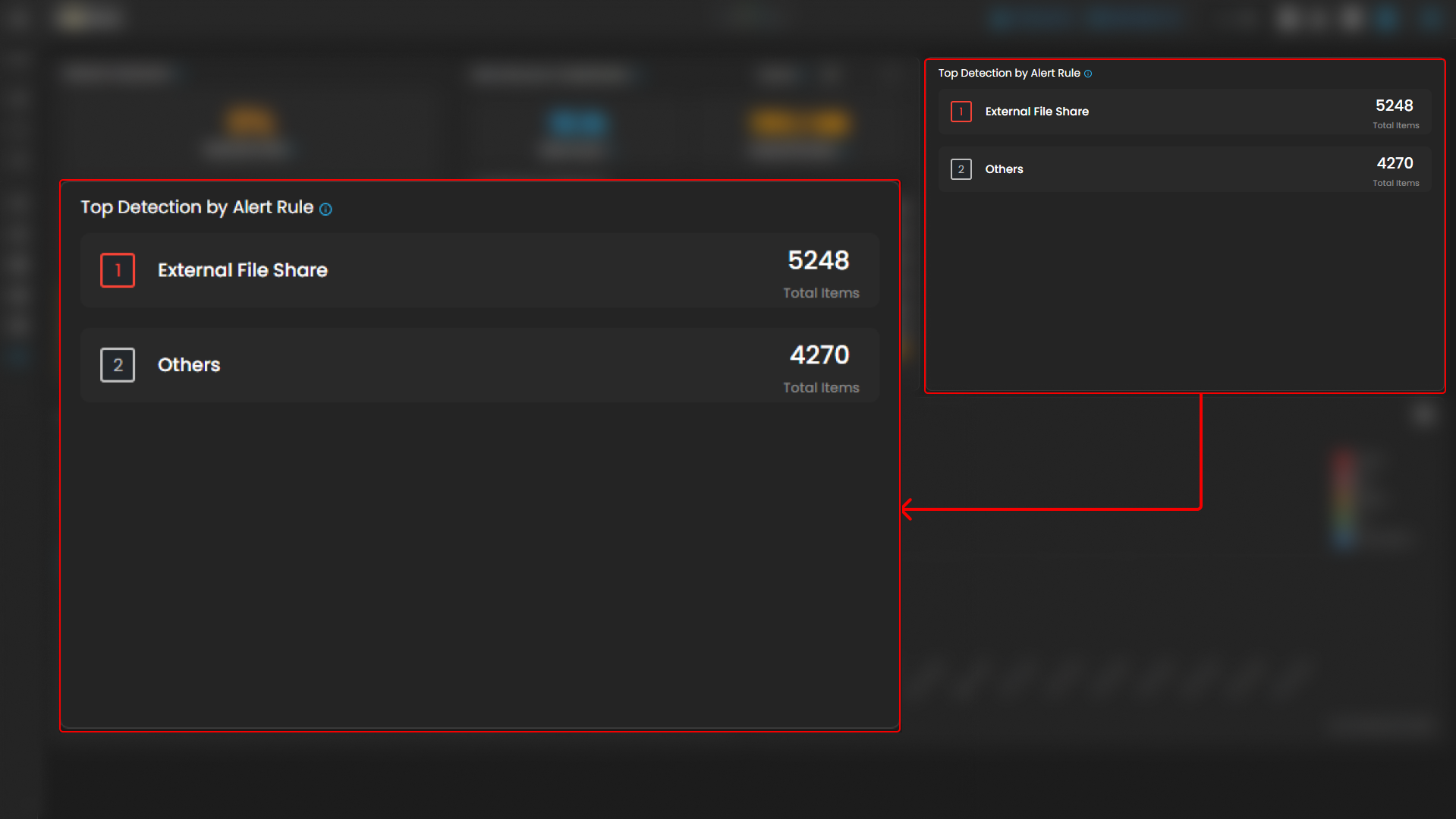
- Top Detection by Alert Rule: Highlights the most frequent detection rules, such as "External File Share," so users can focus on the highest-priority risks.
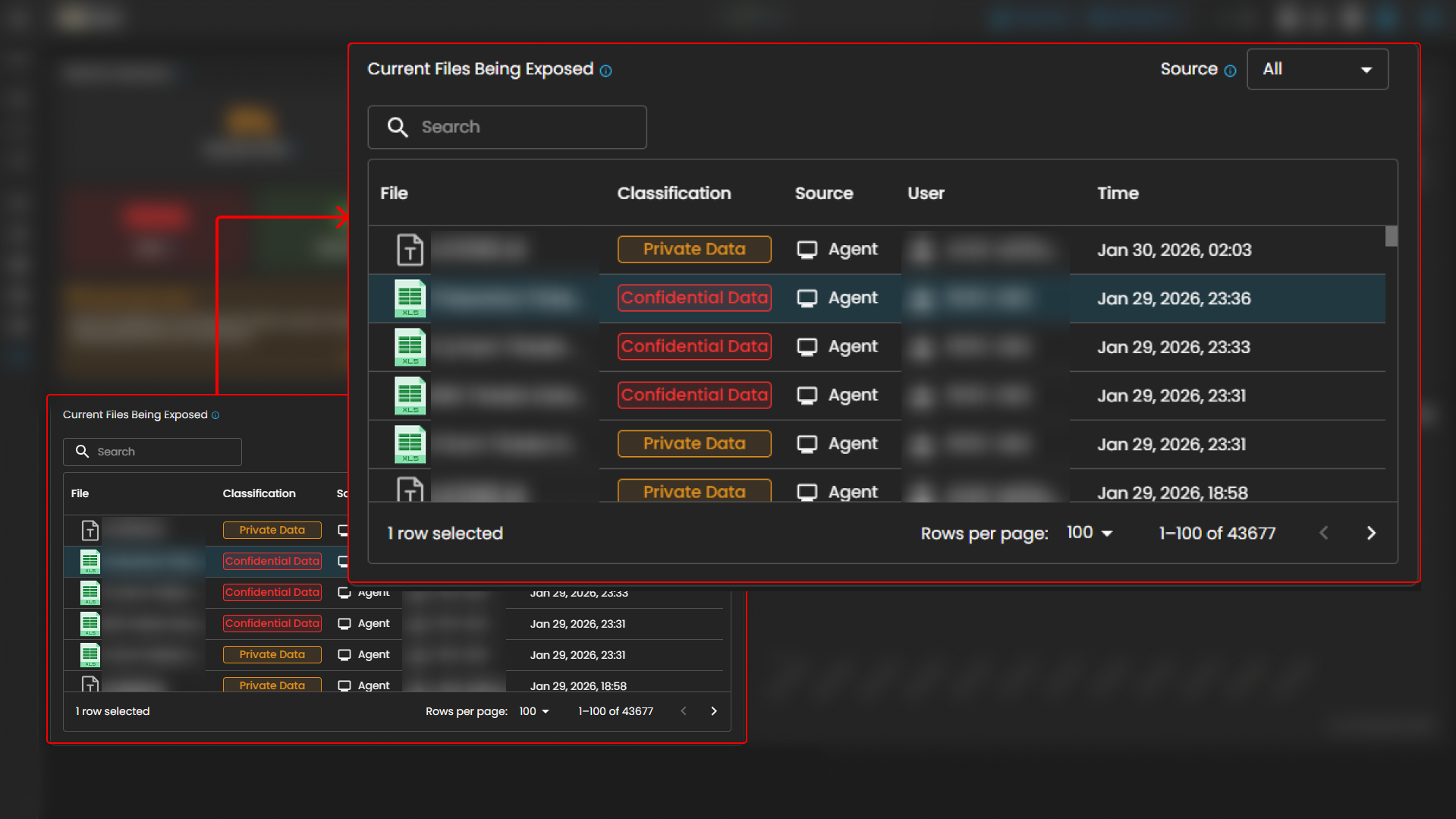
- Current Files Being Exposed: Lists files currently at risk of exposure, providing real-time insight into which files need immediate action.
- 24-Hour Alert Activity: Offers a visual graph of alert activity over the past 24 hours, showing trends in severity and frequency to help users pinpoint critical incidents.
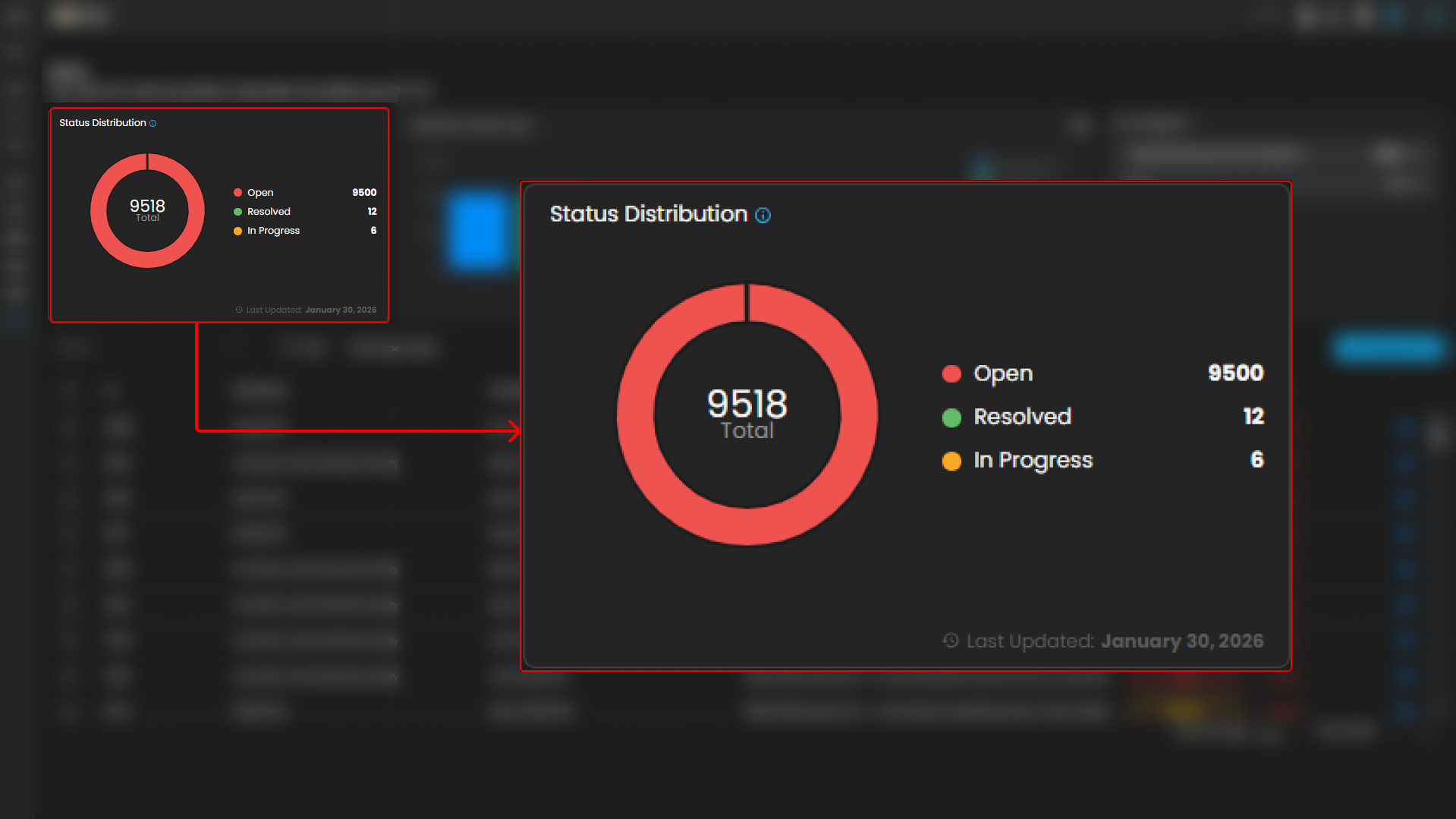
- Status Distribution: Provides a quick overview of the number of open, resolved, and in-progress alerts, allowing users to track the status of each alert type.
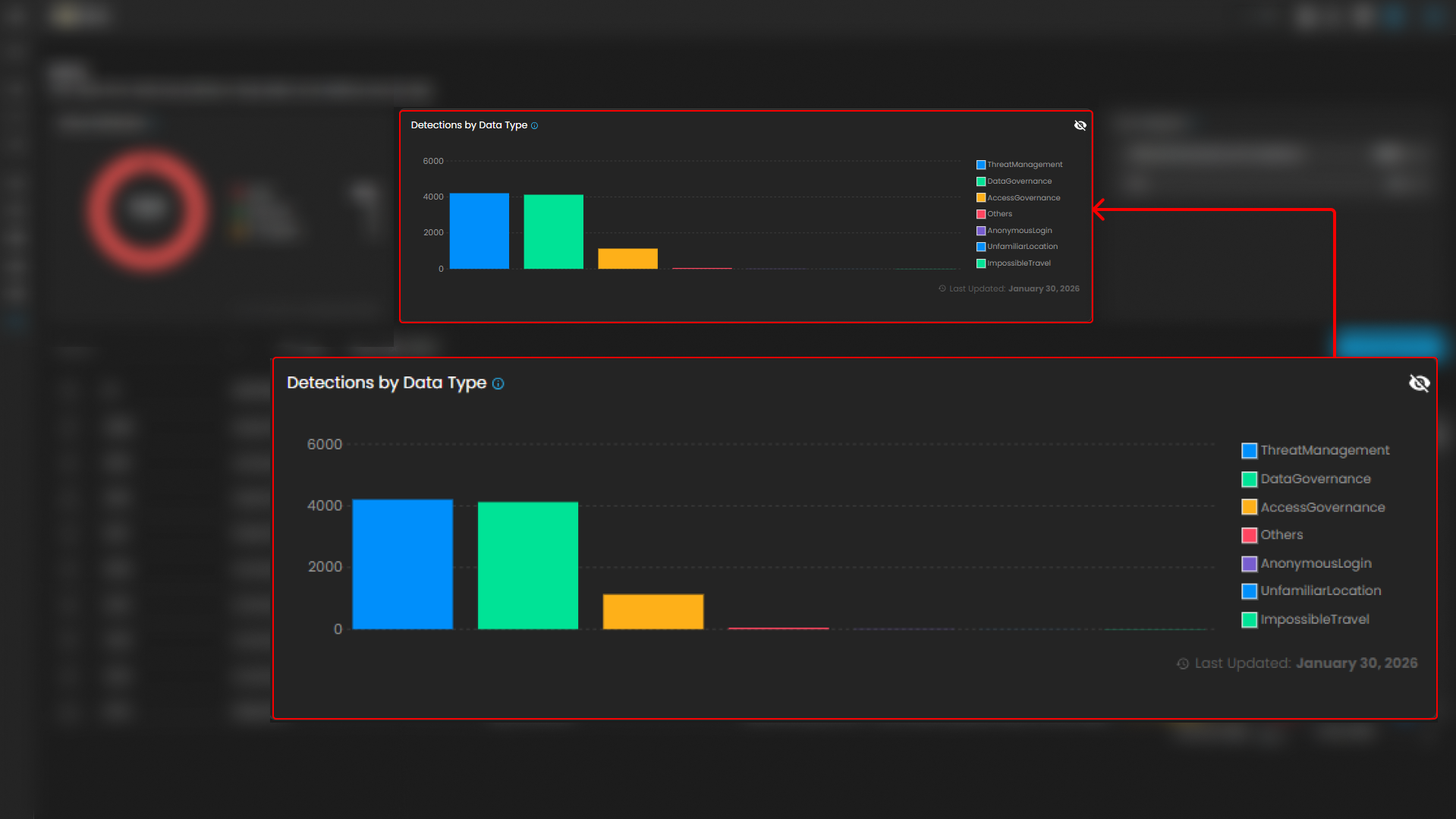
- Alert Categories: Organizes alerts by specific data types such as Data Governance, Threat Management, and Access Governance, helping users understand the context of each alert.
- Detailed Alert List: Displays a comprehensive list of alerts, including ID, alert name, timestamp, severity, status, and detected sensitive data. This allows users to drill down into individual alerts for more context.
- Filtering and Searching: Users can filter and search through the alerts to focus on specific issues, improving efficiency when managing a large number of alerts.
- Manage Alerts: Provides an option to manage alerts, giving users the ability to take actions such as resolving or escalating them based on their severity and priority.
Step 1: Log in to CyTech - AQUILA: usdc.cytechint.io
Step 2: Click on Data Governance & Privacy
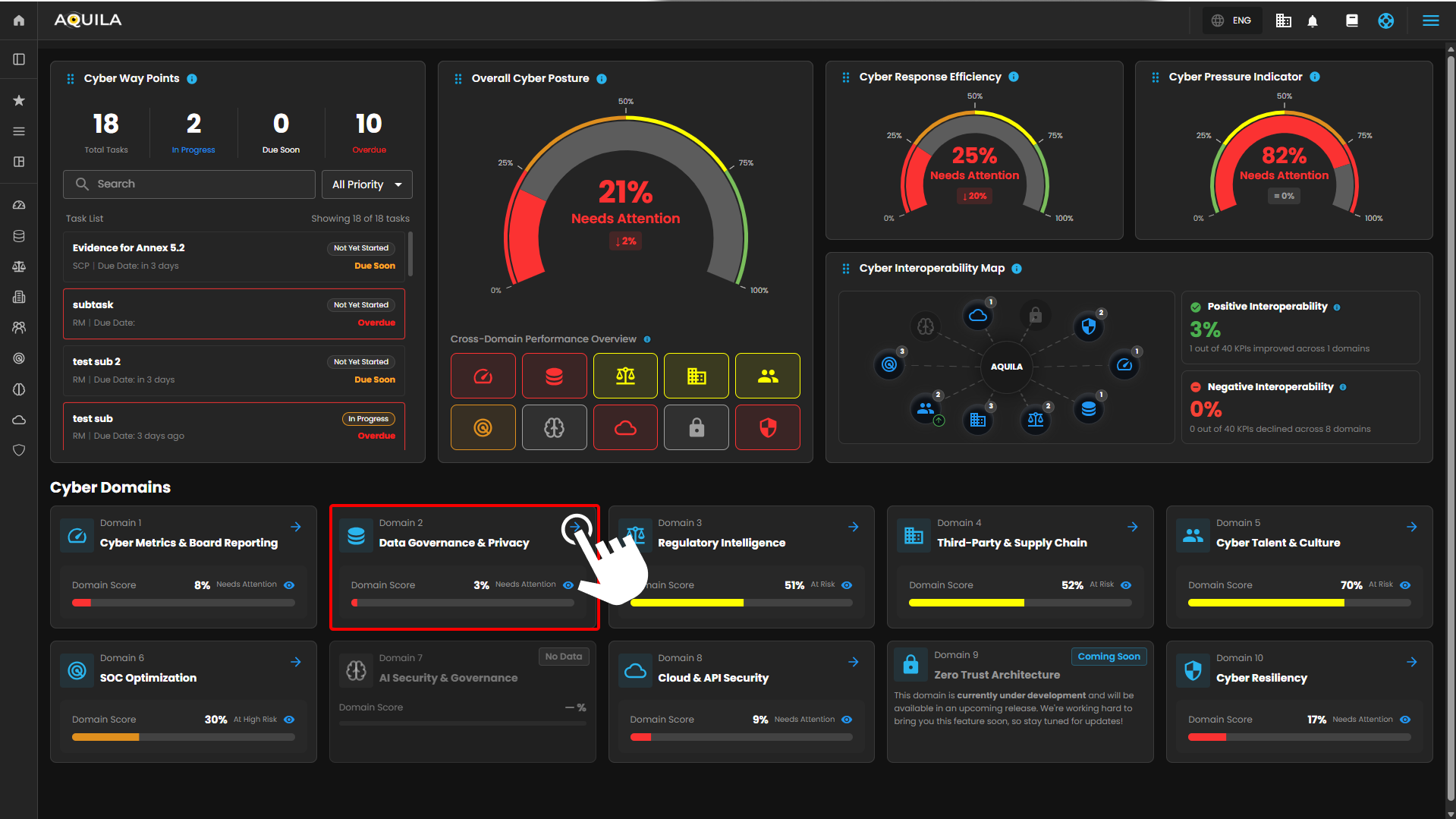
Figure 1. Overview
Step 3: Click Data Security Posture Management
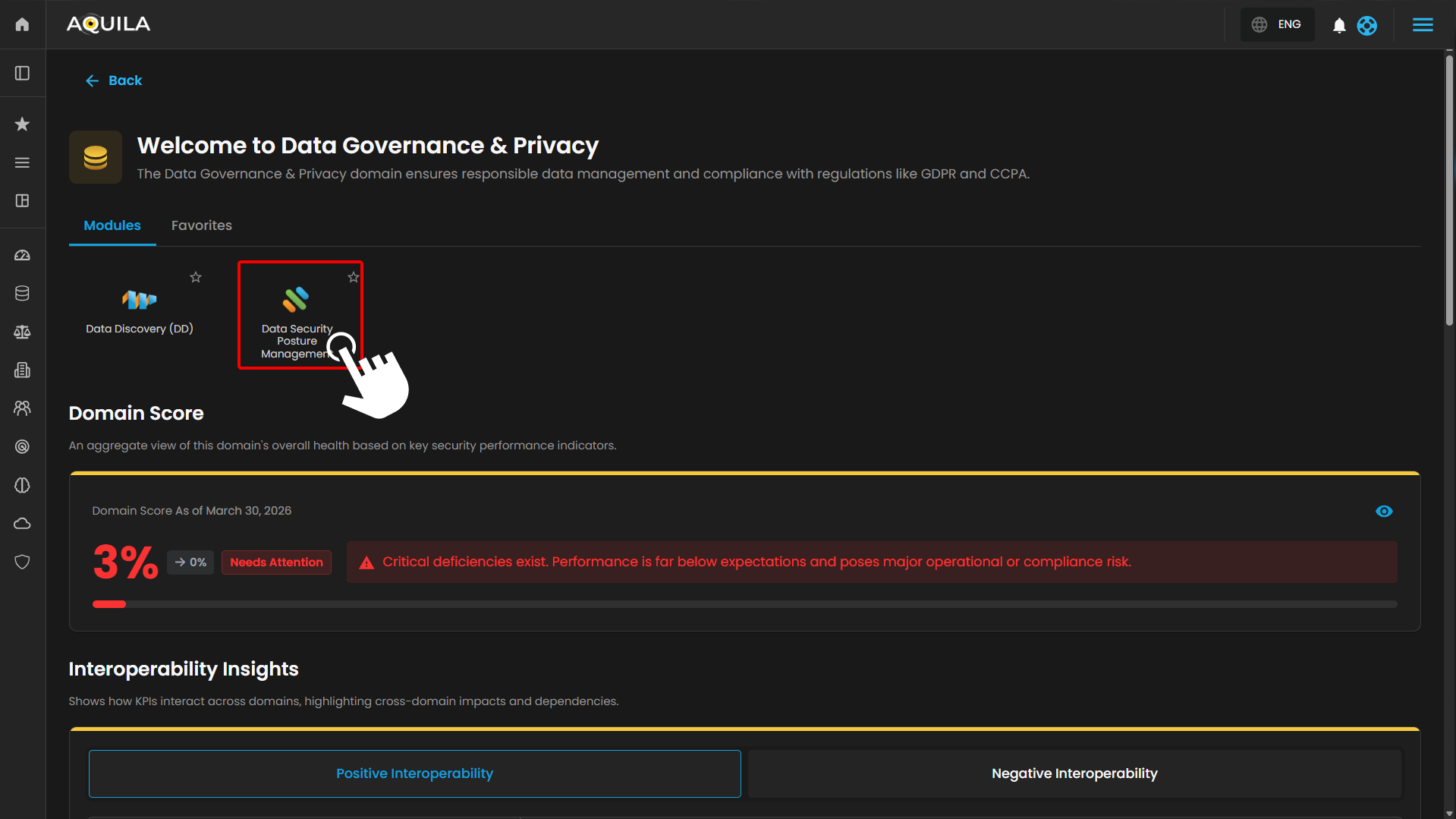
Figure 1.1 Dashboard
Step 4: Hover into leftmost panel to view all the Data Security sections. This Process is applicable in all navigating into a Module.
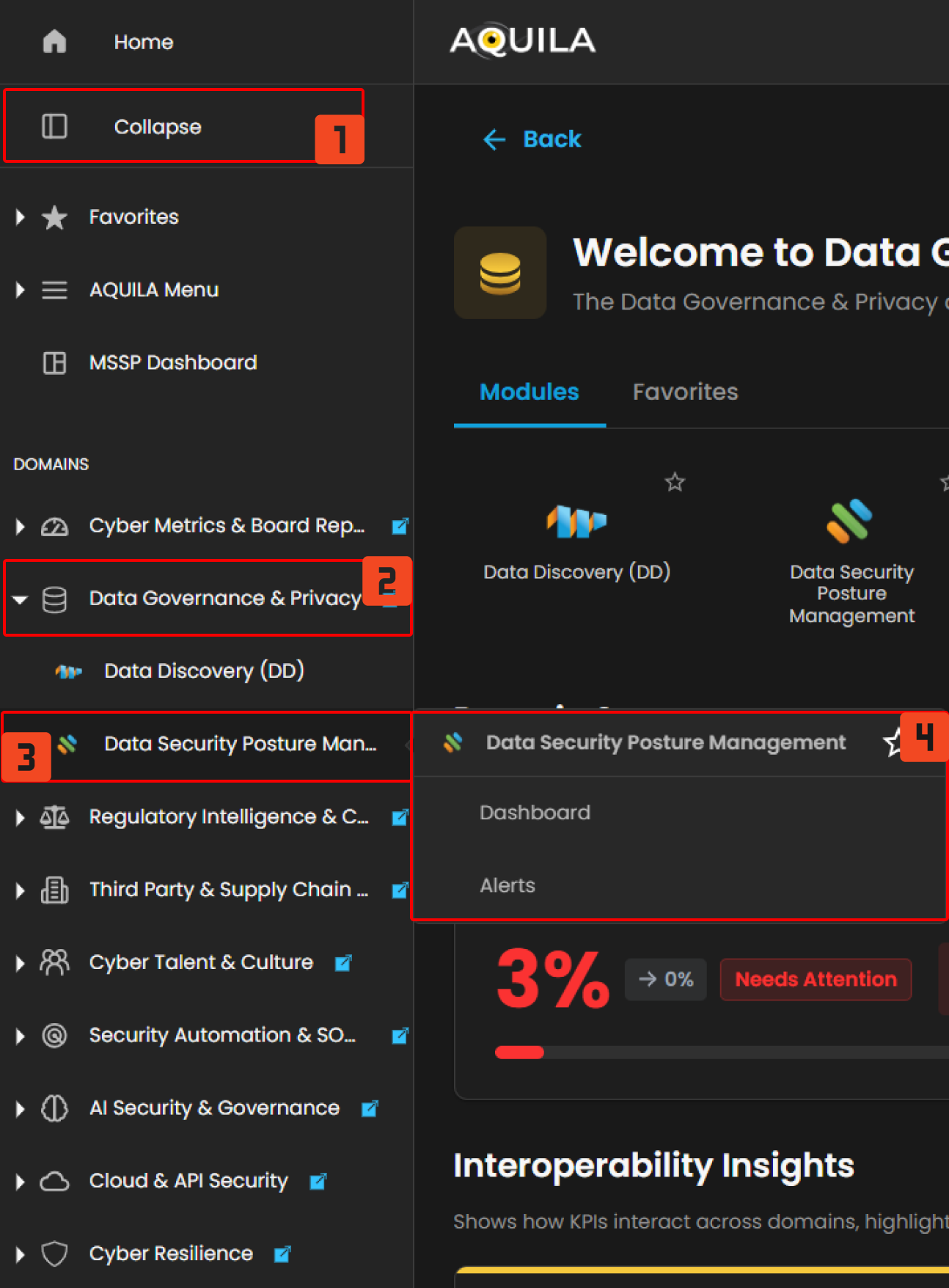
Figure 1.2 Data Security Navigation
Dashboard
The purpose of this dashboard is to provide real-time visibility into data security by tracking potential risks and exposures. It helps users monitor unresolved alerts, identify sensitive data that may be exposed, and classify files accordingly. The dashboard also highlights trends in alert activity, allowing users to spot and respond to critical incidents promptly. Overall, it serves as a central tool for ensuring that sensitive information remains secure and compliant with organizational policies. 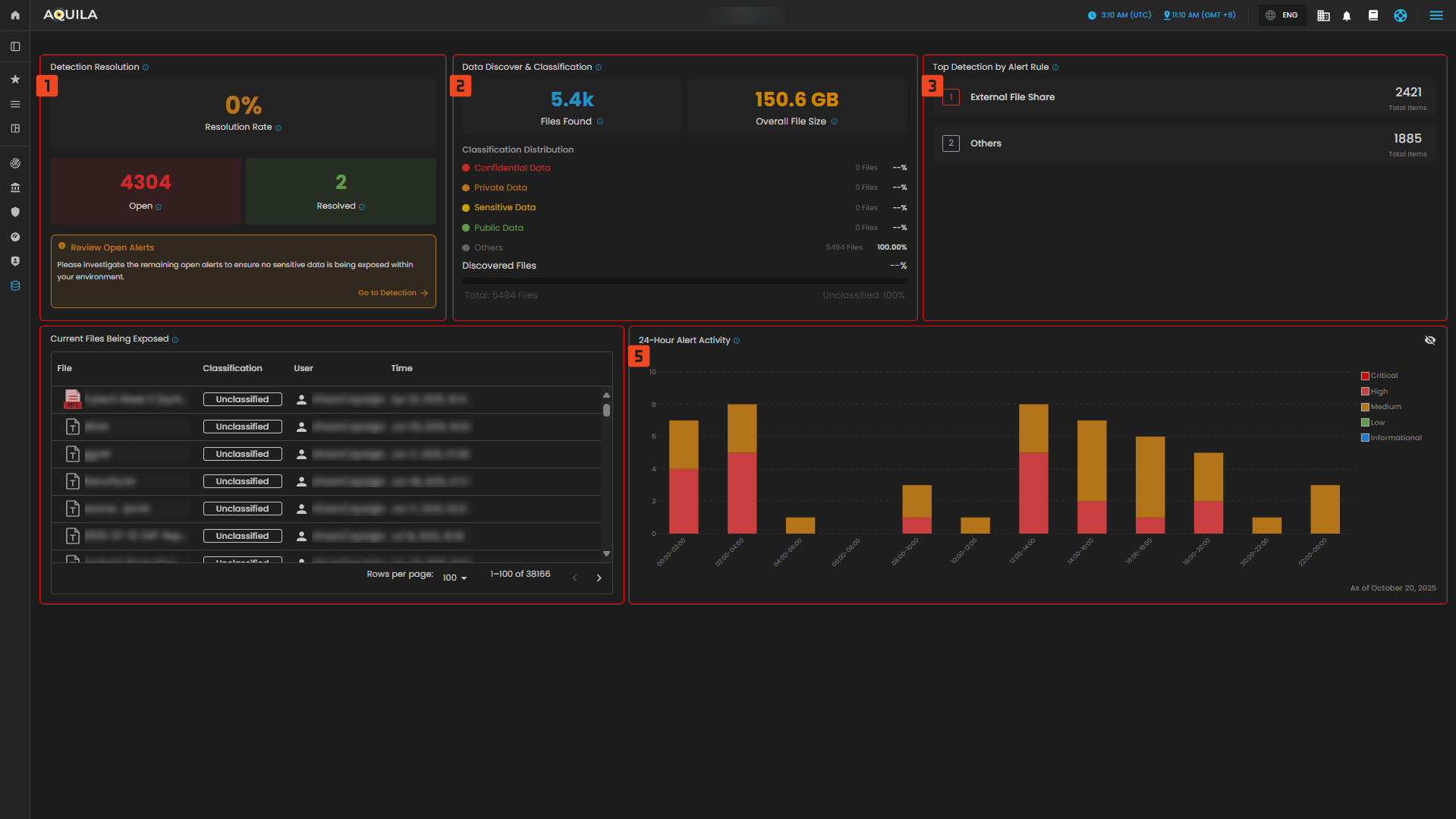
Detection Resolution
- Displays the current resolution rate of alerts generated by the DLP system. This includes how many alerts have been resolved versus those still open and require investigation.

Data Discover & Classification
- Displays the current resolution rate of alerts generated by the DLP system. This includes how many alerts have been resolved versus those still open and require investigation.

Top Detection by Alert Rule
- Displays the current resolution rate of alerts generated by the DLP system. This includes how many alerts have been resolved versus those still open and require investigation.

Current Files Being Exposed
- Displays real-time visibility into sensitive or exposed files, including classification level, responsible user, and timestamp.

24-Hour Alert Activity
- This chart displays the number of detections categorized by the type of data involved.
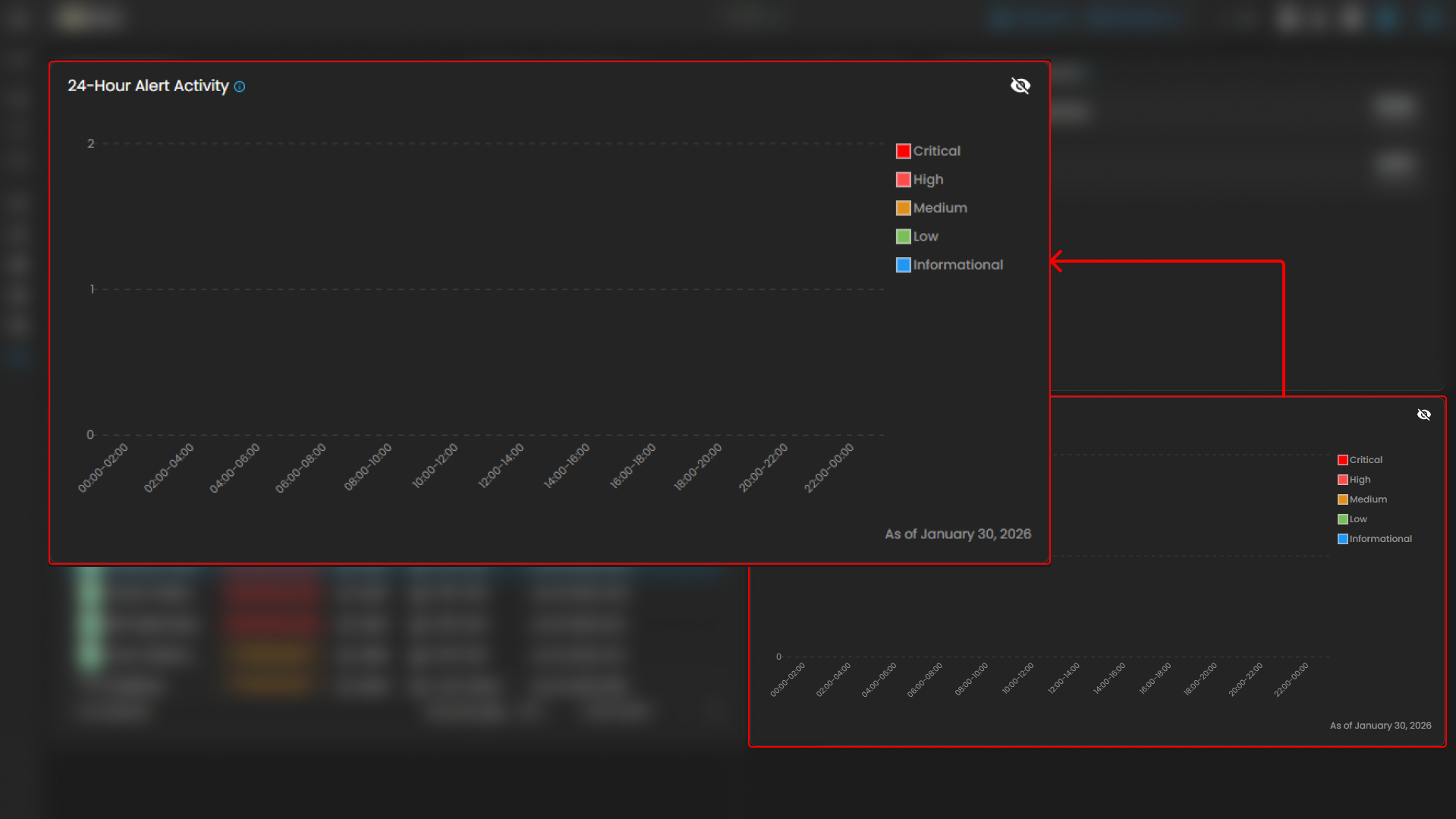
Figure 2. Data Loss Prevention - Dashboard
File Details
The File Details section provides key information about a monitored file, including its name, size, classification, and the last time it was accessed. It also shows details like the file’s permissions, owner, and location. If applicable, it can display which service the file is linked to, whether any sensitive data was accessed, and a content preview. This section helps users quickly understand the file's status and take necessary action if needed.
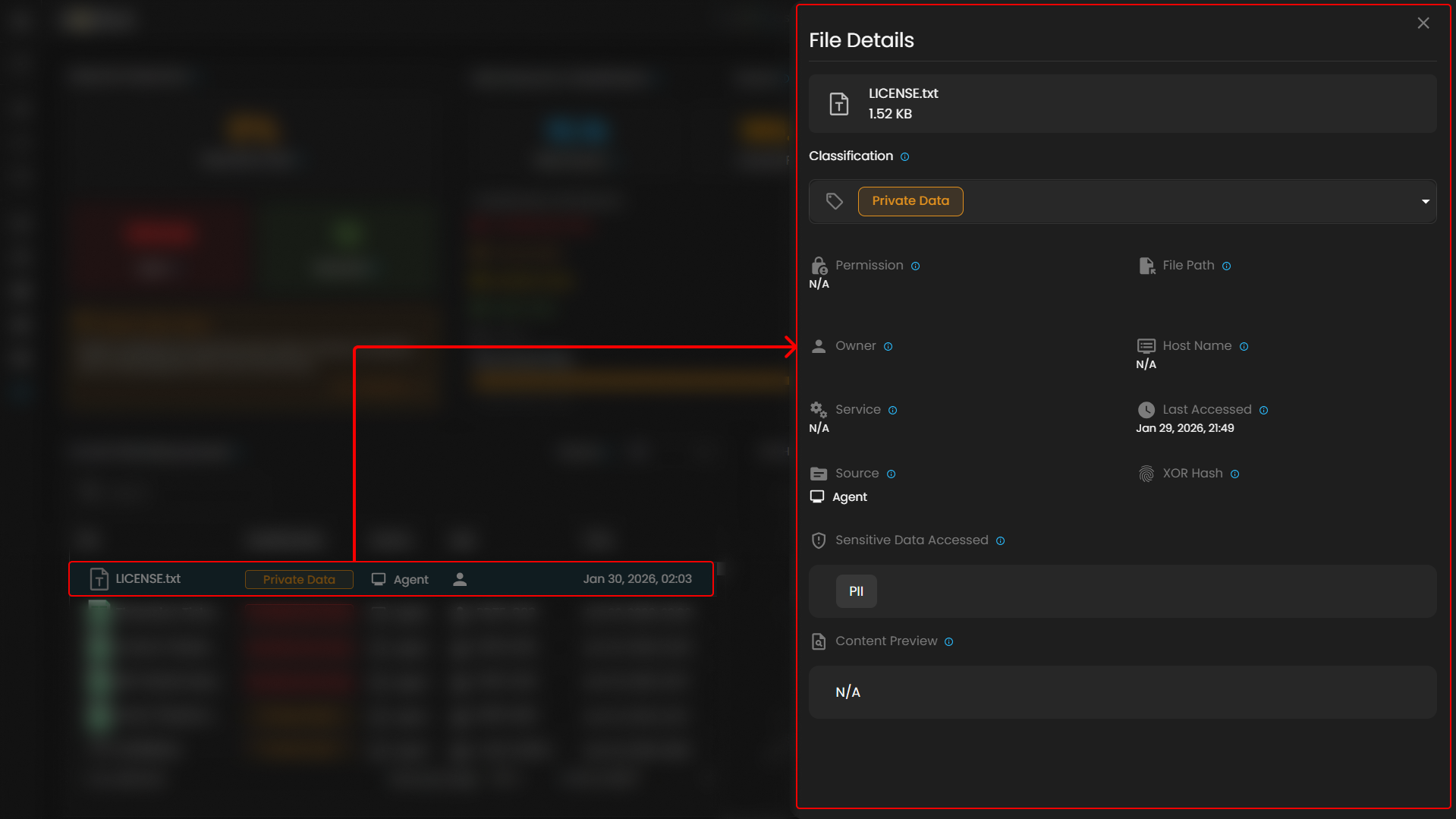
Figure 2.1 Data Loss Prevention - Details
Alerts
The purpose of the Alerts section is to help users track and manage security risks related to data loss and exposure. It provides a clear overview of ongoing issues, allowing users to monitor open, in-progress, and resolved alerts. The section categorizes these alerts by severity and type, such as data governance or threat management, helping users prioritize their response to critical security incidents. By offering detailed information about each alert—like the specific service affected and the sensitive data involved—it ensures that users can take swift, informed actions to mitigate risks and maintain data security.
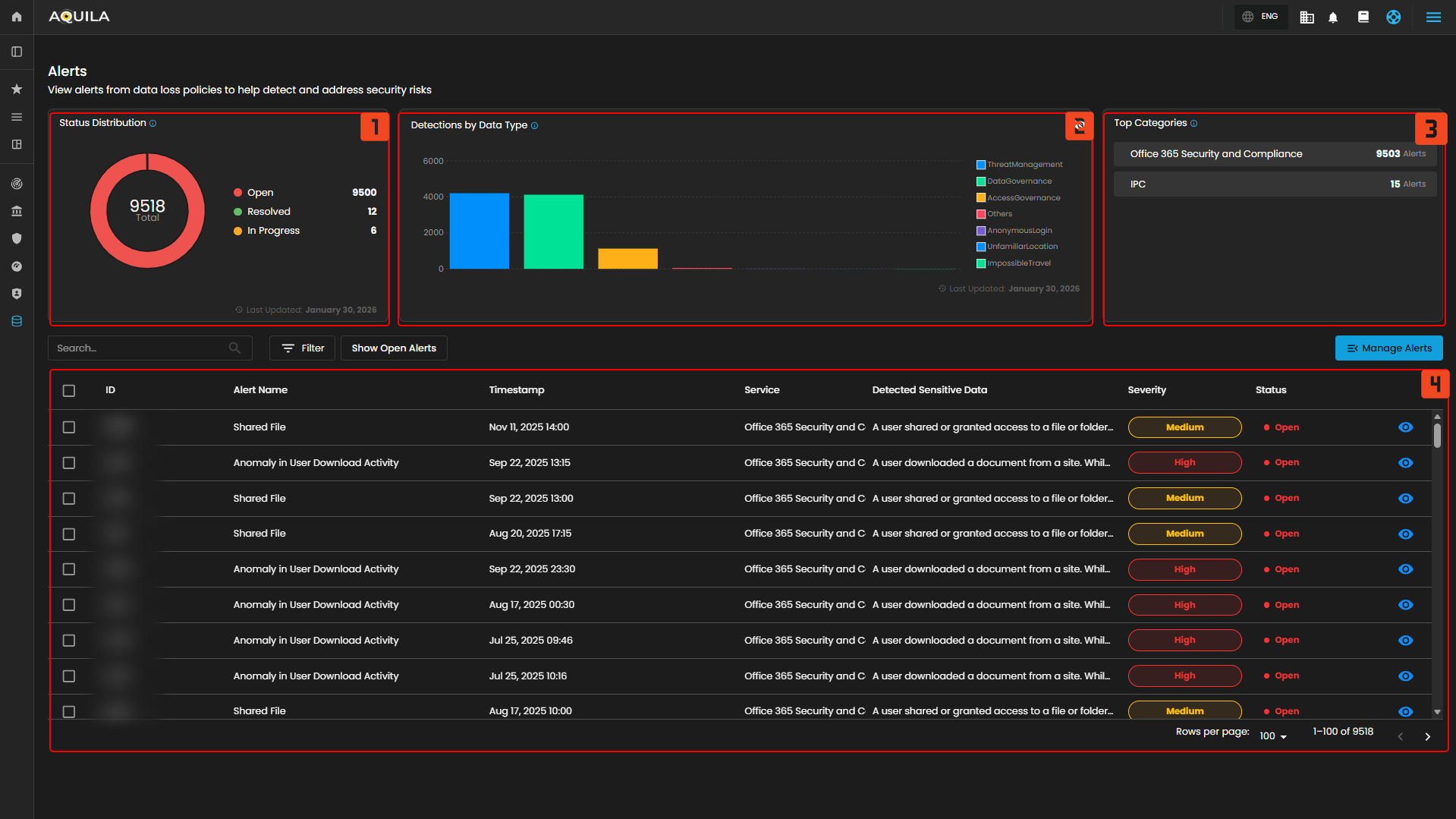
1. Status Distribution
- This chart displays the distribution of alerts by their current status (New Alert, Open, etc.).

2. Detections by Data Type
- This chart displays the number of detections categorized by the type of data involved.

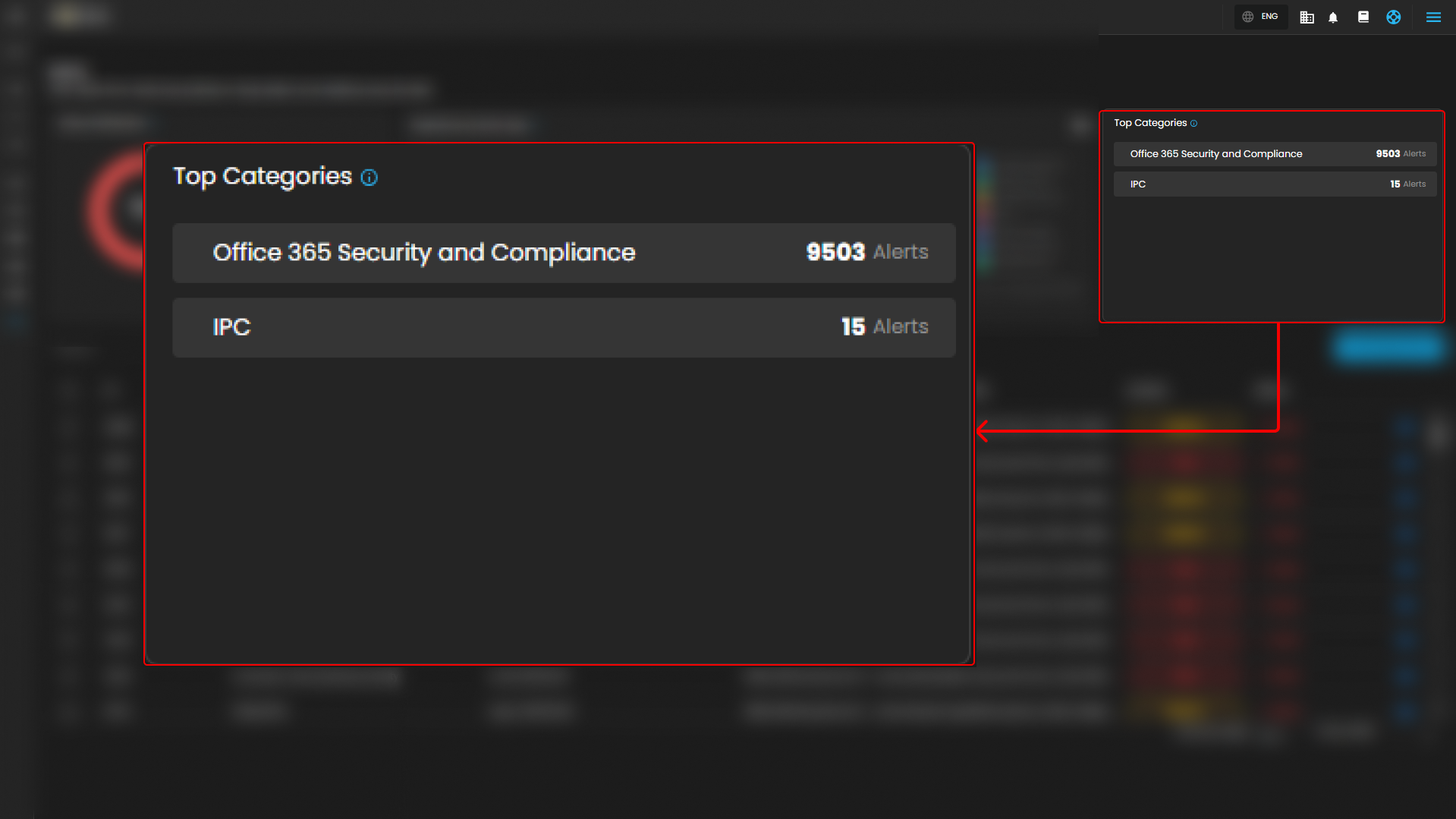
3. Top Categories
- Displays alert categories with the highest number of alerts.

4. List of Alerts
- This part displays list of alerts and its details like the timestamp, service, detected sensitive data, severity and status.

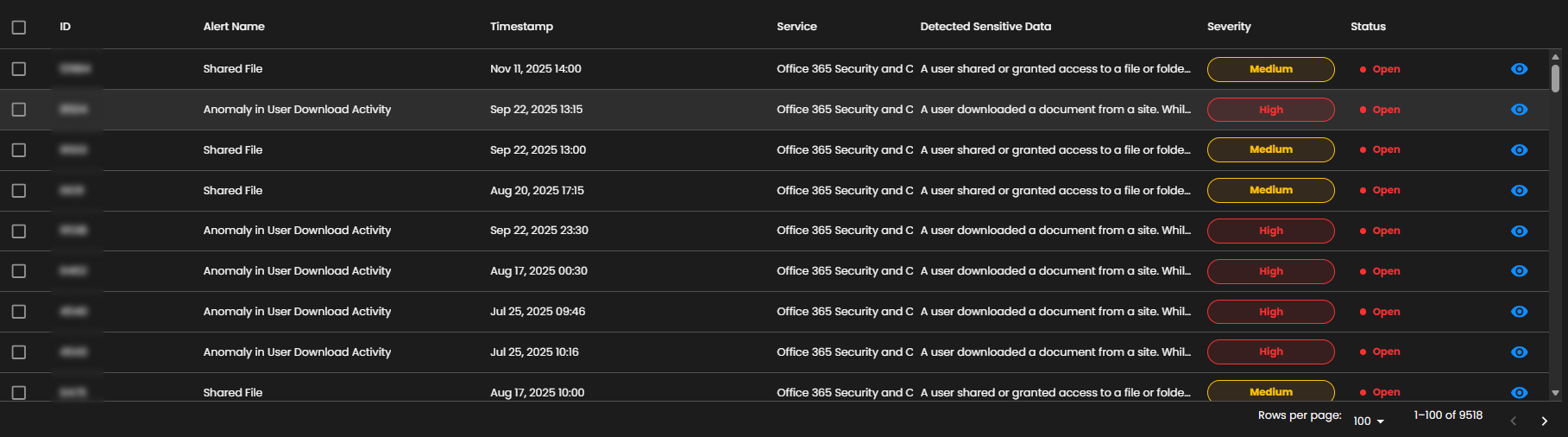
Figure 3. Data Loss Prevention - Alerts
Alerts Description
- This section shows the alert in-depth details like the description of the alert and its status, time of the activity and content analysis of the alert.
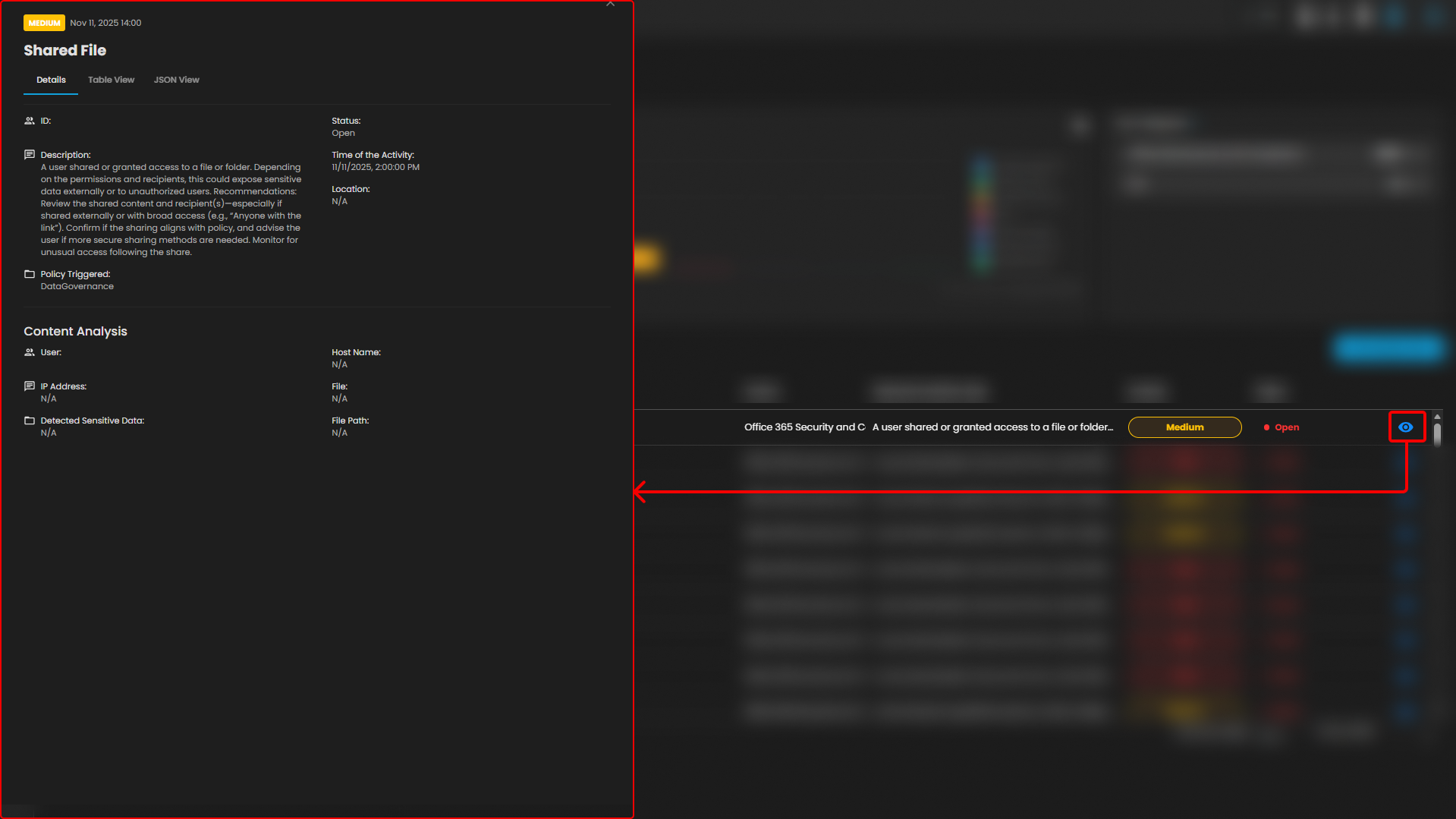
Figure 3. Data Loss Prevention - Alerts Description
5. Manage Alerts
- In this section you can create a case through manage alerts, provide any necessary information regarding on the case you want to make, and it will be added here.
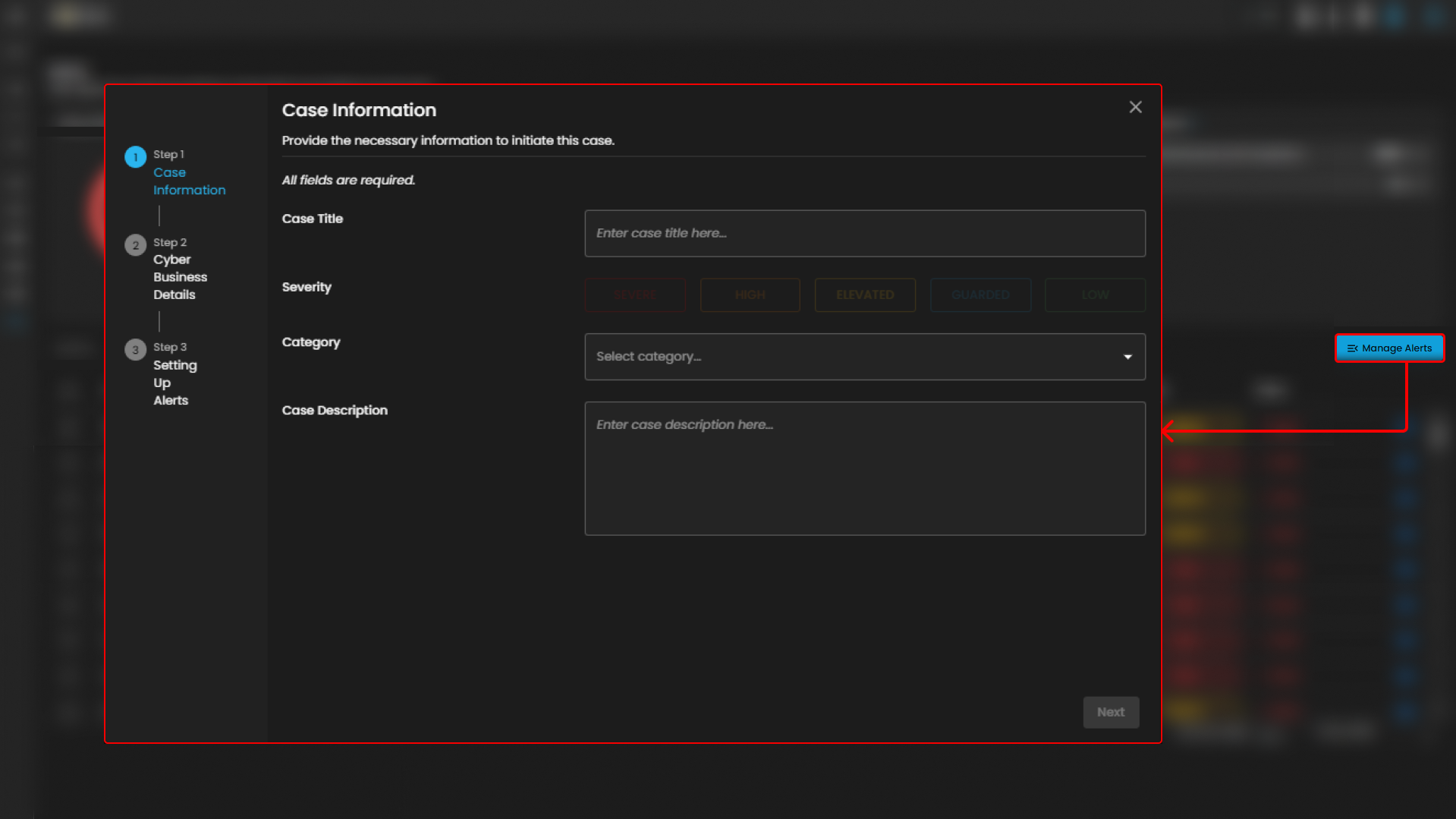
Figure 3.2 Data Loss Prevention - Manage Alerts
Conclusion
In conclusion, the dashboard and alerts sections work together to provide a comprehensive system for monitoring and managing data security. The Dashboard offers an overview of unresolved issues, file classifications, and alert activities, helping users track and resolve risks efficiently. Meanwhile, the Alerts section focuses on specific security incidents, allowing users to monitor and manage open alerts based on severity and category. The File Details section provides a deeper dive into individual files, offering valuable insights into permissions, access history, and classification status. Together, these features empower users to stay on top of potential risks, protect sensitive data, and ensure compliance with security policies.
If you need further assistance, kindly contact support@cytechint.com for prompt assistance and guidance.