Charters, Policies, and Procedures
Overview:
The Charters, Policies, and Procedures Dashboard offer a centralized platform for managing and tracking the lifecycle of all organizational charters, policies, and procedures. It allows users to efficiently monitor the status, progress, and approval of various policies, ensuring alignment with compliance and governance objectives. This dashboard helps streamline the management process, from draft creation to policy approval, and ensures timely policy execution.
Key Features:
-
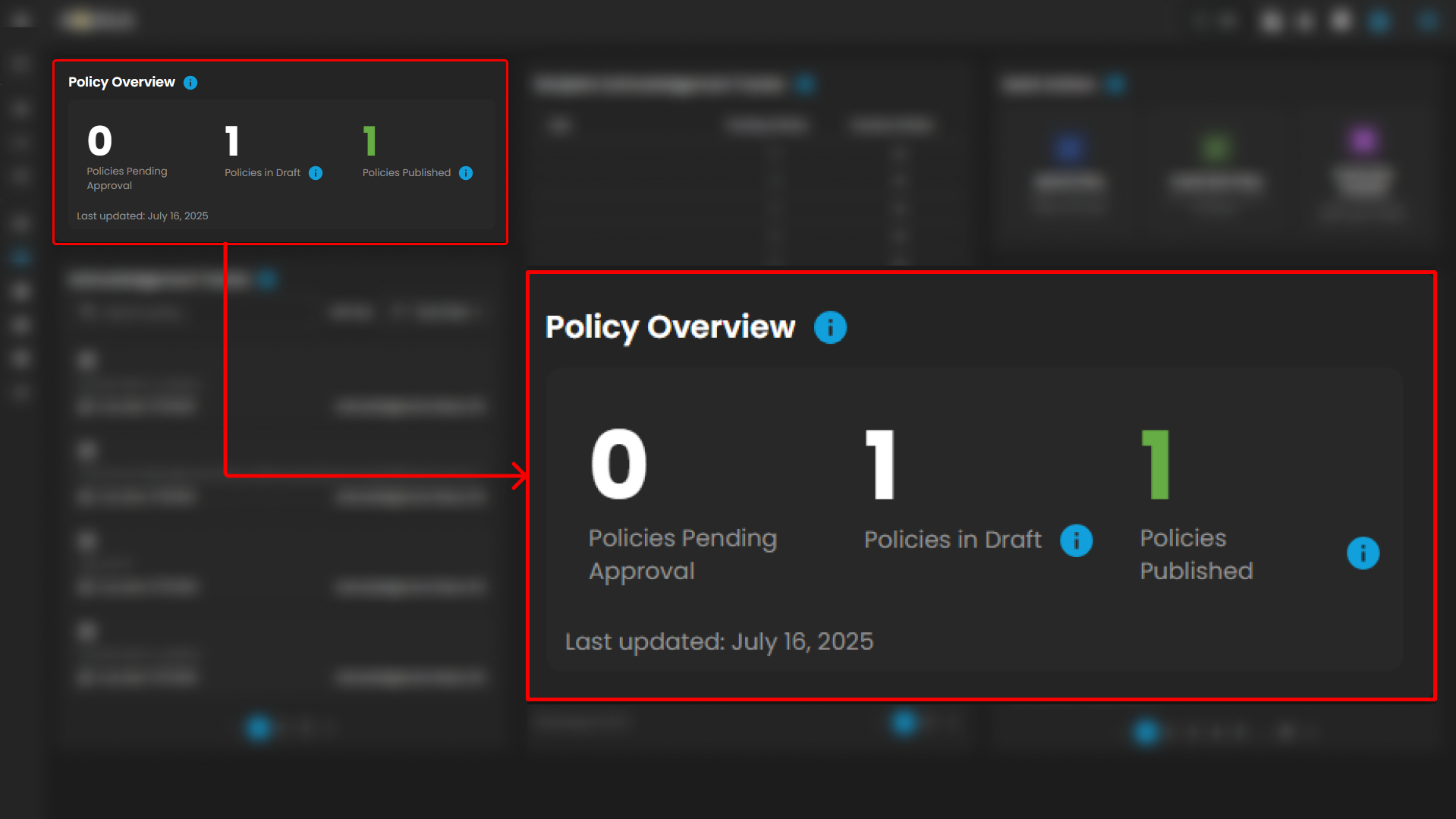
Policy Overview provides a snapshot of policy status, such as Pending Approval, In Draft, or Published.
-
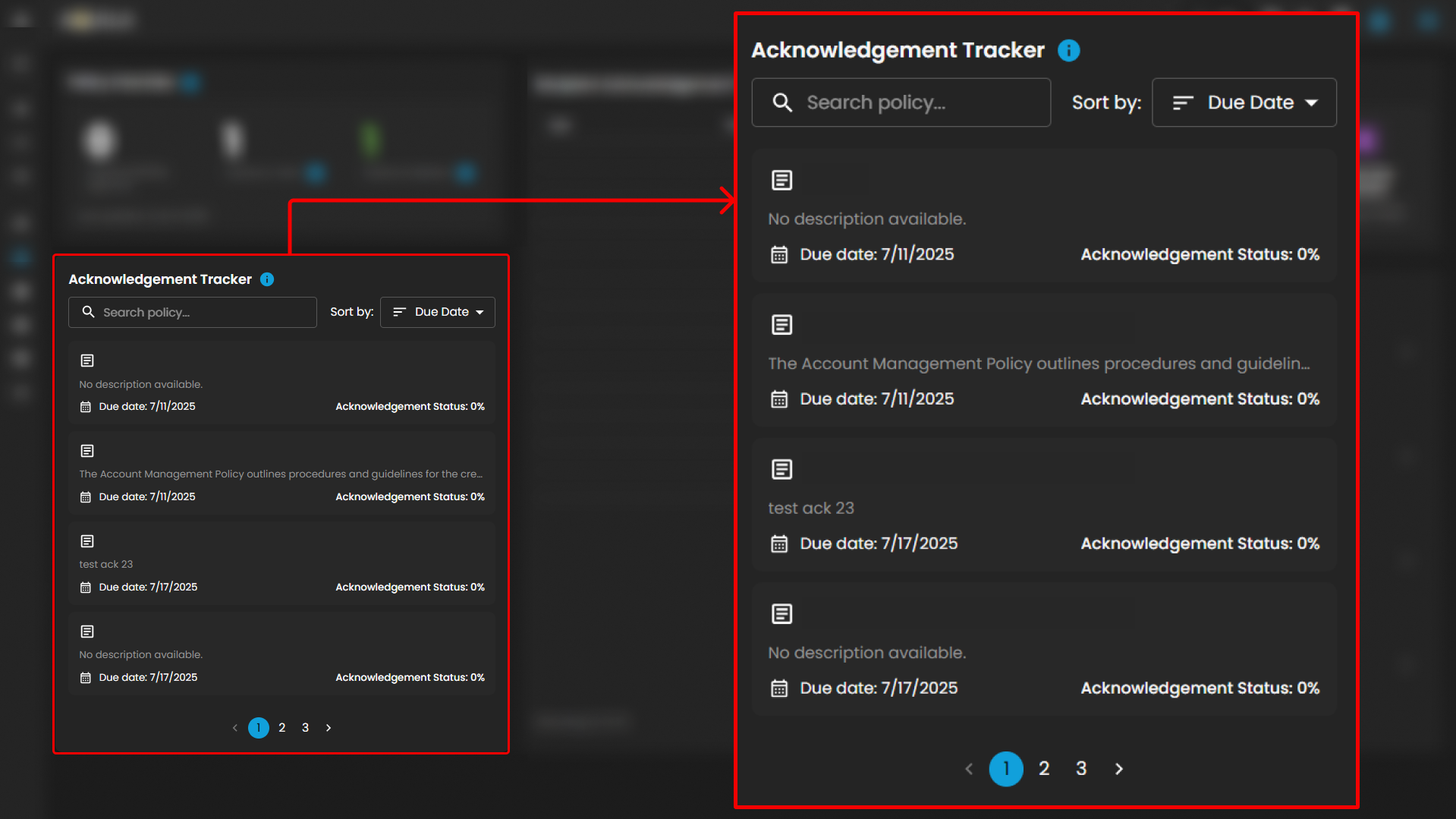
Acknowledgement Tracker monitors recipient acknowledgments, highlighting pending or overdue items.
-
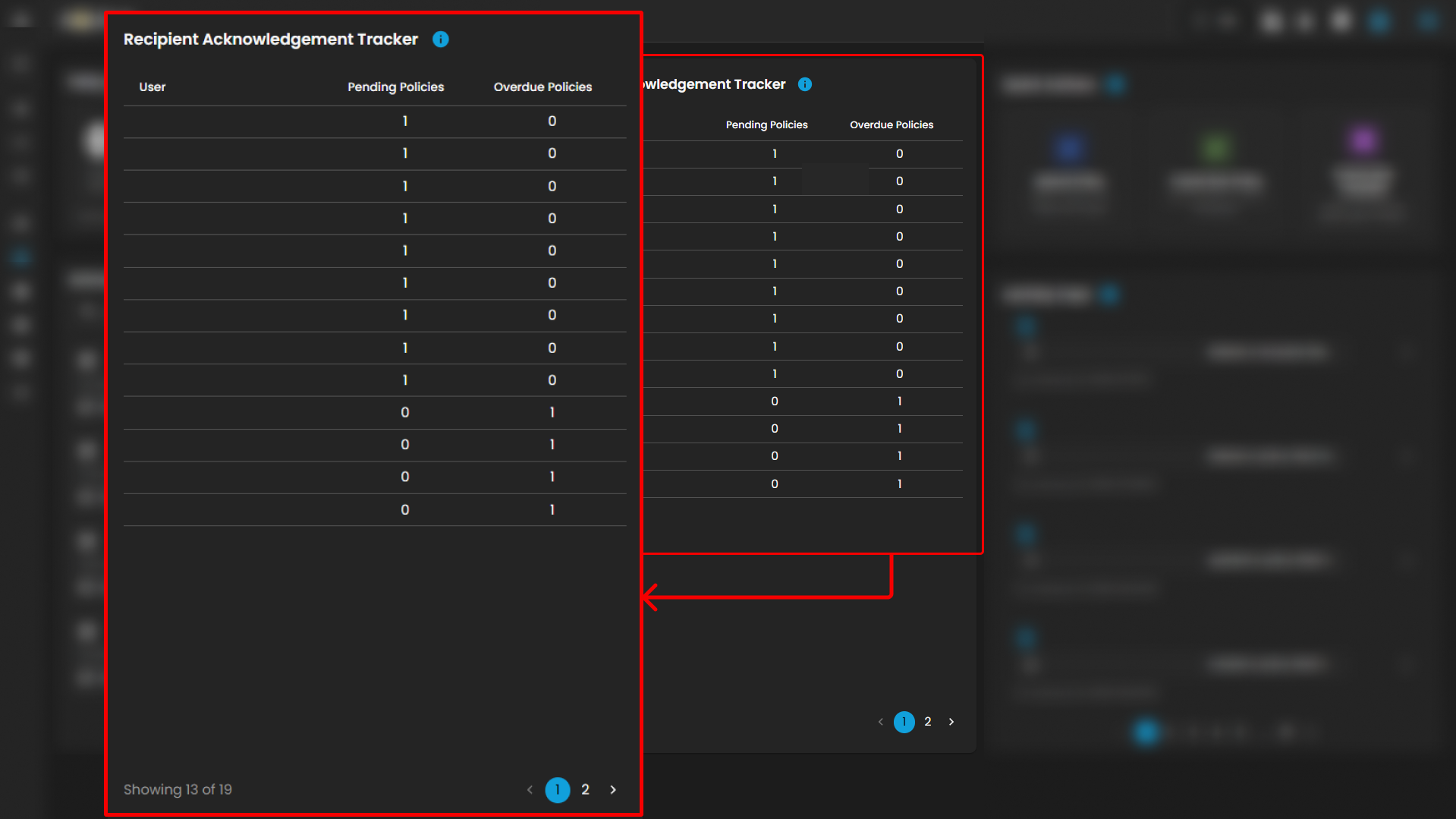
Recipient Acknowledgement Tracker lists acknowledgment statuses for each recipient.
-
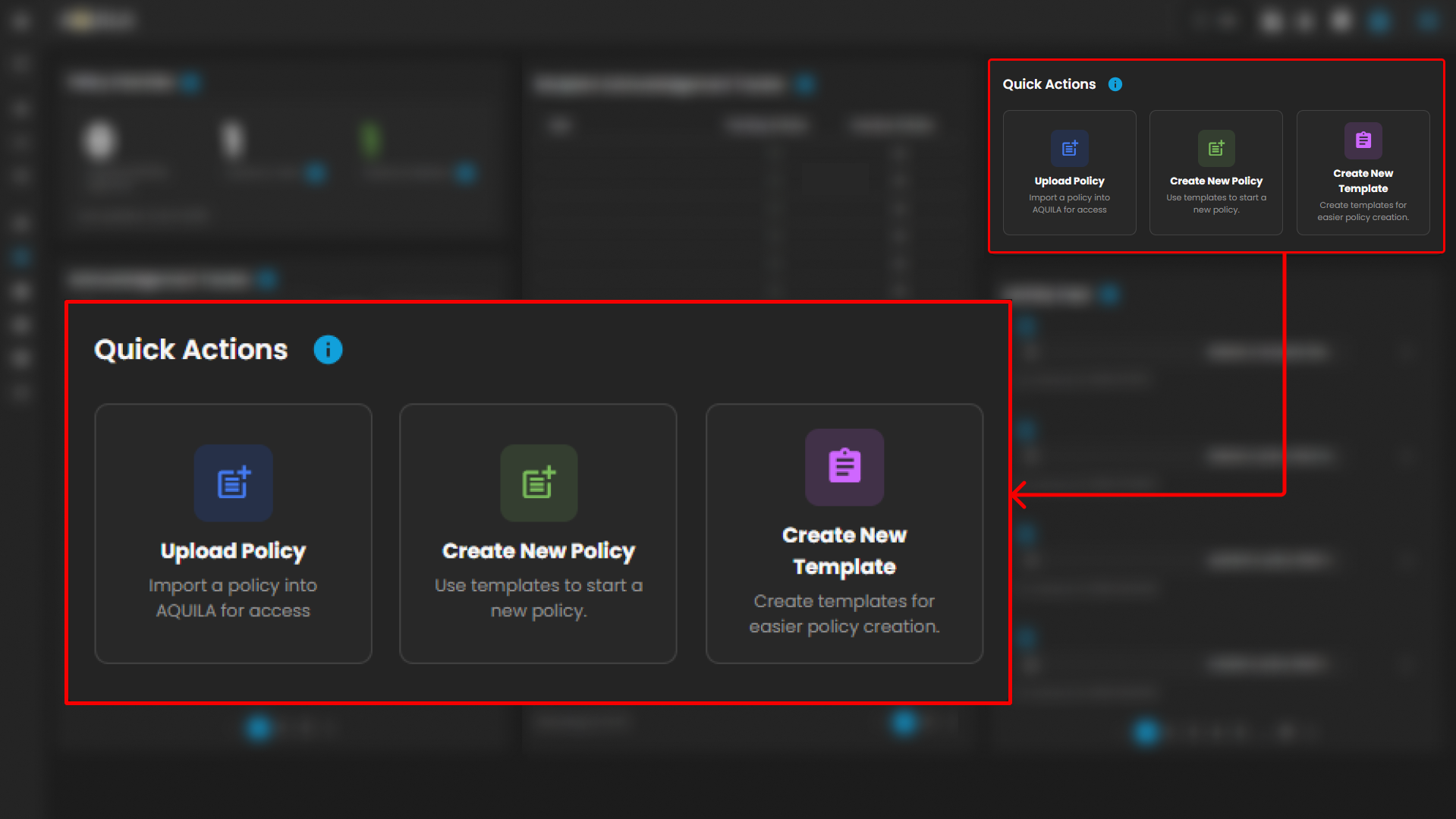
Quick Actions allow for easy policy uploads, creation from templates, and template generation.
-
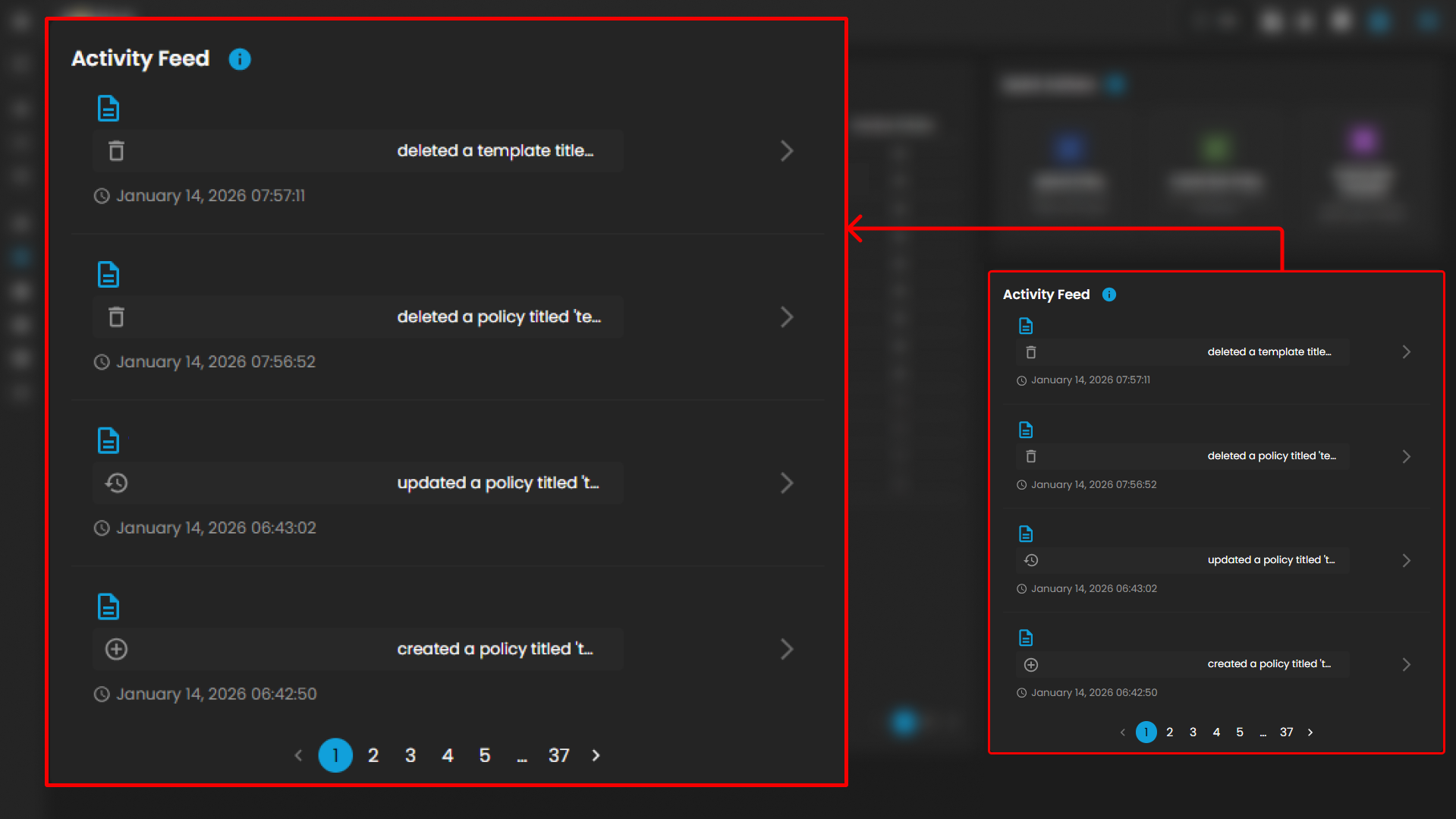
Activity Feed logs all actions related to policy creation and modifications.
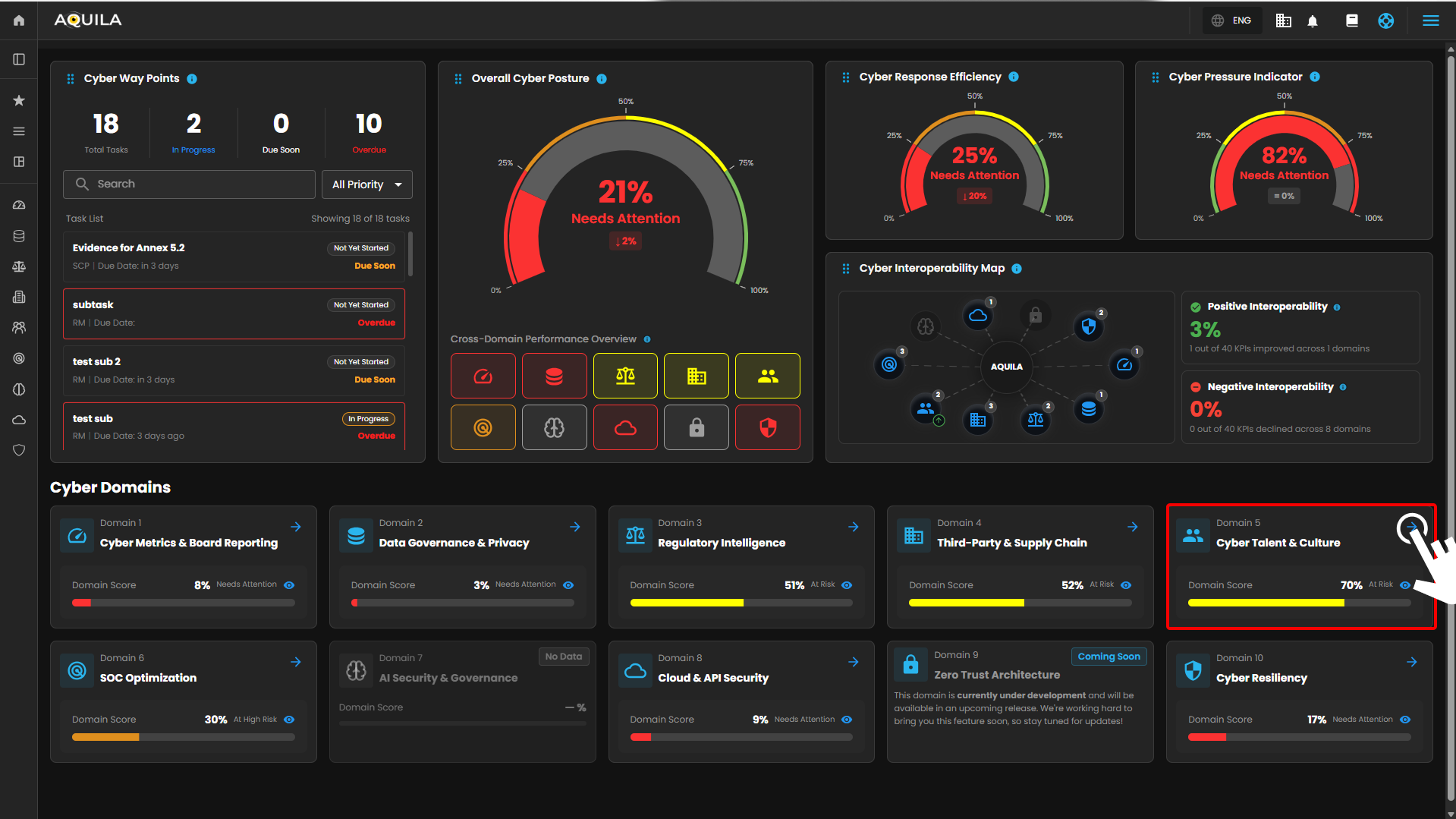
Figure 1. Overview
Step 3: Choose Charters, Policies, and Procedures
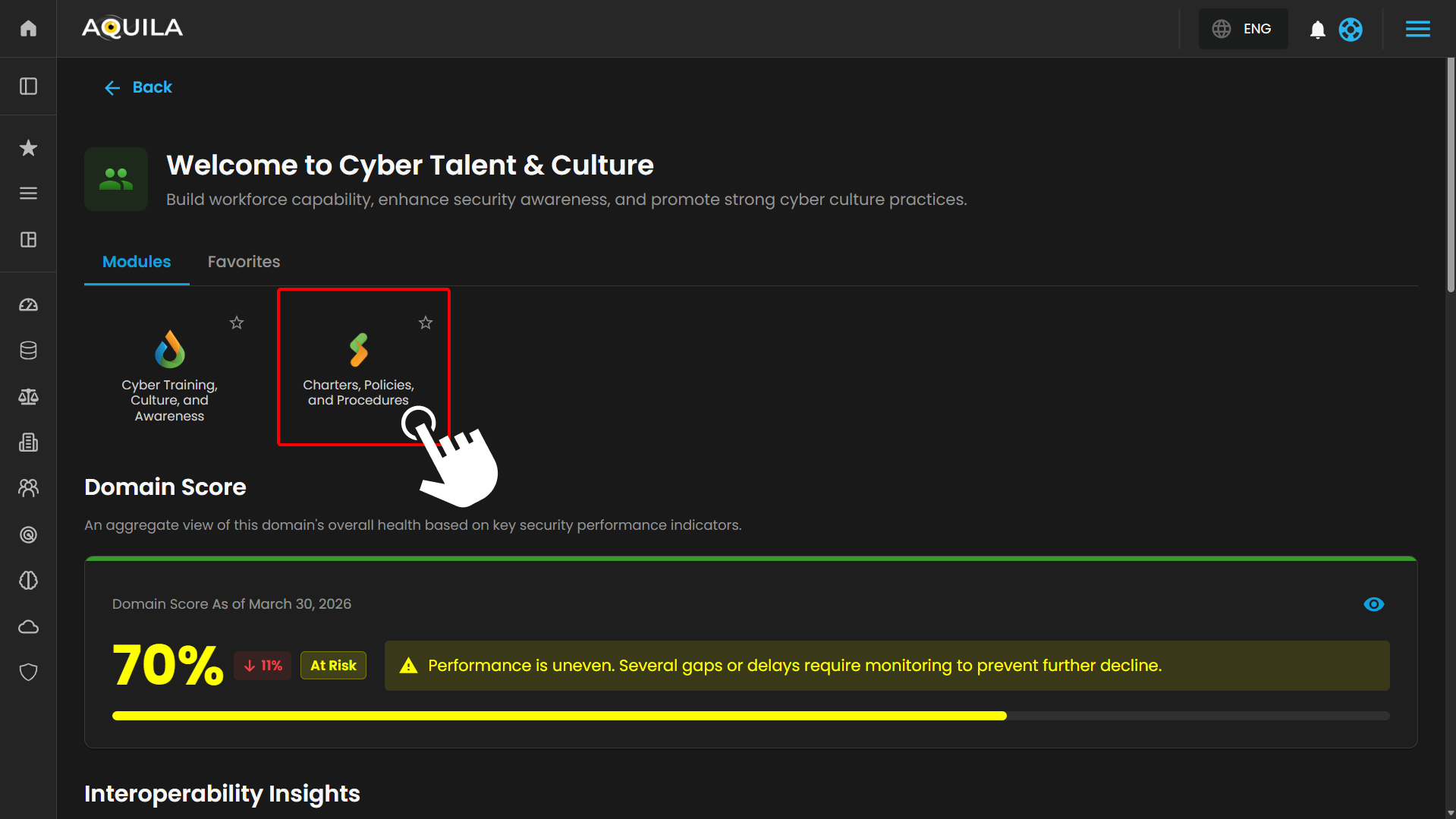
Figure 1.1 Cyber Governance Dashboard
Step 4: Hover into leftmost panel to view all the Cyber Talent & Culture sections. This Process is applicable in all navigating into a Module.
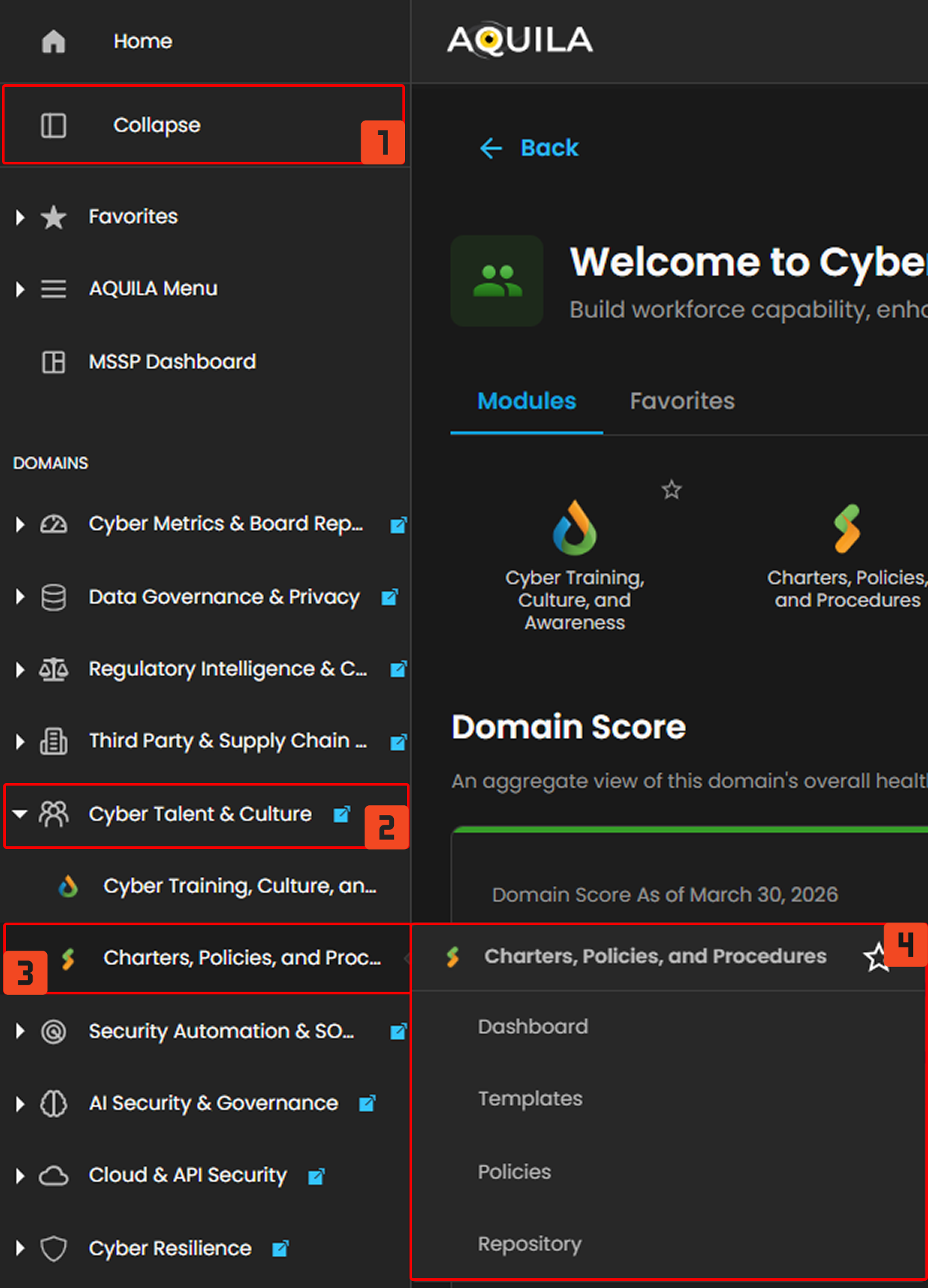
Figure 1.2 Cyber Governance Navigation
Charters, Policies, and Procedures
In the Charters, Policies, and Procedures Dashboard, you can track and manage ongoing tasks and projects related to cybersecurity and compliance initiatives. The dashboard includes multiple sections that provide a comprehensive view of policy status, acknowledgements, and recent activities.
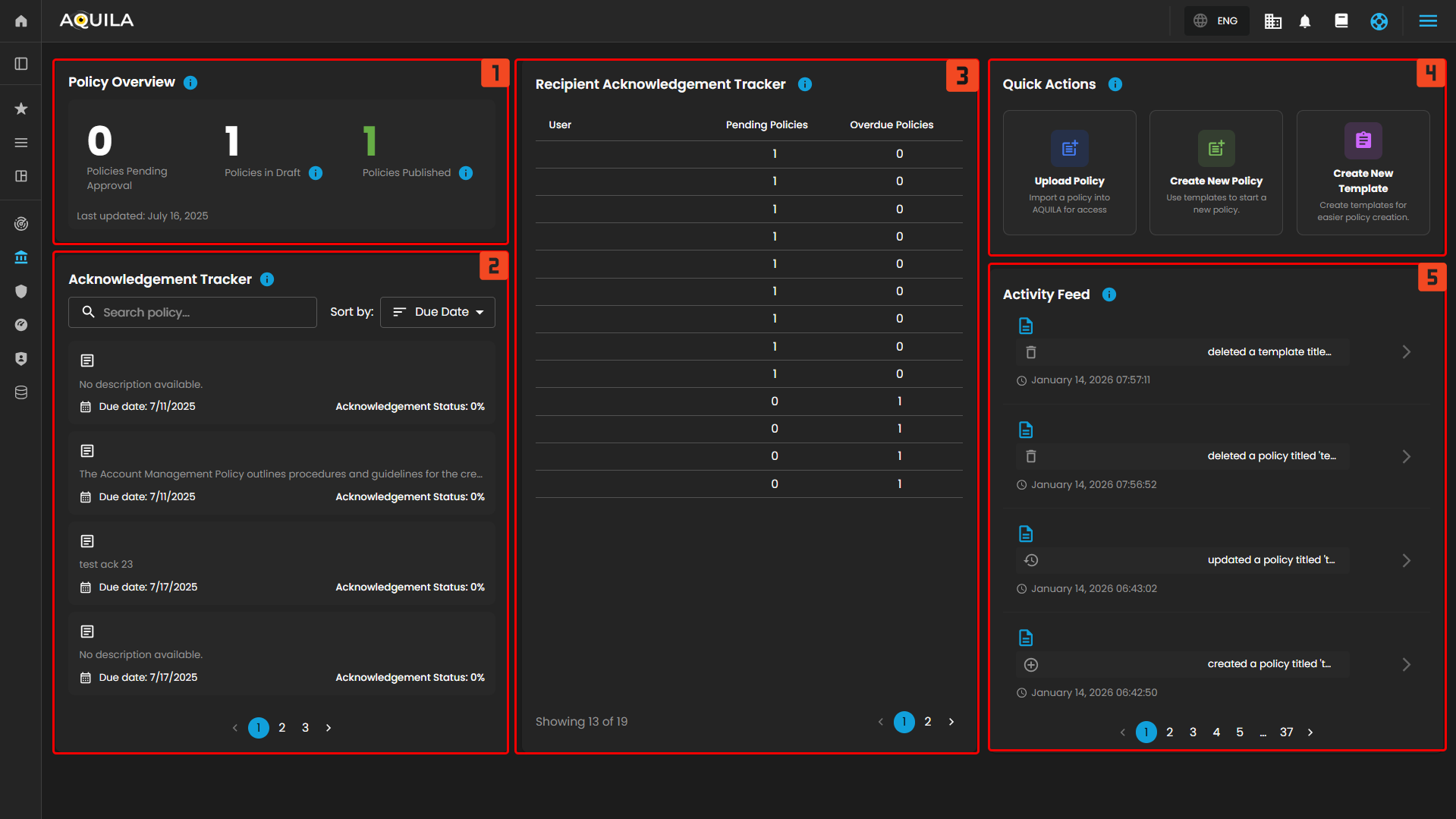
Figure 2. Charters, Policies, and Procedures Dashboard.
1. Policy Overview
- The Policy Overview section provides a snapshot of the current status of policies in the system. It shows the number of policies that are pending approval, in draft, and published. This section is a quick way to understand the overall policy management status at a glance.
2. Acknowledgement Tracker
- The Acknowledgement Tracker section allows users to view the status of policy acknowledgements. It displays the list of policies with their due dates and the current acknowledgement status for each policy. Users can search for specific policies and sort them by due date, helping to manage the acknowledgement process efficiently.
3. Recipient Acknowledgement Tracker
- The Recipient Acknowledgement Tracker section lists all recipients and their respective acknowledgement statuses. It shows the number of policies pending or overdue for each user, making it easy to track individual progress and ensure timely policy review.
4. Quick Actions
- The Quick Actions section provides easy access to key functions. Here, you can upload new policies, create new policies using templates, or create new templates for easier policy creation. This section streamlines the process of managing and creating policies.
5. Activity Feed
- The Activity Feed shows recent actions and changes related to policy and template management. It keeps track of events like when a template is created or deleted, allowing users to stay updated on the latest activities within the system.
Templates
In the Templates, you can track and manage the creation, approval, and organization of policy templates. The dashboard includes multiple sections to give you a comprehensive view of template statuses, details, and the ability to add new templates for policy creation.
Approved Templates
1. Approved Templates
- The Approved Templates section displays a list of templates that have been reviewed and approved. It provides users with an overview of the available templates for use, helping to manage and organize templates that are ready for implementation.
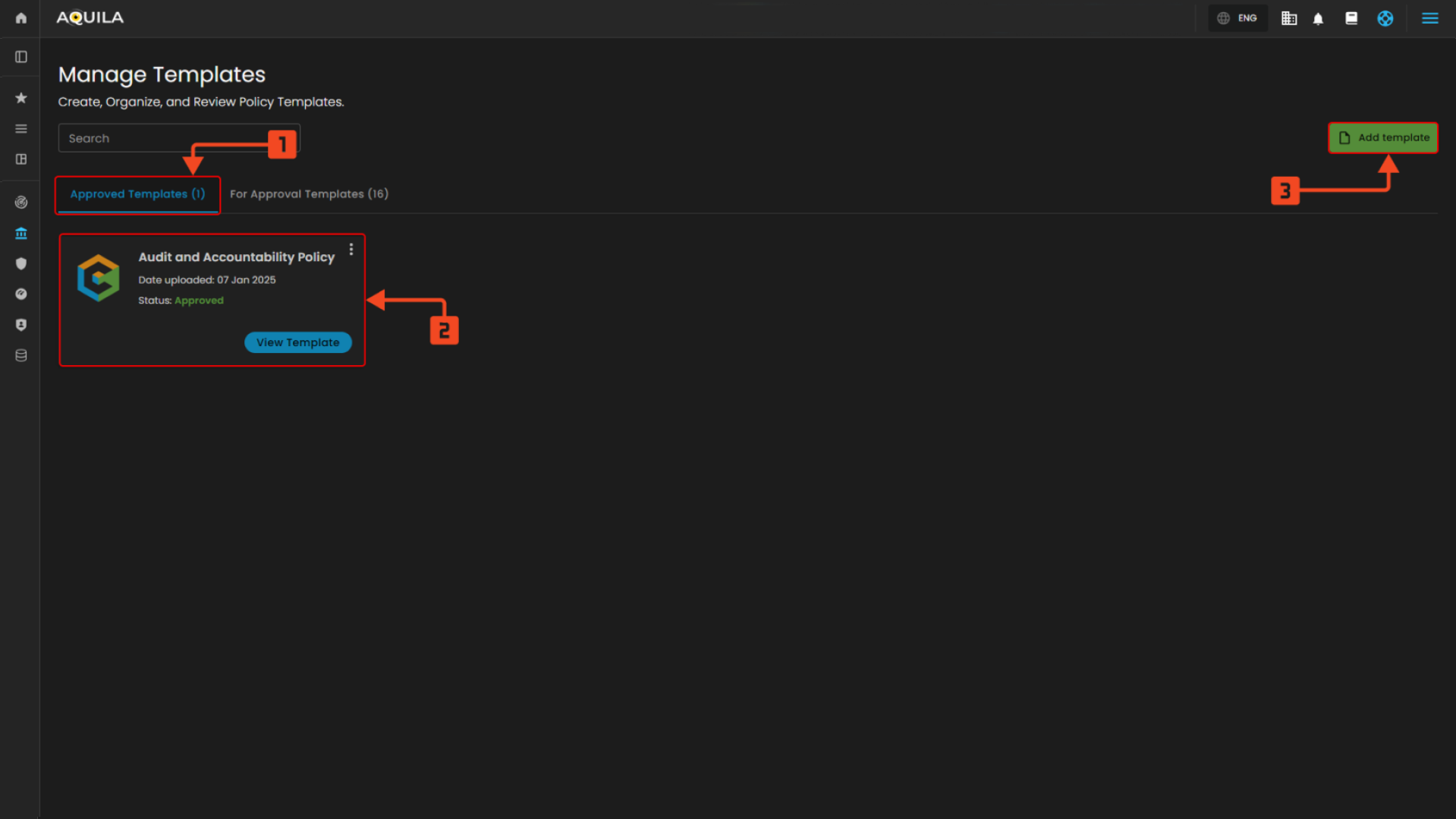
Figure 3.0 Approved Templates
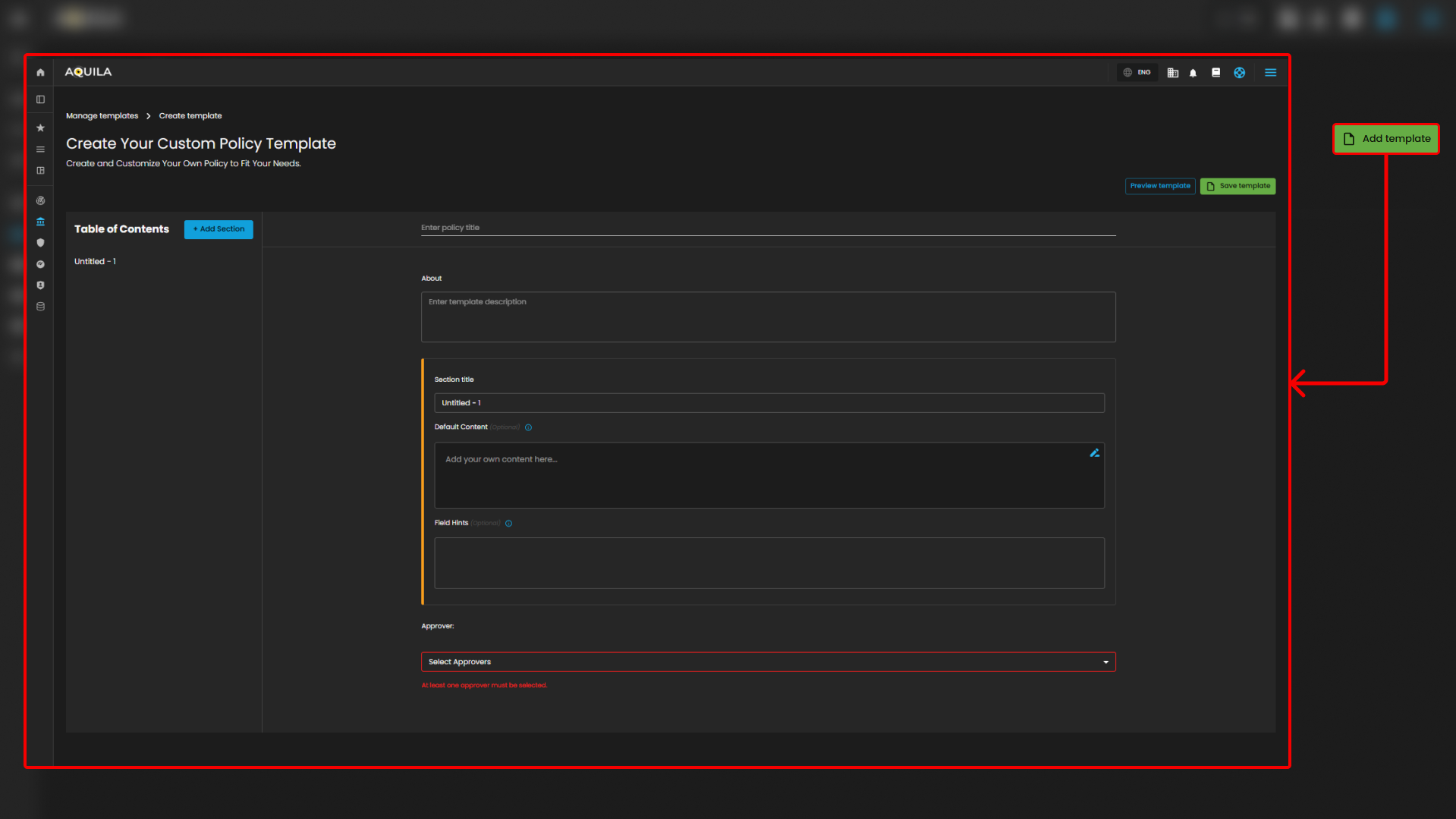
2. Add Template
- The Add Template button allows users to create and upload new templates. By clicking on this button, users can initiate the process of adding a new policy template to the system, streamlining the template creation process.
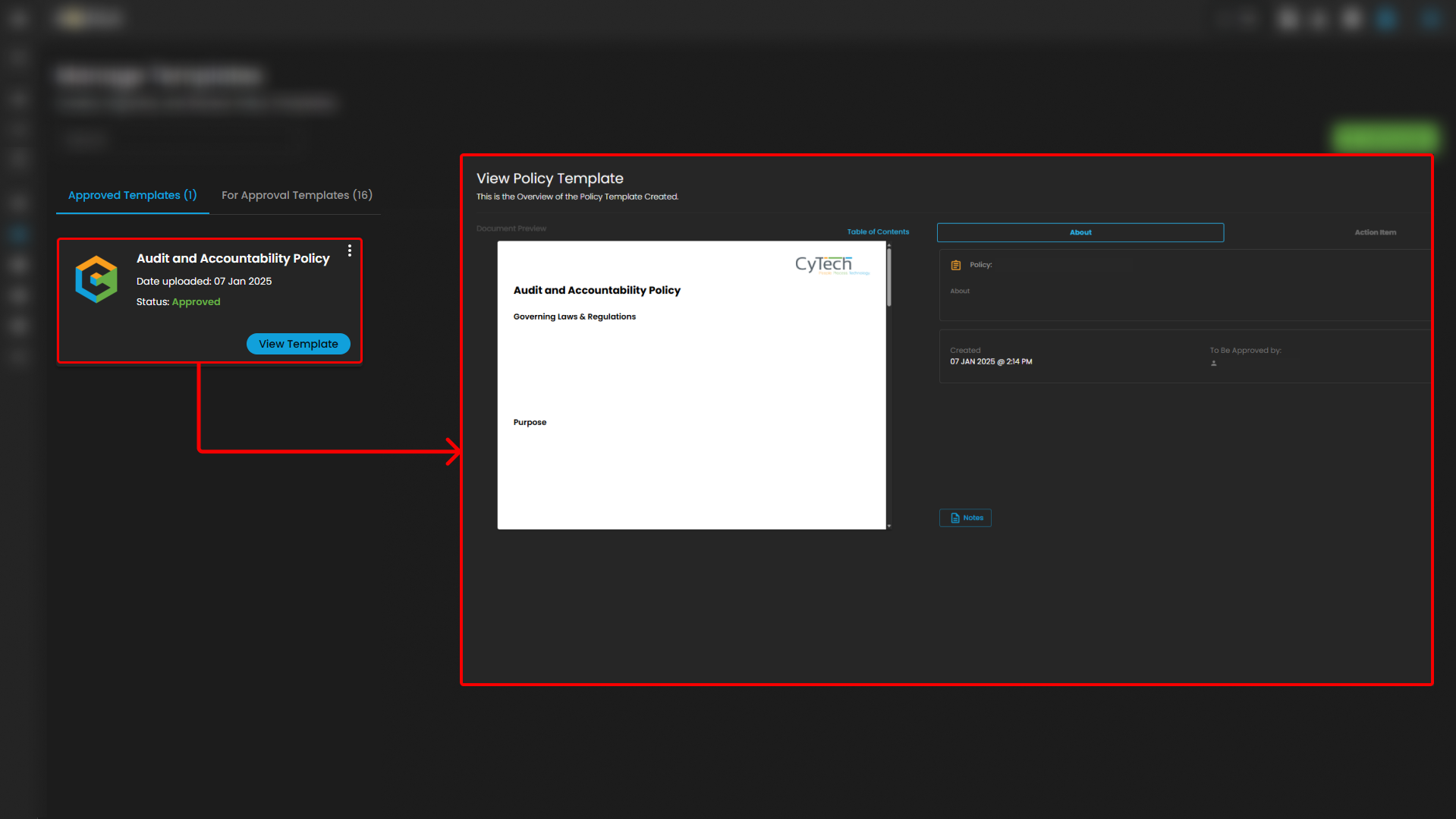
3. Template Details
- Each template listed in the Approved Templates section, such as the Audit and Accountability Policy, provides key information, including the upload date and approval status. Users can view more details about the template by clicking the View Template button. This section allows users to manage and review templates before applying them to policies.
Add Template
4. Add Section
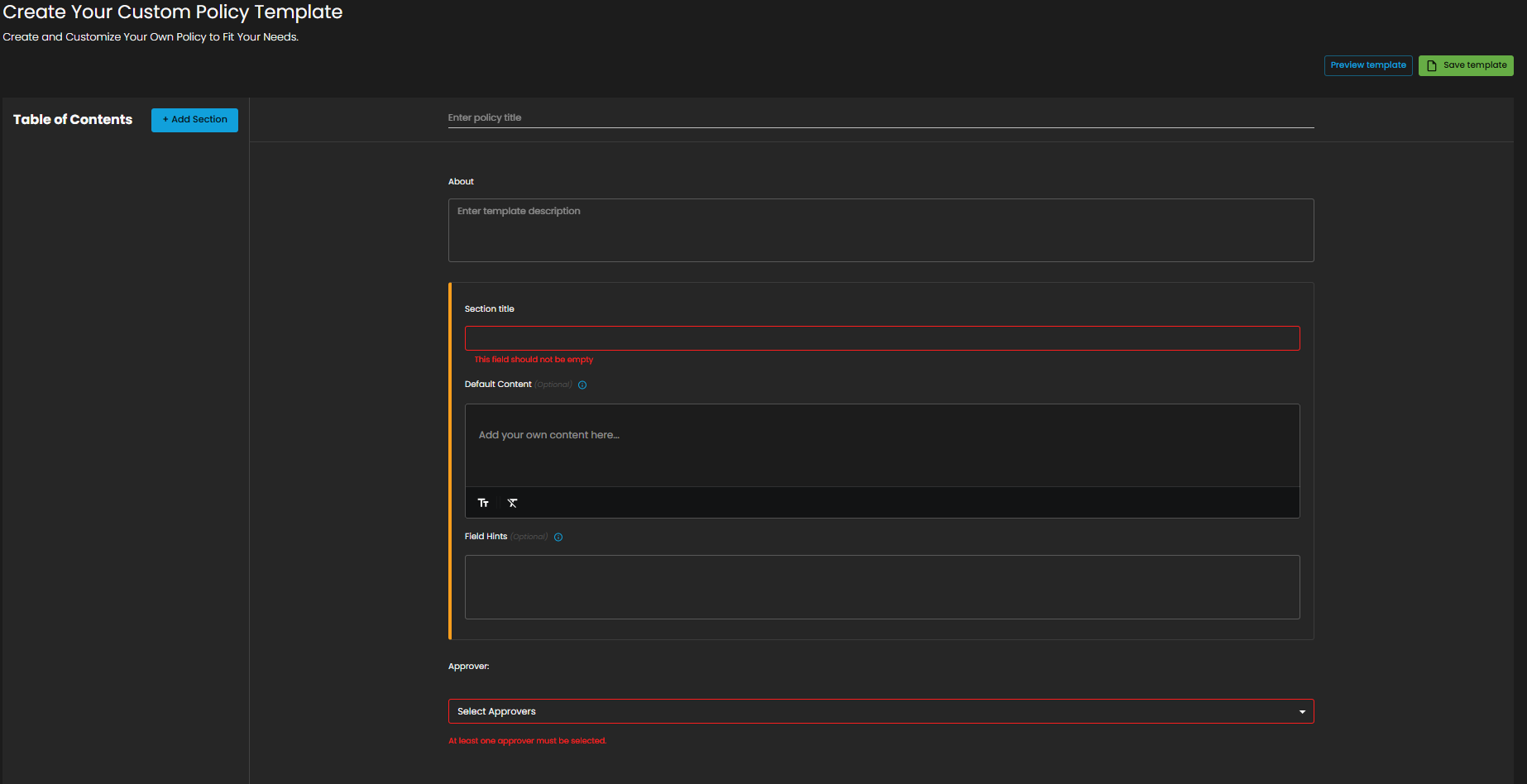
- The Add Section button allows users to add new sections to the template. This feature is crucial for breaking down the template into multiple parts, enabling more detailed and organized policy creation. By clicking on this button, users can create sections within the template, which can be further customized to suit the policy requirements.


5. Create Custom Policy Template
- The Create Custom Policy Template section allows users to design and customize their own policies. It provides a user-friendly interface where you can enter a policy title, description, and content. The template can be structured with different sections, and each section can include titles, default content, and field hints. This section also enables the selection of approvers for the policy, ensuring proper review and approval workflows.
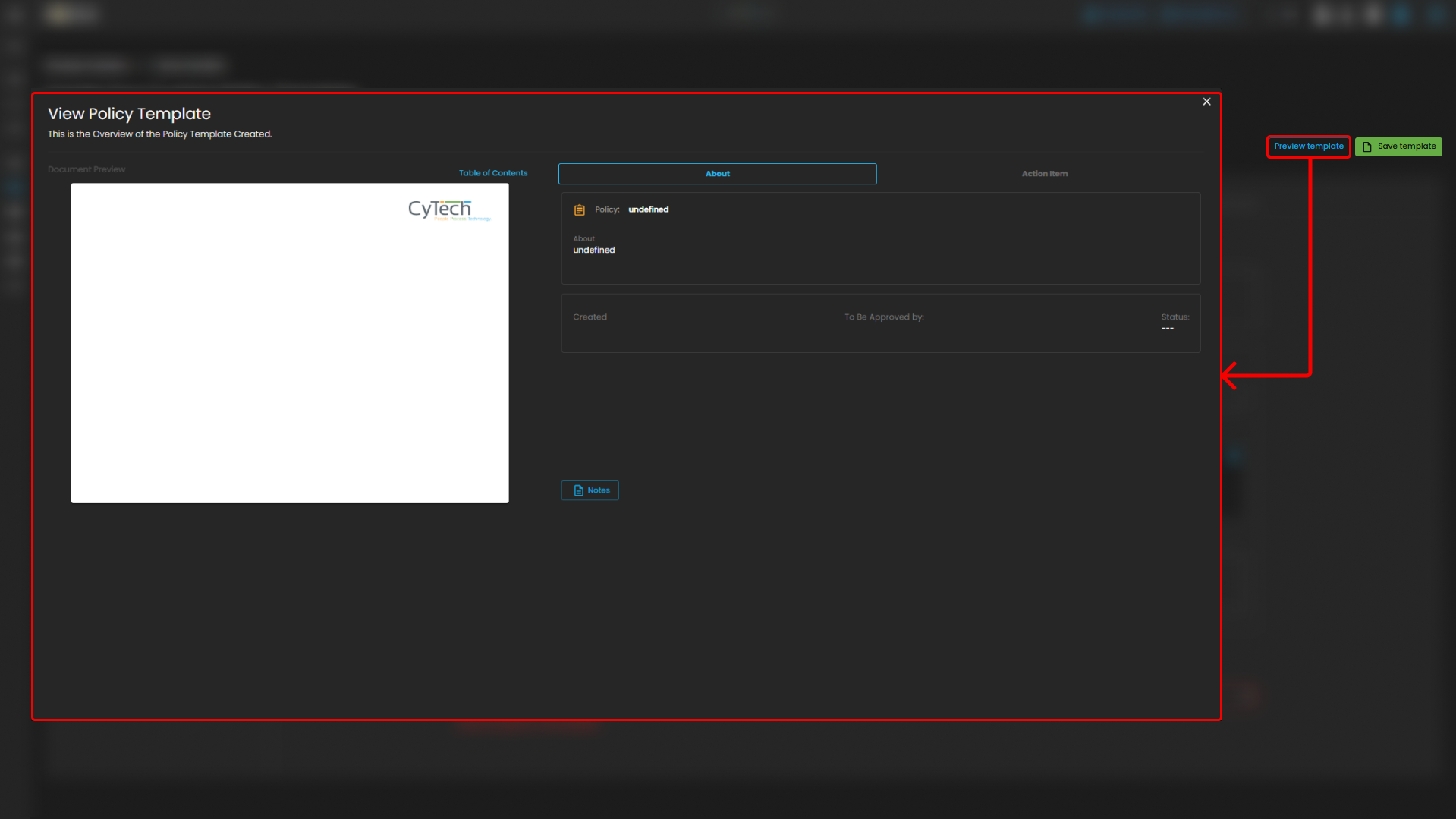
6. Template Preview and Save
- The Preview Template button allows users to review the template before saving it, providing a final chance to see how the policy will appear once completed. The Save Template button allows users to save their progress, ensuring that the template is saved for future use or further editing. This functionality streamlines the process of creating and managing custom policies.
For Approval Templates
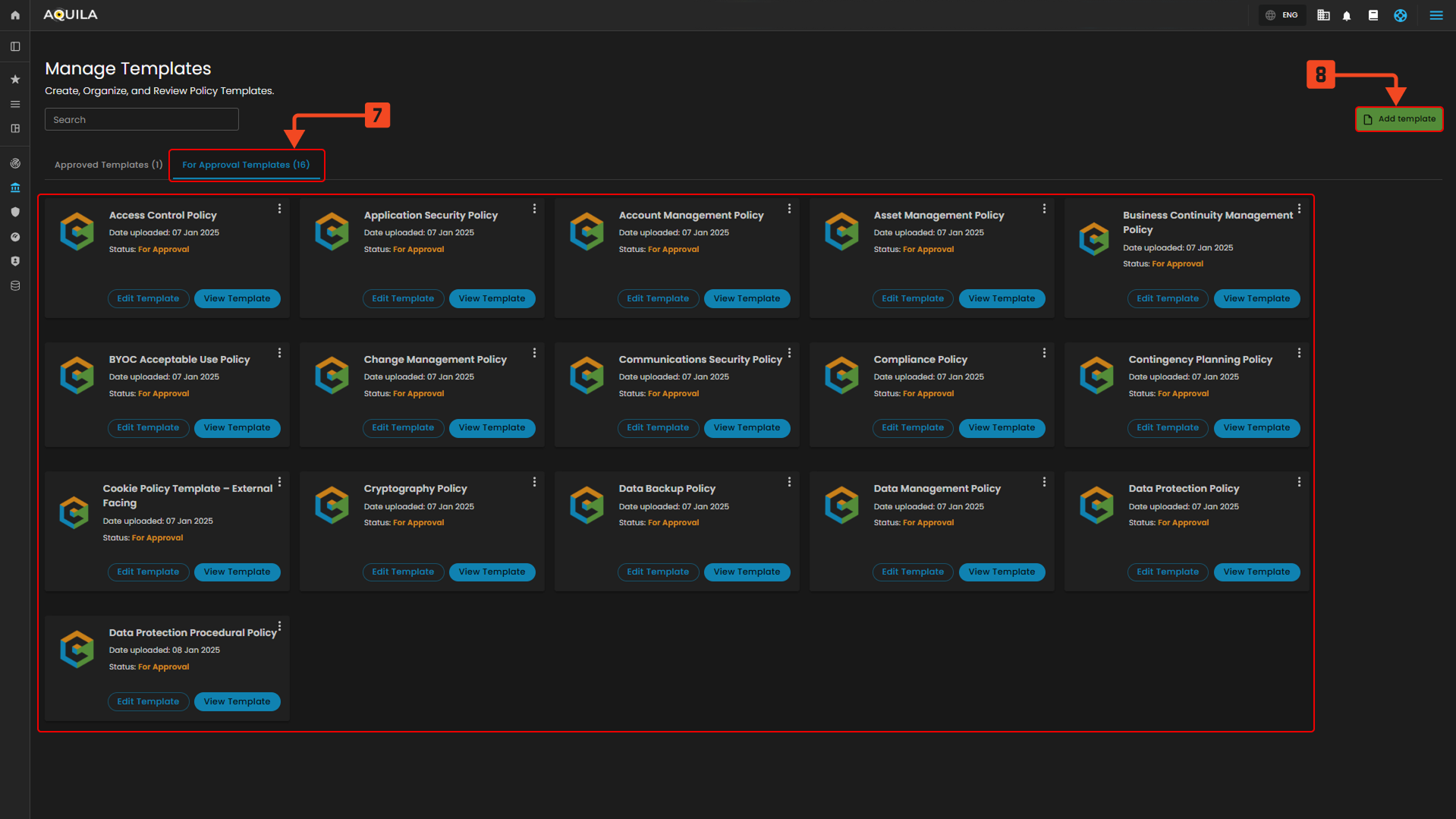
Figure 3.1 For Approval Templates
7. For Approval Templates
- This section shows the templates that are currently awaiting approval. These templates have been uploaded but need to be reviewed and approved before they can be used or moved to the "Approved Templates" section.
8. Add Template
- The Add Template button allows users to upload a new policy template. Clicking this button initiates the process of adding a fresh template to the system for review and approval.
View Template
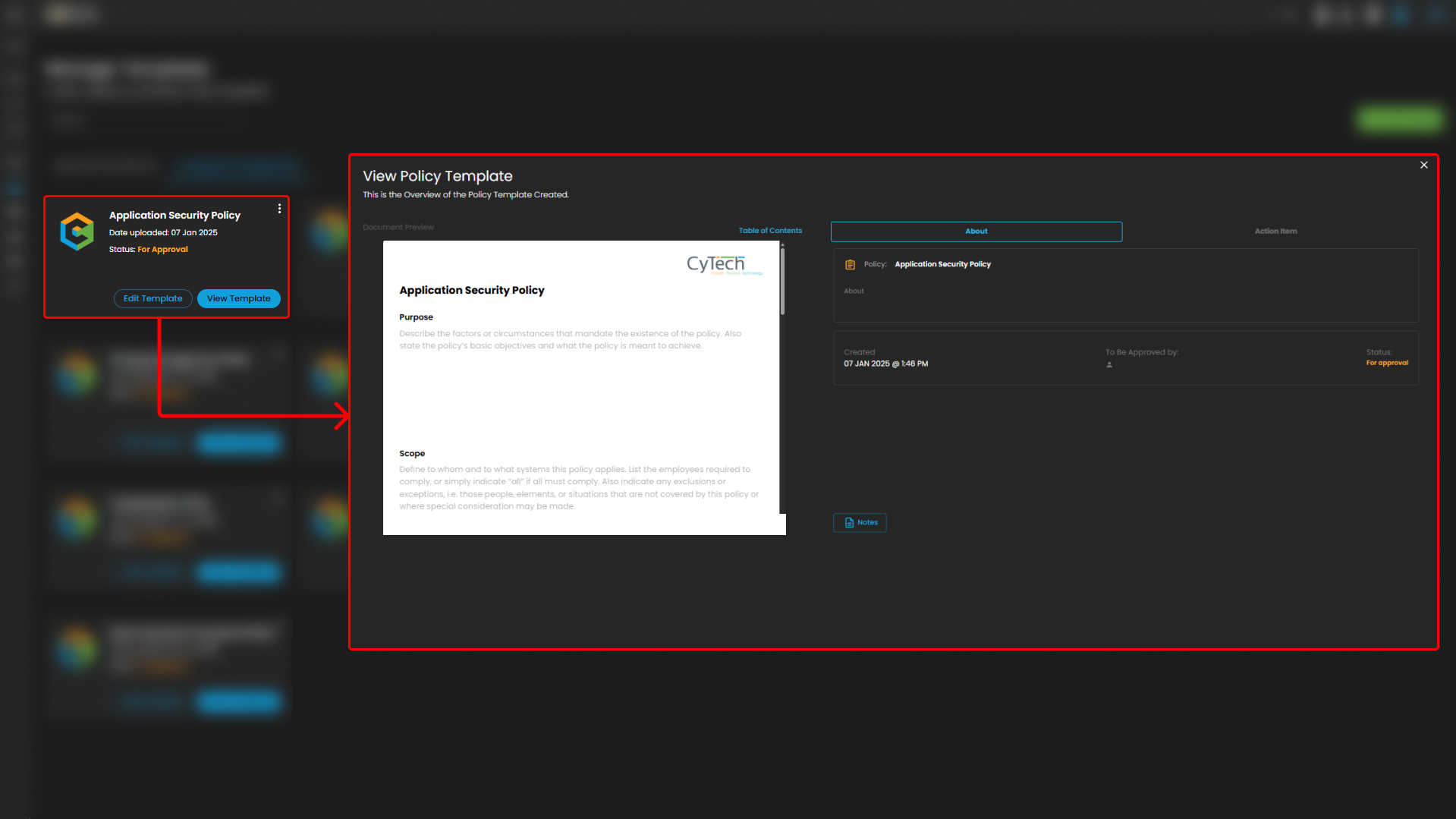
Figure 3.1.1 View Templates
9. Template
- The Template section displays the full content of the policy template, allowing users to review all sections of the document, including governing laws, guidelines, and purpose. It provides a comprehensive view of the template to ensure its alignment with organizational standards before use.
10. About
- The About section provides key metadata about the policy template, including its creation date, approval status, and the individual responsible for approval. This section offers a quick reference to understand the template’s background and current status.
Policies
In the Manage Policies and Procedures Page, you can view and manage the organization’s policies. This includes managing approved policies and policies that are awaiting approval. You can interact with policies based on their current status and manage them accordingly.
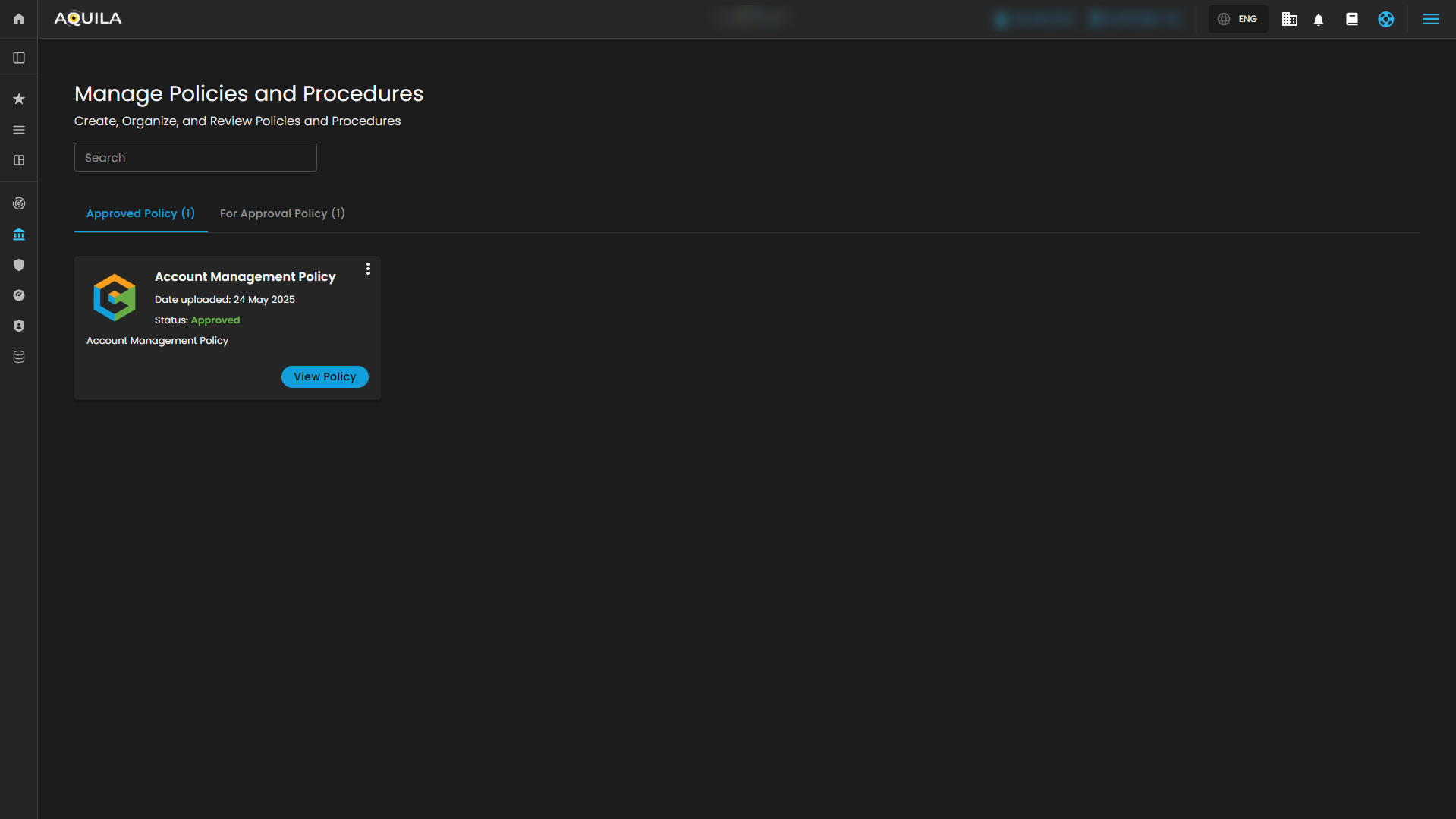
Figure 4. Policies
Manage Policies and Procedures
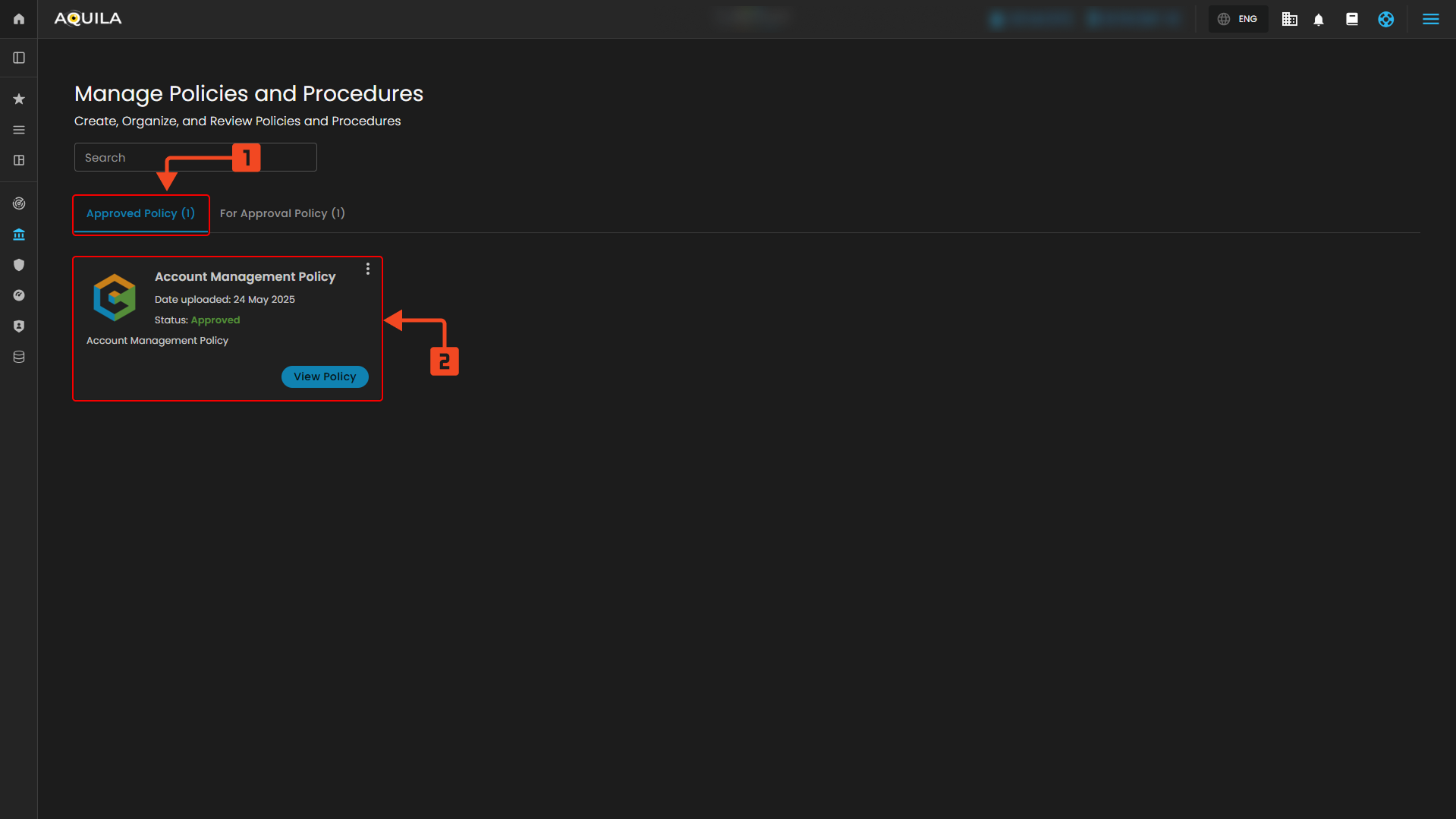
Figure 4.1 Manage Policies and Procedures
1. Approved Policy
-
This section allows you to access and manage all policies that have been approved. It enables easy navigation to view the status and other relevant details of the approved policies. You can also take actions based on the approval status to ensure compliance and organization-wide visibility.
2. Policy Details
- This section allows you to view detailed information about each policy. You can quickly access additional insights on the policy’s status, upload date, and related actions. The functionality allows you to review policies in detail and make necessary adjustments or actions such as viewing, editing, or managing their status.
For Approval Policy
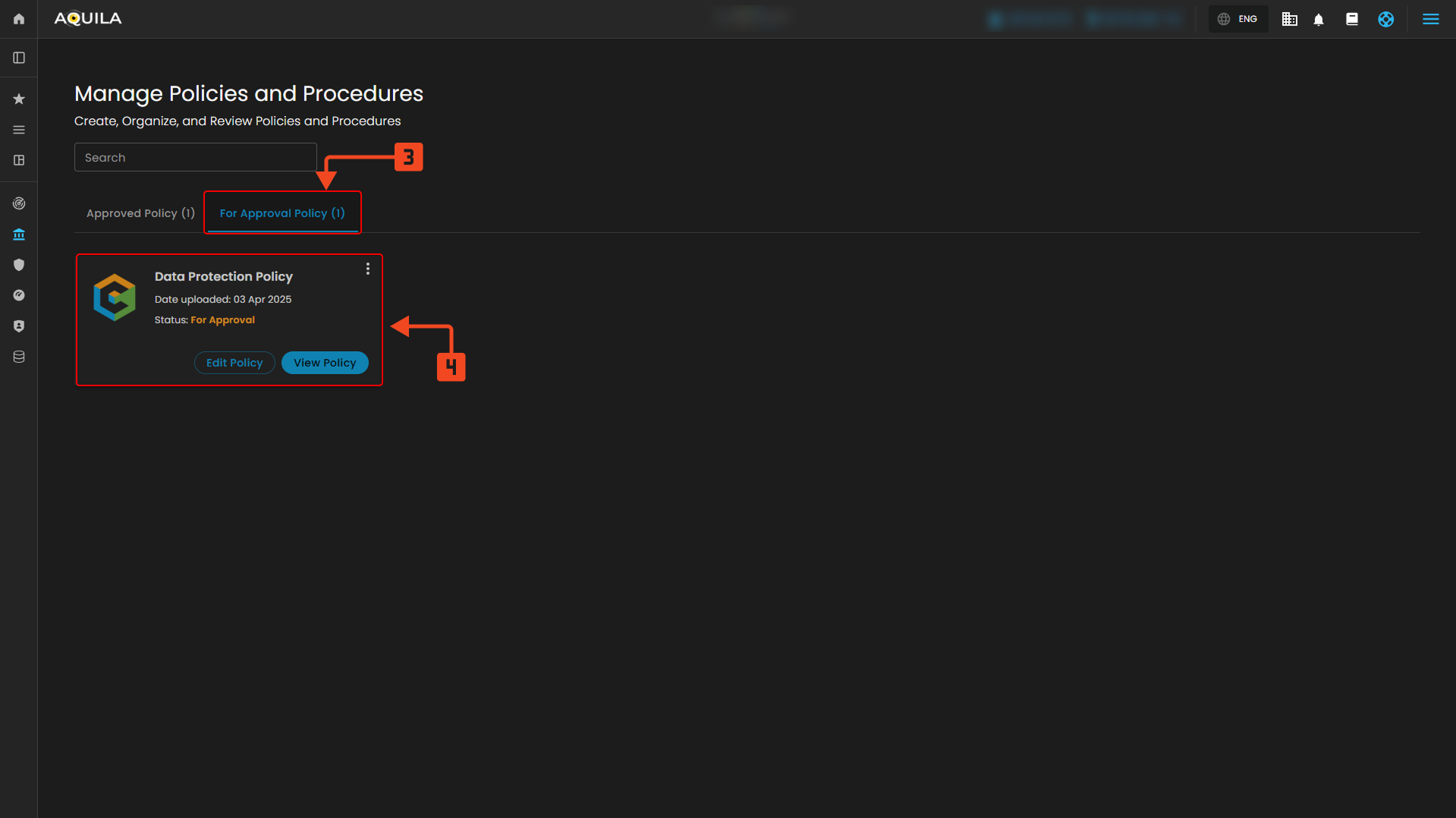
Figure 4.2 For Approval Policy
3. For Approval Policy
- This section allows you to view and manage policies that are pending approval. You can access details about these policies, including their current status, upload date, and take actions to approve or review them as necessary. This section ensures that pending policies are monitored until they receive final approval.
4. Policy Details
- The Policy Details section provides an in-depth view of policies pending approval. Here, you can review the specific policy’s status, including whether it is awaiting approval. Additionally, you can take actions such as editing or viewing the policy to ensure it meets the necessary requirements before approval.
View Policy
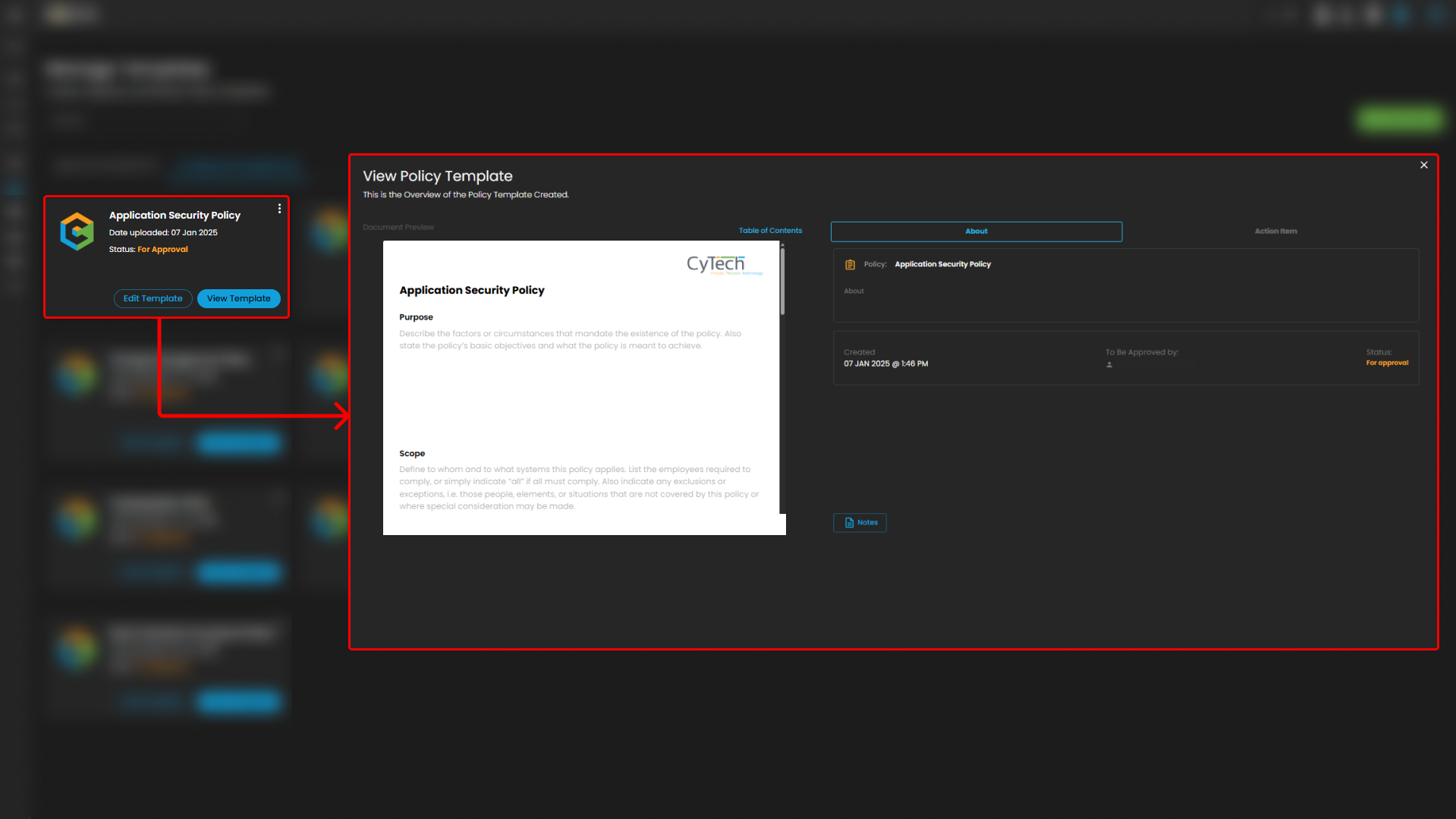
Figure 4.2.1 View Policy
5. Document Preview (Left Section)
-
This section displays the content of the policy document, allowing users to review the text. It shows sections such as the Purpose and Scope of the policy, which can be important for understanding the document’s objectives and scope. Users can scroll through the document to read or edit the policy. It's primarily for viewing and reviewing the content.
6. Right Panel
- This section is a summary area that provides important metadata about the document. It also shows action items related to the document’s review and approval process. Shows the document's metadata, including the title, creation date, and the person who needs to approve the document. Displays any pending actions, such as approval or comments, that need to be completed for the document to progress.
Edit Policy
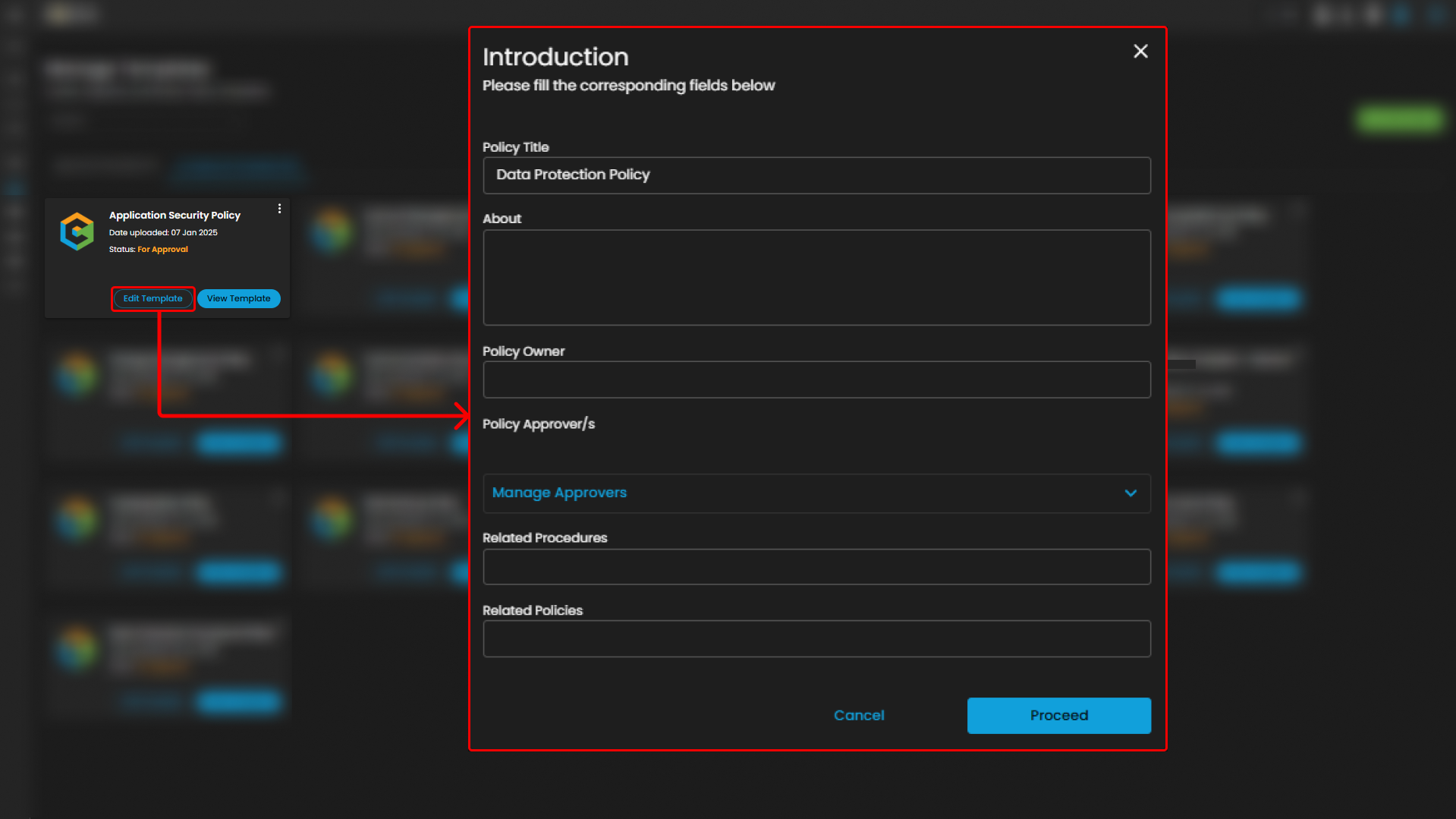
Figure 4.2.2 Edit Policy
7. Introduction Form
-
This section contains fields for the user to fill out important details about the policy, including the title, description, owner, approvers, related procedures, and related policies. It allows users to provide necessary information to set up or update a policy before proceeding further in the workflow.
Repository
Repository is storage system designed for uploading, organizing, managing, and reviewing policies and procedures. It serves as a digital library where all relevant documents are stored and can be easily accessed, updated, and tracked by authorized users.
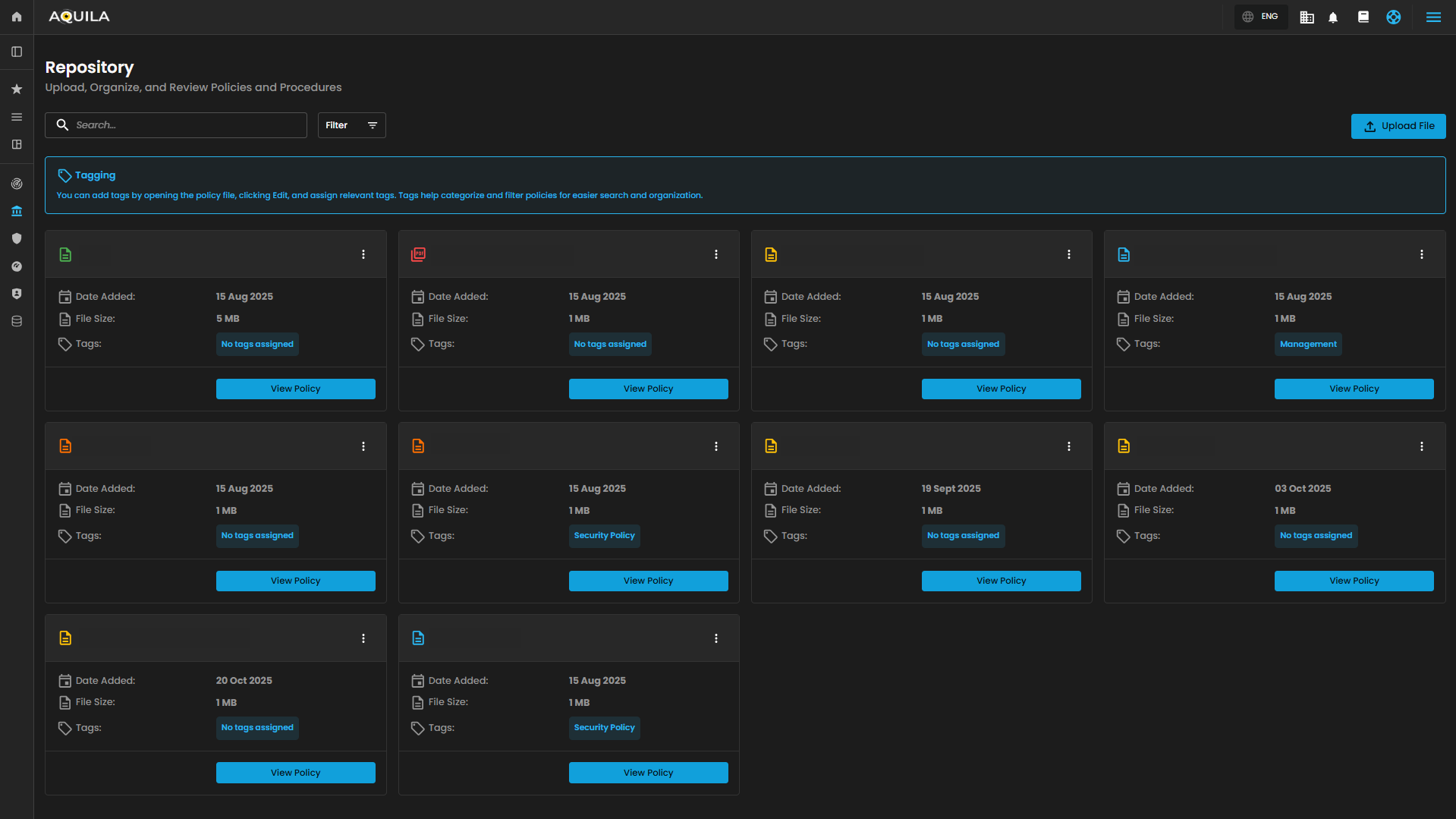
Figure 5. Repository
1. Search and Filter
-
Allows users to search for specific policies or documents within the repository. The filter option helps narrow down results based on specific criteria, enabling users to easily find relevant files.


2. Upload File
-
Provides a button for users to upload new files to the repository. This action allows users to add new policies or documents for organization and review within the system.

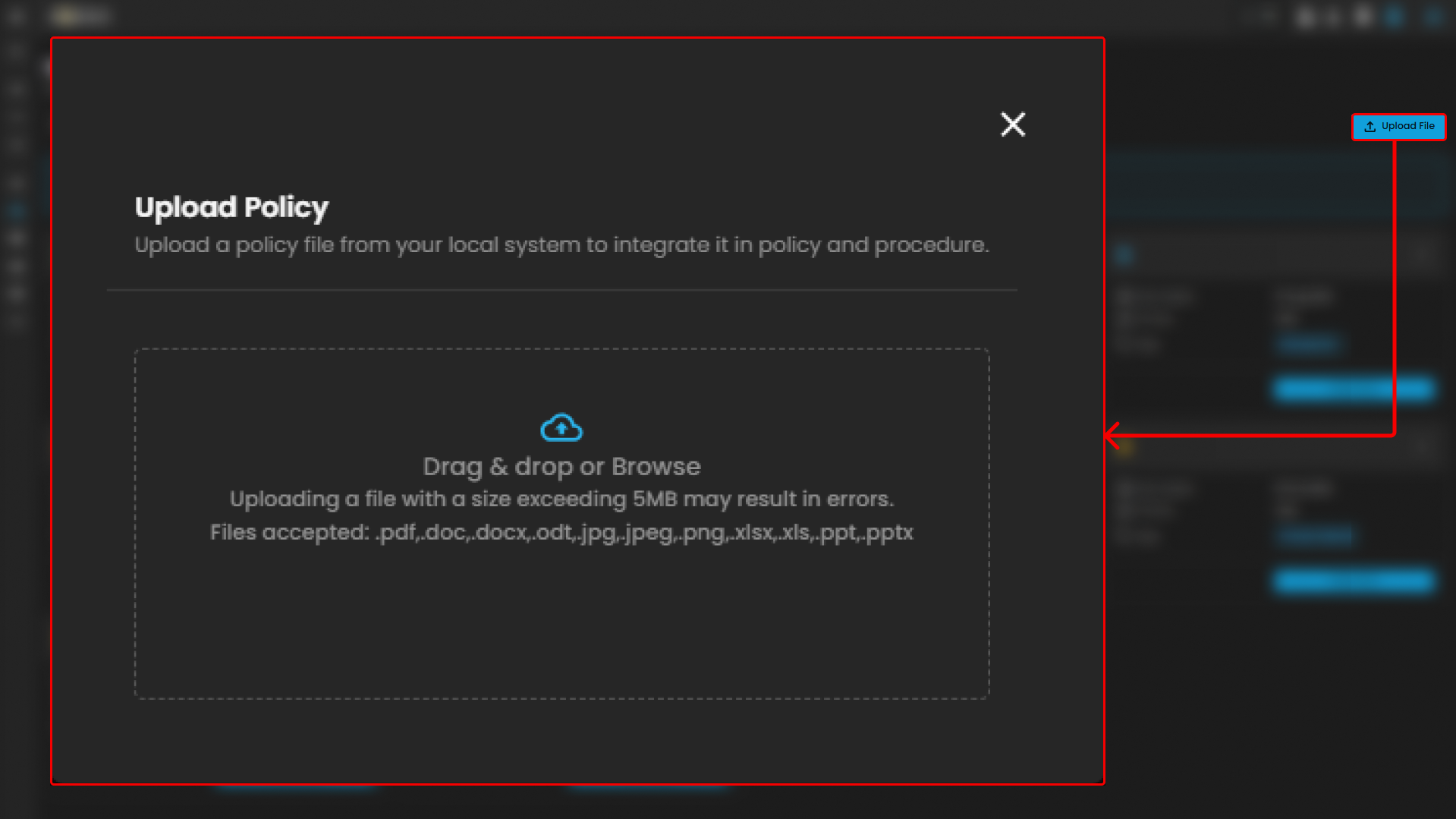
Upload File
3. Upload Policy
- The Upload Policy section allows users to add policy files from their local system into the policy and procedure management system. Here's an overview of the functionality. Drag & Drop or Browse, Users can either drag and drop the file directly into the upload area or click a "Browse" button to select the file from their file explorer. This gives flexibility in how users choose to upload documents.
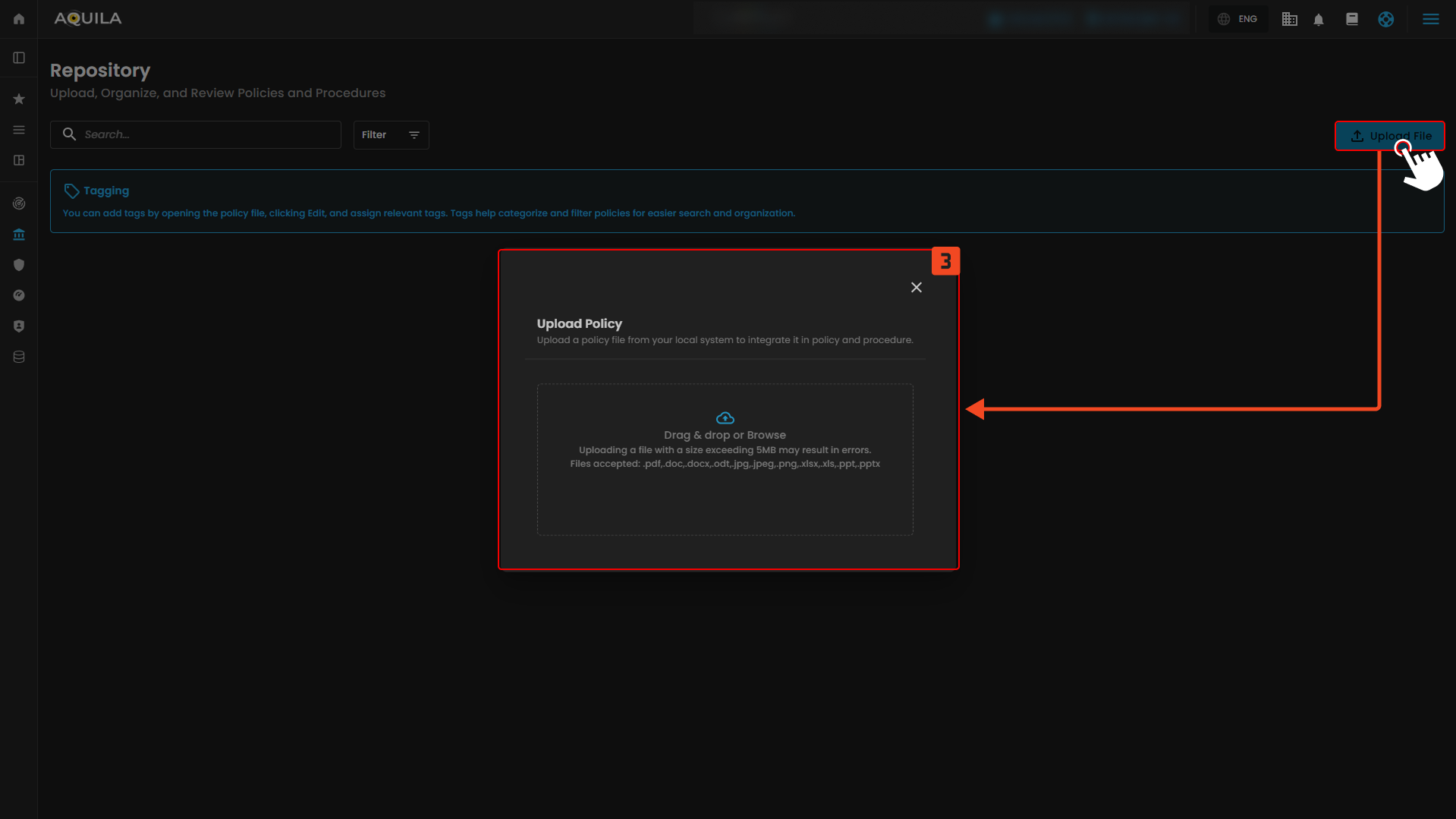
Figure 5.1 Upload File
If you need further assistance, kindly contact our support at support@cytechint.com for prompt assistance and guidance.