
CyTech AQUILA Agent Mass Update Function
Overview
AQUILA Endpoint is a unified, agent-based security solution that delivers prevention, detection, and response directly on the endpoint — fully integrated with your broader security data pipeline and SIEM infrastructure.
- Blocks malware, ransomware, and exploits using machine learning and behavioral analytics — before execution. Signature-based and signatureless detection work in tandem.
- Continuous endpoint telemetry collection enables deep threat hunting and EDR workflows. Every process, file, network event, and registry change is recorded and queryable.
- Isolate hosts, kill malicious processes, and neutralize threats in real time — automatically or via analyst-triggered actions — minimizing dwell time across your fleet.
- AQUILA Endpoint ingests threat intel feeds and maps detections to the MITRE ATT&CK framework automatically — enriching every alert with adversary context.
In this section, you will learn how to update AQUILA Endpoint using the Control Panel. The update process is straightforward and can be performed centrally across your entire fleet without the need to touch individual machines. Simply navigate to the relevant section within the Control Panel, select the endpoints you wish to update, and apply the latest version — AQUILA Endpoint will handle the rest automatically.
Pre-requisites
- Access to CyTech - AQUILA
-
Only users assigned the "Owner" or "Admin" role can access the Control Panel page within this module.
-
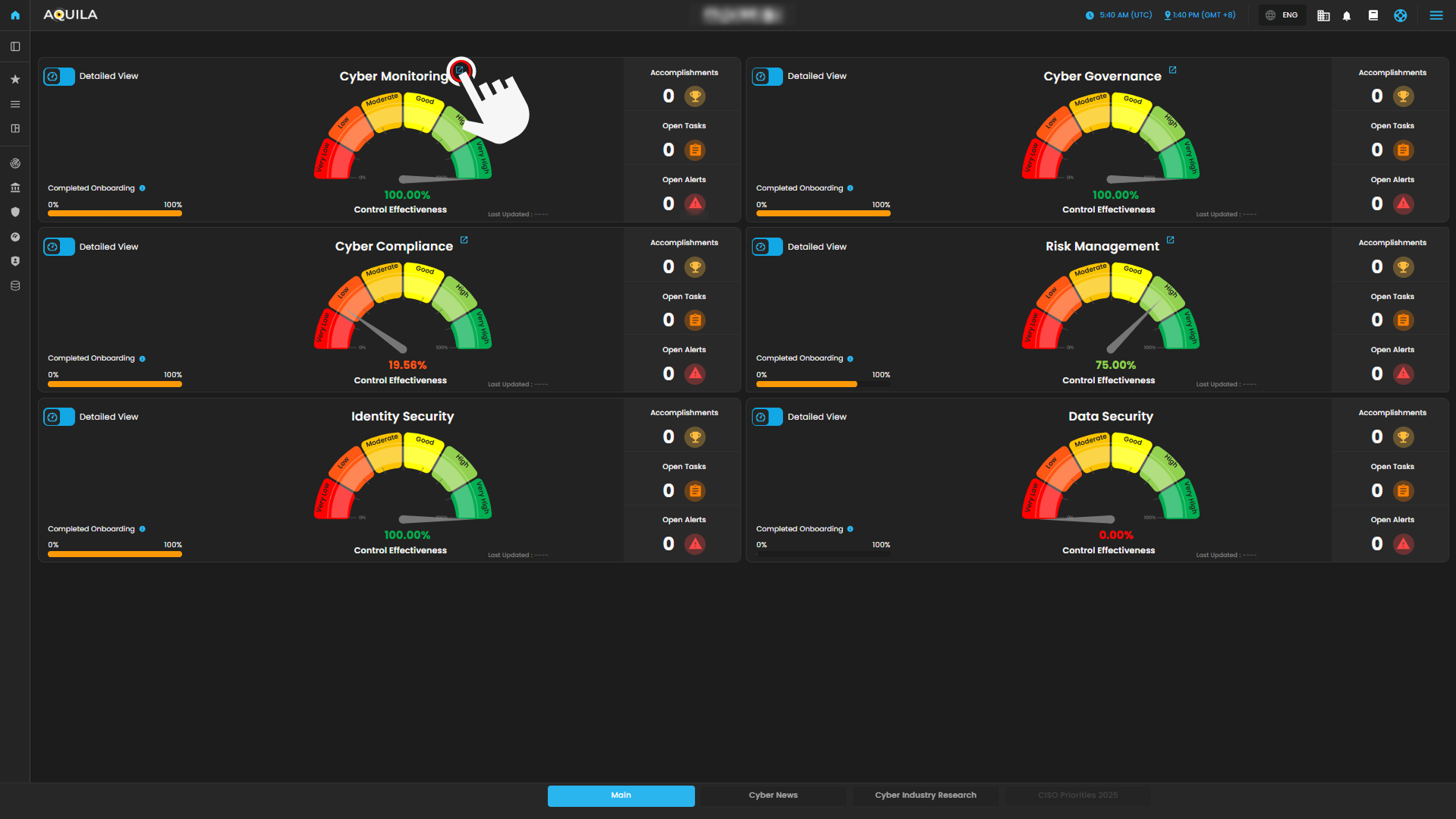
Step 3: Choose Endpoint Detection and Response (EDR).
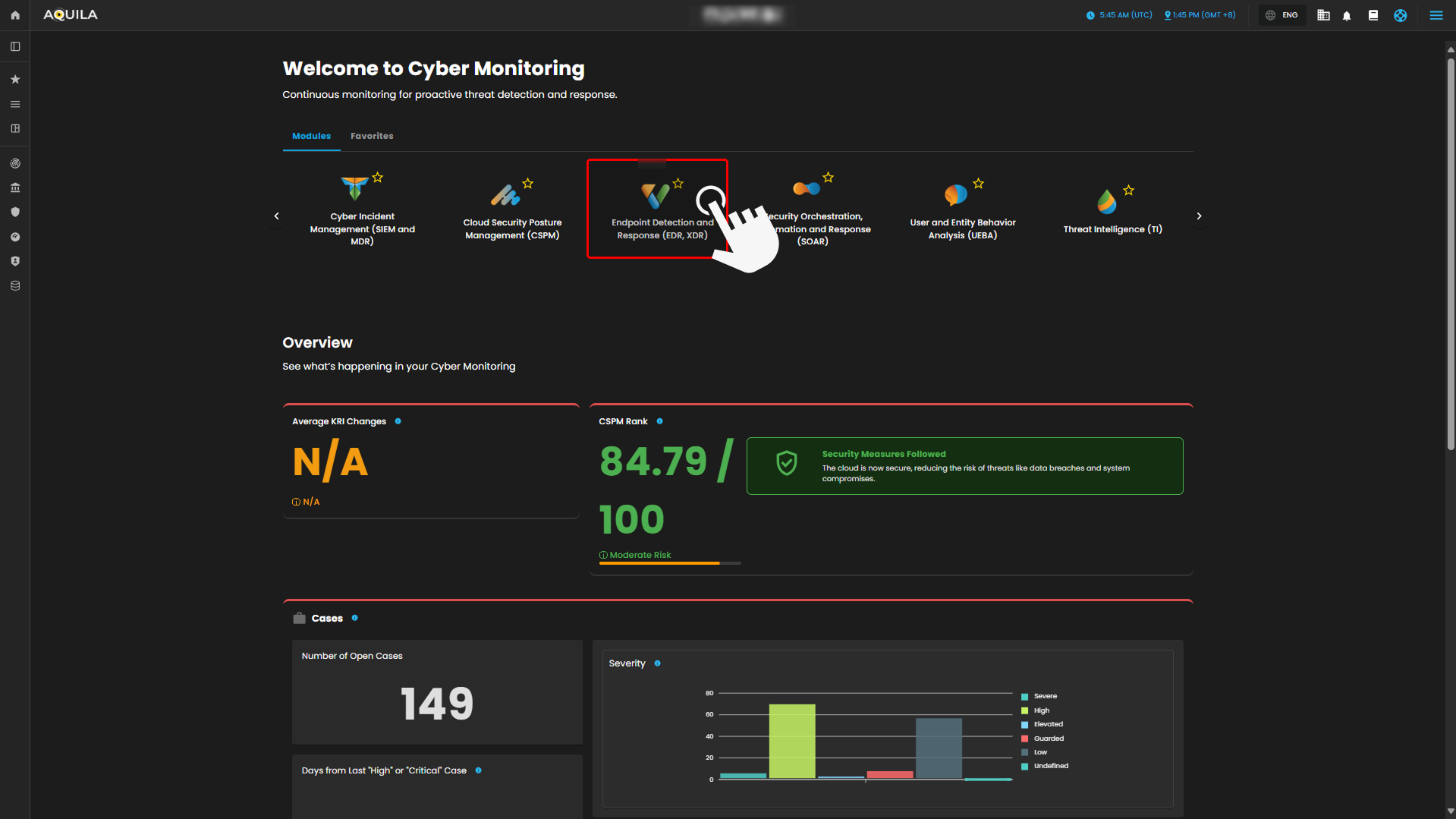
Step 4: Hover into leftmost panel to view all the EDR sections. This Process is applicable in all navigating into a Module.
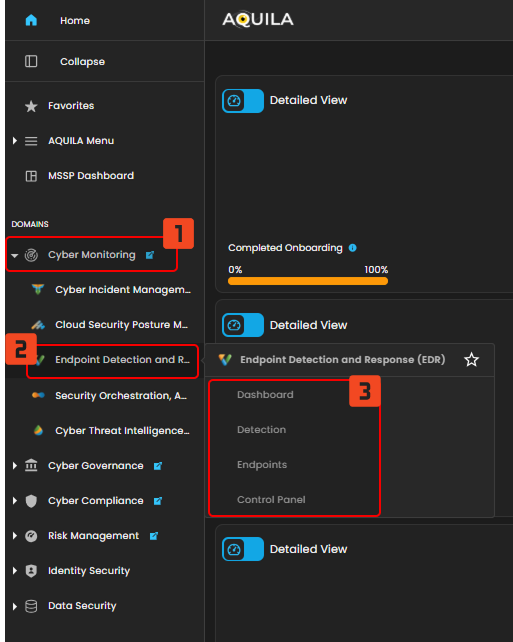
Control Panel
In the Control Panel, you can manage various security settings and configurations for your organization’s endpoints. This section gives you access to several tools for managing Policies, Manage Endpoints, Trusted Applications, Event Filters, Host Isolation Exception and Blocklist. The control panel helps streamline the process of securing and monitoring endpoints, providing easy access to the most critical settings.
- Manage Endpoints
- In the Manage Endpoints Page, you can easily isolate, delete, or add new endpoints to your system. This section provides a quick overview of all your endpoints, including details like the endpoint name, last seen time, operating system, and status. Currently, all protection policies are enabled with options to either detect or prevent security risks across the endpoints in your system.
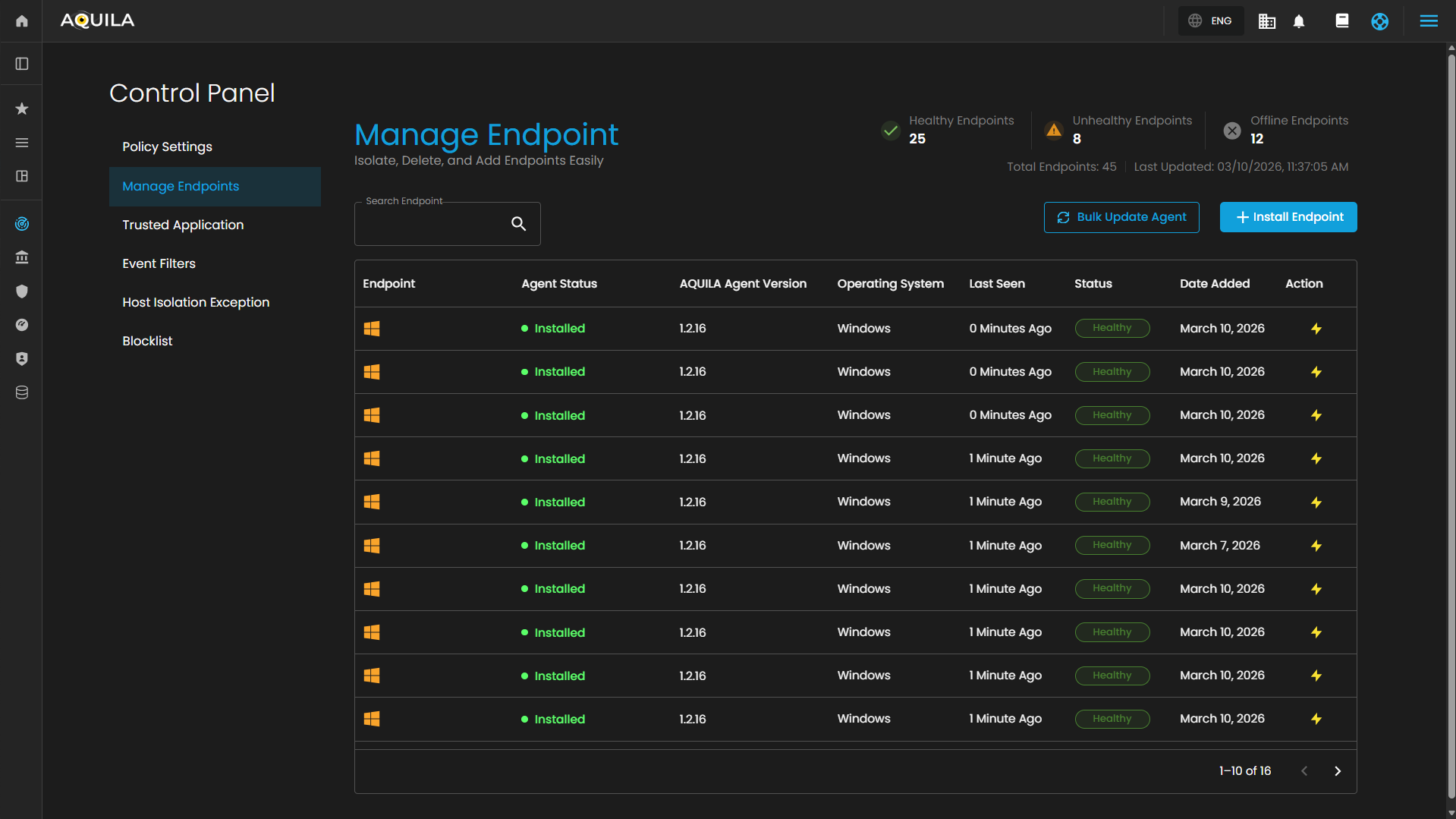
Update Aquila Agent Endpoint
Users can now update their Endpoint by pressing the  button and select Agents that requires update. The "Bulk Update Agent" button will also turn into
  to cancel the selection of the Agents.
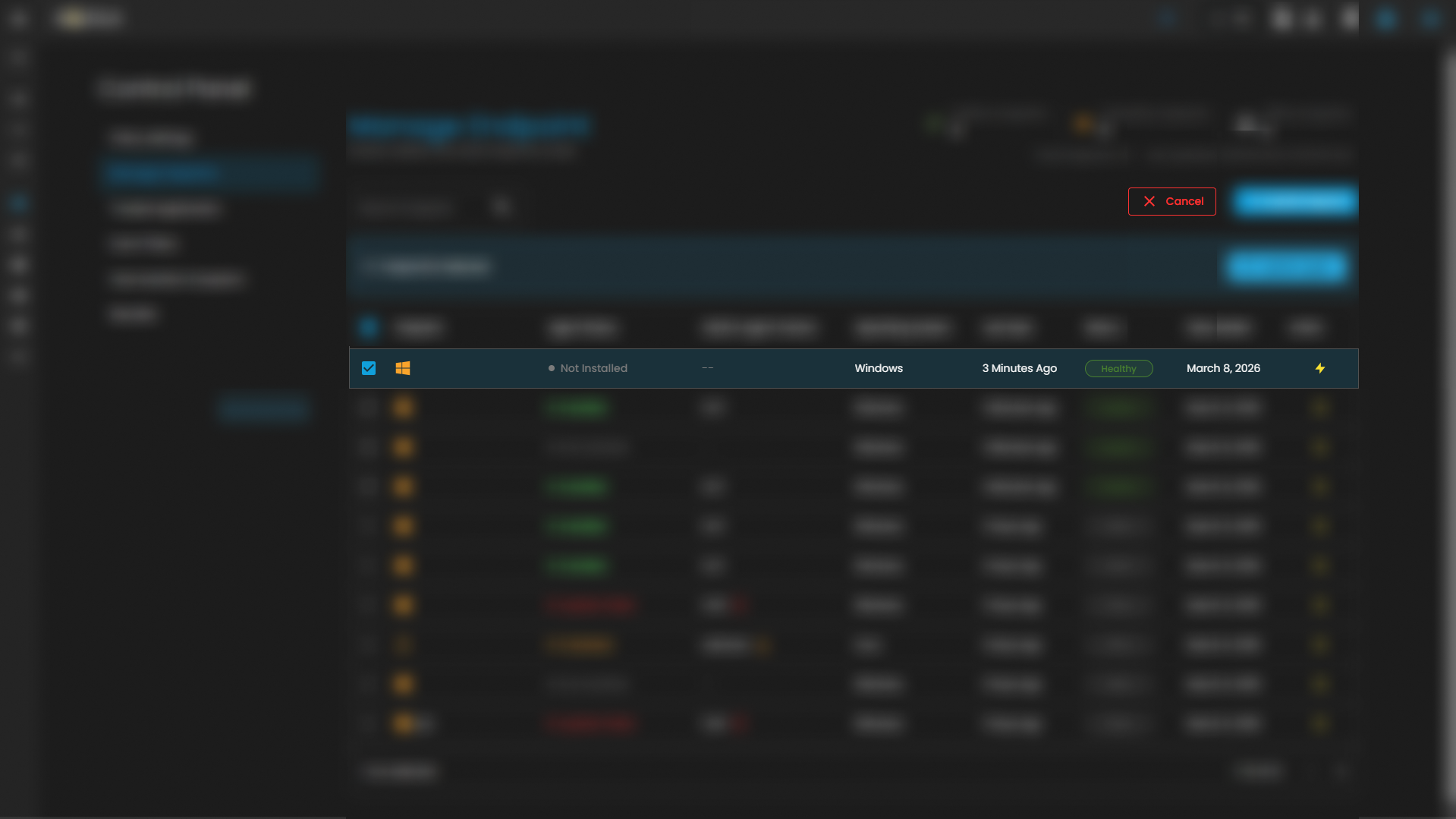
Select the agent that requires an update, then click "Update Agent" to open a review window for verifying selected endpoints before proceeding with the version update.
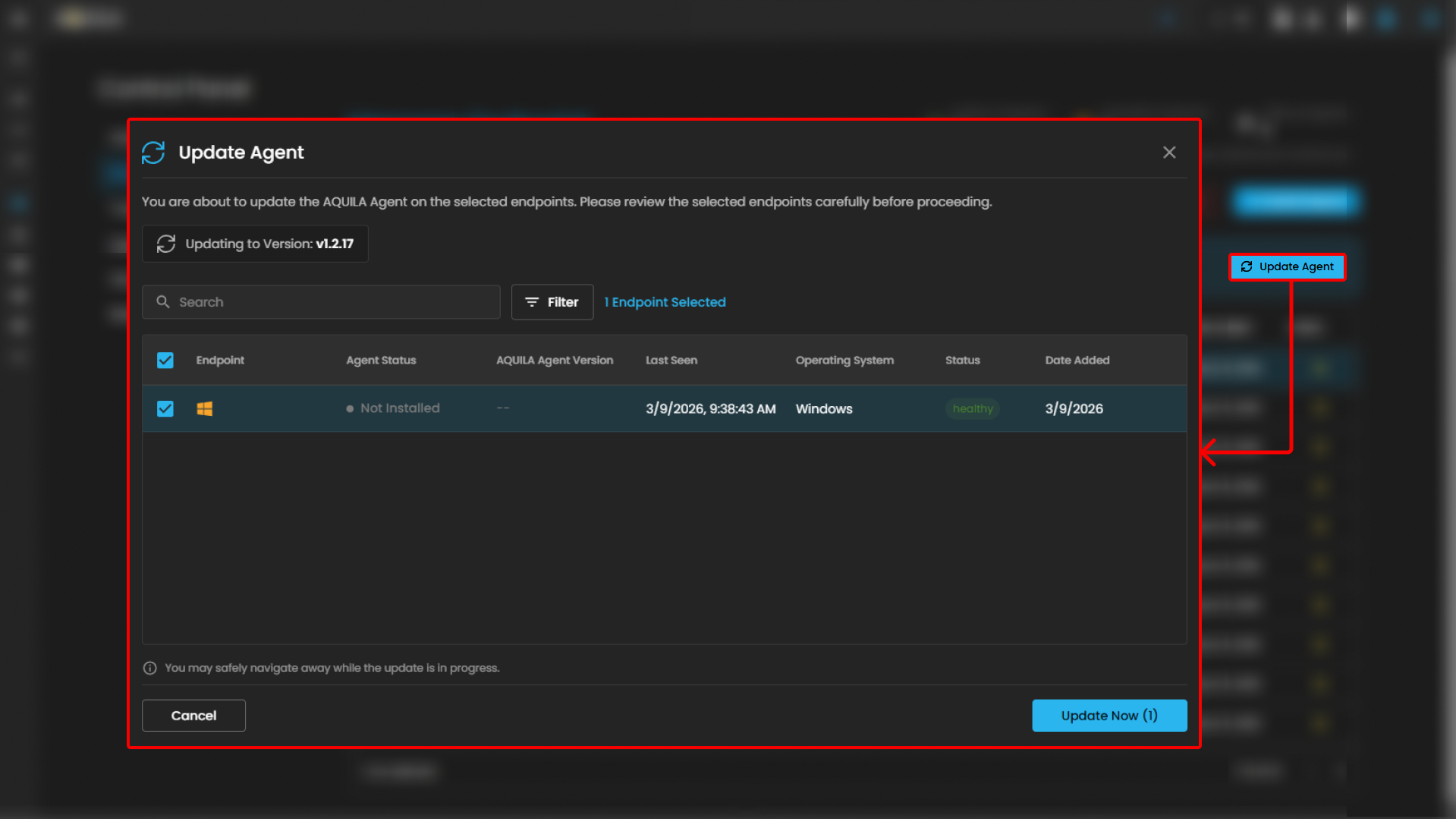
After selecting the endpoint to update, click "Update Now" to open the "Agent Update Progress" sidebar. The sidebar displays agent details, pending updates, and the update progress.
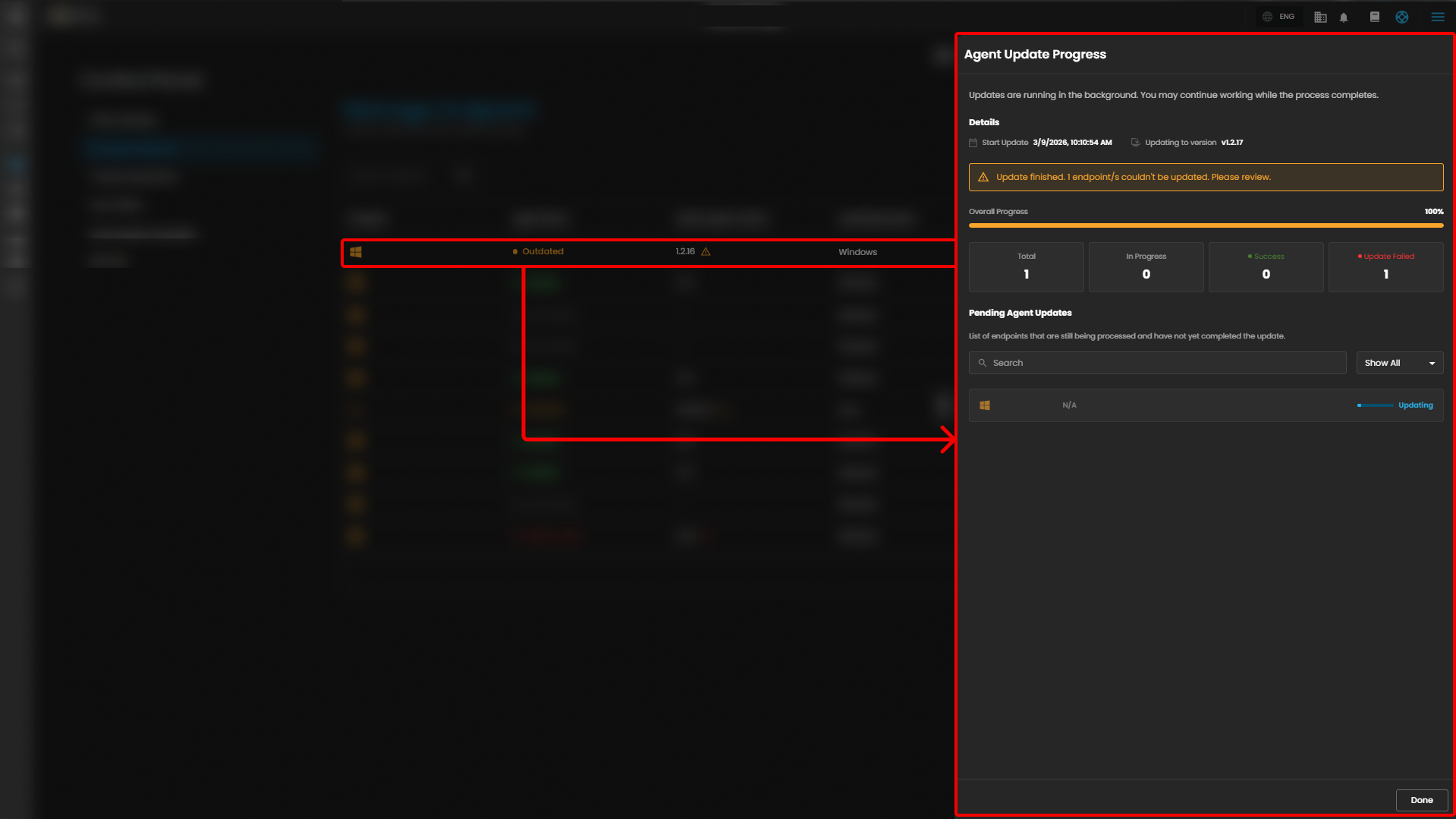
When the progress bar reaches 100%, the agent version updates to the latest version.
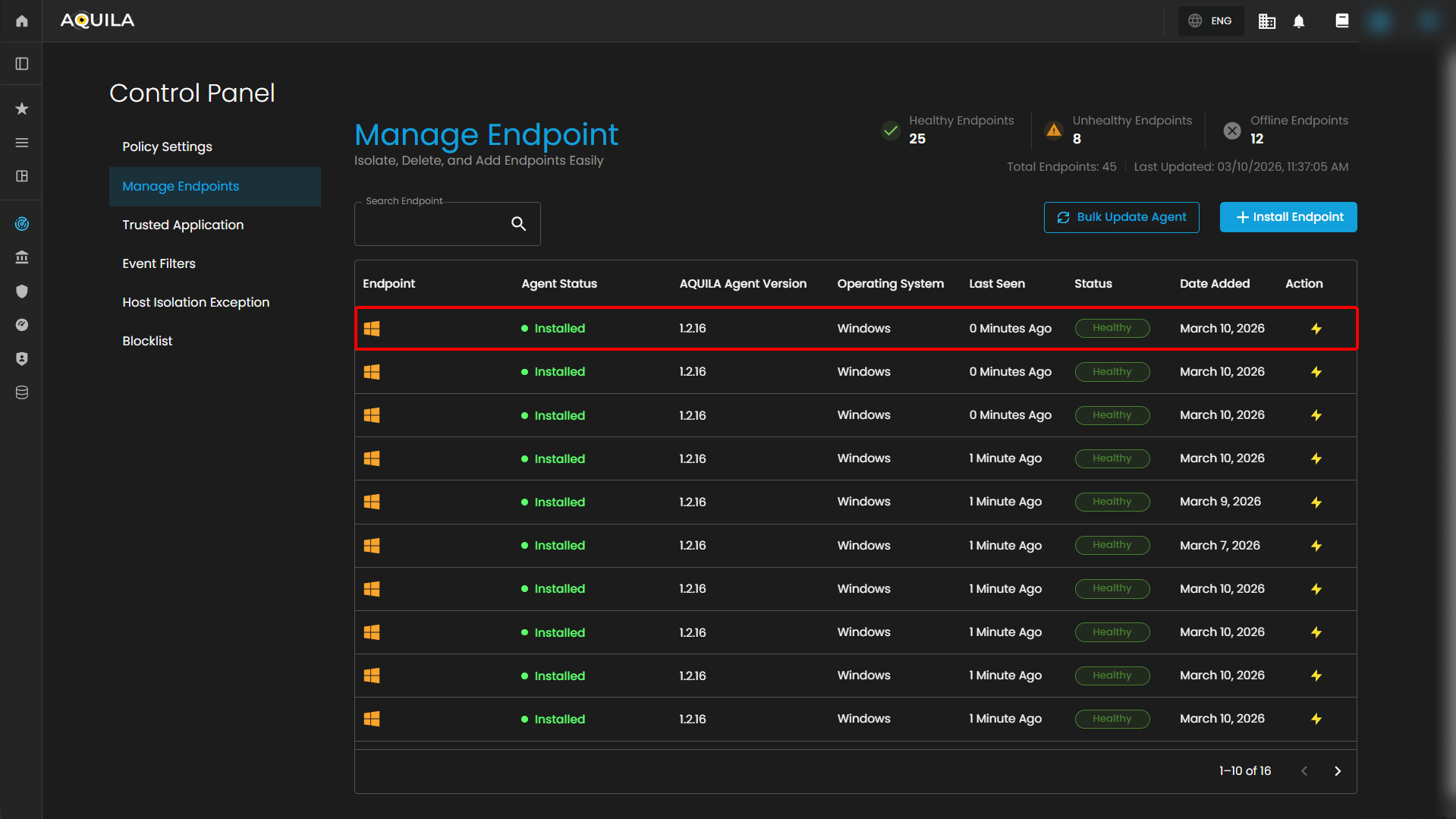
Conclusion
In conclusion, the new feature introduced in the Aquila Agent update provides a significant improvement to the overall update process. Unlike previous versions that required manual script implementation whenever the agent needed to be updated, this enhancement simplifies the process by reducing manual intervention and minimizing the possibility of configuration errors.
By streamlining the update workflow, administrators and users can now deploy updates more efficiently and with greater consistency across environments. This improvement not only saves time but also helps maintain stability and reliability during the update process.
Overall, the addition of this feature demonstrates a clear step toward improving system manageability and operational efficiency. It enables a more automated and user-friendly approach to maintaining the Aquila Agent, making future updates easier to implement and manage.
No comments to display
No comments to display