# AQUILA EDR Installation

Deploy and configure the AQUILA Endpoint Detection and Response (EDR) solution quickly and efficiently. Whether using an agent-based setup for deep endpoint visibility or an agentless approach for simplified management, AQUILA ensures a smooth installation process. Once deployed, AQUILA EDR strengthens your defenses, detects threats in real time, and enhances your overall security posture.

# AQUILA - EDR MSI Aquila Agent

# <span style="color: rgb(0, 0, 0);">Aquila Agent MSI (EDR) - Manual Installation</span>

<div id="bkmrk--1">  
</div>#### <span style="color: rgb(0, 0, 0);">Endpoint Detection and Response (EDR)</span>

<span style="color: rgb(0, 0, 0);">Endpoint Detection and Response (EDR), is a cybersecurity technology that focuses on detecting, investigating, and responding to suspicious activities and threats on endpoints, such as workstations, laptops, and servers. EDR solutions provide visibility into endpoint activities and help security teams identify and mitigate potential threats before they can cause significant harm.</span>


**Follow the number of steps to keep the AQUILA EDR installer.**

[![Image_Save_Installer.png](https://cytechint-docs-bookstack.s3.amazonaws.com/uploads/images/gallery/2026-01/scaled-1680-/ByvCQvJLDxfKu0B0-xdyw23ko.png)](https://cytechint-docs-bookstack.s3.amazonaws.com/uploads/images/gallery/2026-01/ByvCQvJLDxfKu0B0-xdyw23ko.png)

[![Image_Keep_Installer.png](https://cytechint-docs-bookstack.s3.amazonaws.com/uploads/images/gallery/2026-01/scaled-1680-/9rQimc4pAAC8H6yC-t2.png)](https://cytechint-docs-bookstack.s3.amazonaws.com/uploads/images/gallery/2026-01/9rQimc4pAAC8H6yC-t2.png)

##### **Please follow the instructions below and refer to the images below:**

**Step 1:** After downloading the AQUILA Agent Setup installer. Run the setup file to start the installation wizard.

[![Image_Install.png](https://cytechint-docs-bookstack.s3.amazonaws.com/uploads/images/gallery/2026-01/scaled-1680-/ypIVWRpBvzd2eSPo-t3.png)](https://cytechint-docs-bookstack.s3.amazonaws.com/uploads/images/gallery/2026-01/ypIVWRpBvzd2eSPo-t3.png)

**Step 2:** If prompted with a User Account Control (UAC) dialog stating that the app is from an unknown publisher, click **‘Yes’** to allow the installer to make changes and proceed with the installation.

[![Image_User_Account_Control.png](https://cytechint-docs-bookstack.s3.amazonaws.com/uploads/images/gallery/2026-01/scaled-1680-/8uJWOhbYPA1nkK4C-t4.png)](https://cytechint-docs-bookstack.s3.amazonaws.com/uploads/images/gallery/2026-01/8uJWOhbYPA1nkK4C-t4.png)

**Step 3:** Wait for a moment to install the Aquila Agent.

[![image.png](https://cytechint-docs-bookstack.s3.amazonaws.com/uploads/images/gallery/2025-09/scaled-1680-/ZVdGl18Seh4bRdZQ-image.png)](https://cytechint-docs-bookstack.s3.amazonaws.com/uploads/images/gallery/2025-09/ZVdGl18Seh4bRdZQ-image.png)

**Step 4:** After the installation finished, the AQUILA Agent would now be displayed on the Desktop,

[![image.png](https://cytechint-docs-bookstack.s3.amazonaws.com/uploads/images/gallery/2025-08/scaled-1680-/AMq60ycKzqggJhhj-image.png)](https://cytechint-docs-bookstack.s3.amazonaws.com/uploads/images/gallery/2025-08/AMq60ycKzqggJhhj-image.png)

**Step 5:** Right click or click Mouse 2 on the AQUILA Agent then run it as Administrator.

[![image.png](https://cytechint-docs-bookstack.s3.amazonaws.com/uploads/images/gallery/2025-08/scaled-1680-/J0VjddCPKqLhpYSn-image.png)](https://cytechint-docs-bookstack.s3.amazonaws.com/uploads/images/gallery/2025-08/J0VjddCPKqLhpYSn-image.png)

**Step 6:** If prompted with a User Account Control (UAC) dialog stating that the app is from an unknown publisher, click **‘Yes’** to allow the installer to make changes and proceed with the installation.

[![image.png](https://cytechint-docs-bookstack.s3.amazonaws.com/uploads/images/gallery/2025-09/scaled-1680-/raD6KMA4Nvl6CDgd-image.png)](https://cytechint-docs-bookstack.s3.amazonaws.com/uploads/images/gallery/2025-09/raD6KMA4Nvl6CDgd-image.png)

**Step 7:** Proceed with the installation. Click "**Install Agent**" to proceed. Please wait a few minutes for the installation process to complete. This will automatically initiate enrollment into the CyTech - AQUILA platform.

[![image.png](https://cytechint-docs-bookstack.s3.amazonaws.com/uploads/images/gallery/2025-08/scaled-1680-/8Xr6s80WmC5k2Rfy-image.png)](https://cytechint-docs-bookstack.s3.amazonaws.com/uploads/images/gallery/2025-08/8Xr6s80WmC5k2Rfy-image.png)

<span style="color: rgb(0, 0, 0);">**Step 8:** After successful enrollment, an overview window will be displayed. Please note that it may take some time for the device to reflect an online status. Ensure the device remains connected to the network for the EDR policy to be properly applied.</span>

<span style="color: rgb(0, 0, 0);">[![image.png](https://cytechint-docs-bookstack.s3.amazonaws.com/uploads/images/gallery/2025-06/scaled-1680-/ln4ghMC9isi5CerI-image.png)](https://cytechint-docs-bookstack.s3.amazonaws.com/uploads/images/gallery/2025-06/ln4ghMC9isi5CerI-image.png)</span>

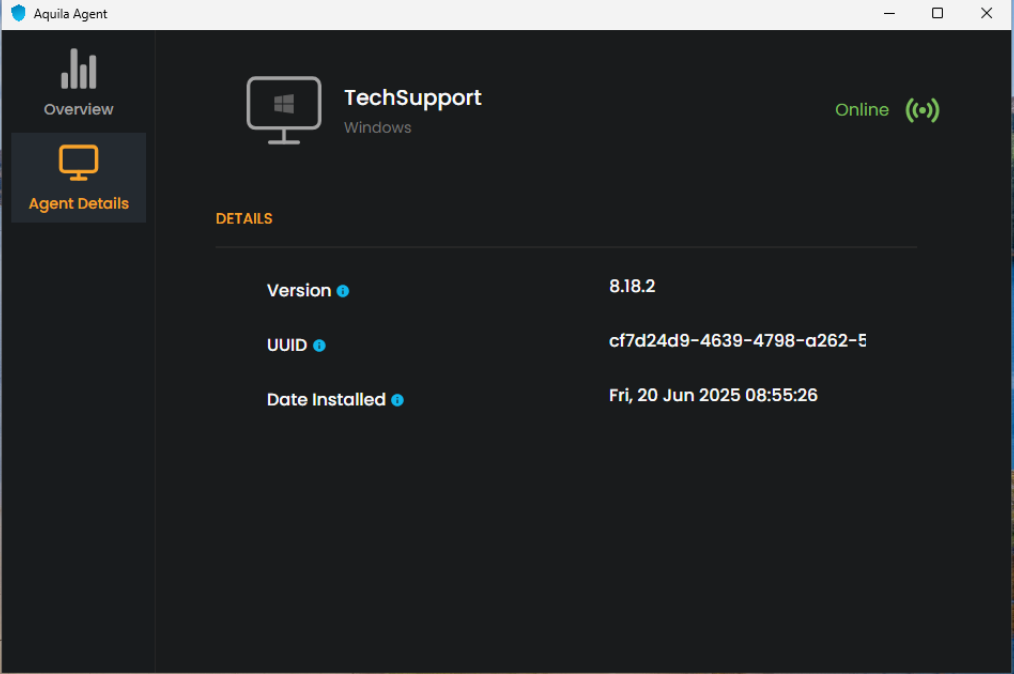
<span style="color: rgb(0, 0, 0);">**Step 9:** The Agent Details panel allows you to verify the status and identity of your endpoint device.</span>

<span style="color: rgb(0, 0, 0);">[![image.png](https://cytechint-docs-bookstack.s3.amazonaws.com/uploads/images/gallery/2025-06/scaled-1680-/n5Jyu4liWfqQERlk-image.png)](https://cytechint-docs-bookstack.s3.amazonaws.com/uploads/images/gallery/2025-06/n5Jyu4liWfqQERlk-image.png)</span>

<span style="color: rgb(0, 0, 0);">**Step 10:** You may also access AQUILA Agent Secure through the Windows taskbar's side dock panel.</span>

<span style="color: rgb(0, 0, 0);">[![image.png](https://cytechint-docs-bookstack.s3.amazonaws.com/uploads/images/gallery/2025-06/scaled-1680-/JUUlbRcGAxMcwrI0-image.png)](https://cytechint-docs-bookstack.s3.amazonaws.com/uploads/images/gallery/2025-06/JUUlbRcGAxMcwrI0-image.png)</span>

<span style="color: rgb(0, 0, 0);">**Step 11:** The Overview page provides a centralized dashboard displaying all recent detections related to your endpoint devices. This real-time monitoring allows security teams to quickly identify potential threats, analyze attack vectors, and prioritize response efforts based on severity and impact. By consolidating detection data, the Overview page supports proactive threat hunting and continuous endpoint security management as part of a comprehensive cybersecurity monitoring strategy.</span>

<span style="color: rgb(0, 0, 0);">[![image.png](https://cytechint-docs-bookstack.s3.amazonaws.com/uploads/images/gallery/2025-06/scaled-1680-/dU8R6czWUg0E8kGg-image.png)](https://cytechint-docs-bookstack.s3.amazonaws.com/uploads/images/gallery/2025-06/dU8R6czWUg0E8kGg-image.png)</span>

<p class="callout info"><span style="color: rgb(0, 0, 0);">For a more detailed report and in-depth analysis, navigate to **CyTech - AQUILA &gt; Cyber Monitoring &gt; Endpoint Detection and Response(EDR)**. This section provides comprehensive visibility into endpoint activity, detection timelines, threat classifications, and response actions to support advanced threat analysis and incident investigation.</span></p>

[![image.png](https://cytechint-docs-bookstack.s3.amazonaws.com/uploads/images/gallery/2025-06/scaled-1680-/JTplpsqWMr83Ufbi-image.png)](https://cytechint-docs-bookstack.s3.amazonaws.com/uploads/images/gallery/2025-06/JTplpsqWMr83Ufbi-image.png)

[![image.png](https://cytechint-docs-bookstack.s3.amazonaws.com/uploads/images/gallery/2025-06/scaled-1680-/jWMnSkzvcm89lb8x-image.png)](https://cytechint-docs-bookstack.s3.amazonaws.com/uploads/images/gallery/2025-06/jWMnSkzvcm89lb8x-image.png)

[![image.png](https://cytechint-docs-bookstack.s3.amazonaws.com/uploads/images/gallery/2025-06/scaled-1680-/YIdIVQT0fcq3P8IZ-image.png)](https://cytechint-docs-bookstack.s3.amazonaws.com/uploads/images/gallery/2025-06/YIdIVQT0fcq3P8IZ-image.png)

<span style="color: rgb(0, 0, 0);"> *If you need further assistance, kindly contact our technical support at <span style="color: rgb(53, 152, 219);">**<support@cytechint.com>** </span>for prompt assistance and guidance.*</span>

# AQUILA - Endpoint Detection and Response (EDR) Automatic Installation

Endpoint Detection and Response (EDR), is a cybersecurity technology that focuses on detecting, investigating, and responding to suspicious activities and threats on endpoints, such as workstations, laptops, and servers. EDR solutions provide visibility into endpoint activities and help security teams identify and mitigate potential threats before they can cause significant harm.


#### **Pre-requisites**

1. **Access to CyTech - AQUILA**
    - Only users assigned the **"Owner"** or **"Admin"** role can access the Log Collector installation resources within the platform.

##### **Steps to Add AQUILA EDR**

Please follow the steps below to add a Log Collector using Windows Environment.

1. Log in to **CyTech - AQUILA**. Click here: **[usdc.cytechint.io](https://usdc.cytechint.io/)**

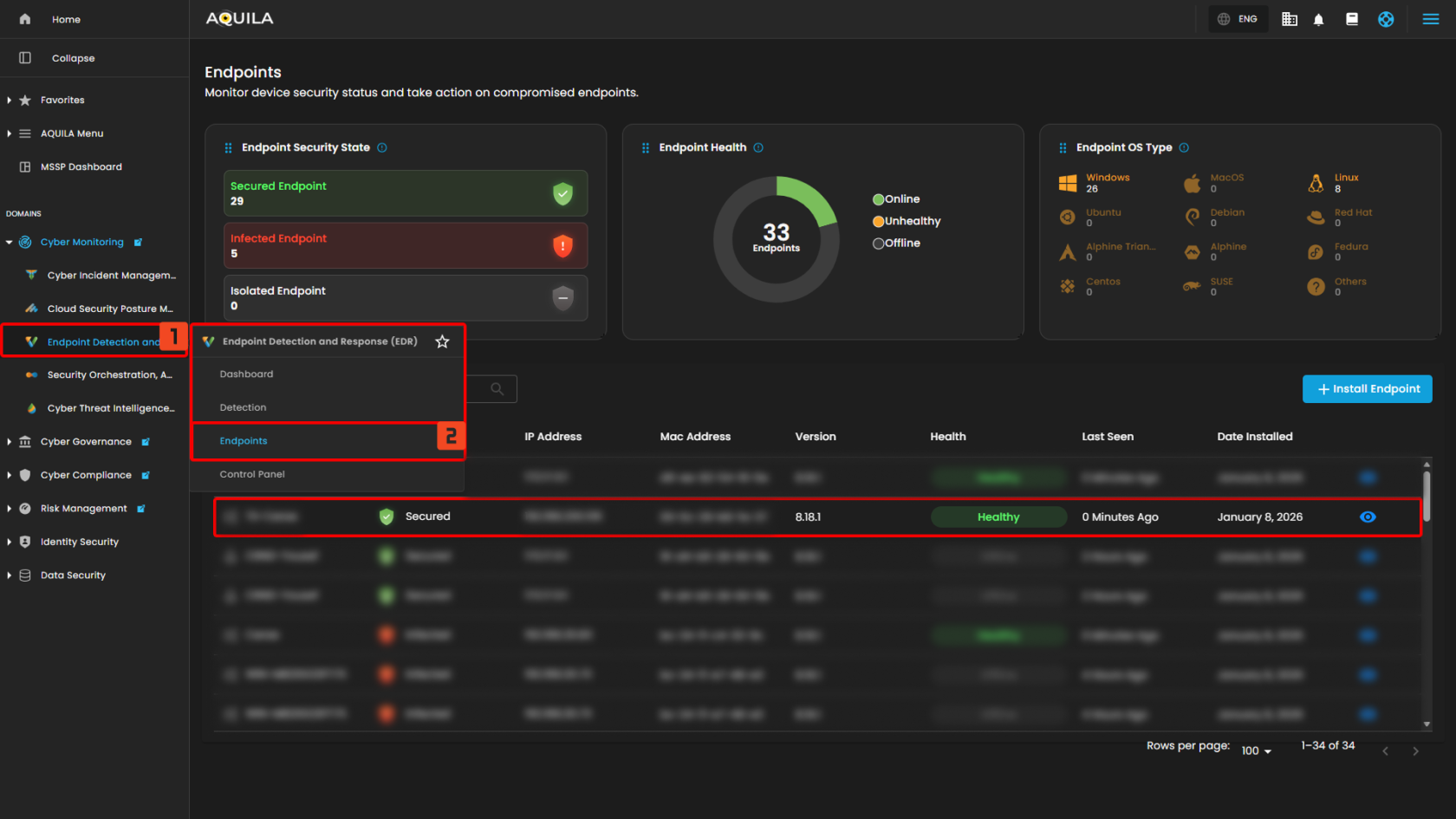
- Click **Collapse** to view side panel. Then navigate through **Domains&gt;Cyber Monitoring&gt;Endpoint Detection and Response&gt;Endpoints**.

[![image.png](https://cytechint-docs-bookstack.s3.amazonaws.com/uploads/images/gallery/2025-07/scaled-1680-/Xmx63tsP8PUH0kv2-image.png)](https://cytechint-docs-bookstack.s3.amazonaws.com/uploads/images/gallery/2025-07/Xmx63tsP8PUH0kv2-image.png)

2\. Click "**Install Endpoint**" to start installation window.

[![image.png](https://cytechint-docs-bookstack.s3.amazonaws.com/uploads/images/gallery/2025-07/scaled-1680-/o9deWEuXrGE5DcRS-image.png)](https://cytechint-docs-bookstack.s3.amazonaws.com/uploads/images/gallery/2025-07/o9deWEuXrGE5DcRS-image.png)

**3. Review the needed requirements for each Operating Systems and click "Next".**

[![image.png](https://cytechint-docs-bookstack.s3.amazonaws.com/uploads/images/gallery/2025-07/scaled-1680-/AOuYvfw9b8bLCyiY-image.png)](https://cytechint-docs-bookstack.s3.amazonaws.com/uploads/images/gallery/2025-07/AOuYvfw9b8bLCyiY-image.png)

**4. Choose "Automatic" installation and click "Next".**

[![image.png](https://cytechint-docs-bookstack.s3.amazonaws.com/uploads/images/gallery/2025-07/scaled-1680-/zAoHRaNDKRoeDKvz-image.png)](https://cytechint-docs-bookstack.s3.amazonaws.com/uploads/images/gallery/2025-07/zAoHRaNDKRoeDKvz-image.png)

**5. Download the AQUILA EDR installer.**

[![image.png](https://cytechint-docs-bookstack.s3.amazonaws.com/uploads/images/gallery/2025-09/scaled-1680-/A5H0Rqa5PolCJMvX-image.png)](https://cytechint-docs-bookstack.s3.amazonaws.com/uploads/images/gallery/2025-09/A5H0Rqa5PolCJMvX-image.png)

**6. Follow the number of steps to keep the AQUILA EDR installer.**

[![image.png](https://cytechint-docs-bookstack.s3.amazonaws.com/uploads/images/gallery/2025-09/scaled-1680-/kFXlHwOdcCzmDNWu-image.png)](https://cytechint-docs-bookstack.s3.amazonaws.com/uploads/images/gallery/2025-09/kFXlHwOdcCzmDNWu-image.png)

[![image.png](https://cytechint-docs-bookstack.s3.amazonaws.com/uploads/images/gallery/2025-09/scaled-1680-/bwVWnoWM1WpAl4ON-image.png)](https://cytechint-docs-bookstack.s3.amazonaws.com/uploads/images/gallery/2025-09/bwVWnoWM1WpAl4ON-image.png)

##### **Please follow the instructions below and refer to the images below:**

**Step 1:** After downloading the AQUILA Agent Setup installer. Run the setup file to start the installation wizard.

[![image.png](https://cytechint-docs-bookstack.s3.amazonaws.com/uploads/images/gallery/2025-08/scaled-1680-/0PSTWUtJO13yk19l-image.png)](https://cytechint-docs-bookstack.s3.amazonaws.com/uploads/images/gallery/2025-08/0PSTWUtJO13yk19l-image.png)

<p class="callout info">If prompted with a User Account Control (UAC) dialog stating that the app is from an unknown publisher, click **‘Yes’** to allow the installer to make changes and proceed with the installation.</p>

**Step 2:** After the installation finished, the AQUILA Agent would now be displayed on the Desktop,

[![image.png](https://cytechint-docs-bookstack.s3.amazonaws.com/uploads/images/gallery/2025-08/scaled-1680-/AMq60ycKzqggJhhj-image.png)](https://cytechint-docs-bookstack.s3.amazonaws.com/uploads/images/gallery/2025-08/AMq60ycKzqggJhhj-image.png)
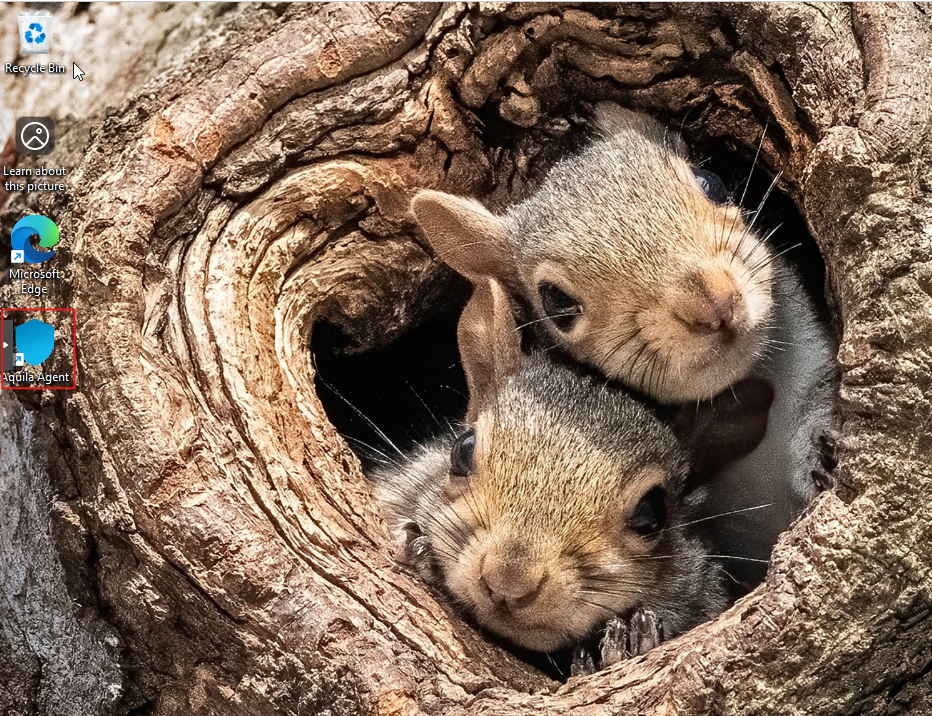
**Step 3:** Right click or click Mouse 2 on the AQUILA Agent then run it as Administrator.

[![image.png](https://cytechint-docs-bookstack.s3.amazonaws.com/uploads/images/gallery/2025-08/scaled-1680-/J0VjddCPKqLhpYSn-image.png)](https://cytechint-docs-bookstack.s3.amazonaws.com/uploads/images/gallery/2025-08/J0VjddCPKqLhpYSn-image.png)
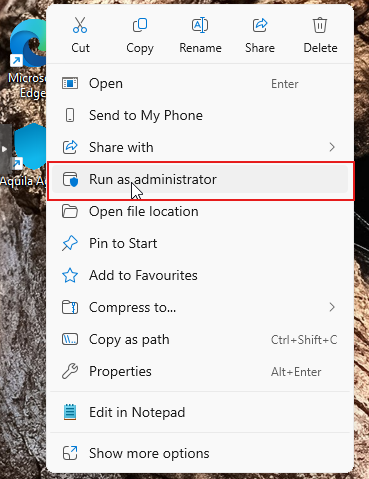
<p class="callout info">If prompted with a User Account Control (UAC) dialog stating that the app is from an unknown publisher, click **‘Yes’** to allow the installer to make changes and proceed with the installation.</p>

**Step 4:** Proceed with the installation. Click "**Install Agent**" to proceed. Please wait a few minutes for the installation process to complete. This will automatically initiate enrollment into the CyTech - AQUILA platform.

[![image.png](https://cytechint-docs-bookstack.s3.amazonaws.com/uploads/images/gallery/2025-08/scaled-1680-/8Xr6s80WmC5k2Rfy-image.png)](https://cytechint-docs-bookstack.s3.amazonaws.com/uploads/images/gallery/2025-08/8Xr6s80WmC5k2Rfy-image.png)
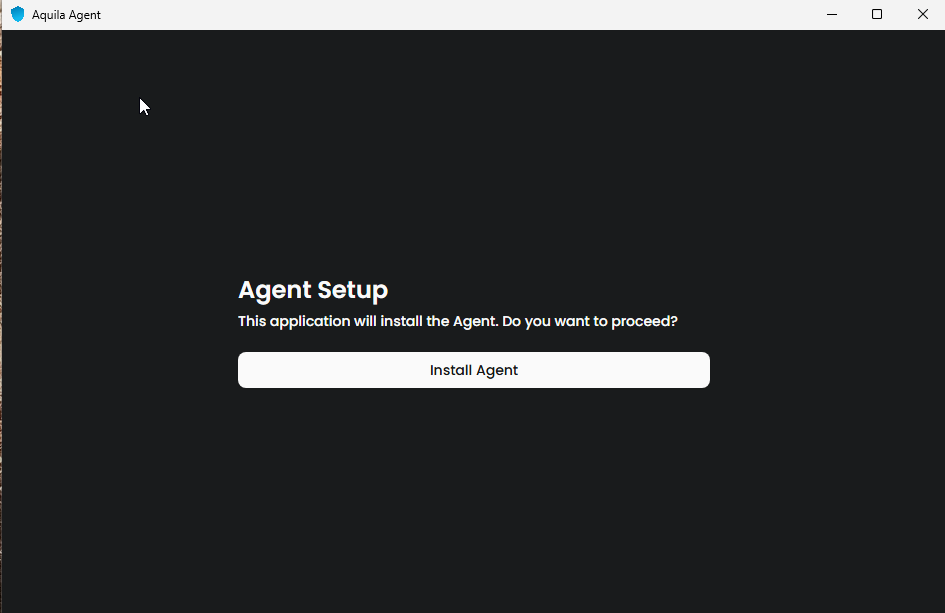
**Step 5:** After successful enrollment, an overview window will be displayed. Please note that it may take some time for the device to reflect an online status. Ensure the device remains connected to the network for the EDR policy to be properly applied.

[![image.png](https://cytechint-docs-bookstack.s3.amazonaws.com/uploads/images/gallery/2025-06/scaled-1680-/ln4ghMC9isi5CerI-image.png)](https://cytechint-docs-bookstack.s3.amazonaws.com/uploads/images/gallery/2025-06/ln4ghMC9isi5CerI-image.png)

<p class="callout info">The Overview page provides a centralized dashboard displaying all recent detections related to your endpoint devices. This real-time monitoring allows security teams to quickly identify potential threats, analyze attack vectors, and prioritize response efforts based on severity and impact. By consolidating detection data, the Overview page supports proactive threat hunting and continuous endpoint security management as part of a comprehensive cybersecurity monitoring strategy.</p>

[![image.png](https://cytechint-docs-bookstack.s3.amazonaws.com/uploads/images/gallery/2025-06/scaled-1680-/dU8R6czWUg0E8kGg-image.png)](https://cytechint-docs-bookstack.s3.amazonaws.com/uploads/images/gallery/2025-06/dU8R6czWUg0E8kGg-image.png)

<p class="callout info">The Agent Details panel allows you to verify the status and identity of your endpoint device.</p>

[![image.png](https://cytechint-docs-bookstack.s3.amazonaws.com/uploads/images/gallery/2025-06/scaled-1680-/n5Jyu4liWfqQERlk-image.png)](https://cytechint-docs-bookstack.s3.amazonaws.com/uploads/images/gallery/2025-06/n5Jyu4liWfqQERlk-image.png)

<p class="callout info">You may also access AQUILA Agent Secure through the Windows taskbar's side dock panel.</p>

[![image.png](https://cytechint-docs-bookstack.s3.amazonaws.com/uploads/images/gallery/2025-06/scaled-1680-/JUUlbRcGAxMcwrI0-image.png)](https://cytechint-docs-bookstack.s3.amazonaws.com/uploads/images/gallery/2025-06/JUUlbRcGAxMcwrI0-image.png)

7\. **Before you can proceed to the final installation set-up make sure you check off each steps required. Then you can click "Next".**

[![image.png](https://cytechint-docs-bookstack.s3.amazonaws.com/uploads/images/gallery/2025-07/scaled-1680-/cWjeJVZIRWQcoTlL-image.png)](https://cytechint-docs-bookstack.s3.amazonaws.com/uploads/images/gallery/2025-07/cWjeJVZIRWQcoTlL-image.png)
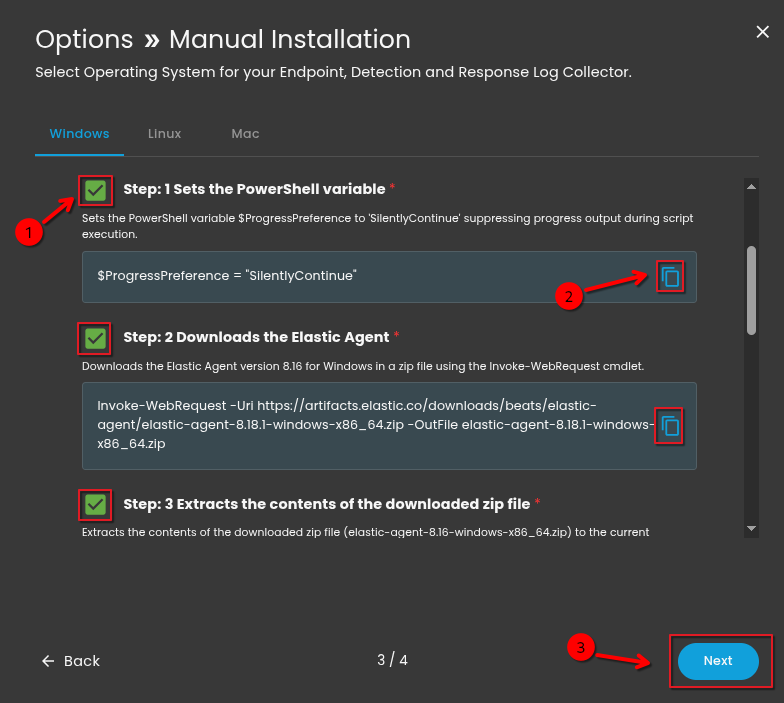
8\. **A new window will appear and will check the log collector status and update the latest installation of EDR agent. Wait for it to finish and after successfull installation the endpoint will displayed in the dashboard.**

[![image.png](https://cytechint-docs-bookstack.s3.amazonaws.com/uploads/images/gallery/2025-07/scaled-1680-/D2CsxzzQdp5L2Z6z-image.png)](https://cytechint-docs-bookstack.s3.amazonaws.com/uploads/images/gallery/2025-07/D2CsxzzQdp5L2Z6z-image.png)
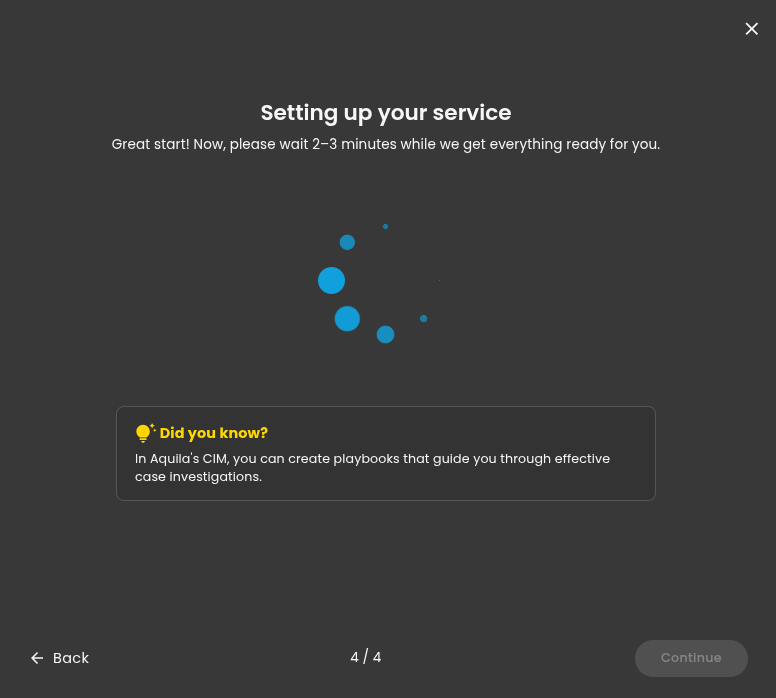
**9. This step confirms the successful installation and enrollment of the EDR Agent with the fleet server.**

[![image.png](https://cytechint-docs-bookstack.s3.amazonaws.com/uploads/images/gallery/2025-07/scaled-1680-/jeJm6W66tXfIKCxC-image.png)](https://cytechint-docs-bookstack.s3.amazonaws.com/uploads/images/gallery/2025-07/jeJm6W66tXfIKCxC-image.png)
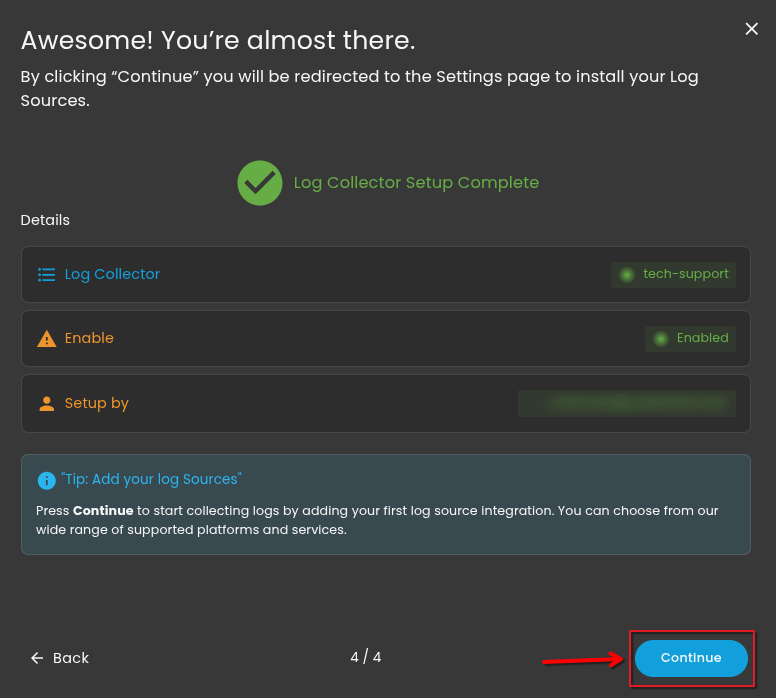
<p class="callout warning">*\*\*\*If you encounter **Log Collector Setup Failed**. Please click "Retry" and carefully go gack to Steps 5 or 6. You can also try "**Manual**" installation. If issues persist please contact our technical support at **<support@cytechint.com>** for prompt assistance and guidance.*</p>

[![image.png](https://cytechint-docs-bookstack.s3.amazonaws.com/uploads/images/gallery/2025-04/scaled-1680-/uEYotwkAJTB5YZKK-image.png)](https://cytechint-docs-bookstack.s3.amazonaws.com/uploads/images/gallery/2025-04/uEYotwkAJTB5YZKK-image.png)

<p class="callout info">For a more detailed report and in-depth analysis, navigate to **CyTech - AQUILA &gt; Cyber Monitoring &gt; Endpoint Detection and Response(EDR)**. This section provides comprehensive visibility into endpoint activity, detection timelines, threat classifications, and response actions to support advanced threat analysis and incident investigation.</p>

[![image.png](https://cytechint-docs-bookstack.s3.amazonaws.com/uploads/images/gallery/2025-06/scaled-1680-/JTplpsqWMr83Ufbi-image.png)](https://cytechint-docs-bookstack.s3.amazonaws.com/uploads/images/gallery/2025-06/JTplpsqWMr83Ufbi-image.png)

[![image.png](https://cytechint-docs-bookstack.s3.amazonaws.com/uploads/images/gallery/2025-06/scaled-1680-/jWMnSkzvcm89lb8x-image.png)](https://cytechint-docs-bookstack.s3.amazonaws.com/uploads/images/gallery/2025-06/jWMnSkzvcm89lb8x-image.png)

[![image.png](https://cytechint-docs-bookstack.s3.amazonaws.com/uploads/images/gallery/2025-06/scaled-1680-/YIdIVQT0fcq3P8IZ-image.png)](https://cytechint-docs-bookstack.s3.amazonaws.com/uploads/images/gallery/2025-06/YIdIVQT0fcq3P8IZ-image.png)

*If you need further assistance, kindly contact our technical support at **<support@cytechint.com>** for prompt assistance and guidance.*

# AQUILA - Endpoint Detection and Response (EDR) Manual Installation

<span style="color: rgb(0, 0, 0);">Endpoint Detection and Response (EDR), is a cybersecurity technology that focuses on detecting, investigating, and responding to suspicious activities and threats on endpoints, such as workstations, laptops, and servers. EDR solutions provide visibility into endpoint activities and help security teams identify and mitigate potential threats before they can cause significant harm.</span>

#### <span style="color: rgb(0, 0, 0);">**Pre-requisites**</span>

1. <span style="color: rgb(0, 0, 0);">**Access to CyTech - AQUILA**</span>
    - <span style="color: rgb(0, 0, 0);">Only users assigned the **"Owner"** or **"Admin"** role can access the Log Collector installation resources within the platform.</span>

##### <span style="color: rgb(0, 0, 0);">**Steps to Add AQUILA EDR**</span>

<span style="color: rgb(0, 0, 0);">Please follow the steps below to add a Log Collector using Windows Environment.</span>

1. <span style="color: rgb(0, 0, 0);">Log in to **CyTech - AQUILA**. Click here: <span style="color: rgb(132, 63, 161);">**[usdc.cytechint.io](https://usdc.cytechint.io/)**</span></span>

- <span style="color: rgb(0, 0, 0);">Click **Collapse** to view side panel. Then navigate through **Domains&gt;Cyber Monitoring&gt;Endpoint Detection and Response&gt;Endpoints**.</span>


[![image.png](https://cytechint-docs-bookstack.s3.amazonaws.com/uploads/images/gallery/2025-07/scaled-1680-/Xmx63tsP8PUH0kv2-image.png)](https://cytechint-docs-bookstack.s3.amazonaws.com/uploads/images/gallery/2025-07/Xmx63tsP8PUH0kv2-image.png)

<span style="color: rgb(0, 0, 0);">2. Click "**Install Endpoint**" to start installation window.</span>

[![image.png](https://cytechint-docs-bookstack.s3.amazonaws.com/uploads/images/gallery/2025-07/scaled-1680-/o9deWEuXrGE5DcRS-image.png)](https://cytechint-docs-bookstack.s3.amazonaws.com/uploads/images/gallery/2025-07/o9deWEuXrGE5DcRS-image.png)

**<span style="color: rgb(0, 0, 0);">3. Review the needed requirements for each Operating Systems and click "Next".</span>**

[![image.png](https://cytechint-docs-bookstack.s3.amazonaws.com/uploads/images/gallery/2025-07/scaled-1680-/AOuYvfw9b8bLCyiY-image.png)](https://cytechint-docs-bookstack.s3.amazonaws.com/uploads/images/gallery/2025-07/AOuYvfw9b8bLCyiY-image.png)

**<span style="color: rgb(0, 0, 0);">4. Choose "Manual" installation and click "Next".</span>**

[![image.png](https://cytechint-docs-bookstack.s3.amazonaws.com/uploads/images/gallery/2025-07/scaled-1680-/BMPMRx6YhDsC6DPk-image.png)](https://cytechint-docs-bookstack.s3.amazonaws.com/uploads/images/gallery/2025-07/BMPMRx6YhDsC6DPk-image.png)

<span style="color: rgb(0, 0, 0);">**5. Choose the correct Operating System for your endpoint. After choosing the type of your Operating System, the commands will display below needed for installing the EDR agent.**</span>

[![Test (6).png](https://cytechint-docs-bookstack.s3.amazonaws.com/uploads/images/gallery/2025-10/scaled-1680-/5TQRbKuqkMENbfHy-test-6.png)](https://cytechint-docs-bookstack.s3.amazonaws.com/uploads/images/gallery/2025-10/5TQRbKuqkMENbfHy-test-6.png)

**<span style="color: rgb(0, 0, 0);">6. Execute the command in your Endpoint environment using PowerShell or terminal under admin privilege. Once the commands are executed successfully, you should see an output similar to the example shown in the image below. Go back to Cytech - Aquila to finish manual installation.</span>**

[![Test (4).png](https://cytechint-docs-bookstack.s3.amazonaws.com/uploads/images/gallery/2025-10/scaled-1680-/2gTVNHsrJ79xZuVy-test-4.png)](https://cytechint-docs-bookstack.s3.amazonaws.com/uploads/images/gallery/2025-10/2gTVNHsrJ79xZuVy-test-4.png)

<span style="color: rgb(0, 0, 0);">7. **Before you can proceed to the final installation set-up make sure you check off each steps required. Then you can click "Next".**</span>

[![Test (5).png](https://cytechint-docs-bookstack.s3.amazonaws.com/uploads/images/gallery/2025-10/scaled-1680-/bl08VYo9NUwR97kr-test-5.png)](https://cytechint-docs-bookstack.s3.amazonaws.com/uploads/images/gallery/2025-10/bl08VYo9NUwR97kr-test-5.png)

<span style="color: rgb(0, 0, 0);">8. **A new window will appear and will check the log collector status and update the latest installation of EDR agent. Wait for it to finish and after successful installation the endpoint will displayed in the dashboard.**</span>

[![image.png](https://cytechint-docs-bookstack.s3.amazonaws.com/uploads/images/gallery/2025-07/scaled-1680-/D2CsxzzQdp5L2Z6z-image.png)](https://cytechint-docs-bookstack.s3.amazonaws.com/uploads/images/gallery/2025-07/D2CsxzzQdp5L2Z6z-image.png)

<span style="color: rgb(0, 0, 0);">**9. This step confirms the successful installation and enrollment of the EDR Agent with the fleet server.** </span>

[![image.png](https://cytechint-docs-bookstack.s3.amazonaws.com/uploads/images/gallery/2025-07/scaled-1680-/jeJm6W66tXfIKCxC-image.png)](https://cytechint-docs-bookstack.s3.amazonaws.com/uploads/images/gallery/2025-07/jeJm6W66tXfIKCxC-image.png)

<p class="callout warning">*\*\*\*If you encounter **Log Collector Setup Failed**. Please click "Retry" and carefully go back to Step 5 or 6. You can also try "**Manual**" installation. If issues persist, please contact our technical support at **<support@cytechint.com>** for prompt assistance and guidance.*</p>

[![image.png](https://cytechint-docs-bookstack.s3.amazonaws.com/uploads/images/gallery/2025-04/scaled-1680-/uEYotwkAJTB5YZKK-image.png)](https://cytechint-docs-bookstack.s3.amazonaws.com/uploads/images/gallery/2025-04/uEYotwkAJTB5YZKK-image.png)

<p class="callout info"><span style="color: rgb(0, 0, 0);">For a more detailed report and in-depth analysis, navigate to **CyTech - AQUILA &gt; Cyber Monitoring &gt; Endpoint Detection and Response (EDR)**. This section provides comprehensive visibility into endpoint activity, detection timelines, threat classifications, and response actions to support advanced threat analysis and incident investigation.</span></p>

[![image.png](https://cytechint-docs-bookstack.s3.amazonaws.com/uploads/images/gallery/2025-06/scaled-1680-/JTplpsqWMr83Ufbi-image.png)](https://cytechint-docs-bookstack.s3.amazonaws.com/uploads/images/gallery/2025-06/JTplpsqWMr83Ufbi-image.png)

[![image.png](https://cytechint-docs-bookstack.s3.amazonaws.com/uploads/images/gallery/2025-06/scaled-1680-/jWMnSkzvcm89lb8x-image.png)](https://cytechint-docs-bookstack.s3.amazonaws.com/uploads/images/gallery/2025-06/jWMnSkzvcm89lb8x-image.png)

[![image.png](https://cytechint-docs-bookstack.s3.amazonaws.com/uploads/images/gallery/2025-06/scaled-1680-/YIdIVQT0fcq3P8IZ-image.png)](https://cytechint-docs-bookstack.s3.amazonaws.com/uploads/images/gallery/2025-06/YIdIVQT0fcq3P8IZ-image.png)

<span style="color: rgb(0, 0, 0);"> *If you need further assistance, kindly contact our technical support at <span style="color: rgb(53, 152, 219);">**<support@cytechint.com>** </span>for prompt assistance and guidance.*</span>

# AQUILA - All in One Endpoint Protection

### **Overview**

Install the AQUILA Endpoint Agent (AEA) to start monitoring your device and strengthen your security posture. The AQUILA Endpoint Agent (AEA) helps you scan and monitor your endpoints for Endpoint Protection, Data Loss Prevention, and Vulnerability Detection, giving you continuous visibility and control over your environment.

### **How To Install**

To install the AQUILA Endpoint Agent, access the AQUILA menu from the sidebar and select **AQUILA Store**. This action redirects you to the catalog listing for the AQUILA Endpoint Agent. Selecting **Learn More** opens the agent details page, which provides, system requirements, and publisher information.

[![HEHE.png](https://cytechint-docs-bookstack.s3.amazonaws.com/uploads/images/gallery/2026-01/scaled-1680-/OXm3844AqJjlZBu6-hehe.png)](https://cytechint-docs-bookstack.s3.amazonaws.com/uploads/images/gallery/2026-01/OXm3844AqJjlZBu6-hehe.png)

In this interface you can download the AQUILA Endpoint Agent by pressing the get started but before we proceed on that we must need the credentials first. To get the credentials press the view credentials in order to generate token, please copy those credentials and keep it in a safe note in order to proceed in the next step.

[![HEHE (1).png](https://cytechint-docs-bookstack.s3.amazonaws.com/uploads/images/gallery/2026-01/scaled-1680-/3jscQ3nz1SvTGmwz-hehe-1.png)](https://cytechint-docs-bookstack.s3.amazonaws.com/uploads/images/gallery/2026-01/3jscQ3nz1SvTGmwz-hehe-1.png)

[![HEHE (5).png](https://cytechint-docs-bookstack.s3.amazonaws.com/uploads/images/gallery/2026-01/scaled-1680-/est8yzCawCynRXvX-hehe-5.png)](https://cytechint-docs-bookstack.s3.amazonaws.com/uploads/images/gallery/2026-01/est8yzCawCynRXvX-hehe-5.png)

After saving the credentials let's proceed to the installation of the AQUILA Endpoint Agent.

Press "**Get Started**" to download the AQUILA Endpoint Agent, please do not worry if AQUILA Endpoint Agent installer has that error saying **"AQUILA\_Endpoint\_Agent\_Installer.exe isn't commonly downloaded. Make sure you trust AQUILA\_Endpoint\_Agent\_Installer.exe before you open it."**

Security mechanisms such as **Windows SmartScreen** rely on reputation-based signals (download volume, age of the file, and digital signature prevalence). When a legitimate application is:

- Newly released or recently updated
- Downloaded by a limited number of users
- Distributed privately or outside common marketplaces
- Not yet widely recognized by SmartScreen

the system displays a cautionary message, even if the software is verified and secure.

This behavior is common for **enterprise agents, internal tools, and controlled-distribution software**. **Make sure to keep the file in order to proceed in the installation thank you.**

[![HEHE (2).png](https://cytechint-docs-bookstack.s3.amazonaws.com/uploads/images/gallery/2026-01/scaled-1680-/1YXDXzDlHHEv3uZu-hehe-2.png)](https://cytechint-docs-bookstack.s3.amazonaws.com/uploads/images/gallery/2026-01/1YXDXzDlHHEv3uZu-hehe-2.png)

### **Installation Process**

Allow this application to proceed in the installation

[![image.png](https://cytechint-docs-bookstack.s3.amazonaws.com/uploads/images/gallery/2026-01/scaled-1680-/wiwApHUmbrWydM0C-image.png)](https://cytechint-docs-bookstack.s3.amazonaws.com/uploads/images/gallery/2026-01/wiwApHUmbrWydM0C-image.png)

Input the Client ID that was provided through the "view credentials":

[![image.png](https://cytechint-docs-bookstack.s3.amazonaws.com/uploads/images/gallery/2026-01/scaled-1680-/zMmFBn8Qv3xGXryo-image.png)](https://cytechint-docs-bookstack.s3.amazonaws.com/uploads/images/gallery/2026-01/zMmFBn8Qv3xGXryo-image.png)

Input the Agent Alias that was provided through the "view credentials": :

[![image.png](https://cytechint-docs-bookstack.s3.amazonaws.com/uploads/images/gallery/2026-01/scaled-1680-/UqI1trdNZspx5Zd0-image.png)](https://cytechint-docs-bookstack.s3.amazonaws.com/uploads/images/gallery/2026-01/UqI1trdNZspx5Zd0-image.png)

Input Enrollment Token that was provided through the "view credentials": :

[![image.png](https://cytechint-docs-bookstack.s3.amazonaws.com/uploads/images/gallery/2026-01/scaled-1680-/ixKyaK4T9Zma7Mts-image.png)](https://cytechint-docs-bookstack.s3.amazonaws.com/uploads/images/gallery/2026-01/ixKyaK4T9Zma7Mts-image.png)

After inputting the Enrollment Token, press install to begin the installation of the AQUILA Endpoint Agent

[![image.png](https://cytechint-docs-bookstack.s3.amazonaws.com/uploads/images/gallery/2026-01/scaled-1680-/QkmIipT6YtSfrC6V-image.png)](https://cytechint-docs-bookstack.s3.amazonaws.com/uploads/images/gallery/2026-01/QkmIipT6YtSfrC6V-image.png)

[![image.png](https://cytechint-docs-bookstack.s3.amazonaws.com/uploads/images/gallery/2026-01/scaled-1680-/KbzFAaXSWD7FohqQ-image.png)](https://cytechint-docs-bookstack.s3.amazonaws.com/uploads/images/gallery/2026-01/KbzFAaXSWD7FohqQ-image.png)

And now the installation is complete.

[![hehehehe.png](https://cytechint-docs-bookstack.s3.amazonaws.com/uploads/images/gallery/2026-01/scaled-1680-/kLuLcFoMvkV1Lzev-hehehehe.png)](https://cytechint-docs-bookstack.s3.amazonaws.com/uploads/images/gallery/2026-01/kLuLcFoMvkV1Lzev-hehehehe.png)

After the installation we can now proceed and see the scanned files through AQUILA website [usdc.cytechint.io](https://usdc-docs.cytechint.io/).

#### **Endpoint Detection and Response (EDR)**

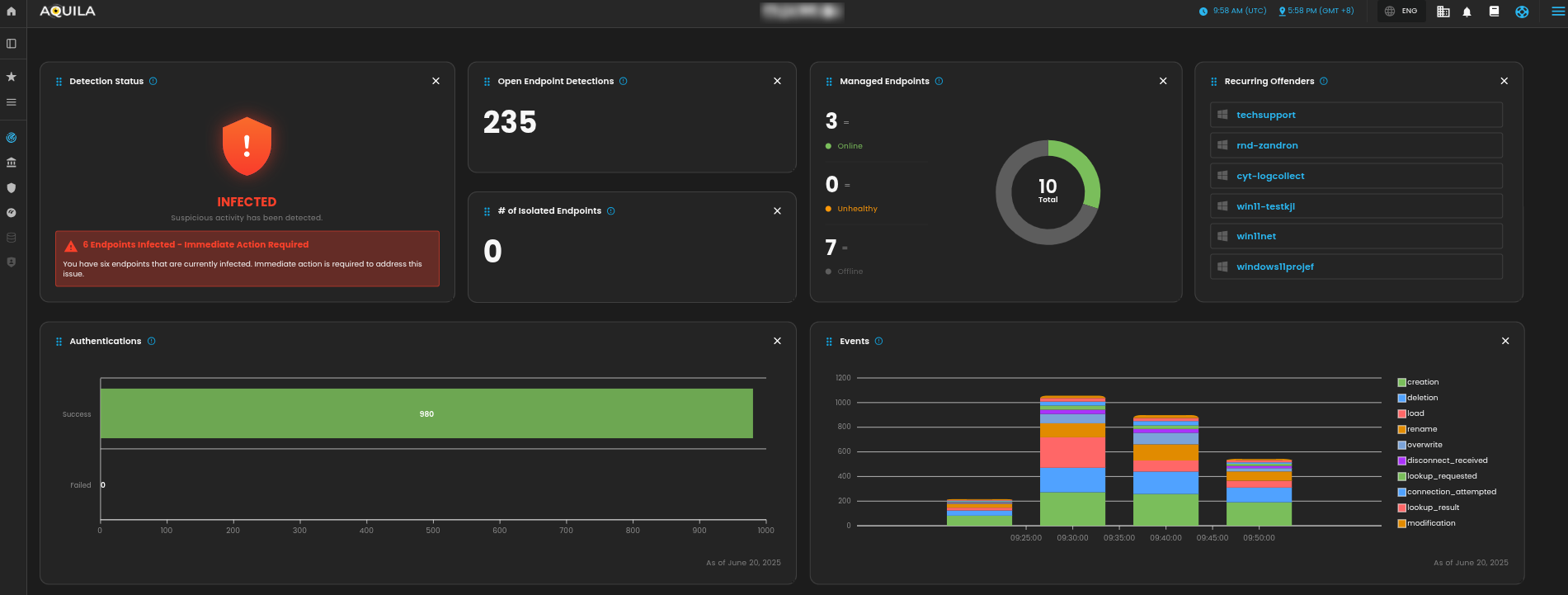
By Navigating through **Cyber Monitoring Module**, the client can find the **Endpoint Detection and Response (EDR)** sub-module, this is where the client can locate the **Endpoint Detection and Response (EDR)** of **AQUILA Agent Endpoint.**

<p class="callout info">**Note: The name of your Endpoint is using the name of your Personal Computer (PC).**</p>

[![HEHE (4).png](https://cytechint-docs-bookstack.s3.amazonaws.com/uploads/images/gallery/2026-01/scaled-1680-/U5M1OurakBQg9l9M-hehe-4.png)](https://cytechint-docs-bookstack.s3.amazonaws.com/uploads/images/gallery/2026-01/U5M1OurakBQg9l9M-hehe-4.png)

Or the client can access the endpoint in the "**Control Panel**" as well to isolate it or uninstall the Endpoint Detection and Response (EDR) but be wary, **Endpoint Detection and Response (EDR)** is a separate application process of the AQUILA Agent Endpoint therefore do not uninstall the **Endpoint Detection and Response (EDR).** If the client decides to uninstall it, please contact ***<support@cytechint.com>*** to be assisted on the uninstallation for the **AQUILA Agent Endpoint. Thank you.**

[![HEHE (3).png](https://cytechint-docs-bookstack.s3.amazonaws.com/uploads/images/gallery/2026-01/scaled-1680-/6jRAOOHMORQaLzMB-hehe-3.png)](https://cytechint-docs-bookstack.s3.amazonaws.com/uploads/images/gallery/2026-01/6jRAOOHMORQaLzMB-hehe-3.png)

#### **Endpoint Detection and Response Capabilities**

Endpoint Detection and Response (EDR) have multiple features to offer, let's summarize each of those features that could be helpful for monitoring multiple devices.

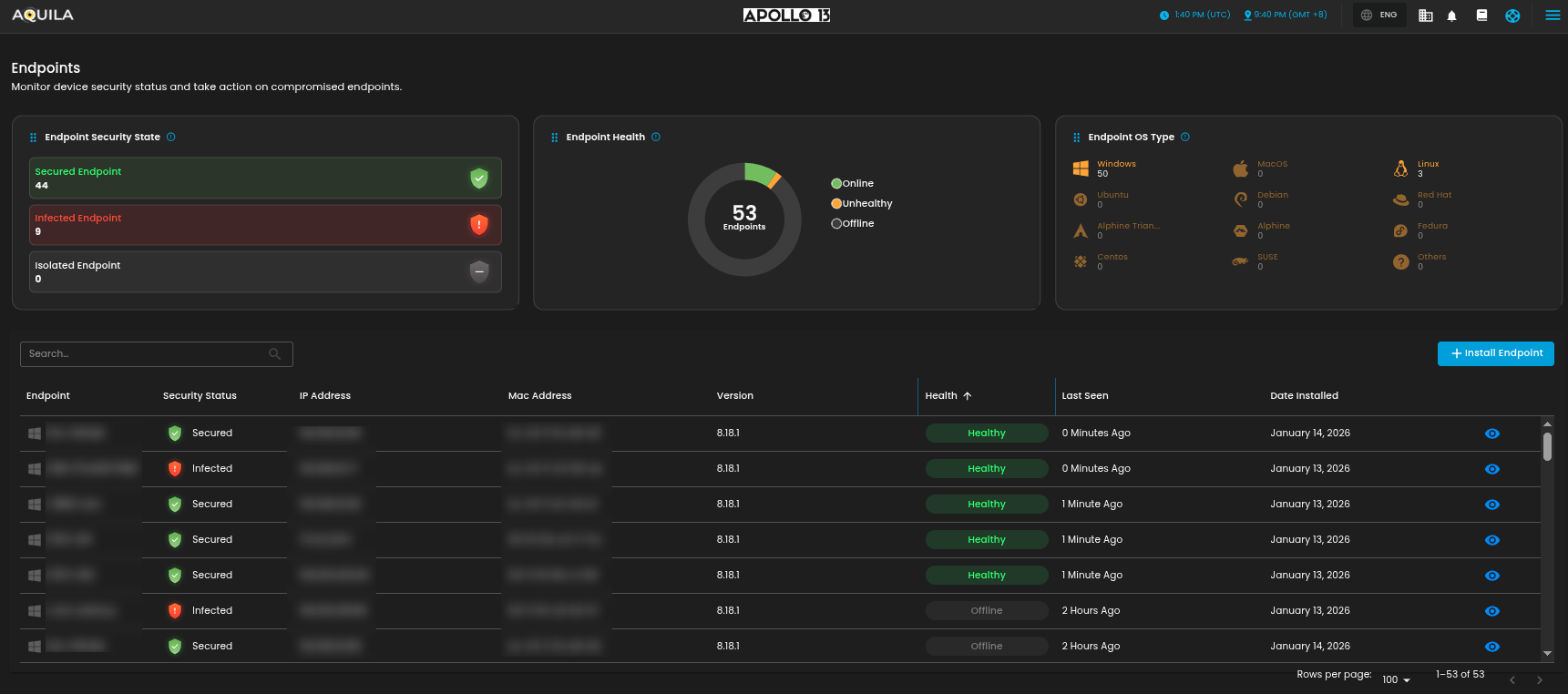
1. Endpoint Security State - In this section, the client can identify which Endpoints are Secured, Infected, or Isolated. Which is helpful to identify which Endpoint needs remediation and needs to be isolated.
2. Endpoint Health - In this chart, it shows how many Endpoints does the client have and how many are online, unhealthy, or offline.
3. Endpoint OS Type - This section provides OS Types and how many Endpoints are installed in a specific Operating System.
4. Endpoint List - This list provides information on each Endpoints. The client can also see further information by pressing the eye icon.

[![HEHE.png](https://cytechint-docs-bookstack.s3.amazonaws.com/uploads/images/gallery/2026-01/scaled-1680-/BC26iNzNsMNkeh9P-hehe.png)](https://cytechint-docs-bookstack.s3.amazonaws.com/uploads/images/gallery/2026-01/BC26iNzNsMNkeh9P-hehe.png)

#### **Data Loss Prevention (DLP)**

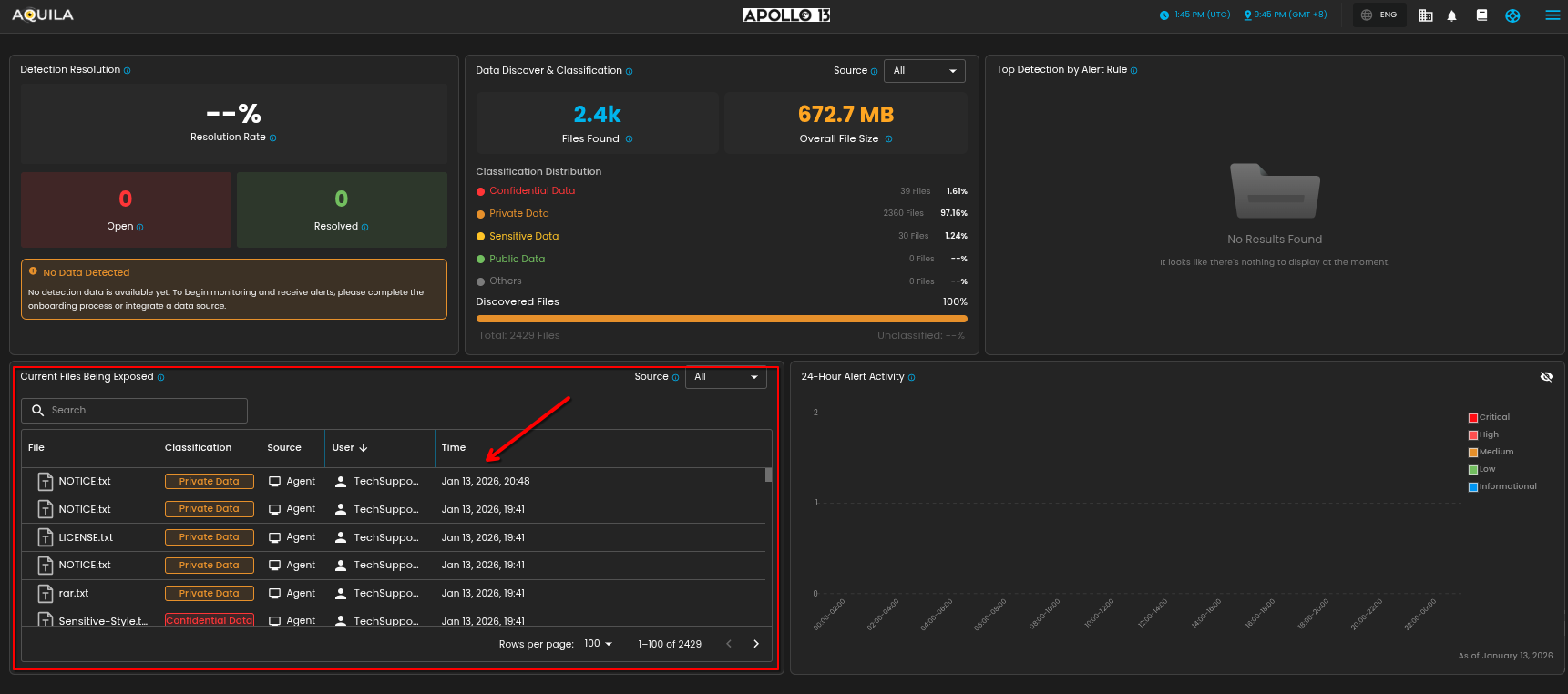
Data Loss Prevention (DLP) is a section where the client can check if the endpoint can detect Private Data, Confidential Data, or Sensitive Data,

[![HEHE (1).png](https://cytechint-docs-bookstack.s3.amazonaws.com/uploads/images/gallery/2026-01/scaled-1680-/sgjc2lIY0zJci45h-hehe-1.png)](https://cytechint-docs-bookstack.s3.amazonaws.com/uploads/images/gallery/2026-01/sgjc2lIY0zJci45h-hehe-1.png)

#### **Data Loss Prevention (DLP) Capabilities**

Data Loss Prevention (DLP) has plenty of features to identify and classify files and alert which are helpful for proper monitoring on data.

1. Detection Resolution - Displays the current resolution rate of alerts generated by the DLP system. This includes how many alerts have been resolved versus those still open and require investigation.
2. Data Discover &amp; Classification - Summarizes the total number of files discovered, their combined size, and how they've been classified based on sensitivity levels.
3. Top Detection by Alert Rule - Lists the top alert rules triggered by user or system behavior, indicating which policies are being violated most frequently.
4. Current Files Being Exposed - Displays real-time visibility into sensitive or exposed files, including classification level, responsible user, and timestamp.
5. 24-Hour Alert Activity - This chart displays the number of detections categorized by the type of data involved.

[![HEHE (2).png](https://cytechint-docs-bookstack.s3.amazonaws.com/uploads/images/gallery/2026-01/scaled-1680-/G3Mds0kylkPhoc53-hehe-2.png)](https://cytechint-docs-bookstack.s3.amazonaws.com/uploads/images/gallery/2026-01/G3Mds0kylkPhoc53-hehe-2.png)

#### **Vulnerability Detection and Response (VDR)**

Vulnerability Detection and Response (VDR) is a section where clients can view detected vulnerabilities on their endpoints, including associated CVEs and the applications and endpoints affected by each vulnerability. Vulnerability Detection and Response (VDR) can be navigated on the sidebar inside Risk Management.

[![HEHE (3).png](https://cytechint-docs-bookstack.s3.amazonaws.com/uploads/images/gallery/2026-01/scaled-1680-/f2BsTIOv2DNCy5Cj-hehe-3.png)](https://cytechint-docs-bookstack.s3.amazonaws.com/uploads/images/gallery/2026-01/f2BsTIOv2DNCy5Cj-hehe-3.png)

#### **Vulnerability Detection and Response (VDR) Capabilities**

Vulnerability Detection and Response (VDR) provide multiple features to determine whether a vulnerability is currently in the process of mitigation or has already been mitigated. These vulnerabilities are based on a list of CVEs, which identify known security issues associated with vulnerable applications.

1. Total Vulnerabilities - Displays the total number of detected vulnerabilities across all endpoints and their current mitigation status.
2. Severity Breakdown - Shows the distribution of vulnerabilities based on their severity levels, helping prioritize remediation efforts.
3. Needs Attention Vulnerabilities - Lists critical or high-severity vulnerabilities that require immediate review or action.
4. Mitigated in Progress - List of the Vulnerabilities and Endpoints that are currently on process of mitigation.
5. Mitigated - List of the Vulnerabilities that are mitigated

[![HEHE (4).png](https://cytechint-docs-bookstack.s3.amazonaws.com/uploads/images/gallery/2026-01/scaled-1680-/dxxnijWWIfA0JskZ-hehe-4.png)](https://cytechint-docs-bookstack.s3.amazonaws.com/uploads/images/gallery/2026-01/dxxnijWWIfA0JskZ-hehe-4.png)

The client can also access the list of their endpoints and how many vulnerabilities are affected, this section can be found below the Detection.

[![HEHE (5).png](https://cytechint-docs-bookstack.s3.amazonaws.com/uploads/images/gallery/2026-01/scaled-1680-/F9G13Z7rF9qpdvf3-hehe-5.png)](https://cytechint-docs-bookstack.s3.amazonaws.com/uploads/images/gallery/2026-01/F9G13Z7rF9qpdvf3-hehe-5.png)

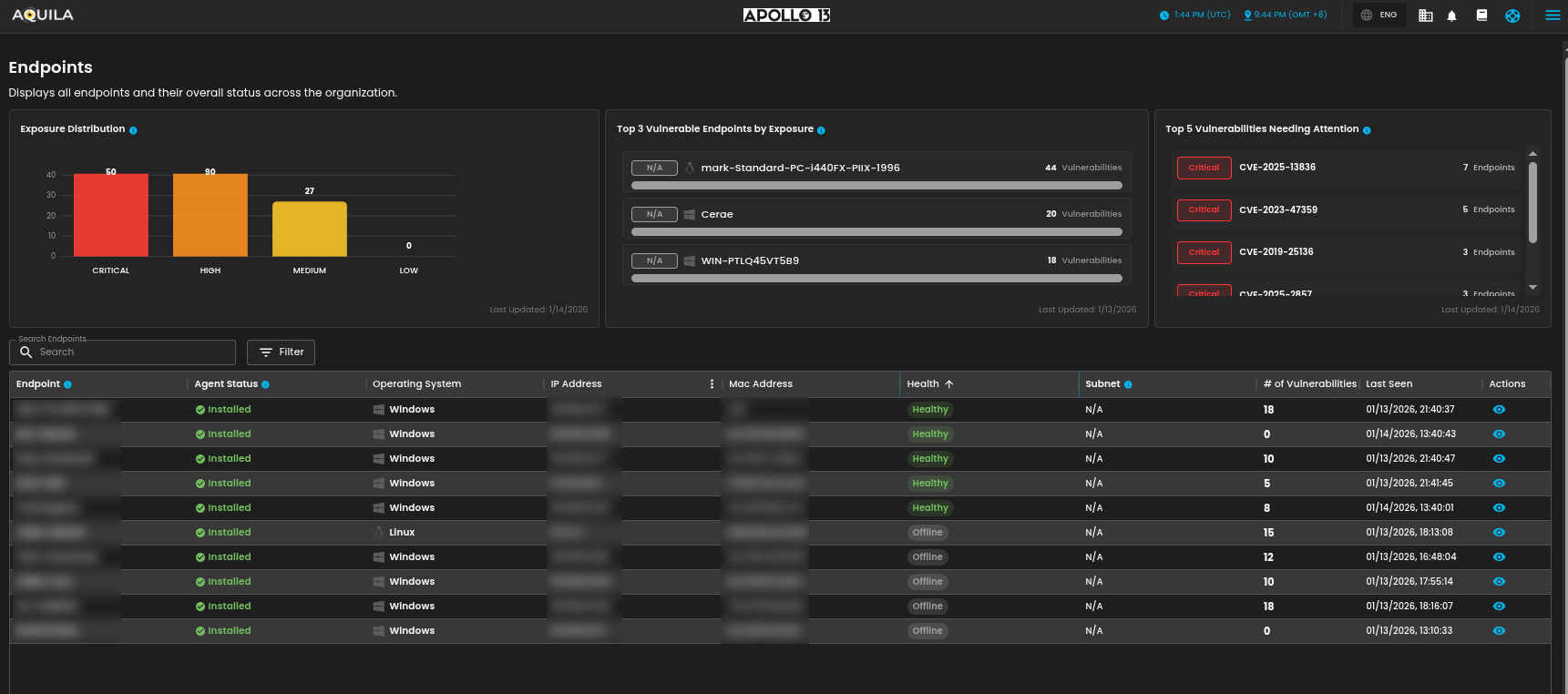
1. Exposure Distribution -Shows the number of endpoints based on their current exposure level (Critical, High, Medium, Low).
2. Top 3 Vulnerable Endpoints by Exposure - Displays the three endpoints with the highest number of detected critical and high vulnerabilities, broken down by severity level.
3. Top 5 Vulnerabilities Needing Attention - Lists the vulnerabilities that impact the most endpoints and require immediate action. Prioritizes Critical and High severity.
4. Endpoint list - List of the Endpoints and # of vulnerabilities.

### **Core Capabilities**

What does it do? The AEA provides three main security functions:

#### **1. Endpoint Detection and Response (EDR)**

- Checks your device for threats such as malware, suspicious behavior, or unauthorized changes.
- Helps ensure your device is compliant with your company’s security rules.
- **<span class="TextRun SCXW169441868 BCX0" data-contrast="none" lang="EN-US" xml:lang="EN-US"><span class="NormalTextRun SCXW169441868 BCX0">Prevent complex attacks</span></span>** <span class="TextRun SCXW169441868 BCX0" data-contrast="auto" lang="EN-US" xml:lang="EN-US"><span class="NormalTextRun SCXW169441868 BCX0">- Prevent malware (Windows, macOS, Linux) and ransomware (Windows) from executing, and stop advanced threats with malicious behavior (Windows, macOS, Linux), memory threat (Windows, macOS, Linux), and credential hardening (Windows) protections.</span></span>
- <span class="TextRun SCXW169441868 BCX0" data-contrast="none" lang="EN-US" xml:lang="EN-US"><span class="NormalTextRun SCXW169441868 BCX0">**Alert in high fidelity** </span></span><span class="TextRun SCXW169441868 BCX0" data-contrast="auto" lang="EN-US" xml:lang="EN-US"><span class="NormalTextRun SCXW169441868 BCX0">- Bolster team efficacy by detecting threats centrally and minimizing false positives via extensive corroboration.</span></span><span class="EOP SCXW169441868 BCX0" data-ccp-props="{}"> </span>
- <span class="EOP SCXW169441868 BCX0" data-ccp-props="{}">**Detect <span class="TextRun SCXW169441868 BCX0" data-contrast="none" lang="EN-US" xml:lang="EN-US"><span class="NormalTextRun SCXW169441868 BCX0">threats in high fidelity</span></span>** <span class="TextRun SCXW169441868 BCX0" data-contrast="auto" lang="EN-US" xml:lang="EN-US"><span class="NormalTextRun SCXW169441868 BCX0">- </span><span class="NormalTextRun SCXW169441868 BCX0">facilitates</span><span class="NormalTextRun SCXW169441868 BCX0"> deep visibility by instrumenting the process, file, and network data in your </span><span class="NormalTextRun ContextualSpellingAndGrammarErrorV2Themed SCXW169441868 BCX0">environments</span><span class="NormalTextRun SCXW169441868 BCX0"> with minimal data collection overhead.</span></span> </span>
- <span class="EOP SCXW169441868 BCX0" data-ccp-props="{}">**Triage <span class="TextRun SCXW169441868 BCX0" data-contrast="none" lang="EN-US" xml:lang="EN-US"><span class="NormalTextRun SCXW169441868 BCX0">and respond rapidly</span></span>**<span class="TextRun SCXW169441868 BCX0" data-contrast="auto" lang="EN-US" xml:lang="EN-US"><span class="NormalTextRun SCXW169441868 BCX0"> - Quickly analyze detailed data from across your hosts. Examine host-based </span><span class="NormalTextRun ContextualSpellingAndGrammarErrorV2Themed SCXW169441868 BCX0">activity</span><span class="NormalTextRun SCXW169441868 BCX0"> with interactive visualizations. Invoke remote response actions across distributed endpoints. Extend investigation capabilities even further with the </span><span class="NormalTextRun SpellingErrorV2Themed SCXW169441868 BCX0">Osquery</span><span class="NormalTextRun SCXW169441868 BCX0"> integration, fully integrated into Security workflows.</span></span> </span>
- <span class="EOP SCXW169441868 BCX0" data-ccp-props="{}">**Secure <span class="TextRun SCXW169441868 BCX0" data-contrast="none" lang="EN-US" xml:lang="EN-US"><span class="NormalTextRun SCXW169441868 BCX0">your cloud workloads</span></span>** <span class="TextRun SCXW169441868 BCX0" data-contrast="auto" lang="EN-US" xml:lang="EN-US"><span class="NormalTextRun SCXW169441868 BCX0">- Stop threats targeting cloud workloads and cloud-native applications. Gain real-time visibility and control with a lightweight user-space agent, powered by </span><span class="NormalTextRun SpellingErrorV2Themed SCXW169441868 BCX0">eBPF</span><span class="NormalTextRun SCXW169441868 BCX0">. Automate the identification of cloud threats with detection rules and machine learning (ML). Achieve rapid time-to-value with MITRE ATT&amp;CK-aligned detections.</span></span></span>
- <span class="EOP SCXW169441868 BCX0" data-ccp-props="{}"><span class="TextRun SCXW169441868 BCX0" data-contrast="auto" lang="EN-US" xml:lang="EN-US"><span class="NormalTextRun SCXW169441868 BCX0">**View <span class="TextRun SCXW169441868 BCX0" data-contrast="none" lang="EN-US" xml:lang="EN-US">terminal sessions</span>** - Give your security team a unique and powerful investigative tool for digital forensics and incident response (DFIR), reducing the mean time to respond (MTTR). Session view provides a time-ordered series of process executions in your Linux workloads in the form of a terminal shell, as well as the ability to replay the terminal session. </span></span></span>

##### **<span class="TextRun SCXW169441868 BCX0" data-contrast="none" lang="EN-US" xml:lang="EN-US"><span class="NormalTextRun SCXW169441868 BCX0" data-ccp-parastyle="heading 2">🛡️</span></span>**<span style="color: rgb(53, 152, 219);">**<span class="TextRun SCXW169441868 BCX0" data-contrast="none" lang="EN-US" xml:lang="EN-US"><span class="NormalTextRun SCXW169441868 BCX0" data-ccp-parastyle="heading 2">Protections Matrix</span></span><span class="EOP SCXW169441868 BCX0" data-ccp-props="{"134233117":false,"134233118":false,"134245418":true,"134245529":true,"335559738":299,"335559739":299}"> </span>**</span>

<div class="OutlineElement Ltr SCXW169441868 BCX0" id="bkmrk-protection-type%C2%A0-os-"><div class="TableContainer Ltr SCXW169441868 BCX0"><div aria-hidden="true" class="WACAltTextDescribedBy SCXW169441868 BCX0" id="bkmrk--19"></div><table aria-rowcount="6" border="1" class="Table Ltr TableWordWrap SCXW169441868 BCX0" data-tablelook="1696" data-tablestyle="MsoNormalTable" dir="ltr" style="width: 100%;"><tbody class="SCXW169441868 BCX0"><tr aria-rowindex="1" class="TableRow SCXW169441868 BCX0" role="row"><td class="FirstRow FirstCol SCXW169441868 BCX0" data-celllook="0" role="rowheader" style="width: 16.93%;">**<span class="TextRun SCXW169441868 BCX0" data-contrast="none" lang="EN-US" xml:lang="EN-US"><span class="NormalTextRun SCXW169441868 BCX0">Protection Type</span></span><span class="EOP SCXW169441868 BCX0" data-ccp-props="{"134233117":false,"134233118":false,"335551550":2,"335551620":2,"335559738":0,"335559739":0}"> </span>**

</td><td class="FirstRow SCXW169441868 BCX0" data-celllook="0" role="columnheader" style="width: 17.5261%;">**<span class="TextRun SCXW169441868 BCX0" data-contrast="none" lang="EN-US" xml:lang="EN-US"><span class="NormalTextRun SCXW169441868 BCX0">OS Support</span></span><span class="EOP SCXW169441868 BCX0" data-ccp-props="{"134233117":false,"134233118":false,"335551550":2,"335551620":2,"335559738":0,"335559739":0}"> </span>**

</td><td class="FirstRow SCXW169441868 BCX0" data-celllook="0" role="columnheader" style="width: 7.6304%;">**<span class="TextRun SCXW169441868 BCX0" data-contrast="none" lang="EN-US" xml:lang="EN-US"><span class="NormalTextRun SCXW169441868 BCX0">Detect</span></span><span class="EOP SCXW169441868 BCX0" data-ccp-props="{"134233117":false,"134233118":false,"335551550":2,"335551620":2,"335559738":0,"335559739":0}"> </span>**

</td><td class="FirstRow SCXW169441868 BCX0" data-celllook="0" role="columnheader" style="width: 8.46604%;">**<span class="TextRun SCXW169441868 BCX0" data-contrast="none" lang="EN-US" xml:lang="EN-US"><span class="NormalTextRun SCXW169441868 BCX0">Prevent</span></span>**<span class="EOP SCXW169441868 BCX0" data-ccp-props="{"134233117":false,"134233118":false,"335551550":2,"335551620":2,"335559738":0,"335559739":0}"> </span>

</td><td class="FirstRow LastCol SCXW169441868 BCX0" data-celllook="0" role="columnheader" style="width: 49.4773%;">**<span class="TextRun SCXW169441868 BCX0" data-contrast="none" lang="EN-US" xml:lang="EN-US"><span class="NormalTextRun SCXW169441868 BCX0">Description</span></span><span class="EOP SCXW169441868 BCX0" data-ccp-props="{"134233117":false,"134233118":false,"335551550":2,"335551620":2,"335559738":0,"335559739":0}"> </span>**

</td></tr><tr aria-rowindex="2" class="TableRow SCXW169441868 BCX0" role="row"><td class="FirstCol SCXW169441868 BCX0" data-celllook="0" role="rowheader" style="width: 16.93%;">**<span class="TextRun SCXW169441868 BCX0" data-contrast="auto" lang="EN-US" xml:lang="EN-US"><span class="NormalTextRun SCXW169441868 BCX0">Malware</span></span><span class="EOP SCXW169441868 BCX0" data-ccp-props="{"134233117":false,"134233118":false,"335559738":0,"335559739":0}"> </span>**

</td><td class="SCXW169441868 BCX0" data-celllook="0" style="width: 17.5261%;"><span class="TextRun SCXW169441868 BCX0" data-contrast="auto" lang="EN-US" xml:lang="EN-US"><span class="NormalTextRun SCXW169441868 BCX0">Windows, macOS, Linux</span></span><span class="EOP SCXW169441868 BCX0" data-ccp-props="{"134233117":false,"134233118":false,"335559738":0,"335559739":0}"> </span>

</td><td class="SCXW169441868 BCX0" data-celllook="0" style="width: 7.6304%;"><span class="EOP SCXW169441868 BCX0" data-ccp-props="{}"> </span>

</td><td class="SCXW169441868 BCX0 align-center" data-celllook="0" style="width: 8.46604%;"><span class="TextRun SCXW169441868 BCX0" data-contrast="auto" lang="EN-US" xml:lang="EN-US"><span class="NormalTextRun SCXW169441868 BCX0"> </span><span class="NormalTextRun SCXW169441868 BCX0">✅</span></span><span class="EOP SCXW169441868 BCX0" data-ccp-props="{"134233117":false,"134233118":false,"335559738":0,"335559739":0}"> </span>

</td><td class="LastCol SCXW169441868 BCX0" data-celllook="0" style="width: 49.4773%;"><span class="TextRun SCXW169441868 BCX0" data-contrast="auto" lang="EN-US" xml:lang="EN-US"><span class="NormalTextRun SCXW169441868 BCX0">Blocks </span><span class="NormalTextRun ContextualSpellingAndGrammarErrorV2Themed SCXW169441868 BCX0">known</span><span class="NormalTextRun SCXW169441868 BCX0"> malicious executables and scripts at runtime.</span></span><span class="EOP SCXW169441868 BCX0" data-ccp-props="{"134233117":false,"134233118":false,"335559738":0,"335559739":0}"> </span>

</td></tr><tr aria-rowindex="3" class="TableRow SCXW169441868 BCX0" role="row"><td class="FirstCol SCXW169441868 BCX0" data-celllook="0" role="rowheader" style="width: 16.93%;">**<span class="TextRun SCXW169441868 BCX0" data-contrast="auto" lang="EN-US" xml:lang="EN-US"><span class="NormalTextRun SCXW169441868 BCX0">Ransomware</span></span><span class="EOP SCXW169441868 BCX0" data-ccp-props="{"134233117":false,"134233118":false,"335559738":0,"335559739":0}"> </span>**

</td><td class="SCXW169441868 BCX0" data-celllook="0" style="width: 17.5261%;"><span class="TextRun SCXW169441868 BCX0" data-contrast="auto" lang="EN-US" xml:lang="EN-US"><span class="NormalTextRun SCXW169441868 BCX0">Windows</span></span><span class="EOP SCXW169441868 BCX0" data-ccp-props="{"134233117":false,"134233118":false,"335559738":0,"335559739":0}"> </span>

</td><td class="SCXW169441868 BCX0" data-celllook="0" style="width: 7.6304%;"><span class="EOP SCXW169441868 BCX0" data-ccp-props="{}"> </span>

</td><td class="SCXW169441868 BCX0 align-center" data-celllook="0" style="width: 8.46604%;"><span class="TextRun SCXW169441868 BCX0" data-contrast="auto" lang="EN-US" xml:lang="EN-US"><span class="NormalTextRun SCXW169441868 BCX0"> </span><span class="NormalTextRun SCXW169441868 BCX0">✅</span></span><span class="EOP SCXW169441868 BCX0" data-ccp-props="{"134233117":false,"134233118":false,"335559738":0,"335559739":0}"> </span>

</td><td class="LastCol SCXW169441868 BCX0" data-celllook="0" style="width: 49.4773%;"><span class="TextRun SCXW169441868 BCX0" data-contrast="auto" lang="EN-US" xml:lang="EN-US"><span class="NormalTextRun SCXW169441868 BCX0">Detects rapid file changes and unauthorized encryption activity.</span></span><span class="EOP SCXW169441868 BCX0" data-ccp-props="{"134233117":false,"134233118":false,"335559738":0,"335559739":0}"> </span>

</td></tr><tr aria-rowindex="4" class="TableRow SCXW169441868 BCX0" role="row"><td class="FirstCol SCXW169441868 BCX0" data-celllook="0" role="rowheader" style="width: 16.93%;">**<span class="TextRun SCXW169441868 BCX0" data-contrast="auto" lang="EN-US" xml:lang="EN-US"><span class="NormalTextRun SCXW169441868 BCX0">Memory Threats</span></span><span class="EOP SCXW169441868 BCX0" data-ccp-props="{"134233117":false,"134233118":false,"335559738":0,"335559739":0}"> </span>**

</td><td class="SCXW169441868 BCX0" data-celllook="0" style="width: 17.5261%;"><span class="TextRun SCXW169441868 BCX0" data-contrast="auto" lang="EN-US" xml:lang="EN-US"><span class="NormalTextRun SCXW169441868 BCX0">Windows, macOS, Linux</span></span><span class="EOP SCXW169441868 BCX0" data-ccp-props="{"134233117":false,"134233118":false,"335559738":0,"335559739":0}"> </span>

</td><td class="SCXW169441868 BCX0" data-celllook="0" style="width: 7.6304%;"><span class="EOP SCXW169441868 BCX0" data-ccp-props="{}"> </span>

</td><td class="SCXW169441868 BCX0 align-center" data-celllook="0" style="width: 8.46604%;"><span class="TextRun SCXW169441868 BCX0" data-contrast="auto" lang="EN-US" xml:lang="EN-US"><span class="NormalTextRun SCXW169441868 BCX0"> </span><span class="NormalTextRun SCXW169441868 BCX0">✅</span></span><span class="EOP SCXW169441868 BCX0" data-ccp-props="{"134233117":false,"134233118":false,"335559738":0,"335559739":0}"> </span>

</td><td class="LastCol SCXW169441868 BCX0" data-celllook="0" style="width: 49.4773%;"><span class="TextRun SCXW169441868 BCX0" data-contrast="auto" lang="EN-US" xml:lang="EN-US"><span class="NormalTextRun SCXW169441868 BCX0">Prevents memory-based attacks like process injection or ROP chains.</span></span><span class="EOP SCXW169441868 BCX0" data-ccp-props="{"134233117":false,"134233118":false,"335559738":0,"335559739":0}"> </span>

</td></tr><tr aria-rowindex="5" class="TableRow SCXW169441868 BCX0" role="row"><td class="FirstCol SCXW169441868 BCX0" data-celllook="0" role="rowheader" style="width: 16.93%;">**<span class="TextRun SCXW169441868 BCX0" data-contrast="auto" lang="EN-US" xml:lang="EN-US"><span class="NormalTextRun SCXW169441868 BCX0">Malicious Behavior</span></span><span class="EOP SCXW169441868 BCX0" data-ccp-props="{"134233117":false,"134233118":false,"335559738":0,"335559739":0}"> </span>**

</td><td class="SCXW169441868 BCX0" data-celllook="0" style="width: 17.5261%;"><span class="TextRun SCXW169441868 BCX0" data-contrast="auto" lang="EN-US" xml:lang="EN-US"><span class="NormalTextRun SCXW169441868 BCX0">Windows, macOS, Linux</span></span><span class="EOP SCXW169441868 BCX0" data-ccp-props="{"134233117":false,"134233118":false,"335559738":0,"335559739":0}"> </span>

</td><td class="SCXW169441868 BCX0" data-celllook="0" style="width: 7.6304%;"><span class="EOP SCXW169441868 BCX0" data-ccp-props="{}"> </span>

</td><td class="SCXW169441868 BCX0 align-center" data-celllook="0" style="width: 8.46604%;"><span class="TextRun SCXW169441868 BCX0" data-contrast="auto" lang="EN-US" xml:lang="EN-US"><span class="NormalTextRun SCXW169441868 BCX0"> </span><span class="NormalTextRun SCXW169441868 BCX0">✅</span></span><span class="EOP SCXW169441868 BCX0" data-ccp-props="{"134233117":false,"134233118":false,"335559738":0,"335559739":0}"> </span>

</td><td class="LastCol SCXW169441868 BCX0" data-celllook="0" style="width: 49.4773%;"><span class="TextRun SCXW169441868 BCX0" data-contrast="auto" lang="EN-US" xml:lang="EN-US"><span class="NormalTextRun SCXW169441868 BCX0">Stops suspicious techniques such as abnormal child processes or </span><span class="NormalTextRun SpellingErrorV2Themed SCXW169441868 BCX0">LOLBins</span><span class="NormalTextRun SCXW169441868 BCX0">.</span></span><span class="EOP SCXW169441868 BCX0" data-ccp-props="{"134233117":false,"134233118":false,"335559738":0,"335559739":0}"> </span>

</td></tr><tr aria-rowindex="6" class="TableRow SCXW169441868 BCX0" role="row"><td class="FirstCol LastRow SCXW169441868 BCX0" data-celllook="0" role="rowheader" style="width: 16.93%;">**<span class="TextRun SCXW169441868 BCX0" data-contrast="auto" lang="EN-US" xml:lang="EN-US"><span class="NormalTextRun SCXW169441868 BCX0">Credential Hardening</span></span><span class="EOP SCXW169441868 BCX0" data-ccp-props="{"134233117":false,"134233118":false,"335559738":0,"335559739":0}"> </span>**

</td><td class="LastRow SCXW169441868 BCX0" data-celllook="0" style="width: 17.5261%;"><span class="TextRun SCXW169441868 BCX0" data-contrast="auto" lang="EN-US" xml:lang="EN-US"><span class="NormalTextRun SCXW169441868 BCX0">Windows</span></span><span class="EOP SCXW169441868 BCX0" data-ccp-props="{"134233117":false,"134233118":false,"335559738":0,"335559739":0}"> </span>

</td><td class="LastRow SCXW169441868 BCX0" data-celllook="0" style="width: 7.6304%;"><span class="EOP SCXW169441868 BCX0" data-ccp-props="{}"> </span>

</td><td class="LastRow SCXW169441868 BCX0" data-celllook="0" style="width: 8.46604%;"><span class="TextRun SCXW169441868 BCX0" data-contrast="none" lang="EN-US" xml:lang="EN-US"><span class="NormalTextRun SCXW169441868 BCX0">Enabled</span></span><span class="EOP SCXW169441868 BCX0" data-ccp-props="{"134233117":false,"134233118":false,"335559738":0,"335559739":0}"> </span>

</td><td class="LastCol LastRow SCXW169441868 BCX0" data-celllook="0" style="width: 49.4773%;"><span class="TextRun SCXW169441868 BCX0" data-contrast="auto" lang="EN-US" xml:lang="EN-US"><span class="NormalTextRun SCXW169441868 BCX0">Protects credentials by preventing unauthorized LSASS access.</span></span><span class="EOP SCXW169441868 BCX0" data-ccp-props="{"134233117":false,"134233118":false,"335559738":0,"335559739":0}"> </span>

</td></tr></tbody></table>

</div></div>##### **<span class="TextRun SCXW169441868 BCX0" data-contrast="none" lang="EN-US" xml:lang="EN-US"><span class="NormalTextRun SCXW169441868 BCX0" data-ccp-parastyle="heading 2">📊</span></span>**<span style="color: rgb(53, 152, 219);">**<span class="TextRun SCXW169441868 BCX0" data-contrast="none" lang="EN-US" xml:lang="EN-US"><span class="NormalTextRun SCXW169441868 BCX0" data-ccp-parastyle="heading 2">Event Collection</span></span><span class="EOP SCXW169441868 BCX0" data-ccp-props="{"134233117":false,"134233118":false,"134245418":true,"134245529":true,"335559738":299,"335559739":299}"> </span>**</span>

<div class="OutlineElement Ltr SCXW169441868 BCX0" id="bkmrk-event-type%C2%A0-windows%C2%A0"><div class="TableContainer Ltr SCXW169441868 BCX0"><div aria-hidden="true" class="WACAltTextDescribedBy SCXW169441868 BCX0" id="bkmrk--20"></div><table aria-rowcount="9" border="1" class="Table Ltr TableWordWrap SCXW169441868 BCX0" data-tablelook="1696" data-tablestyle="MsoNormalTable" dir="ltr" style="width: 100%;"><tbody class="SCXW169441868 BCX0"><tr aria-rowindex="1" class="TableRow SCXW169441868 BCX0" role="row"><td class="FirstRow FirstCol SCXW169441868 BCX0" data-celllook="0" role="rowheader" style="width: 15.8569%;">**<span class="TextRun SCXW169441868 BCX0" data-contrast="none" lang="EN-US" xml:lang="EN-US"><span class="NormalTextRun SCXW169441868 BCX0">Event Type</span></span><span class="EOP SCXW169441868 BCX0" data-ccp-props="{"134233117":false,"134233118":false,"335551550":2,"335551620":2,"335559738":0,"335559739":0}"> </span>**

</td><td class="FirstRow SCXW169441868 BCX0 align-center" data-celllook="0" role="columnheader" style="width: 9.41878%;">**<span class="TextRun SCXW169441868 BCX0" data-contrast="none" lang="EN-US" xml:lang="EN-US"><span class="NormalTextRun SCXW169441868 BCX0">Windows</span></span><span class="EOP SCXW169441868 BCX0" data-ccp-props="{"134233117":false,"134233118":false,"335551550":2,"335551620":2,"335559738":0,"335559739":0}"> </span>**

</td><td class="FirstRow SCXW169441868 BCX0 align-center" data-celllook="0" role="columnheader" style="width: 7.6304%;">**<span class="TextRun SCXW169441868 BCX0" data-contrast="none" lang="EN-US" xml:lang="EN-US"><span class="NormalTextRun SCXW169441868 BCX0">macOS</span></span><span class="EOP SCXW169441868 BCX0" data-ccp-props="{"134233117":false,"134233118":false,"335551550":2,"335551620":2,"335559738":0,"335559739":0}"> </span>**

</td><td class="FirstRow SCXW169441868 BCX0 align-center" data-celllook="0" role="columnheader" style="width: 6.43939%;">**<span class="TextRun SCXW169441868 BCX0" data-contrast="none" lang="EN-US" xml:lang="EN-US"><span class="NormalTextRun SCXW169441868 BCX0">Linux</span></span><span class="EOP SCXW169441868 BCX0" data-ccp-props="{"134233117":false,"134233118":false,"335551550":2,"335551620":2,"335559738":0,"335559739":0}"> </span>**

</td><td class="FirstRow LastCol SCXW169441868 BCX0" data-celllook="0" role="columnheader" style="width: 60.5651%;">**<span class="TextRun SCXW169441868 BCX0" data-contrast="none" lang="EN-US" xml:lang="EN-US"><span class="NormalTextRun SCXW169441868 BCX0">Description</span></span><span class="EOP SCXW169441868 BCX0" data-ccp-props="{"134233117":false,"134233118":false,"335551550":2,"335551620":2,"335559738":0,"335559739":0}"> </span>**

</td></tr><tr aria-rowindex="2" class="TableRow SCXW169441868 BCX0" role="row"><td class="FirstCol SCXW169441868 BCX0" data-celllook="0" role="rowheader" style="width: 15.8569%;">**<span class="TextRun SCXW169441868 BCX0" data-contrast="auto" lang="EN-US" xml:lang="EN-US"><span class="NormalTextRun SCXW169441868 BCX0">API</span></span><span class="EOP SCXW169441868 BCX0" data-ccp-props="{"134233117":false,"134233118":false,"335559738":0,"335559739":0}"> </span>**

</td><td class="SCXW169441868 BCX0 align-left" data-celllook="0" style="width: 9.41878%;"><span class="TextRun SCXW169441868 BCX0" data-contrast="auto" lang="EN-US" xml:lang="EN-US"><span class="NormalTextRun SCXW169441868 BCX0"> </span><span class="NormalTextRun SCXW169441868 BCX0">✅</span></span><span class="EOP SCXW169441868 BCX0" data-ccp-props="{"134233117":false,"134233118":false,"335559738":0,"335559739":0}"> </span>

</td><td class="SCXW169441868 BCX0 align-left" data-celllook="0" style="width: 7.6304%;"> </td><td class="SCXW169441868 BCX0 align-left" data-celllook="0" style="width: 6.43939%;"><span class="TextRun SCXW169441868 BCX0" data-contrast="auto" lang="EN-US" xml:lang="EN-US"><span class="NormalTextRun SCXW169441868 BCX0"> </span><span class="NormalTextRun SCXW169441868 BCX0">–</span></span><span class="EOP SCXW169441868 BCX0" data-ccp-props="{"134233117":false,"134233118":false,"335559738":0,"335559739":0}"> </span>

</td><td class="LastCol SCXW169441868 BCX0" data-celllook="0" style="width: 60.5651%;"><span class="TextRun SCXW169441868 BCX0" data-contrast="auto" lang="EN-US" xml:lang="EN-US"><span class="NormalTextRun ContextualSpellingAndGrammarErrorV2Themed SCXW169441868 BCX0">Logs</span><span class="NormalTextRun SCXW169441868 BCX0"> sensitive API calls that may </span><span class="NormalTextRun SCXW169441868 BCX0">indicate</span><span class="NormalTextRun SCXW169441868 BCX0"> injection or system tampering.</span></span><span class="EOP SCXW169441868 BCX0" data-ccp-props="{"134233117":false,"134233118":false,"335559738":0,"335559739":0}"> </span>

</td></tr><tr aria-rowindex="3" class="TableRow SCXW169441868 BCX0" role="row"><td class="FirstCol SCXW169441868 BCX0" data-celllook="0" role="rowheader" style="width: 15.8569%;">**<span class="TextRun SCXW169441868 BCX0" data-contrast="auto" lang="EN-US" xml:lang="EN-US"><span class="NormalTextRun SCXW169441868 BCX0">DLL &amp; Driver Load</span></span><span class="EOP SCXW169441868 BCX0" data-ccp-props="{"134233117":false,"134233118":false,"335559738":0,"335559739":0}"> </span>**

</td><td class="SCXW169441868 BCX0 align-left" data-celllook="0" style="width: 9.41878%;"><span class="TextRun SCXW169441868 BCX0" data-contrast="auto" lang="EN-US" xml:lang="EN-US"><span class="NormalTextRun SCXW169441868 BCX0"> </span> <span class="NormalTextRun SCXW169441868 BCX0">✅</span></span><span class="EOP SCXW169441868 BCX0" data-ccp-props="{"134233117":false,"134233118":false,"335559738":0,"335559739":0}"> </span>

</td><td class="SCXW169441868 BCX0 align-left" data-celllook="0" style="width: 7.6304%;"> </td><td class="SCXW169441868 BCX0 align-left" data-celllook="0" style="width: 6.43939%;"><span class="TextRun SCXW169441868 BCX0" data-contrast="auto" lang="EN-US" xml:lang="EN-US"><span class="NormalTextRun SCXW169441868 BCX0"> </span><span class="NormalTextRun SCXW169441868 BCX0"> </span><span class="NormalTextRun SCXW169441868 BCX0">–</span></span><span class="EOP SCXW169441868 BCX0" data-ccp-props="{"134233117":false,"134233118":false,"335559738":0,"335559739":0}"> </span>

</td><td class="LastCol SCXW169441868 BCX0" data-celllook="0" style="width: 60.5651%;"><span class="TextRun SCXW169441868 BCX0" data-contrast="auto" lang="EN-US" xml:lang="EN-US"><span class="NormalTextRun SCXW169441868 BCX0">Captures DLL/driver loading to detect unsigned or malicious code injection.</span></span><span class="EOP SCXW169441868 BCX0" data-ccp-props="{"134233117":false,"134233118":false,"335559738":0,"335559739":0}"> </span>

</td></tr><tr aria-rowindex="4" class="TableRow SCXW169441868 BCX0" role="row"><td class="FirstCol SCXW169441868 BCX0" data-celllook="0" role="rowheader" style="width: 15.8569%;">**<span class="TextRun SCXW169441868 BCX0" data-contrast="auto" lang="EN-US" xml:lang="EN-US"><span class="NormalTextRun SCXW169441868 BCX0">DNS</span></span><span class="EOP SCXW169441868 BCX0" data-ccp-props="{"134233117":false,"134233118":false,"335559738":0,"335559739":0}"> </span>**

</td><td class="SCXW169441868 BCX0 align-left" data-celllook="0" style="width: 9.41878%;"><span class="TextRun SCXW169441868 BCX0" data-contrast="auto" lang="EN-US" xml:lang="EN-US"><span class="NormalTextRun SCXW169441868 BCX0"> </span><span class="NormalTextRun SCXW169441868 BCX0"> </span><span class="NormalTextRun SCXW169441868 BCX0"> </span> <span class="NormalTextRun SCXW169441868 BCX0">✅</span></span><span class="EOP SCXW169441868 BCX0" data-ccp-props="{"134233117":false,"134233118":false,"335559738":0,"335559739":0}"> </span>

</td><td class="SCXW169441868 BCX0 align-left" data-celllook="0" style="width: 7.6304%;"> </td><td class="SCXW169441868 BCX0 align-left" data-celllook="0" style="width: 6.43939%;"><span class="TextRun SCXW169441868 BCX0" data-contrast="auto" lang="EN-US" xml:lang="EN-US"><span class="NormalTextRun SCXW169441868 BCX0"> </span><span class="NormalTextRun SCXW169441868 BCX0">–</span></span><span class="EOP SCXW169441868 BCX0" data-ccp-props="{"134233117":false,"134233118":false,"335559738":0,"335559739":0}"> </span>

</td><td class="LastCol SCXW169441868 BCX0" data-celllook="0" style="width: 60.5651%;"><span class="TextRun SCXW169441868 BCX0" data-contrast="auto" lang="EN-US" xml:lang="EN-US"><span class="NormalTextRun ContextualSpellingAndGrammarErrorV2Themed SCXW169441868 BCX0">Records</span><span class="NormalTextRun SCXW169441868 BCX0"> DNS queries/responses to spot C2, tunneling, or data exfiltration.</span></span><span class="EOP SCXW169441868 BCX0" data-ccp-props="{"134233117":false,"134233118":false,"335559738":0,"335559739":0}"> </span>

</td></tr><tr aria-rowindex="5" class="TableRow SCXW169441868 BCX0" role="row"><td class="FirstCol SCXW169441868 BCX0" data-celllook="0" role="rowheader" style="width: 15.8569%;">**<span class="TextRun SCXW169441868 BCX0" data-contrast="auto" lang="EN-US" xml:lang="EN-US"><span class="NormalTextRun SCXW169441868 BCX0">File</span></span><span class="EOP SCXW169441868 BCX0" data-ccp-props="{"134233117":false,"134233118":false,"335559738":0,"335559739":0}"> </span>**

</td><td class="SCXW169441868 BCX0 align-left" data-celllook="0" style="width: 9.41878%;"><span class="TextRun SCXW169441868 BCX0" data-contrast="auto" lang="EN-US" xml:lang="EN-US"><span class="NormalTextRun SCXW169441868 BCX0"> </span><span class="NormalTextRun SCXW169441868 BCX0"> </span> <span class="NormalTextRun SCXW169441868 BCX0">✅</span></span><span class="EOP SCXW169441868 BCX0" data-ccp-props="{"134233117":false,"134233118":false,"335559738":0,"335559739":0}"> </span>

</td><td class="SCXW169441868 BCX0 align-left" data-celllook="0" style="width: 7.6304%;"><span class="TextRun SCXW169441868 BCX0" data-contrast="auto" lang="EN-US" xml:lang="EN-US"><span class="NormalTextRun SCXW169441868 BCX0"> </span> <span class="NormalTextRun SCXW169441868 BCX0">✅</span></span><span class="EOP SCXW169441868 BCX0" data-ccp-props="{"134233117":false,"134233118":false,"335559738":0,"335559739":0}"> </span>

</td><td class="SCXW169441868 BCX0 align-left" data-celllook="0" style="width: 6.43939%;"><span class="TextRun SCXW169441868 BCX0" data-contrast="auto" lang="EN-US" xml:lang="EN-US"><span class="NormalTextRun SCXW169441868 BCX0"> </span><span class="NormalTextRun SCXW169441868 BCX0">✅</span></span><span class="EOP SCXW169441868 BCX0" data-ccp-props="{"134233117":false,"134233118":false,"335559738":0,"335559739":0}"> </span>

</td><td class="LastCol SCXW169441868 BCX0" data-celllook="0" style="width: 60.5651%;"><span class="TextRun SCXW169441868 BCX0" data-contrast="auto" lang="EN-US" xml:lang="EN-US"><span class="NormalTextRun SCXW169441868 BCX0">Monitors file creation, deletion, and modification to detect malware or ransomware.</span></span><span class="EOP SCXW169441868 BCX0" data-ccp-props="{"134233117":false,"134233118":false,"335559738":0,"335559739":0}"> </span>

</td></tr><tr aria-rowindex="6" class="TableRow SCXW169441868 BCX0" role="row"><td class="FirstCol SCXW169441868 BCX0" data-celllook="0" role="rowheader" style="width: 15.8569%;">**<span class="TextRun SCXW169441868 BCX0" data-contrast="auto" lang="EN-US" xml:lang="EN-US"><span class="NormalTextRun SCXW169441868 BCX0">Network</span></span><span class="EOP SCXW169441868 BCX0" data-ccp-props="{"134233117":false,"134233118":false,"335559738":0,"335559739":0}"> </span>**

</td><td class="SCXW169441868 BCX0 align-left" data-celllook="0" style="width: 9.41878%;"><span class="TextRun SCXW169441868 BCX0" data-contrast="auto" lang="EN-US" xml:lang="EN-US"><span class="NormalTextRun SCXW169441868 BCX0"> </span><span class="NormalTextRun SCXW169441868 BCX0"> </span> <span class="NormalTextRun SCXW169441868 BCX0">✅</span></span><span class="EOP SCXW169441868 BCX0" data-ccp-props="{"134233117":false,"134233118":false,"335559738":0,"335559739":0}"> </span>

</td><td class="SCXW169441868 BCX0 align-left" data-celllook="0" style="width: 7.6304%;"><span class="TextRun SCXW169441868 BCX0" data-contrast="auto" lang="EN-US" xml:lang="EN-US"><span class="NormalTextRun SCXW169441868 BCX0"> </span><span class="NormalTextRun SCXW169441868 BCX0"> </span> <span class="NormalTextRun SCXW169441868 BCX0">✅</span></span><span class="EOP SCXW169441868 BCX0" data-ccp-props="{"134233117":false,"134233118":false,"335559738":0,"335559739":0}"> </span>

</td><td class="SCXW169441868 BCX0 align-left" data-celllook="0" style="width: 6.43939%;"><span class="TextRun SCXW169441868 BCX0" data-contrast="auto" lang="EN-US" xml:lang="EN-US"><span class="NormalTextRun SCXW169441868 BCX0"> </span><span class="NormalTextRun SCXW169441868 BCX0">✅</span></span><span class="EOP SCXW169441868 BCX0" data-ccp-props="{"134233117":false,"134233118":false,"335559738":0,"335559739":0}"> </span>

</td><td class="LastCol SCXW169441868 BCX0" data-celllook="0" style="width: 60.5651%;"><span class="TextRun SCXW169441868 BCX0" data-contrast="auto" lang="EN-US" xml:lang="EN-US"><span class="NormalTextRun ContextualSpellingAndGrammarErrorV2Themed SCXW169441868 BCX0">Logs</span><span class="NormalTextRun SCXW169441868 BCX0"> connections, ports, and protocols to uncover C2 traffic or lateral movement.</span></span><span class="EOP SCXW169441868 BCX0" data-ccp-props="{"134233117":false,"134233118":false,"335559738":0,"335559739":0}"> </span>

</td></tr><tr aria-rowindex="7" class="TableRow SCXW169441868 BCX0" role="row"><td class="FirstCol SCXW169441868 BCX0" data-celllook="0" role="rowheader" style="width: 15.8569%;">**<span class="TextRun SCXW169441868 BCX0" data-contrast="auto" lang="EN-US" xml:lang="EN-US"><span class="NormalTextRun SCXW169441868 BCX0">Process</span></span><span class="EOP SCXW169441868 BCX0" data-ccp-props="{"134233117":false,"134233118":false,"335559738":0,"335559739":0}"> </span>**

</td><td class="SCXW169441868 BCX0 align-left" data-celllook="0" style="width: 9.41878%;"><span class="TextRun SCXW169441868 BCX0" data-contrast="auto" lang="EN-US" xml:lang="EN-US"><span class="NormalTextRun SCXW169441868 BCX0"> </span><span class="NormalTextRun SCXW169441868 BCX0"> </span> <span class="NormalTextRun SCXW169441868 BCX0">✅</span><span class="NormalTextRun SCXW169441868 BCX0"> </span></span><span class="EOP SCXW169441868 BCX0" data-ccp-props="{"134233117":false,"134233118":false,"335559738":0,"335559739":0}"> </span>

</td><td class="SCXW169441868 BCX0 align-left" data-celllook="0" style="width: 7.6304%;"><span class="TextRun SCXW169441868 BCX0" data-contrast="auto" lang="EN-US" xml:lang="EN-US"><span class="NormalTextRun SCXW169441868 BCX0"> </span><span class="NormalTextRun SCXW169441868 BCX0"> </span> <span class="NormalTextRun SCXW169441868 BCX0">✅</span></span><span class="EOP SCXW169441868 BCX0" data-ccp-props="{"134233117":false,"134233118":false,"335559738":0,"335559739":0}"> </span>

</td><td class="SCXW169441868 BCX0 align-left" data-celllook="0" style="width: 6.43939%;"><span class="TextRun SCXW169441868 BCX0" data-contrast="auto" lang="EN-US" xml:lang="EN-US"><span class="NormalTextRun SCXW169441868 BCX0"> </span><span class="NormalTextRun SCXW169441868 BCX0">✅</span></span><span class="EOP SCXW169441868 BCX0" data-ccp-props="{"134233117":false,"134233118":false,"335559738":0,"335559739":0}"> </span>

</td><td class="LastCol SCXW169441868 BCX0" data-celllook="0" style="width: 60.5651%;"><span class="TextRun SCXW169441868 BCX0" data-contrast="auto" lang="EN-US" xml:lang="EN-US"><span class="NormalTextRun SCXW169441868 BCX0">Tracks process execution, parent/child relationships, and suspicious spawns.</span></span><span class="EOP SCXW169441868 BCX0" data-ccp-props="{"134233117":false,"134233118":false,"335559738":0,"335559739":0}"> </span>

</td></tr><tr aria-rowindex="8" class="TableRow SCXW169441868 BCX0" role="row"><td class="FirstCol SCXW169441868 BCX0" data-celllook="0" role="rowheader" style="width: 15.8569%;">**<span class="TextRun SCXW169441868 BCX0" data-contrast="auto" lang="EN-US" xml:lang="EN-US"><span class="NormalTextRun SCXW169441868 BCX0">Registry</span></span><span class="EOP SCXW169441868 BCX0" data-ccp-props="{"134233117":false,"134233118":false,"335559738":0,"335559739":0}"> </span>**

</td><td class="SCXW169441868 BCX0 align-left" data-celllook="0" style="width: 9.41878%;"><span class="TextRun SCXW169441868 BCX0" data-contrast="auto" lang="EN-US" xml:lang="EN-US"><span class="NormalTextRun SCXW169441868 BCX0"> </span><span class="NormalTextRun SCXW169441868 BCX0"> </span> <span class="NormalTextRun SCXW169441868 BCX0">✅</span></span><span class="EOP SCXW169441868 BCX0" data-ccp-props="{"134233117":false,"134233118":false,"335559738":0,"335559739":0}"> </span>

</td><td class="SCXW169441868 BCX0 align-left" data-celllook="0" style="width: 7.6304%;"><span class="TextRun SCXW169441868 BCX0" data-contrast="auto" lang="EN-US" xml:lang="EN-US"><span class="NormalTextRun SCXW169441868 BCX0"> </span><span class="NormalTextRun SCXW169441868 BCX0"> </span> <span class="NormalTextRun SCXW169441868 BCX0">–</span></span><span class="EOP SCXW169441868 BCX0" data-ccp-props="{"134233117":false,"134233118":false,"335559738":0,"335559739":0}"> </span>

</td><td class="SCXW169441868 BCX0 align-left" data-celllook="0" style="width: 6.43939%;"><span class="TextRun SCXW169441868 BCX0" data-contrast="auto" lang="EN-US" xml:lang="EN-US"><span class="NormalTextRun SCXW169441868 BCX0"> </span><span class="NormalTextRun SCXW169441868 BCX0">–</span></span><span class="EOP SCXW169441868 BCX0" data-ccp-props="{"134233117":false,"134233118":false,"335559738":0,"335559739":0}"> </span>

</td><td class="LastCol SCXW169441868 BCX0" data-celllook="0" style="width: 60.5651%;"><span class="TextRun SCXW169441868 BCX0" data-contrast="auto" lang="EN-US" xml:lang="EN-US"><span class="NormalTextRun ContextualSpellingAndGrammarErrorV2Themed SCXW169441868 BCX0">Detects</span><span class="NormalTextRun SCXW169441868 BCX0"> persistence or tampering with critical Windows registry keys.</span></span><span class="EOP SCXW169441868 BCX0" data-ccp-props="{"134233117":false,"134233118":false,"335559738":0,"335559739":0}"> </span>

</td></tr><tr aria-rowindex="9" class="TableRow SCXW169441868 BCX0" role="row"><td class="FirstCol LastRow SCXW169441868 BCX0" data-celllook="0" role="rowheader" style="width: 15.8569%;">**<span class="TextRun SCXW169441868 BCX0" data-contrast="auto" lang="EN-US" xml:lang="EN-US"><span class="NormalTextRun SCXW169441868 BCX0">Security</span><span class="NormalTextRun SCXW169441868 BCX0"> </span></span><span class="EOP SCXW169441868 BCX0" data-ccp-props="{"134233117":false,"134233118":false,"335559738":0,"335559739":0}"> </span>**

</td><td class="LastRow SCXW169441868 BCX0 align-left" data-celllook="0" style="width: 9.41878%;"><span class="TextRun SCXW169441868 BCX0" data-contrast="auto" lang="EN-US" xml:lang="EN-US"><span class="NormalTextRun SCXW169441868 BCX0"> </span><span class="NormalTextRun SCXW169441868 BCX0"> </span><span class="NormalTextRun SCXW169441868 BCX0"> </span> <span class="NormalTextRun SCXW169441868 BCX0">✅</span></span><span class="EOP SCXW169441868 BCX0" data-ccp-props="{"134233117":false,"134233118":false,"335559738":0,"335559739":0}"> </span>

</td><td class="LastRow SCXW169441868 BCX0 align-left" data-celllook="0" style="width: 7.6304%;"><span class="TextRun SCXW169441868 BCX0" data-contrast="auto" lang="EN-US" xml:lang="EN-US"><span class="NormalTextRun SCXW169441868 BCX0"> </span><span class="NormalTextRun SCXW169441868 BCX0"> </span><span class="NormalTextRun SCXW169441868 BCX0"> </span> <span class="NormalTextRun SCXW169441868 BCX0">–</span></span><span class="EOP SCXW169441868 BCX0" data-ccp-props="{"134233117":false,"134233118":false,"335559738":0,"335559739":0}"> </span>

</td><td class="LastRow SCXW169441868 BCX0 align-left" data-celllook="0" style="width: 6.43939%;"><span class="TextRun SCXW169441868 BCX0" data-contrast="auto" lang="EN-US" xml:lang="EN-US"><span class="NormalTextRun SCXW169441868 BCX0"> </span><span class="NormalTextRun SCXW169441868 BCX0">–</span></span><span class="EOP SCXW169441868 BCX0" data-ccp-props="{"134233117":false,"134233118":false,"335559738":0,"335559739":0}"> </span>

</td><td class="LastCol LastRow SCXW169441868 BCX0" data-celllook="0" style="width: 60.5651%;"><span class="TextRun SCXW169441868 BCX0" data-contrast="auto" lang="EN-US" xml:lang="EN-US"><span class="NormalTextRun SCXW169441868 BCX0">Captures login attempts, privilege changes, and policy modifications.</span></span><span class="EOP SCXW169441868 BCX0" data-ccp-props="{"134233117":false,"134233118":false,"335559738":0,"335559739":0}"> </span>

</td></tr></tbody></table>

</div></div>##### **<span class="TextRun SCXW169441868 BCX0" data-contrast="none" lang="EN-US" xml:lang="EN-US"><span class="NormalTextRun SCXW169441868 BCX0" data-ccp-parastyle="heading 2">⚙️</span></span>**<span style="color: rgb(53, 152, 219);">**<span class="TextRun SCXW169441868 BCX0" data-contrast="none" lang="EN-US" xml:lang="EN-US"><span class="NormalTextRun SCXW169441868 BCX0" data-ccp-parastyle="heading 2">Windows Antivirus Registration</span></span><span class="EOP SCXW169441868 BCX0" data-ccp-props="{"134233117":false,"134233118":false,"134245418":true,"134245529":true,"335559738":299,"335559739":299}"> </span>**</span>

<div class="SCXW169441868 BCX0" id="bkmrk-aquila-edr-can%C2%A0regis"><div class="ListContainerWrapper SCXW169441868 BCX0">- <span class="TextRun SCXW169441868 BCX0" data-contrast="auto" lang="EN-US" xml:lang="EN-US"><span class="NormalTextRun SCXW169441868 BCX0">AQUILA EDR can </span></span><span class="TextRun SCXW169441868 BCX0" data-contrast="auto" lang="EN-US" xml:lang="EN-US"><span class="NormalTextRun SCXW169441868 BCX0">register as the primary antivirus</span></span><span class="TextRun SCXW169441868 BCX0" data-contrast="auto" lang="EN-US" xml:lang="EN-US"><span class="NormalTextRun SCXW169441868 BCX0"> through Windows Security Center.</span></span>
- <span class="TextRun SCXW169441868 BCX0" data-contrast="auto" lang="EN-US" xml:lang="EN-US"><span class="NormalTextRun SCXW169441868 BCX0">Not supported on </span></span><span class="TextRun SCXW169441868 BCX0" data-contrast="auto" lang="EN-US" xml:lang="EN-US"><span class="NormalTextRun SCXW169441868 BCX0">Windows Server</span></span><span class="TextRun SCXW169441868 BCX0" data-contrast="auto" lang="EN-US" xml:lang="EN-US"><span class="NormalTextRun SCXW169441868 BCX0"> (no Security Center available).</span></span>
- <span class="NormalTextRun SCXW169441868 BCX0">Enable</span><span class="NormalTextRun SCXW169441868 BCX0">d</span><span class="NormalTextRun SCXW169441868 BCX0"> to register </span><span class="NormalTextRun SCXW169441868 BCX0">AQUILA EDR</span><span class="NormalTextRun SCXW169441868 BCX0"> as an official Antivirus solution for Windows OS. This will also disable Windows Defender.</span>
- <span class="NormalTextRun SCXW169441868 BCX0">Current configuration: </span><span class="TextRun SCXW169441868 BCX0" data-contrast="auto" lang="EN-US" xml:lang="EN-US"><span class="NormalTextRun SCXW169441868 BCX0">S</span><span class="NormalTextRun SCXW169441868 BCX0">ync with malware </span><span class="NormalTextRun SCXW169441868 BCX0">protectio</span><span class="NormalTextRun SCXW169441868 BCX0">n level</span><span class="NormalTextRun SCXW169441868 BCX0">.</span></span><span class="TextRun SCXW169441868 BCX0" data-contrast="auto" lang="EN-US" xml:lang="EN-US"><span class="NormalTextRun SCXW169441868 BCX0"> ✅</span></span><span class="EOP SCXW169441868 BCX0" data-ccp-props="{"134233117":false,"134233118":false,"335559738":240,"335559739":240}"> </span>

</div></div>##### <span style="color: rgb(53, 152, 219);">**<span class="TextRun SCXW169441868 BCX0" data-contrast="none" lang="EN-US" xml:lang="EN-US"><span class="NormalTextRun SCXW169441868 BCX0" data-ccp-parastyle="heading 1">Event Categories – Detailed Reference</span></span><span class="EOP SCXW169441868 BCX0" data-ccp-props="{"134233117":false,"134233118":false,"134245418":true,"134245529":true,"335559738":322,"335559739":322}"> </span>**</span>

<table border="1" id="bkmrk-event-type%C2%A0-descript" style="border-collapse: collapse; width: 100%; height: 270.352px;"><colgroup><col style="width: 25.0373%;"></col><col style="width: 25.0373%;"></col><col style="width: 25.0373%;"></col><col style="width: 25.0373%;"></col></colgroup><thead><tr style="height: 30.0391px;"><td style="height: 30.0391px;">**<span class="TextRun SCXW169441868 BCX0" data-contrast="none" lang="EN-US" xml:lang="EN-US"><span class="NormalTextRun SCXW169441868 BCX0">Event Type</span></span><span class="EOP SCXW169441868 BCX0" data-ccp-props="{"134233117":false,"134233118":false,"335551550":2,"335551620":2,"335559738":0,"335559739":0}"> </span>**</td><td style="height: 30.0391px;">**<span class="TextRun SCXW169441868 BCX0" data-contrast="none" lang="EN-US" xml:lang="EN-US"><span class="NormalTextRun SCXW169441868 BCX0">Description</span></span><span class="EOP SCXW169441868 BCX0" data-ccp-props="{"134233117":false,"134233118":false,"335551550":2,"335551620":2,"335559738":0,"335559739":0}"> </span>**</td><td style="height: 30.0391px;">**<span class="TextRun SCXW169441868 BCX0" data-contrast="none" lang="EN-US" xml:lang="EN-US"><span class="NormalTextRun SCXW169441868 BCX0">Use Case</span></span><span class="EOP SCXW169441868 BCX0" data-ccp-props="{"134233117":false,"134233118":false,"335551550":2,"335551620":2,"335559738":0,"335559739":0}"> </span>**</td><td style="height: 30.0391px;">**<span class="TextRun SCXW169441868 BCX0" data-contrast="none" lang="EN-US" xml:lang="EN-US"><span class="NormalTextRun SCXW169441868 BCX0">Example</span></span><span class="EOP SCXW169441868 BCX0" data-ccp-props="{"134233117":false,"134233118":false,"335551550":2,"335551620":2,"335559738":0,"335559739":0}"> </span>**</td></tr></thead><tbody><tr style="height: 30.0391px;"><td class="FirstCol SCXW169441868 BCX0" data-celllook="0" role="rowheader">**<span class="TextRun SCXW169441868 BCX0" data-contrast="auto" lang="EN-US" xml:lang="EN-US"><span class="NormalTextRun SCXW169441868 BCX0">API Events</span></span>**<span class="EOP SCXW169441868 BCX0" data-ccp-props="{"134233117":false,"134233118":false,"335559738":0,"335559739":0}"> </span>

</td><td class="SCXW169441868 BCX0" data-celllook="0"><span class="TextRun SCXW169441868 BCX0" data-contrast="auto" lang="EN-US" xml:lang="EN-US"><span class="NormalTextRun SCXW169441868 BCX0">Capture system-level API calls made by processes. These events show how applications interact with the OS, libraries, and security-sensitive functions.</span></span><span class="EOP SCXW169441868 BCX0" data-ccp-props="{"134233117":false,"134233118":false,"335559738":0,"335559739":0}"> </span></td><td style="height: 30.0391px;"><span class="TextRun SCXW169441868 BCX0" data-contrast="auto" lang="EN-US" xml:lang="EN-US"><span class="NormalTextRun SCXW169441868 BCX0">Detect process injection, privilege escalation, exploitation attempts, or use of unusual APIs by non-standard processes.</span></span><span class="EOP SCXW169441868 BCX0" data-ccp-props="{"134233117":false,"134233118":false,"335559738":0,"335559739":0}"> </span></td><td style="height: 30.0391px;"><span class="TextRun SCXW169441868 BCX0" data-contrast="auto" lang="EN-US" xml:lang="EN-US"><span class="NormalTextRun SCXW169441868 BCX0">A Microsoft Office process (WINWORD.EXE) invokes </span><span class="NormalTextRun SpellingErrorV2Themed SCXW169441868 BCX0">VirtualAllocEx</span><span class="NormalTextRun SCXW169441868 BCX0"> and </span><span class="NormalTextRun SpellingErrorV2Themed SCXW169441868 BCX0">WriteProcessMemory</span><span class="NormalTextRun SCXW169441868 BCX0"> to inject code into another process.</span></span><span class="EOP SCXW169441868 BCX0" data-ccp-props="{"134233117":false,"134233118":false,"335559738":0,"335559739":0}"> </span></td></tr><tr style="height: 30.0391px;"><td style="height: 30.0391px;">**<span class="TextRun SCXW169441868 BCX0" data-contrast="auto" lang="EN-US" xml:lang="EN-US"><span class="NormalTextRun SCXW169441868 BCX0">DLL &amp; Driver Load Events</span></span>**<span class="EOP SCXW169441868 BCX0" data-ccp-props="{"134233117":false,"134233118":false,"335559738":0,"335559739":0}"> </span></td><td style="height: 30.0391px;"><span class="TextRun SCXW169441868 BCX0" data-contrast="auto" lang="EN-US" xml:lang="EN-US"><span class="NormalTextRun SCXW169441868 BCX0">Record the loading of DLLs into user processes and drivers into the OS kernel. Includes path, signature status, and process context.</span></span><span class="EOP SCXW169441868 BCX0" data-ccp-props="{"134233117":false,"134233118":false,"335559738":0,"335559739":0}"> </span></td><td style="height: 30.0391px;"><span class="TextRun SCXW169441868 BCX0" data-contrast="auto" lang="EN-US" xml:lang="EN-US"><span class="NormalTextRun SCXW169441868 BCX0">Detect unsigned or suspicious DLLs/drivers, DLL search order hijacking, and kernel-level rootkits.</span></span><span class="EOP SCXW169441868 BCX0" data-ccp-props="{"134233117":false,"134233118":false,"335559738":0,"335559739":0}"> </span></td><td style="height: 30.0391px;"><span class="TextRun SCXW169441868 BCX0" data-contrast="auto" lang="EN-US" xml:lang="EN-US"><span class="NormalTextRun SCXW169441868 BCX0">An unsigned driver is loaded during system boot, or a legitimate app loads a DLL from a non-standard directory.</span></span><span class="EOP SCXW169441868 BCX0" data-ccp-props="{"134233117":false,"134233118":false,"335559738":0,"335559739":0}"> </span></td></tr><tr style="height: 30.0391px;"><td style="height: 30.0391px;">**<span class="TextRun SCXW169441868 BCX0" data-contrast="auto" lang="EN-US" xml:lang="EN-US"><span class="NormalTextRun SCXW169441868 BCX0">DNS Events</span></span><span class="EOP SCXW169441868 BCX0" data-ccp-props="{"134233117":false,"134233118":false,"335559738":0,"335559739":0}"> </span>**</td><td style="height: 30.0391px;"><span class="TextRun SCXW169441868 BCX0" data-contrast="auto" lang="EN-US" xml:lang="EN-US"><span class="NormalTextRun SCXW169441868 BCX0">Log all DNS lookups and responses, showing which domains are queried and by which process.</span></span><span class="EOP SCXW169441868 BCX0" data-ccp-props="{"134233117":false,"134233118":false,"335559738":0,"335559739":0}"> </span></td><td style="height: 30.0391px;"><span class="TextRun SCXW169441868 BCX0" data-contrast="auto" lang="EN-US" xml:lang="EN-US"><span class="NormalTextRun SCXW169441868 BCX0">Detect C2 callbacks, malware beaconing, DNS tunneling, and suspicious domain resolution.</span></span><span class="EOP SCXW169441868 BCX0" data-ccp-props="{"134233117":false,"134233118":false,"335559738":0,"335559739":0}"> </span></td><td style="height: 30.0391px;"><span class="TextRun SCXW169441868 BCX0" data-contrast="auto" lang="EN-US" xml:lang="EN-US"><span class="NormalTextRun SCXW169441868 BCX0">A process repeatedly queries random subdomains of example\[.\]com, suggesting DGA (Domain Generation Algorithm) use.</span></span><span class="EOP SCXW169441868 BCX0" data-ccp-props="{"134233117":false,"134233118":false,"335559738":0,"335559739":0}"> </span></td></tr><tr style="height: 30.0391px;"><td style="height: 30.0391px;">**<span class="TextRun SCXW169441868 BCX0" data-contrast="auto" lang="EN-US" xml:lang="EN-US"><span class="NormalTextRun SCXW169441868 BCX0">File Events</span></span><span class="EOP SCXW169441868 BCX0" data-ccp-props="{"134233117":false,"134233118":false,"335559738":0,"335559739":0}"> </span>**</td><td style="height: 30.0391px;"><span class="TextRun SCXW169441868 BCX0" data-contrast="auto" lang="EN-US" xml:lang="EN-US"><span class="NormalTextRun SCXW169441868 BCX0">Monitor file activity: creation, modification, deletion, renaming, and read access. Includes metadata like file path, hash, and process context.</span></span><span class="EOP SCXW169441868 BCX0" data-ccp-props="{"134233117":false,"134233118":false,"335559738":0,"335559739":0}"> </span></td><td style="height: 30.0391px;"><span class="TextRun SCXW169441868 BCX0" data-contrast="auto" lang="EN-US" xml:lang="EN-US"><span class="NormalTextRun SCXW169441868 BCX0">Detect ransomware encryption, malware staging (dropping executables), </span><span class="NormalTextRun ContextualSpellingAndGrammarErrorV2Themed SCXW169441868 BCX0">tampering with</span><span class="NormalTextRun SCXW169441868 BCX0"> sensitive files, or unauthorized access.</span></span><span class="EOP SCXW169441868 BCX0" data-ccp-props="{"134233117":false,"134233118":false,"335559738":0,"335559739":0}"> </span></td><td style="height: 30.0391px;"><span class="TextRun SCXW169441868 BCX0" data-contrast="auto" lang="EN-US" xml:lang="EN-US"><span class="NormalTextRun SCXW169441868 BCX0">A process writes </span><span class="NormalTextRun ContextualSpellingAndGrammarErrorV2Themed SCXW169441868 BCX0">multiple .encrypted</span><span class="NormalTextRun SCXW169441868 BCX0"> files in rapid succession in a user’s documents folder.</span></span><span class="EOP SCXW169441868 BCX0" data-ccp-props="{"134233117":false,"134233118":false,"335559738":0,"335559739":0}"> </span></td></tr><tr style="height: 30.0391px;"><td style="height: 30.0391px;">**<span class="TextRun SCXW169441868 BCX0" data-contrast="auto" lang="EN-US" xml:lang="EN-US"><span class="NormalTextRun SCXW169441868 BCX0">Network Events</span></span>**<span class="EOP SCXW169441868 BCX0" data-ccp-props="{"134233117":false,"134233118":false,"335559738":0,"335559739":0}"> </span></td><td style="height: 30.0391px;"><span class="TextRun SCXW169441868 BCX0" data-contrast="auto" lang="EN-US" xml:lang="EN-US"><span class="NormalTextRun SCXW169441868 BCX0">Capture TCP/UDP connections, ports, IPs, protocols, and process </span><span class="NormalTextRun ContextualSpellingAndGrammarErrorV2Themed SCXW169441868 BCX0">responsible</span><span class="NormalTextRun SCXW169441868 BCX0">.</span></span><span class="EOP SCXW169441868 BCX0" data-ccp-props="{"134233117":false,"134233118":false,"335559738":0,"335559739":0}"> </span></td><td style="height: 30.0391px;"><span class="TextRun SCXW169441868 BCX0" data-contrast="auto" lang="EN-US" xml:lang="EN-US"><span class="NormalTextRun SCXW169441868 BCX0">Detect outbound connections to malicious infrastructure, lateral movement inside a network, or data exfiltration attempts.</span></span><span class="EOP SCXW169441868 BCX0" data-ccp-props="{"134233117":false,"134233118":false,"335559738":0,"335559739":0}"> </span></td><td style="height: 30.0391px;"><span class="TextRun SCXW169441868 BCX0" data-contrast="auto" lang="EN-US" xml:lang="EN-US"><span class="NormalTextRun SCXW169441868 BCX0">PowerShell </span><span class="NormalTextRun SCXW169441868 BCX0">initiates</span><span class="NormalTextRun SCXW169441868 BCX0"> a connection to a known malicious IP over port 443 with </span><span class="NormalTextRun ContextualSpellingAndGrammarErrorV2Themed SCXW169441868 BCX0">unusual</span><span class="NormalTextRun SCXW169441868 BCX0"> payload size.</span></span><span class="EOP SCXW169441868 BCX0" data-ccp-props="{"134233117":false,"134233118":false,"335559738":0,"335559739":0}"> </span></td></tr><tr style="height: 30.0391px;"><td style="height: 30.0391px;">**<span class="TextRun SCXW169441868 BCX0" data-contrast="auto" lang="EN-US" xml:lang="EN-US"><span class="NormalTextRun SCXW169441868 BCX0">Process Events</span></span>**</td><td style="height: 30.0391px;"><span class="TextRun SCXW169441868 BCX0" data-contrast="auto" lang="EN-US" xml:lang="EN-US"><span class="NormalTextRun SCXW169441868 BCX0">Record process lifecycle: creation, termination, parent-child relationships, command-line arguments, and integrity info.</span></span><span class="EOP SCXW169441868 BCX0" data-ccp-props="{"134233117":false,"134233118":false,"335559738":0,"335559739":0}"> </span></td><td style="height: 30.0391px;"><span class="TextRun SCXW169441868 BCX0" data-contrast="auto" lang="EN-US" xml:lang="EN-US"><span class="NormalTextRun SCXW169441868 BCX0">Detect abnormal parent-child chains, privilege escalation, process hollowing/injection, and script-based attacks.</span></span><span class="EOP SCXW169441868 BCX0" data-ccp-props="{"134233117":false,"134233118":false,"335559738":0,"335559739":0}"> </span></td><td style="height: 30.0391px;"><span class="TextRun SCXW169441868 BCX0" data-contrast="auto" lang="EN-US" xml:lang="EN-US"><span class="NormalTextRun SCXW169441868 BCX0">explorer.exe launches powershell.exe with a Base64-encoded command to download a payload.</span></span><span class="EOP SCXW169441868 BCX0" data-ccp-props="{"134233117":false,"134233118":false,"335559738":0,"335559739":0}"> </span></td></tr><tr style="height: 30.0391px;"><td style="height: 30.0391px;">**<span class="TextRun SCXW169441868 BCX0" data-contrast="auto" lang="EN-US" xml:lang="EN-US"><span class="NormalTextRun SCXW169441868 BCX0">Registry Events</span></span>**<span class="EOP SCXW169441868 BCX0" data-ccp-props="{"134233117":false,"134233118":false,"335559738":0,"335559739":0}"> </span></td><td style="height: 30.0391px;"><span class="TextRun SCXW169441868 BCX0" data-contrast="auto" lang="EN-US" xml:lang="EN-US"><span class="NormalTextRun SCXW169441868 BCX0">Log modifications to Windows Registry, including key creation, deletion, and value changes.</span></span><span class="EOP SCXW169441868 BCX0" data-ccp-props="{"134233117":false,"134233118":false,"335559738":0,"335559739":0}"> </span></td><td style="height: 30.0391px;"><span class="TextRun SCXW169441868 BCX0" data-contrast="auto" lang="EN-US" xml:lang="EN-US"><span class="NormalTextRun SCXW169441868 BCX0">Detect persistence mechanisms, system tampering, and security feature bypasses.</span></span><span class="EOP SCXW169441868 BCX0" data-ccp-props="{"134233117":false,"134233118":false,"335559738":0,"335559739":0}"> </span></td><td style="height: 30.0391px;"><span class="TextRun SCXW169441868 BCX0" data-contrast="auto" lang="EN-US" xml:lang="EN-US"><span class="NormalTextRun SCXW169441868 BCX0">Malware creates HKCU\\Software\\Microsoft\\Windows\\CurrentVersion\\Run\\malware.exe for auto-start persistence.</span></span><span class="EOP SCXW169441868 BCX0" data-ccp-props="{"134233117":false,"134233118":false,"335559738":0,"335559739":0}"> </span></td></tr><tr style="height: 30.0391px;"><td style="height: 30.0391px;">**<span class="TextRun SCXW169441868 BCX0" data-contrast="auto" lang="EN-US" xml:lang="EN-US"><span class="NormalTextRun SCXW169441868 BCX0">Security Events</span></span><span class="EOP SCXW169441868 BCX0" data-ccp-props="{"134233117":false,"134233118":false,"335559738":0,"335559739":0}"> </span>**</td><td style="height: 30.0391px;"><span class="TextRun SCXW169441868 BCX0" data-contrast="auto" lang="EN-US" xml:lang="EN-US"><span class="NormalTextRun SCXW169441868 BCX0">Record security-related activity: authentication attempts, user/group changes, privilege assignments, and policy alterations.</span></span><span class="EOP SCXW169441868 BCX0" data-ccp-props="{"134233117":false,"134233118":false,"335559738":0,"335559739":0}"> </span></td><td style="height: 30.0391px;"><span class="TextRun SCXW169441868 BCX0" data-contrast="auto" lang="EN-US" xml:lang="EN-US"><span class="NormalTextRun SCXW169441868 BCX0">Detect brute force attacks, privilege abuse, unauthorized access, and security control disabling.</span></span><span class="EOP SCXW169441868 BCX0" data-ccp-props="{"134233117":false,"134233118":false,"335559738":0,"335559739":0}"> </span></td><td style="height: 30.0391px;"><span class="TextRun SCXW169441868 BCX0" data-contrast="auto" lang="EN-US" xml:lang="EN-US"><span class="NormalTextRun SCXW169441868 BCX0">Multiple failed login attempts followed by a successful login with a privileged account.</span></span><span class="EOP SCXW169441868 BCX0" data-ccp-props="{"134233117":false,"134233118":false,"335559738":0,"335559739":0}"> </span></td></tr></tbody></table>

<div class="OutlineElement Ltr SCXW169441868 BCX0" id="bkmrk-for-more-information">*For more information about EDR, please refer to this link: [AQUILA - Endpoint Dete... | AQUILA Documentations](https://usdc-docs.cytechint.io/books/aquila-edr-installation/page/aquila-endpoint-detection-and-response-edr-manual-installation)*</div><div class="OutlineElement Ltr SCXW169441868 BCX0" id="bkmrk-%C2%A0-%C2%A0-%C2%A0-%C2%A0-%C2%A0-%C2%A0-%C2%A0-%C2%A0-%C2%A0-%C2%A0-"> *[AQUILA - Endpoint Dete... | AQUILA Documentations](https://usdc-docs.cytechint.io/books/aquila-edr-installation/page/aquila-endpoint-detection-and-response-edr-automatic-installation)*</div><div class="OutlineElement Ltr SCXW169441868 BCX0" id="bkmrk--21"><div class="TableContainer Ltr SCXW169441868 BCX0"><div aria-hidden="true" class="WACAltTextDescribedBy SCXW169441868 BCX0" id="bkmrk--22"></div></div></div>---

#### **2. Data Loss Prevention (DLP)**

- Monitors how sensitive data is being used, shared, or transferred.
- Helps prevent accidental or intentional leaks of confidential information.
- Provide real-time visibility into data security by tracking potential risks and exposures.
- Monitor unresolved alerts to identify and address security issues promptly.
- Identify sensitive data that may be exposed and classify files accordingly (e.g., confidential, private, or public).
- Highlight trends in alert activity to spot and respond to critical incidents.
- Serve as a central tool for ensuring sensitive information remains secure and compliant with organizational policies.

##### **<span class="TextRun SCXW169441868 BCX0" data-contrast="none" lang="EN-US" xml:lang="EN-US"><span class="NormalTextRun SCXW169441868 BCX0" data-ccp-parastyle="heading 2">🛡️</span></span>**<span style="color: rgb(53, 152, 219);">**<span class="TextRun SCXW169441868 BCX0" data-contrast="none" lang="EN-US" xml:lang="EN-US"><span class="NormalTextRun SCXW169441868 BCX0" data-ccp-parastyle="heading 2">Protections Matrix</span></span><span class="EOP SCXW169441868 BCX0" data-ccp-props="{"134233117":false,"134233118":false,"134245418":true,"134245529":true,"335559738":299,"335559739":299}"> </span>**</span>

<table id="bkmrk-dlp-purpose-descript"><thead><tr><th>**DLP Purpose**</th><th>**Description**</th><th>**DLP Detect**</th></tr></thead><tbody><tr><td>**Identify Sensitive Data**</td><td>Finds confidential or regulated information (PII, PHI, PCI, IP).</td><td>Recognizes sensitive data using patterns, keywords, regex, file classification, or ML.</td></tr><tr><td>**Monitor Data Usage**</td><td>Observes how data is accessed, edited, or transferred.</td><td>Flags unusual or risky user activities (e.g., mass copying or emailing).</td></tr><tr><td>**Prevent Unauthorized Data Transfer**</td><td>Ensures data doesn’t leave the organization improperly.</td><td>Detects attempts to send data via email, USB, cloud apps, or printing.</td></tr><tr><td>**Protect Against Data Breaches**</td><td>Reduces risk from insiders, malware, or accidents.</td><td>Alerts on anomalous access or large data movement.</td></tr><tr><td>**Enforce Security Policies**</td><td>Ensures compliance with regulations (GDPR, HIPAA, PCI).</td><td>Detects policy violations automatically.</td></tr><tr><td>**Control Data Flow**</td><td>Manages how data moves inside/outside the network.</td><td>Detects data movement patterns and unauthorized destinations.</td></tr><tr><td>**Provide Visibility &amp; Reporting**</td><td>Offers logs and insights for audits/investigations.</td><td>Detects events and logs all data-related activities.</td></tr></tbody></table>

<div class="OutlineElement Ltr SCXW169441868 BCX0" id="bkmrk-for-more-information-1">*For more information about DLP, please refer to this link: [Data Loss Prevention (... | AQUILA Documentations](https://usdc-docs.cytechint.io/books/data-governance-privacy-Frn/page/cytech-aquila-data-security-posture-management)*</div><div class="OutlineElement Ltr SCXW169441868 BCX0" id="bkmrk-%C2%A0-%C2%A0-%C2%A0-%C2%A0-%C2%A0-%C2%A0-%C2%A0-%C2%A0-%C2%A0-%C2%A0--1"> </div>---

#### **3. Vulnerability Detection and Response (VDR)**

- Scans the device for weaknesses, outdated software, or security gaps that hackers could exploit.
- Alerts administrators so they can fix issues before they become serious threats.

##### **<span class="TextRun SCXW169441868 BCX0" data-contrast="none" lang="EN-US" xml:lang="EN-US"><span class="NormalTextRun SCXW169441868 BCX0" data-ccp-parastyle="heading 2">🛡️</span></span>**<span style="color: rgb(53, 152, 219);">**<span class="TextRun SCXW169441868 BCX0" data-contrast="none" lang="EN-US" xml:lang="EN-US"><span class="NormalTextRun SCXW169441868 BCX0" data-ccp-parastyle="heading 2">Protections Matrix</span></span><span class="EOP SCXW169441868 BCX0" data-ccp-props="{"134233117":false,"134233118":false,"134245418":true,"134245529":true,"335559738":299,"335559739":299}"> </span>**</span>

<table id="bkmrk-category-%2F-purpose-d" style="width: 100%;"><thead><tr><th style="width: 22.772%;">**Category / Purpose**</th><th style="width: 37.3174%;">**Description**</th><th style="width: 39.9404%;">**Detect**</th></tr></thead><tbody><tr><td style="width: 22.772%;">**Identify System Weaknesses**</td><td style="width: 37.3174%;">Finds flaws in software, hardware, or configurations that attackers could exploit.</td><td style="width: 39.9404%;">Scans for outdated software, missing patches, weak configurations, known CVEs.</td></tr><tr><td style="width: 22.772%;">**Assess Security Posture**</td><td style="width: 37.3174%;">Evaluates how secure an environment is against threats.</td><td style="width: 39.9404%;">Runs vulnerability assessments, baseline checks, and compliance scans.</td></tr><tr><td style="width: 22.772%;">**Detect Misconfigurations**</td><td style="width: 37.3174%;">Finds incorrect or insecure setup of systems or applications.</td><td style="width: 39.9404%;">Identifies open ports, weak permissions, default passwords, insecure protocols.</td></tr><tr><td style="width: 22.772%;">**Find Network Vulnerabilities**</td><td style="width: 37.3174%;">Looks for weaknesses within network infrastructure.</td><td style="width: 39.9404%;">Scans firewalls, routers, switches, exposed services, and network paths.</td></tr><tr><td style="width: 22.772%;">**Identify Application Vulnerabilities**</td><td style="width: 37.3174%;">Locates flaws in web and software applications.</td><td style="width: 39.9404%;">Detects OWASP Top 10 issues (XSS, SQL Injection, CSRF, etc.).</td></tr><tr><td style="width: 22.772%;">**Detect Unauthorized Access Paths**</td><td style="width: 37.3174%;">Finds hidden or unintended ways attackers could enter the system.</td><td style="width: 39.9404%;">Identifies backdoors, exposed APIs, weak authentication paths.</td></tr><tr><td style="width: 22.772%;">**Continuous Monitoring**</td><td style="width: 37.3174%;">Ongoing observation for new or emerging vulnerabilities.</td><td style="width: 39.9404%;">Uses automated scanning, SIEM alerts, threat intelligence feeds.</td></tr><tr><td style="width: 22.772%;">**Risk Prioritization**</td><td style="width: 37.3174%;">Determines which vulnerabilities are most dangerous.</td><td style="width: 39.9404%;">Rates vulnerabilities using CVSS scores and exploit likelihood.</td></tr></tbody></table>

### **Why is it important?**

- It gives your IT or security team **continuous visibility** into the health and security status of all devices.
- It allows them to **control risks proactively**, rather than waiting for something bad to happen.
- Overall, it strengthens the **security posture** of your organization by ensuring every device is properly monitored and protected.

### **Requirements**

- Your device must have at least 1 CPU core running at 2 GHz or higher (2 cores recommended).
- Requires a minimum of 2 GB DDR4 RAM (3 GB recommended).
- Needs at least of 1.5 GB of available SSD storage space (2 GB recommended for optimal performance).
- Compatible with Windows OS.
- Requires a stable internet connection (minimum 5 Mbps) to connect with AQUILA services.

# AQUILA Deployment Guide: EDR Installation via AD GPO with Scheduled Task

<span style="color: rgb(53, 152, 219);">**Introduction**</span>

This guide provides a step-by-step process to deploy the **Aquila EDR Agent** across multiple Windows endpoints using **Group Policy Objects (GPO)** with a Scheduled Task. This method ensures automated, consistent deployment across the organization while maintaining centralized logging and verification.

<span style="color: rgb(53, 152, 219);">**Scope &amp; Audience**</span>

This document is intended for:

- **System Administrators** responsible for endpoint security deployment.
- **IT Operations Teams** managing Active Directory and GPO configurations.
- **Security Engineers** who need visibility into EDR installation and validation.

The guide assumes a working knowledge of **Active Directory**, **Group Policy Management Console (GPMC)**, and **basic PowerShell scripting**.

<span style="color: rgb(53, 152, 219);">**Pre-requisites**</span>

- Administrator access to the Windows Server.
- A valid copy of the **Aquila Agent EXE installer**.
- The provided **Install-EDRAgent.ps1** PowerShell deployment script.
- Active Directory domain with client computers joined.

<span style="color: rgb(53, 152, 219);">**Step 1: Log in to the Windows Server**</span>

1. Sign in with an **Administrator account** to ensure you have the required permissions.
2. Confirm you can access **Active Directory Users and Computers (ADUC)** and **Group Policy Management**.

<span style="color: rgb(53, 152, 219);">**Step 2: Prepare Deployment Folders**</span>

On the server, create the following directories in the system drive (`C:\`):

- **C:\\Script** → Stores the PowerShell script (`Install-EDRAgent.ps1`)
- **C:\\EXE** → Stores the installer (`AquilaAgent.exe`)
- **C:\\Logs** → Stores deployment logs from each client computer
- **C:\\ZIP →** Stores the EDR zip file

Or you can choose where the folder and files will be placed just take note of the advanced shared path on each

![1.png](https://cytechint-docs-bookstack.s3.amazonaws.com/uploads/images/gallery/2025-09/scaled-1680-/A2YRhir2Zf6adOMl-1.png)

<span style="color: rgb(53, 152, 219);">**Step 3: Configure Folder Sharing and Permissions**</span>

**1. Script Share (C:\\Script)**

- Right-click the folder → **Properties** → **Sharing** tab → **Advanced Sharing**.
- Check **Share this folder**.
- Click **Permissions**:
    
    
    - Remove *Everyone* (optional).
    - Add **Domain Computers** → grant **Read**.
- Click **OK** → **Apply**.
- Go to **Security (NTFS Permissions)** → **Edit**:
    
    
    - Ensure **Domain Computers** have:
        
        
        - ✔ Read &amp; Execute
        - ✔ List Folder Contents
        - ✔ Read

**2. Software Share (C:\\Software)**

- Right-click the folder → **Properties** → **Sharing** → **Advanced Sharing**.
- Check **Share this folder**.
- Click **Permissions**:
    
    
    - Add **Domain Computers** → grant **Read**.
- Click **OK** → **Apply**.
- Go to **Security (NTFS Permissions)** → **Edit**:
    
    
    - Ensure **Domain Computers** have:
        
        
        - ✔ Read &amp; Execute
        - ✔ List Folder Contents
        - ✔ Read

![2.png](https://cytechint-docs-bookstack.s3.amazonaws.com/uploads/images/gallery/2025-09/scaled-1680-/2KSiwomiOvOnqcZw-2.png)

![3.png](https://cytechint-docs-bookstack.s3.amazonaws.com/uploads/images/gallery/2025-09/scaled-1680-/taehzgi5tmJtYXwq-3.png)

**3. DeployLogs Share (C:\\DeployLogs)**

- Right-click the folder → **Properties** → **Sharing** → **Advanced Sharing**.
- Check **Share this folder**.
- Click **Permissions**:
    
    
    - Add **Domain Computers** → grant **Change** (or Full Control).
- Click **OK** → **Apply**.
- Go to **Security (NTFS Permissions)** → **Edit**:
    
    
    - Ensure **Domain Computers** have:
        
        
        - ✔ Modify
        - ✔ Read &amp; Execute
        - ✔ List Folder Contents
        - ✔ Write

![4.png](https://cytechint-docs-bookstack.s3.amazonaws.com/uploads/images/gallery/2025-09/scaled-1680-/rOVTDdVQlKACTMBi-4.png)

![5.png](https://cytechint-docs-bookstack.s3.amazonaws.com/uploads/images/gallery/2025-09/scaled-1680-/t2BZHpqDiuYNqoWh-5.png)

<span style="color: rgb(53, 152, 219);">**Important Note:**</span>

After all permissions have been configured, please take note of the **network paths** for each folder:

- **Script** → `\\YourServerHostNameHere\Script`
- **Software** → `\\YourServerHostNameHere\Software`
- **DeployLogs** → `\\YourServerHostNameHere\DeployLogs`

(Replace **YourServerHostNameHere** with the actual hostname or FQDN of your server.)

<span style="color: rgb(53, 152, 219);">**Script:**</span>

![image.png](https://cytechint-docs-bookstack.s3.amazonaws.com/uploads/images/gallery/2025-09/scaled-1680-/t5wQATNL9Gfn60Sp-image.png)

<span style="color: rgb(53, 152, 219);">**Software:**</span>

[![image.png](https://cytechint-docs-bookstack.s3.amazonaws.com/uploads/images/gallery/2025-09/scaled-1680-/FmGsfUFKvcW1xN8Q-image.png)](https://cytechint-docs-bookstack.s3.amazonaws.com/uploads/images/gallery/2025-09/FmGsfUFKvcW1xN8Q-image.png)

**<span style="color: rgb(53, 152, 219);">DeployLogs:</span>**

[![image.png](https://cytechint-docs-bookstack.s3.amazonaws.com/uploads/images/gallery/2025-09/scaled-1680-/GcC9nlW7h9DfGTUv-image.png)](https://cytechint-docs-bookstack.s3.amazonaws.com/uploads/images/gallery/2025-09/GcC9nlW7h9DfGTUv-image.png)

These **UNC paths** will be required when:

- Configuring the **GPO Scheduled Task (Action Tab)** to point to the PowerShell script.
- Editing the script to reference the correct **server hostname** in your environment.

<span style="color: rgb(53, 152, 219);">**Step 4: Place the Required Files**</span>

The following deployment files are provided by our team and must be placed in the correct folders:

- Copy **Aquila Agent.msi** to `C:\Software`.
- Copy **DeployEDR.ps1** to `C:\Script`.

<span style="color: rgb(53, 152, 219);">**Step 5: Open Group Policy Management**</span>

1. On your Windows Server, open **Group Policy Management** (`gpmc.msc`).
2. Decide which **Organizational Unit (OU)** contains the computers you want to deploy the EDR to.
    
    
    - Example: `Workstations` OU or `Servers` OU.

<span style="color: rgb(53, 152, 219);">**Step 6: Create a New GPO for Deployment**</span>

1. Right-click the target **OU** → select **Create a GPO in this domain, and Link it here**.
2. Name the GPO clearly, e.g., **EDR Deployment – Aquila Agent**.
3. Right-click the new GPO → select **Edit**.

<span style="color: rgb(53, 152, 219);">**Step 7: Configure the Scheduled Task (to Run the Script)**</span>

Inside the GPO Editor:

1. Navigate to:  
    `Computer Configuration → Preferences → Control Panel Settings → Scheduled Tasks`
2. Right-click → **New** → **Scheduled Task (At least Windows 7)**.

**General Tab**

- **Name:** `Deploy EDR – Aquila Agent`
- **Description:** Runs the deployment script to install Aquila Agent.
- **Action:** Create
- **Security Options:**
    
    
    - **When running the task** textbox, type **NT AUTHORITY\\SYSTEM** 
        - (This runs the task as the **SYSTEM** account — full local privileges; no password needed.)
    - Check **Run whether user is logged on or not**.
    - Check **Run with highest privileges**.
    - **Configure for:** Select `Windows®️ 7, Windows Server<strong class="Yjhzub" data-complete="true">™</strong> 2008R2` (or choose whichever fits in your organization).

**Triggers Tab**

- Click **New** →
    
    
    - Begin the task: **At Startup** (ensures every reboot attempt deployment).
    - Alternatively: **At Logon** (runs when any user logs in).
- Check **Enabled** → OK.

**Actions Tab**

- Click **New** →
    
    
    - Action: **Start a program**.
    - Program/script: `powershell.exe`
    - Add arguments:
        
        <div class="sticky top-9">  
        </div><div class="overflow-y-auto p-4" dir="ltr">`-ExecutionPolicy Bypass -File "\\YourServerHostNameHere\Script\DeployEDR.ps1"`</div>
    - (Replace YourServerHostNameHere with the actual hostname or FQDN of your server.)
    - Click Ok.

**Settings Tab**

- Check: **Allow task to be run on demand**.
- Check: **If the task fails, restart every 1 hour, up to 3 times**.
- Check: **Stop the task if it runs longer than X hours** (e.g., 2 hours).

Click **OK** to save the Scheduled Task.

<span style="color: rgb(53, 152, 219);">**Step 8: Edit the Script Before Testing**</span>

Before running any tests, update the script with the correct server hostname.

1. On the server, navigate to:  
    `C:\Script`
2. Locate **DeployEDR.ps1** → right-click → **Open with Notepad**.
    
    
    - Alternatively: Open **Windows PowerShell ISE** → **File → Open** → navigate to `C:\Script\DeployEDR.ps1`.
3. In the script, scroll to the **Configuration Block** section.
4. Locate the following fields:
    
    
    - **`$MsiPath`**
    - **`$CentralLogShare`**
5. Replace **`YourServerHostNameHere`** with the **actual server hostname**.

---

<span style="color: rgb(53, 152, 219);">**Example Configuration Block**</span>

**Before editing:**

<div class="overflow-y-auto p-4" dir="ltr" id="bkmrk-%23-configuration-bloc">`# Configuration Block$MsiPath = "\\YourServerHostNameHere\Software\Aquila Agent.msi"$CentralLogShare = "\\YourServerHostNameHere\DeployLogs" `</div> **After editing (example if hostname = SRV-DC01):**

<div class="overflow-y-auto p-4" dir="ltr" id="bkmrk-%23-configuration-bloc-1">`# Configuration Block$MsiPath = "\\SRV-DC01\Software\Aquila Agent.msi"$CentralLogShare = "\\SRV-DC01\DeployLogs"`</div>---

💡 **Tip:** If you are unsure of the server hostname:

1. Open **Command Prompt**.
2. Run:
    
    <div class="contain-inline-size rounded-2xl relative bg-token-sidebar-surface-primary"><div class="overflow-y-auto p-4" dir="ltr">`hostname`</div></div>
3. Copy the displayed **hostname** and use it in the script.

![image.png](https://cytechint-docs-bookstack.s3.amazonaws.com/uploads/images/gallery/2025-09/scaled-1680-/gMYJpdzyT4zkuIip-image.png)

<span style="color: rgb(53, 152, 219);">**Step 9: Force GPO Update on Clients (Testing First)**</span>

Before rolling out to production, always **test the GPO deployment** on a small set of test machines (e.g., lab devices or a pilot group). This ensures the script, permissions, and scheduled task all work as expected.

To apply the new GPO immediately on a test client machine:

1. Open **Command Prompt as Administrator** (Run as Admin).
2. Run:
    
    `gpupdate /force`

> ⚠️ Note: Running `gpupdate` without admin rights only refreshes **user policies**. Since this deployment is a **computer policy**, it must be executed in an elevated (Administrator) Command Prompt.

<span style="color: rgb(53, 152, 219);">**Step 10: Verify Scheduled Task on Clients**</span>

After **forcing** the GPO, confirm that the scheduled task has been created.

1. On the client computer, open **Task Scheduler (taskschd.msc) as Administrator**.
    
    
    - ⚠️ Running without admin rights may prevent you from seeing the scheduled task.
2. Navigate to **Task Scheduler Library**.
3. Locate and verify that the task **“Deploy EDR – Aquila Agent”** exists.
4. Confirm the task is configured to:
    
    
    - Run under the **SYSTEM** account.
    - Trigger **At Startup** or **At Logon** (depending on your configuration).
    - Run with **highest privileges**.
5. Alternatively, reboot the test client to automatically trigger the scheduled task.

<span style="color: rgb(53, 152, 219);">**Step 11: Verify EDR Installation and Logs**</span>

1. On the client machine, open **Programs and Features** (or run `appwiz.cpl`) → confirm that **Aquila Agent** is listed as installed.
2. Review deployment logs stored in:
    
    <div class="sticky top-9"><div class="absolute end-0 bottom-0 flex h-9 items-center pe-2"><div class="bg-token-bg-elevated-secondary text-token-text-secondary flex items-center gap-4 rounded-sm px-2 font-sans text-xs">  
    </div></div></div><div class="overflow-y-auto p-4" dir="ltr">`\\YourServer\DeployLogs`</div>
    - Each client machine writes its installation results to this shared log folder.
    - Logs will indicate whether the deployment was **successful** or if there were **errors**.

> ⚠️ **If you encounter errors in the logs** (for example, a misconfiguration in the script or hostname issues), please email the log files to our support team at **support@cytechint.com<a class="decorated-link cursor-pointer" data-end="741" data-start="720" rel="noopener"> </a>**for further assistance.

<span style="color: rgb(53, 152, 219);">**Final Note - Customization Support**</span>

If you already have an existing folder structure for hosting the **.msi installer** or the **deployment script** on your AD server, please email us at **support@cytechint.com.**  
Our team can provide a **tailor-made version of the script** to match your environment and ensure smooth deployment.

<span style="color: rgb(53, 152, 219);">**Troubleshooting Tips**</span>

<div class="_tableContainer_1rjym_1" id="bkmrk-issue-possible-cause"><div class="group _tableWrapper_1rjym_13 flex w-fit flex-col-reverse" tabindex="-1"><table class="w-fit min-w-(--thread-content-width)" data-end="6867" data-start="6167"><thead data-end="6220" data-start="6167"><tr data-end="6220" data-start="6167"><th data-col-size="sm" data-end="6179" data-start="6167">**Issue**

</th><th data-col-size="sm" data-end="6200" data-start="6179">**Possible Cause**

</th><th data-col-size="md" data-end="6220" data-start="6200">**Resolution**

</th></tr></thead><tbody data-end="6867" data-start="6275"><tr data-end="6384" data-start="6275"><td data-col-size="sm" data-end="6304" data-start="6275">Task not created on client

</td><td data-col-size="sm" data-end="6322" data-start="6304">GPO not applied

</td><td data-col-size="md" data-end="6384" data-start="6322">Run `gpresult /r` to confirm policy applied to computer.

</td></tr><tr data-end="6514" data-start="6385"><td data-col-size="sm" data-end="6424" data-start="6385">MSI installation fails (Exit Code 1)

</td><td data-col-size="sm" data-end="6458" data-start="6424">Wrong path or missing installer

</td><td data-col-size="md" data-end="6514" data-start="6458">Verify `$MsiPath` UNC path and folder permissions.

</td></tr><tr data-end="6632" data-start="6515"><td data-col-size="sm" data-end="6536" data-start="6515">Logs not generated

</td><td data-col-size="sm" data-end="6568" data-start="6536">Wrong `$CentralLogShare` path

</td><td data-col-size="md" data-end="6632" data-start="6568">Ensure DeployLogs share is accessible to Domain Computers.

</td></tr><tr data-end="6743" data-start="6633"><td data-col-size="sm" data-end="6658" data-start="6633">gpupdate has no effect

</td><td data-col-size="sm" data-end="6685" data-start="6658">Not run as Administrator

</td><td data-col-size="md" data-end="6743" data-start="6685">Re-run `gpupdate /force` in elevated Command Prompt.

</td></tr><tr data-end="6867" data-start="6744"><td data-col-size="sm" data-end="6769" data-start="6744">Script doesn’t execute

</td><td data-col-size="sm" data-end="6797" data-start="6769">Execution policy blocking

</td><td data-col-size="md" data-end="6867" data-start="6797">Ensure `-ExecutionPolicy Bypass` is in Scheduled Task arguments.

</td></tr></tbody></table>

</div></div>*If you need further assistance, kindly contact our support at* ***support@cytechint.com*** *for prompt assistance and guidance.*

# AQUILA EDR Connection Issues - Windows

When Elastic Agent installs Endpoint, they connect locally to share status and updates. If this connection fails, Elastic Agent shows as Unhealthy, and Endpoint won’t work properly.

---

<span style="color: rgb(53, 152, 219);">**How to Check if There's a Problem**</span>

1. <span style="color: rgb(53, 152, 219);">**Check Agent Status**</span>  
    Open PowerShell as Administrator and run:

```c#
& "C:\Program Files\Elastic\Agent\elastic-agent.exe" status
```

[![image.png](https://cytechint-docs-bookstack.s3.amazonaws.com/uploads/images/gallery/2025-06/scaled-1680-/tBJU2E0EmwzVfnvT-image.png)](https://cytechint-docs-bookstack.s3.amazonaws.com/uploads/images/gallery/2025-06/tBJU2E0EmwzVfnvT-image.png)

Look for messages like:

- Endpoint has missed check-ins
- localhost:6788 cannot be bound to

2. <span style="color: rgb(53, 152, 219);">**Check Endpoint Settings**</span>  
    Open this file:

```c#
C:\Program Files\Elastic\Endpoint\elastic-endpoint.yaml
```

Find the line that says fleet.agent.id.  
If the value is 00000000-0000-0000-0000-000000000000, the connection failed.

---

<span style="color: rgb(53, 152, 219);">**Check the Logs**</span>

Look for these messages in the Endpoint logs:

- Failed to find connection to validate. Is Agent listening on 127.0.0.1:6788?
- Failed to validate connection. Is Agent running as root/admin?
- Unable to make GRPC connection in deadline(60s)

These show a connection problem between Agent and Endpoint.

---

<span style="color: rgb(53, 152, 219);">**How to Fix It**</span>

1. <span style="color: rgb(53, 152, 219);">**Run Diagnostics**</span>  
    Run this command on PowerShell as Administrator:

```c#
& "C:\Program Files\Elastic\Agent\elastic-endpoint.exe" diagnostics
```

[![image.png](https://cytechint-docs-bookstack.s3.amazonaws.com/uploads/images/gallery/2025-06/scaled-1680-/2AubRnNDfIX5yOIV-image.png)](https://cytechint-docs-bookstack.s3.amazonaws.com/uploads/images/gallery/2025-06/2AubRnNDfIX5yOIV-image.png)

Follow this file path to retrieve the Diagnostics Zip file created.

[![image.png](https://cytechint-docs-bookstack.s3.amazonaws.com/uploads/images/gallery/2025-06/scaled-1680-/CdoIr2jXD7bLcf3Z-image.png)](https://cytechint-docs-bookstack.s3.amazonaws.com/uploads/images/gallery/2025-06/CdoIr2jXD7bLcf3Z-image.png)

This will generate a report with possible causes.

2. <span style="color: rgb(53, 152, 219);">**Check if Ports Are Used by Something Else**</span>  
    Run these:

```c#
netstat -an | findstr :6788
```

```c#
netstat -an | findstr :6789
```

If another program is using these ports, it could block the connection.

3. <span style="color: rgb(53, 152, 219);">**Test if Localhost Works**</span>  
    Run this:

```c#
ping -4 localhost
```

It should respond with 127.0.0.1

*Reference Link: [https://www.elastic.co/guide/en/security/8.18/ts-management.html](https://www.elastic.co/guide/en/security/8.18/ts-management.html)*

*<span class="TextRun SCXW71272603 BCX0" data-contrast="auto" lang="EN-US" xml:lang="EN-US"><span class="NormalTextRun SCXW71272603 BCX0">If you need further </span><span class="NormalTextRun SCXW71272603 BCX0">assistance</span><span class="NormalTextRun SCXW71272603 BCX0">, kindly contact our support at </span></span><span style="color: rgb(53, 152, 219);">**<span class="TextRun SCXW71272603 BCX0" data-contrast="none" lang="EN-US" xml:lang="EN-US"><span class="NormalTextRun SCXW71272603 BCX0">support@cytechint.com</span></span>**</span><span class="TextRun SCXW71272603 BCX0" data-contrast="auto" lang="EN-US" xml:lang="EN-US"><span class="NormalTextRun SCXW71272603 BCX0"> for prompt </span><span class="NormalTextRun SCXW71272603 BCX0">assistance</span><span class="NormalTextRun SCXW71272603 BCX0"> and guidance.</span></span><span class="EOP SCXW71272603 BCX0" data-ccp-props="{}"></span>*

# AQUILA EDR Deployment via GPO on Windows Server AD

This document provides a step-by-step guide for deploying **AQUILA Endpoint Detection and Response (EDR)** on Windows Server environments using **Group Policy Objects (GPO)**. The purpose of this guide is to streamline the installation process, ensure consistent configuration across domain-joined systems, and simplify centralized management of the EDR agent. By leveraging Group Policy, administrators can enforce deployment at scale, reduce manual installation efforts, and maintain stronger security coverage across the organization’s Windows Server infrastructure.

##### <span style="color: rgb(53, 152, 219);">**Scope &amp; Audience**</span>

This guide is intended for **system administrators, IT operations teams, and security engineers** responsible for managing Windows Server environments within an Active Directory domain. The deployment process outlined here applies to Windows Server editions that support Group Policy and assumes administrative privileges within the domain.

The scope of this document covers:

- Preparing the Windows Server environment for **AQUILA EDR** deployment
- Configuring and applying Group Policy Objects (GPO) for automated agent installation
- Ensuring consistent and secure deployment across domain-joined systems

This document does not cover post-deployment tasks such as advanced policy tuning, threat hunting, or incident response workflows.

##### <span style="color: rgb(53, 152, 219);">**Prerequisites**</span>

Before beginning the deployment of **AQUILA EDR** via Group Policy, ensure the following requirements are met:

1. **Administrative Permissions**
    - Domain Administrator or delegated privileges to create and manage Group Policy Objects (GPOs).
    - Local Administrator rights on the Windows Server hosting the installer.
2. **Windows Server Environment**
    - Active Directory domain configured and operational.
    - Supported Windows Server editions (2016, 2019, 2022).
    - Network connectivity between domain controllers and target machines.
3. **AQUILA EDR Installer Package**
    - Latest version of the **AQUILA EDR ZIP** file obtained
    - Obtained the **script** to be setup on the GPO
    - Installer stored in a **shared network location (UNC path)** accessible to all domain-joined endpoints.
4. **Group Policy Management Tools**
    - Group Policy Management Console (GPMC) installed on the Windows Server or administrator workstation.
5. **Security &amp; Firewall Considerations**
    - Ensure that outbound communication to **AQUILA EDR cloud services** is allowed.
    - Verify no local security policies block software installation.
6. **Testing Environment**
    - At least one test machine joined to the domain to validate deployment before organization-wide rollout.

##### <span style="color: rgb(53, 152, 219);">**Creating a UNC Path for the AQUILA EDR ZIP file and for Centralize Logs**</span>

To ensure domain-joined computers can access the **AQUILA EDR ZIP** file package and folder for centralizing logs, create a shared network folder and configure appropriate permissions.

1. **Create a ZIP Folder**
    - On a file server, create a folder (e.g., `C:\ZIP`).
    - Copy the `edr-agent-8.18.1-windows-x86_64.zip` file into this folder.
2. **Enable Folder Sharing**
    - Right-click the `ZIP` folder and select **Properties**.
    - Navigate to the **Sharing** tab and click **Advanced Sharing**.  
          
        [![image.png](https://cytechint-docs-bookstack.s3.amazonaws.com/uploads/images/gallery/2025-11/scaled-1680-/DqLcccoyNln5qp25-image.png)](https://cytechint-docs-bookstack.s3.amazonaws.com/uploads/images/gallery/2025-11/DqLcccoyNln5qp25-image.png)


        - Check the box **Share this folder**.
3. **Set Permissions**
    - Click **Permissions**.
    - Grant the **Read** permission to `Domain Computers`.
    - Grant the **Full Control** permission to `Domain Admins`.  
          
        [![image.png](https://cytechint-docs-bookstack.s3.amazonaws.com/uploads/images/gallery/2025-11/scaled-1680-/f6PUQlgb7gPc5aK6-image.png)](https://cytechint-docs-bookstack.s3.amazonaws.com/uploads/images/gallery/2025-11/f6PUQlgb7gPc5aK6-image.png)
    - Also, in the **Security** tab, grant the **Read &amp; execute** permission to `Domain Computers` and **Full control** permission to `Domain Admins`.

[ ![image.png](https://cytechint-docs-bookstack.s3.amazonaws.com/uploads/images/gallery/2025-11/scaled-1680-/lWJDuKTOMB17QVD5-image.png)](https://cytechint-docs-bookstack.s3.amazonaws.com/uploads/images/gallery/2025-11/lWJDuKTOMB17QVD5-image.png)

- Click **Apply**, then **OK** to confirm the changes.

4\. **Save the Network Path**

- - Note the **Network Path** displayed in the Sharing tab (e.g., `\\<ServerHostName>\ZIP`).
    - This UNC path will be required when configuring the script for the Group Policy Object (GPO) deployment.  
          
        [![image.png](https://cytechint-docs-bookstack.s3.amazonaws.com/uploads/images/gallery/2025-11/scaled-1680-/sZq0IHMMm0o4qBdk-image.png)](https://cytechint-docs-bookstack.s3.amazonaws.com/uploads/images/gallery/2025-11/sZq0IHMMm0o4qBdk-image.png)

5\. **Create the Logs Folder**

The purpose of this **Logs** folder is to centralize all log processes from every endpoint where the EDR is deployed within the domain. This setup allows us to verify whether each endpoint has successfully installed the EDR and to easily identify and troubleshoot any errors that may occur during deployment.

- On a file server, create a folder (e.g., `C:\Logs`).

6\. **Set Permissions**

- Grant the **Full Control** permission to both `Domain Computers` and `Domain Admins`.
- Do the same on the **Security** tab.
- Note the **Network Path** displayed in the Sharing tab (e.g., `\\<ServerHostName>\Logs`)

[![image.png](https://cytechint-docs-bookstack.s3.amazonaws.com/uploads/images/gallery/2025-11/scaled-1680-/UzsJFV2X7gQ4jB4j-image.png)](https://cytechint-docs-bookstack.s3.amazonaws.com/uploads/images/gallery/2025-11/UzsJFV2X7gQ4jB4j-image.png)

[![image.png](https://cytechint-docs-bookstack.s3.amazonaws.com/uploads/images/gallery/2025-11/scaled-1680-/5IKJlPFnJ9ggySi1-image.png)](https://cytechint-docs-bookstack.s3.amazonaws.com/uploads/images/gallery/2025-11/5IKJlPFnJ9ggySi1-image.png)

- Also don't forget to create one folder where you can save the **script** and should be shared advance and that has the same permission as the **ZIP** folder since when creating a GPO policy, it only accepts **UNC Path**.

<p class="callout info">**NOTE:  
If you already have a dedicated folder for storing the ZIP file and centralized logs, we can use that location. Just make sure to take note of its UNC path, as we’ll need it when updating the deployment script later.  
  
Alternatively, we can update the script for you and send it back—so all you need to do is save the script and configure the Group Policy to deploy it. If you prefer this option, please email us at support@cytechint.com.**  
</p>

##### <span style="color: rgb(53, 152, 219);">**Editing the Script**</span>

To edit the provided script, you can use **PowerShell ISE** by following these steps:

- Click the **Start** menu and type **PowerShell ISE**.

[![image.png](https://cytechint-docs-bookstack.s3.amazonaws.com/uploads/images/gallery/2025-11/scaled-1680-/xvn0Qc9BunXZIyWP-image.png)](https://cytechint-docs-bookstack.s3.amazonaws.com/uploads/images/gallery/2025-11/xvn0Qc9BunXZIyWP-image.png)
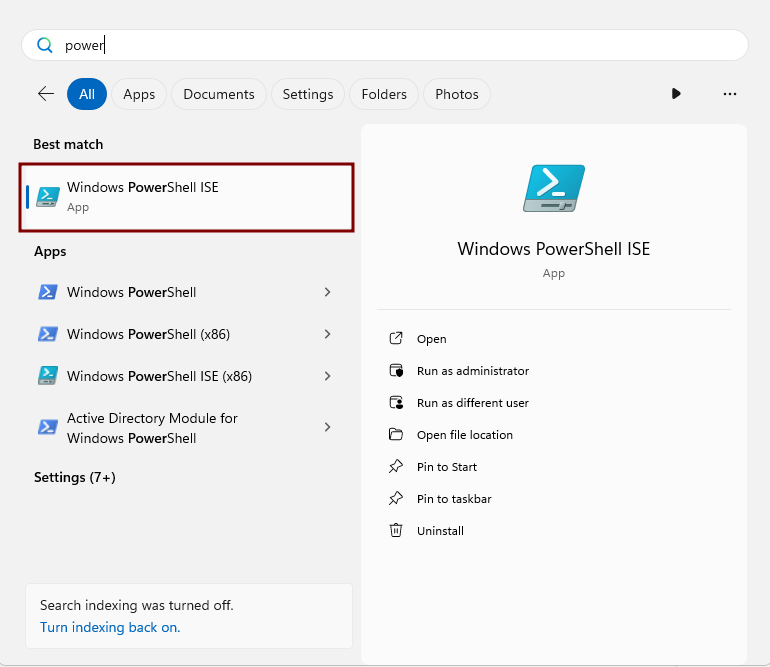
- In the upper-right corner, click the **Open Script** icon (folder symbol).

[![image.png](https://cytechint-docs-bookstack.s3.amazonaws.com/uploads/images/gallery/2025-11/scaled-1680-/WaAUl4dIBhmWJaSR-image.png)](https://cytechint-docs-bookstack.s3.amazonaws.com/uploads/images/gallery/2025-11/WaAUl4dIBhmWJaSR-image.png)
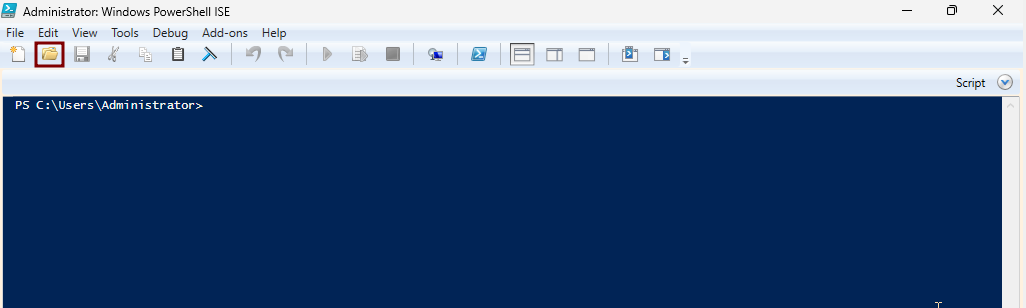
- Navigate to the folder where the script was saved, then open the file.

[![image.png](https://cytechint-docs-bookstack.s3.amazonaws.com/uploads/images/gallery/2025-11/scaled-1680-/CKKtJYbaF6DgqKwd-image.png)](https://cytechint-docs-bookstack.s3.amazonaws.com/uploads/images/gallery/2025-11/CKKtJYbaF6DgqKwd-image.png)
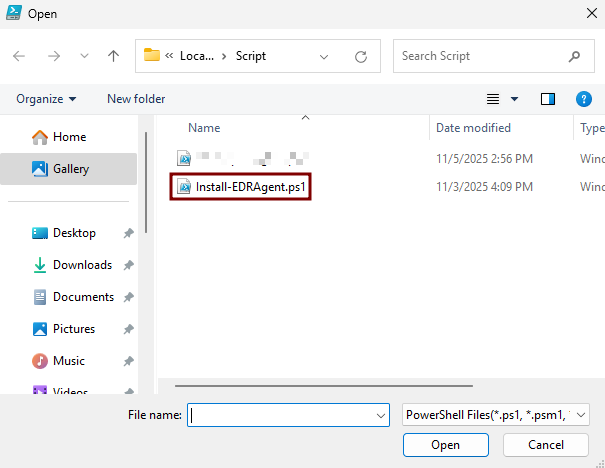
- Variables need to change: 
    - **$elasticZipFile:** put the UNC path where the ZIP file was saved. *(e.g. \\\\WINJDHSGFYR\\ZIP\\edr-agent-8.18.1-windows-x86\_64.zip).*
    - **$logServerPath:** put the UNC path of the created Logs folder. *(e.g. \\\\WINJDHSGFYR\\Logs).*

[![image.png](https://cytechint-docs-bookstack.s3.amazonaws.com/uploads/images/gallery/2025-11/scaled-1680-/dUU9KdNS4rkUM6tA-image.png)](https://cytechint-docs-bookstack.s3.amazonaws.com/uploads/images/gallery/2025-11/dUU9KdNS4rkUM6tA-image.png)
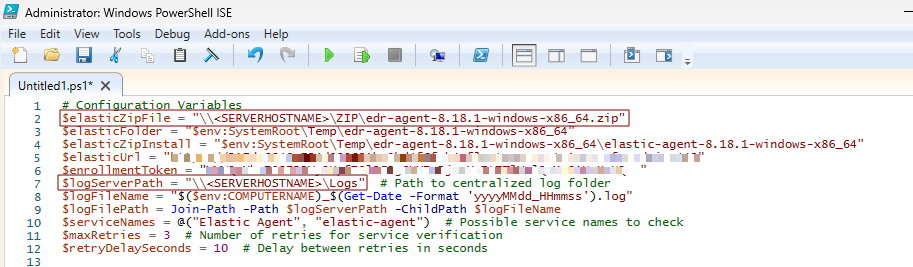
- Then **Save Script.**

##### <span style="color: rgb(53, 152, 219);">**Deploying AQUILA EDR via Group Policy**</span>

Use Group Policy Management to create and link a Group Policy Object (GPO) that deploys the **AQUILA EDR** agent to domain-joined computers.

1. **Open Group Policy Management**
    - In **Server Manager**, go to **Tools → Group Policy Management**.  
          
        [![image.png](https://cytechint-docs-bookstack.s3.amazonaws.com/uploads/images/gallery/2025-08/scaled-1680-/sAgHF51O6wQXc3yz-image.png)](https://cytechint-docs-bookstack.s3.amazonaws.com/uploads/images/gallery/2025-08/sAgHF51O6wQXc3yz-image.png)
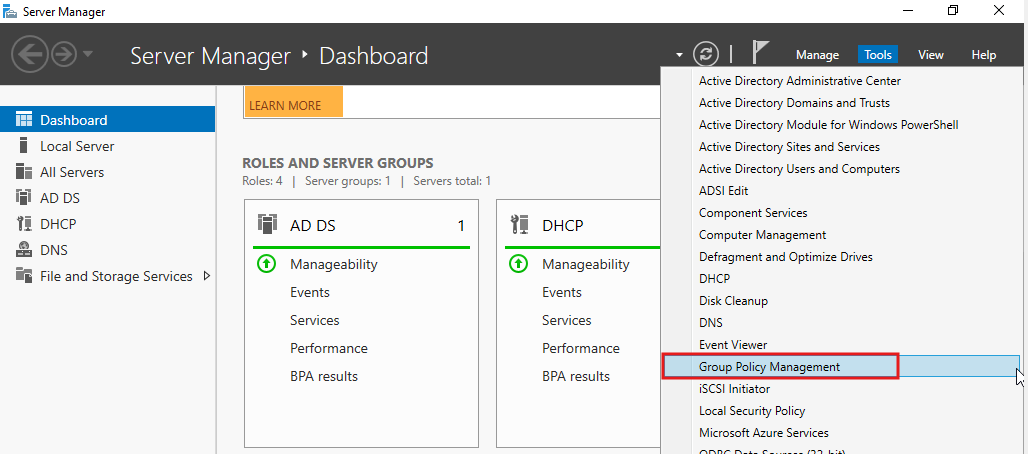
2. **Create a New GPO**  
    
    - In the Group Policy Management Console, expand your domain and right-click the **Domain Controllers** container (or the appropriate **Organizational Unit (OU)**).
    - Select **Create a GPO in this domain, and Link it here**.
    - Provide a descriptive name (e.g., *New Patch Elastic Agent Deployment*), then click **OK**.  
          
        [![image.png](https://cytechint-docs-bookstack.s3.amazonaws.com/uploads/images/gallery/2025-11/scaled-1680-/eWlyhmNCTDgWAZ0W-image.png)](https://cytechint-docs-bookstack.s3.amazonaws.com/uploads/images/gallery/2025-11/eWlyhmNCTDgWAZ0W-image.png)
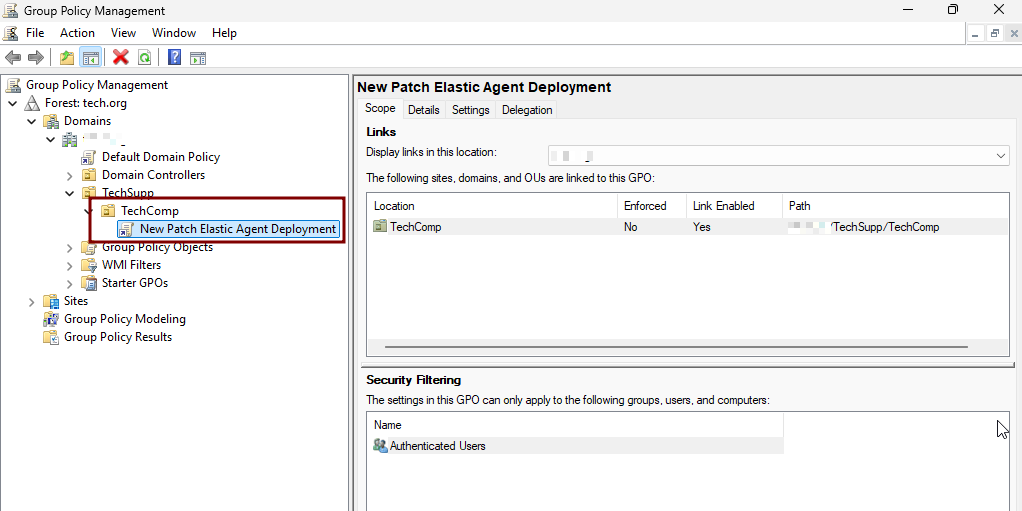
3. **Edit the GPO**
    - Right-click the newly created GPO and select **Edit**.
    - In the Group Policy Management Editor, navigate to:  
        Computer Configuration → Preferences → Control Panel Settings → Scheduled Tasks

[![image.png](https://cytechint-docs-bookstack.s3.amazonaws.com/uploads/images/gallery/2025-11/scaled-1680-/Y1JQack13ecnMPDu-image.png)](https://cytechint-docs-bookstack.s3.amazonaws.com/uploads/images/gallery/2025-11/Y1JQack13ecnMPDu-image.png)
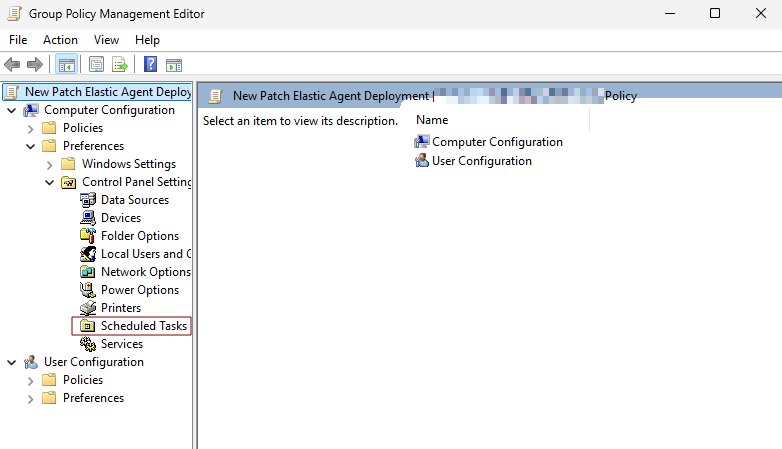
1. **Scheduled Tasks**
    - Right-click then choose **New** → **Scheduled Task (At least Windows 7)**.
    - **General Tab**
        
        
        - **Action:** Create
        - **Name:** you can set a name of the scheduled task. *(e.g. Deploy EDR Aquila Agent)*
        - **When running the task, use the following user account:** NT AUTHORITY\\SYSTEM
        - Enable **Run whether user is logged on or not**
        - Enable **Run with highest privileges**
        - **Configure for:** Windows 7, Windows Server 2008R2

[ ![image.png](https://cytechint-docs-bookstack.s3.amazonaws.com/uploads/images/gallery/2025-11/scaled-1680-/J87malejLQW9iCQV-image.png)](https://cytechint-docs-bookstack.s3.amazonaws.com/uploads/images/gallery/2025-11/J87malejLQW9iCQV-image.png)
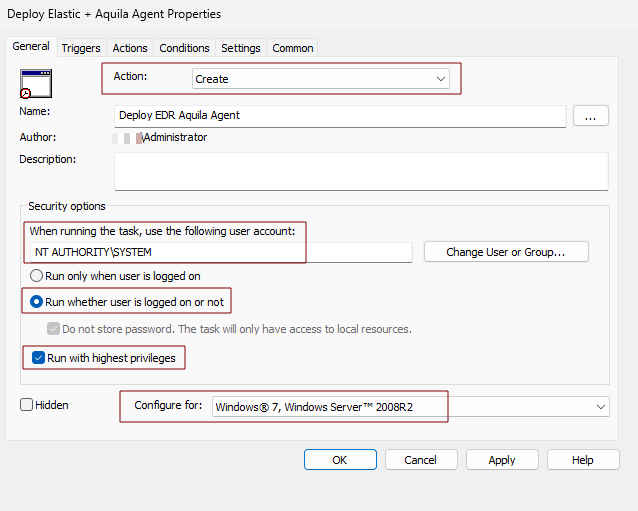
- **Triggers Tab**
    - Click **New**
    - **Begin the task:** At startup
    - **Delay task for:** 1 minute
    - **Enabled**

[ ![image.png](https://cytechint-docs-bookstack.s3.amazonaws.com/uploads/images/gallery/2025-11/scaled-1680-/Mis8kiYn7mxL9c4G-image.png)](https://cytechint-docs-bookstack.s3.amazonaws.com/uploads/images/gallery/2025-11/Mis8kiYn7mxL9c4G-image.png)
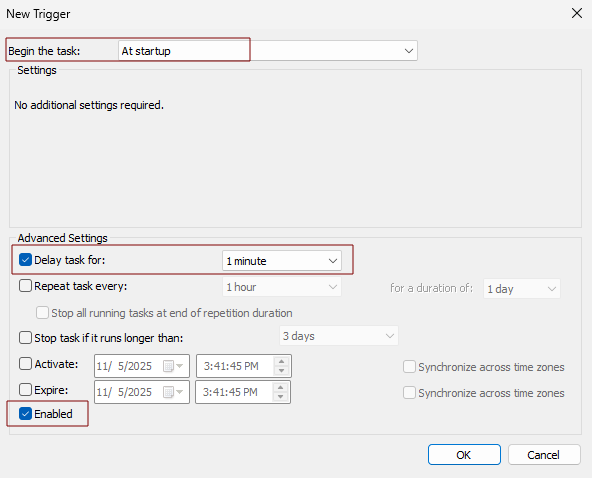
- **Actions Tab**
    - Click **New**
    - **Action:** Start a program
    - **Program/script:** powershell.exe
    - **Add arguments(optional):** -NoProfile -ExecutionPolicy Bypass -File "\\\\&lt;SERVERHOSTNAME&gt;\\Script\\Install-EDRAgent.ps1" *(e.g. \\\\WINSJHGJDHR\\Script\\Install-EDRAgent.ps1)*

[ ![image.png](https://cytechint-docs-bookstack.s3.amazonaws.com/uploads/images/gallery/2025-11/scaled-1680-/aPBAjTgeDV3kWjcR-image.png)](https://cytechint-docs-bookstack.s3.amazonaws.com/uploads/images/gallery/2025-11/aPBAjTgeDV3kWjcR-image.png)
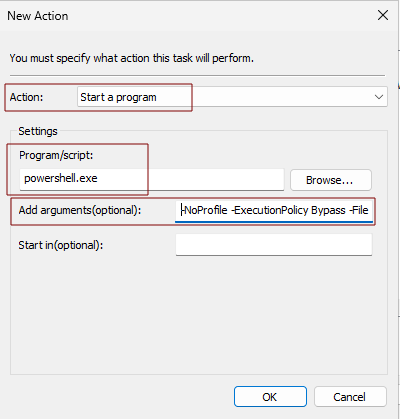
- **Settings Tab**
    - Enabled **Allow task to be run on demand**
    - **If the task fails, restart every:** 1 minute
    - **Attempt to restart up to:** 3 times

[ ![image.png](https://cytechint-docs-bookstack.s3.amazonaws.com/uploads/images/gallery/2025-11/scaled-1680-/rET665Eh2W4rBPWP-image.png)](https://cytechint-docs-bookstack.s3.amazonaws.com/uploads/images/gallery/2025-11/rET665Eh2W4rBPWP-image.png)
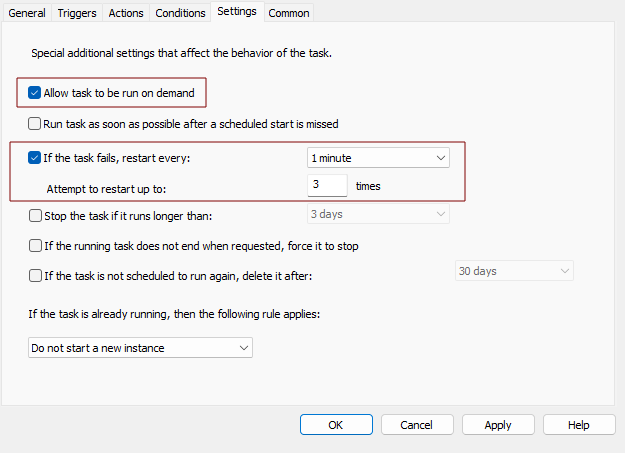
1. **Finalize the GPO**
    - Close the Group Policy Management Editor.
2. **Test in the Client Computer before Deployment**
    - Go to the test client computer that is connected to the domain.
    - Open **Powershell** as administrator
    - Run the command:  
        **gpupdate /force**
    - Running it refreshes the Group Policy on the server itself.
    - Open **Task Scheduler** and check if the scheduled task was reflected on the **Task Scheduler Library.**
    - If confirmed go back to **Powershell**
    - Run the command:
    - **shutdown /r /t 0**
    - To restart the test client computer
3. **Verify Installation**
    - Login to the test client computer and wait for the 1 minute to run the task.
    - You can open the **Task Scheduler** again and check **Task Scheduler Library** if the task is successful.
    - Confirm the agent, check **Task Manager** and search for **elastic-agent** and **elastic-endpoint**.

##### <span style="color: rgb(53, 152, 219);">**Test the Script via PsExec**</span>

**Why This Method Is Necessary**

Running the script through PsExec simulates how it will execute when deployed via GPO Scheduled Task—specifically under the **NT AUTHORITY\\SYSTEM** context. This helps identify issues that may not appear when running the script as a regular user.

**Prerequisites**

- Administrative privileges on the test computer and on the script’s UNC path.
- The test computer must be online and reachable.
- Verify that the script (e.g., `Install-EDRAgent.ps1`) is accessible via a UNC path such as `\\SERVER\Share\Install-EDRAgent.ps1`.

**Step-by-Step Guide (Test Computer)**

1. **Download PsExec**  
    Download the PsExec utility from the official Microsoft Sysinternals website and save the ZIP file to your workstation. Download [here](https://learn.microsoft.com/en-us/sysinternals/downloads/psexec).
2. **Extract the ZIP**  
    Extract the ZIP file and open the extracted folder.
3. **Copy PsExec.exe**  
    Locate `PsExec.exe` and copy it to a local folder on the test computer (e.g., `C:\Tools\PsExec\`).
4. **Open an Elevated Command Prompt**  
    Right-click **Command Prompt** and choose **Run as administrator**.
5. **Open a SYSTEM-Level PowerShell Session**
    
    Navigate to the folder where the **PsExec** was copied (e.g., cd C:\\Tools\\PsExec).  
    Run the following command:
    
    <div class="contain-inline-size rounded-2xl relative bg-token-sidebar-surface-primary"><div class="sticky top-9"></div><div class="overflow-y-auto p-4" dir="ltr">`psexec -s -<span class="hljs-selector-tag">i</span> powershell<span class="hljs-selector-class">.exe</span>`</div></div>*Note:* The first run may display the Sysinternals license prompt. To avoid this, you may use:
    
    <div class="contain-inline-size rounded-2xl relative bg-token-sidebar-surface-primary"><div class="overflow-y-auto p-4" dir="ltr">`psexec -accepteula -s -<span class="hljs-selector-tag">i</span> powershell<span class="hljs-selector-class">.exe</span>`</div></div>
6. **Execute the Script Under SYSTEM Context**  
    Inside the SYSTEM PowerShell window, run:
    
    <div class="contain-inline-size rounded-2xl relative bg-token-sidebar-surface-primary"><div class="sticky top-9"></div><div class="overflow-y-auto p-4" dir="ltr">`<span class="language-xml">powershell.exe -ExecutionPolicy Bypass -File "\\<span class="hljs-tag"><<span class="hljs-name">FILE-SERVER</span></span></span>>\<span class="hljs-tag"><<span class="hljs-name">Share</span></span>>\<span class="hljs-tag"><<span class="hljs-name">Install-EDRAgent.ps1</span></span>>"`</div></div>**Example:**
    
    <div class="contain-inline-size rounded-2xl relative bg-token-sidebar-surface-primary"><div class="sticky top-9"></div><div class="overflow-y-auto p-4" dir="ltr">`powershell.exe -ExecutionPolicy Bypass -<span class="hljs-built_in">File</span> <span class="hljs-string">"\\WIN-JPFCK15QVMI\Script\Install-EDRAgent.ps1"</span>`</div></div>
7. **Monitor Output and Collect Errors**  
    Observe the PowerShell output for any installation errors.  
    If the installer generates logs, please collect them for review.

*If you need further assistance, kindly contact our support at* ***support@cytechint.com*** *for prompt assistance and guidance.*

# AQUILA EDR Mass Deployment Via Microsoft Intune (EXE)

#### Overview

This guide explains how to install an Endpoint Detection &amp; Response (EDR) solution on all devices managed through **Microsoft Intune**. The process ensures consistent protection across your organization’s endpoints by using Intune’s **Endpoint security policies** and **app deployment** features.

##### **Prerequisites**

Before beginning, confirm the following:

- You have **Global Administrator** or **Intune Administrator** rights in Microsoft 365.
- Devices are already **enrolled and compliant** in Microsoft Intune.
- You have the **installer package ( IntuneWin format)** for your chosen EDR solution.

---


#### **Step 1:** Prepare the EDR Installer

1. Obtain the official EDR installation package (MSI) from AQUILA
2. If the installer is not in **.intunewin** format, convert it using the **Microsoft Win32 Content Prep Tool**.

**Download tool:** *[GitHub - microsoft/Microsoft-Win32-Content-Prep-Tool: A tool to wrap Win32 App and then it can be uploaded to Intune](https://github.com/Microsoft/Microsoft-Win32-Content-Prep-Tool)*

##### <span style="color: rgb(53, 152, 219);">**Steps for preparing an Installer for Intune (.intunewin format)**</span>

##### **Download the Packaging Tool**

**1.** Go to Microsoft’s official download page: [Win32 Content Prep Tool (GitHub)](https://github.com/Microsoft/Microsoft-Win32-Content-Prep-Tool)

**2.** Download the ZIP file to your computer.

[![Screenshot 2025-08-22 071813.png](https://cytechint-docs-bookstack.s3.amazonaws.com/uploads/images/gallery/2025-08/scaled-1680-/vf2TWtQ9a4ZcqcHl-screenshot-2025-08-22-071813.png)](https://cytechint-docs-bookstack.s3.amazonaws.com/uploads/images/gallery/2025-08/vf2TWtQ9a4ZcqcHl-screenshot-2025-08-22-071813.png)
**3.** Right-click the ZIP → **Extract All…**

[![image.png](https://cytechint-docs-bookstack.s3.amazonaws.com/uploads/images/gallery/2025-08/scaled-1680-/A7GEVVKwW17NiQAR-image.png)](https://cytechint-docs-bookstack.s3.amazonaws.com/uploads/images/gallery/2025-08/A7GEVVKwW17NiQAR-image.png)
**4.** Choose a location (for example: `C:\IntuneWinAppUtil`).

[![image.png](https://cytechint-docs-bookstack.s3.amazonaws.com/uploads/images/gallery/2025-08/scaled-1680-/N4XTo51op2F0kOEy-image.png)](https://cytechint-docs-bookstack.s3.amazonaws.com/uploads/images/gallery/2025-08/N4XTo51op2F0kOEy-image.png)
##### **Prepare Your Installer Files**

1. 1. 1. Create a folder for your installer, for example:
            
            
            - `C:\2. Source\EDR`
        2. Place the Master installer inside that folder. Place also here the script files.
            
            
            - Master-Installer.ps1
            
            [![image.png](https://cytechint-docs-bookstack.s3.amazonaws.com/uploads/images/gallery/2025-10/scaled-1680-/TJTR3ObxlY2rtQDl-image.png)](https://cytechint-docs-bookstack.s3.amazonaws.com/uploads/images/gallery/2025-10/TJTR3ObxlY2rtQDl-image.png)
        3. Create another empty folder where the packaged file will be saved, for example:
            
            
            - `C:\3. Output`


##### **Run the Packaging Tool**

**1.** Go to the folder where you extracted the tool and run it

[![image.png](https://cytechint-docs-bookstack.s3.amazonaws.com/uploads/images/gallery/2025-09/scaled-1680-/wVL1CbpxDAGWx3u0-image.png)](https://cytechint-docs-bookstack.s3.amazonaws.com/uploads/images/gallery/2025-09/wVL1CbpxDAGWx3u0-image.png)
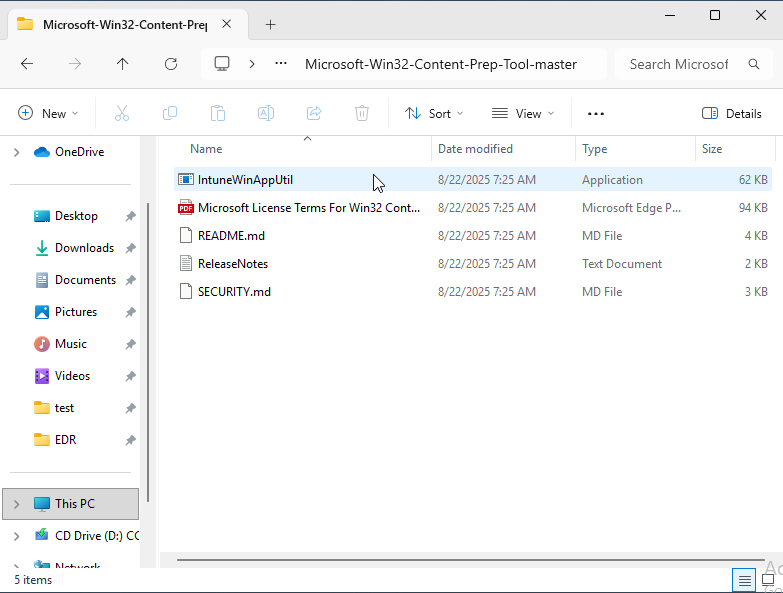
**2.** The tool will ask you a few questions. Enter the following:

- **Source folder:** type the path to your installer folder. Click the path and copy. (e.g., `C:\Source\EDR`).

[![image.png](https://cytechint-docs-bookstack.s3.amazonaws.com/uploads/images/gallery/2025-10/scaled-1680-/ec2QK4YmhMYFz2oY-image.png)](https://cytechint-docs-bookstack.s3.amazonaws.com/uploads/images/gallery/2025-10/ec2QK4YmhMYFz2oY-image.png)
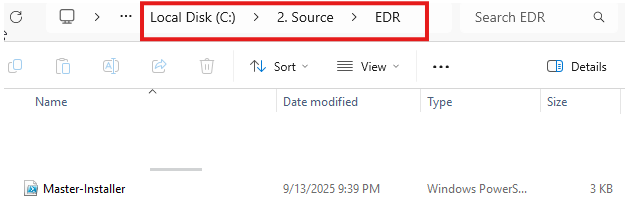
- **Setup file:** type the name of the Master Script and include its file type (e.g., Master-Installer.ps1).

[![image.png](https://cytechint-docs-bookstack.s3.amazonaws.com/uploads/images/gallery/2025-10/scaled-1680-/j0pKsZmHWtG3egCI-image.png)](https://cytechint-docs-bookstack.s3.amazonaws.com/uploads/images/gallery/2025-10/j0pKsZmHWtG3egCI-image.png)
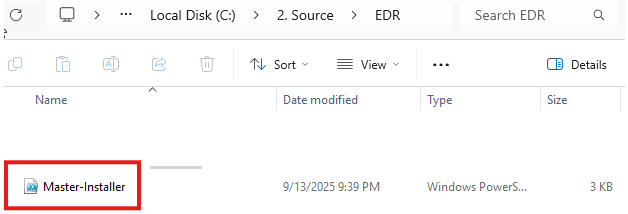
- **Output folder:** type the path to your empty folder. Click the path and copy. (e.g., `C:\3. Output`).

[![image.png](https://cytechint-docs-bookstack.s3.amazonaws.com/uploads/images/gallery/2025-10/scaled-1680-/MSrEZidvVFbs149C-image.png)](https://cytechint-docs-bookstack.s3.amazonaws.com/uploads/images/gallery/2025-10/MSrEZidvVFbs149C-image.png)
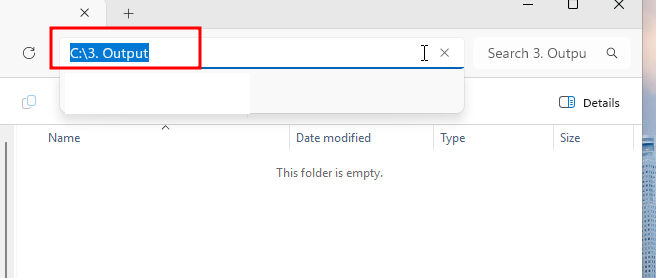
- **Catalog folder:** just press **Enter** to skip.

[![image.png](https://cytechint-docs-bookstack.s3.amazonaws.com/uploads/images/gallery/2025-09/scaled-1680-/3T4HQqmQkyslWX1Z-image.png)](https://cytechint-docs-bookstack.s3.amazonaws.com/uploads/images/gallery/2025-09/3T4HQqmQkyslWX1Z-image.png)
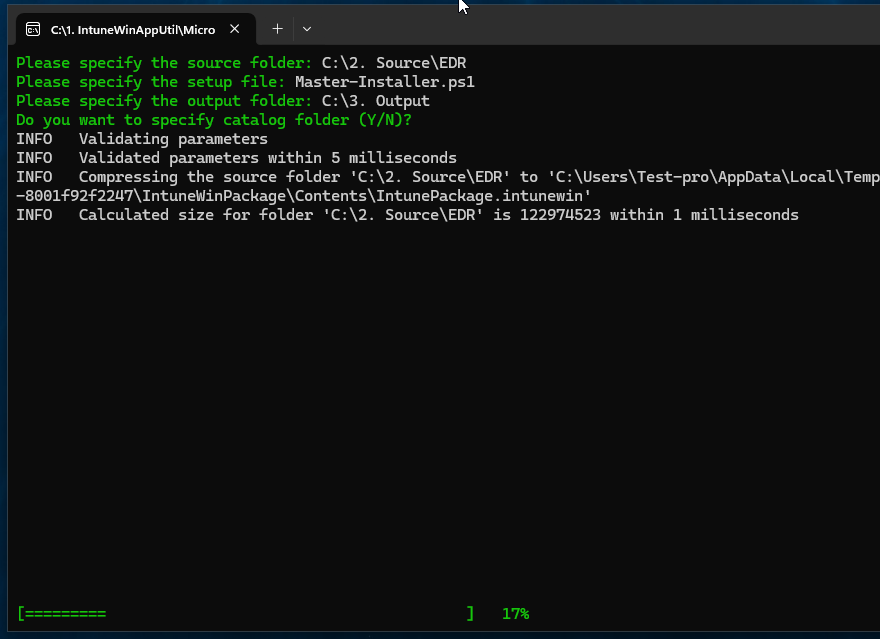

##### **Check the Result**

- - - Open your output folder (`C:\Output`).
        - You should now see a file ending in `.intunewin`, for example:
        - This is the file you’ll upload into Microsoft Intune.
    - [![image.png](https://cytechint-docs-bookstack.s3.amazonaws.com/uploads/images/gallery/2025-09/scaled-1680-/IKy4NkD1KJqwfLsB-image.png)](https://cytechint-docs-bookstack.s3.amazonaws.com/uploads/images/gallery/2025-09/IKy4NkD1KJqwfLsB-image.png)
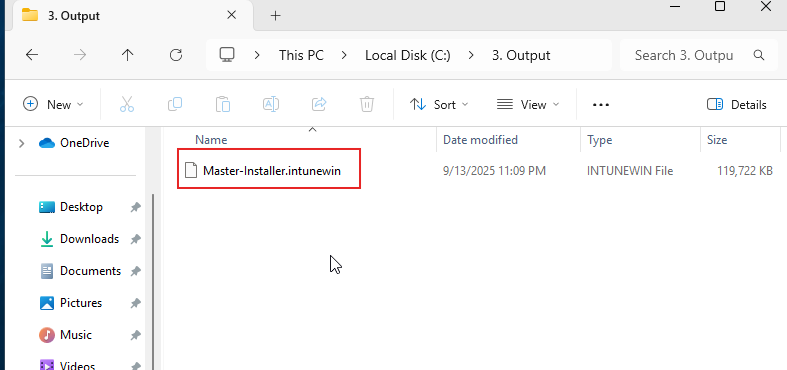

#### **Step 2:** Add the EDR App to Intune

Sign in to the **Microsoft Intune admin center →** <span style="color: rgb(35, 111, 161);">[*https://intune.microsoft.com*](https://intune.microsoft.com)</span>

- Go to **Apps**.

[![image.png](https://cytechint-docs-bookstack.s3.amazonaws.com/uploads/images/gallery/2025-08/scaled-1680-/yIpb67juZajlUanr-image.png)](https://cytechint-docs-bookstack.s3.amazonaws.com/uploads/images/gallery/2025-08/yIpb67juZajlUanr-image.png)

- **Windows App**

[![image.png](https://cytechint-docs-bookstack.s3.amazonaws.com/uploads/images/gallery/2025-09/scaled-1680-/fmMlT8j92Gq5FGIB-image.png)](https://cytechint-docs-bookstack.s3.amazonaws.com/uploads/images/gallery/2025-09/fmMlT8j92Gq5FGIB-image.png)
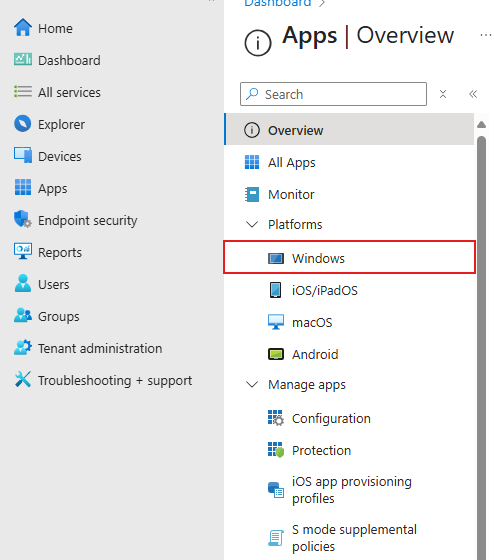
- **Add**

[![image.png](https://cytechint-docs-bookstack.s3.amazonaws.com/uploads/images/gallery/2025-09/scaled-1680-/NtZLizgHyNfzQCfU-image.png)](https://cytechint-docs-bookstack.s3.amazonaws.com/uploads/images/gallery/2025-09/NtZLizgHyNfzQCfU-image.png)

**1. Select the app type:**

- - **Windows app (Win32)** for most EDR installers.
        
        [![image.png](https://cytechint-docs-bookstack.s3.amazonaws.com/uploads/images/gallery/2025-09/scaled-1680-/kY1w792bYX8srp7X-image.png)](https://cytechint-docs-bookstack.s3.amazonaws.com/uploads/images/gallery/2025-09/kY1w792bYX8srp7X-image.png)
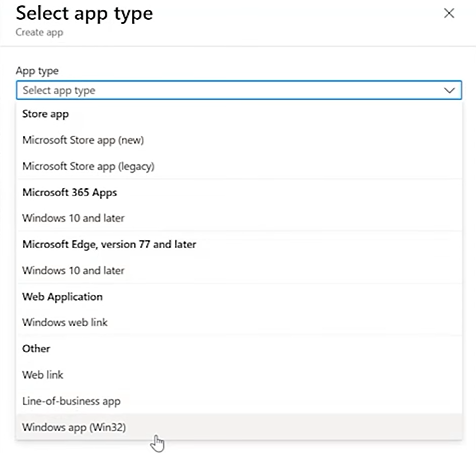
**2. Upload** the prepared installer package.

- **Find and upload** the **.intune** file on the **Output** folder from earlier.

[![image.png](https://cytechint-docs-bookstack.s3.amazonaws.com/uploads/images/gallery/2025-09/scaled-1680-/olV1Maxtg4j0cTXQ-image.png)](https://cytechint-docs-bookstack.s3.amazonaws.com/uploads/images/gallery/2025-09/olV1Maxtg4j0cTXQ-image.png)
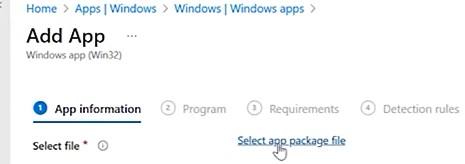
**3.** Configure **App Information**: name, description, publisher.

[![image.png](https://cytechint-docs-bookstack.s3.amazonaws.com/uploads/images/gallery/2025-09/scaled-1680-/FYVEKXpdD576ynCa-image.png)](https://cytechint-docs-bookstack.s3.amazonaws.com/uploads/images/gallery/2025-09/FYVEKXpdD576ynCa-image.png)
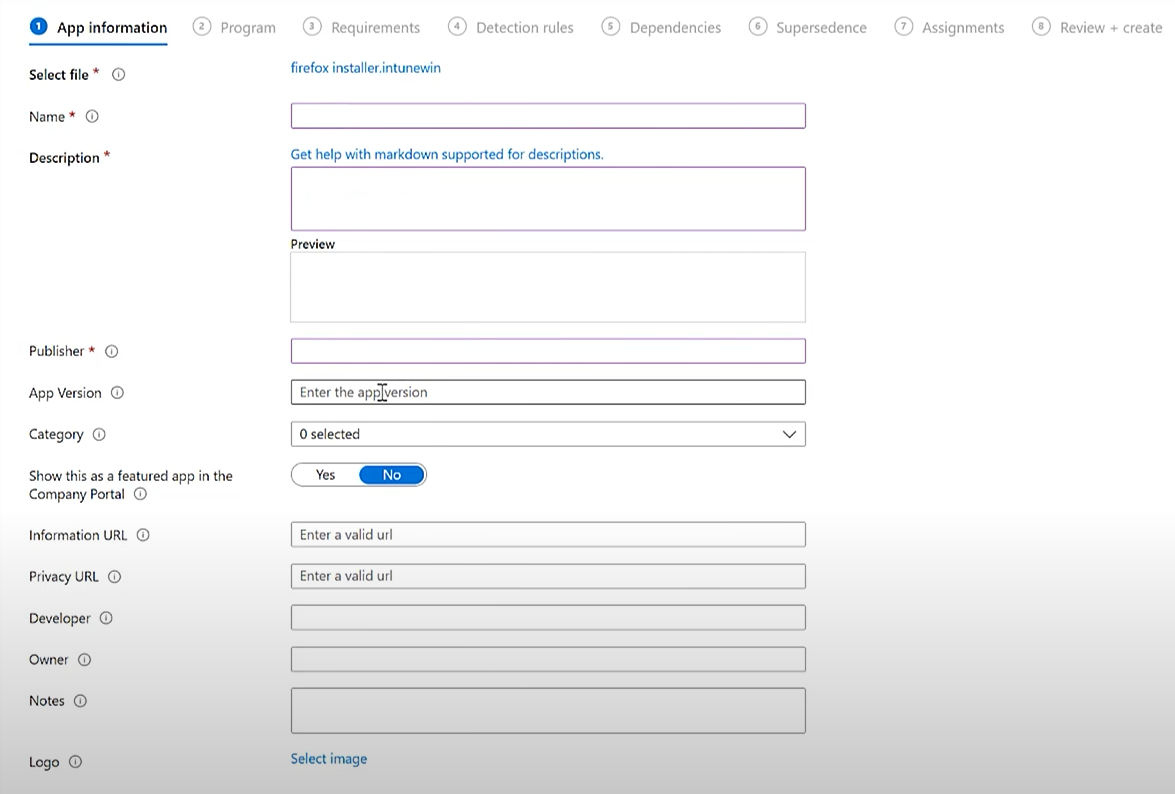
**4.** Set **Program Install/Uninstall Commands**.[![image.png](https://cytechint-docs-bookstack.s3.amazonaws.com/uploads/images/gallery/2025-09/scaled-1680-/YrBO0kSJBlWnTq7J-image.png)](https://cytechint-docs-bookstack.s3.amazonaws.com/uploads/images/gallery/2025-09/YrBO0kSJBlWnTq7J-image.png)
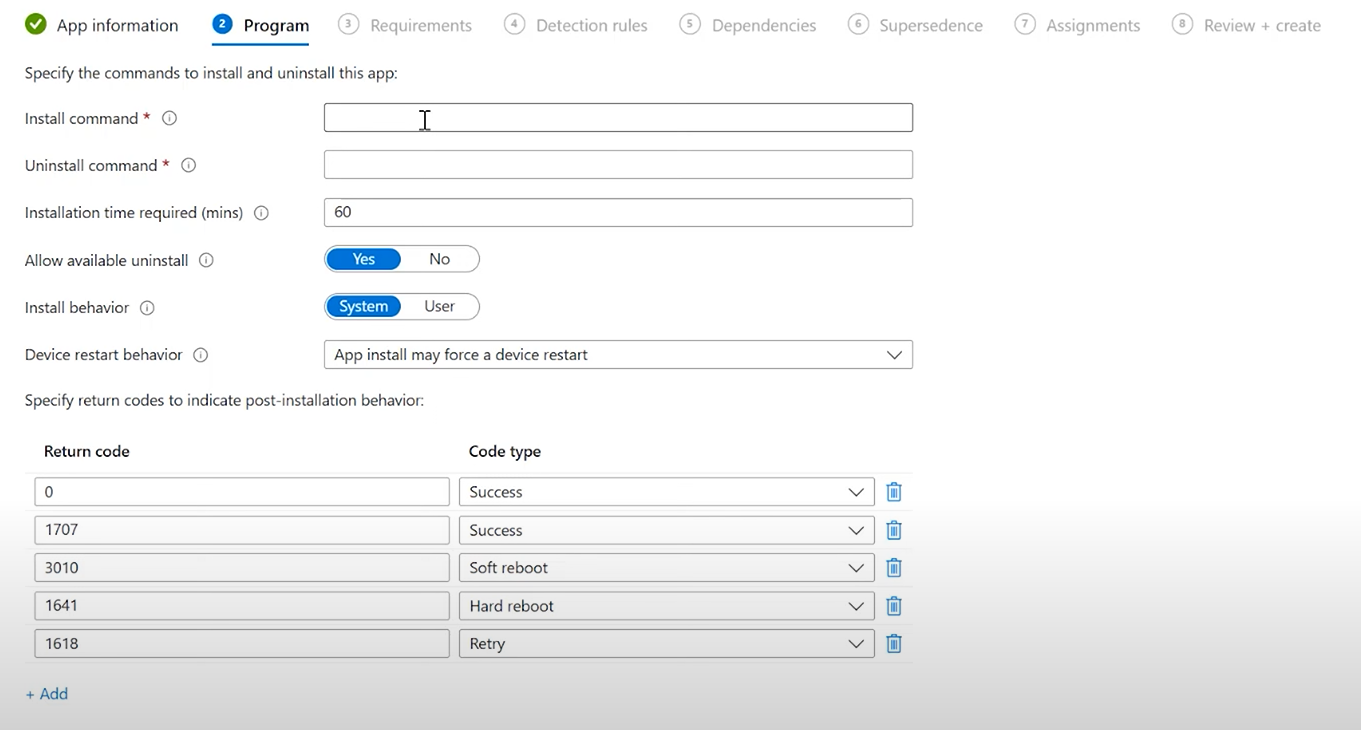
- **Install Command:**

```javascript
powershell.exe -ExecutionPolicy Bypass -File .\Master-Installer.ps1
```

- **Uninstall command:**

**-Open the PowerShell as Administrator.**

**-Get** the **Product Code of Aquila Agent** by running this command on **PowerShell.**

```javascript
$msiPath = "C:\Path\To\Aquila Agent.msi"
$installer = New-Object -ComObject WindowsInstaller.Installer
$database = $installer.OpenDatabase($msiPath, 0)
$view = $database.OpenView("SELECT Value FROM Property WHERE Property='ProductCode'")
$view.Execute()
$record = $view.Fetch()
$record.StringData(1)
```

**[![image.png](https://cytechint-docs-bookstack.s3.amazonaws.com/uploads/images/gallery/2025-10/scaled-1680-/XO7IMODwu2MoaoRv-image.png)](https://cytechint-docs-bookstack.s3.amazonaws.com/uploads/images/gallery/2025-10/XO7IMODwu2MoaoRv-image.png)**
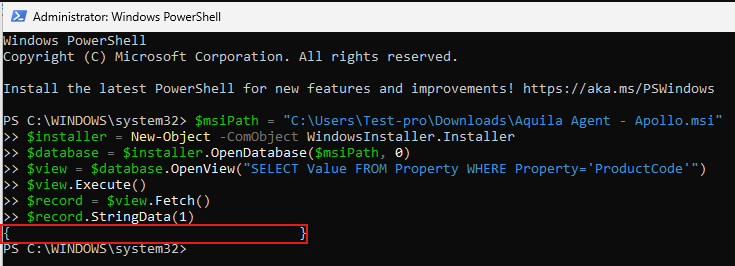
- **For Example,** this is now your **Uninstall Command:**

```
msiexec /x "{Product Code}" /quiet /norestart
```

**5.** Under **Requirements**, select OS architecture and minimum version.

[![image.png](https://cytechint-docs-bookstack.s3.amazonaws.com/uploads/images/gallery/2025-09/scaled-1680-/xQp8cCziCuoN9W7D-image.png)](https://cytechint-docs-bookstack.s3.amazonaws.com/uploads/images/gallery/2025-09/xQp8cCziCuoN9W7D-image.png)
**6.** Add **Detection Rules** to confirm successful installation. [![image.png](https://cytechint-docs-bookstack.s3.amazonaws.com/uploads/images/gallery/2025-09/scaled-1680-/2vwtRCFnCuaXVnTA-image.png)](https://cytechint-docs-bookstack.s3.amazonaws.com/uploads/images/gallery/2025-09/2vwtRCFnCuaXVnTA-image.png)
[![image.png](https://cytechint-docs-bookstack.s3.amazonaws.com/uploads/images/gallery/2025-09/scaled-1680-/xLcQU6ZlYRixzj4a-image.png)](https://cytechint-docs-bookstack.s3.amazonaws.com/uploads/images/gallery/2025-09/xLcQU6ZlYRixzj4a-image.png)
**Option A: MSI Product Code** (recommended if you know it)

- Rule type: **MSI**
- MSI product code: `{Aquila Agent Product code}` (Please refer to **4.** on how to get the Aquila Agent Product Code:)

**Option B: File exists**

- Rule type: **File**
- Path: `C:\Program Files\Aquila Agent`
- File or folder: `Aquila Agent.exe`
- Detection method: File or folder exists

**Option C: Registry key**

- Rule type: **Registry**
- Path: `Computer\HKEY_LOCAL_MACHINE\SOFTWARE\WOW6432Node\Microsoft\Windows\CurrentVersion\Uninstall\"{Aquila Product Code}"`
    
    
    - This is how to get the **Aquila Product Code**.
    - This is now the path to input: "`Computer\HKEY_LOCAL_MACHINE\SOFTWARE\WOW6432Node\Microsoft\Windows\CurrentVersion\Uninstall\"{Product Key}"`[![image.png](https://cytechint-docs-bookstack.s3.amazonaws.com/uploads/images/gallery/2025-10/scaled-1680-/TAaIfb7ZTZhUMRD1-image.png)](https://cytechint-docs-bookstack.s3.amazonaws.com/uploads/images/gallery/2025-10/TAaIfb7ZTZhUMRD1-image.png)
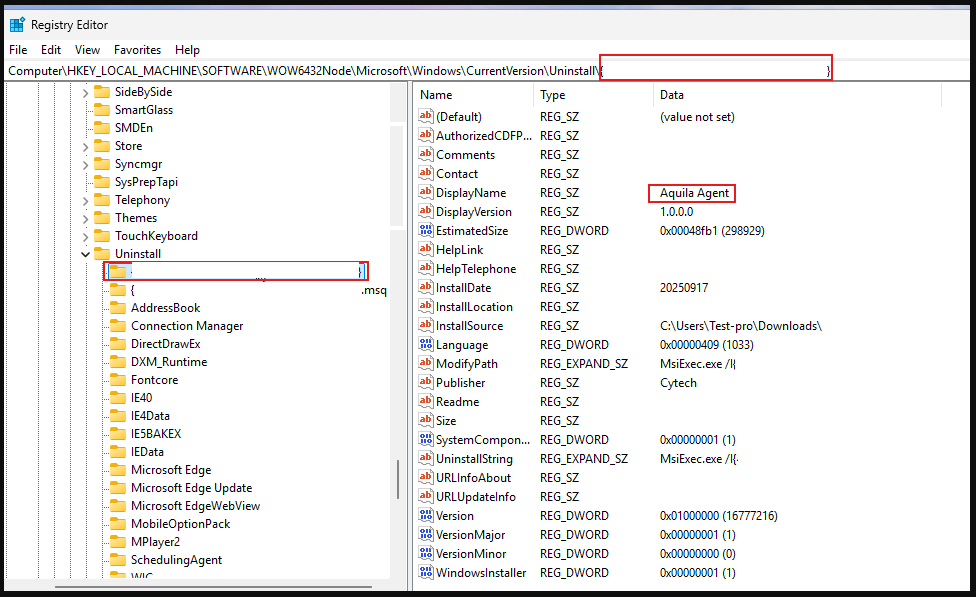
- Value: `DisplayName` → check exists or equals “Aquila Agent”

**7.** Set **Dependencies**

[![image.png](https://cytechint-docs-bookstack.s3.amazonaws.com/uploads/images/gallery/2025-09/scaled-1680-/Uff6l88VBWKeEqqC-image.png)](https://cytechint-docs-bookstack.s3.amazonaws.com/uploads/images/gallery/2025-09/Uff6l88VBWKeEqqC-image.png)
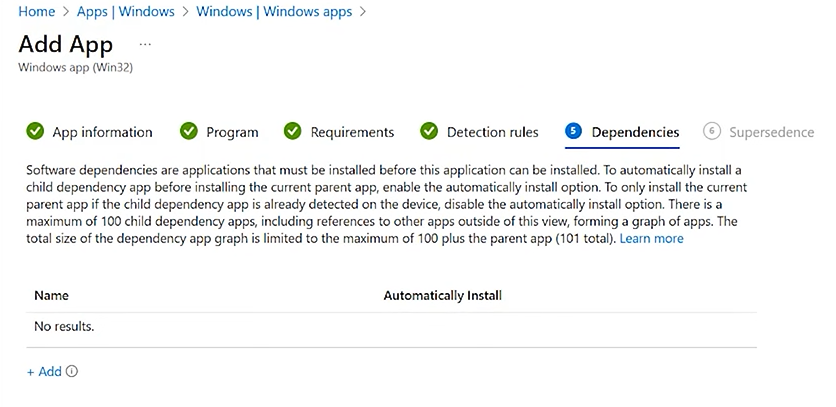
**8. Supersedence**

[![image.png](https://cytechint-docs-bookstack.s3.amazonaws.com/uploads/images/gallery/2025-09/scaled-1680-/eTmT8J0MXa7g5JzP-image.png)](https://cytechint-docs-bookstack.s3.amazonaws.com/uploads/images/gallery/2025-09/eTmT8J0MXa7g5JzP-image.png)
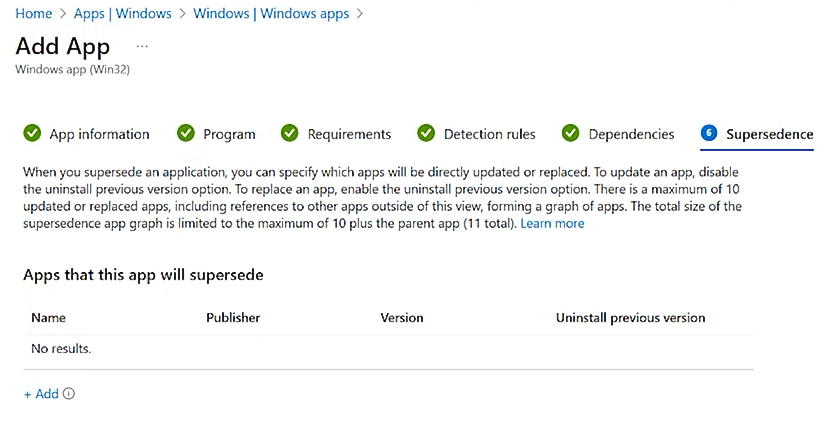
**9. Assignments**

- **Required**
    
    
    - Intune **automatically installs the app** on targeted devices.
    - Perfect for your Elastic/Aquila Agent deployment.

- **Available for enrolled devices**
    
    
    - Users can see the app in **Company Portal** and install it manually.
    - Good for optional apps or testing.
- **Uninstall**
    
    
    - Used if you want to remove the app from certain groups.

[![image.png](https://cytechint-docs-bookstack.s3.amazonaws.com/uploads/images/gallery/2025-09/scaled-1680-/sdobB43dVOh79F83-image.png)](https://cytechint-docs-bookstack.s3.amazonaws.com/uploads/images/gallery/2025-09/sdobB43dVOh79F83-image.png)
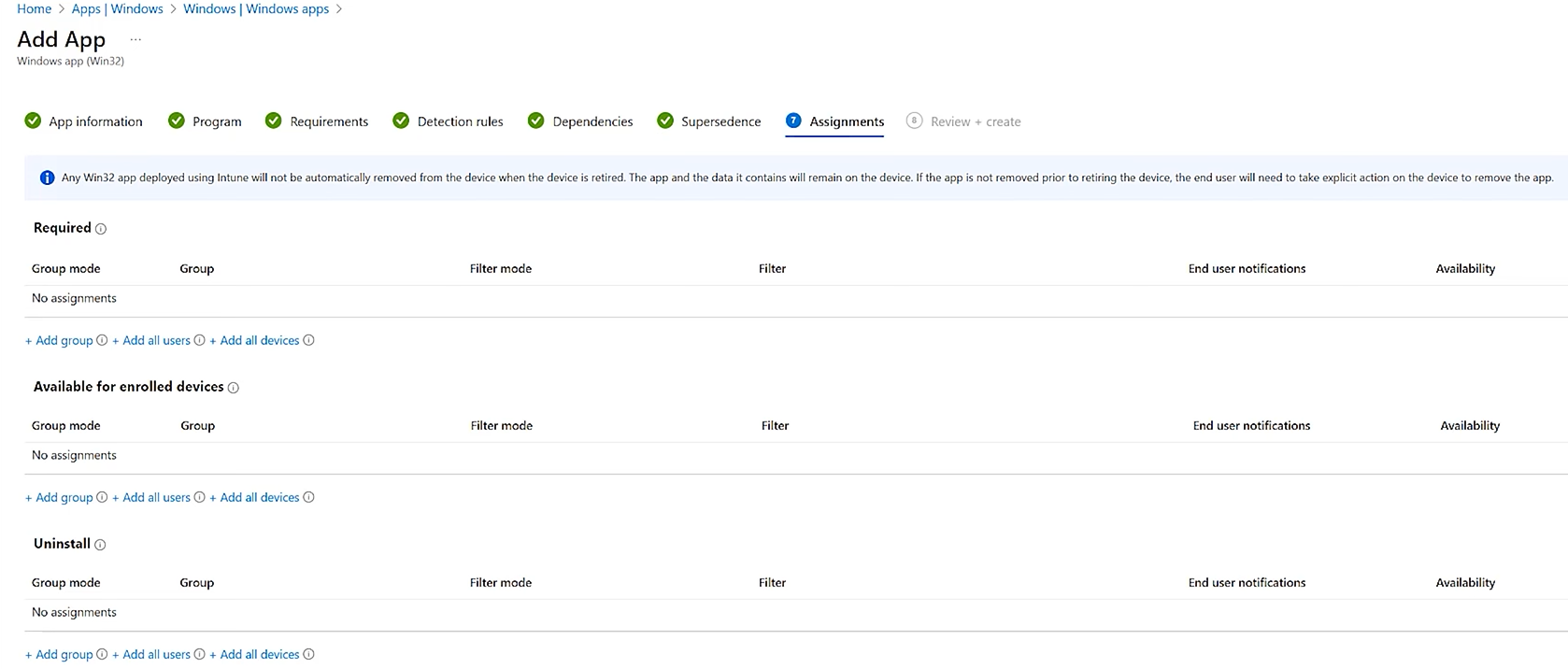
**10. Review + Create**

[![image.png](https://cytechint-docs-bookstack.s3.amazonaws.com/uploads/images/gallery/2025-09/scaled-1680-/gULZwc2D3aQkBzwn-image.png)](https://cytechint-docs-bookstack.s3.amazonaws.com/uploads/images/gallery/2025-09/gULZwc2D3aQkBzwn-image.png)
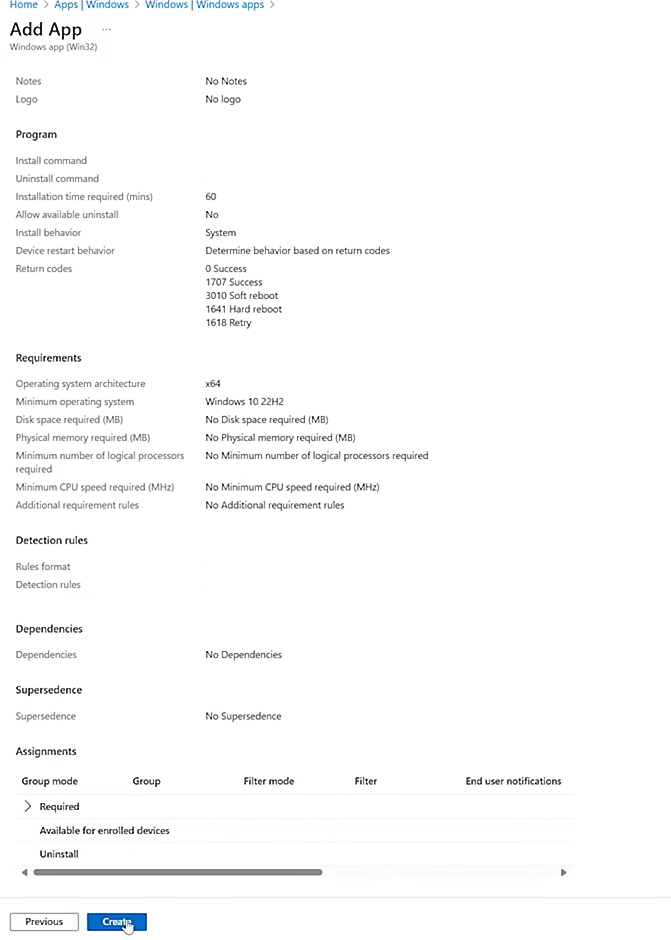
**Step 3:**<span style="color: rgb(34, 34, 34); font-family: -apple-system, BlinkMacSystemFont, 'Segoe UI', Oxygen, Ubuntu, Roboto, Cantarell, 'Fira Sans', 'Droid Sans', 'Helvetica Neue', sans-serif; font-size: 1.666em; font-weight: 400;"> Monitor Deployment</span>

1. In the Intune admin center, go to **Apps** → select your EDR app.
2. Check **Device install status** to confirm successful installations.
    
    [![image.png](https://cytechint-docs-bookstack.s3.amazonaws.com/uploads/images/gallery/2025-09/scaled-1680-/ZRUrJq5IDzQ8WLmg-image.png)](https://cytechint-docs-bookstack.s3.amazonaws.com/uploads/images/gallery/2025-09/ZRUrJq5IDzQ8WLmg-image.png)
 *If you need further assistance, kindly contact our technical support at **<support@cytechint.com>** for prompt assistance and guidance.*

# CyTech - AQUILA EDR Automatic

# <span style="color: rgb(0, 0, 0);">Endpoint Detection and Responce (EDR) - Automatic Installation</span>

<span style="color: rgb(0, 0, 0);">Endpoint Detection and Response (EDR), is a cybersecurity technology that focuses on detecting, investigating, and responding to suspicious activities and threats on endpoints, such as workstations, laptops, and servers. EDR solutions provide visibility into endpoint activities and help security teams identify and mitigate potential threats before they can cause significant harm.</span>


#### <span style="color: rgb(0, 0, 0);">**Pre-requisites**</span>

1. <span style="color: rgb(0, 0, 0);">**Access to CyTech - AQUILA**</span>
    - <span style="color: rgb(0, 0, 0);">Only users assigned the **"Owner"** or **"Admin"** role can access the Log Collector installation resources within the platform.</span>

##### <span style="color: rgb(0, 0, 0);">**Steps to Add AQUILA EDR**</span>

<span style="color: rgb(0, 0, 0);">Please follow the steps below to add a Log Collector using Windows Environment.</span>

1. <span style="color: rgb(0, 0, 0);">Log in to **CyTech - AQUILA**. Click here: <span style="color: rgb(132, 63, 161);">**[usdc.cytechint.io](https://usdc.cytechint.io/)**</span></span>

- <span style="color: rgb(0, 0, 0);">Click **Collapse** to view side panel. Then navigate through **Domains&gt;Cyber Monitoring&gt;Endpoint Detection and Response&gt;Endpoints**.</span>

[![image.png](https://cytechint-docs-bookstack.s3.amazonaws.com/uploads/images/gallery/2025-07/scaled-1680-/Xmx63tsP8PUH0kv2-image.png)](https://cytechint-docs-bookstack.s3.amazonaws.com/uploads/images/gallery/2025-07/Xmx63tsP8PUH0kv2-image.png)

<span style="color: rgb(0, 0, 0);">2. Click "**Install Endpoint**" to start installation window.</span>

[![image.png](https://cytechint-docs-bookstack.s3.amazonaws.com/uploads/images/gallery/2025-07/scaled-1680-/o9deWEuXrGE5DcRS-image.png)](https://cytechint-docs-bookstack.s3.amazonaws.com/uploads/images/gallery/2025-07/o9deWEuXrGE5DcRS-image.png)

**<span style="color: rgb(0, 0, 0);">3. Review the needed requirements for each Operating Systems and click "Next".</span>**

[![image.png](https://cytechint-docs-bookstack.s3.amazonaws.com/uploads/images/gallery/2025-07/scaled-1680-/AOuYvfw9b8bLCyiY-image.png)](https://cytechint-docs-bookstack.s3.amazonaws.com/uploads/images/gallery/2025-07/AOuYvfw9b8bLCyiY-image.png)

**<span style="color: rgb(0, 0, 0);">4. Choose "Automatic" installation and click "Next".</span>**

[![image.png](https://cytechint-docs-bookstack.s3.amazonaws.com/uploads/images/gallery/2025-07/scaled-1680-/zAoHRaNDKRoeDKvz-image.png)](https://cytechint-docs-bookstack.s3.amazonaws.com/uploads/images/gallery/2025-07/zAoHRaNDKRoeDKvz-image.png)

<span style="color: rgb(0, 0, 0);">**5. Download the AQUILA EDR installer.**</span>

[![image.png](https://cytechint-docs-bookstack.s3.amazonaws.com/uploads/images/gallery/2025-09/scaled-1680-/vZHEXYZaozo18Bmg-image.png)](https://cytechint-docs-bookstack.s3.amazonaws.com/uploads/images/gallery/2025-09/vZHEXYZaozo18Bmg-image.png)

<span style="color: rgb(0, 0, 0);">**6. Follow the number of steps to keep the AQUILA EDR installer.**</span>

[![image.png](https://cytechint-docs-bookstack.s3.amazonaws.com/uploads/images/gallery/2025-09/scaled-1680-/YTnlrDIovYPVH27F-image.png)](https://cytechint-docs-bookstack.s3.amazonaws.com/uploads/images/gallery/2025-09/YTnlrDIovYPVH27F-image.png)

[![image.png](https://cytechint-docs-bookstack.s3.amazonaws.com/uploads/images/gallery/2025-09/scaled-1680-/gBWre1hqkblOjMtZ-image.png)](https://cytechint-docs-bookstack.s3.amazonaws.com/uploads/images/gallery/2025-09/gBWre1hqkblOjMtZ-image.png)

##### <span style="color: rgb(0, 0, 0);">**Please follow the instructions below and refer to the images below:**</span>

<span style="color: rgb(0, 0, 0);">**Step 1:** After downloading the AQUILA Agent Setup installer. Run the setup file to start the installation wizard.</span>

[![image.png](https://cytechint-docs-bookstack.s3.amazonaws.com/uploads/images/gallery/2025-07/scaled-1680-/uBqlb5h5yQqbqkY2-image.png)](https://cytechint-docs-bookstack.s3.amazonaws.com/uploads/images/gallery/2025-07/uBqlb5h5yQqbqkY2-image.png)

<p class="callout info"><span style="color: rgb(0, 0, 0);">If prompted with a User Account Control (UAC) dialog stating that the app is from an unknown publisher, click **‘Yes’** to allow the installer to make changes and proceed with the installation.</span></p>

<span style="color: rgb(0, 0, 0);">**Step 2:** You may specify a custom installation directory or proceed with the default path. Click ‘**Install**’ to continue with the installation process. Wait for a moment to install the Aquila Agent. After AQUILA Agent has been succesfully installed. Click "**Finish**" to close installation wizard.</span>

<span style="color: rgb(0, 0, 0);">[![image.png](https://cytechint-docs-bookstack.s3.amazonaws.com/uploads/images/gallery/2025-06/scaled-1680-/Hni3BJkQIjEejgtw-image.png)](https://cytechint-docs-bookstack.s3.amazonaws.com/uploads/images/gallery/2025-06/Hni3BJkQIjEejgtw-image.png)</span>

**Step 3:** Provide the required Secret Token to authorize and proceed with the installation. Click "**Install Agent**" to proceed. Please wait a few minutes for the installation process to complete. This will automatically initiate enrollment into the CyTech - AQUILA platform.

[![image.png](https://cytechint-docs-bookstack.s3.amazonaws.com/uploads/images/gallery/2025-09/scaled-1680-/nHb37JZdfcyFH0Qr-image.png)](https://cytechint-docs-bookstack.s3.amazonaws.com/uploads/images/gallery/2025-09/nHb37JZdfcyFH0Qr-image.png)
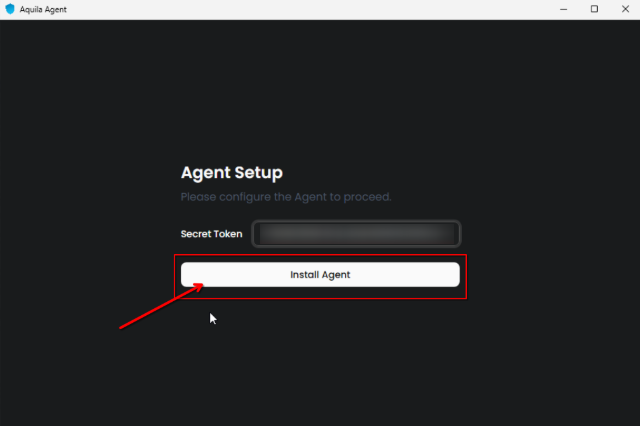
<span style="color: rgb(0, 0, 0);">**Step 4:** After successful enrollment, an overview window will be displayed. Please note that it may take some time for the device to reflect an online status. Ensure the device remains connected to the network for the EDR policy to be properly applied.</span>

<span style="color: rgb(0, 0, 0);">[![image.png](https://cytechint-docs-bookstack.s3.amazonaws.com/uploads/images/gallery/2025-06/scaled-1680-/ln4ghMC9isi5CerI-image.png)](https://cytechint-docs-bookstack.s3.amazonaws.com/uploads/images/gallery/2025-06/ln4ghMC9isi5CerI-image.png)</span>

<p class="callout info"><span style="color: rgb(0, 0, 0);">The Overview page provides a centralized dashboard displaying all recent detections related to your endpoint devices. This real-time monitoring allows security teams to quickly identify potential threats, analyze attack vectors, and prioritize response efforts based on severity and impact. By consolidating detection data, the Overview page supports proactive threat hunting and continuous endpoint security management as part of a comprehensive cybersecurity monitoring strategy.</span></p>

<span style="color: rgb(0, 0, 0);">[![image.png](https://cytechint-docs-bookstack.s3.amazonaws.com/uploads/images/gallery/2025-06/scaled-1680-/dU8R6czWUg0E8kGg-image.png)](https://cytechint-docs-bookstack.s3.amazonaws.com/uploads/images/gallery/2025-06/dU8R6czWUg0E8kGg-image.png)</span>

<p class="callout info"><span style="color: rgb(0, 0, 0);">The Agent Details panel allows you to verify the status and identity of your endpoint device.</span></p>

<span style="color: rgb(0, 0, 0);">[![image.png](https://cytechint-docs-bookstack.s3.amazonaws.com/uploads/images/gallery/2025-06/scaled-1680-/n5Jyu4liWfqQERlk-image.png)](https://cytechint-docs-bookstack.s3.amazonaws.com/uploads/images/gallery/2025-06/n5Jyu4liWfqQERlk-image.png)</span>

<p class="callout info"><span style="color: rgb(0, 0, 0);">You may also access AQUILA Agent Secure through the Windows taskbar's side dock panel.</span></p>

<span style="color: rgb(0, 0, 0);">[![image.png](https://cytechint-docs-bookstack.s3.amazonaws.com/uploads/images/gallery/2025-06/scaled-1680-/JUUlbRcGAxMcwrI0-image.png)](https://cytechint-docs-bookstack.s3.amazonaws.com/uploads/images/gallery/2025-06/JUUlbRcGAxMcwrI0-image.png)</span>

<span style="color: rgb(0, 0, 0);">7. **Before you can proceed to the final installation set-up make sure you check off each steps required. Then you can click "Next".**</span>

[![image.png](https://cytechint-docs-bookstack.s3.amazonaws.com/uploads/images/gallery/2025-07/scaled-1680-/cWjeJVZIRWQcoTlL-image.png)](https://cytechint-docs-bookstack.s3.amazonaws.com/uploads/images/gallery/2025-07/cWjeJVZIRWQcoTlL-image.png)

<span style="color: rgb(0, 0, 0);">8. **A new window will appear and will check the log collector status and update the latest installation of EDR agent. Wait for it to finish and after successfull installation the endpoint will displayed in the dashboard.**</span>

[![image.png](https://cytechint-docs-bookstack.s3.amazonaws.com/uploads/images/gallery/2025-07/scaled-1680-/D2CsxzzQdp5L2Z6z-image.png)](https://cytechint-docs-bookstack.s3.amazonaws.com/uploads/images/gallery/2025-07/D2CsxzzQdp5L2Z6z-image.png)

<span style="color: rgb(0, 0, 0);">**9. This step confirms the successful installation and enrollment of the EDR Agent with the fleet server.** </span>

[![image.png](https://cytechint-docs-bookstack.s3.amazonaws.com/uploads/images/gallery/2025-07/scaled-1680-/jeJm6W66tXfIKCxC-image.png)](https://cytechint-docs-bookstack.s3.amazonaws.com/uploads/images/gallery/2025-07/jeJm6W66tXfIKCxC-image.png)

<p class="callout warning">*\*\*\*If you encounter **Log Collector Setup Failed**. Please click "Retry" and carefully go gack to Steps 5 or 6. You can also try "**Manual**" installation. If issues persist please contact our technical support at **<support@cytechint.com>** for prompt assistance and guidance.*</p>

[![image.png](https://cytechint-docs-bookstack.s3.amazonaws.com/uploads/images/gallery/2025-04/scaled-1680-/uEYotwkAJTB5YZKK-image.png)](https://cytechint-docs-bookstack.s3.amazonaws.com/uploads/images/gallery/2025-04/uEYotwkAJTB5YZKK-image.png)

<p class="callout info"><span style="color: rgb(0, 0, 0);">For a more detailed report and in-depth analysis, navigate to **CyTech - AQUILA &gt; Cyber Monitoring &gt; Endpoint Detection and Response(EDR)**. This section provides comprehensive visibility into endpoint activity, detection timelines, threat classifications, and response actions to support advanced threat analysis and incident investigation.</span></p>

[![image.png](https://cytechint-docs-bookstack.s3.amazonaws.com/uploads/images/gallery/2025-06/scaled-1680-/JTplpsqWMr83Ufbi-image.png)](https://cytechint-docs-bookstack.s3.amazonaws.com/uploads/images/gallery/2025-06/JTplpsqWMr83Ufbi-image.png)

[![image.png](https://cytechint-docs-bookstack.s3.amazonaws.com/uploads/images/gallery/2025-06/scaled-1680-/jWMnSkzvcm89lb8x-image.png)](https://cytechint-docs-bookstack.s3.amazonaws.com/uploads/images/gallery/2025-06/jWMnSkzvcm89lb8x-image.png)

[![image.png](https://cytechint-docs-bookstack.s3.amazonaws.com/uploads/images/gallery/2025-06/scaled-1680-/YIdIVQT0fcq3P8IZ-image.png)](https://cytechint-docs-bookstack.s3.amazonaws.com/uploads/images/gallery/2025-06/YIdIVQT0fcq3P8IZ-image.png)

<span style="color: rgb(0, 0, 0);"> *If you need further assistance, kindly contact our technical support at <span style="color: rgb(53, 152, 219);">**<support@cytechint.com>** </span>for prompt assistance and guidance.*</span>

# CyTech - AQUILA EDR Full Installation

# <span style="color: rgb(0, 0, 0);">Endpoint Detection and Responce (EDR) - Manual Installation</span>

<div id="bkmrk--1">  
</div>#### <span style="color: rgb(0, 0, 0);">Endpoint Detection and Response (EDR)</span>

<span style="color: rgb(0, 0, 0);">Endpoint Detection and Response (EDR), is a cybersecurity technology that focuses on detecting, investigating, and responding to suspicious activities and threats on endpoints, such as workstations, laptops, and servers. EDR solutions provide visibility into endpoint activities and help security teams identify and mitigate potential threats before they can cause significant harm.</span>


##### <span style="color: rgb(0, 0, 0);">**Please follow the instructions below and refer to the images below:**</span>

<span style="color: rgb(0, 0, 0);">**Step 1:** Download the AQUILA Agent Setup installer. Run the setup file to start the installation wizard.</span>

<span style="color: rgb(0, 0, 0);">[![image.png](https://cytechint-docs-bookstack.s3.amazonaws.com/uploads/images/gallery/2025-06/scaled-1680-/KJpIAKFYhnW8XivY-image.png)](https://cytechint-docs-bookstack.s3.amazonaws.com/uploads/images/gallery/2025-06/KJpIAKFYhnW8XivY-image.png)</span>

<span style="color: rgb(0, 0, 0);">**Step 2:** If prompted with a User Account Control (UAC) dialog stating that the app is from an unknown publisher, click **‘Yes’** to allow the installer to make changes and proceed with the installation.</span>

<span style="color: rgb(0, 0, 0);">[![image.png](https://cytechint-docs-bookstack.s3.amazonaws.com/uploads/images/gallery/2025-06/scaled-1680-/3X2sbuOb6OmzRcyW-image.png)](https://cytechint-docs-bookstack.s3.amazonaws.com/uploads/images/gallery/2025-06/3X2sbuOb6OmzRcyW-image.png)</span>

<span style="color: rgb(0, 0, 0);">**Step 3:** You may specify a custom installation directory or proceed with the default path. Click ‘Install’ to continue with the installation process.</span>

<span style="color: rgb(0, 0, 0);">[![image.png](https://cytechint-docs-bookstack.s3.amazonaws.com/uploads/images/gallery/2025-06/scaled-1680-/Hni3BJkQIjEejgtw-image.png)](https://cytechint-docs-bookstack.s3.amazonaws.com/uploads/images/gallery/2025-06/Hni3BJkQIjEejgtw-image.png)</span>

<span style="color: rgb(0, 0, 0);">**Step 4:** Wait for a moment to install the Aquila Agent.</span>

<span style="color: rgb(0, 0, 0);">[![image.png](https://cytechint-docs-bookstack.s3.amazonaws.com/uploads/images/gallery/2025-06/scaled-1680-/1LIa2UN2xSwJXOy2-image.png)](https://cytechint-docs-bookstack.s3.amazonaws.com/uploads/images/gallery/2025-06/1LIa2UN2xSwJXOy2-image.png)</span>

<span style="color: rgb(0, 0, 0);">**Step 5:** After AQUILA Agent has been succesfully installed. Click finish to close installation wizard.</span>

<span style="color: rgb(0, 0, 0);">[![image.png](https://cytechint-docs-bookstack.s3.amazonaws.com/uploads/images/gallery/2025-06/scaled-1680-/LUdgL3yax2c9aInr-image.png)](https://cytechint-docs-bookstack.s3.amazonaws.com/uploads/images/gallery/2025-06/LUdgL3yax2c9aInr-image.png)</span>

<span style="color: rgb(0, 0, 0);">**Step 6:** If prompted with a User Account Control (UAC) dialog stating that the app is from an unknown publisher, click **‘Yes’** to allow the installer to make changes and proceed with the installation.</span>

<span style="color: rgb(0, 0, 0);">[![image.png](https://cytechint-docs-bookstack.s3.amazonaws.com/uploads/images/gallery/2025-06/scaled-1680-/WorNdzIVlr970OY6-image.png)](https://cytechint-docs-bookstack.s3.amazonaws.com/uploads/images/gallery/2025-06/WorNdzIVlr970OY6-image.png)</span>

<span style="color: rgb(0, 0, 0);">**Step 7:** Provide the required "**Secret Token**" to authorize and proceed with the installation.</span>

<span style="color: rgb(0, 0, 0);">[![image.png](https://cytechint-docs-bookstack.s3.amazonaws.com/uploads/images/gallery/2025-06/scaled-1680-/1wcUtImMNrdODcav-image.png)](https://cytechint-docs-bookstack.s3.amazonaws.com/uploads/images/gallery/2025-06/1wcUtImMNrdODcav-image.png)</span>

<span style="color: rgb(0, 0, 0);">**Step 8:** Click "**Install**" Agent to proceed.</span>

[![image.png](https://cytechint-docs-bookstack.s3.amazonaws.com/uploads/images/gallery/2025-09/scaled-1680-/sCi5AsXPJ0jFuoyF-image.png)](https://cytechint-docs-bookstack.s3.amazonaws.com/uploads/images/gallery/2025-09/sCi5AsXPJ0jFuoyF-image.png)

<span style="color: rgb(0, 0, 0);">**Step 9:** Please wait a few minutes for the installation process to complete. This will automatically initiate enrollment into the CyTech - AQUILA platform.</span>

[![image.png](https://cytechint-docs-bookstack.s3.amazonaws.com/uploads/images/gallery/2025-09/scaled-1680-/uWFluWMJiZsNM8cC-image.png)](https://cytechint-docs-bookstack.s3.amazonaws.com/uploads/images/gallery/2025-09/uWFluWMJiZsNM8cC-image.png)

<span style="color: rgb(0, 0, 0);">**Step 10:** After successful enrollment, an overview window will be displayed. Please note that it may take some time for the device to reflect an online status. Ensure the device remains connected to the network for the EDR policy to be properly applied.</span>

<span style="color: rgb(0, 0, 0);">[![image.png](https://cytechint-docs-bookstack.s3.amazonaws.com/uploads/images/gallery/2025-06/scaled-1680-/ln4ghMC9isi5CerI-image.png)](https://cytechint-docs-bookstack.s3.amazonaws.com/uploads/images/gallery/2025-06/ln4ghMC9isi5CerI-image.png)</span>

<span style="color: rgb(0, 0, 0);">**Step 11:** The Agent Details panel allows you to verify the status and identity of your endpoint device.</span>

<span style="color: rgb(0, 0, 0);">[![image.png](https://cytechint-docs-bookstack.s3.amazonaws.com/uploads/images/gallery/2025-06/scaled-1680-/n5Jyu4liWfqQERlk-image.png)](https://cytechint-docs-bookstack.s3.amazonaws.com/uploads/images/gallery/2025-06/n5Jyu4liWfqQERlk-image.png)</span>

<span style="color: rgb(0, 0, 0);">**Step 12:** You may also access AQUILA Agent Secure through the Windows taskbar's side dock panel.</span>

<span style="color: rgb(0, 0, 0);">[![image.png](https://cytechint-docs-bookstack.s3.amazonaws.com/uploads/images/gallery/2025-06/scaled-1680-/JUUlbRcGAxMcwrI0-image.png)](https://cytechint-docs-bookstack.s3.amazonaws.com/uploads/images/gallery/2025-06/JUUlbRcGAxMcwrI0-image.png)</span>

<span style="color: rgb(0, 0, 0);">**Step 13:** The Overview page provides a centralized dashboard displaying all recent detections related to your endpoint devices. This real-time monitoring allows security teams to quickly identify potential threats, analyze attack vectors, and prioritize response efforts based on severity and impact. By consolidating detection data, the Overview page supports proactive threat hunting and continuous endpoint security management as part of a comprehensive cybersecurity monitoring strategy.</span>

<span style="color: rgb(0, 0, 0);">[![image.png](https://cytechint-docs-bookstack.s3.amazonaws.com/uploads/images/gallery/2025-06/scaled-1680-/dU8R6czWUg0E8kGg-image.png)](https://cytechint-docs-bookstack.s3.amazonaws.com/uploads/images/gallery/2025-06/dU8R6czWUg0E8kGg-image.png)</span>

<p class="callout info"><span style="color: rgb(0, 0, 0);">For a more detailed report and in-depth analysis, navigate to **CyTech - AQUILA &gt; Cyber Monitoring &gt; Endpoint Detection and Response(EDR)**. This section provides comprehensive visibility into endpoint activity, detection timelines, threat classifications, and response actions to support advanced threat analysis and incident investigation.</span></p>

[![image.png](https://cytechint-docs-bookstack.s3.amazonaws.com/uploads/images/gallery/2025-06/scaled-1680-/JTplpsqWMr83Ufbi-image.png)](https://cytechint-docs-bookstack.s3.amazonaws.com/uploads/images/gallery/2025-06/JTplpsqWMr83Ufbi-image.png)

[![image.png](https://cytechint-docs-bookstack.s3.amazonaws.com/uploads/images/gallery/2025-06/scaled-1680-/jWMnSkzvcm89lb8x-image.png)](https://cytechint-docs-bookstack.s3.amazonaws.com/uploads/images/gallery/2025-06/jWMnSkzvcm89lb8x-image.png)

[![image.png](https://cytechint-docs-bookstack.s3.amazonaws.com/uploads/images/gallery/2025-06/scaled-1680-/YIdIVQT0fcq3P8IZ-image.png)](https://cytechint-docs-bookstack.s3.amazonaws.com/uploads/images/gallery/2025-06/YIdIVQT0fcq3P8IZ-image.png)

<span style="color: rgb(0, 0, 0);"> *If you need further assistance, kindly contact our technical support at <span style="color: rgb(53, 152, 219);">**<support@cytechint.com>** </span>for prompt assistance and guidance.*</span>

# Endpoint Detection and Response (EDR) - Manual Installation (OLD)

#### <span style="color: rgb(0, 0, 0);">Endpoint Detection and Response (EDR)</span>

<span style="color: rgb(0, 0, 0);">Endpoint Detection and Response (EDR), is a cybersecurity technology that focuses on detecting, investigating, and responding to suspicious activities and threats on endpoints, such as workstations, laptops, and servers. EDR solutions provide visibility into endpoint activities and help security teams identify and mitigate potential threats before they can cause significant harm.</span>


##### **Please follow the instructions below and refer to the images below:**

<p class="callout success">**<span style="color: rgb(0, 0, 0);">Step 1: Login to CyTech - Aquila "<span style="color: rgb(53, 152, 219);">[usdc.cytechint.io](https://usdc.cytechint.io/)</span>" and nagivate to Aquila Modules at leftmost corner of the dashboard. </span>**  </p>

<p class="callout success"><span style="color: rgb(0, 0, 0);">**Step 2: Go to Cyber Monitoring&gt; Endpoint Detection and Response (EDR, MDR).[![image.png](https://cytechint-docs-bookstack.s3.amazonaws.com/uploads/images/gallery/2025-05/scaled-1680-/W7310dZpcPSITvee-image.png)](https://cytechint-docs-bookstack.s3.amazonaws.com/uploads/images/gallery/2025-05/W7310dZpcPSITvee-image.png)**</span></p>

<p class="callout success"><span style="color: rgb(0, 0, 0);">**Step 4: Navigate through Control Panel&gt; Manage Endpoints&gt; Install Endpoint &gt; Choose Manual.[![image.png](https://cytechint-docs-bookstack.s3.amazonaws.com/uploads/images/gallery/2025-05/scaled-1680-/k2O3KtGPoy3RxjqL-image.png)](https://cytechint-docs-bookstack.s3.amazonaws.com/uploads/images/gallery/2025-05/k2O3KtGPoy3RxjqL-image.png)**</span></p>

<p class="callout success">**S<span style="color: rgb(0, 0, 0);">tep 8: Choose the correct Operating System for your endpoint. After choosing the type of your Operating System, the commands will display below needed for installing the EDR agent.[![image.png](https://cytechint-docs-bookstack.s3.amazonaws.com/uploads/images/gallery/2025-05/scaled-1680-/yftNuea1Nx2QDssx-image.png)](https://cytechint-docs-bookstack.s3.amazonaws.com/uploads/images/gallery/2025-05/yftNuea1Nx2QDssx-image.png)</span>**</p>

<p class="callout success"><span style="color: rgb(0, 0, 0);">**Step 9: Execute the command in your Endpoint environment using powershell or terminal under admin privilege. Once the commands are executed successfully, you should see an output similar to the example shown in the image below. Go back to Cytech - Aquila to finish manual installation. [![image.png](https://cytechint-docs-bookstack.s3.amazonaws.com/uploads/images/gallery/2025-05/scaled-1680-/ItyEDcd3n9c47yvj-image.png)](https://cytechint-docs-bookstack.s3.amazonaws.com/uploads/images/gallery/2025-05/ItyEDcd3n9c47yvj-image.png)**</span></p>
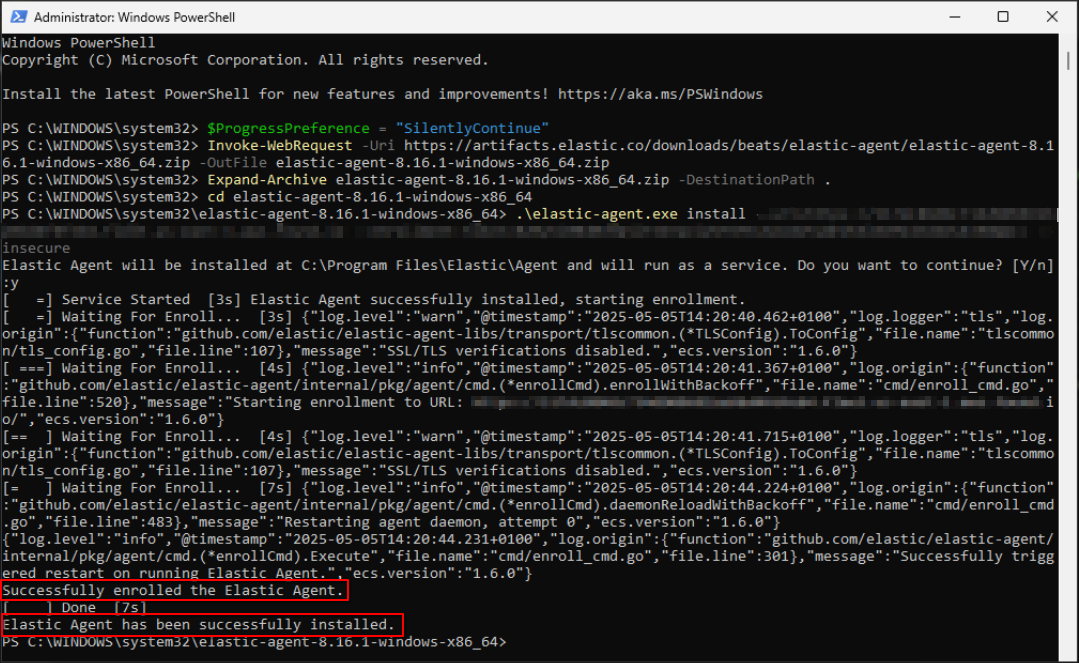
<p class="callout success"><span style="color: rgb(0, 0, 0);">**Step 10: Before you can proceed to the final installation set-up make sure you check off each steps required. Then you can click "Next".[![image.png](https://cytechint-docs-bookstack.s3.amazonaws.com/uploads/images/gallery/2025-05/scaled-1680-/28a7SRVoIeFoHEJC-image.png)](https://cytechint-docs-bookstack.s3.amazonaws.com/uploads/images/gallery/2025-05/28a7SRVoIeFoHEJC-image.png)**</span></p>

<p class="callout success"><span style="color: rgb(0, 0, 0);">**Step 11: A new window will appear and will check the log collector status and update the latest installation of EDR agent. Wait for it to finish and after successfull installation the endpoint will displayed in the dashboard. [![image.png](https://cytechint-docs-bookstack.s3.amazonaws.com/uploads/images/gallery/2025-04/scaled-1680-/IsvHFpr1T0tGHcjn-image.png)](https://cytechint-docs-bookstack.s3.amazonaws.com/uploads/images/gallery/2025-04/IsvHFpr1T0tGHcjn-image.png)**</span></p>

<p class="callout success"><span style="color: rgb(0, 0, 0);">Step 12: This step confirms the successful installation and enrollment of the **EDR Agent** with the fleet server. </span>[![image.png](https://cytechint-docs-bookstack.s3.amazonaws.com/uploads/images/gallery/2025-05/scaled-1680-/C7SUYEe4npzRa8Oj-image.png)](https://cytechint-docs-bookstack.s3.amazonaws.com/uploads/images/gallery/2025-05/C7SUYEe4npzRa8Oj-image.png)</p>

# AQUILA Agent Mass Deployment Manual (MSI Package)

## <span style="color: rgb(53, 152, 219);">Overview</span>

<span style="color: rgb(0, 0, 0);">This document provides a step-by-step guide for deploying the **AQUILA Agent** across Windows endpoints using **Microsoft Intune** with an **MSI installer**. The goal of this deployment is to ensure consistent, secure, and scalable installation of the AQUILA Agent to support SOC monitoring, endpoint visibility, and response capabilities.</span>

<span style="color: rgb(0, 0, 0);">This guide is intended for:</span>

- <span style="color: rgb(0, 0, 0);">SOC Engineers</span>
- <span style="color: rgb(0, 0, 0);">IT Administrators</span>
- <span style="color: rgb(0, 0, 0);">Endpoint &amp; Security Operations Teams</span>

<div contenteditable="false" id="bkmrk-">---

</div>## <span style="color: rgb(53, 152, 219);">Deployment Objectives</span>

<span style="color: rgb(0, 0, 0);">By following this guide, you will:</span>

- <span style="color: rgb(0, 0, 0);">Deploy AQUILA Agent at scale using Intune</span>
- <span style="color: rgb(0, 0, 0);">Ensure silent, unattended installation</span>
- <span style="color: rgb(0, 0, 0);">Reduce manual endpoint interaction</span>
- <span style="color: rgb(0, 0, 0);">Maintain consistent agent configuration across environments</span>
- <span style="color: rgb(0, 0, 0);">Improve SOC visibility and endpoint telemetry</span>

<div contenteditable="false" id="bkmrk--1">---

</div>## <span style="color: rgb(53, 152, 219);">Prerequisites</span>

<span style="color: rgb(0, 0, 0);">Before proceeding, ensure the following requirements are met:</span>

##### <span style="color: rgb(0, 0, 0);">Microsoft Intune</span>

- <span style="color: rgb(0, 0, 0);">Microsoft Intune is configured and accessible</span>
- <span style="color: rgb(0, 0, 0);">Administrator permissions to create and assign apps</span>

##### <span style="color: rgb(0, 0, 0);">Endpoint Requirements</span>

- <span style="color: rgb(0, 0, 0);">Supported Windows OS (Windows 10 / Windows 11 / Windows Server – if applicable)</span>
- <span style="color: rgb(0, 0, 0);">Devices enrolled in Microsoft Intune</span>
- <span style="color: rgb(0, 0, 0);">Stable internet connectivity</span>

##### <span style="color: rgb(0, 0, 0);">Installer Requirements</span>

- <span style="color: rgb(0, 0, 0);">AQUILA Agent **MSI installer** (latest approved build)</span>
- <span style="color: rgb(0, 0, 0);">MSI file accessible from your local machine</span>

<div contenteditable="false" id="bkmrk--2">---

</div>## <span style="color: rgb(53, 152, 219);">Deployment Method Summary</span>

<table id="bkmrk-item-value-deploymen"><tbody><tr><th><span style="color: rgb(0, 0, 0);">Item</span></th><th><span style="color: rgb(0, 0, 0);">Value</span></th></tr><tr><td><span style="color: rgb(0, 0, 0);">Deployment Tool</span></td><td><span style="color: rgb(0, 0, 0);">Microsoft Intune</span></td></tr><tr><td><span style="color: rgb(0, 0, 0);">Installer Type</span></td><td><span style="color: rgb(0, 0, 0);">MSI</span></td></tr><tr><td><span style="color: rgb(0, 0, 0);">Installation Mode</span></td><td><span style="color: rgb(0, 0, 0);">Silent / Unattended</span></td></tr><tr><td><span style="color: rgb(0, 0, 0);">User Interaction</span></td><td><span style="color: rgb(0, 0, 0);">None</span></td></tr><tr><td><span style="color: rgb(0, 0, 0);">Deployment Scope</span></td><td><span style="color: rgb(0, 0, 0);">Device-based (recommended)</span></td></tr></tbody></table>

<div contenteditable="false" id="bkmrk--3">---

</div>## <span style="color: rgb(53, 152, 219);">Step-by-Step Deployment Instructions</span>

#### <span style="color: rgb(0, 0, 0);">Step 1: Log in to Microsoft Intune Admin Center</span>

1. <span style="color: rgb(0, 0, 0);">Navigate to<span style="color: rgb(224, 62, 45);"> <a style="color: rgb(224, 62, 45);">**https://intune.microsoft.com**</a></span></span>
2. <span style="color: rgb(0, 0, 0);">Sign in using an account with Intune administrative privileges</span>

<div contenteditable="false" id="bkmrk--4">---

</div>#### <span style="color: rgb(0, 0, 0);">Step 2: Create a New Application</span>

1. <span style="color: rgb(0, 0, 0);">Go to **Apps** → **Windows**</span>
2. <span style="color: rgb(0, 0, 0);">Click **Create**</span>
3. <span style="color: rgb(0, 0, 0);">Under *App type*, select **Line-of-business app**</span>
4. <span style="color: rgb(0, 0, 0);">Click **Select**</span>

<span style="color: rgb(0, 0, 0);">**[![image.png](https://cytechint-docs-bookstack.s3.amazonaws.com/uploads/images/gallery/2026-01/scaled-1680-/WtogstlUJp6Vf1EM-image.png)](https://cytechint-docs-bookstack.s3.amazonaws.com/uploads/images/gallery/2026-01/WtogstlUJp6Vf1EM-image.png)**</span>

<span style="color: rgb(0, 0, 0);">**[![image.png](https://cytechint-docs-bookstack.s3.amazonaws.com/uploads/images/gallery/2026-01/scaled-1680-/WxpkL0tGJxXadGrR-image.png)](https://cytechint-docs-bookstack.s3.amazonaws.com/uploads/images/gallery/2026-01/WxpkL0tGJxXadGrR-image.png)**</span>

[![image.png](https://cytechint-docs-bookstack.s3.amazonaws.com/uploads/images/gallery/2026-01/scaled-1680-/QqhfN40uX9DrG1Hs-image.png)](https://cytechint-docs-bookstack.s3.amazonaws.com/uploads/images/gallery/2026-01/QqhfN40uX9DrG1Hs-image.png)

<div contenteditable="false" id="bkmrk--8">---

</div>#### <span style="color: rgb(0, 0, 0);">Step 3: Upload AQUILA Agent MSI</span>

1. <span style="color: rgb(0, 0, 0);">Click **Select app package file**</span>
2. <span style="color: rgb(0, 0, 0);">Upload the **AQUILA Agent MSI installer**</span>
3. <span style="color: rgb(0, 0, 0);">Click **OK**</span>

<span style="color: rgb(0, 0, 0);">Intune will automatically extract MSI metadata (Product Code, Version, Publisher).</span>

<span style="color: rgb(0, 0, 0);">[![image.png](https://cytechint-docs-bookstack.s3.amazonaws.com/uploads/images/gallery/2026-01/scaled-1680-/Au25Ez5NMRmwwbgT-image.png)](https://cytechint-docs-bookstack.s3.amazonaws.com/uploads/images/gallery/2026-01/Au25Ez5NMRmwwbgT-image.png)[![image.png](https://cytechint-docs-bookstack.s3.amazonaws.com/uploads/images/gallery/2026-01/scaled-1680-/5n3UcA0RvtvbmLjl-image.png)](https://cytechint-docs-bookstack.s3.amazonaws.com/uploads/images/gallery/2026-01/5n3UcA0RvtvbmLjl-image.png)</span>

<div contenteditable="false" id="bkmrk--10">---

</div>#### <span style="color: rgb(0, 0, 0);">Step 4: Configure App Information</span>

1. <span style="color: rgb(0, 0, 0);">**Name**: AQUILA Agent</span>
2. <span style="color: rgb(0, 0, 0);">**Description**: Endpoint Security Agent for SOC Monitoring (EDR, VDR, DLP)</span>
3. <span style="color: rgb(0, 0, 0);">**Publisher**: AQUILA Security</span>
4. <span style="color: rgb(0, 0, 0);">**Category**: Security</span>
5. <span style="color: rgb(0, 0, 0);">(Optional) Upload a logo</span>
6. <span style="color: rgb(0, 0, 0);">Click **Next**</span>

<span style="color: rgb(0, 0, 0);">**[![image.png](https://cytechint-docs-bookstack.s3.amazonaws.com/uploads/images/gallery/2026-01/scaled-1680-/IJ8vNsRqoM13LZzv-image.png)](https://cytechint-docs-bookstack.s3.amazonaws.com/uploads/images/gallery/2026-01/IJ8vNsRqoM13LZzv-image.png)**</span>

<div contenteditable="false" id="bkmrk--12">---

</div>#### <span style="color: rgb(0, 0, 0);">Step 5: Assign the Application</span>

1. <span style="color: rgb(0, 0, 0);">Under **Assignments**:</span>
    
    
    - <span style="color: rgb(0, 0, 0);">Add **Required** assignment to device or user groups</span>
    - <span style="color: rgb(0, 0, 0);">Recommended: **Device groups**</span>
2. <span style="color: rgb(0, 0, 0);">Select the target group(s)</span>

<span style="color: rgb(0, 0, 0);">Click **Next** </span>

##### <span style="color: rgb(224, 62, 45);">**Best Practices**</span>

- <span style="color: rgb(0, 0, 0);">Deploy to a **pilot group** before full rollout</span>
- <span style="color: rgb(0, 0, 0);">Use **Supersedence** to upgrade older versions</span>
- <span style="color: rgb(0, 0, 0);">Monitor installation status regularly</span>
- <span style="color: rgb(0, 0, 0);">Coordinate deployment windows with SOC teams</span>

<span style="color: rgb(0, 0, 0);">[![image.png](https://cytechint-docs-bookstack.s3.amazonaws.com/uploads/images/gallery/2026-01/scaled-1680-/jvNrFk4qaAzyiNrP-image.png)](https://cytechint-docs-bookstack.s3.amazonaws.com/uploads/images/gallery/2026-01/jvNrFk4qaAzyiNrP-image.png)</span>

<div contenteditable="false" id="bkmrk--14">---

</div>#### <span style="color: rgb(0, 0, 0);">Step 6: Review and Create</span>

1. <span style="color: rgb(0, 0, 0);">Review all configuration settings</span>
2. <span style="color: rgb(0, 0, 0);">Click **Create**</span>

<span style="color: rgb(0, 0, 0);">Deployment will begin automatically based on Intune sync intervals.</span>

<span style="color: rgb(0, 0, 0);">[![image.png](https://cytechint-docs-bookstack.s3.amazonaws.com/uploads/images/gallery/2026-01/scaled-1680-/oCK26YTOPb4YqTBB-image.png)](https://cytechint-docs-bookstack.s3.amazonaws.com/uploads/images/gallery/2026-01/oCK26YTOPb4YqTBB-image.png)</span>

<div contenteditable="false" id="bkmrk--16">---

</div>## <span style="color: rgb(53, 152, 219);">Post-Deployment Validation</span>

#### <span style="color: rgb(0, 0, 0);">Intune Validation</span>

- <span style="color: rgb(0, 0, 0);">Navigate to **Apps** → **Windows** → **AQUILA Agent**</span>
- <span style="color: rgb(0, 0, 0);">Check **Device install status**</span>
- <span style="color: rgb(0, 0, 0);">Confirm successful installations</span>

<span style="color: rgb(0, 0, 0);">[![image.png](https://cytechint-docs-bookstack.s3.amazonaws.com/uploads/images/gallery/2026-01/scaled-1680-/bovu3EAc8SWXfsHe-image.png)](https://cytechint-docs-bookstack.s3.amazonaws.com/uploads/images/gallery/2026-01/bovu3EAc8SWXfsHe-image.png)</span>

<span style="color: rgb(0, 0, 0);">[![image.png](https://cytechint-docs-bookstack.s3.amazonaws.com/uploads/images/gallery/2026-01/scaled-1680-/eGdrEkZrfDONu3bc-image.png)](https://cytechint-docs-bookstack.s3.amazonaws.com/uploads/images/gallery/2026-01/eGdrEkZrfDONu3bc-image.png)</span>

<span style="color: rgb(0, 0, 0);">[![image.png](https://cytechint-docs-bookstack.s3.amazonaws.com/uploads/images/gallery/2026-01/scaled-1680-/Iom1PypiVsD8Ygu9-image.png)](https://cytechint-docs-bookstack.s3.amazonaws.com/uploads/images/gallery/2026-01/Iom1PypiVsD8Ygu9-image.png)</span>

#### <span style="color: rgb(0, 0, 0);">Endpoint Validation</span>

- <span style="color: rgb(0, 0, 0);">Verify AQUILA Agent service is running</span>
- <span style="color: rgb(0, 0, 0);">Confirm endpoint appears in AQUILA backend / SOC dashboard</span>

[![image.png](https://cytechint-docs-bookstack.s3.amazonaws.com/uploads/images/gallery/2026-01/scaled-1680-/N13Zdnwobcg2aKJ5-image.png)](https://cytechint-docs-bookstack.s3.amazonaws.com/uploads/images/gallery/2026-01/N13Zdnwobcg2aKJ5-image.png)

<p class="callout info"><span style="color: rgb(0, 0, 0);">**Cyber Monitoring &gt; Endpoint Detection and Response (EDR) &gt; Endpoints**</span></p>

[![image.png](https://cytechint-docs-bookstack.s3.amazonaws.com/uploads/images/gallery/2026-01/scaled-1680-/o3uD6f1Wn54n8t7a-image.png)](https://cytechint-docs-bookstack.s3.amazonaws.com/uploads/images/gallery/2026-01/o3uD6f1Wn54n8t7a-image.png)

<p class="callout info">**<span style="color: rgb(0, 0, 0);">Risk Management &gt; Vulnerability Assessment and Management (VAM) &gt; Endpoint</span>**</p>

[![image.png](https://cytechint-docs-bookstack.s3.amazonaws.com/uploads/images/gallery/2026-01/scaled-1680-/xGiaix2aahMIwiM2-image.png)](https://cytechint-docs-bookstack.s3.amazonaws.com/uploads/images/gallery/2026-01/xGiaix2aahMIwiM2-image.png)

<p class="callout info"><span style="color: rgb(0, 0, 0);">**Data Security &gt; <span aria-label="Data Loss Prevention (DLP)" class="MuiTypography-root MuiTypography-caption css-1e6hoy4">Data Loss Prevention (DLP) &gt; Dashboard</span>**</span></p>

[![image.png](https://cytechint-docs-bookstack.s3.amazonaws.com/uploads/images/gallery/2026-01/scaled-1680-/1xPRwj3huJQ9KEaH-image.png)](https://cytechint-docs-bookstack.s3.amazonaws.com/uploads/images/gallery/2026-01/1xPRwj3huJQ9KEaH-image.png)

<div contenteditable="false" id="bkmrk--24">---

</div>## <span style="color: rgb(53, 152, 219);">Troubleshooting</span>

<table id="bkmrk-issue-recommendation"><tbody><tr><td><span style="color: rgb(0, 0, 0);">Issue</span></td><td><span style="color: rgb(0, 0, 0);">Recommendation</span></td></tr><tr><td><span style="color: rgb(0, 0, 0);">Installation failed</span></td><td><span style="color: rgb(0, 0, 0);">Check Intune error codes and logs</span></td></tr><tr><td><span style="color: rgb(0, 0, 0);">Agent not visible in backend</span></td><td><span style="color: rgb(0, 0, 0);">Verify internet access and enrollment</span></td></tr><tr><td><span style="color: rgb(0, 0, 0);">Multiple versions installed</span></td><td><span style="color: rgb(0, 0, 0);">Ensure old versions are uninstalled or superseded</span></td></tr><tr><td><span style="color: rgb(0, 0, 0);">Defender/UAC prompt</span></td><td><span style="color: rgb(0, 0, 0);">Expected if CA signing is still in progress</span></td></tr></tbody></table>

<div contenteditable="false" id="bkmrk--25">---

</div>## <span style="color: rgb(53, 152, 219);">Summary</span>

<span style="color: rgb(0, 0, 0);">Deploying the AQUILA Agent via Microsoft Intune using an MSI installer provides a reliable, scalable, and secure method for enterprise-wide endpoint onboarding. This approach minimizes manual effort, improves deployment consistency, and ensures endpoints are quickly integrated into SOC monitoring workflows.</span>

<span style="color: rgb(0, 0, 0);">For questions, validation support, or deployment assistance, please contact the SOC(<span style="color: rgb(224, 62, 45);">**csoc@cytechint.com**</span>)or AQUILA support team(<span style="color: rgb(224, 62, 45);">**aquilasupport@cytechint.com.sg**</span>).</span>

# AQUILA EDR - Execute Command and Response Actions

<span style="color: rgb(53, 152, 219);">**Prerequisites**</span>

- <span style="color: rgb(0, 0, 0);">**Access to CyTech - AQUILA**</span>
    - <span style="color: rgb(0, 0, 0);">Only users assigned the **"Owner"** or **"Admin"** role can access the Log Collector installation resources within the platform.</span>
- <span style="color: rgb(0, 0, 0);">Host must be online (offline actions queue and expire after ~2 weeks)</span>

<span style="color: rgb(53, 152, 219);">**What is the Response Console?**</span>

<span style="color: rgb(0, 0, 0);">The Response Console is a terminal-like interface in Elastic Security that lets you run live response actions directly on an endpoint. It provides near-real-time feedback and supports all major platforms: Linux, macOS, and Windows.</span>

<span style="color: rgb(53, 152, 219);">**Key Characteristics**</span>

- <span style="color: rgb(0, 0, 0);">Terminal-style input: Type commands and see results immediately</span>
- <span style="color: rgb(0, 0, 0);">Cross-platform: Works on Linux, macOS, and Windows endpoints</span>
- <span style="color: rgb(0, 0, 0);">Live interaction: Actions execute on the target host with quick output</span>

<span style="color: rgb(53, 152, 219);">**How to Open Response Console** </span>

**<span style="color: rgb(0, 0, 0);">Cyber Monitoring→ Endpoind Detection and Response (EDR) → Endpoints   
  
</span>**

<span style="color: rgb(0, 0, 0);">**→ Take action → Respond**</span>

<span style="color: rgb(0, 0, 0);"><span style="color: rgb(53, 152, 219);">**Core Commands** </span>(enter in console + Enter)</span>

<div id="bkmrk-command-purpose-synt"><div dir="auto"><table dir="auto" style="width: 100%;"><thead><tr><th data-col-size="xs" style="width: 18.3607%;"><span style="color: rgb(0, 0, 0);">Command</span></th><th data-col-size="lg" style="width: 20.5067%;"><span style="color: rgb(0, 0, 0);">Purpose</span></th><th data-col-size="lg" style="width: 32.9061%;"><span style="color: rgb(0, 0, 0);">Syntax Example</span></th><th data-col-size="lg" style="width: 28.2563%;"><span style="color: rgb(0, 0, 0);">Key Notes / Limitations</span></th></tr></thead><tbody><tr><td data-col-size="xs" style="width: 18.3607%;"><span style="color: rgb(0, 0, 0);">**isolate**</span></td><td data-col-size="lg" style="width: 20.5067%;"><span style="color: rgb(0, 0, 0);">Block all network communication</span></td><td data-col-size="lg" style="width: 32.9061%;"><span style="color: rgb(0, 0, 0);">isolate --comment "Suspicious activity"</span></td><td data-col-size="lg" style="width: 28.2563%;"><span style="color: rgb(0, 0, 0);">Immediate; irreversible without release</span></td></tr><tr><td data-col-size="xs" style="width: 18.3607%;"><span style="color: rgb(0, 0, 0);">**release**</span></td><td data-col-size="lg" style="width: 20.5067%;"><span style="color: rgb(0, 0, 0);">Restore network access</span></td><td data-col-size="lg" style="width: 32.9061%;"><span style="color: rgb(0, 0, 0);">release --comment "False positive"</span></td><td data-col-size="lg" style="width: 28.2563%;"><span style="color: rgb(0, 0, 0);">Reverses isolation</span></td></tr><tr><td data-col-size="xs" style="width: 18.3607%;"><span style="color: rgb(0, 0, 0);">**status**</span></td><td data-col-size="lg" style="width: 20.5067%;"><span style="color: rgb(0, 0, 0);">Show host status (agent, policy, last seen)</span></td><td data-col-size="lg" style="width: 32.9061%;"><span style="color: rgb(0, 0, 0);">status</span></td><td data-col-size="lg" style="width: 28.2563%;"><span style="color: rgb(0, 0, 0);">Quick health check</span></td></tr><tr><td data-col-size="xs" style="width: 18.3607%;"><span style="color: rgb(0, 0, 0);">**processes**</span></td><td data-col-size="lg" style="width: 20.5067%;"><span style="color: rgb(0, 0, 0);">List running processes</span></td><td data-col-size="lg" style="width: 32.9061%;"><span style="color: rgb(0, 0, 0);">processes</span></td><td data-col-size="lg" style="width: 28.2563%;"><span style="color: rgb(0, 0, 0);">Takes ~1 min; get PID or entityId</span></td></tr><tr><td data-col-size="xs" style="width: 18.3607%;"><span style="color: rgb(0, 0, 0);">**kill-process**</span></td><td data-col-size="lg" style="width: 20.5067%;"><span style="color: rgb(0, 0, 0);">Terminate a process</span></td><td data-col-size="lg" style="width: 32.9061%;"><span style="color: rgb(0, 0, 0);">kill-process --pid 123 or --entityId id</span></td><td data-col-size="lg" style="width: 28.2563%;"><span style="color: rgb(0, 0, 0);">Use entityId for reliability; SentinelOne: --processName</span></td></tr><tr><td data-col-size="xs" style="width: 18.3607%;"><span style="color: rgb(0, 0, 0);">**suspend-process**</span></td><td data-col-size="lg" style="width: 20.5067%;"><span style="color: rgb(0, 0, 0);">Pause a process</span></td><td data-col-size="lg" style="width: 32.9061%;"><span style="color: rgb(0, 0, 0);">suspend-process --pid 123 or --entityId id</span></td><td data-col-size="lg" style="width: 28.2563%;"><span style="color: rgb(0, 0, 0);">Reversible by killing or resuming</span></td></tr><tr><td data-col-size="xs" style="width: 18.3607%;"><span style="color: rgb(0, 0, 0);">**get-file**</span></td><td data-col-size="lg" style="width: 20.5067%;"><span style="color: rgb(0, 0, 0);">Download file (as password-protected ZIP)</span></td><td data-col-size="lg" style="width: 32.9061%;"><span style="color: rgb(0, 0, 0);">get-file --path "/path/to/file"</span></td><td data-col-size="lg" style="width: 28.2563%;"><span style="color: rgb(0, 0, 0);">Max 100 MB; password = elastic (may differ for third-party); use quarantine path from alerts</span></td></tr><tr><td data-col-size="xs" style="width: 18.3607%;"><span style="color: rgb(0, 0, 0);">**execute**</span></td><td data-col-size="lg" style="width: 20.5067%;"><span style="color: rgb(0, 0, 0);">Run shell command</span></td><td data-col-size="lg" style="width: 32.9061%;"><span style="color: rgb(0, 0, 0);">execute --command "whoami" --timeout 10s</span></td><td data-col-size="lg" style="width: 28.2563%;"><span style="color: rgb(0, 0, 0);">Output limited (~2000 chars); full in ZIP (password elastic); dangerous—use carefully</span></td></tr><tr><td data-col-size="xs" style="width: 18.3607%;"><span style="color: rgb(0, 0, 0);">**upload**</span></td><td data-col-size="lg" style="width: 20.5067%;"><span style="color: rgb(0, 0, 0);">Upload file to host</span></td><td data-col-size="lg" style="width: 32.9061%;"><span style="color: rgb(0, 0, 0);">upload --file &lt;select file&gt; --overwrite</span></td><td data-col-size="lg" style="width: 28.2563%;"><span style="color: rgb(0, 0, 0);">Max 25 MB (configurable up to 100 MB); default path = Endpoint install dir</span></td></tr><tr><td data-col-size="xs" style="width: 18.3607%;"><span style="color: rgb(0, 0, 0);">**scan**</span></td><td data-col-size="lg" style="width: 20.5067%;"><span style="color: rgb(0, 0, 0);">Malware scan on file/directory</span></td><td data-col-size="lg" style="width: 32.9061%;"><span style="color: rgb(0, 0, 0);">scan --path "/path"</span></td><td data-col-size="lg" style="width: 28.2563%;"><span style="color: rgb(0, 0, 0);">Uses current Defend policy (Detect/Prevent)</span></td></tr><tr><td data-col-size="xs" style="width: 18.3607%;"><span style="color: rgb(0, 0, 0);">**runscript**</span></td><td data-col-size="lg" style="width: 20.5067%;"><span style="color: rgb(0, 0, 0);">Run script (vendor-specific)</span></td><td data-col-size="lg" style="width: 32.9061%;"><span style="color: rgb(0, 0, 0);">CrowdStrike: runscript --CloudFile="script" Defender: runscript --ScriptName="script" SentinelOne: runscript --script="script"</span></td><td data-col-size="lg" style="width: 28.2563%;"><span style="color: rgb(0, 0, 0);">Syntax varies by EDR vendor; timeouts apply</span></td></tr><tr><td data-col-size="xs" style="width: 18.3607%;"><span style="color: rgb(0, 0, 0);">**cancel**</span></td><td data-col-size="lg" style="width: 20.5067%;"><span style="color: rgb(0, 0, 0);">Cancel pending action (Defender only)</span></td><td data-col-size="lg" style="width: 32.9061%;"><span style="color: rgb(0, 0, 0);">cancel --action "runscript"</span></td><td data-col-size="lg" style="width: 28.2563%;"><span style="color: rgb(0, 0, 0);">Microsoft Defender-specific</span></td></tr></tbody></table>

<div>  
To use the main commands, press the commands above, which are **Kill Process**, **Suspend Process,** **Running Processes**, **Get File**, **Upload File**, **Scan,** Example output below.  
  
</div></div></div>[![image.png](https://cytechint-docs-bookstack.s3.amazonaws.com/uploads/images/gallery/2026-01/scaled-1680-/a5OFwNFKUjlq1wuT-image.png)](https://cytechint-docs-bookstack.s3.amazonaws.com/uploads/images/gallery/2026-01/a5OFwNFKUjlq1wuT-image.png)

<div id="bkmrk--1"><div dir="auto"><div>  
</div></div></div><span style="color: rgb(53, 152, 219);">**Helpful Console Commands**</span>

- <span style="color: rgb(0, 0, 0);">help → List all available commands  
    </span>[![image.png](https://cytechint-docs-bookstack.s3.amazonaws.com/uploads/images/gallery/2026-01/scaled-1680-/relaYceDxo5CeKYm-image.png)](https://cytechint-docs-bookstack.s3.amazonaws.com/uploads/images/gallery/2026-01/relaYceDxo5CeKYm-image.png)
- <span style="color: rgb(0, 0, 0);">command --help → Detailed syntax for a command  
    </span>
- <span style="color: rgb(0, 0, 0);">--comment "text" → Add note to any action (logged in history)  
    </span>
- <span style="color: rgb(0, 0, 0);">clear → Clear console screen</span>

<span style="color: rgb(53, 152, 219);">**Response Actions History**</span>

- <span style="color: rgb(0, 0, 0);">Access: From console → **Response Actions History** link</span>
- <span style="color: rgb(0, 0, 0);">Shows: Who ran what, when, outcome, comments</span>
- <span style="color: rgb(0, 0, 0);">Use for auditing and troubleshooting</span>

<span style="color: rgb(53, 152, 219);">**Quick Tips**</span>

- <span style="color: rgb(0, 0, 0);">Always add --comment for traceability</span>
- <span style="color: rgb(0, 0, 0);">For quarantined files: Use get-file with path from alert (file.Ext.quarantine\_path)</span>
- <span style="color: rgb(0, 0, 0);">Third-party agents (CrowdStrike, Defender, SentinelOne) have vendor-specific syntax</span>
- <span style="color: rgb(0, 0, 0);">No way to cancel most actions once submitted—double-check before Enter</span>

 *If you need further assistance, kindly contact our technical support at **<support@cytechint.com>** for prompt assistance and guidance.*