NG SIEM - Cloudflare Integration
Introduction
Cloudflare logs provide detailed insights into client connections, request paths through the Cloudflare network, and origin server responses. These logs help track activity, identify issues, and support security and performance analysis.
Authentication Options
You can configure log retrieval using the following authentication methods:
-
Auth Email and Auth Key(Depreciated)
-
API Token
For detailed information on authentication, refer to the Cloudflare API documentation.
1. Configure Using Auth Email and Auth Key
To set up using this method, you need:
-
Auth Email: The email address associated with your Cloudflare account.
-
Auth Key: Your global API key, available on the My Profile page.
-
Zone ID: The unique identifier of your Cloudflare zone, available in the zone's dashboard.
These credentials must be included in the request headers:
-
X-Auth-Email: Your account email. -
X-Auth-Key: Your global API key.
For more details, refer to Cloudflare’s authentication headers guide.
2. Configure Using API Token
To set up using an API token, you need:
-
API Token: A token with appropriate permissions.
-
Zone ID: As noted above, can be found in your Cloudflare zone dashboard.
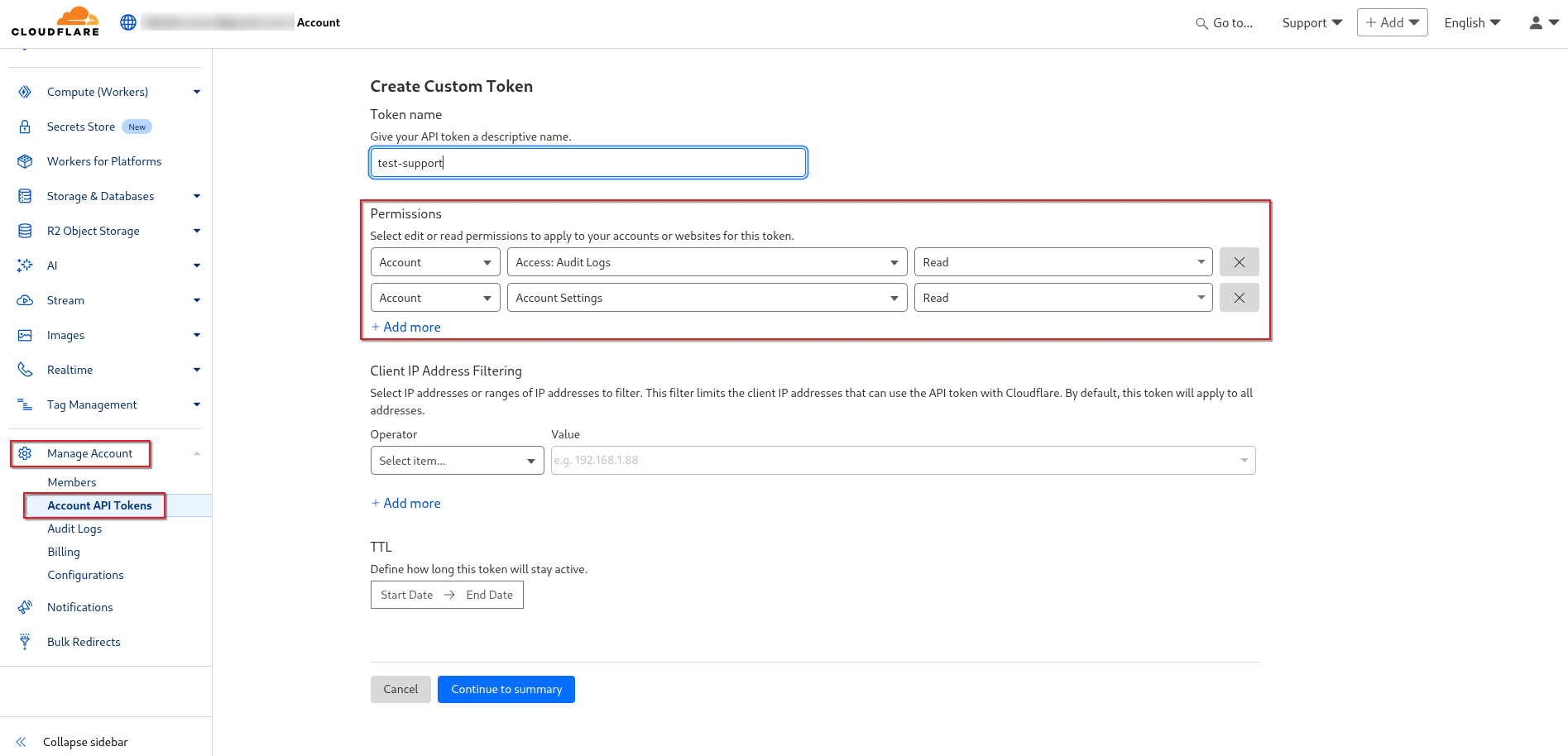
Minimum Required Permissions for the API Token:
-
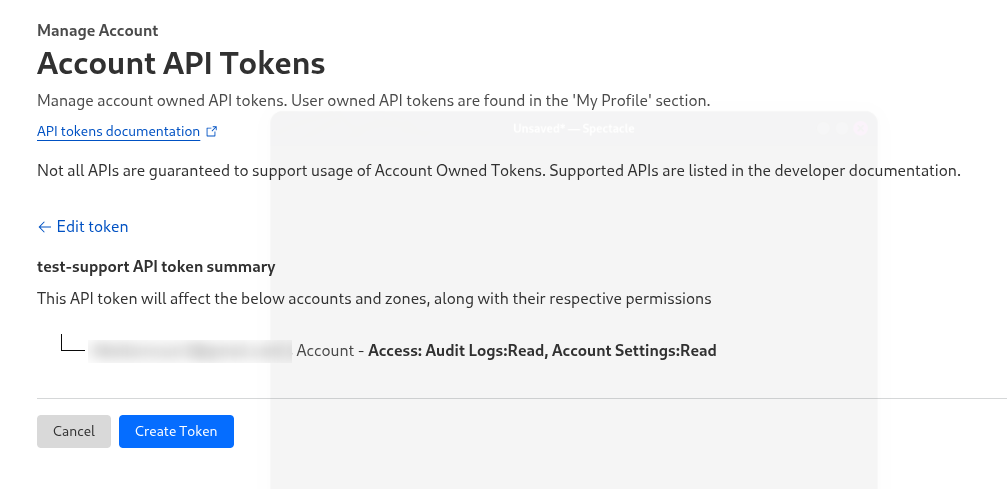
Account.Access:Audit Logs:Read Account.Account:Settings:Read
API Tokens are preferred for security as they support fine-grained access control. Create and manage tokens via the API Tokens dashboard.
Manage Account>Account API Tokens>Custom Token>Get Started
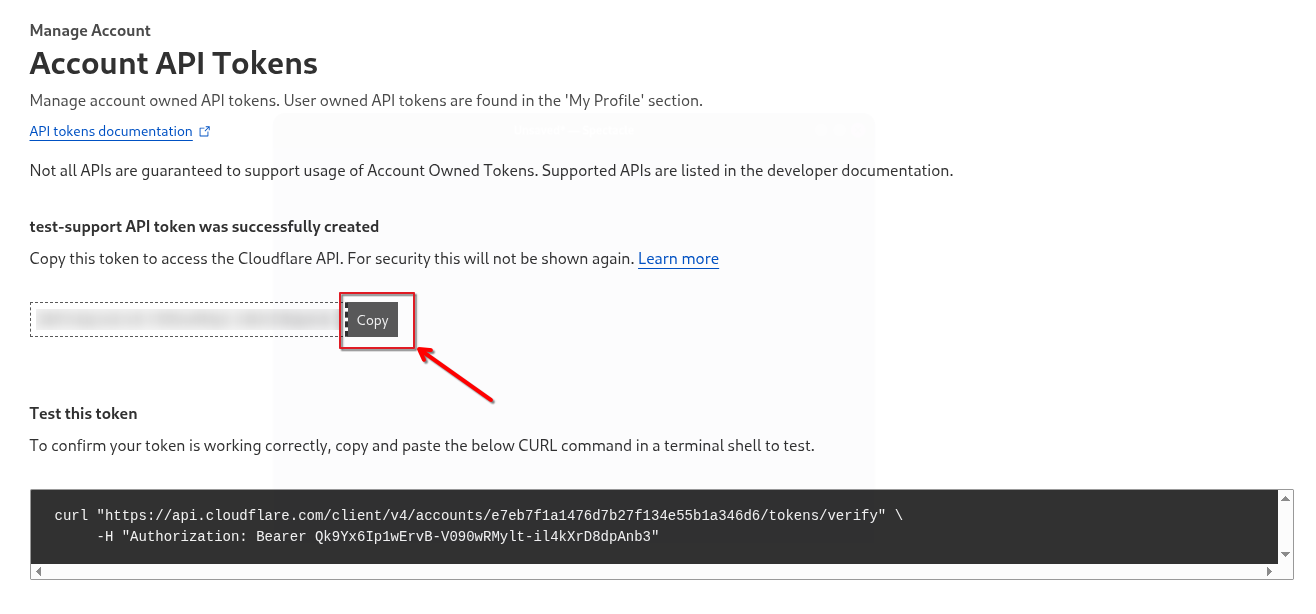
curl -X GET "https://api.cloudflare.com/client/v4/user/tokens/verify" \
  -H "Authorization: Bearer <token>" \
  -H "Content-Type: application/json"

Audit Logs
Audit logs provide a record of configuration changes within your Cloudflare account, including:
-
Logins/logouts
-
DNS setting changes
-
Modifications to Firewall, Caching, Page Rules, Speed, Network, and Traffic features
These logs are essential for tracking administrative activity and detecting unusual behavior.
To enable log collection from the Cloudflare API token, provide the following information to CyTech Support:
- Account ID
- API Token
If you need further assistance, kindly contact support@cytechint.com for prompt assistance and guidance.